
You just mounted a shiny new Sigma, Tamron, or Yongnuo lens on your camera, raised it to your eye, pressed the shutter halfway, and nothing. The motor stays silent. The focus ring does not move. Your third-party lens autofocus is not working, and you are staring at a blurry image wondering what went wrong.
If this sounds familiar, you are far from alone. Photographers across Reddit, DPReview, and Fred Miranda forums report this exact scenario daily. The good news is that most third-party lens autofocus problems come down to a handful of fixable causes: a flipped switch, dirty contacts, outdated firmware, or a mount compatibility issue.
In this guide, I will walk you through every common reason your third-party lens will not autofocus on your camera body. I will start with the simplest fixes you can check in under 30 seconds, then move into deeper troubleshooting like firmware updates, adapter problems, and brand-specific quirks. By the end, you will know exactly what to try and when to consider professional repair.
Table of Contents
Quick Checks: Start Here Before Anything Else
Before you panic or start disassembling anything, run through these quick checks. I cannot tell you how many times the solution was sitting right on the side of the lens.
1. Verify the AF/MF Switch on Your Lens
Almost every third-party lens has a physical AF/MF switch on the barrel. If that switch got bumped to MF while the lens was in your bag, autofocus will not engage no matter what your camera body settings say. This is the single most common cause of autofocus failure, and it takes two seconds to check.
Flip it to AF. Then check the same setting on your camera body. Some cameras like Canon DSLRs have a secondary focus mode switch near the lens mount. Both the lens switch and the body switch need to be set to AF for autofocus to work.
2. Confirm Your Camera Is Not in Manual Focus Mode
Your camera body has its own focus mode settings buried in menus. On Canon, check the AF operation menu. On Nikon, look for the autofocus mode in the setup menu. On Sony, check the Focus Mode setting in the AF menu.
If your camera is set to Manual Focus, it will ignore the lens switch entirely. Change it to AF-S (single) or AF-C (continuous), then half-press the shutter to test.
3. Check for Back Button Focus Conflicts
Back button focus is a popular technique where you assign autofocus to a rear button like AF-ON instead of the shutter release. If you bought a used camera or changed settings months ago and forgot, you might be pressing the shutter expecting focus and getting nothing.
Press the AF-ON or AE-L/AF-L button on the back of your camera while looking through the viewfinder. If the lens jumps to life, back button focus is enabled. This is not a malfunction, just a settings difference you need to be aware of.
Lens Mount Compatibility: The Number One Reason Third-Party Lenses Fail
Mount compatibility is where third-party lens autofocus problems get serious. A lens might physically attach to your camera and still not communicate with it at all. Here is what you need to know about each major mount system.
Canon EF vs EF-S vs RF Mount Issues
Canon EF and EF-S mounts have been around since 1987, and third-party lenses from Sigma, Tamron, and Tokina work well on these mounts in most cases. The EF mount has a long track record of reverse-engineered compatibility, and most older third-party EF lenses autofocus reliably on Canon DSLRs.
The Canon RF mount is a completely different story. Canon has actively restricted third-party autofocus lens development on the RF mount. As of 2026, only a small number of authorized third-party lenses have full AF capability on Canon RF bodies. If you bought a budget RF-mount lens from an unauthorized manufacturer, it may only work in manual focus.
Many photographers work around this by using Canon EF to RF adapters with older third-party EF lenses. This generally preserves autofocus, but performance can vary depending on the adapter and lens combination.
Nikon F-Mount vs Z-Mount Restrictions
Nikon F-mount third-party lenses from Sigma and Tamron have solid autofocus compatibility on Nikon DSLRs. However, older third-party F-mount lenses sometimes have issues with newer Nikon bodies due to firmware protocol changes Nikon made over the years.
The Nikon Z mount follows a pattern similar to Canon RF. Nikon has been cautious about opening the Z mount to third-party autofocus lenses. Some third-party Z-mount lenses now support AF, but the selection is still limited compared to the F-mount ecosystem. If your third-party Z-mount lens will not autofocus, confirm the manufacturer explicitly states AF support for your specific camera body.
Sony E-Mount Compatibility Nuances
Sony has been the most open of the three major mirrorless systems. The E-mount has been openly licensed, which is why Sigma, Tamron, Tokina, Viltrox, Samyang, and others produce autofocus E-mount lenses in large numbers.
Even so, compatibility issues happen. Older third-party E-mount lenses sometimes struggle with newer Sony bodies that use advanced autofocus systems. A lens might autofocus but not support eye-tracking, real-time tracking, or the full set of focus points. In most cases, a firmware update from the lens manufacturer resolves these issues.
Dirty or Faulty Electrical Contacts
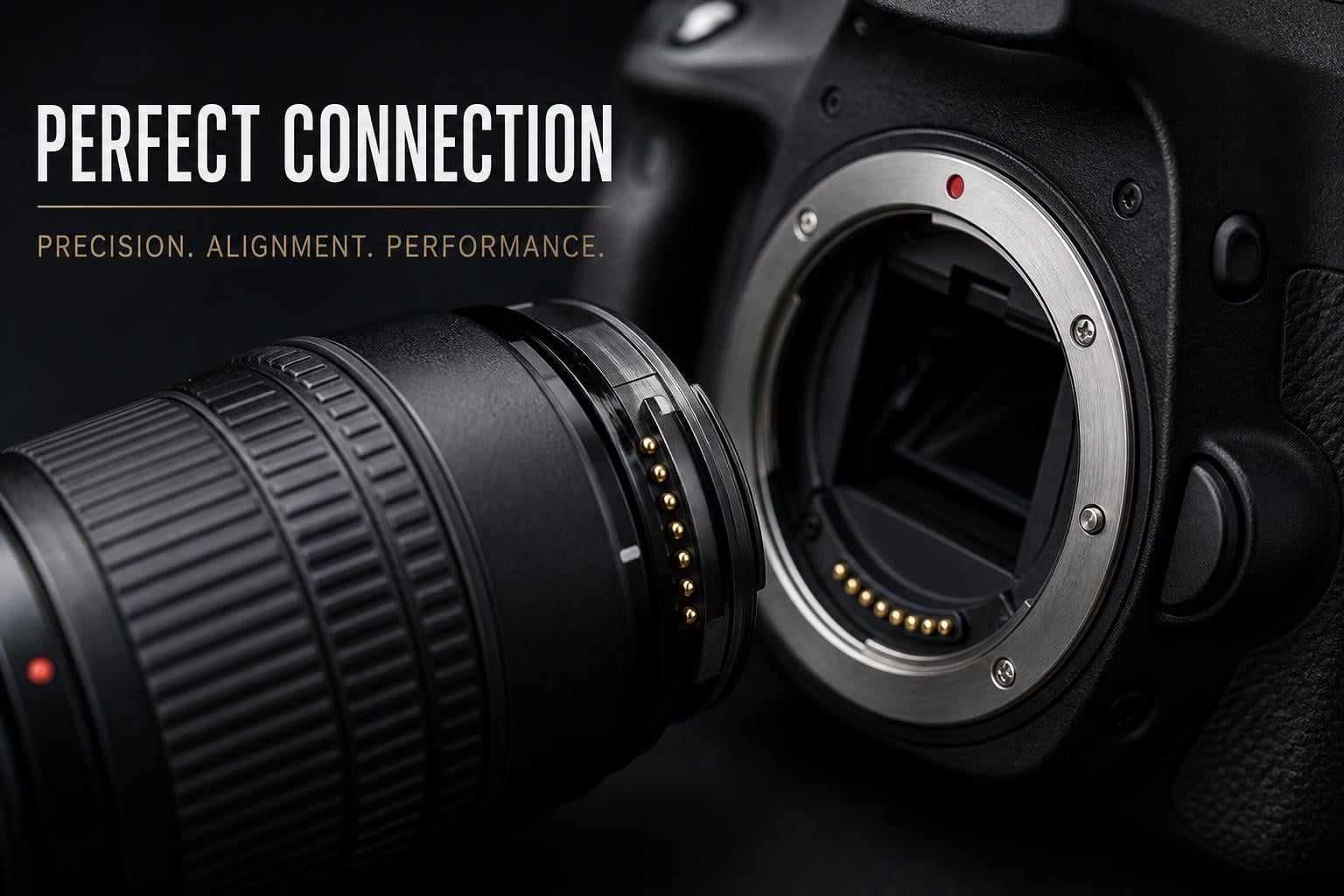
Autofocus relies on electrical communication between your lens and camera body. A row of gold or silver-colored contacts on the back of the lens matches up with contacts inside the camera mount. These are often called CPU contacts, and they carry focus commands, aperture data, and EXIF information.
If even one contact is dirty, oxidized, or bent, the lens may fail to autofocus entirely or may focus intermittently. Photographers on photography forums frequently report that cleaning contacts fixed problems they had blamed on the lens itself.
How to Clean Lens Contacts Safely
Follow these steps to clean your contacts without damaging anything:
Step 1: Power off your camera and remove the lens.
Step 2: Inspect the contacts on both the lens and the camera body. Look for visible dirt, oil, or bent pins.
Step 3: Use a clean microfiber cloth or a lens cleaning wipe to gently wipe the gold contacts on the lens. Do not scrub hard.
Step 4: Wipe the contacts inside the camera body mount carefully. Avoid touching the mirror or sensor.
Step 5: For stubborn oxidation, use a Q-tip lightly dampened with isopropyl alcohol. Never pour liquid directly onto the contacts.
Step 6: Let everything dry completely, reattach the lens, and test autofocus.
Signs of Bent or Damaged Pins
If cleaning does not help, inspect the camera body contacts for bent or recessed pins. This usually happens when a lens was mounted at an angle or forced. Bent pins inside the camera mount require professional repair. Do not attempt to straighten them yourself with tools, because you can easily damage the mount or push debris into the sensor chamber.
One telltale sign of damaged pins is that the lens works on another camera body but not yours. If multiple lenses fail to autofocus on your body, the problem is almost certainly the camera contacts, not the lenses.
Firmware Mismatches Between Lens and Camera
Firmware is the internal software that controls how your lens communicates with your camera. Camera manufacturers update their firmware regularly, adding new features and changing communication protocols. Third-party lens makers reverse-engineer these protocols, and when a camera gets a firmware update, the lens firmware can become outdated.
This is one of the most commonly overlooked causes of third-party lens autofocus not working. A Sigma lens that worked perfectly on your Canon 6D might suddenly stop autofocusing when you upgrade to a Canon R6. The lens itself is fine, but its firmware cannot speak the new camera’s language.
Sigma USB Dock for Firmware Updates and Calibration
Sigma offers a USB dock that connects their lenses directly to your computer. The Sigma Optimization Pro software lets you update lens firmware, adjust focus calibration for different focus distances, and customize the focus override behavior.
If you own a Sigma lens and it stopped autofocusing on a new camera body, the USB dock should be your first investment. Many users on Reddit report that a firmware update through the dock instantly resolved autofocus compatibility issues with newer cameras.
Tamron TAP-in Console
Tamron has an equivalent tool called the TAP-in Console. It connects Tamron lenses to your computer via USB and lets you install firmware updates, adjust autofocus fine-tuning, and customize lens behavior.
The process is straightforward: plug the console into your computer, connect the lens, open the TAP-in Utility software, and follow the prompts. The software checks for available updates and installs them in a few minutes.
How to Check if Your Lens Needs a Firmware Update
First, find your current firmware version. On Canon bodies, go to Menu, then wrench icon, then Lens Firmware. On Nikon, check the Firmware Version in the setup menu (it lists lens firmware separately). On Sony, lens firmware shows in the Version display under Setup.
Next, visit the manufacturer’s website (Sigma, Tamron, Tokina, etc.) and search for your lens model. Compare the latest available firmware version to what is installed on your lens. If an update is available, you will need the appropriate dock or console to install it.
Do not skip this step. I have seen countless forum posts where photographers bought new lenses, traded them in, or paid for unnecessary repairs when a free firmware update would have fixed everything.
Adapter Issues: When You Are Using a Smart Adapter
Lens adapters add another layer of complexity to autofocus. A smart adapter contains its own electronics that translate commands between the lens mount and the camera mount. When that translation fails, autofocus stops working.
Metabones Adapter Autofocus Limitations
The Metabones Canon EF to Sony E-mount Smart Adapter is one of the most popular adapters on the market. It allows Canon EF lenses to autofocus on Sony mirrorless bodies. However, autofocus performance is not guaranteed to be smooth or fast.
Metabones users on the SonyAlpha subreddit frequently report that continuous autofocus (AF-C) does not work properly with adapted lenses. Single-shot AF (AF-S) usually works, but it can hunt or lock onto the wrong subject. The adapter itself also receives firmware updates, so check the Metabones website for the latest version if you are having issues.
Budget Adapters: Viltrox, Fotodiox, and Others
Cheaper adapters from Viltrox, Fotodiox, and K&F Concept can enable autofocus on adapted lenses, but compatibility is hit or miss. Some adapters only support manual focus by design. Others claim AF support but deliver such slow or unreliable performance that autofocus is practically unusable.
If your adapted lens is not autofocusing, test it without the adapter on its native mount body. If it works natively, the adapter is the culprit. Consider upgrading to a Metabones or a first-party adapter for better compatibility.
Why Adapters Cause Manual Focus Default Behavior
Some adapters and camera combinations default to manual focus when they cannot establish full electronic communication. Your camera might display an MF indicator even though you never touched the focus switch. This happens because the camera cannot confirm the lens type through the adapter and falls back to a safe mode.
To fix this, check your camera’s menu for an option to enable shooting without a lens or to release the shutter without a lens attached. On Sony bodies, look for the Release Shutter w/o Lens setting. On Canon mirrorless, check the Mount Adaptor settings.
Focus Mode and Settings That Block Autofocus
Several camera settings can silently prevent autofocus from working. These are not bugs or defects, but they can be incredibly frustrating if you do not know where to look.
Focus Limiter Switch
Many telephoto and macro third-party lenses have a focus limiter switch. This switch restricts the focusing range to reduce hunting. For example, a 70-300mm lens might have a switch that limits focus to 3 meters to infinity, skipping the close-focus range.
If your subject is closer than the limited range, autofocus will not lock. The lens will try to focus, fail, and give up. If you are photographing something close, flip the focus limiter to the full range setting.
One-Shot vs AI Servo vs AF-C Mode Selection
Different autofocus modes behave differently. In One-Shot (Canon) or AF-S (Nikon/Sony) mode, the camera locks focus once and stops. If your subject moves or the camera cannot find contrast, focus will not engage.
In AI Servo (Canon) or AF-C (Nikon/Sony) mode, the camera continuously adjusts focus. Some third-party lenses struggle with continuous autofocus, especially older models. If your lens hunts endlessly in AF-C but works fine in AF-S, the continuous tracking is the issue.
Try switching to single-shot AF mode to see if the lens responds. If it works in AF-S but not AF-C, you have narrowed down the problem.
Minimum Focus Distance
Every lens has a minimum focus distance, the closest distance at which it can achieve focus. If you are too close to your subject, the lens will hunt and fail. This is not a defect, just a physical limitation.
Check the minimum focus distance in your lens manual or on the manufacturer’s website. Step back and try again. Macro lenses have very short minimum focus distances, while telephoto lenses may require several meters.
Low Light and Low Contrast Scenes
Autofocus systems need light and contrast to work. Phase detection autofocus uses special sensors that require adequate light. Contrast detection autofocus, common in older mirrorless cameras, needs detail and contrast in the scene to determine sharp focus.
If your third-party lens works fine outdoors but struggles indoors, low light is likely the cause. Try focusing on a high-contrast edge, like a window frame or a printed text. Switch to the center focus point, which is typically the most sensitive. In extreme low light, even first-party lenses struggle, so this is not unique to third-party glass.
Brand-Specific Third-Party Lens Issues
Different third-party manufacturers have different reputations for autofocus reliability. Here is what I have learned from forums, user reports, and personal experience.
Sigma Lens Autofocus Problems
Sigma is the largest third-party lens maker and generally has the best autofocus compatibility track record. Their Contemporary, Art, and Sports lines include USB dock support for firmware updates and calibration.
The most common Sigma autofocus issue is focus inconsistency. The lens might front-focus or back-focus slightly at certain distances. The Sigma USB dock lets you calibrate focus at four different distance ranges to correct this. If you do not have the dock, your camera body’s AF micro-adjustment feature can help, though it only offers a single global correction.
Tamron Lens Autofocus Problems
Tamron produces excellent lenses with strong autofocus performance, especially their Di series. The TAP-in Console provides firmware updates and calibration similar to the Sigma dock.
Tamron lenses occasionally have communication issues with Nikon bodies, where the camera displays an error or refuses to recognize the lens. This is almost always a firmware mismatch. Check the Tamron website for your specific lens model and camera body combination.
Yongnuo Lens Autofocus
Yongnuo makes budget clones of popular first-party lenses. While their optical quality has improved over the years, autofocus reliability is inconsistent. Many Yongnuo lenses only support autofocus on certain camera models, and some users report that AF works on one body but not another.
If you are using a Yongnuo lens and autofocus is not working, check the product documentation carefully. Some Yongnuo lenses are manual-focus-only versions that look identical to their AF counterparts.
Tokina and Other Brands
Tokina lenses have a mixed autofocus track record. Their older lenses sometimes need AF fine-tuning on newer bodies. Samyang and Rokinon produce some autofocus lenses for Sony E-mount and Canon EF, but their AF performance is generally slower than Sigma or Tamron. Viltrox has entered the AF lens market recently with E-mount and Z-mount options, with improving but still developing compatibility.
When to Seek Professional Repairs?
If you have tried every troubleshooting step and your third-party lens still will not autofocus, it may have a hardware fault. The autofocus motor could be burned out, the internal ribbon cable could be damaged, or the focus encoder might have failed.
Before paying for repair, test the lens on a different camera body. If it fails on multiple bodies, the lens needs service. If it works on one body but not another, the problem is body-specific and may require camera repair instead.
Contact the lens manufacturer’s support first. Sigma, Tamron, and Tokina all offer warranty service and may repair known autofocus issues for free if the lens is still under warranty. Independent repair shops can also service third-party lenses, often at lower costs than the manufacturer.
FAQs
Why is my camera lens not auto focusing?
Your lens may not be autofocusing because the AF/MF switch is set to manual, the camera body is in manual focus mode, the lens contacts are dirty, the firmware is outdated, or the lens is not fully compatible with your camera body. Start by checking the AF/MF switch on the lens barrel, then verify your camera’s focus mode settings.
Why won’t my camera focus on what I want?
Your camera may struggle to focus on your intended subject if the area lacks contrast, the subject is too close (within minimum focus distance), the focus limiter switch restricts the range, or the wrong focus point is selected. Try switching to the center focus point, ensuring your subject has clear edges, and stepping back if you are very close.
How to enable auto focus on camera?
To enable autofocus, set the AF/MF switch on your lens to AF. Then check your camera body menu and set the focus mode to AF-S (single) or AF-C (continuous). On Canon, also check the AF operation setting. On Sony, verify the Focus Mode in the AF menu. If back button focus is enabled, press the AF-ON button instead of the shutter.
How to fix a camera that doesn’t focus?
Start with the basics: check the AF/MF switch, verify camera focus mode settings, clean the lens contacts with a microfiber cloth, update lens firmware using the manufacturer dock, test the lens on another body, and try a different focus mode. If none of these work, the lens or camera may need professional repair.
Why is my Nikon lens not auto focusing?
Nikon lenses may stop autofocusing due to a dirty contact, the focus switch on the lens or body being set to M, the camera being in manual mode via menu, or a firmware incompatibility between an older third-party lens and a newer body. Check the focus mode selector on the front of the camera body near the mount.
Why won’t my Canon lens autofocus?
Canon lenses may not autofocus if the AF/MF switch is on MF, the body switch is off, the lens firmware is outdated, or you are using an EF to RF adapter that has poor electronic communication. On Canon DSLRs, check the switch near the lens mount. On Canon mirrorless, verify the AF operation setting in the menu.
Can autofocus be repaired?
Yes, autofocus can be repaired. If the autofocus motor is burned out, the internal cable is damaged, or the focus encoder has failed, a professional repair service can replace the affected components. Contact the lens manufacturer first, as warranty repairs may be free. Independent repair shops can also fix most autofocus issues at a reasonable cost.
Wrapping Up: Fixing Third-Party Lens Autofocus Issues
Third-party lens autofocus problems can feel overwhelming when you are standing in the field watching your lens refuse to focus. But as I have outlined in this guide, the vast majority of issues trace back to a small set of causes that you can diagnose and fix yourself.
Start with the basics: the AF/MF switch, the camera body focus mode, and back button focus settings. Then move to contact cleaning, which resolves a surprising percentage of intermittent autofocus failures. If the lens still will not cooperate, check for firmware updates using the Sigma USB dock or Tamron TAP-in Console, because outdated firmware is the hidden culprit in many compatibility issues.
For mount compatibility problems, especially on Canon RF and Nikon Z systems, research whether your specific lens and body combination is officially supported. Smart adapters add another variable, so test your lens natively if possible. And if all else fails, test on a second camera body before seeking professional repair.
Understanding why your third-party lens autofocus is not working saves you time, money, and a lot of frustration. Keep this troubleshooting checklist handy, and you will be back to shooting sharp images faster than you think.