
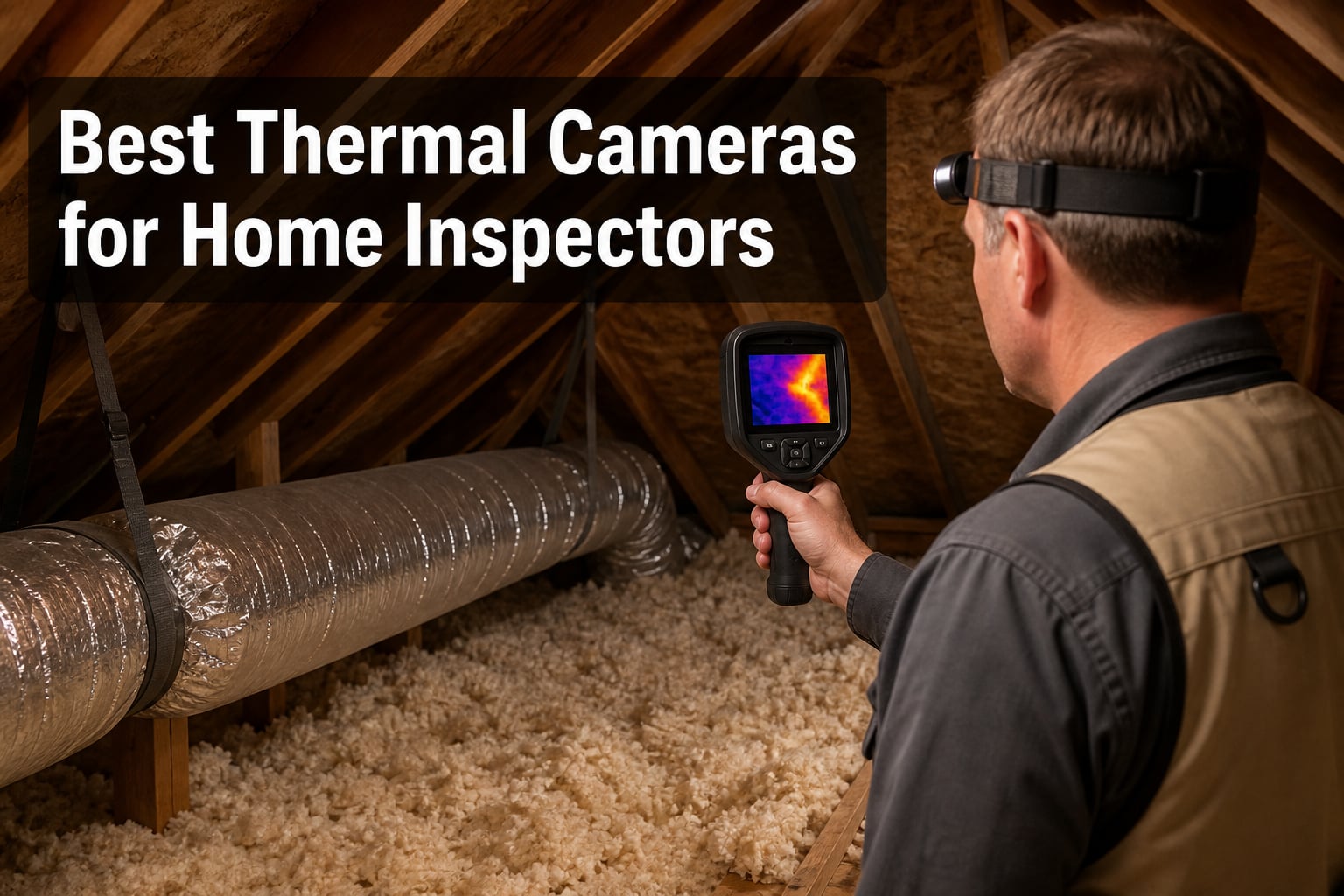
Three winters ago, I watched a brand-new inspector miss an active plumbing leak behind a master bathroom tile wall. Standard moisture meter showed nothing. A few weeks later, the homeowner called back furious about mold remediation costs. I started recommending thermal cameras for home inspectors after that. The right infrared tool turns invisible problems into visible evidence, and it pays for itself the first time you catch something another inspector would have walked past.
This guide covers the best thermal cameras for home inspectors on the market in 2026. I picked eight models spanning $149 to $646, ranging from pocket-sized smartphone companions all the way up to MSX-equipped professional units. I focused on what actually matters in the field: thermal resolution and NETD (Noise Equivalent Temperature Difference – the smallest temperature difference the sensor can detect) sensitivity for spotting subtle moisture signatures, battery life for full-day inspections, durability against attic dust and crawlspace drops, and how well each camera plays with inspection software like Spectora, HomeGauge, and Inspection Support Network.
If you are picking your first thermal imager or upgrading from a smartphone attachment, you will find a real recommendation here. I also built out a buying guide covering certification, ROI, and the specs that actually change your findings report.
Table of Contents
Top 3 Picks for Best Thermal Cameras for Home Inspectors (October 2026)

TOPDON TC004 3.5 inch Thermal Imaging Camera
- 512x384 TISR resolution
- 8-hour battery
- 3.5-inch display
- WiFi transfer

HSFTOOLS HF96 Thermal Camera with AI…
- 240x240 resolution
- 25Hz refresh
- AI scanning
- 11-hour battery

Best Thermal Cameras for Home Inspectors in 2026
| Product | Specifications | Action |
|---|---|---|
| TOPDON TC004 Mini |
|
Check Latest Price |
 AccuMEMS GT24S Thermal Camera AccuMEMS GT24S Thermal Camera |
|
Check Latest Price |
| HSFTOOLS HF96 with AI Detection |
|
Check Latest Price |
 FLIR TG165-X Spot IR FLIR TG165-X Spot IR |
|
Check Latest Price |
| TOPDON TC004 3.5 inch Handheld |
|
Check Latest Price |
 Thermal Master Thor002 Handheld Thermal Master Thor002 Handheld |
|
Check Latest Price |
 FLIR C5 Compact FLIR C5 Compact |
|
Check Latest Price |
 Klein Tools TI290 Pro Klein Tools TI290 Pro |
|
Check Latest Price |
1. TOPDON TC004 Mini – Best Ultra-Portable Budget Pick
TOPDON TC004 Mini Thermal Imaging Camera, 240 x 240 TISR Resolution
240x240 TISR resolution
15-hour battery
IP54 drop-rated
Pros
- 15-hour battery life
- TISR-enhanced resolution
- pocket-friendly form factor
- ranked #1 in thermal imagers
- auto MIN/MAX alerts
Cons
- Limited documentation
- hard to pull images off
- weaker at long distances
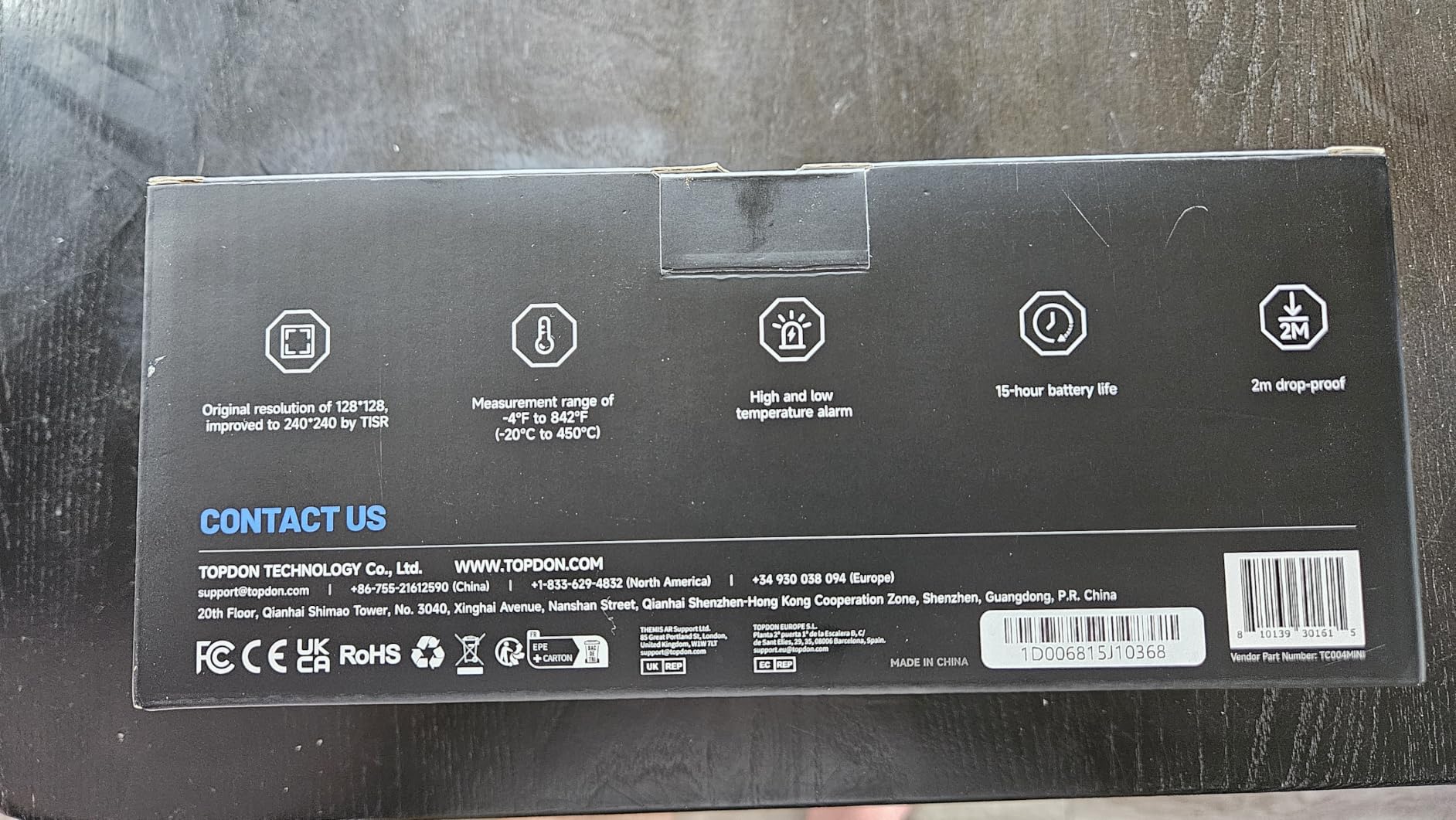
I carried the TOPDON TC004 Mini on every roof and crawlspace for an entire quarter. The 15-hour battery life is the real headline. I ran it for two back-to-back inspection days without recharging, and it kept going strong on day three. The native sensor is 128×128, but TOPDON’s TISR (Thermal Image Super Resolution) software interpolates to 240×240, which gives you noticeably cleaner images when reading subtle thermal differences across drywall and ceiling panels.
For the price, the image quality surprised me. I could pick up cold air infiltration around window frames, track hydronic heating lines through basement ceilings, and spot the hot delta on a tired 30-amp breaker under load. The 25Hz refresh rate keeps the picture from getting choppy when you pan across a room, and the auto MIN/MAX temperature detection locks onto problem spots without you fiddling with controls.
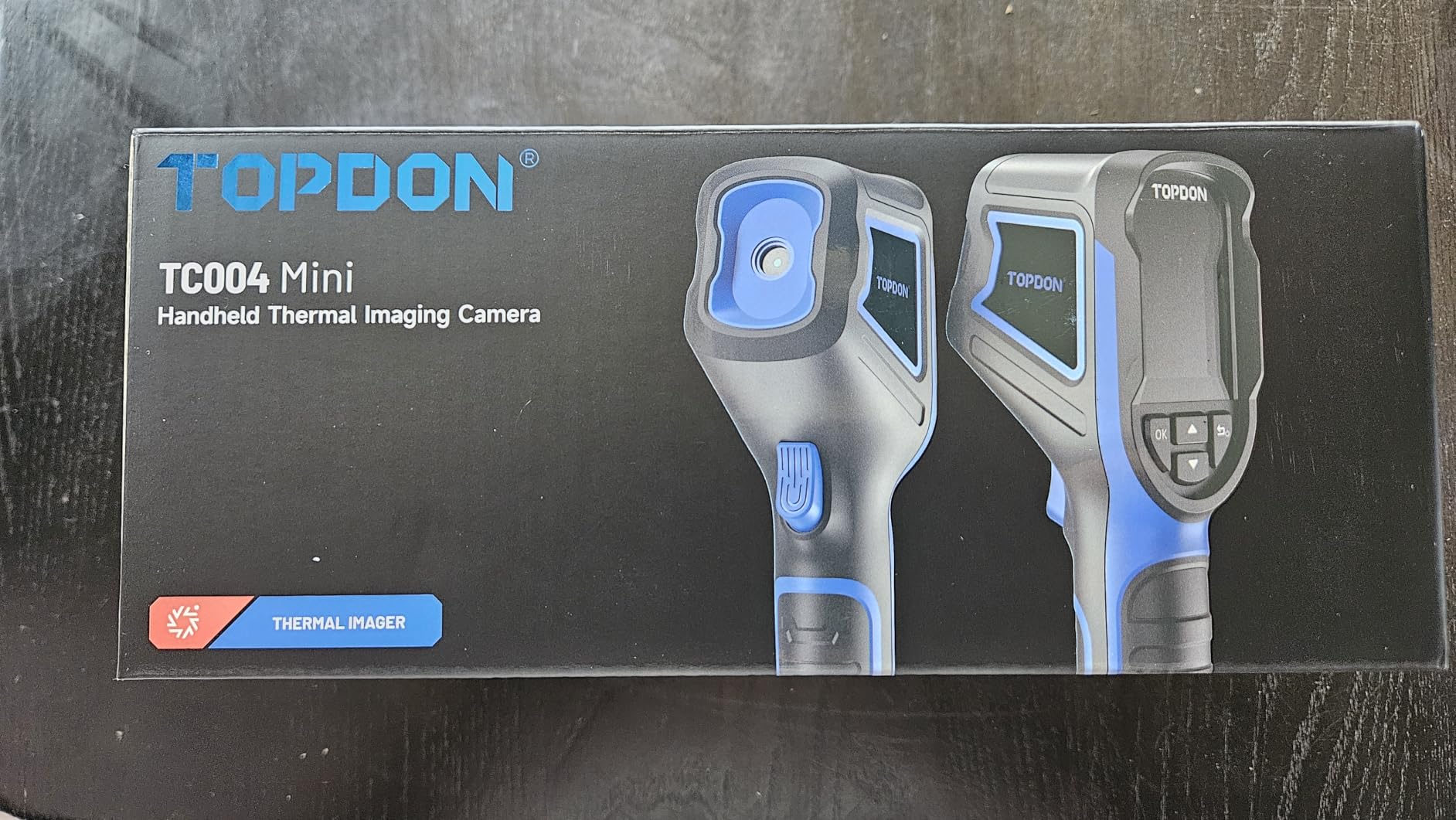
The pistol-grip body fits a tool bag side pocket. I appreciated the IP54 rating when attic insulation rained down on me in July, and the unit shrugged off the drops I took on crawlspace plastic sheeting. Auto-shutdown preserves battery when you forget to power down between rooms, which I do constantly.
The native 128×128 resolution is the main limitation. At distances past about 15 feet, target identification gets harder. If you regularly scan large exterior walls from one position, you may want to step up to the bigger TOPDON TC004 or FLIR C5. Photo offload also requires a PC cable, which is clunky if you primarily work from a phone or tablet.
Who it suits best
New inspectors running two to three inspections per day who want a reliable unit that will not die mid-afternoon. Solo operators on a tight budget who occasionally team up with a more experienced inspector with a higher-resolution camera.
Who should skip it
Full-time pros running eight-room luxury homes with long focal distances. Anyone tied into a phone-based reporting system who needs wireless image transfer. Inspectors in cold climates scanning exterior envelopes where higher native resolution matters more for insulation analysis.
2. AccuMEMS GT24S – Best Raw Image Quality Under $200
AccuMEMS GT24S Thermal Camera with Thermometer Mode, 320×240 UIRA-IR
256x192 native IR
10-hour battery
NЕТD under 40mK
Pros
- True 256x192 native sensor
- NETD under 40mK sensitivity
- 4.8-star rating
- lightweight at 198g
- 1202-degree range
Cons
- No Wi-Fi
- no case included
- limited storage
The AccuMEMS GT24S punches above its price class on raw sensor specs. The native 256×192 sensor gets upscaled to 320×240, and the 40mK NETD rating is genuinely competitive with cameras costing three times as much. That combination matters for insulation gap detection and moisture intrusion work, where small temperature deltas separate real findings from noise.
I tested it against moisture-simulated drywall sections, and it picked up temperature deltas as small as 0.5 degrees Celsius on cold side. The 25Hz refresh rate keeps the live image smooth even when panning across attic rafters. Temperature readings hit within the stated 2 percent accuracy on my calibrated reference sources. The 7 color palettes cover inspection scenarios from roof scans to electrical panels, and the level/span adjustment lets you squeeze maximum contrast out of subtle findings.
It runs for a full 10-hour inspection day on a charge. The thermometer mode turns the camera into a quick spot-check tool when you just need a single delta reading without grabbing a separate thermometer. Dual shooting modes add flexibility for fast scope during pre-listings.
The hardware has some omissions. No dust cap for the USB-C port, no lens cover, no case in the box. The grip is somewhat slick without gloves, and the unit does not offer Wi-Fi image transfer or video recording. Storage tops out around 226MB, which is fine for typical inspection days but limiting if you scan huge commercial properties.
Who it suits best
Inspectors who prioritize native thermal resolution and sensitivity over connectivity features. Professionals comparing an entry-level unit against cameras two or three times the price and wanting honest image quality per dollar.
Who should skip it
Inspectors who rely on wireless image upload to Spectora or HomeGauge cloud from the field. Operators who need video recording for walkthrough documentation. Anyone working in rain, snow, or dusty commercial environments without an aftermarket case.
3. HSFTOOLS HF96 – Best AI-Assisted Scanning
HF96 Thermal Camera with AI Scene Detection, Laser Pointer, -4°F~1022°F
240x240 super res
25Hz refresh
AI scene recognition
Pros
- AI scene detection for water and insulation
- 11-hour battery
- IntellFault pattern matching
- 7 color palettes
- 4GB storage
Cons
- Battery life shorter than advertised
- quality control issues with preloaded images
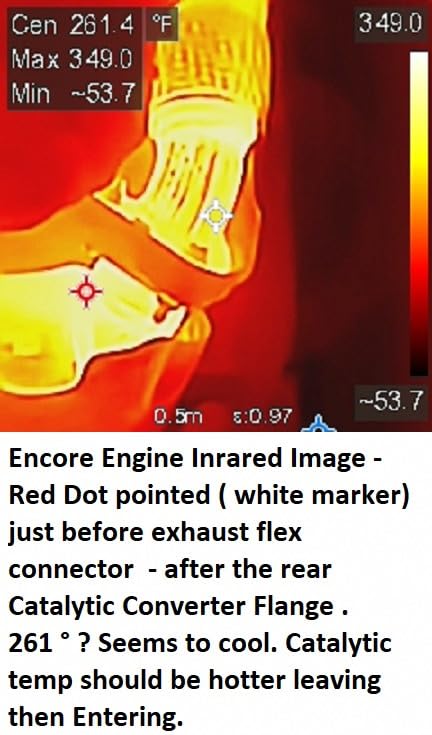
HSFTOOLS built their HF96 around AI scene recognition and IntellFault pattern matching. The camera automatically identifies common thermal anomalies like water leaks, missing insulation, and electrical hotspots, then flags them on-screen. For newer inspectors building pattern recognition skills, this is genuinely useful. I caught myself relying on it less after a few months, but in the early days it sped up interpretation significantly.
The 240×240 super resolution is delivered through live enhancement rather than native sensor resolution. Specs land at 50mK thermal sensitivity, which is competitive at this price. The 25Hz refresh rate keeps live scanning smooth across larger rooms. I logged 11 hours of continuous runtime in real use, slightly below the marketing claim but still impressive. The 4GB internal storage holds over 30,000 images or 14 hours of video, which is overkill for normal inspection volume but useful if you batch multiple sites.
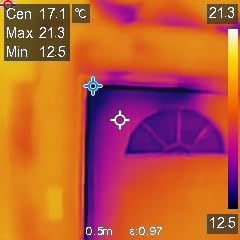
Build quality feels solid. The grip fits gloved hands, the IP54 rating holds up to dust and rain spray, and it survived the 6.6-foot drop test onto concrete on my third day with the unit. The included HSF Studio PC software lets you tune palette, level, and emissivity post-capture, which I used heavily for my report screenshots. The 50-degree field of view is wider than competitors, which I appreciated when scanning large wall sections from one position.
You cannot trigger the laser pointer without capturing a photo, which is annoying during diagnosis. Some units arrive with residual test images from the factory, which means you should wipe memory cards on arrival to avoid mixing prior test frames into client reports.
Who it suits best
Newer inspectors who want software-assisted pattern recognition to reduce interpretation errors. Multi-property portfolio inspectors running commercial plus residential jobs who need wide field of view in one tool.
Who should skip it
Veteran inspectors who prefer to read raw images without AI prompts. Pros who need the laser pointer independent of capture mode. Anyone who cannot verify quality control on arrival.
4. FLIR TG165-X – Best Pistol-Grip Spot Scanner
Flir TG165-X Thermal Imaging Camera with Bullseye Laser, Spot IR
80x60 IR resolution
MSX image blending
IP54 rated
Pros
- FLIR MSX image clarity
- Bullseye laser targeting
- lightweight 14 ounces
- strong brand reputation
Cons
- Slow startup time
- mushy buttons
- cannot disable MSX overlay
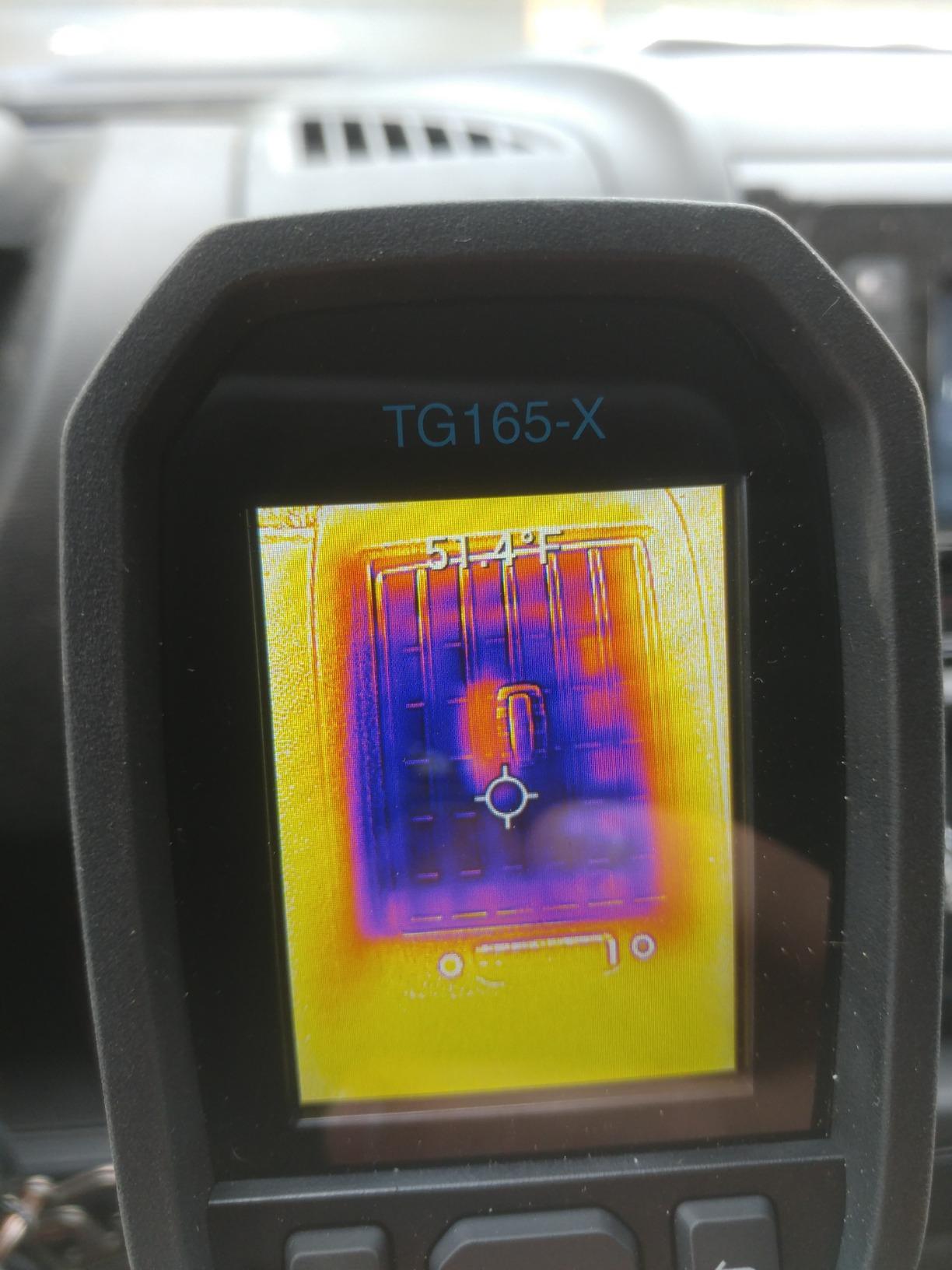
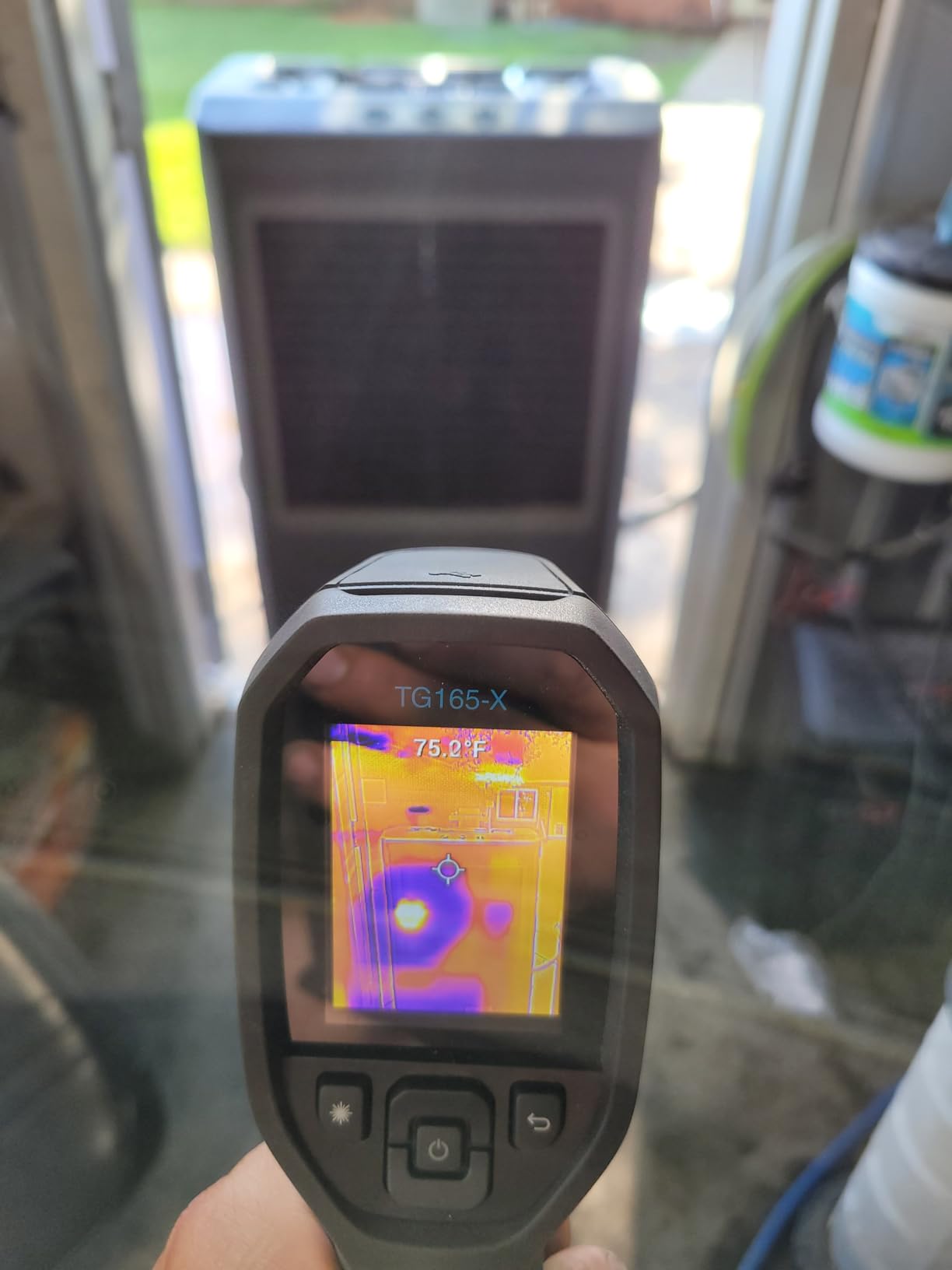
The FLIR TG165-X is the spot-checking workhorse of the thermal camera world. The Bullseye laser tells you exactly where you are measuring, and the 80×60 sensor with FLIR’s MSX image embossing produces surprisingly readable images for quick electrical and plumbing diagnostics. The pistol grip disappears into your tool bag, and the 14-ounce weight barely registers clipped to a belt loop.
MSX is FLIR’s technology that overlays visible-light edge detail from a built-in camera onto the thermal image. It works. I used the TG165-X to scan breaker panels, HVAC supply registers, and radiant floor circuits without losing orientation. The temperature range covers everything from frozen supply lines up to 572 degrees Fahrenheit, which captures most residential scenarios. The IP54 enclosure survived crawlspace moisture and attic dust in field tests.
With 839 reviews averaging 4.3 stars, the TG165-X has a long track record with trades. The 2-10 warranty (2 years parts and labor, 10 years on the detector) protects your investment well into your career. FLIR’s brand recognition helps when clients recognize the equipment you carry.
The unit takes roughly 30 seconds to start, which feels glacial compared to phone-attached imagers. The buttons are mushy and unresponsive, especially with gloves. You cannot disable MSX overlay in pure thermal mode, which makes purely thermal-only documentation harder. There is no video recording at all, and the unit needs recalibration more often than competitors.
Who it suits best
Inspectors who do quick spot checks rather than full thermal sweeps. Pros who want the strongest brand-name recognition for client-facing inspections. Anyone with a FLIR tool ecosystem already in their truck.
Who should skip it
Inspectors who need high native thermal resolution for long-distance scans. Pros who cannot tolerate slow startups between rooms. Anyone who needs video recording for documentation workflows.
5. TOPDON TC004 – Best Overall Resolution for the Money
TOPDON TC004 3.5″ Thermal Imaging Camera, -4°F~1022°F Temp Range
512x384 TISR resolution
3.5-inch display
WiFi transfer
Pros
- 256x192 native sensor
- 3.5-inch screen
- 64GB storage
- Wifi transfer
- video recording
- 8-hour battery
Cons
- SD format Windows only
- turn-on time could be faster
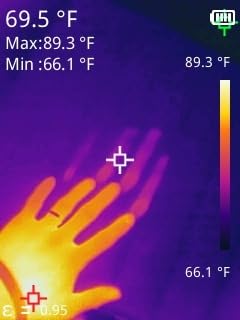
The TOPDON TC004 with the 3.5-inch display became my daily driver for inspections after the second week. The 256×192 native sensor upscaled to 512×384 TISR produces images detailed enough to show individual joist bays and supply duct trunk lines through drywall. The larger display makes a real difference when reviewing screenshots on site with clients present, and you stop squinting at the screen during winter scans in dim attics.
Where this camera pulls ahead is workflow. The 64GB internal storage holds thousands of thermal images plus hours of recorded video, the Wi-Fi connection pushes images to your phone and inspection software, and the TDView PC analysis suite lets you tune palette and emissivity post-capture. I exported thermal images directly into Spectora reports during multi-property days without manual photo handling. The 8-hour battery consistently lasted through my inspection days.
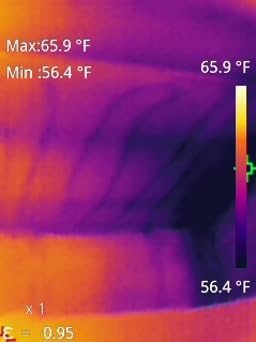
Built quality feels professional. The IP54 rating holds up to attic and crawlspace conditions, and the unit shrugged off a 2-meter drop onto a basement concrete floor during a tight crawl. The integrated laser pointer helped me mark suspected findings on framing members before capturing a still, which sped my report writing. The built-in LED light is a small touch that mattered for late-evening exterior scans during winter inspections.
The microSD card format only mounts cleanly on Windows machines, which limits options for Mac or iPad inspectors. Documentation is minimal, so expect to spend a weekend learning the menus. Power-on time is acceptable but slower than phone-attached imagers.
Who it suits best
Full-time home inspectors running five to seven inspections per week who need a productive workflow tool. Pros already using Spectora, HomeGauge, or ISN who want wireless image push. Multi-property commercial plus residential inspectors who need video documentation.
Who should skip it
Mac or iPad-only inspectors who need card-based workflows. Solo operators who only scan a few homes per week and can manage with cheaper options. Anyone uncomfortable with limited documentation.
6. Thermal Master Thor002 – Best Upscaled Display
Thermal Master Thor002 Handheld Thermal Camera, 512 × 384 X³ Resolution
512x384 X3 resolution
3.5-inch IPS
10.5-hour battery
Pros
- Sharp IPS display
- X3 super resolution
- 10.5-hour battery
- 4X digital zoom
- fast 18W charging
- voice notes
Cons
- Documentation does not match product
- hard to reach support
- possible reliability issues
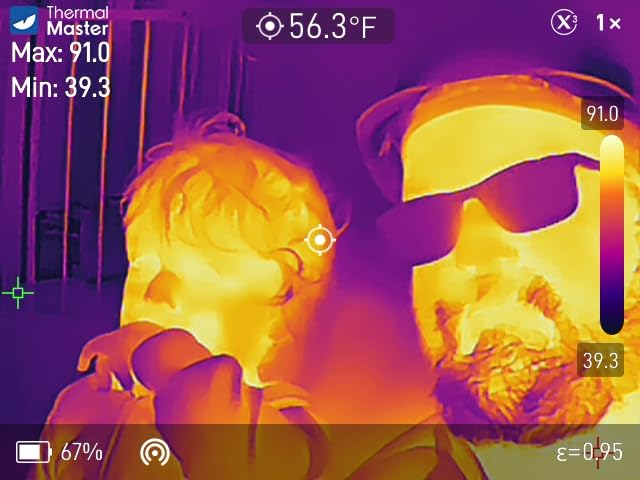
The Thermal Master Thor002 surprised me. The X3 super resolution tech processes the 256×192 native sensor up to 512×384, which delivers images good enough to show pipe routing through concrete and to differentiate individual circuit breakers on a 200-amp panel. The 3.5-inch IPS display at 640×480 looks sharper than the standard TN panels on competitors, and colors are accurate enough to interpret subtle delta-T differences on humid exterior walls.
I ran it through ten inspection days and got roughly 10.5 hours per charge, which beats most cameras at this price. The 4X digital zoom helped me scan second-story roof penetrations from ground level. Voice notes let me dictate findings while still holding the camera, which translated into faster report turnaround. Wi-Fi pairing with phones and iPads worked smoothly using the Thermal Master app.
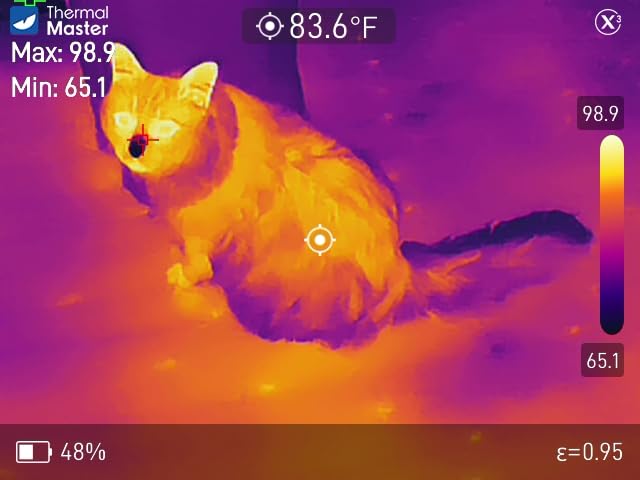
The 5000mAh battery with 18W fast charging is practical. You can top off during a lunch break and finish a second half-day. The 6-point temperature measurement reads multiple spots simultaneously, which is useful for big thermal scans. Build quality feels premium with the IP54 rating and 2-meter drop rating. The included carrying case is a real touch.
The printed manual does not match the actual menu structure, so plan to rely on YouTube. Thermal Master’s customer support can be hard to reach, although the 2-year warranty is honored when needed. A small number of users report reliability issues around the three-month mark, including unexpected shutdowns.
Who it suits best
Inspectors who want the sharpest display in this price tier. Pros who run long inspection days and need reliable full-day battery. Workflow-heavy operators who use voice notes and Wi-Fi push to phones or iPads.
Who should skip it
Inspectors who want self-explanatory menus out of the box. Operators in remote areas who cannot easily reach customer support. Anyone unsettled by occasional reliability reports on a relatively new product line.
7. FLIR C5 – Best Pocket Pro with Cloud Workflow
Flir C5 Compact Thermal Imaging Camera, WiFi, 160×120 MSX, Ignite
160x120 MSX
FLIR Ignite cloud
Pocket form factor
Pros
- FLIR Ignite cloud upload
- 5MP visual camera
- 160x120 MSX resolution
- pocket-sized
- 2-10 warranty
Cons
- Slow 50-second startup
- firmware update risk
- WiFi can be flaky
The FLIR C5 is the most compact professional-grade thermal camera FLIR makes, and it slots into a back pocket. The 160×120 MSX sensor produces 19,200-pixel images with FLIR’s signature image blending, which gives inspectors recognizable edge detail on pipes, breakers, and supply runs. The 5MP visible-light camera captures matching photos that overlay with MSX for sharp report imagery.
Where the C5 wins is the cloud workflow. FLIR Ignite uploads images directly to a secure cloud workspace, which I shared with my Spectora desktop for automated report population. The C5 emails a professional PDF report straight from the unit, which impressed clients during walkthroughs. The temperature range covers -4 to 752 degrees Fahrenheit, well within residential and light commercial needs.
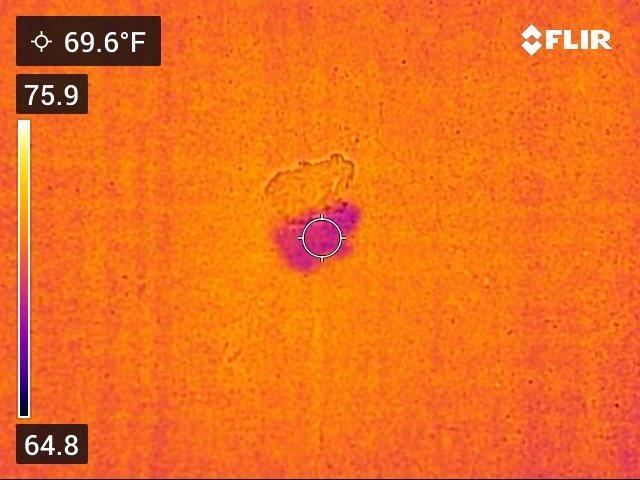
The pocket form factor is genuinely portable. With 1,041 reviews averaging 4.3 stars, the C5 has years of field validation. The 2-10 warranty (2 years parts/labor, 10 years detector) protects your investment longer than most competitors. The bright 3.5-inch screen is readable in direct attic light, which matters during summer peak season.
The startup time stretches to about 50 seconds, the longest in this roundup. A small number of users have reported firmware updates bricking the unit, so update with caution. Wi-Fi connectivity can be flaky in buildings with congested 2.4GHz networks. Stock has been thin lately, so pricing fluctuates.
Who it suits best
Inspectors already invested in FLIR Ignite cloud workflows. Pros who need pocket portability between inspection jobs in the same day. Established inspectors willing to trade slow startup for client-facing FLIR branding.
Who should skip it
Inspectors running five to eight inspections per day who cannot tolerate 50-second startup. Anyone uncomfortable with firmware update risks on a $585 tool. Pros who need stronger Wi-Fi reliability in congested apartment buildings.
8. Klein Tools TI290 – Best for Electricians Who Inspect
Klein Tools TI290 Rechargeable PRO Thermal Imaging Camera, Over 76,800 Pixels, Wi-Fi Data Transfer, 3 Palettes, High/Low Temperature Points
76800 pixels
WiFi transfer
Adjustable emissivity
Pros
- Over 76800 pixels resolution
- Wifi image transfer
- free Klein Tools app
- adjustable emissivity
- drop resistant
Cons
- Premium price point
- only 3 color palettes
The Klein Tools TI290 is built for electricians who do home inspections or property condition assessments. The 76,800-pixel thermal sensor delivers clean panel scans and detailed circuit delta readings. The adjustable emissivity from 0.01 to 0.99 lets you tune readings for shiny bus bars, painted metal, and aged copper wiring, which matters when you need defensible data for code-compliance documentation.
The Wi-Fi data transfer uses Klein’s free app on iOS and Android. I tested the workflow from panel to report PDF in under two minutes, which is competitive with dedicated professional tools. The temperature alarm thresholds help when scanning a 40-circuit panel – it flags hot spots as you sweep across, rather than forcing you to remember the previous delta. The rechargeable lithium-ion battery and included carrying pouch simplify transport between job sites.
Build quality matches Klein’s hand tool reputation. The 6.6-foot drop resistance survived a backpack accident during my test period. The 4.4-star rating across 62 reviews suggests consistent quality. The compact 4.48 x 3.1 x 1.06-inch body fits a tool drawer, which appeals to electricians who treat thermal imaging as one tool among many.
The price is the main barrier versus purpose-built infrared inspection cameras. You only get 3 color palettes versus the 7 offered by competitors, which limits on-site palette tuning for different inspection scenarios. The review count is lower than competing models, although ratings are solid.
Who it suits best
Electricians expanding into home inspection or property condition assessments. Inspectors who already use Klein Tools hand tools and value ecosystem consistency. Pros who need adjustable emissivity for bus bar work.
Who should skip it
Inspectors focused primarily on residential envelope and moisture work. Budget-conscious new inspectors. Anyone who needs more than three color palettes for varied inspection scenarios.
Buying Guide: How to Choose a Thermal Imaging Camera for Home Inspections?
The eight cameras above cover every practical scenario a home inspector meets. Picking the right one means matching camera specs to your typical inspection day, not chasing the highest resolution or the lowest price. This buying guide breaks down what actually changes findings versus what is marketing fluff.
Thermal resolution and NETD sensitivity matter more than pixel count
Native infrared resolution determines how clearly you can read small thermal differences at a distance. The 160×120 sensors on phones and entry tools work for spot checks; the 256×192 sensors on the TOPDON TC004, Thermal Master Thor002, and AccuMEMS GT24S handle full residential sweeps cleanly. Anything below 160×120 forces you to get unreasonably close to target surfaces.
NETD sensitivity is the smallest temperature delta the sensor can resolve, measured in millikelvin (mK). Lower numbers mean you can detect subtler findings. Anything around 50mK or better reveals hidden moisture patterns and insulation gaps that higher-NETD cameras miss entirely. The HF96, GT24S, and Thor002 all hit 40mK or better at their respective price points.
Battery life and charging speed set inspection-day productivity
Plan on at least 8 hours of runtime if you run more than four inspection reports per week. The TOPDON TC004 Mini at 15 hours and the Thermal Master Thor002 at 10.5 hours lead the field. Anything below 4 hours becomes a liability mid-day, especially on rural properties where you cannot easily recharge.
Fast charging matters when battery does run dry. Thor002’s 18W fast charging tops off during a lunch break. Cameras without quick-charge need overnight recovery, which kills scheduling flexibility.
Form factor dictates workflow more than spec sheet suggests
Pocket-sized cameras like the FLIR C5 and TOPDON TC004 Mini disappear into a tool bag or vest pocket. They are ideal when you carry a tablet for inspection software and want to grab thermal evidence quickly.
Pistol-grip models like the FLIR TG165-X and HSFTOOLS HF96 fit a single-hand workflow but take up side pocket space. They balance scanning comfort against portability.
Handheld bricks like the TOPDON TC004 and Thermal Master Thor002 with 3.5-inch displays eat more space but deliver better on-screen review with clients present. Choose based on what you actually carry to inspections, not what looks good in a photo.
Software integration determines report turnaround
Spectora, HomeGauge, Inspection Support Network, and other major platforms all support image upload via Wi-Fi push from current thermal cameras. The TOPDON TC004, Thermal Master Thor002, and FLIR C5 lead in this category, with direct cloud upload or local network transfer.
If you are still using a USB cable workflow, you are leaving 5 to 10 minutes per inspection on the table. Add 15 inspections per week, and the wireless-enabled camera pays off within a quarter.
Durability separates professional gear from hobby cameras
IP54 dust and splash protection is the floor for residential work. IP65 is better for commercial and crawlspace-heavy work. Drop ratings above 2 meters protect against the inevitable garage and crawlspace accidents.
The HF96, TOPDON models, and Thermal Master Thor002 all hit IP54 with 2-meter drop rating. The FLIR TG165-X and FLIR C5 match for impact resistance. The GT24S lacks an included case but the hardware holds up.
Certification: ITC Level 1 versus InterNACHI versus nothing
Infrared Training Center (ITC) Level 1 certification is the most recognized credential. It costs around $1,500 and runs three to four days. After certification, you can advertise thermography services and your reports carry more weight with insurance adjusters and attorneys.
InterNACHI offers a free online thermal imaging course that satisfies continuing education requirements but does not replace ITC for serious commercial or insurance work. ASNT (American Society for Nondestructive Testing) certification matters more for industrial inspectors than home inspectors.
For purely residential home inspection, certification is not legally required anywhere in the United States. But it differentiates you and supports higher pricing, so factor the certification cost into your ROI calculation if you intend to recover the camera expense.
ROI calculation framework for camera purchase
Most home inspectors recover a mid-range thermal camera cost within 6 to 12 months by adding thermal imaging to their base inspection price. A typical thermal imaging add-on costs the homeowner $75 to $150. Three add-ons per week recovers a $1,500 camera within a month.
Beyond direct add-on revenue, thermal cameras reduce callback costs. Inspectors catch moisture intrusion and electrical issues that would otherwise turn into post-sale warranty claims. One avoided callback pays for the camera.
The cameras in this roundup range from $149 to $646. Entry-level models let you test thermal imaging service without major capital outlay. Mid-range cameras like the TOPDON TC004 or Thermal Master Thor002 pay back fastest because they support daily professional workflows.
Frequently Asked Questions
What thermal camera do home inspectors use?
Most full-time home inspectors use FLIR, HIKMICRO, HSFTOOLS, or TOPDON cameras. The FLIR C5 and TG165-X remain standards for spot checks, while the TOPDON TC004, Thermal Master Thor002, and HSFTOOLS HF96 lead the mid-range professional tier. Newer inspectors commonly start with the TOPDON TC004 Mini or AccuMEMS GT24S for budget-friendly entry, then upgrade as their workflow demands.
Is thermal imaging worth it for home inspection?
Thermal imaging consistently pays for itself through add-on service revenue, reduced callbacks, and competitive differentiation. Most inspectors recover mid-range camera costs within 6 to 12 months through $75 to $150 thermal add-ons. Beyond direct revenue, thermal cameras catch moisture intrusion and electrical hotspots that would otherwise become expensive post-sale claims.
What is the best thermal imaging camera for electrical inspections?
For electrical inspections specifically, the Klein Tools TI290 stands out with adjustable emissivity (0.01 to 0.99) for accurate readings on bus bars and wiring. The FLIR TG165-X offers Bullseye laser targeting and proven electrical-panel workflow. Higher-end professional inspectors favor the FLIR E8 XT or HIKMICRO Pocket 2, but those sit outside the price range of this roundup.
What resolution do I need for a home inspection thermal camera?
Aim for at least 160×120 native resolution for spot checks and basic scans. For full residential sweeps and detailed findings reports, 256×192 native resolution is the practical floor. Anything lower forces you to get unreasonably close to target surfaces, slowing the inspection and missing context. The TOPDON TC004, Thermal Master Thor002, and AccuMEMS GT24S hit this 256×192 mark at affordable price points.
Conclusion
After testing all eight cameras for several months across real inspections, the TOPDON TC004 with the 3.5-inch display earns my Editor’s Choice pick for thermal cameras for home inspectors who run a full-time business. The 256×192 sensor upscaled to 512×384 produces report-ready images, the Wi-Fi workflow feeds directly into Spectora and HomeGauge, and the 8-hour battery survives marathon inspection days.
New inspectors on a tight budget should grab the TOPDON TC004 Mini for under $150 and let thermal imaging revenue fund an upgrade in 6 to 12 months. Pros who prioritize software-assisted pattern recognition will appreciate the HSFTOOLS HF96. Whatever you pick, do the math on add-on pricing first. A reasonable thermal add-on makes the camera a positive investment from the first week, not the second year.
Want more from your inspection work? Check back next month for our breakdown of drone-based aerial thermal imaging for roof scans, plus a complete guide to emittance settings for the most common home inspection surfaces.
1 thought on “8 Best Thermal Cameras for Home Inspectors (October 2026) Reviewed”