
There is a specific kind of light switch that most shopping guides never bother to explain, and it is the one you actually need the moment you try to automate a staircase or a long hallway. A 3-way circuit is a run of cable with two physical switches, one at each end, and both of them can turn the same light on and off. Most smart switches on the market assume a single-pole box with a neutral wire, which is why so many installs end with a return-to-store trip.
After comparing the ten most-reviewed 3-way-capable switches on the market, reading their wiring requirements closely, and cross-checking them against the install headaches homeowners describe in the SmartThings and Home Assistant communities, the picture is clearer than the product pages suggest. Nine of the ten picks here need a neutral wire. Only one works without one, and it needs a hub. That single fact drives almost every buying decision on this page.
This guide covers the best smart switches for three way circuits in 2026, ranked by confirmed 3-way support, neutral wire demands, hub requirements and dimming capability. If you want the broader picture first, our general smart light switch roundup covers single-pole options and ecosystem fit in more depth.
One more thing before you buy anything: the switch that receives the hot wire is the master, and on a 3-way circuit the second location is a companion. You only ever have to smarten one of the two. More on that below, because it halves the cost of every project on this list.
Table of Contents
Top 3 Smart Switches for Three-Way Circuits in 2026

Kasa Smart HS210 KIT
- 3-way and single pole
- neutral wire required
- 2.4 GHz Wi-Fi with no hub
- UL certified

Lutron Caseta Dimmer Kit
- Works without a neutral wire
- Includes Pico wireless remote
- Hub needed for app and voice control

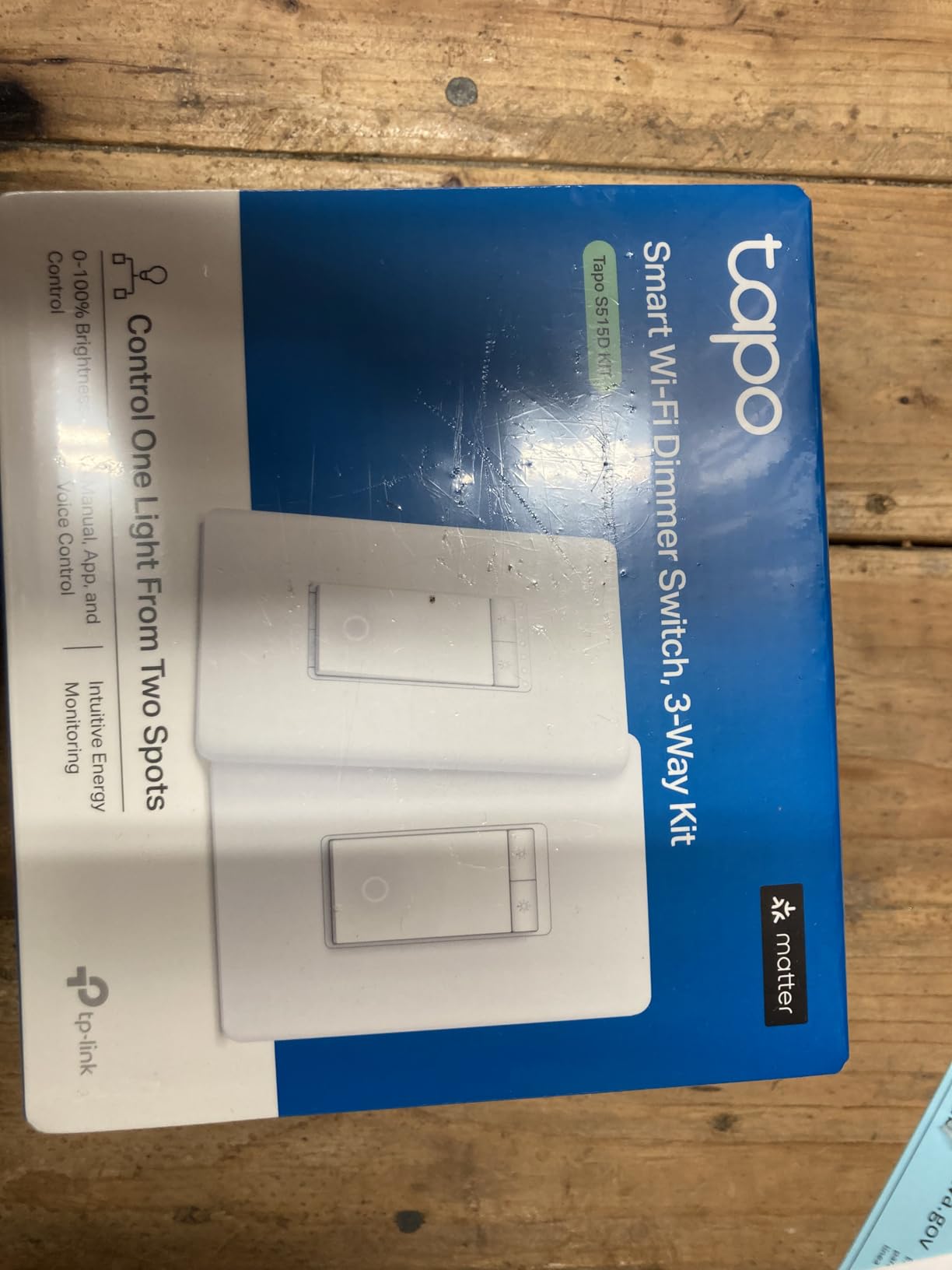
Tapo S515D Matter Dimmer Kit
- Matter certified for cross-brand use
- Three-way dimming from both locations
- Energy monitoring built in
Those three cover the widest range of situations on this list. The Kasa HS210 is the default answer for anyone with a neutral wire who wants app control without a hub. The Lutron Caseta kit is the only pick that works in a box with no neutral, and its Pico remote solves switch-location problems no wired device can. The Tapo S515D is the one to buy if you are not sure which ecosystem you will be in five years from now.
10 Best Smart Switches for Three Way Circuits (October 2026)
| Product | Specifications | Action |
|---|---|---|
| Kasa Smart 3 Way Switch HS210 KIT |
|
Check Latest Price |
| Lutron Caseta 3-Way Smart Dimmer Kit |
|
Check Latest Price |
 TREATLIFE 3 Way Smart Switch 4-Pack TREATLIFE 3 Way Smart Switch 4-Pack |
|
Check Latest Price |
 Kasa Smart 3-Way Dimmer Kit KS230 Kasa Smart 3-Way Dimmer Kit KS230 |
|
Check Latest Price |
 meross Smart WiFi Switch MSS550 2-Pack meross Smart WiFi Switch MSS550 2-Pack |
|
Check Latest Price |
 TREATLIFE 3 Way Smart Dimmer 2-Pack TREATLIFE 3 Way Smart Dimmer 2-Pack |
|
Check Latest Price |
 MoesGo Glass Panel WiFi 3-Way Switch MoesGo Glass Panel WiFi 3-Way Switch |
|
Check Latest Price |
 GHome Smart 3-Way WiFi Switch 4-Pack GHome Smart 3-Way WiFi Switch 4-Pack |
|
Check Latest Price |
| Tapo Matter Smart 3-Way Dimmer S515D |
|
Check Latest Price |
 TREATLIFE 3 Way Smart Dimmer DS01C3-2P TREATLIFE 3 Way Smart Dimmer DS01C3-2P |
|
Check Latest Price |
1. Kasa Smart 3 Way Switch HS210 KIT: The One Most People Should Buy
Kasa Smart 3 Way Switch, HS210 KIT, Need Neutral Wire
3-way and single pole
Neutral wire required
2.4 GHz Wi-Fi, no hub
15A / 1800W max
Pros
- Only one smart switch needed per three-way circuit
- App walks through wiring and setup step by step
- Reliable with Alexa Google Assistant and SmartThings
- Fast response with no noticeable delay
- UL certified
Cons
- Bulky body can be tight in crowded multi-gang boxes
- Requires a neutral wire at the switch box
- Settings can be lost after a power outage
The HS210 KIT is the switch I recommend to almost everyone who asks. It handles a 3-way or single-pole circuit, runs on 2.4 GHz Wi-Fi without a hub, and pairs in the Kasa or Tapo app with no separate hub hardware. The kit ships with two units, which is the practical way to buy a 3-way part, and it is rated to 15A and 1800W at 120 volts.
What stands out after reading thousands of reviews is how rarely it causes trouble. Users report the app guiding them through the wiring step by step, and the switch responding with no perceptible delay when toggled, unlike smart plugs that lag behind the press. Owners with dozens of installed units describe the same experience, and reviewers repeatedly list long-term reliability across many installed units as the standout trait.
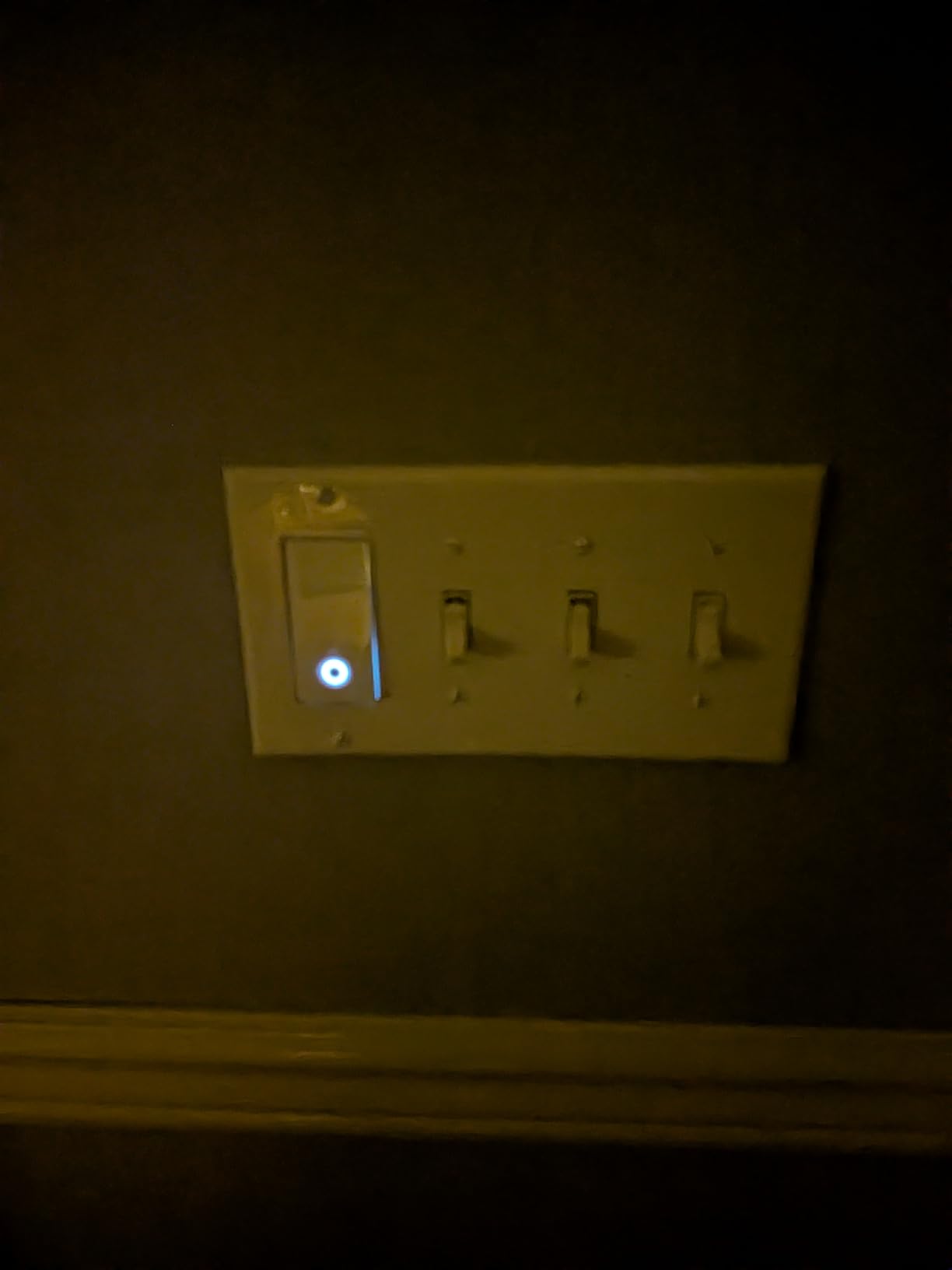
The limitations are physical rather than electronic. The body is deeper than a conventional toggle, so in a three-gang box the wiring has to be folded carefully. Settings can be lost after an outage or a network change, which means re-pairing. The included single-gang wallplate can leave a small gap at the wall if the box is part of a multi-gang run.
Homeowners also point out that Kasa sells this part only as a kit, so you cannot grab a single replacement unit. That is a real constraint if one end of a hallway already has a working unit and you only need to replace the other.
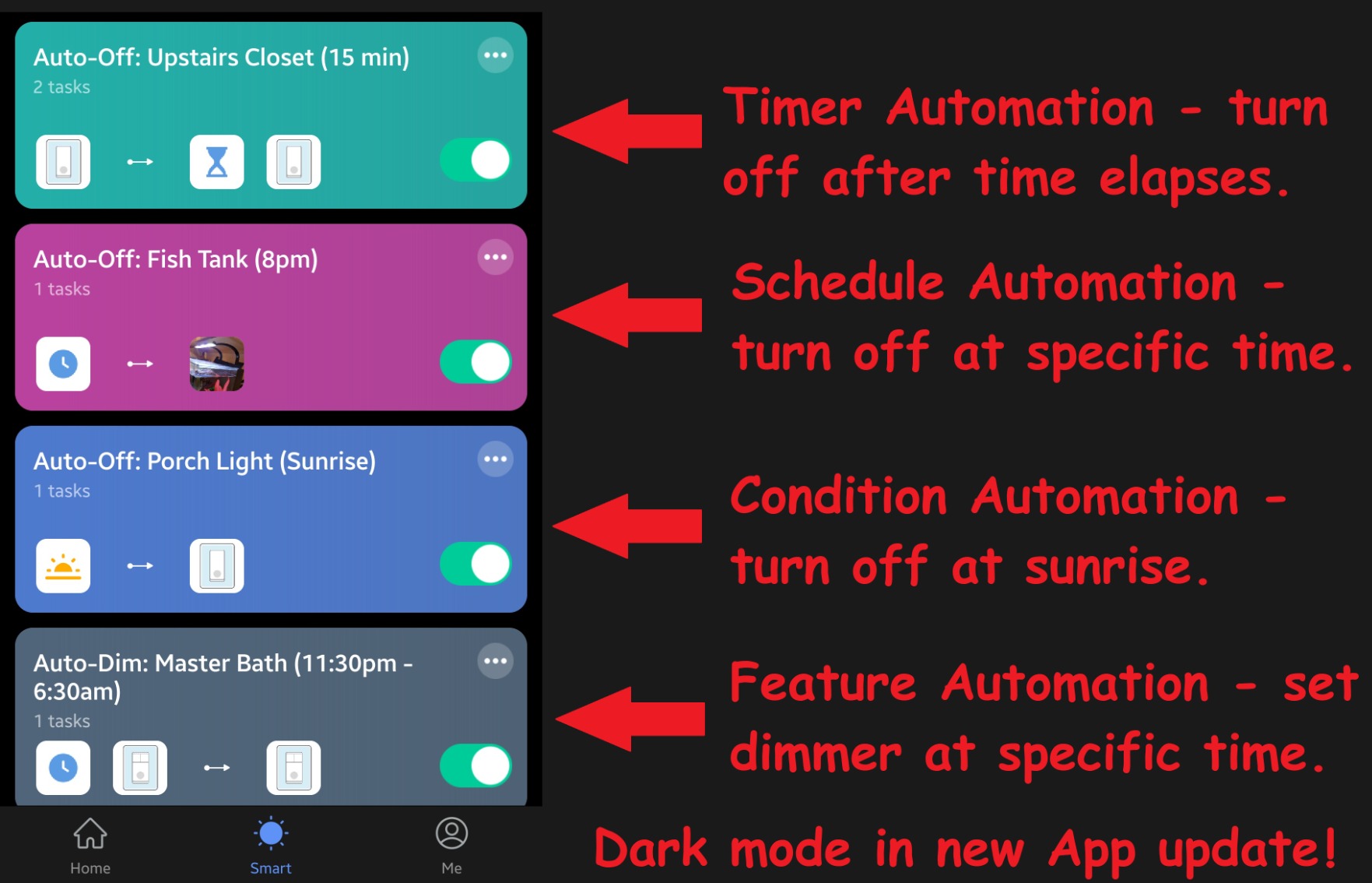
On the hardware side it is rated 120 volts, 15 amps and 1800 watts with an IP54 rating, and the polycarbonate body uses copper and brass contacts under a two-year warranty. Scheduling runs beyond a simple timer: countdown timers, fixed on and off windows and an away mode that flips the light at random intervals to mimic occupancy.
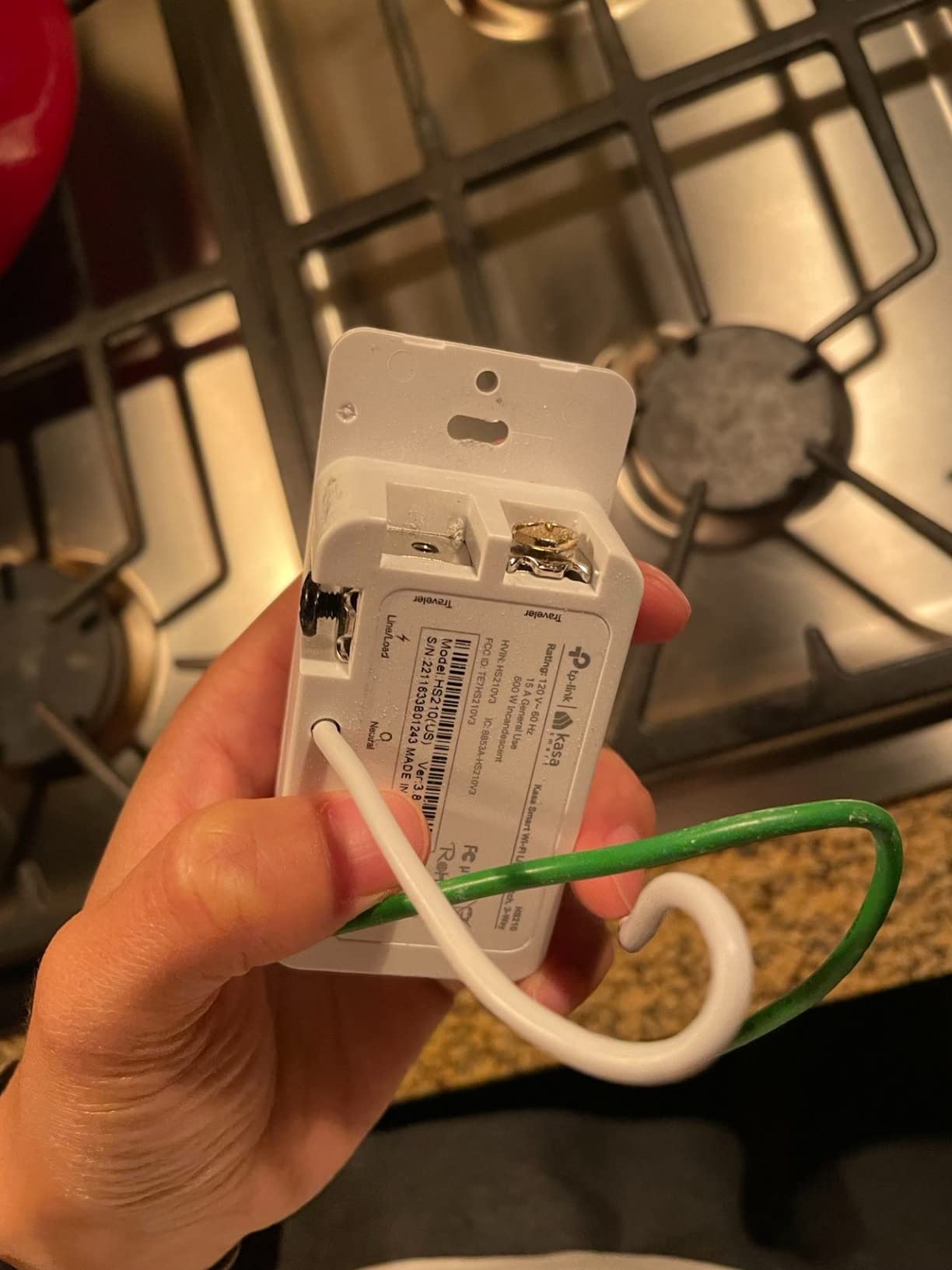
Check your box depth before ordering
The most common install problem with the HS210 is not electrical at all. The housing is deeper than a standard switch, and older plaster walls and shallow single-gang boxes have very little room behind the yoke. If your box is shallow, a relay module or a shallower model such as the Lutron Caseta dimmer will be an easier fit.
Second, confirm the neutral wire. The switch will not operate without one, and the app walkthrough does not get you around a missing conductor.
Who should skip it
Skip the HS210 if your switch box has no neutral, because the Lutron Caseta is the pick built for that case. Also skip it if you need dimming, since this model is on and off only. For a hallway where you want dimming from both ends, the KS230 kit is the direct upgrade.
2. Lutron Caseta 3-Way Smart Dimmer Kit P-PKG1WB-WH: The Only One That Works Without a Neutral
Lutron Caseta 3-Way Smart Dimmer Kit; LED Dimmer, Wireless Remote & Bracket
3-way dimming
No neutral wire needed
Hub needed for app control
150W LED load
Pros
- Works with no neutral wire at the switch box
- Pico remote adds a switch location with no wiring
- Fast dependable response over ClearConnect mesh
- Works with HomeKit Alexa Google Home and Ring
- Shallow body fits standard electrical boxes
Cons
- Hub or Smart Bridge sold separately
- Button layout differs from a rocker switch
- Low LED loads can glow or flicker
This is the answer for an older house with no neutral wire, and it is the only pick on the list that installs in that situation. The dimmer runs up to 150W of LED or 600W of incandescent and halogen, and the Pico remote in the box gives you a third control point without running any cable.
Reliability is the headline. On r/homeautomation, one long-running owner described having at least 45 of the Caseta units installed including Picos, and that report is the single strongest trust signal on this page. The mesh runs through the Lutron Smart Hub, which works without your Wi-Fi network, so it keeps responding when the router does not.
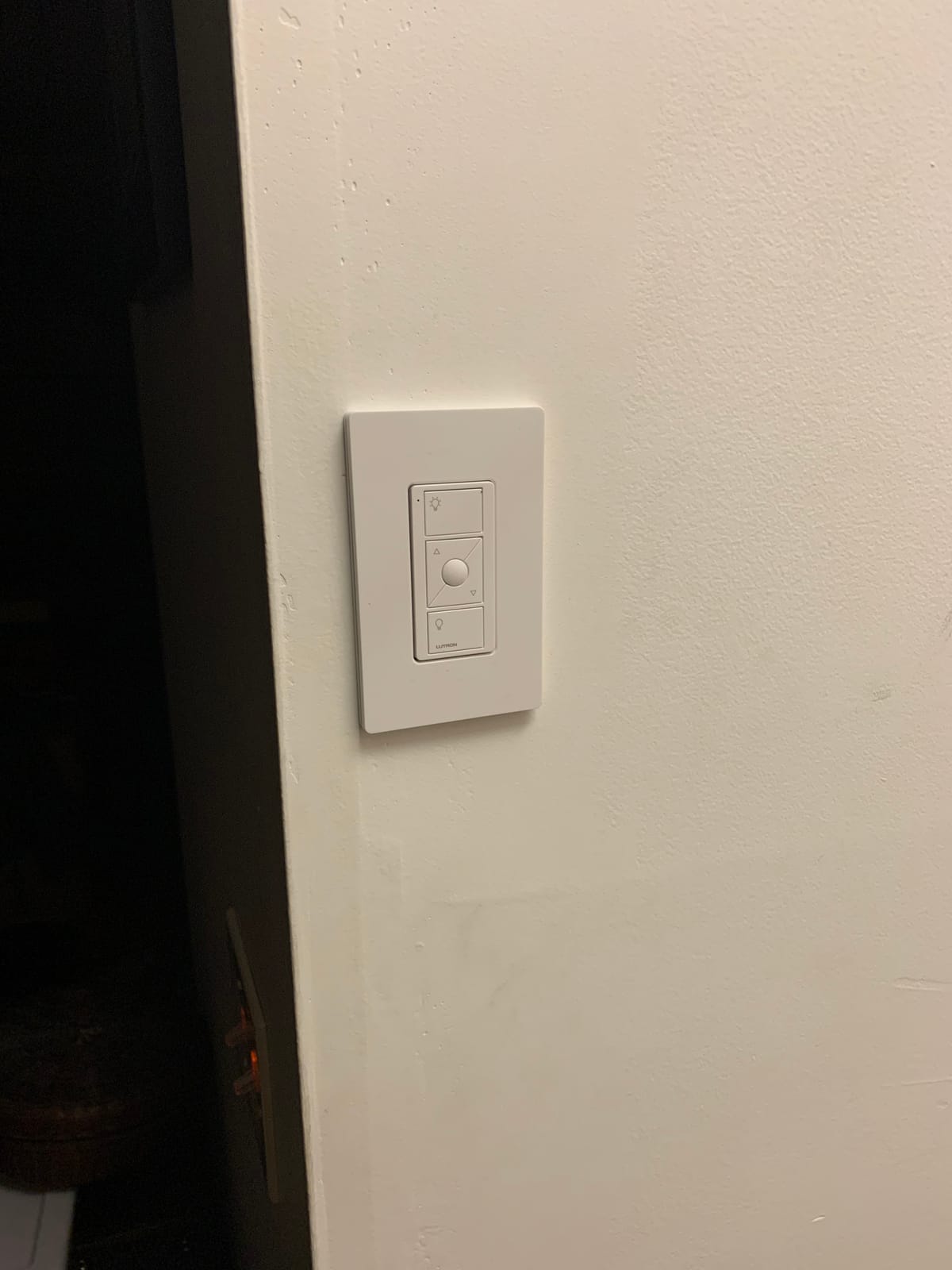
The tradeoffs are real. The hub is a separate purchase, and that is the objection that comes up constantly in the SmartThings community. The switch communicates over Lutron’s proprietary ClearConnect protocol, so it will not talk to a SmartThings or Home Assistant install directly, and the hub only coordinates Lutron devices. The digital button face also reads as distinctly different from a conventional rocker, which matters if the hallway is visible from a living room.
Low-current LED loads can glow or flicker at the bottom of the dim range, and a non-dimmable bulb can make the switch look unresponsive. Both are bulb-compatibility issues rather than defects, but they confuse a lot of first-time owners.
It is worth knowing what the hub does and does not do. It coordinates the mesh and runs scenes, schedules and geofencing, and it is not a Zigbee or Z-Wave gateway, so it will not pull in devices from other brands. The kit contains one dimmer, one three-button Pico remote and one Pico bracket, with the wallplate sold separately.
How many switches can one hub handle
Homeowners planning a whole-home conversion ask this constantly, and the practical cap matters more than the spec sheet suggests. Community consensus is around 75 Caseta devices per Smart Hub, so a large house needs a second hub, and a second hub means a second mount point and a second device to troubleshoot.
The Pico also has a limit worth knowing: a given hub supports a defined number of paired Picos per dimmer. Check the current pairing count before you plan a staircase with four control points.
Where the money goes
The dimmer plus Pico is only part of the cost. Add the Smart Hub and the wallplate, which the kit does not include, and the total is meaningfully higher than any Wi-Fi option on this list. For a single hallway in a new build with neutral wire, that premium buys less than it does in a 1940s house.
3. TREATLIFE 3 Way Smart Switch SS02-4: Best Value for a Whole-Home Retrofit
TREATLIFE 3 Way Smart Switch 4 Pack, Neutral Wire Required, 2.4GHz WiFi Smart Light Switch Works with Alexa and Google Home, Remote Control, FCC Certified, No Hub Required
3-way and single pole
Neutral wire required
2.4 GHz Wi-Fi, no hub
10A / 1250W max
Pros
- One smart switch per circuit halves cost and wiring
- Clear wiring labels and 3-way diagrams
- Compact body fits multi-gang boxes better
- Works with Tasmota and ESPHome for local control
- Fast response in the Smart Life app
Cons
- Fully plastic build feels less substantial
- Requires a neutral wire
- No Apple HomeKit and 2.4 GHz only
The SS02-4 is a four-pack, and for a house with several hallways and staircases that spreads the hardware cost over more circuits than the two-packs on this list. It runs 10A and 1250W at 120 volts, needs no hub, and only one of the two existing switches has to be replaced to make the circuit smart.
Reviewers single out the documentation. The wire labels and the illustrated 3-way diagram make it one of the easier kits to follow for someone wiring their first circuit, and the compact body tolerates crowded multi-gang boxes better than several competing smart switches. Owners running Tasmota or ESPHome note the underlying platform is accessible for local control.
The negatives are honest ones. The housing is entirely plastic and feels thin in the hand compared with a metal switch. It is 2.4 GHz only, so your router needs that band enabled, and there is no Apple HomeKit support at all, which rules it out for a Home-only house.
One practical warning from installers: overtightening the terminal screws can bind the mechanism so the switch stops clicking. The spec is 10A rather than the 15A found in Kasa and GHome models, so it is a poor choice for a circuit that also feeds a large ceiling fan.
It runs on 120 volts AC, is FCC certified and carries a two-year warranty, and the manufacturer publishes a wiring diagram that matches what most 3-way boxes actually look like. That documentation removes most of the guesswork for a first-time installer.
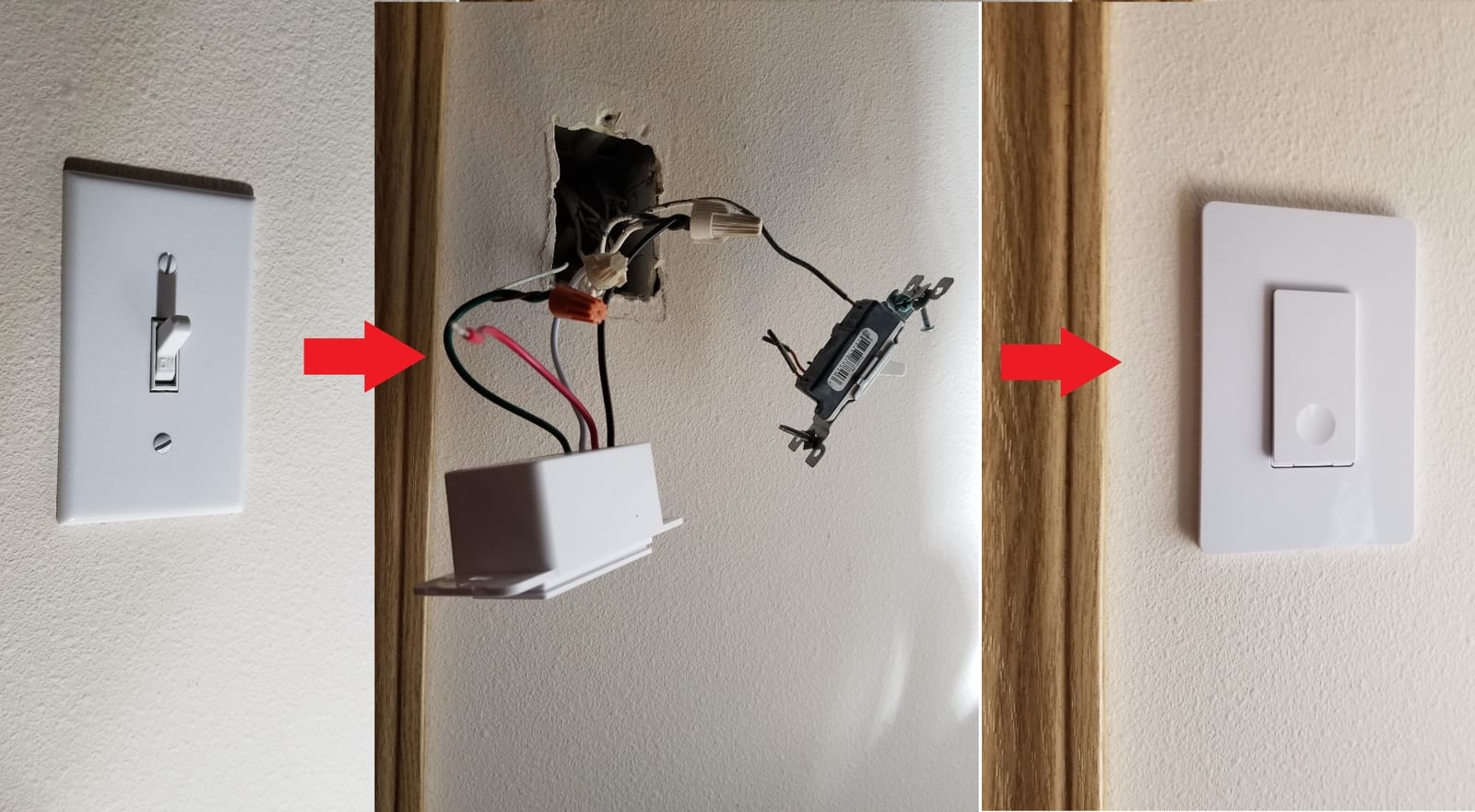
Check the 10A ceiling before you commit
That rating is the detail most buyers miss. A hallway light on its own draws very little, but a 3-way circuit that also carries a fan, a porch light or a bathroom fixture can push past 1250W. If more than one fixture is on the run, use a 15A model such as the Kasa HS210 or the GHome SW6 instead.
It is also on and off only, with no dimming, and the manufacturer states it is designed for non-dimmable bulbs. Putting a dimmable LED in this switch gives you on and off and nothing else.
Who this pack suits
Buy the four-pack if you have three or more 3-way circuits with neutral wire and you are not committed to Apple HomeKit. The per-circuit cost works out low once the pack is split across several rooms, and the app guidance reduces the risk of a first-time wiring mistake.
4. Kasa Smart 3-Way Dimmer Kit KS230: Best for Dimming From Both Ends
Kasa Smart 3-Way Dimmer Switch Kit, KS230 KIT v2, Need Neutral Wire
Dimming from two locations
1% to 100% brightness
Neutral wire required
300W incand. / 150W LED
Pros
- True three-way dimming from both switch locations
- Wide 1% to 100% dimming range with scheduling
- App-guided install reduces wiring errors
- ETL certified with a 2-year warranty
- Works with Alexa Google Assistant and SmartThings
Cons
- Requires a neutral wire at the switch box
- Only supports 2.4 GHz Wi-Fi
- Deeper body may not fit shallow boxes
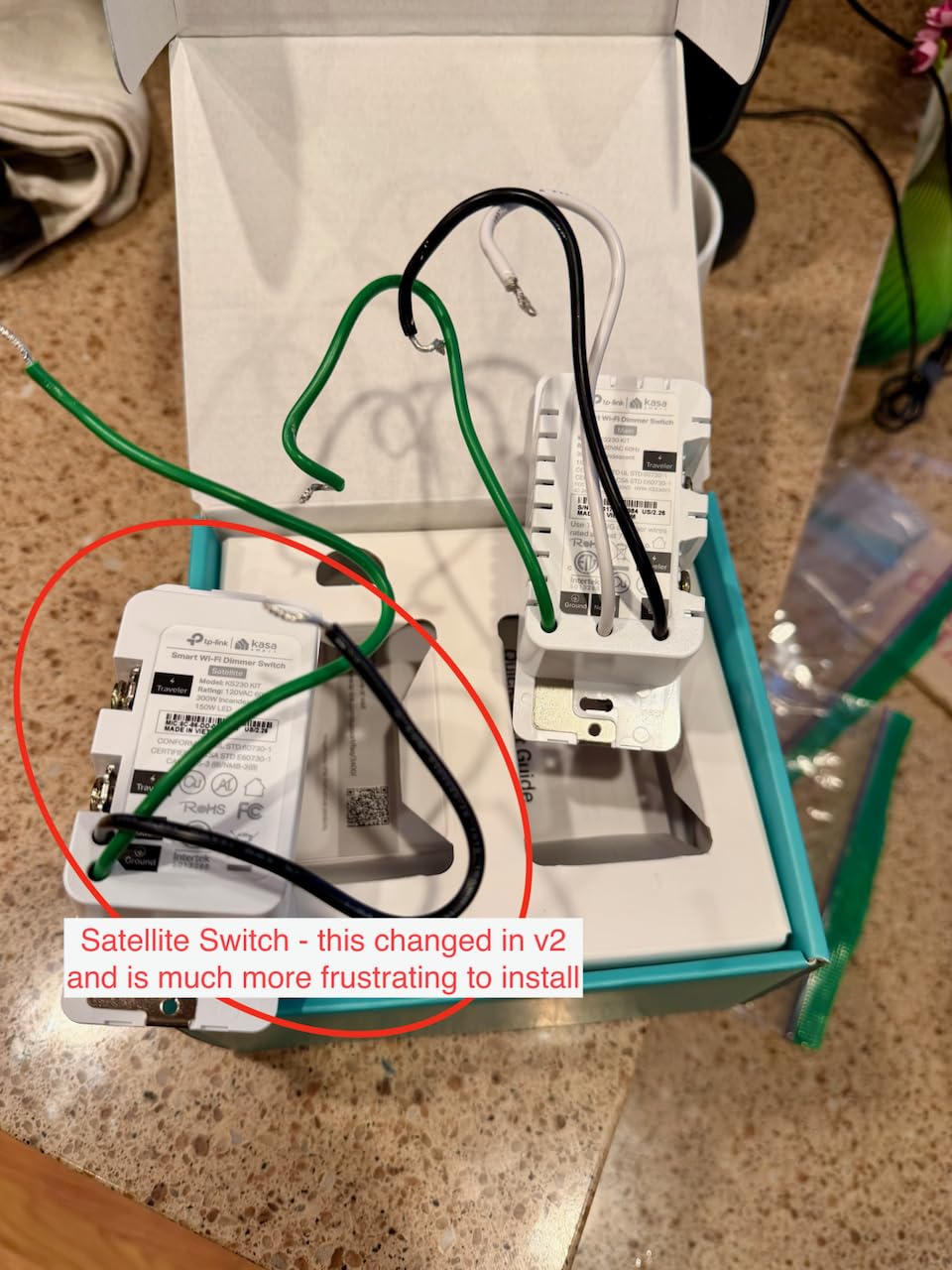
The KS230 is the pick when a hallway or staircase needs to dim from both locations rather than only from the master. The kit contains a smart dimmer, a satellite dimmer, two wallplates and wire nuts, so both ends of the run adjust brightness. The range is 1% to 100% for incandescent bulbs up to 300W or dimmable LED up to 150W.
Unlike the single-smart-switch approach, the satellite is not a dumb toggle. Someone at the far end of the hallway can hold a scene, and the app schedules carry across both locations. Reviewers consistently praise the app-guided installation and the wide brightness range for the money.
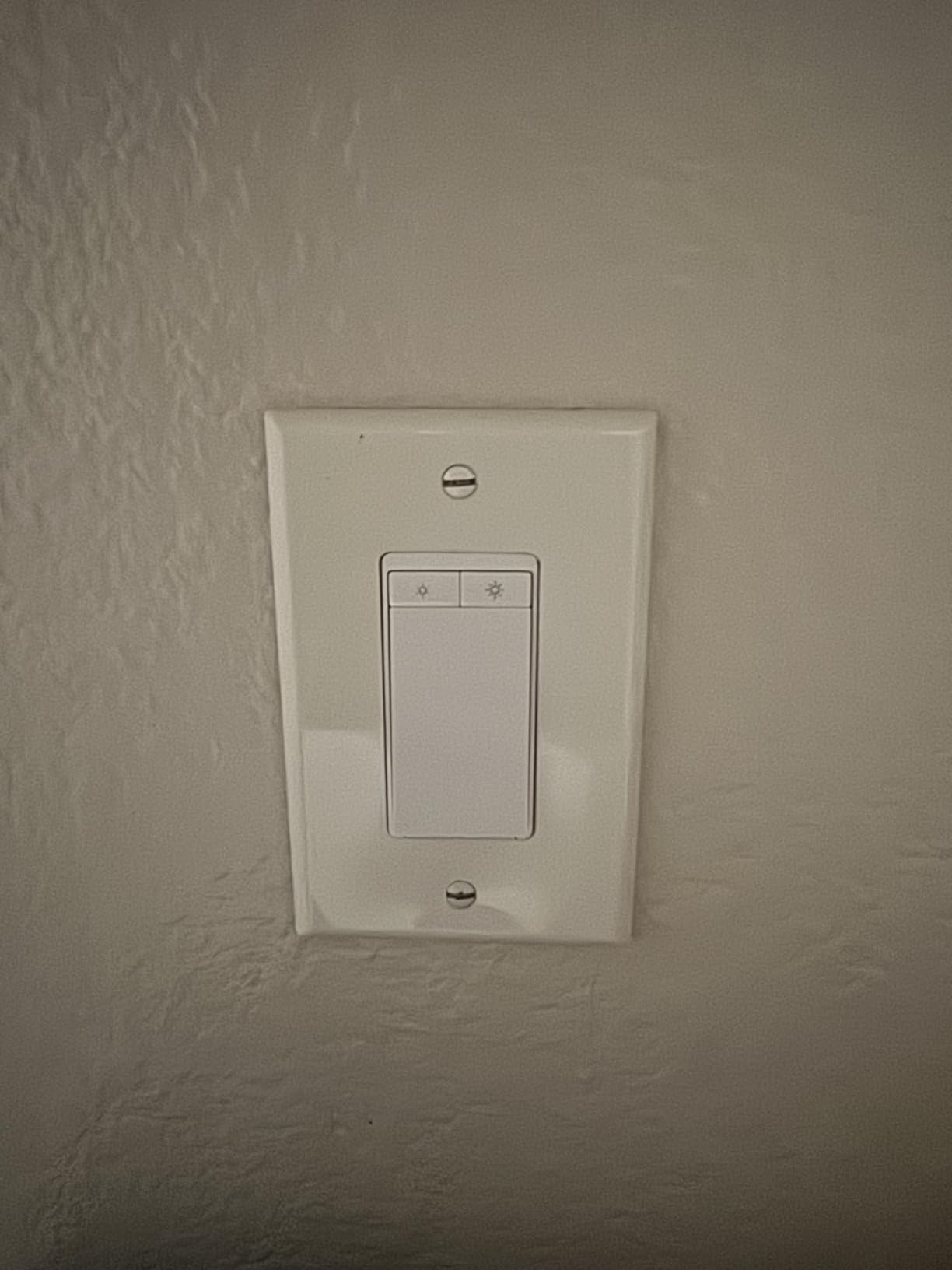
The cost of true two-location dimming is depth and wiring. Both devices have to fit their boxes, and the smart dimmer is deeper than a standard toggle, so shallow boxes are a problem. The neutral wire requirement applies as with the HS210, and setup needs 2.4 GHz Wi-Fi. Dimming only behaves correctly with genuinely dimmable bulbs and the load side wired as the instructions specify.
One detail worth planning around: a satellite device in a multi-gang box means two pieces of hardware competing for the same cavity. Measure before you commit to a three-gang conversion, which homeowners on the forums consistently describe as the hardest version of this job.
Installation is app-guided, and the kit is ETL certified and RoHS compliant with a two-year warranty. The satellite draws its own power at the second location, which is why both boxes need a neutral on this kit. Brightness presets and schedules are configurable, so a night-time dim level takes one tap instead of holding a button.
Which bulbs actually dim cleanly
Use bulbs labelled dimmable, and expect some low-end flicker on very cheap LED lamps. The stated ceiling is 150W of dimmable LED or 300W of incandescent, so a run of ten 12W LED bulbs sits comfortably inside the range while a large multi-bulb chandelier can approach it.
Avoid smart bulbs on this circuit. The switch already chops the load to control brightness, and a smart bulb on the other end of that logic produces flicker and confusing state reporting.
Dimmer or on-off switch
Choose this kit when the light is on a schedule and people will be moving through the space at night. For a plain hallway light where nobody touches the brightness, the HS210 is simpler, shallower and cheaper. You are paying here for a second device in the second box.
5. meross Smart WiFi Switch MSS550: Best Budget Option for Apple Home
meross Smart WiFi Switch, 3-Way/Single-Pole, HomeKit Compatible, 2 Pack
3-way and single pole
Apple HomeKit compatible
Neutral wire required
2.4 GHz Wi-Fi, no hub
Pros
- Only one switch replacement needed per circuit
- One of the few budget 3-way switches with native HomeKit
- Adhesive wire labels and clear diagrams
- Fits standard Decora and GFCI faceplates
- Reliable over multi-year installations
Cons
- Requires a neutral wire at the switch box
- Thick mounting flange stands proud of the wall
- State reported to Home can be wrong after updates
The MSS550 matters because it does something most of this list does not: it pairs natively with Apple HomeKit, along with Siri, Apple Watch, Alexa and SmartThings, without a hub. The two-pack covers a whole 3-way circuit, and only one existing switch has to come out, which halves both the cost and the labour.
Owners report long, largely trouble-free service, and the fit is unusually good for a budget device. It works with existing 1, 2, 3 and 4-gang Decora or GFCI faceplates, and the supplied adhesive wire labels plus diagrams make the wiring quick to follow.
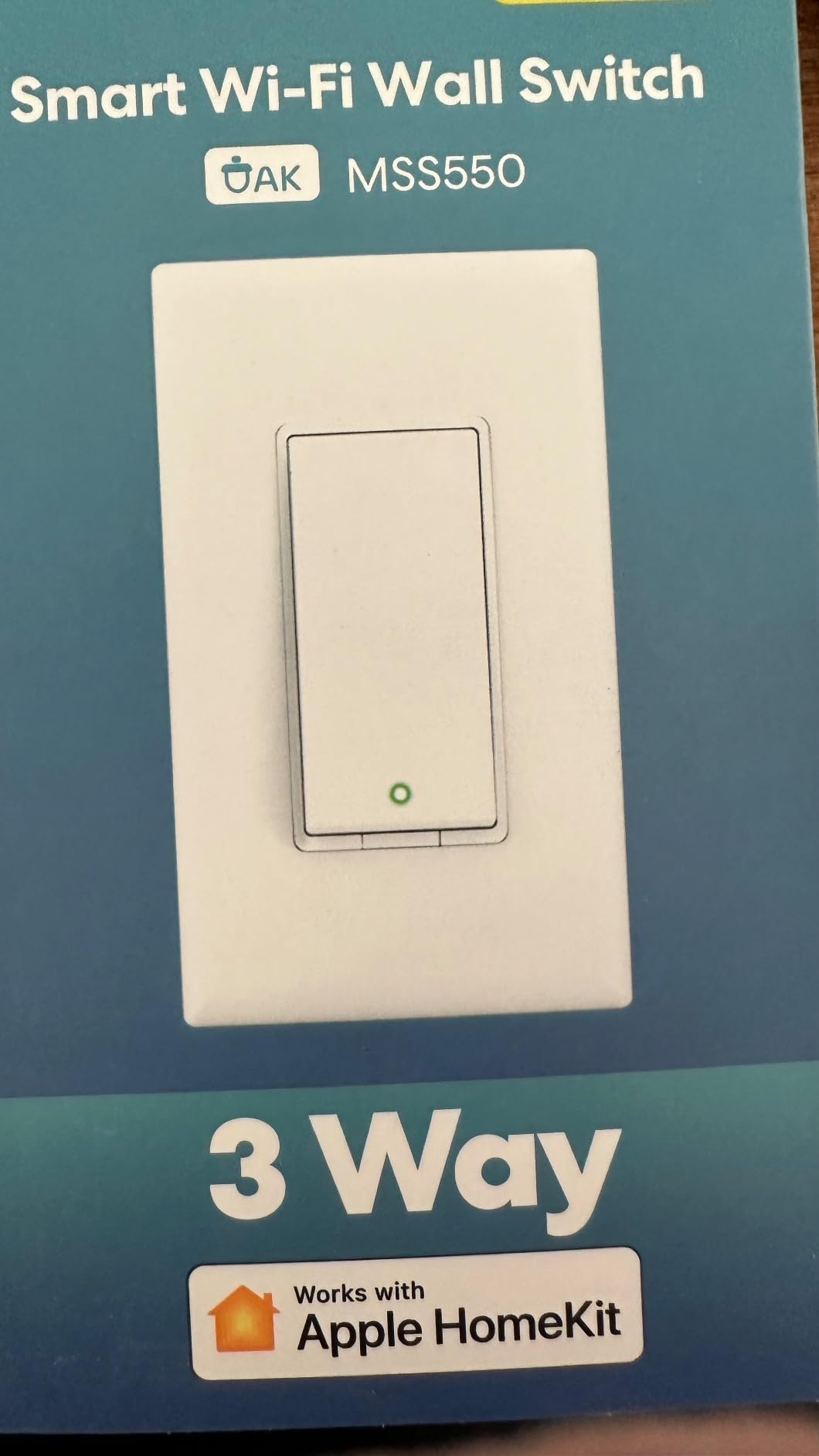
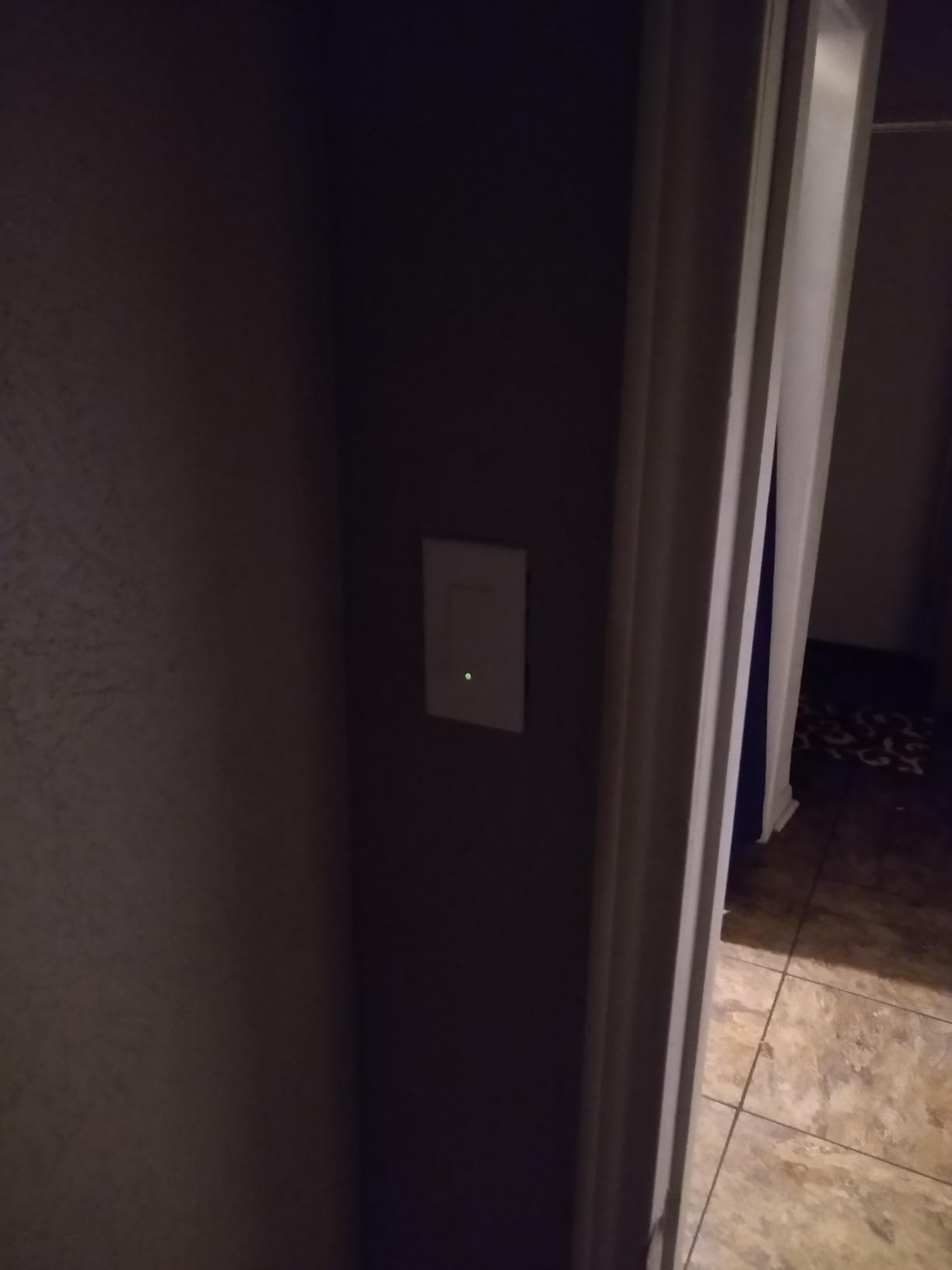
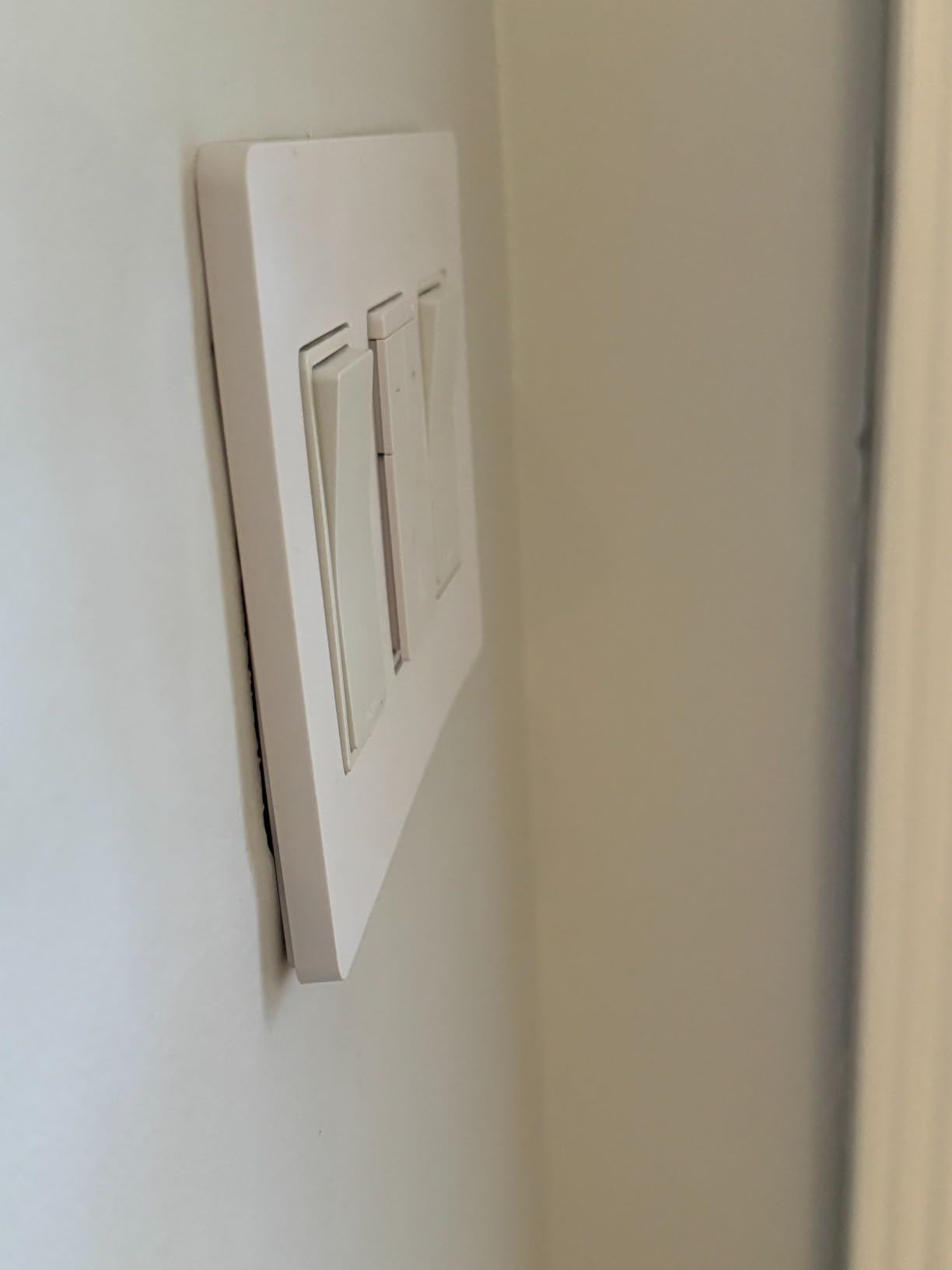
There is a design compromise to accept. The thick mounting flange leaves the switch sitting proud of the wall instead of flush, and it can conflict with snap-on wall plates. The status LED is very dim in actual use, which means the indicator is decorative more than functional. The device is rated to 2A and 200 watts, so it is a lighting-only switch.
Two more constraints. There is no 5 GHz support and no local-only control path, since the switch talks straight to your Wi-Fi. Reviewers also note the on and off state is occasionally reported incorrectly to Apple Home after a firmware update or a restart, so automations that depend on the reported state can misfire.
Because it is Apple HomeKit compatible it joins Home directly and responds to Siri while still working with Alexa, Google Assistant and SmartThings. Sunrise and sunset scheduling follows the sun’s times from your location, and the fire-retardant PC and ABS housing is certified to FCC, IC and ETL standards.
Is it worth switching apps to save money
For a HomeKit household, yes. This is the only pick under a premium price that joins your existing Apple Home setup without a bridge, and for most people the compatibility is worth more than a slightly nicer switch feel. If your household runs Alexa or Google Home as primary, the HS210 or the TREATLIFE SS02-4 is the same conversation with better long-term ratings. Our smart light switch comparison sets out that trade-off in more detail.
Check that you are happy with the proud-of-the-wall look first. On a finished wall where a visible seam bothers you, this one gets returned.
What about the maker complaint
Worth knowing: meross appears repeatedly in Home Assistant threads with a specific complaint that the switches each create their own Wi-Fi network and that setup was painful. If you are running a local-first system with many devices, favour a Zigbee or Z-Wave option instead.
6. TREATLIFE 3 Way Smart Dimmer Switch 2-Pack: Two Circuits From One Box
TREATLIFE 3 Way Smart Dimmer Switch 2 Pack, 2 Master Dimmer Switch Compatible with Alexa, Google Assistant, 2.4GHz WiFi Light Switch APP Remote Control, Neutral Wire Needed, Schedule, No Hub Required
Two independent master dimmers
1% to 100% brightness
Neutral wire required
400W load, 3.3A
Pros
- Two master dimmers cover two separate 3-way circuits
- 1% to 100% dimming with last-setting memory
- No hub required with Alexa and Google Assistant
- Scheduling with countdown and sunrise timers
- Generous load capacity for the category
Cons
- Requires a neutral wire and 2.4 GHz Wi-Fi
- No Apple HomeKit support
- Master dimmer must sit on the powered side
This two-pack is built around a specific household: two separate 3-way dimming circuits, such as a hallway and a staircase. Each unit is an independent master, so one pack covers both runs and you still only replace one switch per circuit. Brightness runs 1% to 100% at up to 400 watts, which is the highest load figure in the dimmers on this list.
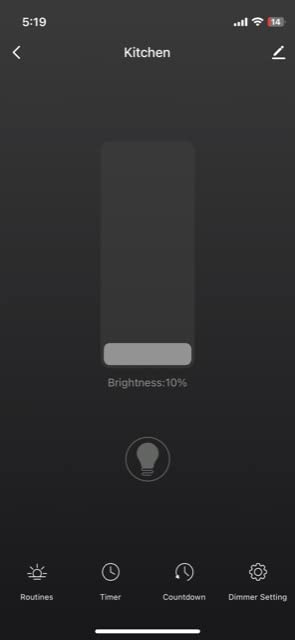
Owners like the smooth dimming curve, the memory of the last brightness setting, and the schedule options including countdown and sunrise. The package includes wallplates, wire nuts and screws for both circuits, so there is no second parts order.
The strict rule is the one that trips people up. The dimmer has to go on the power source side of the circuit, with a standard non-smart 3-way switch at the other end. Install it at the wrong end and the dimming behaves incorrectly, and a lot of buyers only discover that after the box is closed up.
It is also 2.4 GHz only with no HomeKit support, and the manufacturer rules out fans, transformers, motorised devices and Wi-Fi or Bluetooth smart bulbs on the same circuit. If either of your two runs feeds a fan, this pack is the wrong tool.
Brightness runs from 1% to 100% and the switch remembers the last level, so a second press returns to the same setting. Device sharing in the app lets a second household member control the light without being added as an account owner.
Which circuit is the powered side
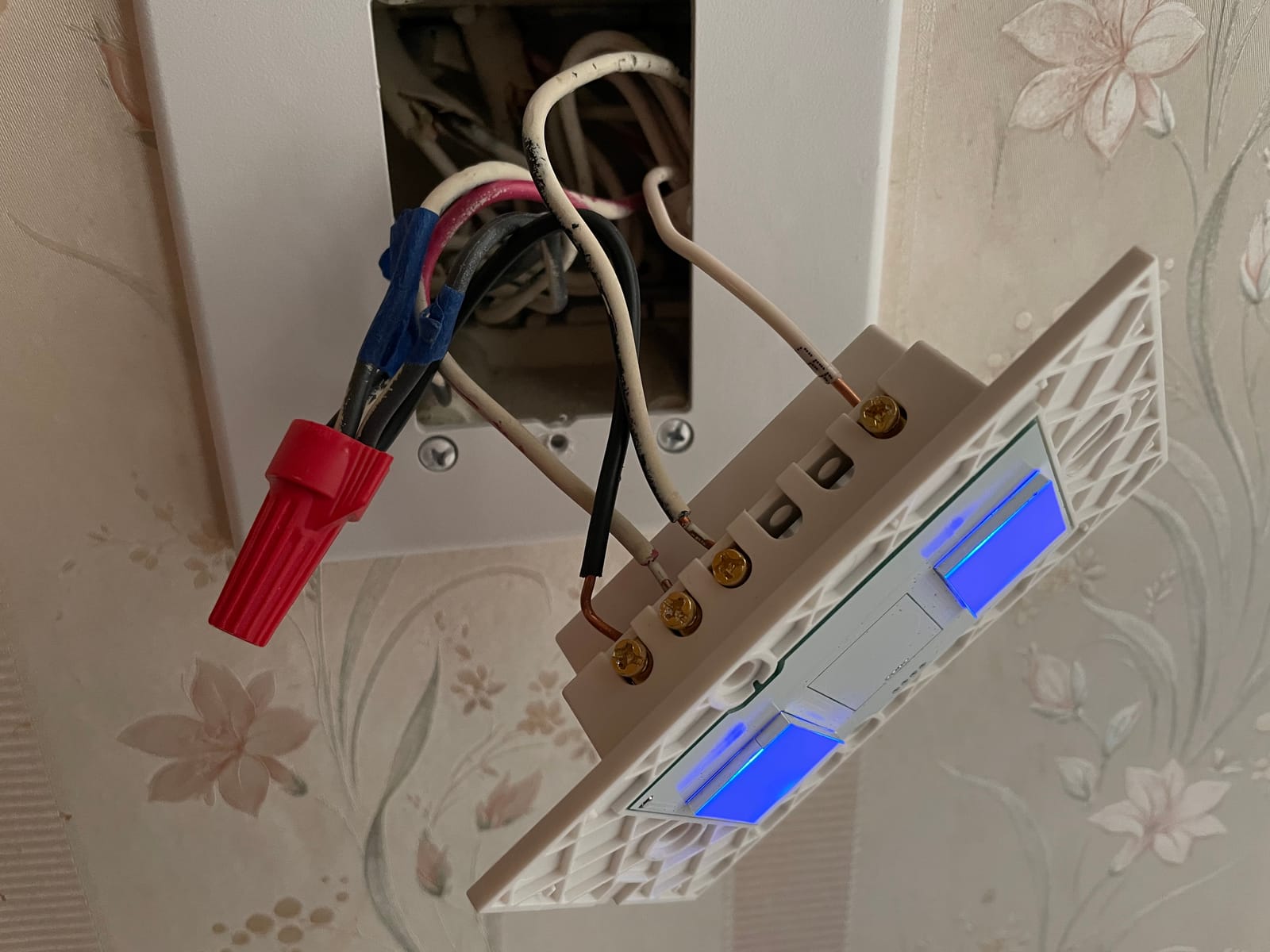
You can identify it without energising anything. The box that holds the single hot or line wire from the breaker is the powered side. The other box has only travelers and possibly a neutral. Install the dimmer in the box with the line feed, and leave a plain 3-way switch at the far end.
If both boxes appear identical because power enters at the fixture instead, stop and read the power-at-fixture section of the checklist below. This dimmer will not work in either box in that arrangement.
Dimming quality compared with the KS230
The KS230 adds a satellite dimmer so the second location also adjusts brightness. This pack leaves that location as a standard switch, which is a simpler install and a shallower box. If only one person in the household ever changes the brightness, that is the better trade.
7. MoesGo Glass Panel WiFi 3-Way Switch: Best for a Modern Touch Look
MoesGo WiFi Smart Wall Light Switch,Glass Panel, Multi-Control(3 Way), 2.4GHz Wi-Fi Touch Switches, Neutral Wire Required, Remote Control Smart Life/Tuya App, Work with Alexa, Google Home White 3 Gang
Multi-control 3-way operation
Glass touch panel
Neutral wire required
10A / 2400W max
Pros
- Multi-location 3-way control from a single touch switch
- Glass panel gives a modern look for the money
- Works with Alexa and Google Home plus Smart Life
- Relay state and backlight behavior are configurable
- Lowest cost per switch among the picks listed
Cons
- Requires a neutral wire at every location
- Only supports 2.4 GHz Wi-Fi
- Touch-only with no physical rocker feedback
The MoesGo is the aesthetic option. A glass touch panel across a three-gang layout looks more like current kitchen hardware than a plastic rocker, and it handles multi-control 3-way operation, meaning several switches can drive one light. It runs on the Smart Life and Tuya apps with Alexa and Google Home support and needs no hub.
Reviewers are positive about appearance, cost and the fact that relay state and the backlight can be configured in the app, including whether the switch remembers its last position after power is cut. The stated capacity is 10A and 2400 watts.
The catch is that this is a touch panel, not a switch. There is no physical click and no travel in the surface, which matters if you are replacing a mechanical switch for someone who relies on that feedback. Older users in particular tend to miss the tactile confirmation that something happened.
It is on and off only, 2.4 GHz only, and every installed location needs a neutral wire. Because multi-control means you fit switches at more than one box, a house with no neutral in either location rules it out completely.
Because the panel is capacitive it can be set to act on the load even when the module is powered down, and last-state memory returns the light to whatever it was doing before a power cut. The install can be done with the power off, and the glass touch surface sits on a plastic body with an IP54 rating.
Is multi-control different from a true 3-way
Not quite. A true 3-way circuit runs power through the traveler wires and the switches interrupt it. Multi-control here is a different arrangement where the modules coordinate through the network, so any of the installed panels can command the light. Reviewers report it working as expected in a Smart Life setup, but if you are replacing an existing conventional 3-way, verify the wiring pattern matches what the manual shows before you buy.
Who should pick this one
Choose it for a kitchen or entry area where the wall is visible, the existing wiring already fits neutral at each box, and nobody needs dimming. Choose a mechanical-feel switch such as the HS210 if the panel is in a dark hallway where you want the certainty of a physical click.
8. GHome Smart 3-Way WiFi Switch SW6 4-Pack: Best for a Large House
GHome Smart Switch, 3 Way Wi-Fi Light Switch Compatible with Alexa and Google Home, 2.4GHz Schedule Timer, Neutral Wire Required, 3-Way Installation, FCC Listed (4-Pack), White
True 3-way traveler wiring
Neutral wire required
2.4 GHz Wi-Fi, no hub
15A / 1800W max
Pros
- Genuine 3-way wiring with two traveler wires
- Only one switch needs replacing per circuit
- Wallplate screws and wire nuts included per unit
- Works smoothly with Alexa and Google Assistant
- Good per-switch cost across a four-pack
Cons
- Requires a neutral wire and 2.4 GHz Wi-Fi
- Not a dimmer and not compatible with smart bulbs
- Short pigtails and warm units can cause installation and connectivity issues
The SW6 is a four-pack of 15A switches rated to 1800 watts, which makes it the highest-capacity option here alongside the Kasa. Owners specifically praise the authentic three-way wiring using two traveler wires rather than an emulated approach, and only one of the two existing switches has to be replaced.
Each unit in the pack arrives with its own wallplate, screws and wire nuts, which removes a hardware run to the store in the middle of a project. Voice control through Alexa and Google Assistant is reported as smooth, and the app groups rooms so a whole floor can be handled from one screen.
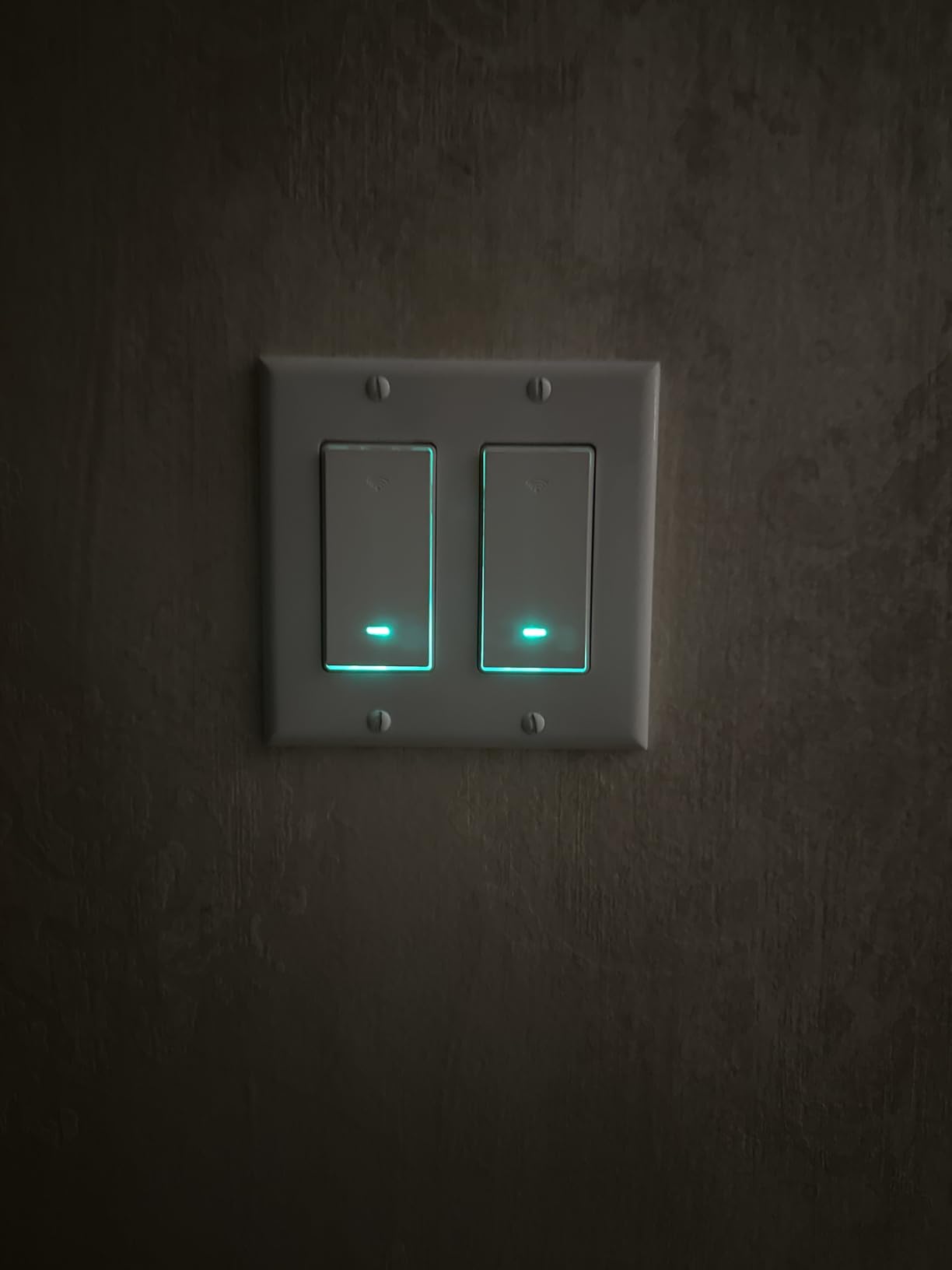
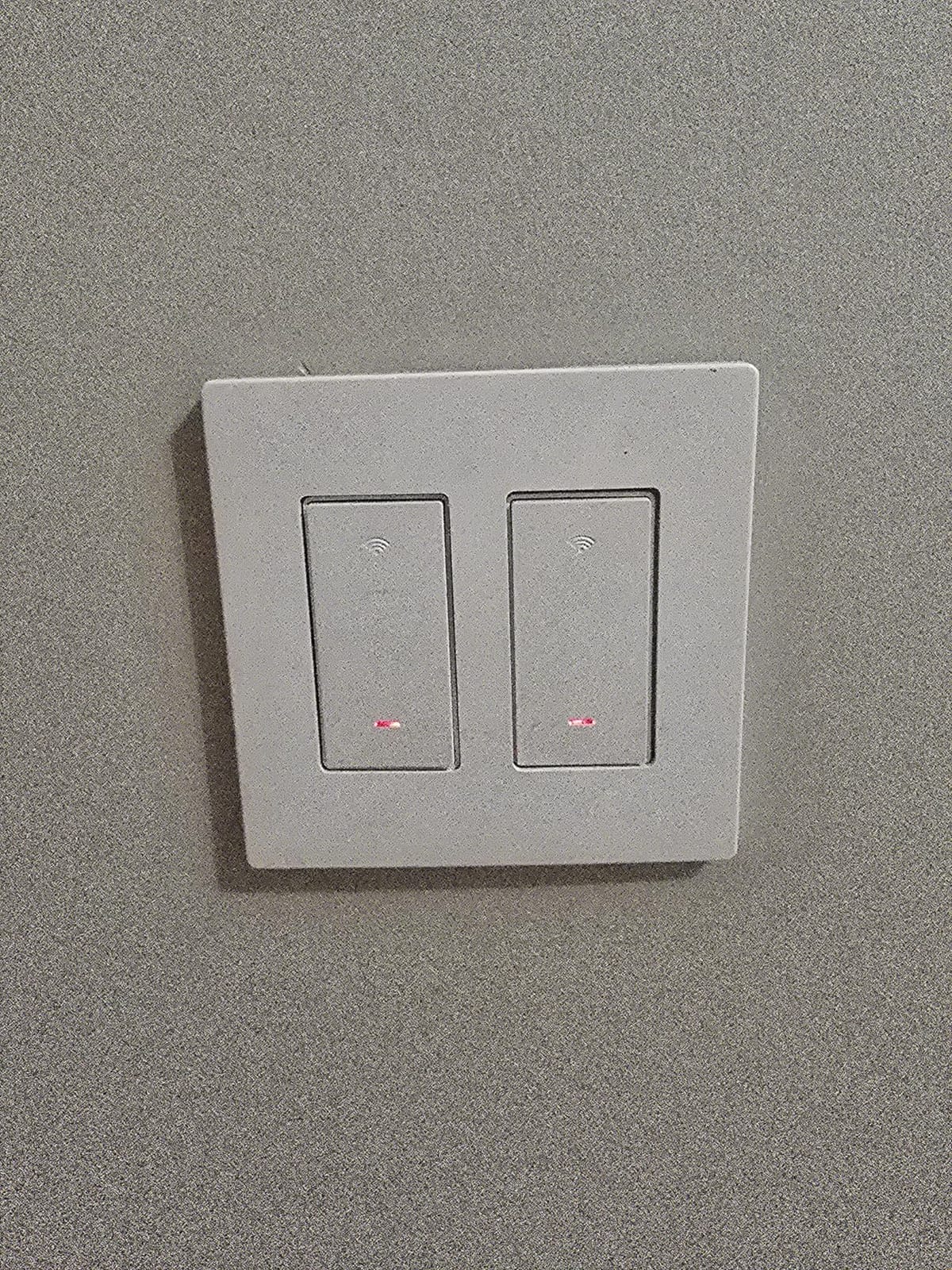
There are four recurring complaints and they are all physical. Units run warm in operation. The fixed short pigtails for the common and ground wires can be too short to reach in deeper or awkwardly wired boxes. Metal decorative wall plates are reported to cause Wi-Fi dropouts. And some owners find the device does not reliably report on and off state to Alexa, which breaks voice confirmation and any automation that reads state.
It is on and off only, and the manufacturer states it is not compatible with smart bulbs.
Input and output are both 120 volts at 60 hertz, and scheduling covers fixed daily windows plus sunrise and sunset triggers. The housing measures roughly 4.7 by 2.75 by 1.3 inches, one of the shallower profiles here, which is why it tolerates crowded multi-gang boxes better than several competing switches.
Why the pigtail length matters in real boxes
Modern electrical boxes in renovated rooms are often deep and stuffed with splices, so a short pigtail that looks fine in a new-build box can leave you unable to reach the terminal screw. If your boxes are older and shallow you are fine. If they have been fished or re-boxed recently, check the wire length before ordering, or plan on re-terminating with your own connectors.
The warm-running complaint also pushes toward metal decorative plates rather than the supplied plastic one, since metal improves heat dissipation. Just avoid the same plates if you are sensitive to Wi-Fi dropouts.
When a four-pack is the wrong quantity
Buying four when you have two circuits means two spare switches with no use, and spare switches age in a drawer. Check your actual count of 3-way circuits first, then buy the pack that matches. Most houses with a basement, main floor and upstairs landing have more than four.
9. Tapo Matter Smart 3-Way Dimmer S515D: Best for Future-Proof Ecosystems
Tapo Matter Smart 3-Way Dimmer Switch Kit, S515D KIT
Matter certified
3-way dimming at two locations
0% to 100% brightness
15A, 600W
Pros
- Matter certification works across HomeKit Alexa Google Home and SmartThings
- Three-way dimming from both locations with the satellite
- Full 0% to 100% dimming plus fade on and off
- Energy monitoring built into the app
- All mounting hardware and wire labels included
Cons
- Requires neutral wiring at the switch box
- Only 2.4 GHz Wi-Fi for initial setup
- Newer product with a smaller base of owner reviews
The S515D is the pick to buy if your household has not settled on a platform. Matter certification is the reason: the same kit works in Apple HomeKit, Amazon Alexa, Google Home and Samsung SmartThings, so moving ecosystems later does not mean replacing hardware in the wall.
It is a dimmer with a satellite, so both locations adjust brightness across a 0% to 100% range, and the fade on and off setting is a genuine comfort improvement for a dark hallway or a bedroom. There is also energy monitoring built into the app, which lets you see what a single circuit actually draws. The kit includes two wallplates, five wire nuts and wire labels.
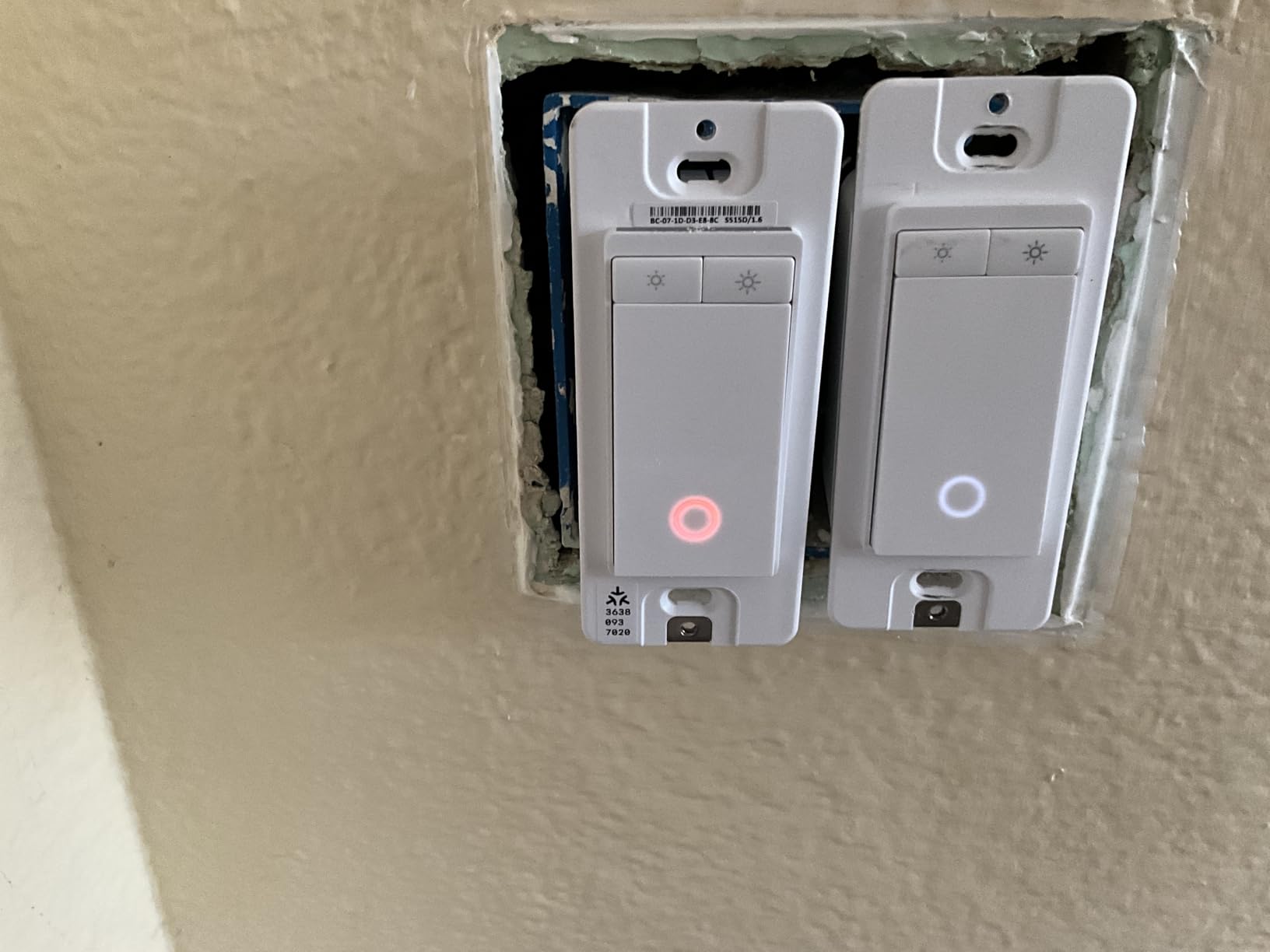
The tradeoffs are about maturity and space. Reviewers note the neutral wire requirement, the 2.4 GHz-only setup, and the fact that this is a newer product with a shorter ownership history than the Kasa or TREATLIFE models. The satellite also means two devices competing for one multi-gang cavity, the same box-depth problem as the KS230.
Reviewers otherwise highlight Matter compatibility as the main differentiator and report the dimming and energy tracking working as described. The rating of 4.4 rests on a smaller base of owner reviews than most picks here, so treat it as promising rather than proven.
The switch is rated 120 volts, 15 amps and 600 watts, and Matter compliance also brings IFTTT automations. Away mode randomises the lighting to mimic occupancy, and schedules can dim to a set level at specific times rather than simply switching off.
What Matter changes and what it does not
Matter handles the control layer, so the switch joins whichever platform you already run without a brand bridge. It does not change the electrical requirements. You still need a neutral wire at the box, still need 2.4 GHz Wi-Fi for setup, and still get on and off plus dimming only. Treat it as compatibility insurance, not as an installation shortcut.
Is it worth it if you already have Kasa installed
If every other switch in your house is Kasa and the app is working, there is little practical gain from switching one hallway to Matter. The case is strongest at the start of a project or when your household genuinely may change platforms. In that situation it is the most future-resistant kit here.
10. TREATLIFE 3 Way Smart Dimmer DS01C3-2P: Best for Silent Slide Dimming
TREATLIFE 3 Way Smart Dimmer Switch 2 Pack, 2 Master 3 Way Dimmable Light Switches, 2.4GHz WiFi Smart Switch Compatible with Alexa and Google Home, Neutral Wire Needed, No Hub Required
Two master dimmers per pack
Finger-slide dimming
Neutral wire required
150W LED / 400W incandescent
Pros
- Two independent master dimmers for two circuits
- Smooth finger-slide dimming with no click noise
- Last brightness setting is remembered
- No hub needed with Alexa and Google Assistant
- Generous LED CFL and incandescent load ratings
Cons
- Requires a neutral wire and 2.4 GHz Wi-Fi
- No Apple HomeKit support
- Master dimmer must be on the line and load side
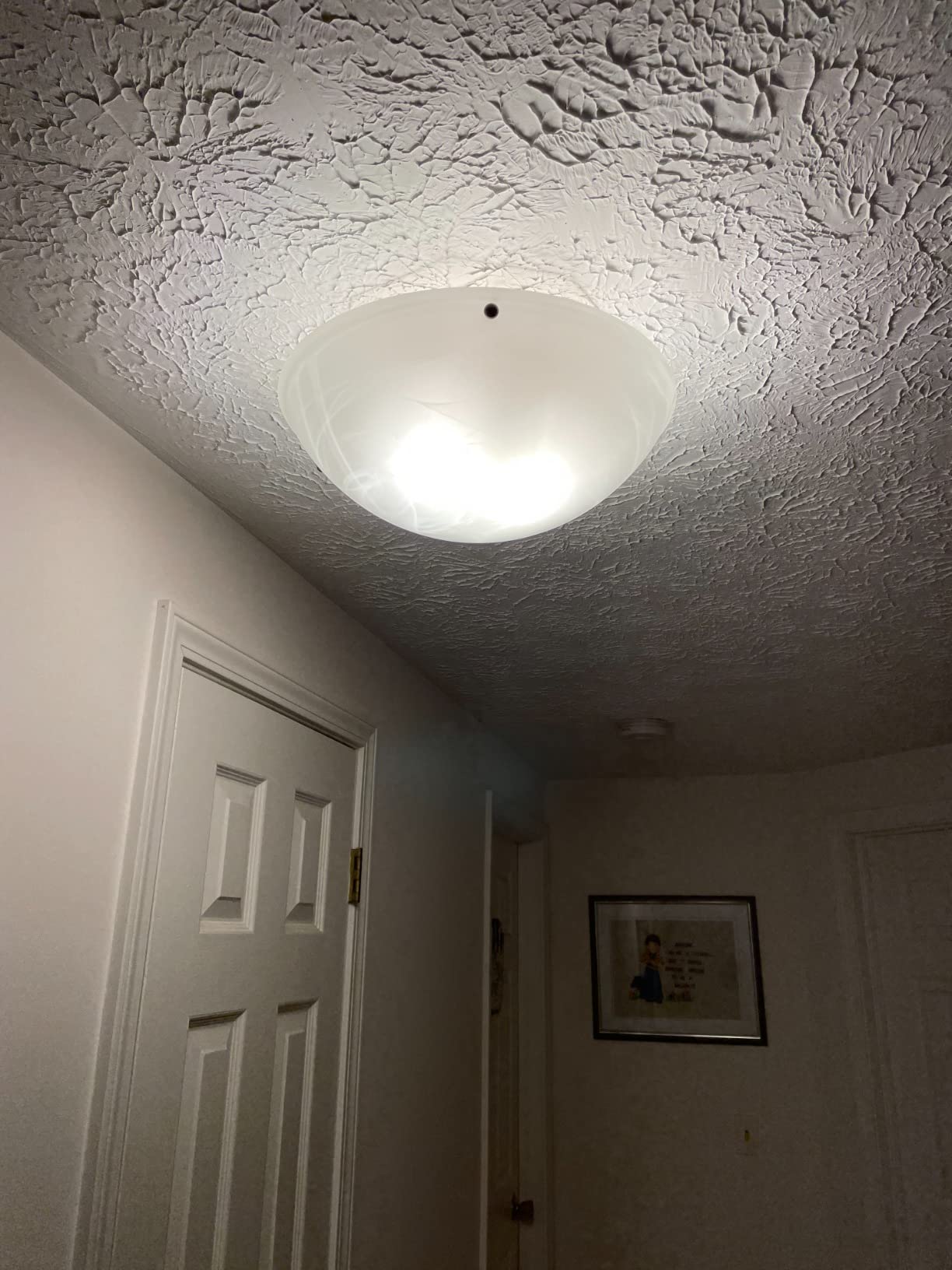
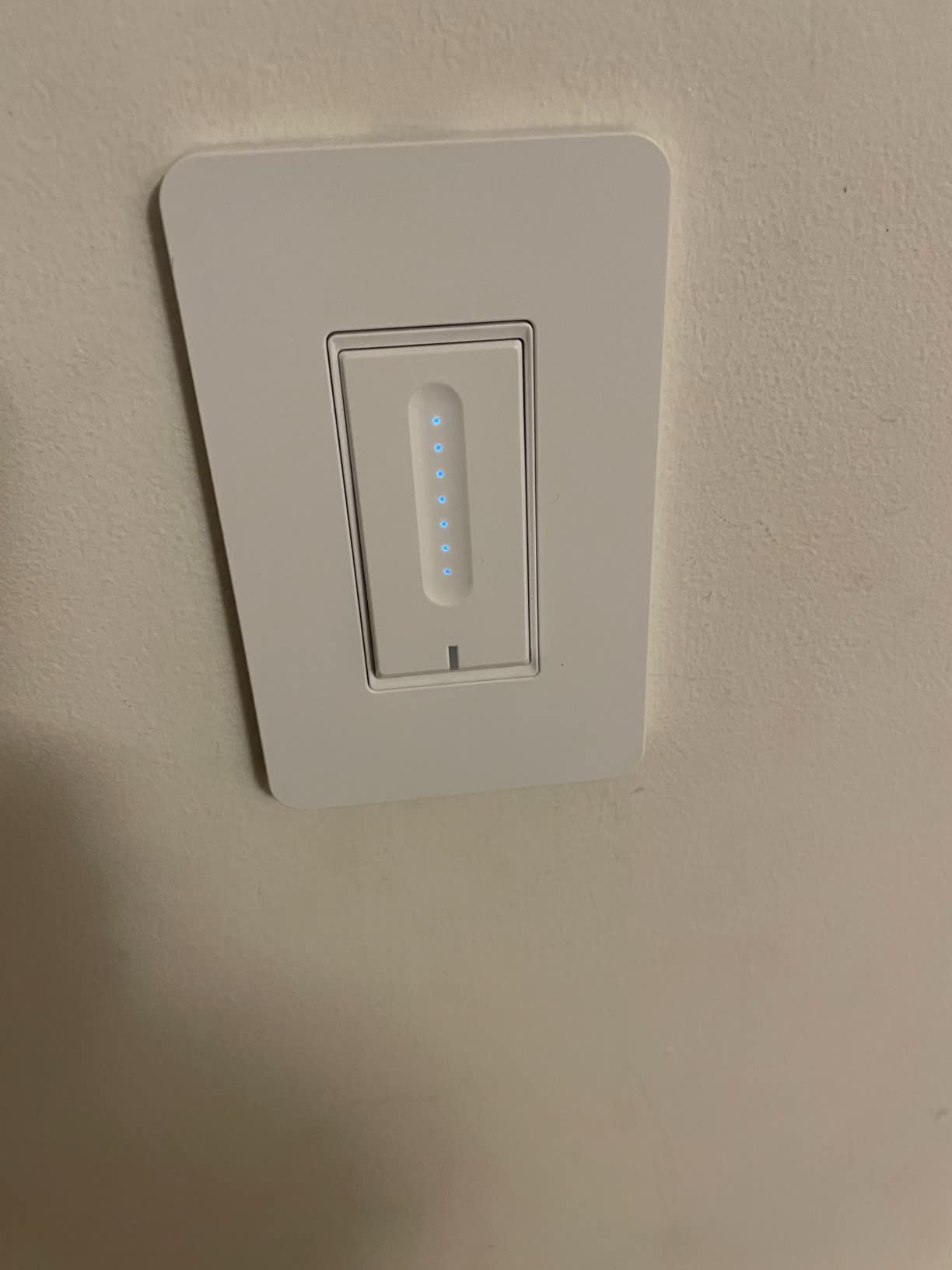
The DS01C3-2P is the quiet option. Instead of stepping through levels, you slide a finger up and down the face and the light glides between 1% and 100% with no clicking noise, and the switch remembers where you stopped. That detail matters in a bedroom or a hallway at night, and it is the reason this pack earns a place despite the lowest rating on the list.
Load ratings are generous for the category at 150W of LED, 150W of CFL and 400W of incandescent, with flame-retardant housing and built-in overheat protection. Like its sibling above, it is two independent masters, so one pack covers two separate 3-way dimming circuits with no hub needed.
The same rules apply. Neutral wire required, 2.4 GHz only, no HomeKit, and the master dimmer has to sit on the line and load side with a standard 3-way switch at the other location. It only works with dimmable bulbs, and the manufacturer notes that homes built before the 1980s may not have a neutral at the switch box at all.
At 4.1 with 382 reviews, it carries the highest share of one-star reviews among the dimmers here. Owners focus the complaints on the neutral requirement, the lack of HomeKit, and the strict one-smart-switch-per-circuit installation rule.
The housing is flame-retardant acrylonitrile butadiene styrene with an IP54 rating and built-in overheat protection under FCC certification. Dimming is a finger slide rather than stepped presses, and the two-year warranty covers both masters in the pack.
When slide dimming is worth a lower rating
If the circuit is a bedroom or a landing used late at night, a clicking step dimmer is genuinely irritating, and silent slide control is a fair trade. If the circuit is a hallway that gets switched briefly, the smoother KS230 with a wider owner history is the safer purchase.
Also weigh the pairing. Two circuits in one pack only makes sense if you actually have two; buying a two-pack for one hallway wastes a master dimmer.
Common problems with three-way switches to expect
The recurring complaints across every 3-way install we read about are the same handful: a missing neutral discovered after the box was opened, a dimmer fitted on the wrong end of the run, a box too shallow for a deep smart switch, and metal wall plates causing Wi-Fi dropouts. None of them are brand problems, which is why the circuit checklist below matters more than any single product choice.
Do Both Switches Need to Be Smart?
No. On a standard 3-way circuit you only need to replace the master switch, and the second location can stay a completely ordinary mechanical 3-way switch that still works when the power is off and the hub is down. Nine of the ten picks on this page are built for exactly that arrangement.
There are three ways to handle the second location. The simplest is a plain mechanical 3-way switch, which costs almost nothing and behaves perfectly. The second option is a dumb companion switch, a non-networked 3-way part designed to pair with the smart master so both ends stay in sync. The third is to remove the second switch entirely and mount a wireless remote such as the Lutron Pico on that wall, which needs no wiring at all.
The exception is the kits with a satellite dimmer, like the Kasa KS230 and the Tapo S515D. Those dimmers want a smart satellite in the second box so the far end can also dim, but the mechanical switch still works as a basic on and off. A dimmer fitted at the wrong end of the run is the single most common three-way install mistake, so if you go with the mechanical option, put the smart dimmer where the line feed enters.
Before You Buy: Identify Your Circuit Type
Work through these five checks before you order anything. They take about ten minutes with the breaker off and they eliminate the majority of failed installs.
1. Find where the line feed enters. Open a switch box and look for a black or red wire that is not connected to another wire, only to a terminal. That is the hot feed from the breaker or from a previous switch. The box holding it is the powered side, and that is where the smart switch goes. If neither box has a line feed, power is entering at the light fixture and you need a different approach entirely.
2. Count the neutrals. A neutral is a white or bare copper wire that joins to the bundle of neutrals in the box rather than running to a switch terminal. Nine of the ten switches here need one. If you cannot find it, the Lutron Caseta dimmer is the only pick that installs without it.
3. Identify the wire count. Two switches with three wires between them and one common at each end is a 3-way circuit. If you find a box with four traveler wires plus a common, you have a 4-way circuit in the middle and none of these products will work as-is.
4. Check box depth and material. Smart switches are deeper than standard ones, and multi-gang boxes are the hardest case. Forum advice is blunt: do not start with a three-gang box. Pull the existing switch forward and measure the gap behind it before choosing between a deep Wi-Fi switch and a shallower alternative.
5. Check the bulbs and the load. Dimming sections need genuinely dimmable bulbs, and smart bulbs on a dimmed circuit cause flicker. Then add up the wattage. A 10A switch caps out around 1250 watts, and a circuit that also feeds a fan needs a 15A model.
If power enters at the light fixture, stop and do not buy a switch-based solution. This is the most common blocker described in the SmartThings and Home Assistant communities, and it is where installs stall for weeks. The fix is a relay module mounted at the fixture rather than at the switch, which keeps your existing mechanical switches completely untouched. Homeowners running Home Assistant or SmartThings commonly reach for Shelly, Aqara, Sonoff, Aeotec or Qubino modules in that situation, since the relay takes over control at the ceiling and the dumb switches keep working as manual overrides.
How to Hook Up a 3-Way Smart Switch
Safety first: turn off the breaker and verify with a non-contact voltage tester before touching any wire. Do not rely on the wall switch alone, since someone else may turn it back on while you are working.
Then follow this sequence. Note the existing wire layout before removing anything, since a photo of the original terminals saves a lot of confusion later.
Turn off the breaker for the circuit and confirm the box is dead with a non-contact voltage tester.
Label the wires at both switch boxes while they are still connected: hot or line, common, and the two travelers.
Confirm the line feed is at the box you plan to use for the smart switch. The common wire is the one that does not connect to another wire in the box.
Remove the existing master switch and set the new smart switch aside. Leave the companion switch in place.
Connect the neutral wire to the neutral terminal on the smart switch. This is the step most skipped during a return-to-store trip.
Connect the line wire to the line or hot terminal on the smart switch.
Connect the common wire from the old switch to the common terminal on the smart switch.
Connect the traveler wires from the old switch to the traveler terminals, keeping the original pairing.
Secure the conductors, fit the wallplate, and push the switch fully into the box before tightening the screws so nothing is pinched.
Restore the power, then complete pairing in the manufacturer app, which will walk through the remaining setup.
For a dimmer, one extra rule: the smart dimmer must sit on the line and load side of the circuit, the side where the power feed enters. The far end keeps a standard mechanical 3-way switch. For kits with a satellite dimmer, the satellite goes in the second box and is wired as a companion rather than as a standalone switch.
If you are not confident identifying the line feed, or your box has no neutral and no room for a relay module, hire a licensed electrician. On a SmartThings community thread about a hallway where power entered at the fixture, the fix was a rewiring job that ended up being described as simply relabelling one wire or the other, but only after the wiring was opened up properly.
Buying Guide: Hub, Dimming, Bulbs and Box Fit
Hub or no hub. Eight of the ten picks here run on 2.4 GHz Wi-Fi with no hub at all, which is the simplest possible setup and the reason Wi-Fi dominates this list. The exceptions are the Lutron Caseta, which needs the Smart Hub for app and voice control, and the hub-free-but-Matter Tapo. If you already run SmartThings, Home Assistant or HomeKit with a hub, a Zigbee or Z-Wave part is often the better long-term choice, and it is worth checking whether your ecosystem supports a 3-way device at all before switching brands.
Dimming or on and off. Four picks dim. The KS230 and the Tapo S515D dim from both locations using a satellite, while the two TREATLIFE dimmers and the Lutron Caseta dim from the master with a mechanical switch at the far end. Everything else is on and off only, and the TREATLIFE SS02-4 in particular is designed for non-dimmable bulbs.
Dimmer and LED bulbs. Use bulbs labelled dimmable and expect a little flicker at the very bottom of the range on cheap lamps. The load ceilings here range from 150W of LED on the Caseta and DS01C3-2P up to 600W on the Tapo. Avoid smart bulbs on any dimmed circuit, because the switch and the bulb both try to control the output. Our smart light switch guide covers bulb pairing in more depth.
Capacity and scaling. A 2.4 GHz radio is not the problem people expect. Installs of twenty or more Wi-Fi switches generally hold up on a modern router, though keeping the switches on a separate 2.4 GHz SSID is a cheap safeguard. The real limit is the hub, and Lutron owners planning a whole-home retrofit should plan around roughly 75 devices per Smart Hub.
Build, colour and box fit. Reviewers complain more about physical details than electronics: proud flanges that do not sit flush, short pigtails that cannot reach a terminal, deep housings that crowd a multi-gang box, and white-only finishes that clash with almond or ivory plates. If your wall plate is anything other than white, check the colour options before ordering. And if a 3-way circuit is a three-gang box, expect to move to a relay module or accept a slow, awkward install.
Switches or smart bulbs. One final alternative worth weighing. If the goal is scheduling and voice control rather than app-level circuit visibility, smart bulbs can handle a single-pole fitting with no wiring at all. They are not a substitute for a 3-way switch, since the mechanical switches keep working but the app cannot see them. If the room still looks flat once the automation is set up, the problem is usually the lighting layout rather than the switch, and our guide to flat three-point lighting explains how placement fixes that.
Frequently Asked Questions
Do both 3-way switches need to be smart?
No. You only need to replace the master switch, the one where the hot or line wire enters the box. The second location can stay a standard mechanical 3-way switch that works even with the power off. Kits with a satellite dimmer, such as the Kasa KS230 and the Tapo S515D, use a smart companion at the far end so both locations can dim, but a mechanical switch still works for basic on and off.
How many switches are needed for a 3-way circuit?
Two switches control a 3-way circuit, one at each location. Only one of them has to be a smart switch, and a wireless remote such as the Lutron Pico can add a further control point with no wiring at all. A circuit with three or more locations needs 4-way switches in the middle, which none of the picks on this list replace.
Do I need a neutral wire for a smart 3-way switch?
Most of them do. Nine of the ten switches on this list require a neutral wire at the switch box, and the Lutron Caseta 3-Way Smart Dimmer Kit is the only pick that installs without one. A neutral is the white or bare wire that joins the bundle of neutrals in the box rather than running to a terminal. Older homes often lack one at the switch location.
How to hook up a 3-way smart switch?
Turn off the breaker and confirm the box is dead with a non-contact voltage tester. Label the existing hot, common and two traveler wires, then install the smart switch in the box where the line feed enters. Connect the neutral to the neutral terminal, the line to the line terminal, the common to the common terminal and the travelers to the traveler terminals. Leave a standard 3-way switch at the far end, restore power, and finish pairing in the app. A smart dimmer must go on the line and load side of the circuit.
What happens if power enters at the light fixture instead of the switch box?
A neutral-required smart switch will not work in that arrangement, because there is no powered conductor at either switch box. The usual solution is a relay module such as a Shelly, Aqara, Sonoff, Aeotec or Qubino unit mounted at the fixture, which keeps your existing mechanical switches working as manual overrides while giving you app and voice control. This is the most common reason a 3-way install stalls.
Final Verdict
The best smart switches for three way circuits in 2026 come down to one question: does your switch box have a neutral wire? If it does, the Kasa Smart HS210 KIT is the pick, with 19908 reviews at 4.6 stars, a hub-free setup, UL certification and the widest owner history of anything on this list. It handles a 3-way or single-pole circuit, and one switch is all you replace.
If there is no neutral, the Lutron Caseta 3-Way Smart Dimmer Kit is the only real answer, and the Pico remote it includes solves switch-location problems that no wired device can. Budget for the Smart Hub and the wallplate. If you need dimming from both ends, the Kasa KS230 or the Matter-certified Tapo S515D gives you a satellite at the second location, and the Tapo adds energy monitoring plus the freedom to change ecosystems later.
For an Apple Home household on a budget, the meross MSS550 is the pick, and for several circuits at once the four-packs from TREATLIFE and GHome cut the per-circuit cost sharply. Just confirm the load on each circuit and check the box depth before the drywall comes off. If power enters at the fixture instead of the switch, skip the switches entirely and use a relay module at the fixture, which is the fix the forums keep arriving at.
Work through the circuit checklist first, measure your boxes, then order. Fifteen minutes of checking saves a weekend of rewiring.