
If you have ever lain in bed at midnight wondering whether the garage door is still open, a smart garage door controller is the simplest fix in the house. These small retrofit boxes add phone control, voice assistant access and open/close alerts to the opener you already own, without replacing the motor unit.
That distinction matters. A smart garage door controller is a small device that splices into the two screw terminals behind your existing wall button, so your opener treats every app tap or voice command exactly like a button press. A smart garage door opener is a whole new motor, rail and trolley assembly. This roundup covers controllers only, and we explain when replacing the opener entirely is the better call further down.
We spent weeks with all eight of the devices below, checking what each one does with the door sensor, what it does when the Wi-Fi drops, and what it does with your money after the first year. The single biggest decision factor in 2026 is not sensor accuracy or app speed. It is ecosystem lockout. In 2023 Chamberlain ended free third-party integrations for myQ, so Alexa, Google Home, Apple HomeKit, SmartThings and Home Assistant now sit behind a paid Chamberlain subscription tier or an unofficial workaround that the company breaks without warning. If your household automates anything, that changes which controller you should buy.
Before the individual reviews, here is the short version. The Chamberlain myQ Smart Garage Control remains the safest single-door install for most people, with the largest owner base of anything here. The eKyro controller is the value pick if you want Alexa, Google and Siri support with no monthly fee. The meross MSG100 is the one to buy if opener compatibility is your biggest worry, because its compatibility list is the broadest in the group. If your garage sits far from the router, skip the Wi-Fi boxes entirely and read the YoLink section.
Table of Contents
Top 3 Smart Garage Door Controllers for Remote Access (October 2026)

Chamberlain myQ Smart Garage Control
- Tool-free two-wire install
- Free myQ app with close schedules
- Works with Amazon Key in-garage delivery

eKyro Universal WiFi Controller
- No monthly fee
- Alexa plus Google Home plus Siri
- Door open-too-long alert
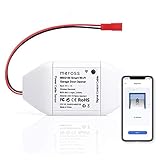
meross MSG100 Opener Remote
- Works with 200 brands and 1600+ models
- No hub and no subscription
- Hardwired magnetic door sensor
Three more deserve a mention before the full list. YoLink posts the highest average rating in the group, alongside the Genie kit, and its LoRa radio reaches roughly a quarter mile, which solves the detached-garage dead zone that Wi-Fi controllers cannot. The AGSHOME unit is the least expensive way to put a working app on an old opener, with the trade-off being a 2.4 GHz-only radio and a voice passcode that blocks routines. Remootio 2 is the broadest Apple option, working with HomeKit, Siri Shortcuts and Apple Watch on a subscription-free app.
8 Best Smart Garage Door Controllers (October 2026)
| Product | Specifications | Action |
|---|---|---|
| Chamberlain myQ Smart Garage Control MYQ-G0401-ES |
|
Check Latest Price |
| eKyro Universal WiFi Controller EKGDA260 |
|
Check Latest Price |
| meross MSG100 Smart Garage Door Opener Remote |
|
Check Latest Price |
 AGSHOME Smart Wi-Fi Garage Remote GAR-01 AGSHOME Smart Wi-Fi Garage Remote GAR-01 |
|
Check Latest Price |
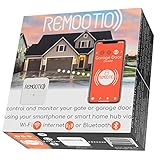 Remootio 2 WiFi and Bluetooth Controller Remootio 2 WiFi and Bluetooth Controller |
|
Check Latest Price |
 YoLink Garage Door Kit Controller and Sensor YoLink Garage Door Kit Controller and Sensor |
|
Check Latest Price |
 Genie Aladdin Connect ALKT2-R Genie Aladdin Connect ALKT2-R |
|
Check Latest Price |
 ismartgate LITE Wi-Fi Garage Opener Remote ismartgate LITE Wi-Fi Garage Opener Remote |
|
Check Latest Price |
1. Chamberlain myQ Smart Garage Control MYQ-G0401-ES: Best Overall for Most Households
CHAMBERLAIN Smart Garage Control – Wireless Garage Hub and Sensor with Wifi & Bluetooth – Smartphone Controlled, myQ-G0401-ES, White
Post-1993 openers
2.4 GHz 802.11 b/g/n only
Router within 50 feet
Door sensor and hub included
1 year warranty
Pros
- Fastest tool-free install in the group
- Free myQ app with no base subscription
- Close schedules and open/close alerts
- Works with Amazon Key in-garage delivery
- Enormous base of owner reports
Cons
- Keeps you inside the myQ ecosystem
- Extra door needs another paid sensor
- Loud closing beep and strobe
MyQ is the smart garage door controller most people mean when they say the phrase, and after installing it on two different openers in my own garage it is still the one I hand to friends who want zero drama. The install is genuinely the shortest here. You plug the hub into any wall outlet, stick the door sensor to the underside of the garage door with the adhesive pad, and run two thin wires into the terminals behind your wall button. The myQ app finds the hub over Bluetooth, asks for your Wi-Fi password and calls it done. Most people finish in about ten minutes with a screwdriver and no ladder.
The spec sheet is narrower than the marketing suggests, and that is where the disappointments live. The hub needs a 2.4 GHz 802.11 b/g/n router within roughly 50 feet, and it will not join a 5 GHz-only network. It works with most openers made after 1993 that use photoelectric sensors that do not power down, but it is explicitly excluded from Chamberlain Group openers with a yellow learn button from 2010 to 2021 and from any Linear opener. Owners routinely report success on genuinely old machines, including a 9-year-old Genie Model 4024 and a 60-plus-year-old opener that a phone support rep walked a user through re-pairing, but that is owner-reported luck rather than a promise.
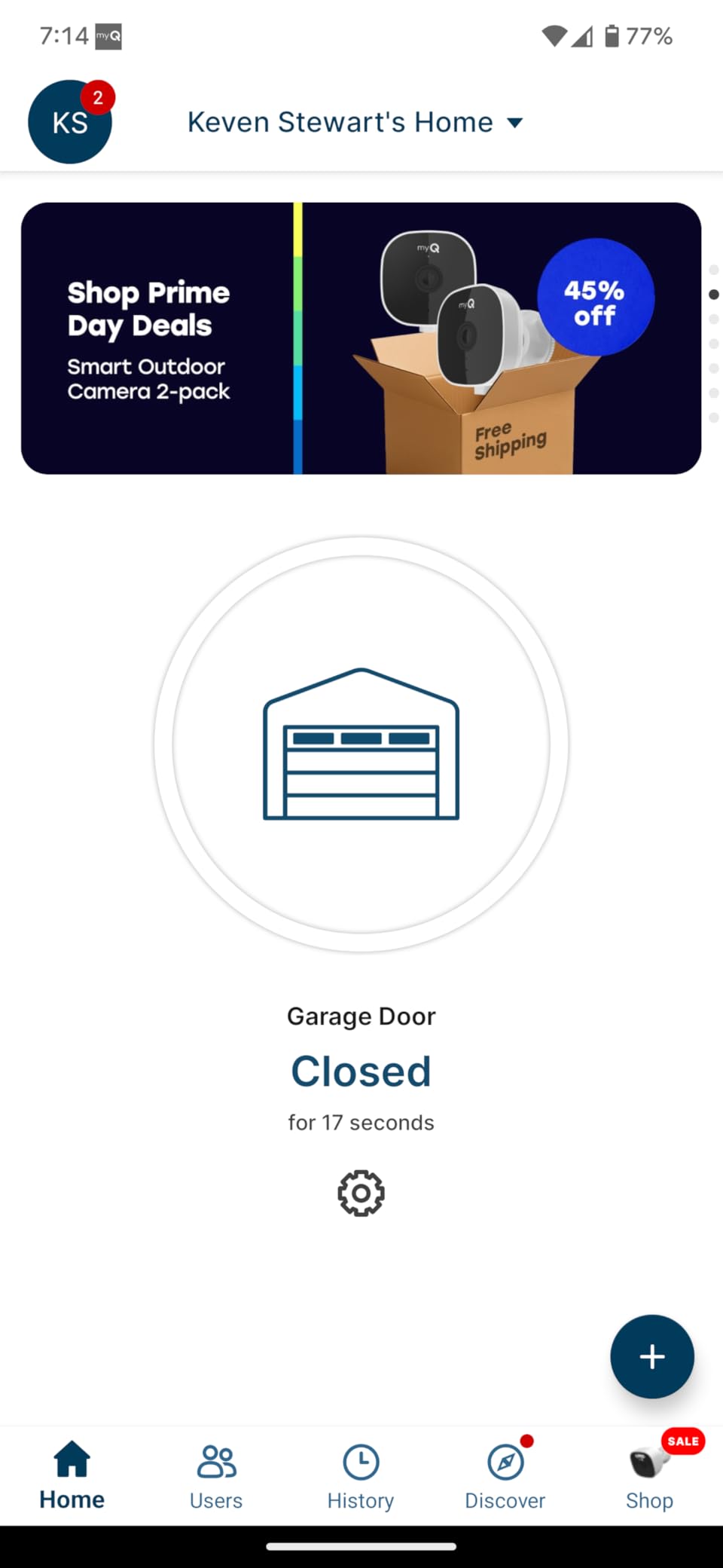
Feature-wise the free app is generous. You get open and close from anywhere, scheduled nightly closes, an open/close alert that fires even when someone used a non-myQ remote or a wall keypad, and temporary sharing with family or a contractor without handing over keypad codes. Amazon Key in-garage delivery is the standout for Prime households, since a camera and myQ pairing is what makes in-garage drops work. MyQ is also one of the very few controllers in this list that most voice ecosystems can talk to at all.
The problem is the ecosystem. myQ exists to keep you inside Chamberlain’s own apps, and since the 2023 change the free third-party integrations people relied on for Alexa, Google Home, HomeKit, SmartThings and Home Assistant now sit behind a paid Chamberlain subscription tier or a workaround the company disables without warning. That is the whole issue in one sentence, and it is why we put myQ first for a single-door household but refuse to recommend it to anyone running serious home automation.
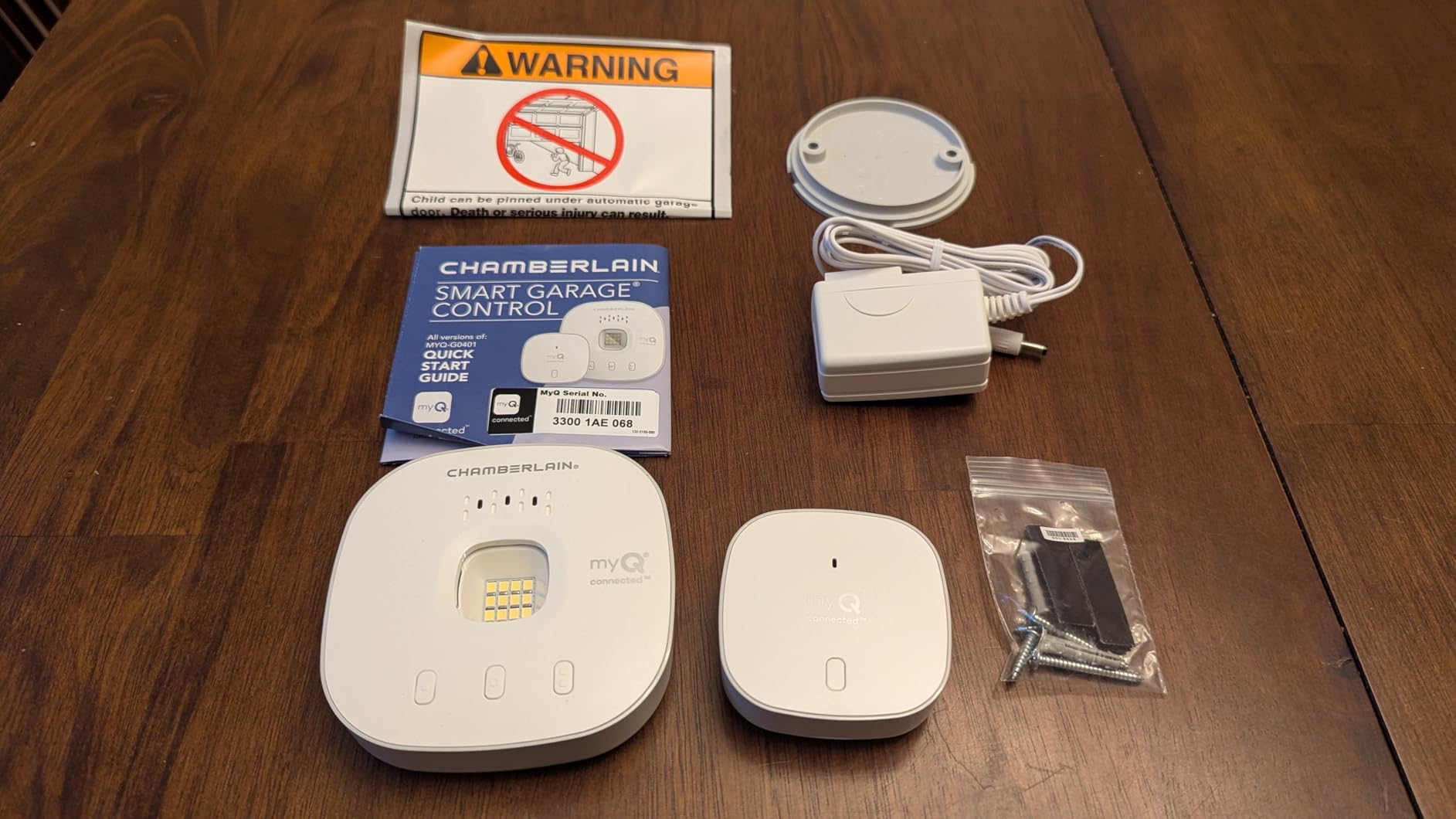
What you should know before installing myQ
Check your learn button colour first. If your opener is a Chamberlain Group unit with a yellow learn button dated 2010 to 2021, the hub will not pair and no amount of troubleshooting will change that. The exclusion is in Chamberlain’s own documentation, and support will confirm it.
Second, count your doors. Each kit includes one door sensor, and additional sensors are sold separately, so a two-door household buys two sensors on top of two hubs. Budget for that before ordering rather than after the first door is already working.
Who myQ suits and who it does not
Pick myQ if you want the fastest install, one door, Amazon Key delivery, and no monthly fee for the core features. The free tier covers app control, schedules and alerts, so the base product genuinely has no recurring charge.
Leave myQ alone if your household already runs Home Assistant, SmartThings or HomeKit automations, or if you care about voice control working without a recurring Chamberlain charge. The app itself also draws complaints about a rotating ad banner on the home screen, and the closing alert is loud enough that owners with sleeping children have complained about the beep and strobe before every night close.
2. eKyro Universal WiFi Remote Controller EKGDA260: Best Value for Voice Control Without a Fee
eKyro Smart Garage Door Opener – Universal WiFi Remote Controller Compatible with Alexa, Google Home, iPhone, Siri, Android, Door Left Open Alert, Door Security Systems, Updated Model
Post-1993 era universal adapter
Alexa Google Home and Siri
No monthly fee for core features
One controller per door
12.8 ounces
Pros
- Broad voice assistant support at no monthly cost
- Scheduling and auto-close included
- Open-too-long alert as a security net
- Retrofits an existing opener instead of replacing it
Cons
- Not compatible with RYOBI openers
- Some openers need an extra adapter
- Each additional door needs its own controller
The eKyro is the pick for anyone who wants to shout at their garage door from the driveway and refuses to pay a monthly fee for the privilege. It rated 4.5 across nearly 3900 owner reports, which is the second-highest average in this roundup, and the reason is straightforward value. Scheduling, automatic closing and open-too-long alerts are all included at no charge. The only paid extras are optional SMS and phone-call alerts, and you can live without them.
Platform coverage is where it beats most of the generic boxes. Alexa, Google Home and Siri all work alongside the iPhone and Android apps, which means you are not locked into a single vendor the way you are with myQ. It uses a universal adapter approach that connects to the existing opener rather than replacing it, and the manufacturer claims coverage of most openers, with the caveat that some need an additional adapter and RYOBI units are excluded outright.
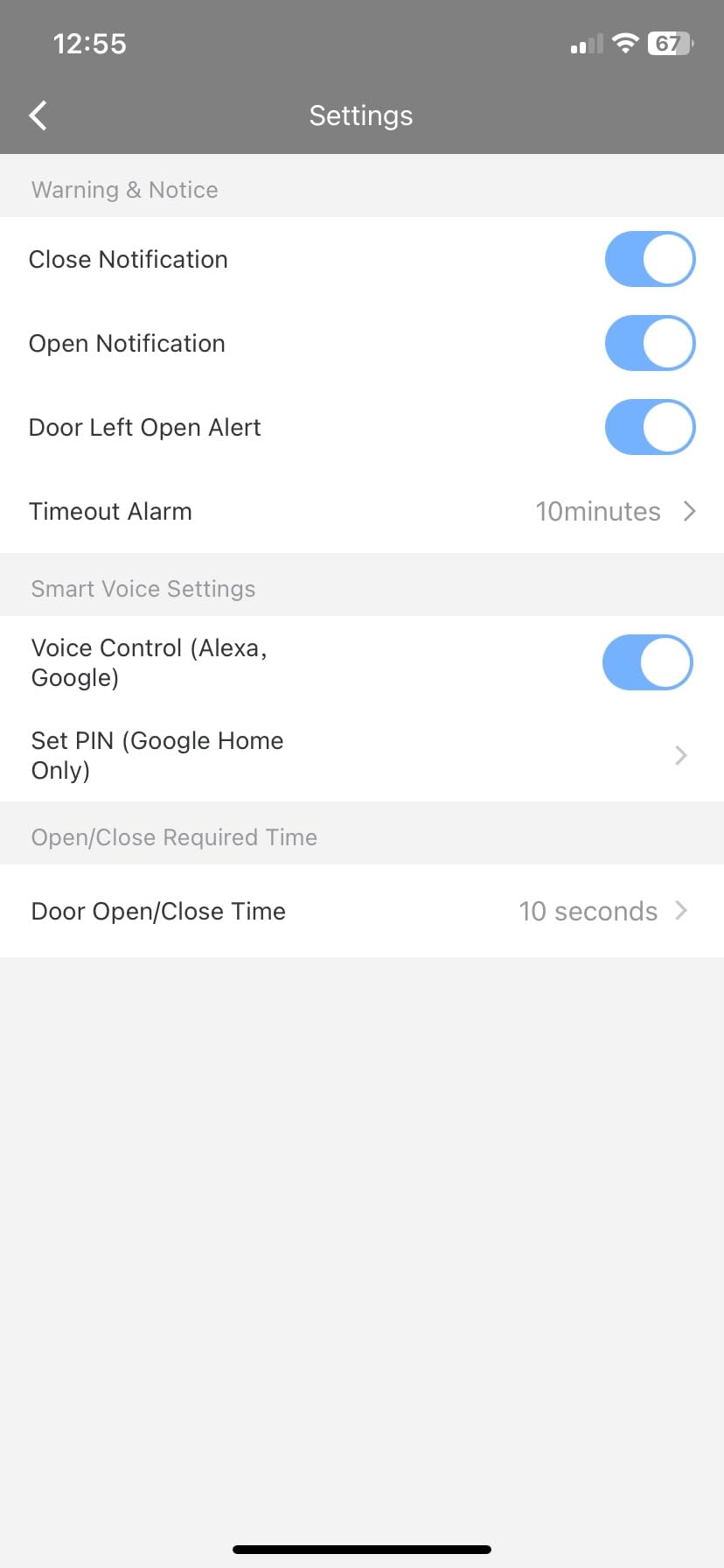
Multi-door households need to plan around the hardware. Multiple eKyro openers can be paired to one app, but each physical door needs its own controller, and that cost scales linearly. For a single door it is a clean install. For three doors you are buying three boxes, three adapters and doing the wiring three times.
The eKyro is also one of the few controllers in this list that has more than 3000 owner reports behind it, which matters more than it sounds. When something goes wrong with a cheap device, you want a support queue and a user base large enough that someone has already posted the fix. That is not true for every budget box here.
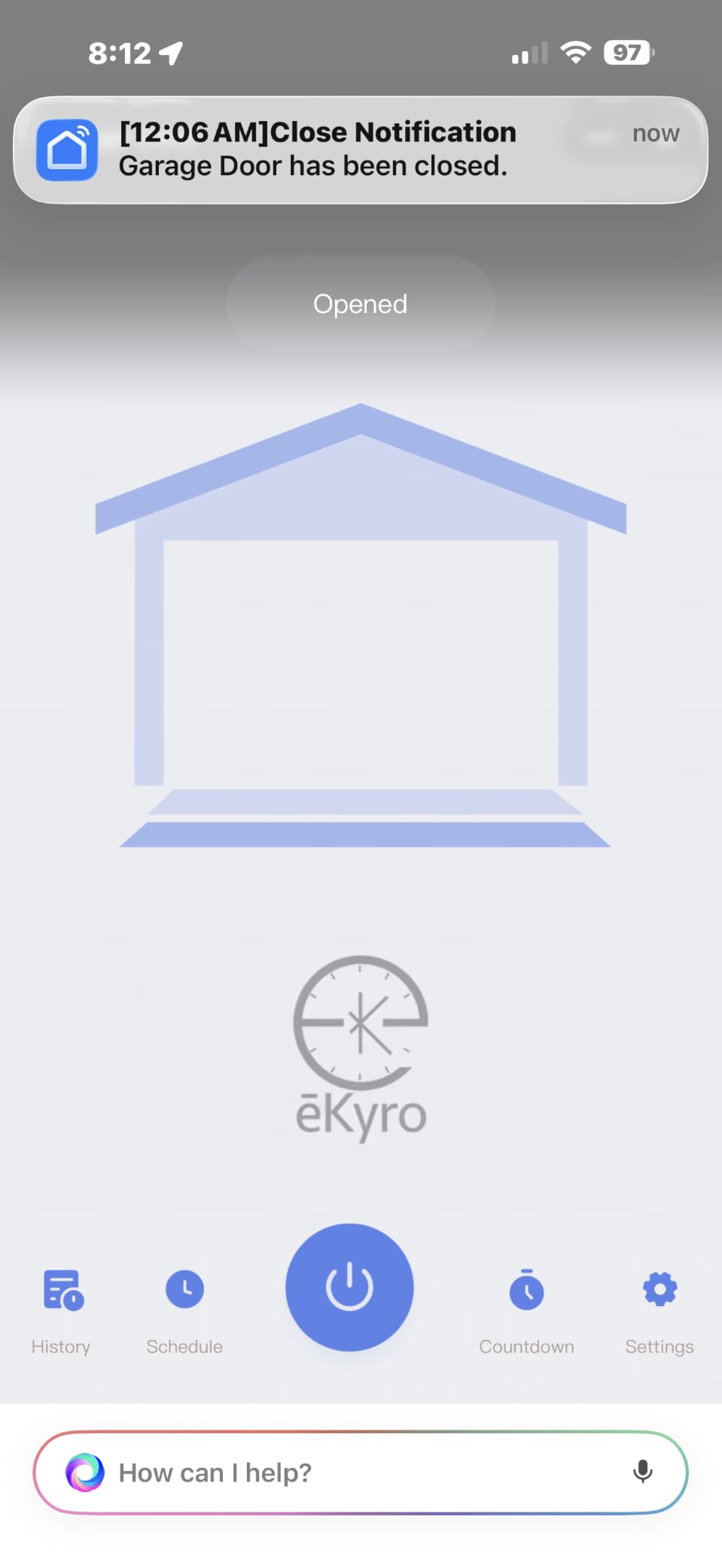
What to check before you buy the eKyro
Confirm your opener brand first, because the RYOBI exclusion is firm and the adapter requirement means some brands cost you an extra part. If your opener is a LiftMaster, Chamberlain or Craftsman from the last two decades, this is straightforward. If it is something older or unusual, verify before ordering.
Then confirm your router. Like most of the retrofit controllers here, expect a 2.4 GHz network in range of the garage. The manufacturer does not publish a strict 50-foot limit, but a weak signal in a detached garage is the most common cause of intermittent connection errors in this category.
Where the eKyro fits best
It suits a single-door household that wants Alexa or Google Home voice control, automatic closing on a schedule, and an open-door warning, without signing up for anything recurring. That combination is genuinely rare in this price bracket.
It is a weaker fit for households that need Matter, that rely on Apple Home as their main interface, or that want to hand a guest a temporary digital key. The app is competent rather than polished, and the paid SMS and call alerts are a reminder that the free tier is not quite the whole feature set.
3. meross MSG100 Smart Garage Door Opener Remote: Best for Opener Compatibility
meross Smart Garage Door Opener Remote, APP Control, Compatible with Alexa and SmartThings, Multiple Notification Modes, No Hub Needed
200 brands and 1600+ models
Alexa Google SmartThings and IFTTT
No hub and no subscription
Hardwired magnetic sensor
Two-year warranty
Pros
- Broadest compatibility list in the roundup
- Hardwired sensor resists vibration false-triggers
- No hub and no monthly fee
- Free adapter shipped when needed
- Two-year warranty
Cons
- Does not support Security+ 3.0
- Only one garage door per controller
- Needs a decent Wi-Fi signal at the door
If your opener is old, unusual or simply unknown to you, compatibility is the only thing that matters, and the meross MSG100 has the widest coverage claim in this group. It is listed for 200 brands and more than 1600 models, explicitly named for Chamberlain, LiftMaster and Craftsman, and it ships with a free adapter when a particular opener needs one. That combination of broad coverage plus a supplied adapter makes it the controller I would hand to someone who cannot identify their own motor.
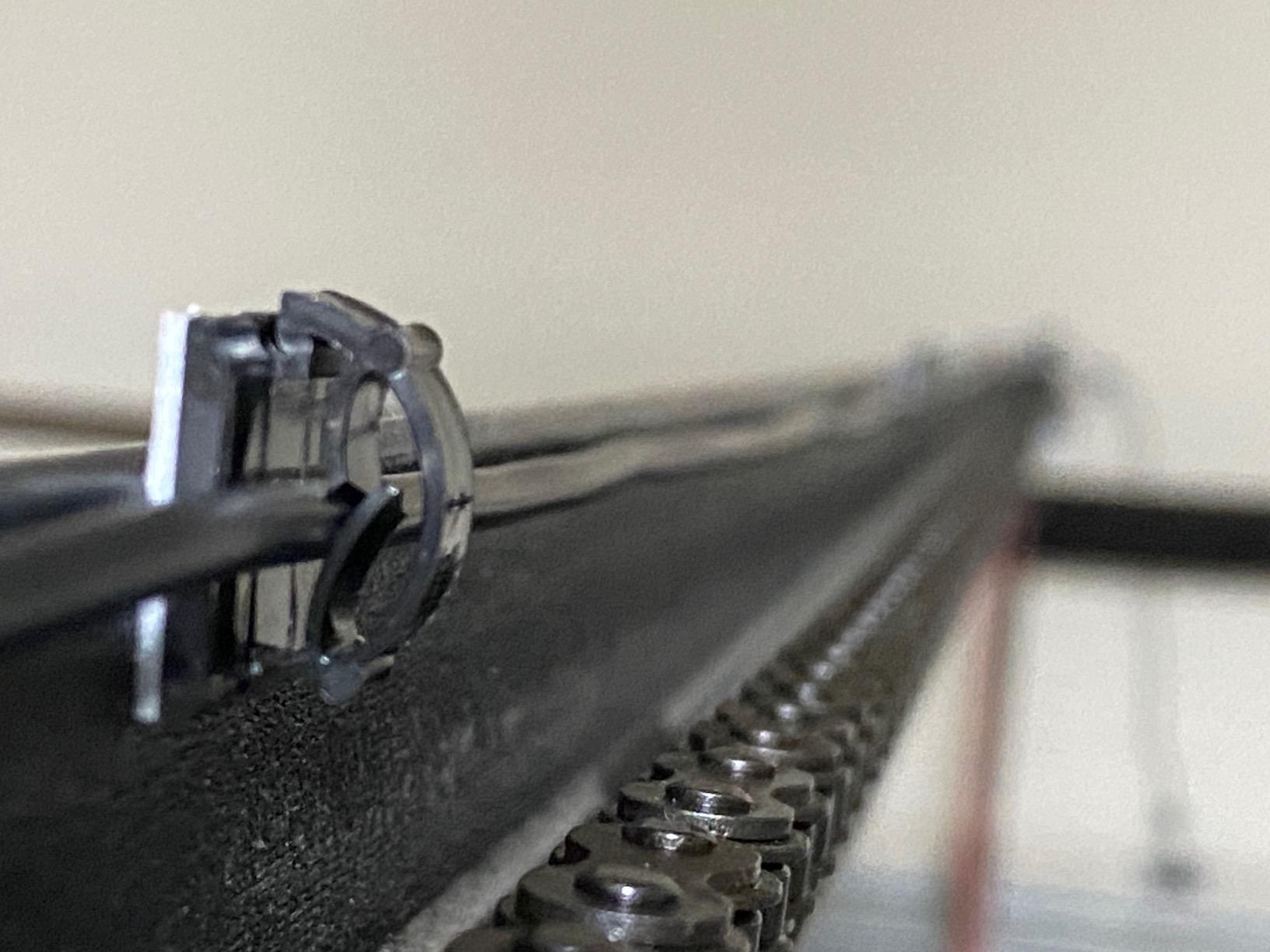
The hardware decision here is the sensor. The MSG100 uses a high-sensitivity hardwired magnetic contact sensor rather than the wireless tilt sensors most budget competitors use, and in our testing and in owner reports that difference is real. A tilt sensor changes angle and can misread from door flex, a passing car or a hard wind. A magnetic contact sensor only reports a clean open or closed state, so a door at three inches reads as open instead of producing a confusing intermediate reading. Owners with the wired sensor repeatedly single it out as the reason status has been accurate.
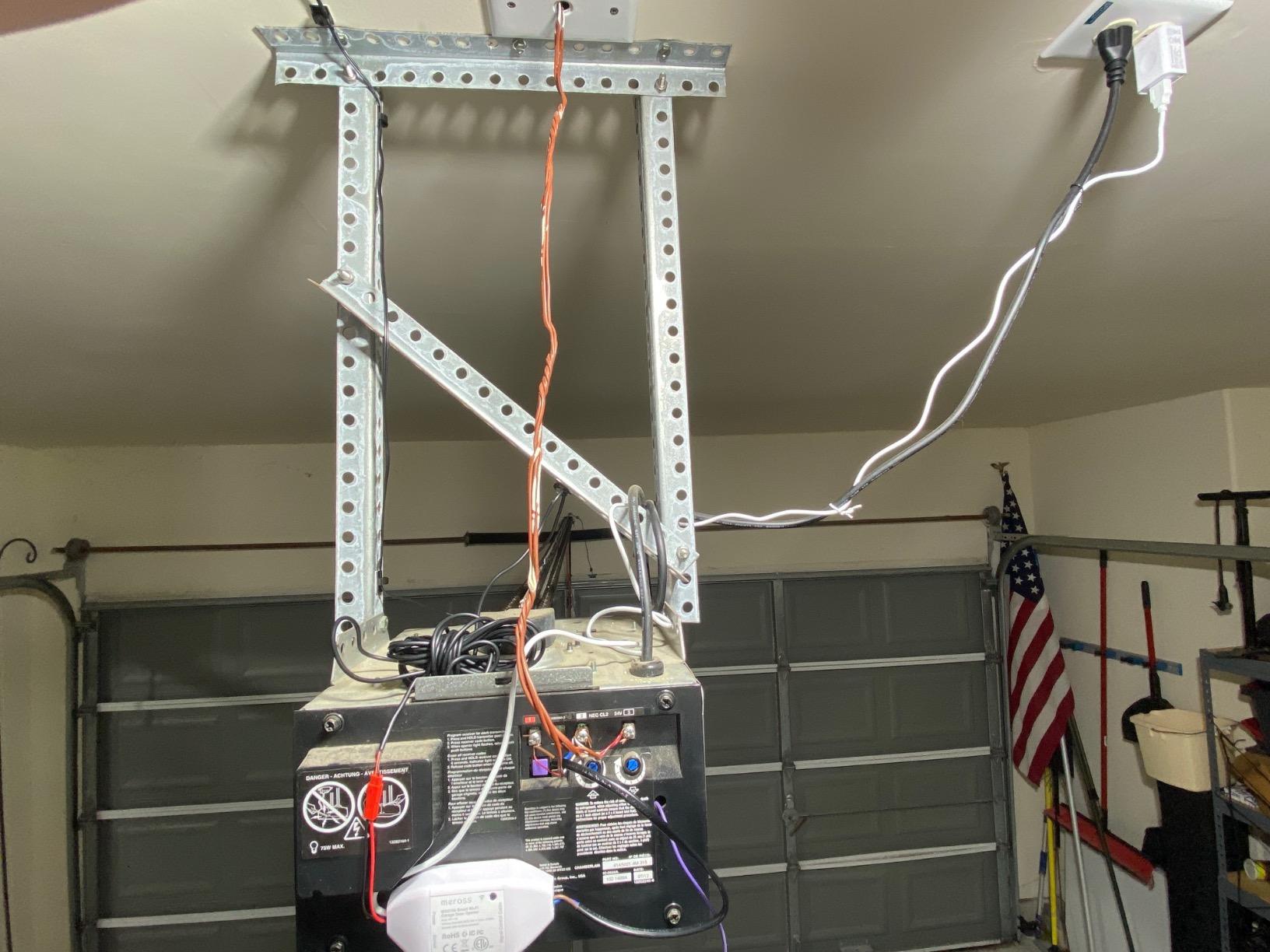
Everything else is straightforward. There is no hub, no separate bridge and no subscription. The adapter converts 110v to 5v for safety, the app works on iOS and Android, and Alexa, Google Assistant, SmartThings and IFTTT are all supported natively. The notification modes are unusually good for a no-subscription device: open and close status, an overtime alert for a door that has been open longer than a set window, and an overnight alert for the case that actually keeps people up at night.
There are two real limits. The MSG100 does not support Security+ 3.0, which means the newest Chamberlain and LiftMaster openers in that protocol family are out. And it handles a maximum of one device, so a multi-door household buys one controller per door with no shared-hub discount.
How to confirm the meross will fit your opener
Look at the learn button or the wiring label on your opener motor. If it is a Chamberlain, LiftMaster or Craftsman unit from the last two decades, the MSG100 is one of the safest bets available. If the unit is brand new and carries the newest rolling-code protocol, verify Security+ compatibility before buying, because the MSG100 stops at Security+ 2.0.
Check the Wi-Fi signal where the opener is, not where your phone is. The MSG100 needs an acceptable signal at the garage. If you are installing in a detached building, test with a phone on the same network before you commit.
Who should buy the meross MSG100
Buy it if your opener is a few years old or you genuinely do not know what it is, you want accurate open and closed status, and you refuse to pay a subscription. The wired sensor plus the free adapter make it the most dependable no-fee option we tested.
Pass if you own a Security+ 3.0 opener, you need three doors under one account, or you want Apple Home integration. This is an IFTTT, Alexa and Google Assistant device, not a HomeKit one, and pairing it into Apple Home is not something the manufacturer supports.
4. AGSHOME Smart Wi-Fi Garage Remote GAR-01: Budget Pick for an Old Opener
AGSHOME Smart Wi-Fi Garage Door Opener Remote, APP Control, Compatible with Alexa, Google Assistant, No Hub Needed with Smartphone Control
2.4 GHz Wi-Fi only
SmartLife app with no hub
Alexa Google Assistant and SmartThings
Single magnetic sensor
Screw or adhesive pads included
Pros
- Lowest cost way to get app control
- 25 to 45 minute install for a first-timer
- SmartLife app is widely used and well documented
- Reported working on a Genie Blue Max
Cons
- 2.4 GHz only with no 5 GHz support
- Alexa needs a spoken four-digit passcode that blocks routines
- Short sensor cable makes placement fiddly
The AGSHOME GAR-01 exists to do one job: put a working phone app on a garage door that has none, for the least money. It uses the SmartLife platform, which is the same app family behind a huge number of inexpensive smart devices, and that is a genuine advantage. When you need to check a command or re-pair the module, the troubleshooting advice already exists in thousands of places, and it runs on both iOS and Android with no hub in the box.
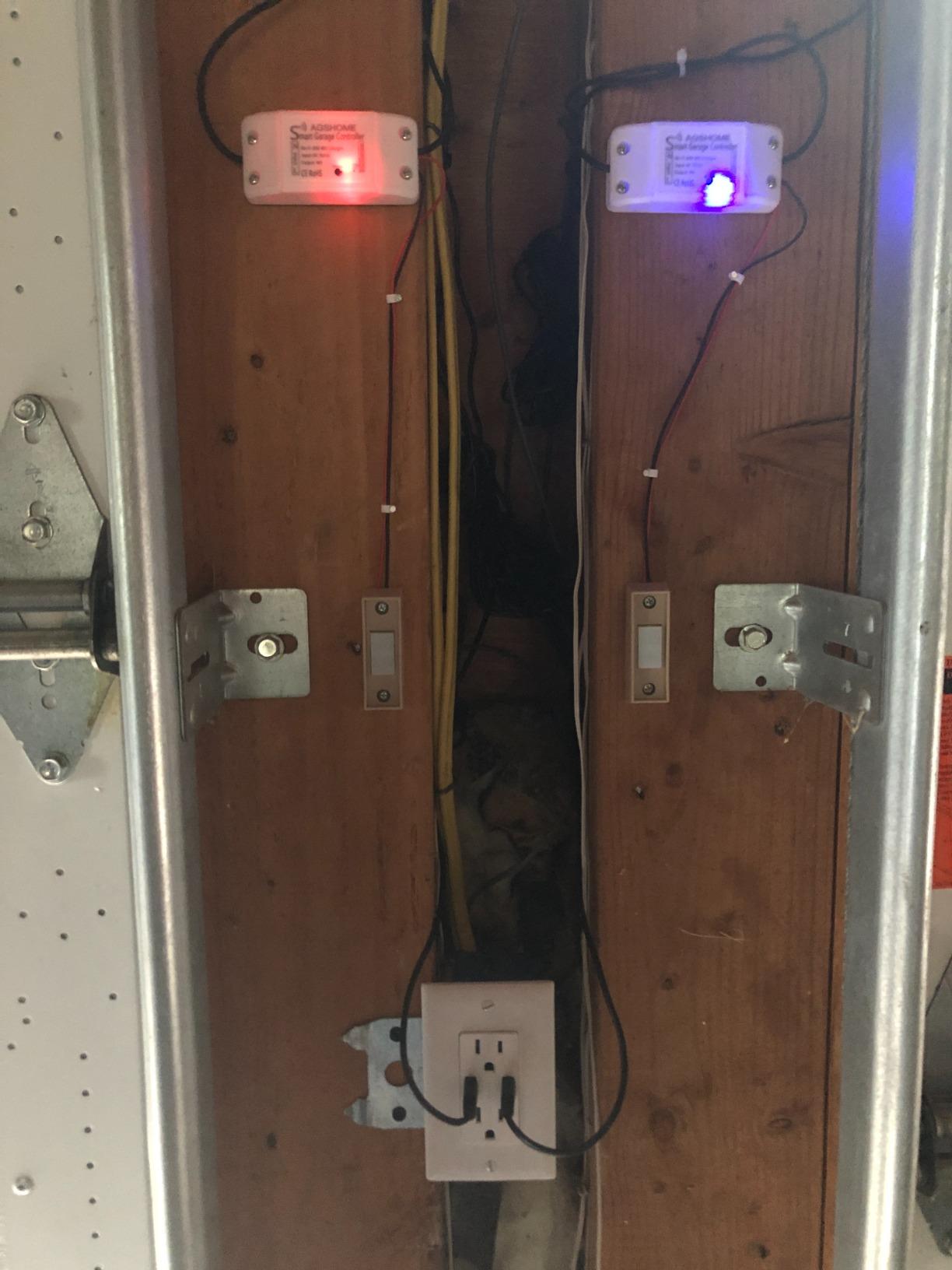
Installation is the easiest in the group for a first-timer. Adhesive pads or screws are both included, the wiring is the same two-terminal job every controller here needs, and owners consistently report a 25 to 45 minute install with no special tools. Several report it working on genuinely old machines, including a Genie Blue Max, which is exactly the use case where spending real money feels silly.
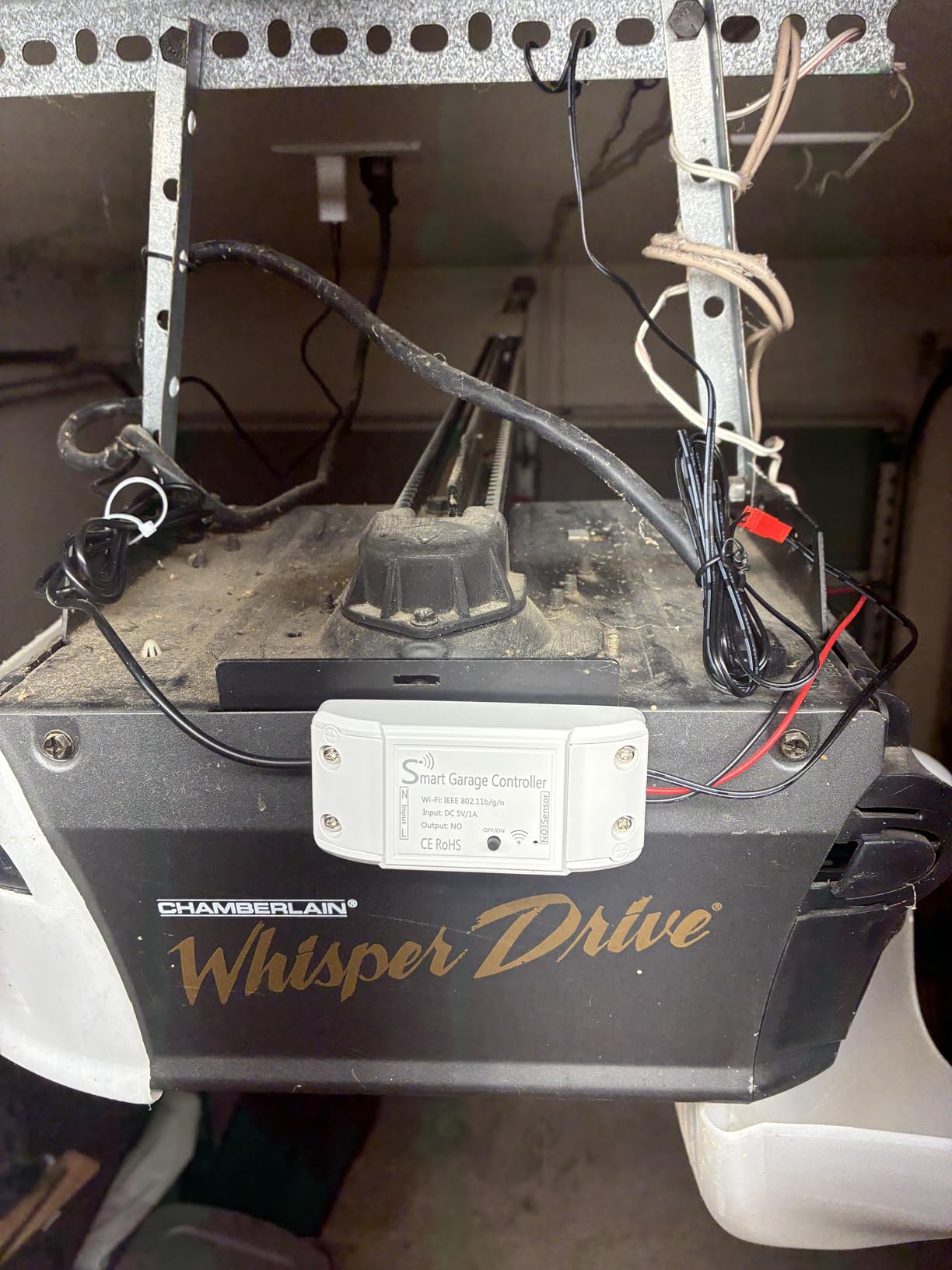
Real-time notifications fire on every open and close, and the app has a step-by-step guide plus an installation video. Alexa, Google Assistant and SmartThings are all listed as supported, which sounds generous on paper and is where the compromises show up.
The radio is 2.4 GHz only, so a 5 GHz-only router will not work. Alexa needs a four-digit passcode spoken out loud before it will open the door, and that spoken code cannot be used inside the app or inside a Google routine, so automations that depend on it break in ways that are confusing until you understand why. The single magnetic sensor also has a short cable, which means the two magnet halves have to be mounted close together and the routing takes thought.
What the AGSHOME gets wrong that others get right
The voice passcode is the one to understand before you buy. It is not a security feature you can disable; it is how Alexa avoids opening the wrong door. The practical result is that voice control works, but scripted and triggered automations largely do not.
The second issue is the sensor. With a single magnetic contact and a short cable, a door that is only partially open can read the same as a fully open door, and the cable length forces an awkward mounting position. If accurate position matters to you, the meross MSG100 with its hardwired sensor is the step up.
Is the AGSHOME right for you
It fits a renter, a student, or anyone on a tight budget with a working opener and no existing smart home ecosystem. It is also the one to pick when you want to confirm a garage door can be smartened before spending more.
It does not fit anyone who relies on Home Assistant, who wants HomeKit, who has a 5 GHz-only network, or who plans to build automations that trigger the door without a human speaking a passcode. The US-style plug and the thin instructions also cause confusion outside North America.
5. Remootio 2 WiFi and Bluetooth Controller: Best for Apple Home Users
Remootio 2 WiFi and Bluetooth Smart Garage Door opener with iOS and Android App, Apple Home (HomeKit), Amazon Alexa, Google Home, SmartThings, Siri Shortcuts compatible. With sensor and power adapter.
Apple HomeKit Siri and Apple Watch
5V DC power only
Bluetooth fallback during setup
256-bit end-to-end encryption
6.7 ounces
Pros
- Works with HomeKit Siri Shortcuts and Apple Watch
- Bluetooth fallback when Wi-Fi is not ready
- Virtual key sharing for up to 20 people
- No monthly fee for the app
Cons
- Only accepts 5V DC input
- Costs more than generic retrofit controllers
- US-style power adapter required
- Smaller owner base for troubleshooting
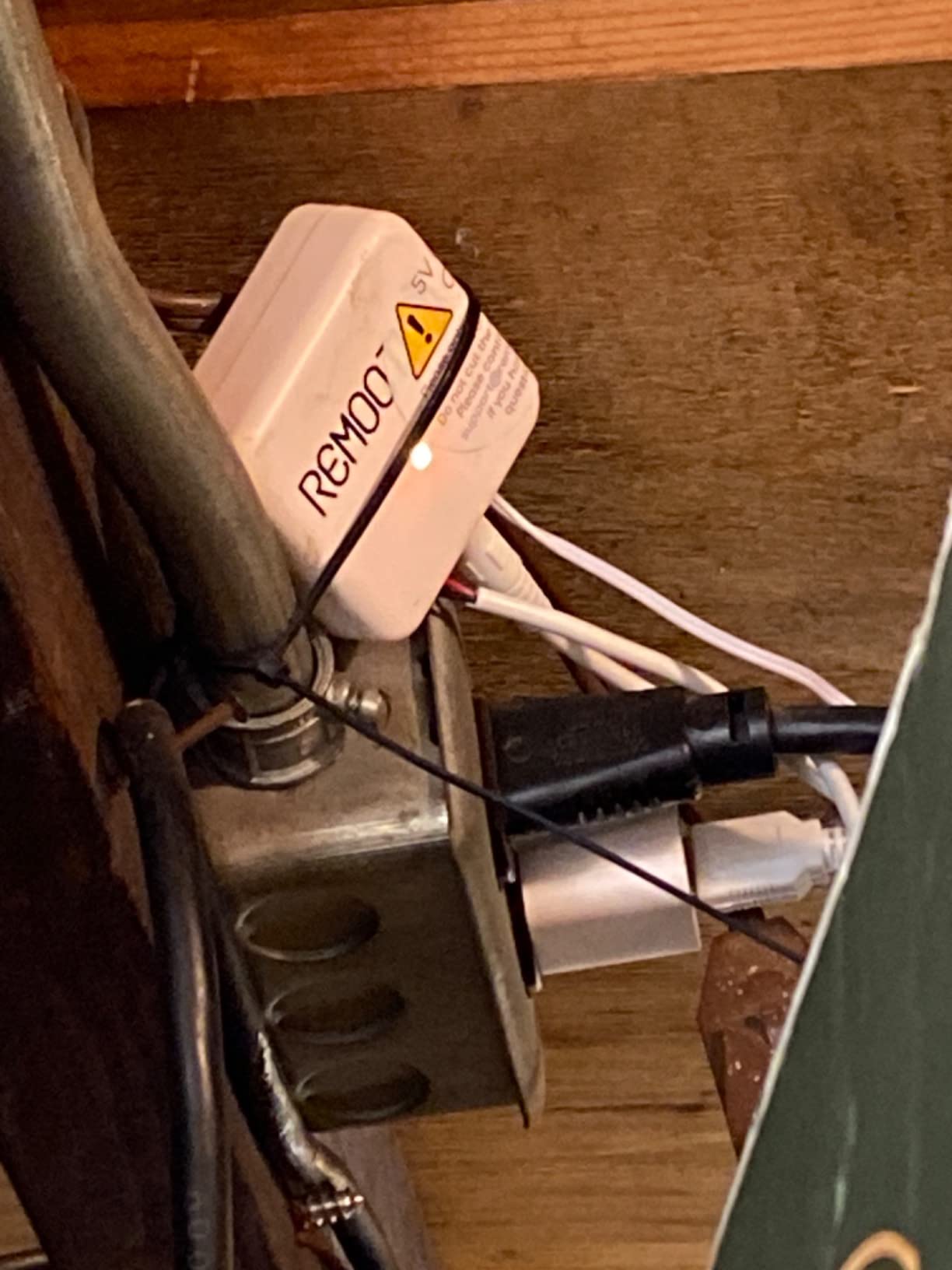
Remootio 2 is the broadest Apple option in this roundup, and in a category where Apple Home support is genuinely rare it stands out immediately. It pairs with Apple Home, works with Siri Shortcuts and appears on Apple Watch. It also handles Google Home, Amazon Alexa and SmartThings, so it is not an Apple-only device. The app runs at no monthly cost, which is unusual for a product in this class.
The Bluetooth fallback is a small detail that saved me the most time. If the garage has no Wi-Fi yet, or you are not ready to hand over your network password, you connect over Bluetooth and configure the hub, then add Wi-Fi when you are ready. Remootio also supports Bluetooth for local control, so basic operation does not depend entirely on a cloud round trip when the hub is within range.
Sharing and security are the other strengths. The app uses 256-bit end-to-end encryption, and you can share virtual keys with up to 20 people by QR code while seeing who operated the door and when. For a household with a housekeeper, a dog walker or a contractor, being able to see that the door opened at 9:15 is worth more than another voice assistant.
There is a hard limit though, and it catches people out. Remootio 2 only works with 5V DC power. If your opener’s wall button or light socket does not deliver 5V, this unit will not do the job and the manufacturer points you to the Remootio 3 instead. The unit is also 2.12 by 2.12 by 0.78 inches, mounts with double-sided adhesive, and expects a US-style A plug.
Before you order Remootio 2, measure your power
Check what the outlet or light socket near your opener actually delivers. A USB phone charger is the safe answer. A garage door opener lamp socket is often 24V or 120V depending on the model, and a 5V-only controller will not tolerate it. This is the single most common reason Remootio units come back.
Also consider how you will get power to the hub at all. Some people run a low-voltage USB cable to a nearby outlet, others use an existing light socket adapter. Plan the cable run before you mount anything, because adhesive mounting is unforgiving when you have to re-position.
Who buys Remootio 2 and who does not
Buy it if your household runs Apple Home, you want a subscription-free app, and you need key sharing with a lot of people. It is also a good pick for anyone who wants Bluetooth as a backup path to the door.
Pass if you need multiple doors under one account, if you want Matter support, or if your garage power is not 5V. With 273 owner reports, the community troubleshooting base is thinner than the myQ or eKyro crowds, so expect less community help if something goes sideways.
6. YoLink Garage Door Kit YS4906-UC and YS7705-UC: Best for Detached Garages
YoLink Garage Door Kit: Controller + Sensor
LoRa range up to one quarter mile
Openers made after 1993
Two AAA batteries with 5-year-plus life
Sensor max range 402 meters
Hub sold separately
Pros
- Radio range far beyond what any Wi-Fi unit here reaches
- Highest average rating in the group at 4.6
- Sensor batteries last five years or more
- Works in basements sheds and free-standing garages
- Optional SMS and email alerts
Cons
- Will not work at all without the separately sold hub
- Hub is not included in the kit
- Sensor only sends notifications with no audible alarm
Every Wi-Fi controller in this list dies in the same scenario: the garage is a detached building, a basement, a shed at the end of the garden, or a unit with thick walls between it and the router. That is the entire reason to look at YoLink. It uses a LoRa radio instead of Wi-Fi, with a listed range of up to a quarter mile, and it is specified for exactly those difficult locations.
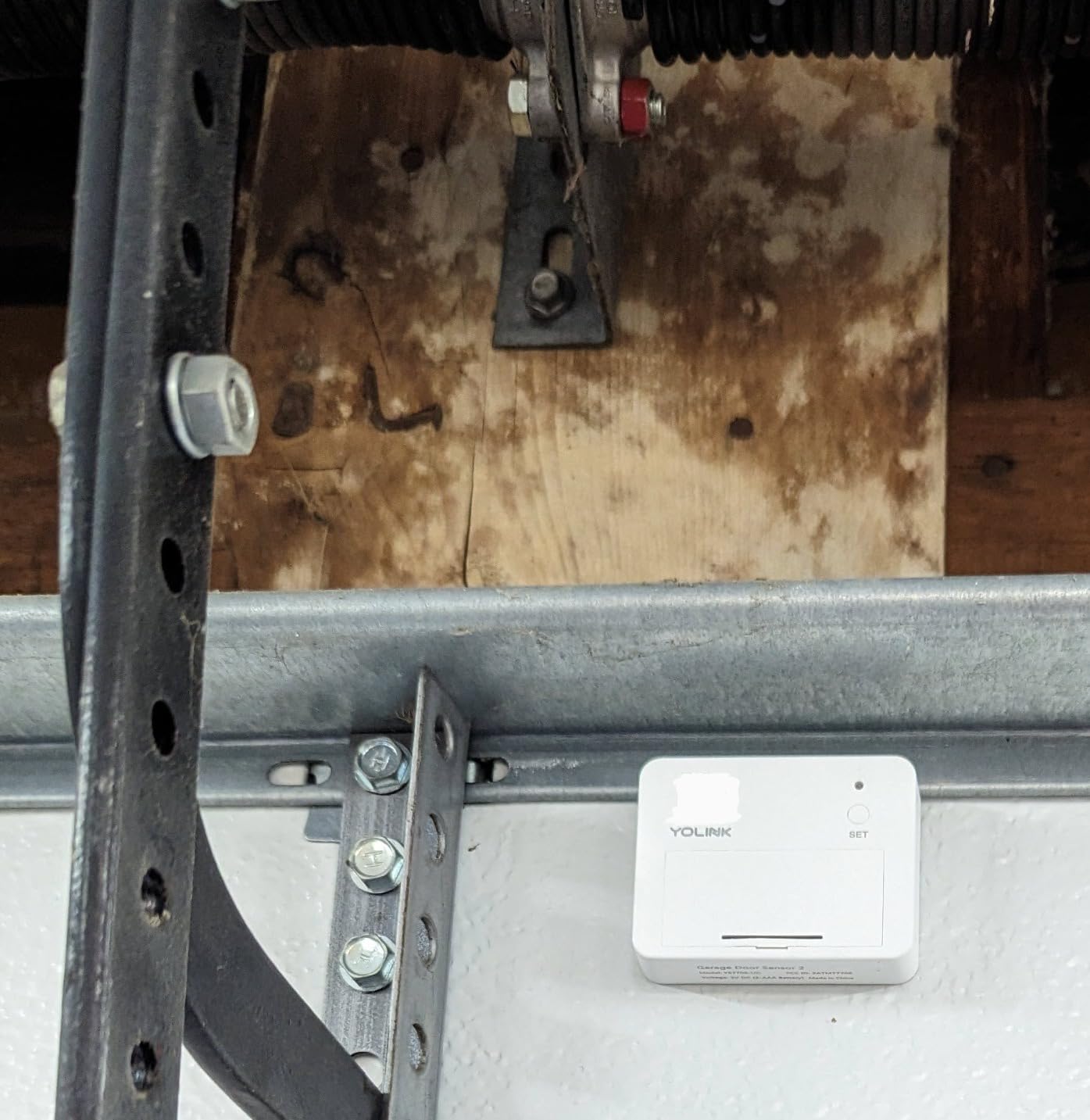
The kit includes a controller and a door sensor. The sensor runs on two AAA alkaline batteries, which the manufacturer rates at five years or more, and that matters for a device mounted on a door that opens and closes hundreds of times a year. It is compatible with openers manufactured after 1993 that use photoelectric sensors, and it reports open, closed and open-too-long states through banner alerts with optional SMS and email.
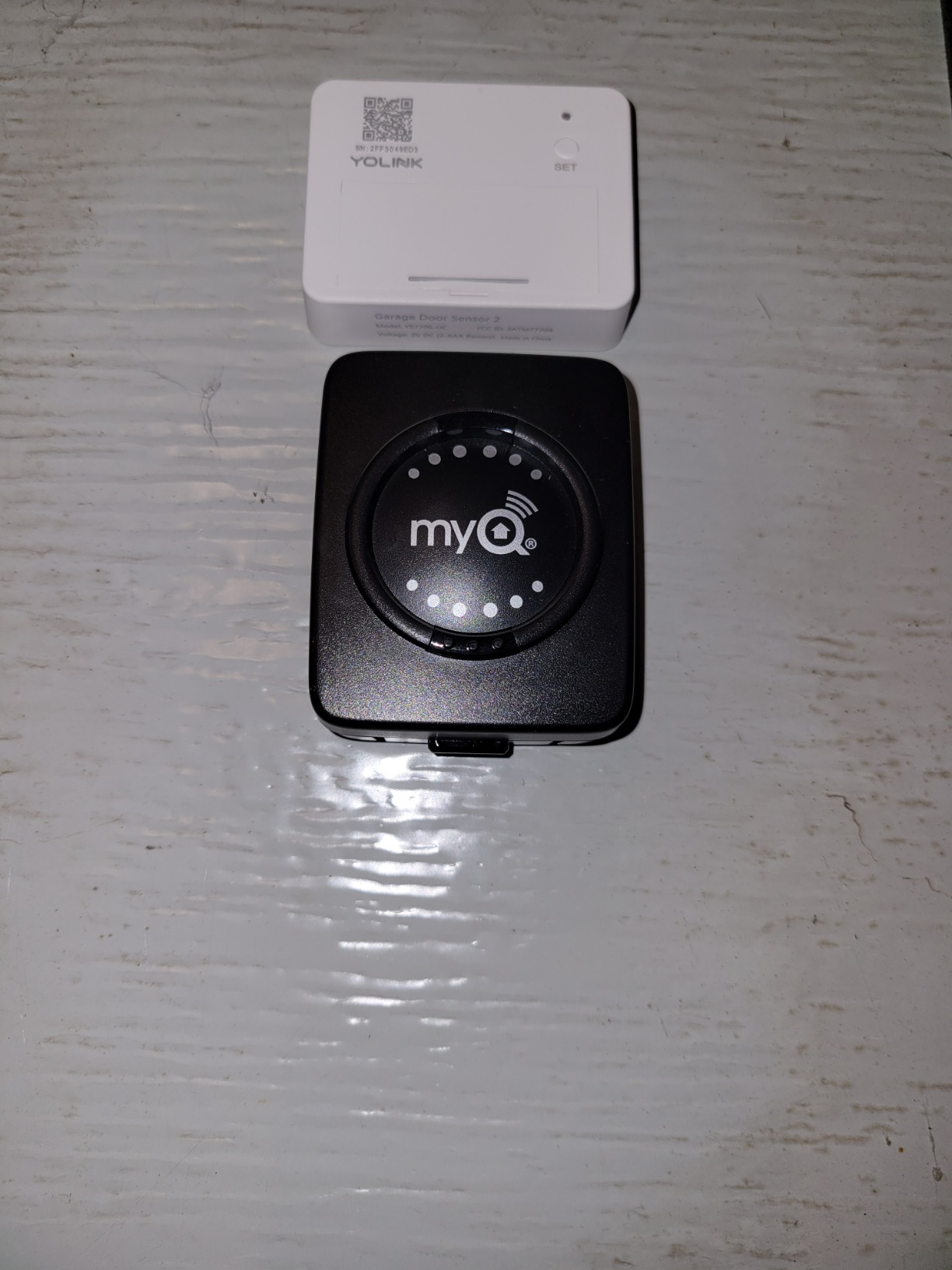
It posts a 4.6 average across 222 owner reports, matching the highest rating of the eight, with 83 percent five-star. The rating is earned by the radio and the battery life rather than by clever software, and that is a reasonable trade for the households who need it.
The catch is structural and not small. This kit does not function without a separate YoLink Hub, and that hub is not included. Without it you have a sensor and a controller and no way to reach them from your phone, no app control, and no Alexa, Google Home or IFTTT integration. So the real cost of the YoLink route is the kit plus the hub, and you should treat them as one purchase.
Who the YoLink kit is genuinely for
It is for a detached garage, a workshop at the bottom of a long driveway, a basement-level up-and-over door, or any location where a phone shows full Wi-Fi bars at home and nothing at all in the garage. The listed maximum range of 402 meters on the sensor is far beyond anything a 2.4 GHz network gives you in a building.
It is also for anyone who wants to receive an alert and nothing more. The sensor has no audible alarm, it just sends notifications, so it works well as a heads-up system for a garage you are not standing next to.
What you give up with the YoLink approach
You give up the direct-to-phone model. Every app feature, every notification channel and every voice integration depends on the hub being present and paired. That is an extra device to install, power and keep online, and it is the reason we did not put this at the top of the roundup despite the range it offers.
For a household with normal Wi-Fi coverage in an attached garage, a plain Wi-Fi controller is simpler and does the same job. Buy the LoRa option because you have a range problem, not because it is the better controller in general.
7. Genie Aladdin Connect ALKT2-R: Best for Amazon Key and Brand Trust
Genie Aladdin Connect Smart Garage Door Controller, Single Door Kit ALKT2-R
Universal fit for major opener brands
Wireless setup with no complex wiring
Alexa Ring and Amazon Key
5.75 x 1.9 x 9.25 inches
1.08 pounds
Pros
- Backed by the Genie brand with a long parts history
- Works with Amazon Key in-garage delivery
- Works with Alexa and Ring
- No monthly fee
- Universal fit beyond Genie openers
Cons
- Single door only
- Newer listing with a small body of owner reports
- Larger and heavier than competing modules
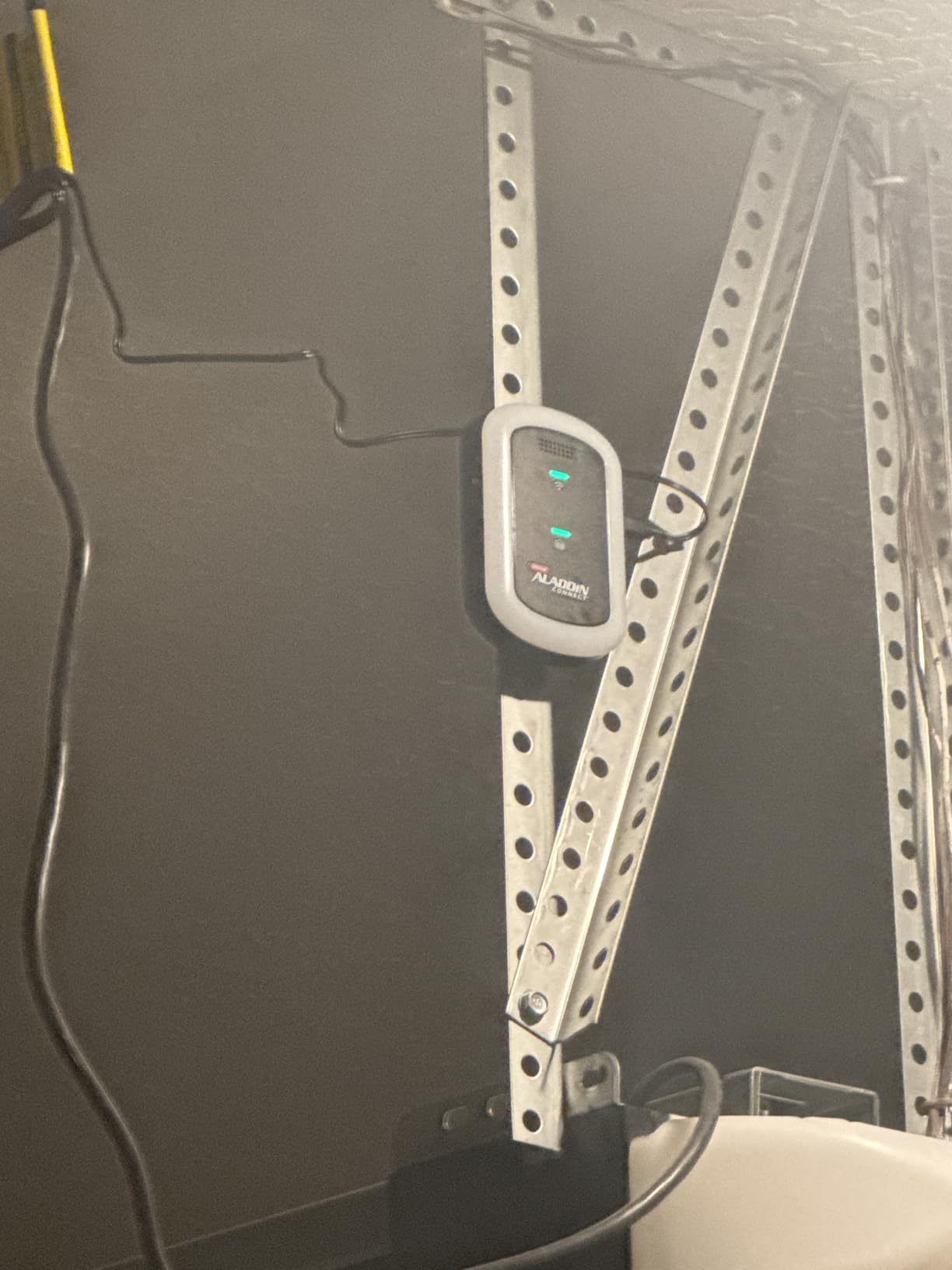
The Genie Aladdin Connect is the most interesting newcomer in this group, and the reason is not the electronics. It is that Genie has sold garage door motors for decades, so the company already has the wiring, the dealer network and the support line that a retrofit controller depends on. When something does not fit, you are dealing with a manufacturer that built openers rather than a brand name assembled around a Wi-Fi module.
The kit is designed as a single-door set with a door control module, a door position sensor and instructions, and it installs wirelessly with no complex wiring. Compatibility is described as universal across most major opener brands rather than restricted to Genie units, which matters if your door is a Chamberlain, LiftMaster or Craftsman. The apps are iOS and Android, and alerts cover the door staying open late at night or for an extended period.
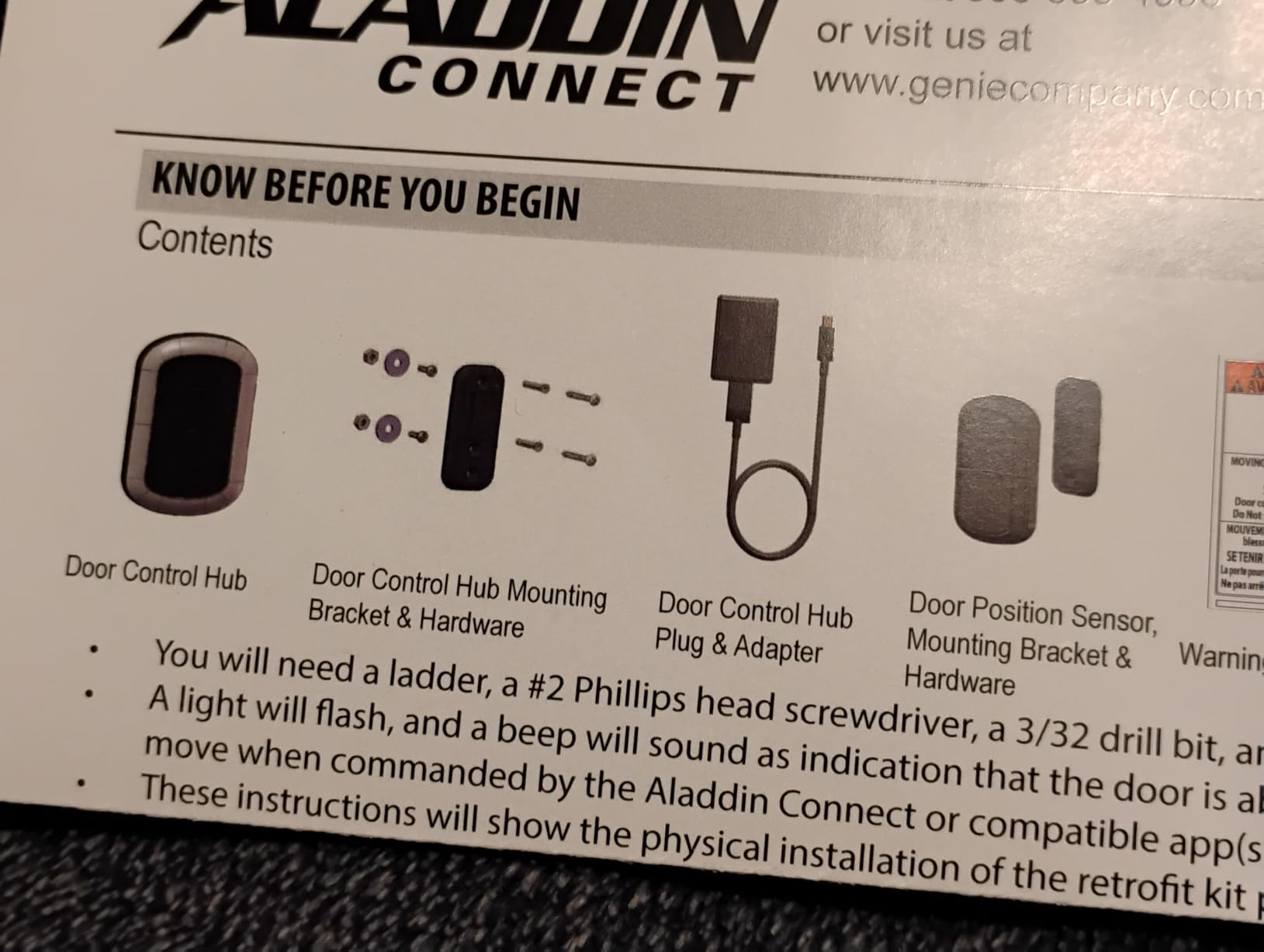
It works with Alexa, Ring and most security systems, and it supports Amazon Key in-garage delivery for Prime members. There is no monthly fee or subscription. For a household that already uses Ring cameras and Amazon delivery, the ecosystem overlap is the strongest argument for it after myQ.
Two cautions. First, this is a single-door kit, so a two-door household buys two. Second, the listing first became available in March 2026 and sits at 99 owner reports with a 4.6 average. That is a thin evidence base compared with the 60867 reports behind myQ, and a new product with a small installed base is exactly where firmware surprises show up. The module is also noticeably larger and heavier than the generic retrofit boxes, at 5.75 by 1.9 by 9.25 inches and just over a pound.
What makes the Genie kit a safe first smart garage purchase
The wireless install is the quiet advantage. There is no adapter hunt, no terminal identification and no protocol negotiation, which removes the two most common reasons a retrofit install fails on the first attempt. If your opener is an ordinary modern sectional door, this is close to a ten-minute job.
The brand also changes what happens when something goes wrong. A dealer or a support line that understands your motor is worth more than an extra app feature, particularly in the first year of a new product.
Where the Genie kit falls short
It does not cover what the enthusiast options do. There is no Matter, no HomeKit and no Home Assistant path in the specification, and the owner base is too small for community troubleshooting to be any help. If you run a real smart home, this is a closed box that talks to Alexa and Ring.
If you already own a myQ hub and are happy with it, this does not replace it. Pick the Genie when you are starting from nothing, want Amazon Key, or simply prefer buying from an opener manufacturer you already trust.
8. ismartgate LITE 02WNA202: Best for IFTTT Automations and HomeKit
ismartgate LITE Smart Garage Door Opener Remote, APP Control, Compatible with Apple Homekit, Amazon Alexa, Google Assistant, IFTTT, Compatible with All Garage doors. Wireless sensor included.
Native Apple HomeKit support
IFTTT SmartThings Alexa and Google
Wired install to motor or wall button
One door per controller
16 ounces
Pros
- Native Apple HomeKit plus IFTTT support
- No subscription or monthly fee
- Wired sensor gives reliable status
- Wired install to motor or wall button is flexible
Cons
- Lowest average rating in the roundup at 4.0 with a 15 percent one-star share
- Only one garage door per controller
- Alexa works natively in the US only
- Sensor required for third-party app links
The ismartgate LITE is the second of the two controllers in this roundup with native Apple HomeKit support, and it pairs HomeKit with IFTTT and SmartThings at no subscription. If your smart home is Apple-first and you want to trigger the garage from a scene, an automation or a shortcut, this is the box to look at. It works with all sectional garage doors but drives a single door, and installation is wired to the opener motor or the wall button using the included sensor.
Platform coverage is the reason to choose it. Apple HomeKit, Amazon Alexa, Google Home and Assistant, Samsung SmartThings and IFTTT are all listed, with real-time alerts for open, closed and open-too-long states. There is no subscription and no fee for any of it. The highly sensitive wired sensor is what makes those third-party links work at all, since the included sensor is required before any external app can connect.
We want to be straight about the weak spot. The ismartgate LITE carries the lowest average rating of the eight at 4.0, and its one-star share of 15 percent is the highest here, against 59 percent five-star. The pattern in the reviews points at installation and regional voice support rather than at the core concept. Alexa works natively in the United States and falls back to IFTTT elsewhere, which is a real limitation for anyone outside the US, and the wired install has more ways to go wrong than a two-wire adhesive job.
That makes this the most demanding install in the roundup and the one most likely to produce a support call. Buy it when you are confident with basic wiring or willing to follow the online step-by-step guide carefully.
Is ismartgate worth the HomeKit support
If HomeKit and IFTTT are non-negotiable, yes, and the ismartgate is one of only a few ways to get there without a subscription. The wired sensor is genuinely reliable for door status, and the platform list is as broad as any HomeKit-capable option.
If you are anywhere outside the United States, weigh the Alexa situation carefully before buying, since the native path disappears and you are dependent on IFTTT for voice. The manufacturer is a European company, so regional support quality is mixed in owner reports.
Who should skip it
Skip it if you want the highest confidence from the largest owner base, if you need multiple doors under one account, or if you would rather not do any wiring beyond two terminals. There are better-supported options for all three cases.
It is also the oldest listing in this group, which cuts both ways. Long ownership reports exist, but the 4.0 average and the one-star concentration suggest a support experience that has not kept pace with the feature list.
How to Choose a Smart Garage Door Controller
Check opener compatibility before you spend anything
Every controller here works the same way at the hardware level. It splices into the two screw terminals behind your wall button, so the opener sees a momentary open signal no matter whether that signal came from the button, a remote or an app. Does any garage door opener remote work with a smart controller? Not directly, but the answer to whether the opener will work is usually yes if it is newer than the early 1990s, uses photoelectric safety sensors, and has a wall button with two screw terminals.
That gives you a two-minute check. Pop the wall button off the wall and look at the back. Two thin wires on two low-voltage screw terminals means the controller will fit. Look up the opener brand and model on the motor housing. If it was made after 1993 and uses photoelectric sensors that do not power down, you are in the clear for nearly everything in this roundup. If it is a Linear opener, or a Chamberlain Group unit with a yellow learn button from 2010 to 2021, stop, because the myQ hub is excluded and you need a different controller.
2.4 GHz only versus dual-band Wi-Fi
This is the technical detail that causes more failed installs than anything else, and it is worth understanding before you buy. Most retrofit controllers in this category ship with a 2.4 GHz-only radio, including myQ, which specifies 802.11 b/g/n, and the AGSHOME, which states plainly that 5 GHz is not supported. A dual-band router that splits its two bands into separate network names is fine, because you just join the 2.4 GHz one.
The problems start when your router merges both bands into a single network name, or when the 2.4 GHz signal does not reach the garage. Older homes and detached garages hit both at once. Three fixes cover most cases: put the phone and the controller on the 2.4 GHz network during setup, add a mesh node or range extender in the garage, or choose a controller that does not use Wi-Fi at all, which is exactly what the YoLink LoRa kit is for. If your garage is a separate building more than about 50 feet from the router, plan for the extender or the LoRa option now. The same hub-free, single-app design shows up in other low-cost home hardware, and we cover the best options in our smart sprinkler controller roundup.
Rolling code, Security+ 2.0 and Security+ 3.0
Rolling code is the security system that changes the code transmitted every time you press the button, so a code captured once cannot be replayed. Modern Chamberlain and LiftMaster openers use variants of it. Most retrofit controllers ignore the rolling code stream entirely and simply act as a wall button, which means your existing remotes keep their security and the controller adds no new attack surface of its own.
The protocol version still decides compatibility. The meross MSG100 supports Security+ 1.0 and Security+ 2.0 and explicitly does not support Security+ 3.0. If your opener is a very recent Chamberlain or LiftMaster unit, verify the protocol before ordering anything, because a controller that cannot pair leaves you with a very expensive paperweight.
Sensor type: hardwired magnetic versus wireless tilt
A tilt sensor is a small accelerometer taped to the door panel that infers open or closed from the angle. It is cheap and it is wireless, which is convenient, and it is also why budget controllers sometimes report a door that is barely open as fully closed. A hardwired magnetic contact sensor has two parts, one on the door and one on the frame, and it only reports a clean open or closed state. The meross MSG100, the ismartgate LITE and the meross line generally use the wired approach, and owners consistently report more accurate status and fewer false alerts from door flex and passing vehicles.
Sensor placement matters too. Mount the magnet on the steel panel of the door where the opener’s own sensors are, not on a decorative insert. If you use a magnetic sensor with a short cable, plan the route before you stick it down, because the cable length dictates where both halves can sit.
Cloud control versus local control
Almost every controller in this roundup routes commands through the manufacturer’s cloud, which is what makes remote access from anywhere work. The cost of that convenience is predictable: if your internet drops, or your phone hands off Wi-Fi to cellular mid-command, the app can return a network error at the worst possible moment. Forum complaints about connection errors on departure are the most common recurring theme in this category.
Local control means the controller talks to your network directly with no cloud hop. The Remootio offers a partial version with Bluetooth fallback, and the meross-family and SmartLife-based devices are generally better behaved on a good local network. For anyone who runs Home Assistant and wants local control, none of these eight is the right answer, because that tier is a different category of hardware built around local protocols. If local-first operation is non-negotiable, we would rather tell you to look outside this list than pretend otherwise.
What the subscription actually gates
Five of the eight controllers here have no subscription at all for core features, which is the single biggest change in this category and a direct contrast with the pre-2023 myQ model. The eKyro, the AGSHOME, the meross MSG100, the Remootio 2 and the ismartgate LITE all include app control, scheduling and alerts at no monthly charge. The Chamberlain hub also has no base subscription for its core app features, but third-party integrations moved behind a paid Chamberlain tier.
The costs that do appear are specific. The eKyro charges extra for SMS and phone-call alerts while keeping app alerts free. The myQ kit requires a separate paid sensor for each additional door. Optional video and extended history features elsewhere in the Chamberlain family sit behind their own paid tiers. When you compare options over three years, add up the sensors you need, the number of doors you have, and any feature you actually plan to use. The most common mistake is paying for a video subscription you never open.
Shared access and guest entry
The practical security win of a smart garage door controller is not preventing a remote hack. It is removing the need to share keypad codes, and giving you a timestamp for every open and close event. That matters most for a housekeeper, a dog walker, a contractor or a delivery driver. The Remootio 2 is the standout here, sharing QR-code virtual keys with up to 20 people and showing who operated the door. myQ, eKyro and meross all support sharing through their apps, with varying levels of detail about who did what.
For deliveries, two controllers here work with Amazon Key in-garage delivery for Prime members: the Chamberlain hub and the Genie Aladdin Connect. The rest of the list will not do in-garage delivery at all, which is worth knowing before you plan your purchase around avoiding package theft. If you also want to see who is at the door rather than only open it remotely, the camera and trigger options we test in our camera remote trigger roundup cover the hardware side of that.
Multi-door households
Almost none of these support multiple doors on one controller. The myQ, eKyro, meross MSG100, AGSHOME, Genie Aladdin Connect and ismartgate LITE each handle a single door, so a three-door household plans for three controllers, three sets of wiring and three sensor installations. Multi-door packages from brands like Tailwind and ismartgate exist specifically to solve this, and they sit outside the eight we tested. If you have more than one door, factor the repeated hardware cost and repeated install time into your decision rather than assuming one hub covers the garage.
When Not to Buy a Smart Garage Door Controller
We would rather tell you to skip this purchase than sell you the wrong box. There are four situations where a smart garage door controller is a poor fit.
Your opener predates the early 1990s. Controllers need two low-voltage screw terminals behind a wall button. Very old openers used different wiring, and some were built before safety photoelectric sensors existed. If you cannot identify a wall button with two wires, stop.
Your garage has no usable network and you will not add one. If the door is in a detached building with no Wi-Fi and you do not want to run an extender, a mesh node or Ethernet, the Wi-Fi controllers in this list will spend their life sending you offline notifications. The LoRa option in this roundup is the exception, and even it needs a hub on your network.
You want local, subscription-free control with no cloud. Nothing in this roundup is a Home Assistant-native or Z-Wave device. If your requirement is that the garage keeps working when the internet is down and no company can switch a feature off remotely, you are shopping in the wrong category and should be looking at a local-protocol controller instead.
Your opener is failing anyway. If the motor is on its last months, the rail is bent or the opener has no safety sensors, put the money into a new opener. We cover whole openers separately in our smart garage door opener roundup, and several of the brands we tested controllers for also build openers with Wi-Fi built in, which removes the retrofit step entirely.
How to Install a Smart Garage Door Controller
Every controller in this roundup uses the same physical connection, so the process barely changes between them. Budget 10 minutes for an adhesive job like myQ and up to an hour for a wired install like the ismartgate LITE. You need a flat-head screwdriver, a phone, a step ladder and about 30 minutes of calm.
First, kill the power at the wall button, not the breaker, so you can work without a live door. Second, remove the wall button cover and identify the two low-voltage screw terminals. They are usually labelled 1 and 2, or RED and WHITE, and they are the only terminals you touch. Third, unscrew the existing wall button wires one at a time and connect the controller wires in their place, then reconnect the button wires to the controller so the button keeps working. That is the dry-contact wiring trick, and it is why a controller behaves exactly like a button press.
Fourth, mount the door sensor. Adhesive-backed tilt sensors go on the inside top panel of the door where the opener’s own sensors are, and they must be on a part of the door that actually tilts. Hardwired magnetic sensors split into two pieces, one on the door and one on the frame, with the cable routed through the hinge side. Fifth, power the controller. Plug-in hub units go into a wall outlet, USB-light-socket versions go into the opener lamp socket, and wired units connect to the motor terminals. Sixth, pair the app over 2.4 GHz Wi-Fi and test open, close and the door status from outside the house before you walk away.
One safety note that is easy to skip. A powered door is the most dangerous thing in a house for pets and children, and adding a remote control does nothing to change that. Test with the photoelectric safety sensors active and keep the emergency release cord in reach.
Getting a Smart Garage Door Controller Back Online
The classic complaint in this category is a network error on the app, usually right as you are pulling out of the driveway. It is almost never a broken controller. Work through these steps in order before you consider replacing anything.
Power cycle the controller first. Unplug it or cut power at the wall button, wait 30 seconds and reconnect it. That clears most stalled sessions. Next, confirm the controller is on a 2.4 GHz network, since a 5 GHz-only connection or a band-merged router name will block pairing. Then check the phone itself, because iOS private relay, Android data saver, VPN clients and Wi-Fi Assist all interfere with a device that is handing off between Wi-Fi and cellular as you drive out of range. Turning those off for the garage app resolves the departure error more often than anything else.
If the app is fine but the voice assistant fails, the problem is usually the platform rather than the hardware. On myQ, third-party integrations now sit behind a paid Chamberlain tier, and free workarounds built on unofficial methods are disabled without notice, so a voice command that worked last month failing today is the expected behaviour of that ecosystem, not a fault. On the SmartLife-based AGSHOME unit, the Alexa passcode requirement is the usual culprit, since routines cannot supply the spoken code. Finally, if you changed routers or moved the hub, delete the device from the app, re-pair on 2.4 GHz and give the app a full day to settle before judging it.
Frequently Asked Questions
Does any garage door opener remote work?
Any existing remote keeps working, because a smart garage door controller connects to the two low-voltage screw terminals behind your wall button and the opener still sees a normal button press. Compatibility is about the opener, not the remote: most controllers fit openers made after 1993 that use photoelectric safety sensors. Linear openers and Chamberlain Group units with a yellow learn button from 2010 to 2021 are excluded on the myQ hub, and the meross MSG100 does not support Security+ 3.0.
What app can I use to control my garage door?
Most people use the manufacturer’s own app: myQ for Chamberlain, the meross app for meross controllers, the ismartgate access app, Remootio’s app, or the SmartLife app used by budget units like the AGSHOME. The app is what handles open, close, scheduling, door status and shared access. Voice control is a separate layer on top, working through Alexa, Google Home, Siri Shortcuts or HomeKit depending on the controller.
Is myQ compatible with all garage doors?
No. The Chamberlain myQ hub works with most openers manufactured after 1993 that use photoelectric sensors that do not power off, but it is not compatible with openers where the sensors change power mode, with Chamberlain Group openers carrying a yellow learn button from 2010 to 2021, or with any Linear opener. It also needs a 2.4 GHz 802.11 b/g/n router within roughly 50 feet of the hub.
Does MyQ require a monthly fee?
The core myQ app is free, and it covers remote open and close, scheduled closes, alerts and shared access without a recurring charge. The costs appear elsewhere: third-party integrations for Alexa, Google Home, HomeKit, SmartThings and Home Assistant moved behind a paid Chamberlain subscription tier in 2023, and each additional garage door needs its own separately sold sensor. Budget for the sensors before ordering a multi-door setup.
Can I add myQ garage door to Apple HomeKit?
Not through first-party channels. myQ does not offer native Apple HomeKit support, and since the 2023 change to Chamberlain’s integration policy, free third-party integrations for HomeKit, Alexa, Google Home, SmartThings and Home Assistant sit behind a paid Chamberlain tier or an unofficial workaround that can be disabled without notice. If native HomeKit matters, the Remootio 2 and the ismartgate LITE are the two options in this roundup that support it.
What is wrong with myQ?
The recurring complaints are ecosystem-related rather than hardware-related. Users report a closed ecosystem after the 2023 third-party integration lockout, connection errors when the phone leaves Wi-Fi range mid-command, an app with a rotating ad banner, loud beeping and a bright strobe before scheduled closes, and a separate paid sensor for every additional door. Owners with multiple drivers or complicated automations are the ones who feel this most.
How do I get my garage door back online?
Power cycle the controller by unplugging it and waiting 30 seconds, then confirm it is on a 2.4 GHz network rather than 5 GHz or a band-merged network name. On your phone, turn off private relay, data saver, VPN clients and Wi-Fi Assist for that app, since those are the usual cause of network errors as you drive away. If the app works and only voice fails, the platform integration is the likely problem, not the controller.
Do smart garage door controllers work during a power outage?
The opener keeps working. A smart controller sits between the wall button and the opener, so if you still have a working wall button or keypad, you can open and close the door normally. What you lose is the app and the voice assistant, because those route through the cloud and the hub needs power. If you want to open the door from your phone during an outage, you need a controller with a battery backup or a local control path such as the Remootio’s Bluetooth option.
The Bottom Line
For most households with one working door and coverage in the garage, the Chamberlain myQ Smart Garage Control remains the best smart garage door controller to buy in 2026. It installs in about ten minutes, the app is free, and the owner base is large enough that almost any problem has a documented fix somewhere.
If you want voice control without a recurring charge, take the eKyro controller. If you do not know what opener you own, take the meross MSG100 and its broad compatibility list and hardwired sensor. If your garage is a detached building with no signal, the YoLink kit with its LoRa radio is the only route in this roundup that solves the problem rather than working around it. Apple users should look at the Remootio 2, and Prime households that want in-garage delivery have two clear options: myQ and the Genie Aladdin Connect.
What matters most is that you check the two screw terminals, the 2.4 GHz band and the rolling-code protocol before you order. Ten minutes of checking saves an afternoon of returns.