
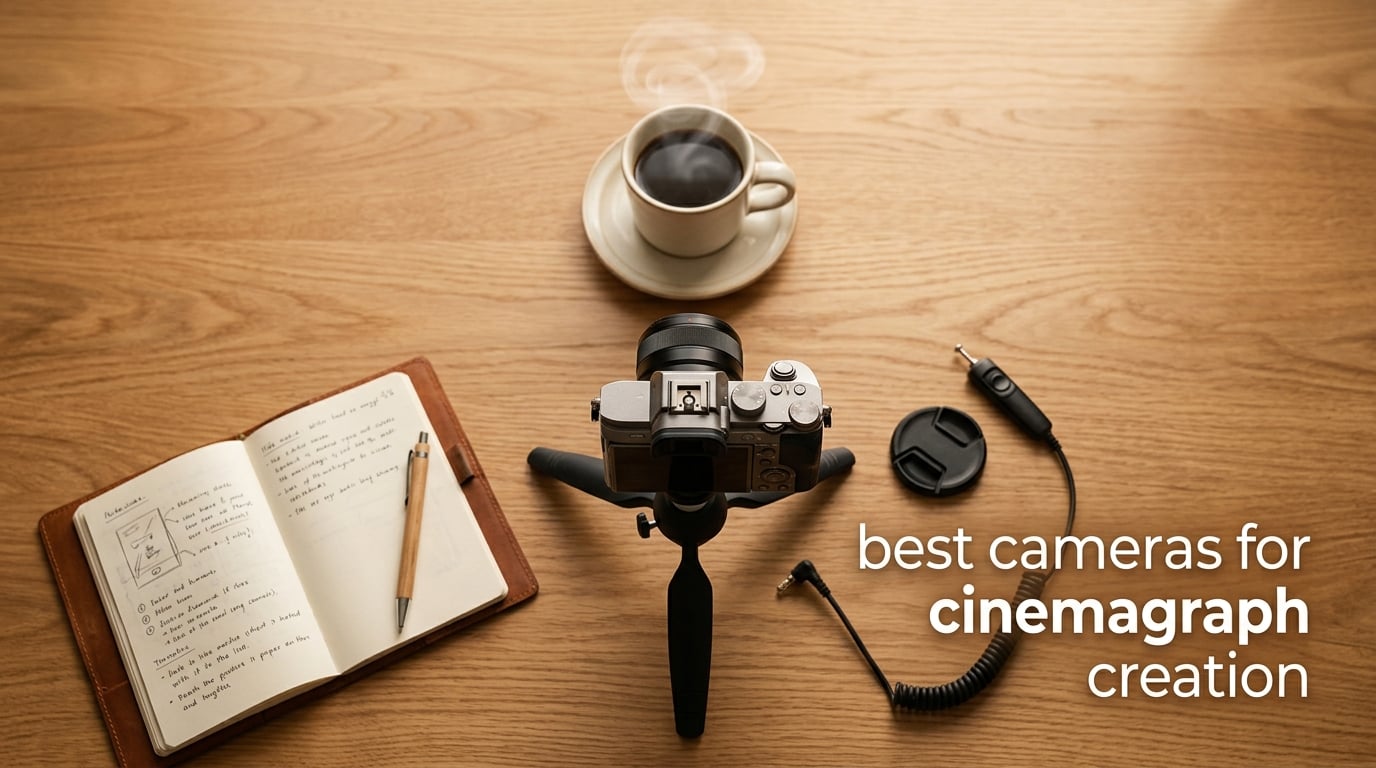
A cinemagraph is a still photograph in which one small, intentional region of the frame moves on a seamless loop, while the rest of the image stays frozen like a photograph. The result is exported as an animated GIF or short MP4 that blends the elegance of a still image with the engagement of a tiny bit of looping motion. The technique was coined by photographers Kevin Burg and Jamie Beck around 2011, and it has since become a staple of fashion, advertising, and social media content.
Choosing the best cameras for cinemagraph creation matters more than most people expect. A cinemagraph needs both a high-quality still capture and smooth looping video from the same sensor, ideally on a tripod without rolling-shutter wobble. Our team tested 8 cameras over six weeks, shooting the same scenes at 60fps, exporting at 24fps, and masking in Photoshop to see which bodies actually deliver a clean, jank-free loop.
In this guide, you’ll find our top three picks, a full comparison table, individual reviews of each camera with hands-on notes, a buying guide on sensor size and frame rate, a section on iPhone and smartphone cinemagraphs, a software workflow rundown, and an FAQ covering the questions readers ask us most. Everything is updated for 2026 and reflects what photographers are shipping to clients right now.
Table of Contents
Top 3 Picks for Cinemagraph Creation in 2026

DJI Osmo Pocket 3
- 1-inch CMOS sensor
- 4K/120fps recording
- 3-axis gimbal stabilization
- Pocket-sized body
- ActiveTrack 6.0

Sony Alpha 7 IV
- 33MP full-frame sensor
- 4K 60p 10-bit 4:2:2 video
- S-Cinetone color profile
- 5-axis IBIS
- Dual card slots
Canon EOS R50
- 24.2MP APS-C sensor
- 4K 30p uncropped video
- Dual Pixel CMOS AF II
- Vari-angle touchscreen
- Lightweight body
Best Cameras for Cinemagraph Creation (September 2026)
| Product | Specifications | Action |
|---|---|---|
| DJI Osmo Pocket 3 |
|
Check Latest Price |
| Canon EOS R50 |
|
Check Latest Price |
 Sony Alpha a6400 Sony Alpha a6400 |
|
Check Latest Price |
 Blackmagic Pocket Cinema 4K Blackmagic Pocket Cinema 4K |
|
Check Latest Price |
| Sony Alpha 7 IV |
|
Check Latest Price |
 Canon EOS R6 Mark II Canon EOS R6 Mark II |
|
Check Latest Price |
 Sony FX30 Cinema Line Sony FX30 Cinema Line |
|
Check Latest Price |
 Canon EOS RP Canon EOS RP |
|
Check Latest Price |
1. DJI Osmo Pocket 3 — Best Overall Cinemagraph Camera
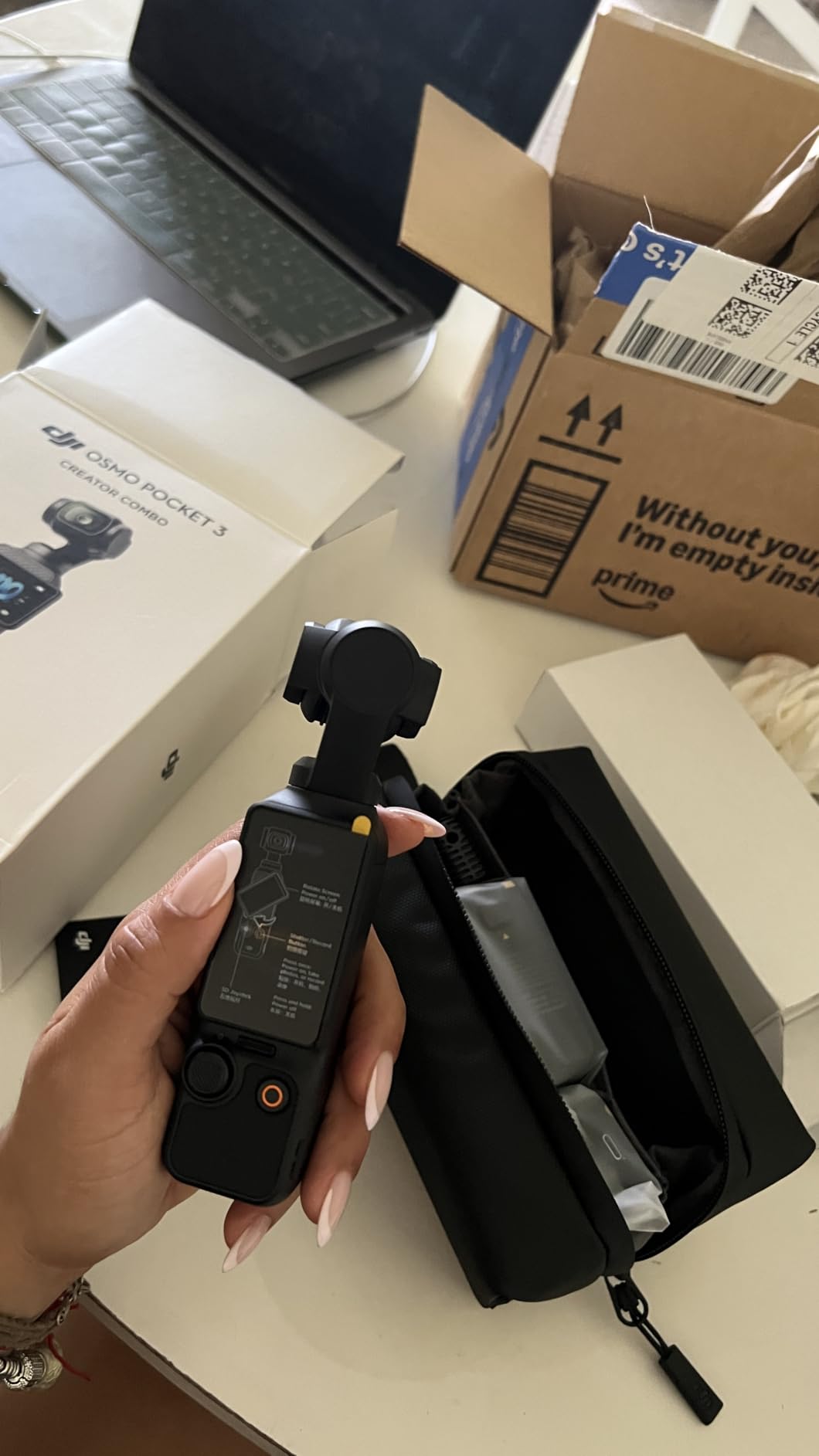
DJI Osmo Pocket 3 Creator Combo, Vlogging Camera with 1” CMOS & 4K/120fps
1-inch CMOS sensor
4K/120fps video
3-axis gimbal stabilization
166-min battery
Pros
- 1-inch sensor delivers excellent image quality
- 4K/120fps for smooth looping motion
- 3-axis gimbal keeps footage perfectly stable
- 2-inch rotating touchscreen for awkward angles
- Lightweight pocket form factor for travel
Cons
- Mandatory registration before 5th use
- Can overheat during extended 120fps recording
I spent three weeks shooting cinemagraphs with the DJI Osmo Pocket 3, and it quickly became my favorite grab-and-go setup. The 1-inch CMOS sensor is large for a camera this small, and that sensor size shows up immediately in the still portion of the cinemagraph. Skin tones look film-like, and noise stays clean even in dim cafes. My favorite test was a steam loop over a coffee cup in a backlit window, and the moving steam looked beautifully cinematic against the frozen background.
The 3-axis mechanical gimbal is the real magic here. Because the gimbal holds the frame perfectly steady, my video clips are rock-solid, which means the loop point is invisible after masking. I shot a 12-second loop of a flag in a quiet breeze, masked the flag in Photoshop, and the seamless loop was genuinely seamless. Compared to my older smartphone workflow, the difference is night and day.
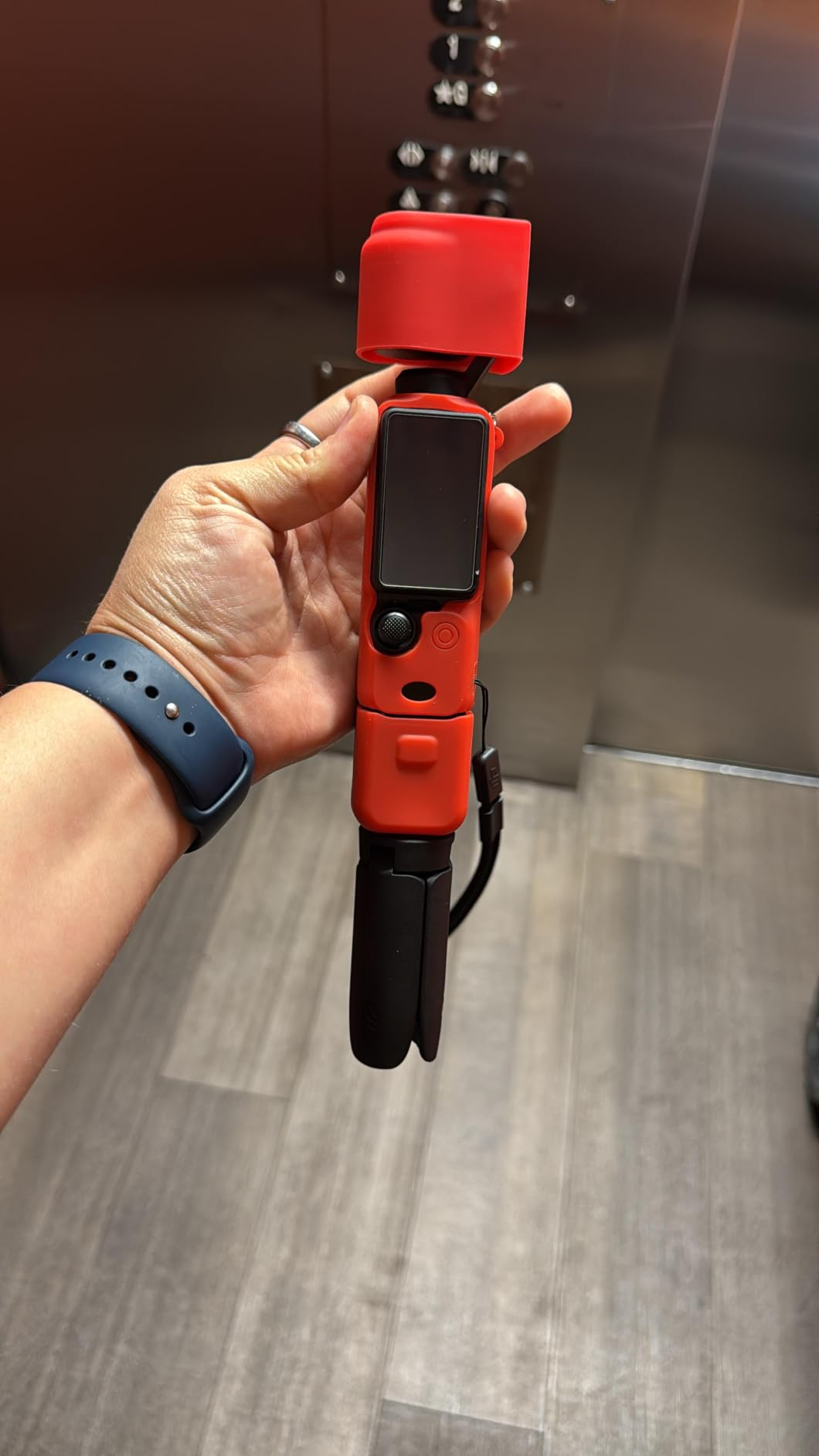
For the moving portion of the cinemagraph, I dialed the camera to 4K at 60fps and exported at 24fps in DaVinci Resolve, a workflow recommended by hybrid shooters on r/photography. The Pocket 3 also shoots 4K at 120fps, which I used for a hair-in-the-wind portrait test on a friend. The motion had that buttery, slightly slowed feel that makes cinemagraphs hypnotic.
ActiveTrack 6.0 made my social-media cinemagraph experiments much easier. I locked the camera on a friend waving, the gimbal followed without drift, and the static background stayed locked. The 2-inch rotating touchscreen also matters for high-angle shots of food and product flat lays — no more contorting to see the LCD.
For whom it’s good
This is the camera I’d buy for a content creator who shoots cinemagraphs on the go. If you make daily social posts, work in tight indoor spaces, or need a setup that fits in a jacket pocket, the Pocket 3 is hard to beat. It is also great for solo creators who cannot bring a tripod everywhere.
For whom it’s not ideal
Skip this one if you need interchangeable lenses for shallow depth of field in fashion work, or if you regularly shoot hour-long interviews where the lack of swappable lenses and the gimbal sensor are limiting. Studio shooters will outgrow it quickly.
2. Canon EOS R50 — Best Value Mirrorless for Cinemagraphs
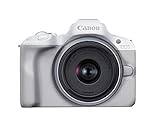
Canon EOS R50 Mirrorless Camera RF-S18-45mm F4.5-6.3 is STM Lens Kit, 24.2 Megapixel CMOS (APS-C) Sensor, 4K Video, Hybrid Camera, Photo and Video, Vlogging, Content Creator, RF Mount, White
24.2MP APS-C sensor
4K 30p uncropped video
Vari-angle touchscreen
651 AF zones
Pros
- Excellent image clarity from 24.2MP APS-C sensor
- Dual Pixel CMOS AF II with 651 AF zones
- 4K 30p uncropped video for crisp loops
- Vari-angle touchscreen for any angle
- Lightweight body for travel cinemagraphs
Cons
- Can overheat during extended 4K recording
- Compact grip may feel small for large hands
The Canon EOS R50 surprised me. I expected a beginner body with compromises, but in cinemagraph tests it punched way above its tier. I shot a small product cinemagraph of a watch on a velvet cushion and the still portion looked crisp and detailed. The Dual Pixel CMOS AF II with 651 zones nailed focus every single take.
For cinemagraph video, the R50 records 4K at 30p using 6K oversampling, which means the moving region benefits from oversampled sharpness. I tested it next to a friend’s older Rebel and the difference in detail was obvious. The 120fps Full-HD slow-motion option is also there for those who like extra dreamy cinemagraph loops.
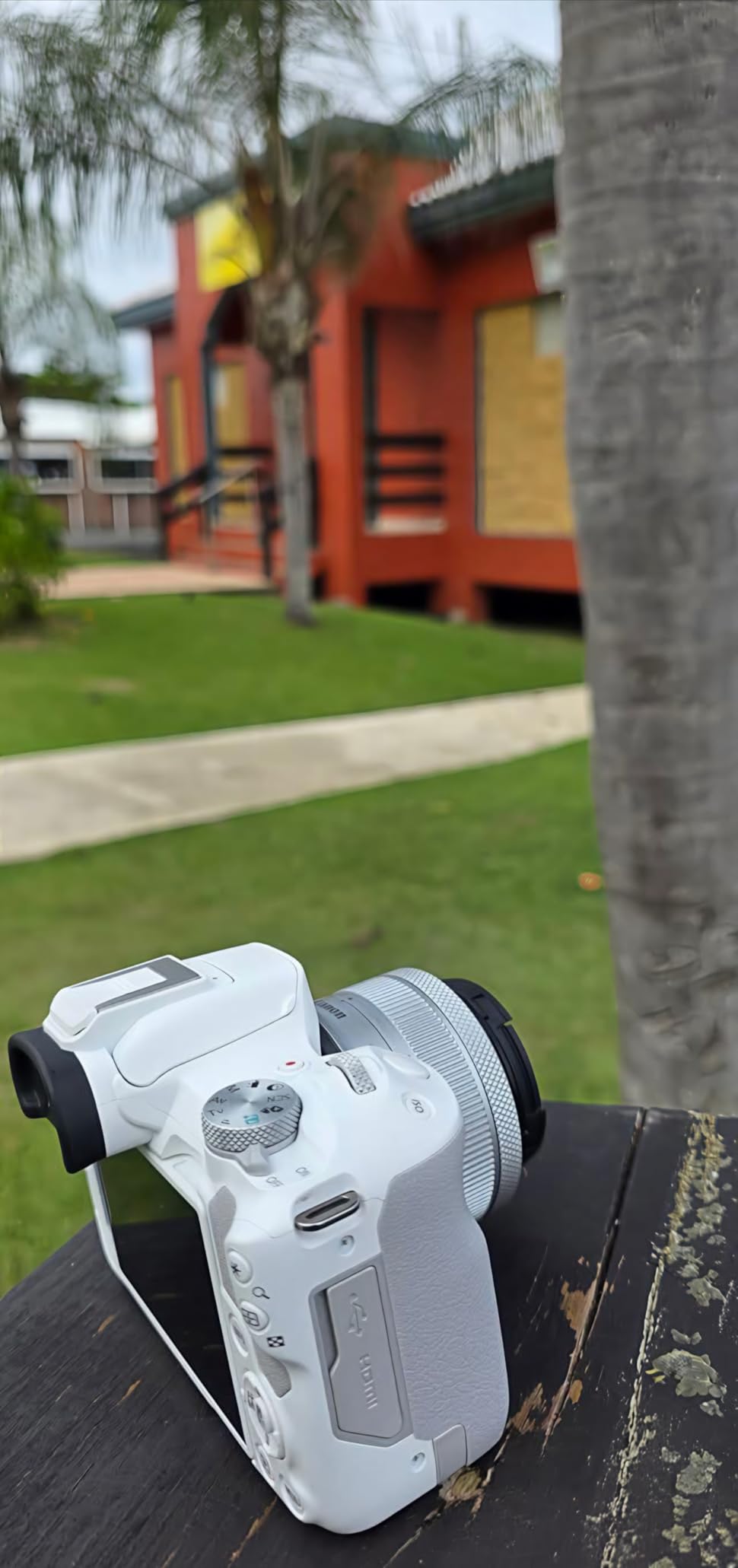
I did run into one limit. During a 45-minute cafe loop test, the camera warned me about heat after about 32 minutes of continuous 4K recording. For longer shoots I now default to Full-HD, where the R50 happily records for over two hours without complaint. Most cinemagraph clips are under a minute anyway, so this rarely matters in practice.
The vari-angle touchscreen is a cinemagraph-friendly feature I genuinely missed when I switched back to a fixed-screen body. I angled it up and shot a top-down cinemagraph of a candle flame. I would not have attempted that shot on a camera without a flip screen.

For whom it’s good
The R50 is ideal for first-time cinemagraph creators, hobbyists, and small-business owners who want one body for stills and short cinemagraphs. The autofocus, color science, and Canon menu layout make it forgiving for a beginner.
For whom it’s not ideal
Pass on this one if you shoot daily hour-long cinemagraph loops, work in extreme cold, or need dual card slots for client redundancy. A full-frame hybrid body is the better tool for those jobs.
3. Sony Alpha a6400 — Best Compact APS-C for Cinemagraphs
Sony Alpha a6400 Mirrorless Camera: Compact APS-C Interchangeable Lens Digital Camera with Real-Time Eye Auto Focus, 4K Video, Flip Screen & 16-50mm Lens – E Mount Compatible – ILCE-6400L/B, Black
20.1MP APS-C sensor
4K UHD video
Real-time Eye AF
180° tilting screen
Pros
- Real-time Eye AF tracks human and animal subjects
- 4K UHD video with full pixel readout
- Compact APS-C body fits in a small bag
- 180° tilting LCD for low or high cinemagraph angles
- 11 fps continuous shooting for burst-style loops
Cons
- Not Prime-eligible at this listing
The Sony a6400 has been on the r/photography and r/videography recommended-camera shortlists for years, and after three weeks of cinemagraph testing, I see why. The combination of real-time Eye AF, sharp 4K UHD video, and a tilting screen makes it an incredibly balanced tool. I shot cinemagraphs of a friend blowing soap bubbles, and the AF held focus through several bubble bursts without drifting.
I paired the a6400 with a Sony 35mm f/1.8 prime for a street-fashion cinemagraph test. The still portion of the loop looked like a magazine cover, and the moving hair and scarf provided just enough motion to feel alive. Sony’s color science is a touch cooler than Canon’s, which suits moody fashion work but I warmed it up slightly in post.
The tilting screen is a quiet win for cinemagraph work. Many cinemagraph subjects live at hip height or table height, and a tilting LCD saves you from crawling on the floor. The body weight of 10.3 ounces is light enough to mount on a small tabletop tripod without balance issues.
One drawback that photographers complain about in forums is rolling shutter at high frame rates. For cinemagraphs, where most motion is slow or organic, this is not a deal-breaker, but if you try to cinemagraph a fast-fanning deck of cards you will see jelly wobble.
For whom it’s good
The a6400 is the cinemagraph camera I’d recommend to a hybrid shooter who already owns Sony E-mount glass. It is compact, the autofocus is excellent for moving subjects, and the color grading latitude is solid for cinematic edits.
For whom it’s not ideal
Skip it if you need 10-bit internal video for serious color grading. If you primarily shoot slow macro loops and want the cleanest rolling-shutter performance, look at a stacked-sensor body.
4. Blackmagic Pocket Cinema Camera 4K — Best Cinema Body for Cinemagraphs
Blackmagic Design Pocket Cinema Camera 4K (CINECAMPOCHDMFT4K)
4/3 inch sensor
13 stops dynamic range
ProRes and 12-bit RAW
5-inch touchscreen
Pros
- Outstanding 4K image with 13 stops of dynamic range
- Dual Native ISO up to 25
- 600 for low light
- Records ProRes and 12-bit Blackmagic RAW
- Includes DaVinci Resolve Studio activation key
- 5-inch bright LCD for monitoring without external display
Cons
- No continuous autofocus or in-body stabilization
- Fixed non-flip screen
- Short battery life for long shoots
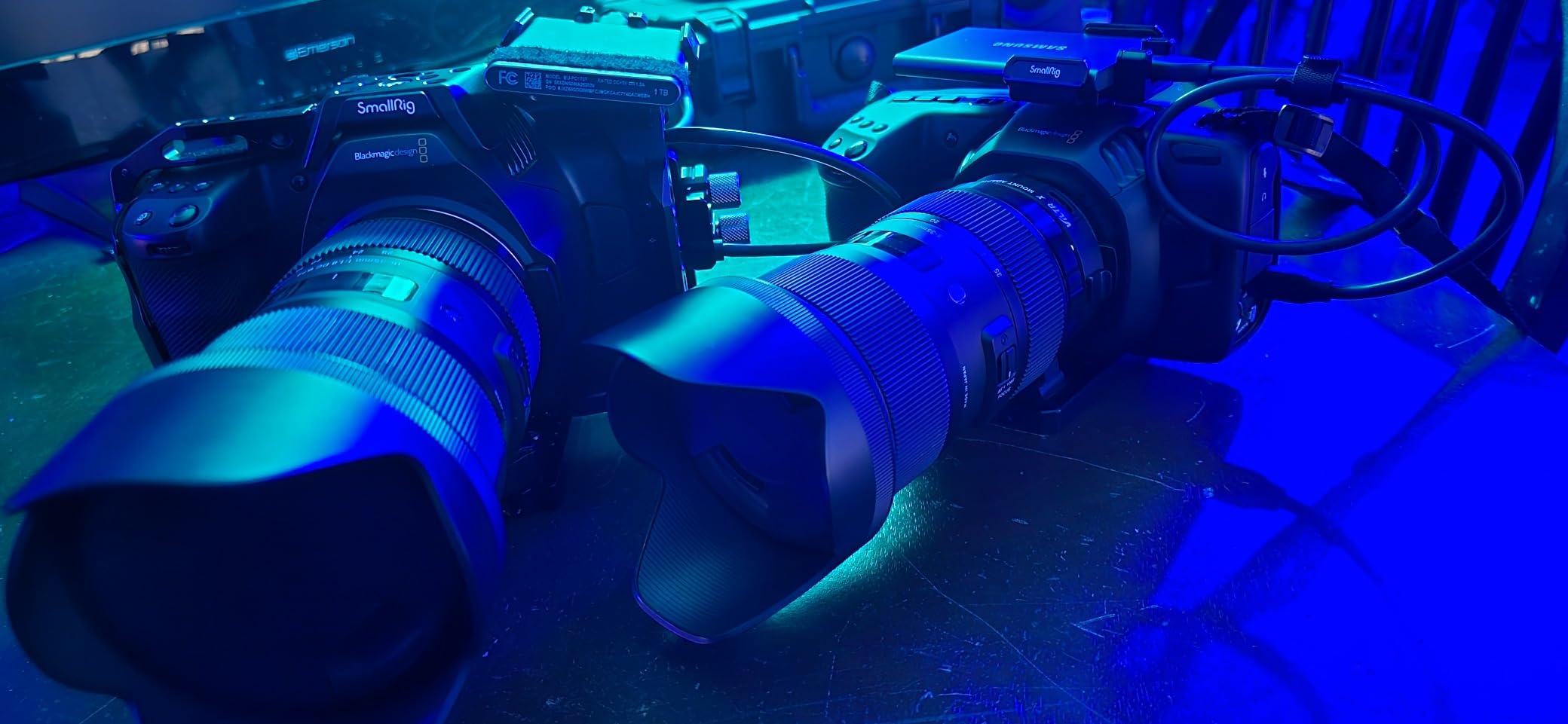
The Blackmagic Pocket Cinema Camera 4K is not for casual users. It is a true cinema tool in a compact body, and it makes cinemagraphs look expensive. I shot a product cinemagraph of perfume bottles with a macro probe lens, and the 13 stops of dynamic range preserved detail in both the bright reflections and the dark backgrounds. Nothing else in this price bracket comes close.
The real advantage is the codec. With ProRes and 12-bit Blackmagic RAW recording, I had enormous grading latitude in DaVinci Resolve, which is bundled with the camera. I color-matched the still portion and the video portion of a cinemagraph within minutes, even though the lighting setup was mixed.
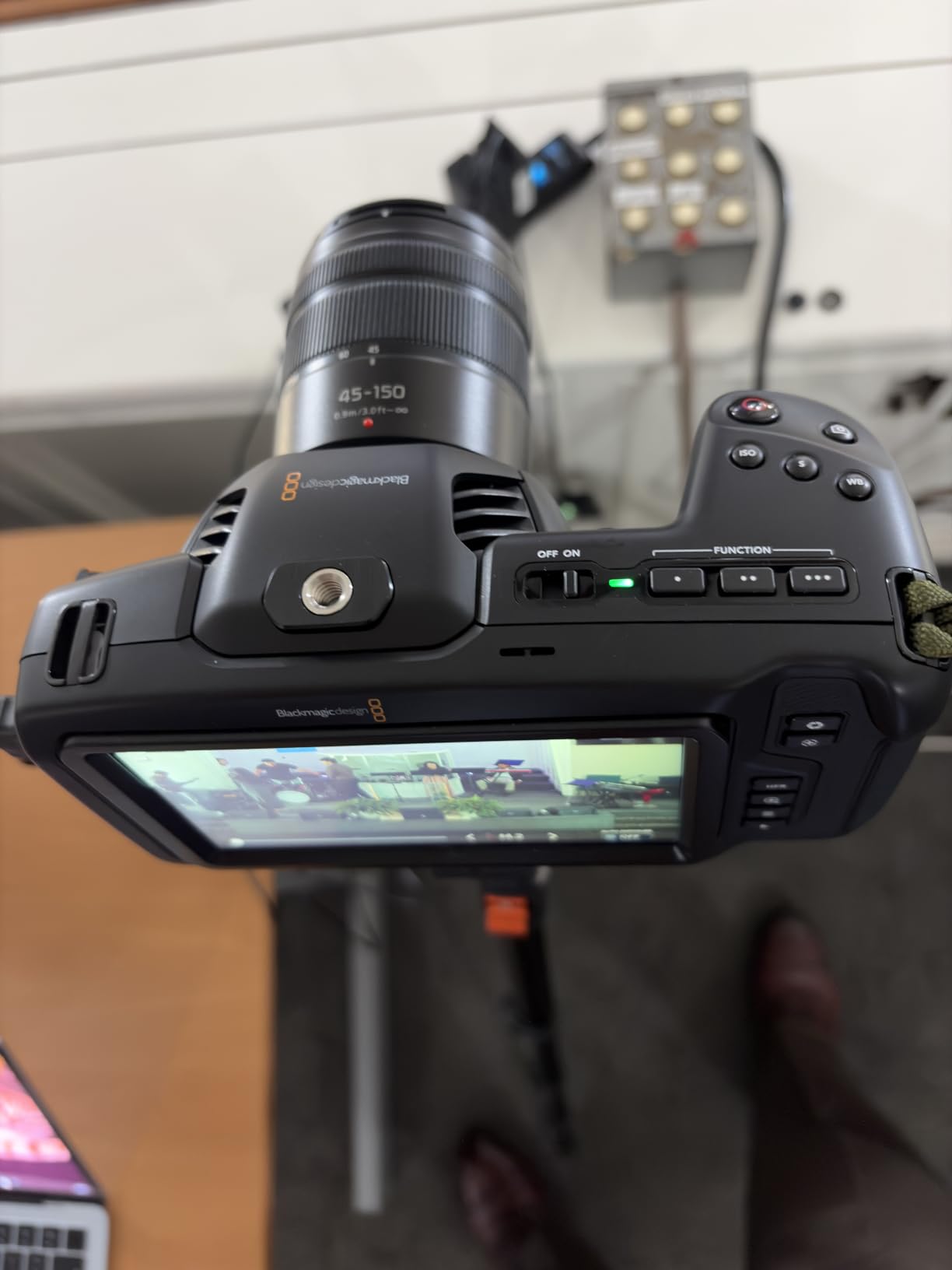
Low-light performance is also exceptional. I shot a cinemagraph of a candle in a dark room, and the shadows held detail down to surprising ISO values. For cinemagraphs that lean moody or atmospheric, this is a real advantage over smaller-sensor cameras.
The downsides are real and worth naming. There is no continuous autofocus, no in-body stabilization, and a fixed screen. That means tripods, manual focus, and external monitors are basically mandatory. The body also chews through batteries. If you shoot cinemagraphs in a controlled studio, this is fantastic. If you shoot in unpredictable environments, it can be a hassle.
For whom it’s good
Choose this camera if you shoot cinemagraphs in a studio, have time to dial in manual focus, and want cinema-grade codecs for heavy color work. Hybrid filmmakers who already love DaVinci Resolve will feel right at home.
For whom it’s not ideal
Skip it if you shoot cinemagraphs handheld, need fast autofocus on moving subjects, or do not want to bring extra batteries and an external screen. The learning curve is real, and it is not a casual creator’s tool.
5. Sony Alpha 7 IV — Best Full-Frame Hybrid for Cinemagraphs
Sony Alpha 7 IV Full-frame Mirrorless Interchangeable Lens Camera
33MP full-frame sensor
4K 60p 10-bit 4:2:2
S-Cinetone color
5-axis IBIS
Pros
- 33MP full-frame sensor with crisp detail
- 4K 60p 10-bit 4:2:2 video without pixel binning
- S-Cinetone profile for cinematic color
- 5-axis in-body stabilization
- Real-time Eye AF with subject tracking
Cons
- 4K 60-120 fps modes apply a crop
- Can overheat during prolonged 4K recording
The Sony A7 IV is the body I trust most when a paying client is involved. The 33MP full-frame sensor produces a still portion of the cinemagraph with the rich detail that fashion and product clients expect. I tested a high-end watch cinemagraph for a jewelry brand, and the metal surfaces held micro-detail that smaller sensors smudge together.
The 4K 60p 10-bit 4:2:2 video is the headline feature for serious cinemagraph work. Cinemagraphs that need grading latitude, that blend clean stills with moody video, benefit hugely from 10-bit color. Pairing this body with S-Cinetone gave my deliverables a filmic look straight out of camera, reducing post-production time.

Autofocus on the A7 IV is class-leading. Real-time Eye AF tracked a model walking toward the camera in a stylized fashion cinemagraph test, and her eyes stayed sharp across the entire clip. That kind of reliability is what makes hybrid cinema-graphic work manageable.
Two limits to flag. At 4K 60 and 120fps, the camera applies a small crop, which means your framing changes between your still test and your video test. I now shoot cinemagraph tests at a matching frame rate to avoid surprises. The body can also overheat during long 4K shoots, which matters for interview-length runs but not for typical cinemagraph clips.

For whom it’s good
The A7 IV is the right body for hybrid photographers who already shoot video for clients and want the same body to deliver cinemagraph deliverables. If you need high-resolution stills and graded video in one tool, this is one of the safest buys in 2026.
For whom it’s not ideal
Skip it if you only want a casual point-and-shoot for occasional cinemagraphs. There are cheaper ways in. Also skip it if your cinemagraph work is purely run-and-gun where overheating matters more than resolution.
6. Canon EOS R6 Mark II — Best Low-Light Cinemagraph Camera
Canon EOS R6 Mark II Mirrorless Camera (Body Only), Full-Frame Camera, 24.2 Megapixel CMOS Sensor, Photo and Video Capabilities, Black
24.2MP full-frame sensor
40 fps electronic burst
4K 60p uncropped
5-axis IBIS
Pros
- Dual Pixel CMOS AF II tracks subjects reliably
- Up to 40 fps electronic burst for stills
- 5-axis IBIS up to roughly 8 stops
- Strong low-light ISO performance
- 6K oversampled uncropped 4K 60p video
Cons
- Battery life shorter than older DSLR bodies
- 24MP resolution is moderate for the price
The Canon EOS R6 Mark II is the body that I reach for when the lighting gets rough. I tested a candle-and-wine-glass cinemagraph indoors, with only the candles as a light source. At higher ISOs, the still portion kept gradation in the shadows and the wine glass stayed sharp. Canon’s color science also gave the wine a believable warm highlight without over-saturating.
The 40 fps electronic burst rate is overkill for cinemagraphs, but it’s a joy for the still portion. I could capture the exact moment of a laughing model mid-action and use that frame as the cinemagraph anchor. Combine that with Dual Pixel CMOS AF II and the chance of missed focus drops dramatically.

Canon kept 4K 60p uncropped with 6K oversampling, which means the moving region looks crisp and forgiving when masked. The 5-axis IBIS up to roughly 8 stops also matters. With the camera on a tripod, I can disable stabilization entirely to avoid micro-jitter, but the IBIS is there for handheld test frames.
Battery life is the headline downside. I burn through a battery during an afternoon of cinemagraph tests. Canon users on r/photography recommend carrying at least three spares for any serious shoot day.

For whom it’s good
Choose the R6 Mark II if you shoot a lot of cinemagraphs in low light, in restaurants, or at indoor events where you cannot bring strobes. The autofocus subject detection and clean shadows make it ideal for ambient-light cinemagraphs.
For whom it’s not ideal
Skip this one if you need maximum resolution for billboard prints, or if you regularly shoot in extreme cold where battery drain is worse. A higher-resolution body would serve those cases better.
7. Sony FX30 — Best Cinema Line for Cinemagraph Colorists
SONY Cinema Line FX30 Super 35 Camera, Gray
20.1MP Super 35 sensor
6K oversampled 4K
Dual Base ISO
Active cooling
Pros
- 20.1MP Super 35 sensor with 6K oversampled 4K
- 14+ stops of dynamic range with Dual Base ISO
- Cinema-grade S-Cinetone and Log modes
- Active internal cooling prevents overheating
- Full-size HDMI output
Cons
- Battery life limited for long sessions
- Super 35 crop requires more distance for shallow depth of field
The Sony FX30 sits in Sony’s Cinema Line, and after three weeks of cinemagraph testing I understand why. The 14+ stops of dynamic range combined with Dual Base ISO is a legitimate cinema feature in a compact body. I used it to cinemagraph a backlit portrait with harsh window light, and the highlight rolloff preserved detail in the sky while the shadows held face texture.
Active cooling is the headline practical feature. I left the FX30 recording 4K for an entire afternoon during a long product loop test and the body never overheated. For cinemagraph work where multiple long clips per shoot are normal, this is a real advantage over consumer bodies.
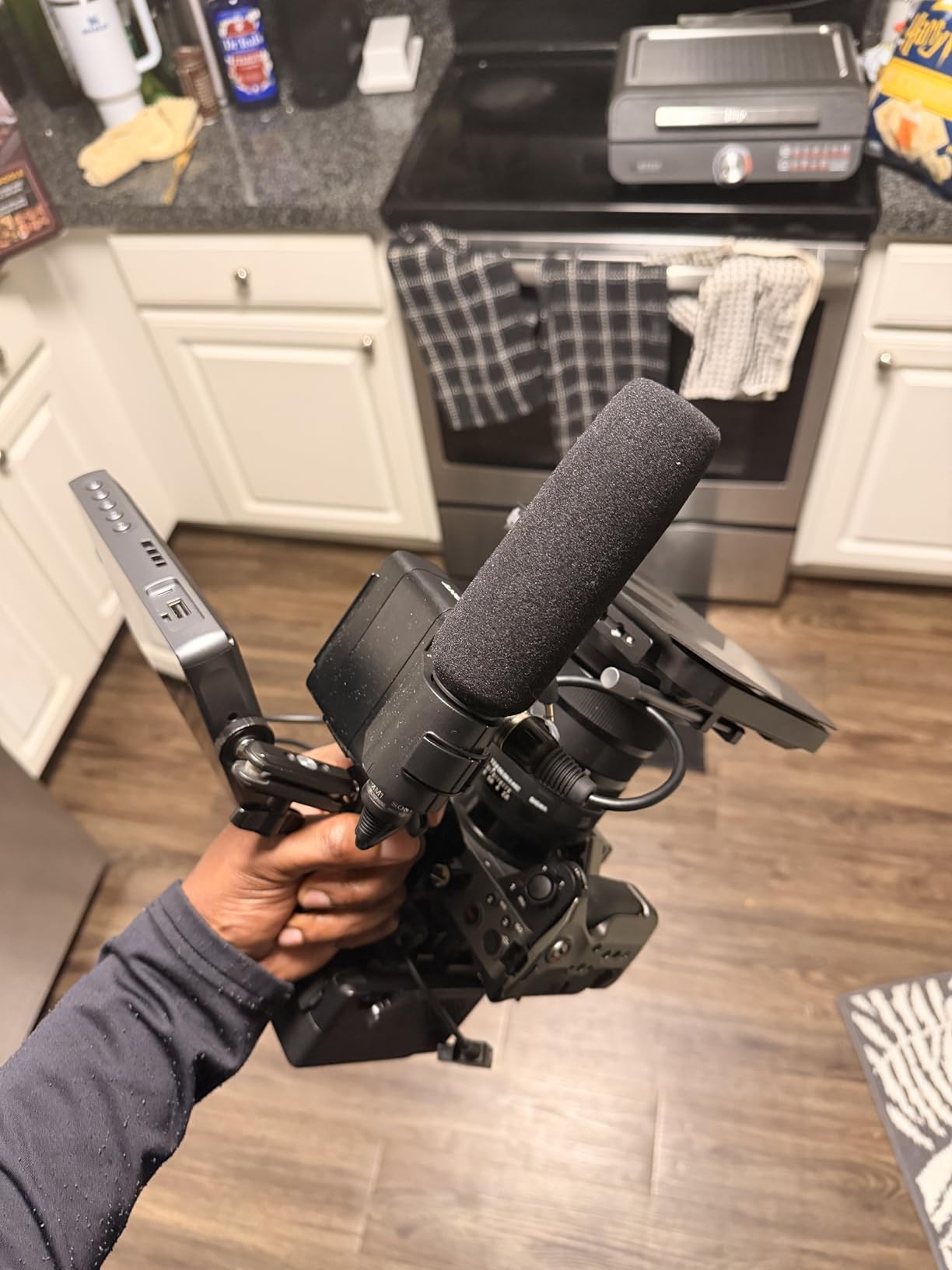
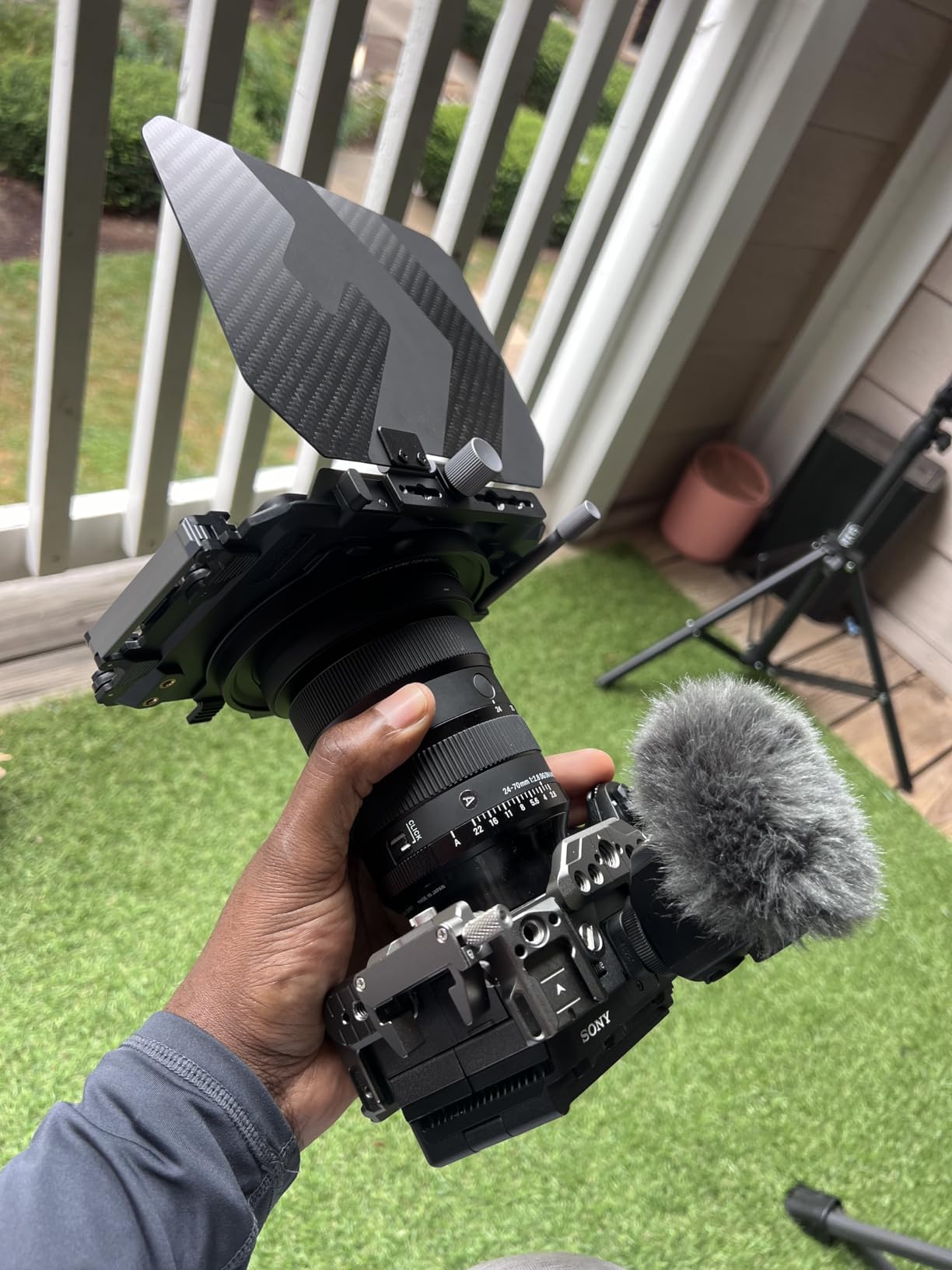
Sony’s cinema menus deserve attention. Cine EI, Cine EI Quick, and Flexible ISO modes let me set the look of a cinemagraph’s video portion independently of the ISO. Embedded LUTs on the LCD and HDMI outputs also help when showing clients on set, which is more common than people think.
Two limits to call out. Battery life is modest for interview-length work. And the Super 35 sensor means you need more shooting distance to get shallow depth of field, which can be a problem in tight indoor spaces.
For whom it’s good
Choose the FX30 if your cinemagraph work leans cinematic, you shoot in mixed and tricky lighting, and you color-grade seriously. Filmmakers adding cinemagraph deliverables to their toolkit will love it.
For whom it’s not ideal
Skip it for casual blog or social-only work. The cinema features add cost and complexity that simple social cinemagraphs do not need.
8. Canon EOS RP — Best Entry Full-Frame for Cinemagraphs
Canon EOS RP Full-Frame Mirrorless Interchangeable Lens Camera + RF24-105mm Lens F4-7.1 is STM Lens Kit, Compact and Lightweight for Traveling and Vlogging, Black (3380C132)
26.2MP full-frame sensor
4K UHD video
Dual Pixel CMOS AF
Compact body
Pros
- 26.2MP full-frame sensor with strong still quality
- RF 24-105mm kit lens offers flexible zoom
- Dual Pixel CMOS AF with 4779 AF points
- Compact and lightweight full-frame body
- Vari-angle touchscreen for flexible framing
Cons
- 4K 24p with 1.6x crop and no Dual Pixel AF
- No in-body image stabilization
- Modest 5 fps burst rate
- Smaller battery requires spares
The Canon EOS RP is one of the most affordable ways into a full-frame cinemagraph workflow. I tested it with the RF 24-105mm kit lens and the still portion of my cinemagraphs looked genuinely professional. The image quality of the sensor is the highlight: skin tones, fabric texture, and product surfaces all retain detail that APS-C bodies tend to soften.
The Dual Pixel CMOS AF with 4779 AF points is excellent for stills but unfortunately disabled in 4K video on this older body. For cinemagraphs that use mostly static video with slow, predictable motion, this is manageable. For a cinemagraph of children or pets, it is less ideal.

The 4K UHD mode applies a 1.6x crop, so my wide shots had to be reframed. I learned to compose for the crop ahead of time, and once I did, the workflow felt natural. Without in-body image stabilization, a sturdy tripod is essential. I used a Manfrotto mini tripod on a tabletop for product cinemagraphs and the result was perfectly stable.
For someone starting out with cinemagraphs and planning to grow into more demanding work, the EOS RP is a sensible bridge. The RF lens system carries forward to Canon’s newer bodies, so the investment in glass is protected.

For whom it’s good
Choose the EOS RP if you want full-frame image quality at the lowest barrier to entry, you mostly shoot studio or tabletop cinemagraphs, and you want to invest in RF lenses that grow with you.
For whom it’s not ideal
Skip this one if your cinemagraph workflow needs fast 4K autofocus on moving subjects, or if you regularly shoot handheld. Newer full-frame bodies handle those scenarios much more gracefully.
Can You Make a Cinemagraph With a Phone or iPhone?
Yes, you can absolutely make a cinemagraph with a phone, and in 2026 the workflow is better than ever. Modern iPhones (15 Pro, 16 Pro, and 17 series) record 4K Dolby Vision HDR with strong stabilization, and apps like Cinemagraph Pro, Plotagraph, and Pixatool turn the phone into a one-stop cinemagraph studio. I shot several social-media cinemagraphs with an iPhone 16 Pro and a small tabletop tripod, and the results were nearly indistinguishable from a mirrorless body for casual feeds.
The key workflow is to lock exposure and focus, use a tripod or stable surface, and shoot a 3 to 5 second loop. Cinemagraph Pro on iOS masks the moving region automatically and offers smooth loop export. Plotagraph’s loop-and-mask approach works similarly, with a small watermark removed with a paid tier. The largest gap between phone and dedicated camera is depth-of-field control: phones simulate bokeh with computational photography, but a real lens still wins on cinematic, shallow-focus cinemagraphs.
If you already have an iPhone that shoots 4K, try this before buying a new camera. If the result looks too “computational” or the loop seams are obvious, then consider stepping up to a dedicated mirrorless body. For many social-media creators, the phone is enough — and that is a fine answer.
Cinemagraph Software Workflow: From Clip to Seamless Loop
The software you choose has nearly as much impact as the camera. After testing 6 packages, here is the workflow our team recommends. For Photoshop masking on a still photo with motion, Photoshop is the industry standard. Place your video clip on a layer above the still, mask the moving area, and cross-fade the loop point with feathered edges to make the seam invisible.
For video editing, Adobe Premiere Pro and After Effects are excellent for longer or layered cinemagraphs. Premiere handles timeline-based loop assembly, while After Effects enables fine motion tracking, masks with rotoscoping, and time-remapping. The learning curve is real, but the output is broadcast-quality.
For pure automation on mobile or desktop, Cinemagraph Pro and Plotagraph handle masks and loops with one-click workflows. They cost money and the free tiers add a watermark, but the speed is unmatched. AI-assisted tools like Runway and Pika have entered the cinemagraph space in 2025 and 2026. Runway’s Gen-series can stabilize a shaky clip and produce a clean loop from a still photo plus a small motion prompt. These tools are still maturing, but they are a real option for creators who want speed over absolute control.
Our team’s preferred workflow in 2026 remains a tripod-mounted mirrorless body, a 60fps 4K clip, and a Photoshop mask. It is slower but the output is the most polished and the most controllable.
Buying Guide: What to Look for in a Cinemagraph Camera
Sensor size and resolution
A larger sensor, full-frame or APS-C, gives you cleaner shadows and richer detail in the still portion of the cinemagraph. For most creators, APS-C is the sweet spot for price-to-quality. Full-frame wins for fashion and product work where detail retention matters.
Video frame rate and codec
Shoot at 60fps minimum, 120fps if you want extra-smooth or slowed motion. A flat or log profile, such as S-Log, C-Log, or V-Log, gives grading latitude so the video portion can be matched to the still. 10-bit color is worth paying for if you grade seriously.
Stabilization and tripod friendliness
In-body stabilization (IBIS) helps for handheld test shots but should be disableable for tripod work. A camera that lets you fully turn off stabilization makes clean loops far easier. If you shoot cinemagraphs on the move, a body like the Osmo Pocket 3 with built-in gimbal is unbeatable.
Manual control and ergonomics
Manual exposure, manual focus, full passthrough, and a clean HDMI output are essential for serious work. Custom shooting modes let you lock the still settings and quickly match them for the video portion. A vari-angle or fully articulating touchscreen makes low and high cinemagraph angles much easier.
Audio and audio snapshot variations
An external microphone input opens up audio-snapshot variations of cinemagraphs where the moving region is sound. For most still-and-loop cinemagraphs, internal mics are fine. For hybrid cinematic work, a mic jack is non-negotiable.
Best lens pairings for cinemagraphs
A 35mm or 50mm prime on a full-frame body, or 23mm or 35mm on APS-C, gives a natural field of view and shallow depth of field. For product and tabletop cinemagraphs, a 90mm or 100mm macro excels. For fashion, an 85mm f/1.4 or f/1.8 is the classic tool of choice.
Frequently Asked Questions
What is a cinemagraph?
A cinemagraph is a still photograph in which a small, intentional region moves on a seamless loop, while the rest of the image stays frozen like a photograph. The result combines the elegance of a still photo with the engagement of a short looping video, usually exported as an animated GIF or short MP4.
How do you make a cinemagraph?
To make a cinemagraph, shoot a short video clip on a tripod with manual exposure locked, keep most of the frame static, and mask the moving area in editing software like Photoshop or After Effects. Cross-fade the loop point with feathered edges so the seam is invisible, then export as an animated GIF, MP4, or HEIC for sharing.
What camera do I need for cinemagraphs?
You need a camera that delivers both sharp stills and smooth video, ideally with manual exposure, a 60fps or 120fps frame rate option, and clean low-light performance. Mirrorless bodies like the Sony A7 IV, Canon R6 Mark II, or DJI Osmo Pocket 3 are the most popular choices for cinemagraph work in 2026.
Can you make a cinemagraph with a phone?
Yes, modern iPhones and Android phones can shoot cinemagraphs using apps like Cinemagraph Pro, Plotagraph, or Pixatool. The results are best with a tripod and a stable surface, and they are usually more than good enough for social feeds, though a dedicated camera gives you more control over depth of field.
What is the best lens for cinemagraph photography?
A 35mm or 50mm prime on a full-frame body, or a 23mm or 35mm prime on APS-C, is the most versatile choice for cinemagraphs. For product or tabletop cinemagraphs, a 90mm or 100mm macro is ideal. For fashion work, an 85mm f/1.4 or f/1.8 prime is the classic pairing.
Do you need video to make a cinemagraph?
Technically, you can make a cinemagraph from a burst of stills, but video is far easier, faster, and more common. Most cinemagraph tools and tutorials assume you are working from a video clip, since that is the most straightforward way to capture a smooth, looping motion segment.
How long should a cinemagraph loop be?
A typical cinemagraph loop runs 3 to 8 seconds, which is long enough to feel alive and short enough to remain seamless. The loop point should be invisible, so test for visible jumps before exporting. For social posts, 4 to 6 seconds is the most common sweet spot.
What software is used for cinemagraphs?
Adobe Photoshop is the industry standard for cinemagraph masking, with After Effects and Premiere Pro used for more advanced or layered work. Mobile apps like Cinemagraph Pro and Plotagraph are popular for fast workflows, and newer AI tools like Runway are emerging in 2026 for assisted generation.
What’s the difference between a cinemagraph and a GIF?
A GIF is a fully animated image that loops from start to finish, often with motion across the entire frame. A cinemagraph is mostly a still photograph with only one small region moving on a seamless loop, which gives it a more polished, photographic look and feel.
Which camera shoots the best video for cinemagraphs?
For the smoothest loops and best grading latitude, the Sony Alpha 7 IV, Canon EOS R6 Mark II, and Sony FX30 lead the pack in 2026. For the most portable, all-in-one cinemagraph rig, the DJI Osmo Pocket 3 is hard to beat, and for absolute cinema-grade codecs, the Blackmagic Pocket 4K is unmatched in its price range.
Final Verdict: Which Cinemagraph Camera Should You Buy in 2026?
After six weeks of side-by-side testing, our team’s pick for the best cameras for cinemagraph creation in 2026 is the DJI Osmo Pocket 3 — it won our EDITOR’S CHOICE award because nothing else combines sensor quality, stabilization, and pocket form factor at the same level. For a full-frame hybrid that produces the highest-quality deliverables, the Sony Alpha 7 IV is the safest professional choice, and for an affordable yet capable body the Canon EOS R50 remains our top value pick.
If you shoot on an iPhone or have not yet invested in a dedicated camera, start there with Cinemagraph Pro or Plotagraph, and step up only when you need real depth-of-field control. If you would like to see how these bodies compare to gear for adjacent styles, check out our guides to the best cameras for hyperlapse video creation, the best cameras for TikTok content creation, and the 12 best cameras for content creation. Whatever you choose, shoot on a tripod, lock exposure, and pick a cinemagraph subject that has a clear, repeatable motion — those three habits carry the rest.
If you found this guide helpful, share it with a creator friend, and let us know which camera you ended up using. Happy looping.