
You line up the perfect shot, press the shutter halfway, and nothing happens. The lens hunts, whirs, and gives up. Or worse, it locks focus perfectly on the first shot and completely fails on the next. If this sounds familiar, you are not alone. Thousands of photographers deal with this exact scenario every year, and the culprit is often hiding in plain sight.
Dirty lens contacts cause autofocus failures by disrupting the electronic communication between your camera body and lens. When dust, oils, or corrosion accumulate on these small metal connection points, the signals that control autofocus, aperture, and image stabilization get garbled or lost entirely. The result is focus behavior that seems random and unpredictable.
I have seen this problem fool experienced photographers into thinking their expensive glass was broken. One photographer I spoke with nearly sent a Canon 70-200mm lens in for repair before trying a 30-second cleaning that fixed everything. Understanding how dirty lens contacts affect autofocus can save you money, frustration, and missed shots.
In this guide, we will break down exactly why dirty lens contacts cause mysterious autofocus failures, how to identify the symptoms, and walk through a safe step-by-step cleaning procedure you can do at home.
Table of Contents
Why Dirty Lens Contacts Cause Autofocus Failures?
To understand why dirty contacts cause autofocus problems, you need to know what happens when you mount a lens to your camera. It is not just a physical connection. It is an electronic handshake happening dozens of times per second.
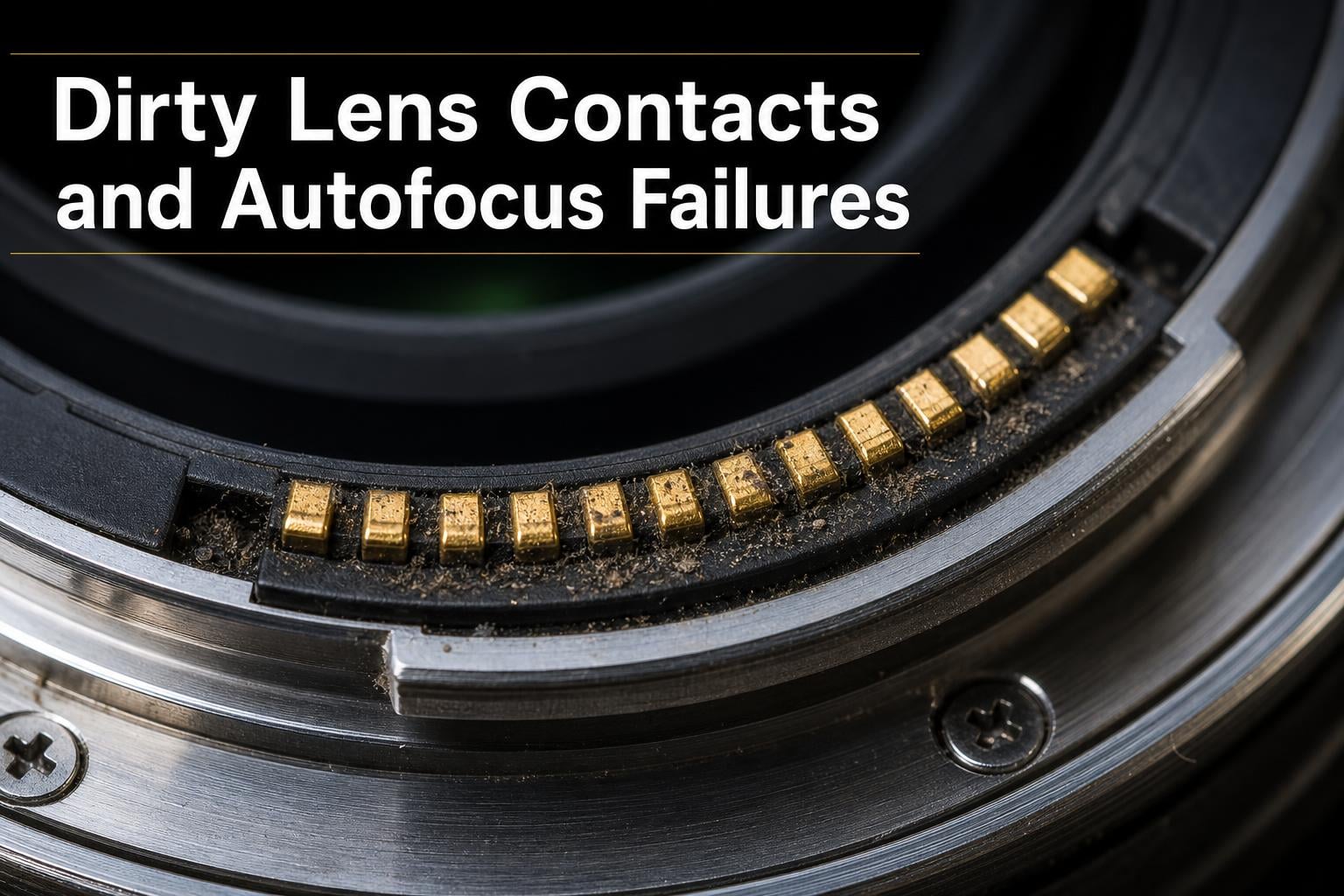
Your lens and camera body communicate through a row of small metal contacts. These are called CPU contacts, and they sit on the lens mount where the lens meets the camera body. When everything is clean, these contacts transmit digital signals that carry autofocus commands, aperture settings, image stabilization data, and lens identification information.
Think of it like a phone call between your camera and lens. The camera says “focus on that subject 15 feet away,” and the lens responds by moving its internal focusing elements. When the contacts are clean, this call goes through clearly every time. When dirt builds up on those contacts, the call gets dropped or garbled.
What Lens Contacts Actually Do
Lens contacts handle several critical jobs beyond just autofocus. They transmit the lens model information so your camera knows what focal length and aperture range it is working with. They carry aperture control signals that tell the lens how wide or narrow to open. They also relay distance information that some cameras use for flash metering and exposure calculations.
When even one of these contacts gets compromised, the communication chain breaks down. The camera might not recognize the lens at all, or it might get corrupted data that causes erratic behavior.
Contact Types: Gold-Plated vs Brass
Not all lens contacts are created equal. Higher-end lenses from Canon, Nikon, and Sony typically use gold-plated contacts because gold resists corrosion and maintains excellent conductivity over time. Gold-plated contacts are less prone to the oxidation issues that plague cheaper materials.
Mid-range and budget lenses often use brass or brass-plated contacts. Brass is a decent conductor but oxidizes more readily than gold. This oxidation creates a thin invisible layer that interferes with signal transmission. If you own a mix of professional and consumer-grade lenses, you may notice that your budget lenses develop autofocus communication issues more frequently.
Neither type is immune to physical dirt. Dust, skin oils from handling, and environmental debris accumulate on both gold and brass contacts equally. The difference is that brass contacts have the additional vulnerability of oxidation on top of regular grime buildup.
Why the Failures Seem So Mysterious
Here is where things get frustrating for photographers. Dirty contacts rarely cause a complete, consistent failure. Instead, they create intermittent problems that seem completely random.
Your autofocus might work perfectly for an entire shoot and then suddenly stop responding. Or it might function fine in the morning but struggle in the afternoon after the lens has been handled more. This intermittent behavior happens because contact degradation is rarely uniform.
A thin film of oil might bridge a contact partially, allowing signals through sometimes and blocking them other times. Temperature changes can expand or contract the lens mount slightly, shifting which contacts connect well and which do not. Even the angle at which you hold the camera can affect which contacts maintain solid connections.
This is why photographers on forums like Reddit’s r/photography and DPReview often describe the problem as “mysterious” or “random.” The autofocus works sometimes but not others, with no obvious pattern. Many users assume their lens is failing when the real issue is degraded contact conductivity.
One DPR forum member described it perfectly: “My autofocus would work in the camera store but fail completely at outdoor shoots. I thought it was a temperature issue until someone suggested cleaning the contacts. One wipe with alcohol and it was fixed.”
Signs Your Lens Contacts Are Dirty
Identifying dirty lens contacts requires knowing what symptoms to look for. The signs can mimic other problems, which is why this issue goes undiagnosed so often. Here are the most common indicators that your contacts need attention.
Intermittent Autofocus Behavior
The number one symptom is autofocus that works sometimes and fails other times without any change in settings or shooting conditions. You might nail focus on five consecutive shots and then have the next ten completely refuse to lock. This inconsistency is the hallmark of dirty contacts rather than a mechanical failure.
If your autofocus was working fine yesterday but is acting up today, and nothing else has changed, dirty contacts should be your first suspect. Mechanical failures tend to be consistent, while contact issues come and go.
Sluggish or Hunting Autofocus
Dirty contacts can cause your autofocus to respond more slowly than usual. The lens may take noticeably longer to acquire focus, or it may hunt back and forth past the focus point before finally locking. This happens because the degraded signal forces the camera and lens to retry communication multiple times.
You might also notice that focus acquisition feels less confident. Instead of snapping into focus quickly, the lens creeps toward the correct focus point hesitantly.
Error Messages on Your Camera
Many camera systems display specific error codes when lens communication fails. Canon cameras commonly show “Error 01” which means communication between the camera and lens is impaired. Nikon cameras may display “Lens not attached” even when the lens is clearly mounted. Sony users sometimes see “Camera Error” messages that clear after remounting the lens.
If you are getting these errors intermittently, dirty contacts are a likely cause. The camera detects that communication is degraded and throws an error, but the next time you mount the lens, the contacts might align just well enough to work temporarily.
Autofocus Works on One Lens But Not Another
A telling sign is when autofocus works fine with one lens but fails with another on the same camera body. This points to the lens contacts rather than the camera body contacts, since the camera is clearly capable of driving autofocus on the working lens.
However, it can also be the reverse. If one lens works on multiple cameras but another does not, the problem is with the lens contacts. Testing your lenses on a friend’s camera body can help isolate where the dirty contacts are.
No Sound of Focus Motor Activity
When you press the shutter halfway and hear absolutely no focus motor sound, the communication may be completely blocked. The camera never sent the focus command because it could not establish communication with the lens. This differs from a lens that tries to focus and fails, which indicates the motor received the command but could not complete it.
How to Clean Dirty Lens Contacts Safely?
Cleaning lens contacts is one of the simplest maintenance tasks you can perform, but it does require care. The contacts are delicate metal pins, and the surrounding components include sensitive electronic elements. Follow these steps carefully to clean your contacts without causing damage.
Materials You Will Need
Gather these supplies before starting the cleaning process:
99 percent isopropyl alcohol (avoid 70 percent, which contains too much water)
Cotton swabs with tightly wound cotton tips (avoid loose fibers)
Clean microfiber cloth
A bright light source or flashlight for inspection
Optional: photographic cleaning tissues
Avoid using household cleaners, acetone, or abrasive materials. These can damage the gold plating on contacts or degrade the plastic components around the lens mount.
Step 1: Power Off and Remove the Lens
Turn your camera completely off before removing any lens. This prevents electrical shorts and ensures the contacts are not actively carrying signals when you touch them. Remove the lens from the camera body following your manufacturer’s standard mounting and dismounting procedure.
Set both the camera body and lens on a clean, flat surface with the mount sides facing up. You should see the row of contacts on both the lens mount and the camera body mount.
Step 2: Inspect the Contacts Visually
Use your flashlight to examine the contacts on both the lens and camera body. Look for visible dirt, oil smudges, discoloration, or oxidation. Gold contacts should appear bright and shiny. Brass contacts may have a slightly darker natural color, but any greenish or black buildup indicates oxidation or contamination.
Note which contacts look visibly dirty, as these are likely the ones causing your autofocus issues. Even contacts that look clean to the naked eye may have a thin invisible film of oils or oxidation.
Step 3: Apply Isopropyl Alcohol to the Swab
Dip one end of a cotton swab into the isopropyl alcohol. You want the tip damp, not dripping wet. Shake off any excess alcohol before approaching the contacts. Too much liquid can seep into areas you do not want it.
Never pour or spray alcohol directly onto the contacts or camera body. Always apply it to your cleaning tool first, then use the tool to clean the contacts.
Step 4: Gently Wipe Each Contact
Using the dampened swab tip, gently wipe across each contact on the lens mount. Use light pressure and a single sweeping motion across each contact pin. Do not scrub aggressively. The alcohol will dissolve oils and lift debris without needing force.
For the camera body contacts, use the same gentle wiping motion. Be especially careful not to touch the mirror or sensor area inside the camera body. The contacts are on the outer metal ring of the mount, and your swab should not need to reach deeper into the camera.
Use a fresh cotton swab for the camera body to avoid transferring any debris from the lens contacts. If the first swab comes away visibly dirty, repeat with a fresh swab until it comes away clean.
Step 5: Dry the Contacts
After cleaning with alcohol, use the dry end of a cotton swab or a clean microfiber cloth to gently dry the contacts. Isopropyl alcohol evaporates quickly, but wiping away any residual moisture ensures no liquid remains when you remount the lens.
Allow both the lens and camera body to air dry for an additional 60 seconds before reassembly. This gives any alcohol in hard-to-reach crevices time to fully evaporate.
Step 6: Remount and Test
Reattach the lens to the camera body, making sure it clicks securely into place. Turn the camera on and test the autofocus immediately. Try focusing on subjects at different distances and in different lighting conditions to confirm the autofocus is responding properly.
If the autofocus still behaves erratically after cleaning, repeat the process one more time. Sometimes a single cleaning does not remove all buildup, especially if oxidation has accumulated over months or years.
Warning: Do Not Clean Your Image Sensor This Way
This is an important distinction that trips up many photographers. Lens contacts are metal connection points on the lens mount. Your image sensor is a completely different component located deep inside the camera body behind the mirror mechanism.
Never use a cotton swab and alcohol to clean your image sensor. Sensor cleaning requires specialized tools like sensor cleaning swabs designed for your specific sensor size, or a bulb blower for loose dust. If you suspect your sensor needs cleaning, use dedicated sensor cleaning products or take your camera to a professional service center.
The autofocus sensor, which is separate from the image sensor, is also located inside the camera body and should not be cleaned with this method. The cleaning procedure in this guide applies only to the external metal contacts on the lens mount and camera body mount.
Preventing Dirty Lens Contacts
Cleaning contacts when problems arise is good, but preventing them from getting dirty in the first place is better. A few simple habits can keep your contacts clean and your autofocus reliable for years.
How Weather Sealing Helps and Its Limits
Modern lenses from Canon, Nikon, and Sony often include weather sealing in the form of rubber gaskets around the lens mount. These gaskets block dust and moisture from entering the gap between the camera body and lens. They are effective at reducing contact contamination in normal shooting conditions.
However, weather sealing is not absolute. It degrades over time with repeated lens changes. It does not protect against the oils from your fingers that transfer during mounting and dismounting. And it certainly does not prevent the slow oxidation that affects brass contacts over months of use.
Even weather-sealed professional lenses need periodic contact cleaning. Photographers who shoot in dusty, humid, or salty environments may need to clean contacts more frequently than occasional shooters.
Maintenance Schedule Recommendations
I recommend inspecting your lens contacts monthly if you shoot regularly. You do not need to clean them that often, but a quick visual check takes seconds and helps you catch problems before they affect your autofocus.
For most photographers, cleaning contacts every three to six months is sufficient. If you change lenses frequently, shoot outdoors often, or work in challenging environments like beaches or deserts, consider cleaning contacts monthly.
Always clean contacts after shooting in rain, heavy dust, or high humidity, even with weather-sealed gear. Moisture that sneaks past weather seals can accelerate oxidation on contacts.
Proper Lens Handling Habits
When changing lenses, hold the lens by its barrel rather than the mount area. Avoid touching the metal contacts with your fingers, as skin oils are the most common cause of contact contamination over time.
Store lenses with both front and rear caps attached. Rear caps protect the contacts from dust and debris when the lens is not mounted. Keep your camera body capped when no lens is attached.
Point the camera body downward when changing lenses in the field. This reduces the chance of dust settling on the camera mount contacts or falling into the camera body.
Brand-Specific Notes
Canon EF and RF lenses use gold-plated contacts on most models, making them relatively resistant to oxidation. However, Canon’s Error 01 code is specifically tied to lens communication failures, and dirty contacts are the most common cause. Canon recommends cleaning with a lens cloth rather than liquid cleaners for routine maintenance.
Nikon F-mount and Z-mount lenses vary in contact quality depending on the lens tier. Professional Nikon lenses generally have better contact construction than consumer models. Nikon users report more contact-related autofocus issues with older third-party lenses, which sometimes use cheaper contact materials.
Sony E-mount lenses benefit from a shorter flange distance, which means the contacts are closer together. This can make cleaning slightly trickier but also means the contacts are more protected from environmental contamination when the lens is mounted. Sony users should pay attention to contact cleanliness when using adapters, as third-party adapters can introduce additional contact points that may degrade.
Other Common Autofocus Issues to Rule Out
Dirty contacts are a common cause of autofocus problems, but they are not the only one. If cleaning your contacts does not resolve the issue, consider these other potential causes before assuming your lens is broken.
Focus Mode Switch Problems
The most overlooked cause of autofocus failure is the focus mode switch on the side of the lens. If this switch has been bumped to Manual, your autofocus will not work regardless of camera settings. Check that the switch is set to AF before troubleshooting anything else.
Some lenses also have a focus distance limiter switch that restricts the focusing range. If this is set incorrectly for your subject distance, the autofocus may appear to fail when it is actually searching outside the limited range.
Firmware Issues
Outdated lens or camera firmware can cause autofocus compatibility problems, especially when using newer lenses with older camera bodies. Check your manufacturer’s website for firmware updates for both your camera and lens. Canon, Nikon, and Sony all release firmware updates that improve autofocus performance and fix communication bugs.
Third-party lenses from Sigma, Tamron, and Tokina are particularly dependent on firmware updates. These manufacturers frequently release updates to improve autofocus compatibility with new camera bodies.
Low Light and Low Contrast Subjects
Autofocus systems need light and contrast to work. If your camera struggles to focus in dim conditions or on flat, textureless subjects like smooth walls or clear skies, the problem may not be your contacts at all. Try focusing on something with clear edges and good contrast to test whether the autofocus system is working properly.
Lens Compatibility Problems
Not all lenses work perfectly with all camera bodies, especially when mixing brands through adapters or using older third-party lenses. Some autofocus issues stem from fundamental compatibility gaps rather than dirty contacts or broken components.
If you recently started using a new lens with your camera body and immediately noticed autofocus problems, research whether other users report similar compatibility issues. Sometimes a firmware update from the lens manufacturer resolves these problems.
When to Seek Professional Repair
If you have cleaned your contacts thoroughly, verified your settings, updated firmware, and tested with other lenses, and your autofocus still fails, it may be time for professional service. A lens with a failing focus motor or a camera body with damaged internal contacts needs expert diagnosis.
Most camera manufacturers offer repair services, and independent camera repair shops can often diagnose and fix autofocus issues at a lower cost. Get a repair estimate before deciding, as the cost of fixing an older lens may exceed its value.
Autofocus can absolutely be repaired in most cases. Focus motors, internal wiring, and contact assemblies are all replaceable components. The key is determining whether the problem lies in the lens or the camera body, which a professional technician can diagnose quickly.
FAQs
Why is my camera lens autofocus not working?
Your camera lens autofocus may not work due to dirty lens contacts, which disrupt electronic communication between the camera and lens. Other common causes include the focus mode switch being set to Manual, outdated firmware, low light conditions, or a failing focus motor. Start by cleaning the contacts with isopropyl alcohol, as this is the most common and easily fixable cause.
How to clean the contacts on a camera lens?
To clean camera lens contacts, power off your camera and remove the lens. Dip a cotton swab in 99 percent isopropyl alcohol, then gently wipe each metal contact on both the lens mount and camera body mount. Use light pressure and avoid scrubbing. Dry with a clean microfiber cloth, wait 60 seconds, then remount the lens and test autofocus.
How to clean an autofocus sensor?
The autofocus sensor is located inside the camera body and should not be cleaned with cotton swabs or alcohol like external lens contacts. For autofocus sensor cleaning, use a bulb blower to remove loose dust or take the camera to a professional service center. Attempting to clean internal sensors yourself with liquid cleaners can cause permanent damage.
Can autofocus be repaired?
Yes, autofocus can be repaired in most cases. Focus motors, internal wiring harnesses, and contact assemblies are all replaceable components. If cleaning the lens contacts and updating firmware do not resolve the issue, a professional camera repair service can diagnose whether the problem is in the lens or camera body and perform the necessary component replacement.
Why put vaseline on a camera lens?
Some photographers use a small amount of vaseline on a UV filter mounted on the lens front to create a soft-focus or dreamy effect for portraits and creative photography. Vaseline should never be applied directly to lens elements or to the metal contacts on the lens mount, as it will trap dirt, degrade signal transmission, and cause autofocus failures.
Key Takeaways
Dirty lens contacts cause autofocus failures by interrupting the electronic communication between your camera and lens. The problem is so common and so easily fixed that every photographer should know how to identify and clean dirty contacts before assuming their gear is broken.
The mysterious, intermittent nature of these failures comes from partial contact degradation. A thin film of oil or oxidation can let signals through sometimes and block them other times, creating exactly the kind of random autofocus behavior that frustrates photographers on forums worldwide.
If your autofocus starts acting up, follow this troubleshooting order: check your focus mode switch, clean the lens contacts with 99 percent isopropyl alcohol and a cotton swab, update your firmware, and test with a different lens. This simple sequence resolves the vast majority of autofocus problems without any professional repair needed.
Make contact cleaning part of your regular camera maintenance routine. A quick inspection every month and a cleaning every few months takes minutes but can prevent the kind of autofocus failures that cost you the shot.