
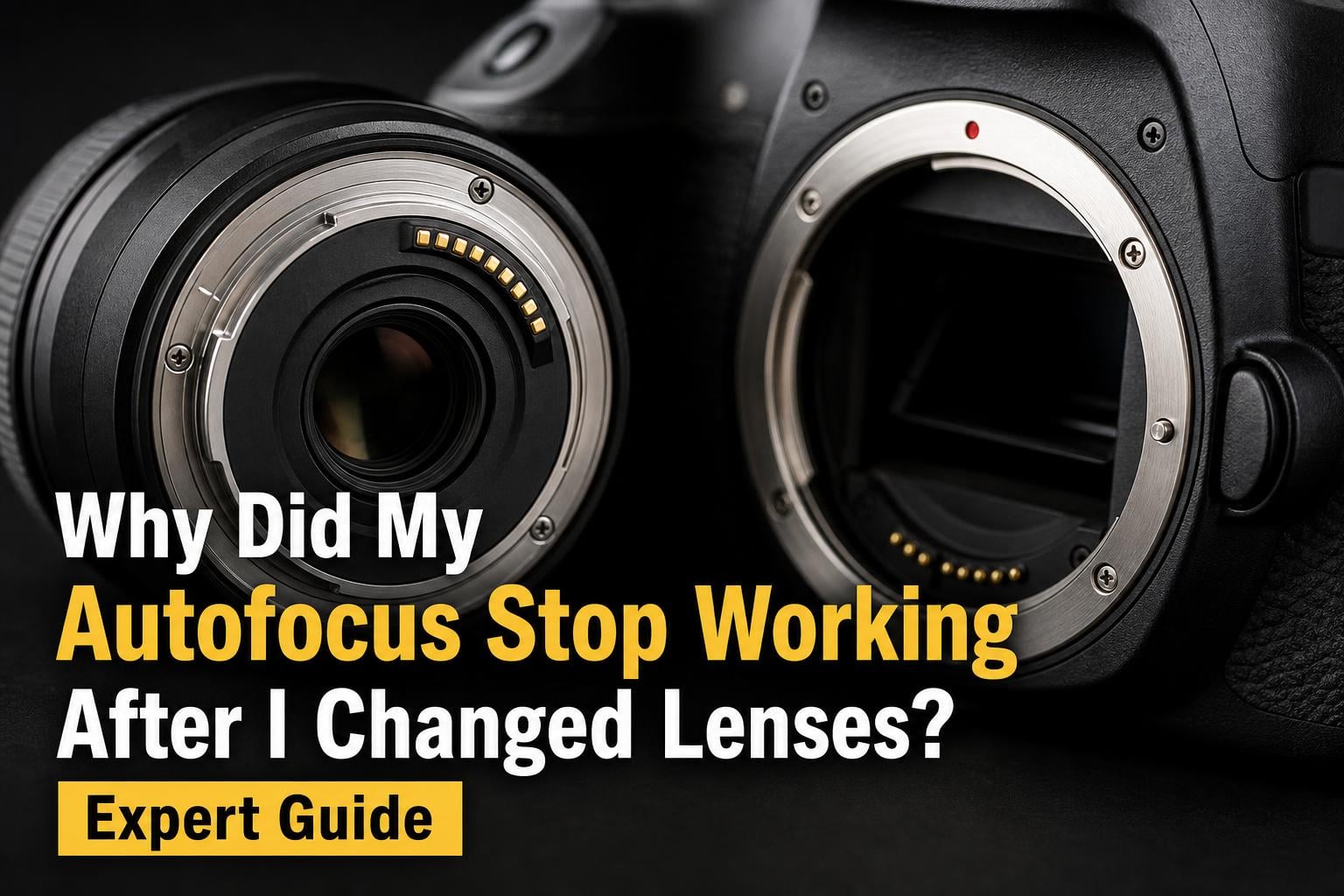
You just swapped lenses on your camera, lined up the perfect shot, pressed the shutter button halfway, and… nothing. The focus ring does not move. The viewfinder stays blurry. If your autofocus stopped working right after a lens change, you are dealing with one of the most common — and fixable — issues in photography.
Autofocus not working after changing lenses is typically caused by dirty lens contacts, an AF/MF switch accidentally flipped to manual, the lens not being fully seated on the mount, or a compatibility problem between the lens and camera body. In most cases, the fix takes under five minutes and costs nothing.
I have been shooting with Canon, Nikon, and Sony systems for over 15 years, and I have run into this problem more times than I can count. After helping dozens of photographer friends troubleshoot the exact same issue on Reddit and in photography groups, I put together this guide to walk you through every possible cause and fix, starting with the simplest and most likely solutions.
Table of Contents
Common Causes of Autofocus Failure After Lens Changes
When your camera and lens communicate properly, autofocus works through a system of metal electronic contacts on the lens mount. These contacts pass signals between the camera’s processor and the lens’s focus motor. The moment you remove a lens, you expose those contacts to dust, skin oils, and the possibility of physical damage.
Here are the five most common reasons your autofocus stopped working after a lens swap:
1. Dirty or oily lens contacts: Even a fingerprint on the gold or silver contact pins can interrupt the signal. This is the single most common cause of sudden autofocus failure after changing lenses. The contacts are sensitive, and they need a clean, dry surface to maintain a proper connection.
2. The AF/MF switch got bumped: That small switch on the side of your lens is easy to knock accidentally. If it is set to MF (manual focus), the lens will not respond to autofocus commands no matter what you do with the camera body. I have seen experienced photographers spend 20 minutes debugging before realizing the switch was the problem.
3. The lens is not fully seated on the mount: If the lens is rotated just a fraction short of locking position, the contacts will not align properly. The lens may feel attached, but the electronic connection is incomplete. This happens more often than you would think, especially if you are rushing a lens swap.
4. Compatibility issues: Some older lenses, third-party lenses, or lenses used with adapters do not fully support autofocus on every camera body. If you are using a Sigma or Tamron lens on a newer Canon or Nikon body, for example, firmware mismatches can disable AF functionality.
5. Focus motor or internal component failure: This is the worst-case scenario. The focus motor inside the lens (or the AF drive motor in older camera bodies) can wear out over time. If you hear grinding, clicking, or complete silence when the lens should be focusing, you may have a hardware problem.
Quick Diagnostic: Is It the Lens or the Camera Body?
One of the biggest frustrations photographers share on forums like Reddit and Stack Exchange is not knowing whether the problem is the lens or the camera body. This matters because repair costs and next steps differ dramatically depending on which component is at fault.
The fastest way to figure this out is a simple isolation test using the process of elimination. You need to determine whether the autofocus problem follows the lens or stays with the camera body.
Test 1 — Try a different lens on the same camera body: Remove the lens that is giving you trouble and attach another lens you know works. If autofocus works fine with the second lens, your camera body is functioning correctly and the problem is with the original lens.
Test 2 — Try the problem lens on a different camera body: If you have a second camera, or a friend with a compatible body, mount the suspect lens on it. If autofocus still does not work, the lens is confirmed as the issue. If it works perfectly on the other body, the problem may be in your camera body’s contacts or internal AF system.
Test 3 — Check manual focus: Switch the lens to MF mode and try focusing manually by turning the focus ring. If the ring turns smoothly and you can achieve sharp focus, the optics are fine and the problem is specifically with the autofocus mechanism. If the focus ring is stiff, grinding, or does not move, you have a mechanical problem inside the lens.
Here is a quick reference chart for interpreting your test results:
If a different lens works on your camera body but the original lens does not work on any body — the lens is faulty. Start with contact cleaning, and if that fails, the focus motor may need professional repair.
If no lens works on your camera body but your lenses work fine on another body — your camera body has a contact or internal AF issue. Check the camera body’s mount pins for damage, and if they look fine, the internal AF system may need servicing.
If autofocus works intermittently on both lenses and bodies, you likely have a dirty contacts problem across the board. A thorough cleaning of all contacts on all lenses and the camera body should resolve it.
Step-by-Step Troubleshooting Guide
Follow these steps in order, starting from the simplest fix. Most photographers resolve their autofocus issue within the first three steps.
Step 1: Check the AF/MF switch on the lens. This sounds obvious, but it is the number one cause. Look at the side of your lens and make sure the switch is set to AF, not MF. While you are at it, check for a second switch that might control focus distance range or stabilization, and make sure those are in their default positions. If your camera body also has a focus mode switch (common on Nikon and some Canon bodies), verify that is set to AF as well.
Step 2: Remove the lens and reattach it firmly. Turn off the camera first. Press the lens release button, remove the lens completely, and reattach it carefully. Align the mount indicators, seat the lens flat against the mount, and rotate until you hear and feel the click. A lens that is even slightly off-angle will not make proper contact.
Step 3: Inspect the lens contacts visually. Look at the row of metal contacts on the back of the lens and inside the camera body mount. You are checking for bent pins, visible dirt or oil, corrosion, or pins that are stuck pressed in and do not spring back out. Any of these can break the electronic communication between lens and camera.
Step 4: Clean the contacts on both the lens and camera body. Use a clean microfiber cloth or a lens cleaning wipe dampened slightly with isopropyl alcohol. Gently wipe each contact pin — do not scrub hard. Let everything dry completely before reattaching the lens. Never use erasers, abrasive materials, or excessive liquid, as these can damage the gold plating on the contacts.
Step 5: Check your camera’s focus mode settings in the menu. Navigate to your camera’s autofocus settings and verify that AF-S (single), AF-C (continuous), or AF-A (auto) is selected depending on your subject. Also confirm that back-button focus has not been accidentally enabled, which would decouple autofocus from the shutter button and make it seem like AF is not working.
Step 6: Verify you are not too close to your subject. Every lens has a minimum focus distance. If you are closer than that distance, the autofocus system will hunt or refuse to lock. Check the side of your lens or the manual for the minimum focus distance specification, then move back and try again.
Step 7: Check for firmware updates. Some autofocus issues, especially with third-party lenses or older camera bodies paired with newer lenses, are caused by firmware mismatches. Visit your camera manufacturer’s website and the lens manufacturer’s website to check for available firmware updates. Canon, Nikon, Sony, Sigma, and Tamron all release firmware patches that fix AF compatibility bugs.
How to Clean Lens Contacts Safely
Improper cleaning can damage the delicate gold-plated contacts on your lens and camera mount, so it is important to use the right technique and materials. I learned this the hard way years ago when an overly aggressive cleaning scratched a contact pin and made the problem worse.
What you need: A clean microfiber cloth (the kind used for eyeglasses works great), high-percentage isopropyl alcohol (90% or higher), and a clean, dry workspace with good lighting. Optionally, a Rocket Blower or similar air blower can help remove loose dust before wiping.
What NOT to use: Do not use pencil erasers. This is an old trick passed around on photography forums, but erasers are mildly abrasive and can wear away the thin gold plating on contact pins. Avoid cotton swabs because fibers can snag on the pins and leave debris. Never spray liquid directly onto the contacts — always apply it to the cloth first.
The cleaning process: First, power off your camera and remove the lens. Use the air blower to gently puff away any loose dust from both the lens contacts and the camera body mount contacts. Then, lightly dampen a corner of your microfiber cloth with isopropyl alcohol. Gently wipe across the contact pins in a single direction — do not scrub back and forth. Use a fresh section of the cloth for the camera body contacts.
Allow the contacts to air dry for 30 to 60 seconds. The alcohol evaporates quickly, but you want to make sure no moisture remains before reassembling. Once dry, reattach the lens and test autofocus. If the problem persists after a thorough cleaning, move on to the compatibility and hardware checks in the next sections.
Third-Party Lens and Adapter Compatibility Issues
Third-party lenses from Sigma, Tamron, Tokina, and other manufacturers offer excellent value, but they also introduce compatibility risks that original equipment manufacturer (OEM) lenses rarely have. Because third-party manufacturers reverse-engineer the lens mount communication protocol, their lenses can behave unpredictably when paired with certain camera bodies — especially newer models released after the lens was designed.
If your autofocus stopped working after attaching a third-party lens, here are the things to check:
Firmware updates are critical for third-party lenses. Sigma and Tamron both offer USB docks that let you update lens firmware independently. Many AF compatibility issues are resolved with a firmware patch that the lens manufacturer releases after a new camera body hits the market. If you bought a Sigma lens three years ago and just upgraded your Canon body, check Sigma’s website for updates.
Lens adapters have limitations. If you are using an adapter to mount a lens from one system onto another (for example, Canon EF lenses on a Sony E-mount body), autofocus performance depends heavily on the adapter quality. Smart adapters with electronic contacts can maintain AF functionality, but compatibility is never guaranteed. Dumb adapters without electronics cannot provide autofocus at all.
Some lenses simply lack full AF support on certain bodies. Older third-party lenses may only support older AF protocols. A lens that autofocuses perfectly on a Canon 5D Mark III might struggle or fail completely on a Canon R5 with an EF-to-RF adapter. Check the lens manufacturer’s compatibility chart before assuming the lens is broken.
Listen for focus motor noise. Third-party lenses sometimes use louder, older focus motor technology. If you hear a buzzing or whirring sound but the lens is not achieving focus, the motor may be struggling with a compatibility issue rather than being broken. Try updating firmware first before considering repair.
When Autofocus Issues Mean Hardware Failure
If you have cleaned the contacts, checked every switch, tried different lenses, and updated firmware, but autofocus still does not work, you may be facing a hardware problem. The good news is that most hardware failures have clear warning signs that help you identify the issue.
Signs of focus motor failure: The lens makes a grinding, clicking, or buzzing sound when you half-press the shutter, but the focus ring does not move. Or the lens is completely silent and the focus ring stays frozen. In either case, the internal focus motor is likely damaged. This can happen from age, heavy use, impact from dropping the lens, or moisture ingress.
Bent or damaged mount pins: If any of the contact pins on the camera body or lens mount are visibly bent, stuck inward, or missing, the electronic signal chain is broken. Bent pins can sometimes be gently straightened with a non-metallic tool, but this is delicate work. If pins are broken off, the mount needs professional replacement.
Internal wiring or ribbon cable damage: Lenses contain flexible ribbon cables that connect the contacts to the internal electronics. These cables can crack or tear from impacts, repeated use, or age. The symptom is usually intermittent autofocus — it works sometimes, fails other times, with no clear pattern. This requires professional disassembly and repair.
Can autofocus be repaired? Yes, in most cases. Focus motor replacement typically costs between $150 and $400 depending on the lens. Ribbon cable repair is usually in the $100 to $250 range. For expensive professional lenses, repair is almost always worth it. For budget kit lenses that cost under $200, replacement may make more financial sense.
If your lens is under warranty, contact the manufacturer immediately. Canon, Nikon, Sony, Sigma, and Tamron all offer warranty service for focus motor failures. If the lens is out of warranty, get a quote from an authorized service center before deciding whether to repair or replace.
Tips to Prevent Autofocus Problems During Lens Swaps
A few simple habits can prevent most autofocus problems from happening in the first place. These practices take seconds but save hours of troubleshooting.
Always power off your camera before removing or attaching a lens. This prevents electrical shorts across the contact pins and avoids corrupting camera settings. Some cameras can handle hot swaps, but turning off the power is still the safest practice.
Keep rear lens caps on your lenses whenever they are off the camera. This protects the delicate contact pins from dust, fingerprints, and scratches. The same goes for camera body caps — always cover the mount when no lens is attached.
Change lenses in a clean environment when possible. Avoid swapping lenses in dusty, windy, or rainy conditions. If you must change lenses outdoors, point the camera body downward so debris cannot fall into the open mount.
Clean your lens contacts every few months as routine maintenance, even if you are not experiencing problems. A quick wipe with a microfiber cloth keeps the contacts in good condition and prevents gradual buildup that can cause intermittent AF issues.
Frequently Asked Questions
Why did my auto focus stop working?
Autofocus typically stops working because of dirty lens contacts, an AF/MF switch accidentally set to manual, the lens not being fully seated on the mount, a compatibility issue between the lens and camera body, or in rare cases a faulty focus motor. Start by checking the AF/MF switch, then remove and reattach the lens, then clean the contacts.
Do lens adapters affect autofocus?
Yes, lens adapters can affect autofocus performance. Smart adapters with electronic contacts can maintain AF functionality but may introduce slower focusing speed or occasional compatibility issues. Dumb adapters without electronics cannot provide autofocus at all. Always check the adapter manufacturer’s compatibility list before purchasing.
How to fix autofocus on a lens?
To fix autofocus on a lens, follow these steps: 1) Check the AF/MF switch is set to AF. 2) Remove and reseat the lens firmly. 3) Inspect contacts for dirt or damage. 4) Clean contacts with a microfiber cloth and isopropyl alcohol. 5) Check camera menu focus settings. 6) Verify minimum focus distance. 7) Update lens firmware. If none of these work, the focus motor may need professional repair.
Why isn’t my camera focusing anymore?
Your camera may not be focusing because the lens contacts are dirty, the focus mode is set to manual, the lens is not properly mounted, the subject is too close for the minimum focus distance, or there is a hardware failure in the lens or camera body. Try a different lens on your camera to isolate whether the problem is the lens or the body.
Can autofocus be repaired?
Yes, autofocus can be repaired in most cases. Focus motor replacement typically costs between $150 and $400 depending on the lens. Ribbon cable repair is usually $100 to $250. If the lens is under warranty, contact the manufacturer for free or discounted service. Get a repair quote before deciding whether to fix or replace the lens.
How do you force your camera to focus?
To force your camera to focus, first switch the lens to MF mode and turn the focus ring manually until your subject appears sharp in the viewfinder. If you want to use autofocus, switch back to AF mode, select a single focus point, place it over a high-contrast area of your subject, and half-press the shutter button. In low light, use the focus assist beam or shine a flashlight on the subject temporarily.
Conclusion
Autofocus not working after changing lenses is almost always caused by a simple, fixable problem. Check your AF/MF switch first, then reseat the lens, then clean the contacts. Work through the troubleshooting steps systematically, use the lens-versus-body diagnostic test to isolate the issue, and address third-party compatibility concerns if you are using non-OEM lenses. If all troubleshooting steps fail and you suspect hardware damage, contact an authorized service center for a professional assessment rather than forcing a DIY repair that could make things worse.