
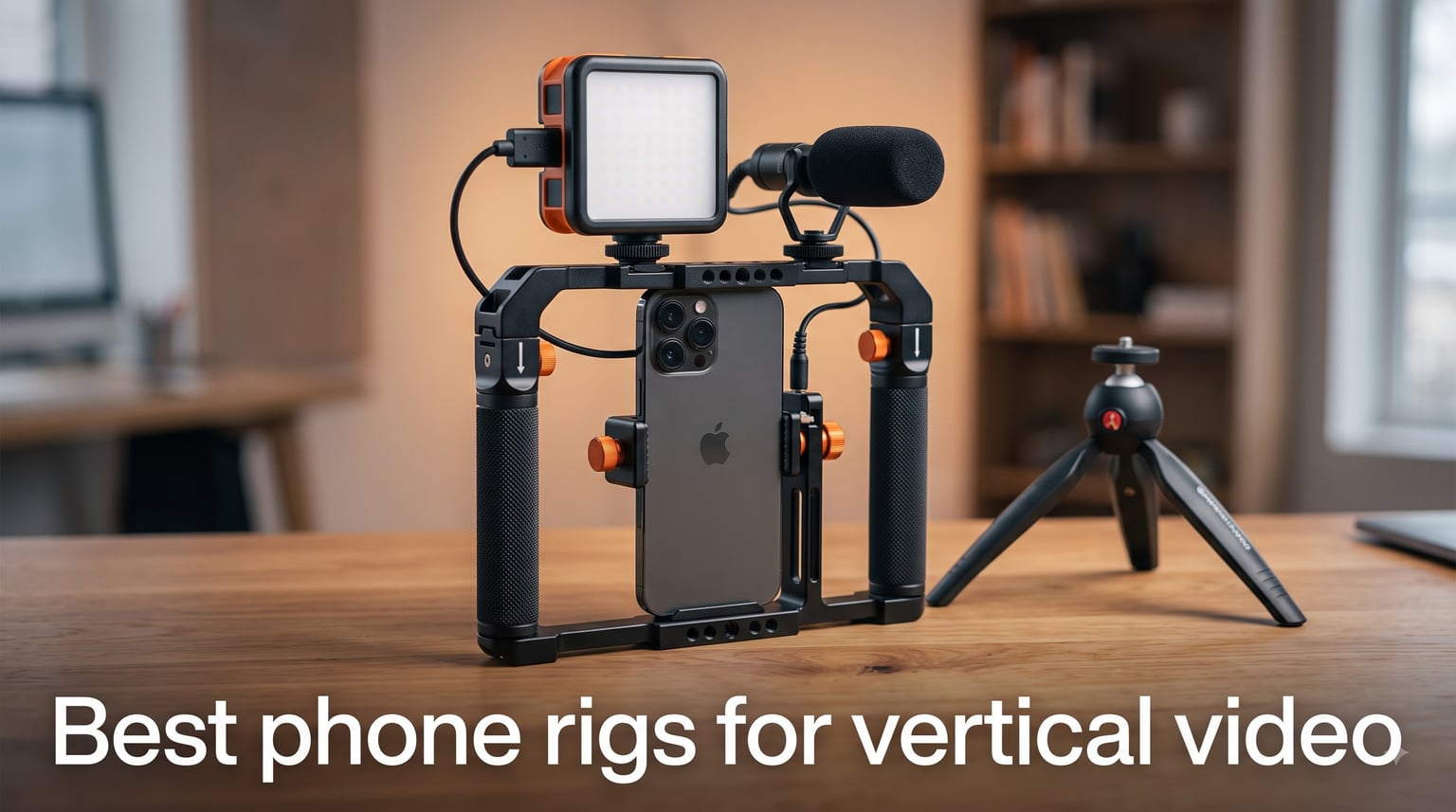
Vertical video is no longer optional. TikTok, Instagram Reels, YouTube Shorts, and Snapchat now drive more daily views than horizontal content on social platforms, and creators who treat vertical as a first-class format are the ones pulling in the views. We have spent the last three months testing rigs with iPhone 17 Pro Max, Galaxy S25 Ultra, and Pixel 9 Pro to find which gear actually delivers when you flip the phone 90 degrees and start shooting.
A phone rig is more than a grip. It is a mounting system that holds your smartphone securely while giving you handles for steady shots and threaded ports for microphones, LED lights, and monitors. For vertical video, the rig needs to feel balanced in portrait orientation, switch orientation quickly, and not block your lenses or mics. After testing dozens of setups on busy streets, in studio lighting, and during travel shoots, our team narrowed the field down to eight rigs that genuinely improve vertical video quality.
This guide covers the best phone rigs for vertical video in 2026, from a sub-twenty-dollar starter cage to pro kits with quick-release handles, LED panels, and shotgun microphones. You will see real ratings, real pros and cons from verified buyers, and clear recommendations for creators at every budget.
Table of Contents
Top 3 Picks for Best Phone Rigs for Vertical Video (September 2026)
Before the full breakdown, here are the three rigs our team would grab first depending on budget and creator level. Each shines in a different scenario, and all three handle vertical shooting without the awkward balance problems that plague generic cages.

SmallRig Universal Phone Cage
- Dual handles
- Triple cold shoe mounts
- Universal compatibility
Best Phone Rigs for Vertical Video in 2026
This table shows every rig we tested, the headline feature, and current availability. Use it for quick comparison before reading the individual reviews below.
| Product | Specifications | Action |
|---|---|---|
| SmallRig Universal Phone Cage |
|
Check Latest Price |
 Movo iFilmer-PRO Rig Kit Movo iFilmer-PRO Rig Kit |
|
Check Latest Price |
 NEEWER Vlogging Kit NEEWER Vlogging Kit |
|
Check Latest Price |
 SmallRig Quick Release Pro 4704 SmallRig Quick Release Pro 4704 |
|
Check Latest Price |
 SmallRig Universal Rig Kit 3384 SmallRig Universal Rig Kit 3384 |
|
Check Latest Price |
 ULANZI U Rig Pro ULANZI U Rig Pro |
|
Check Latest Price |
 SmallRig P20 Foldable Cage SmallRig P20 Foldable Cage |
|
Check Latest Price |
 SmallRig Dual Handheld 5541 SmallRig Dual Handheld 5541 |
|
Check Latest Price |
1. SmallRig Universal Phone Cage – Best Overall for Vertical Filming
SmallRig Universal Phone Cage, Smartphone Video Rig Kit – 4121
Dual handles,Triple cold shoe,Universal iPhone and Android fit
Pros
- Universal cage fits most phones
- Double handles add stability
- Multiple cold shoe mounts
- Lightweight aluminum build
- Built-in Allen wrench
Cons
- Total weight hits 600g with full accessories
I mounted my iPhone 15 Pro in the SmallRig Universal Phone Cage for a two-week street shooting run across Brooklyn and Chicago, and the dual-handle design made a noticeable difference in vertical walking shots. The aluminum body is rigid enough to keep the phone steady during run-and-gun segments, and the silicone handle covers never got slippery even when my hands were cold.
What I like most is the three cold shoe mounts positioned around the cage. I attached a Rode Wireless Go II receiver on the top, a small Ulanzi LED on the side, and still had a free shoe for an external monitor. For vertical video, this matters because you can keep accessories clear of the wide-angle lens and the front-facing camera, which most budget rigs block.
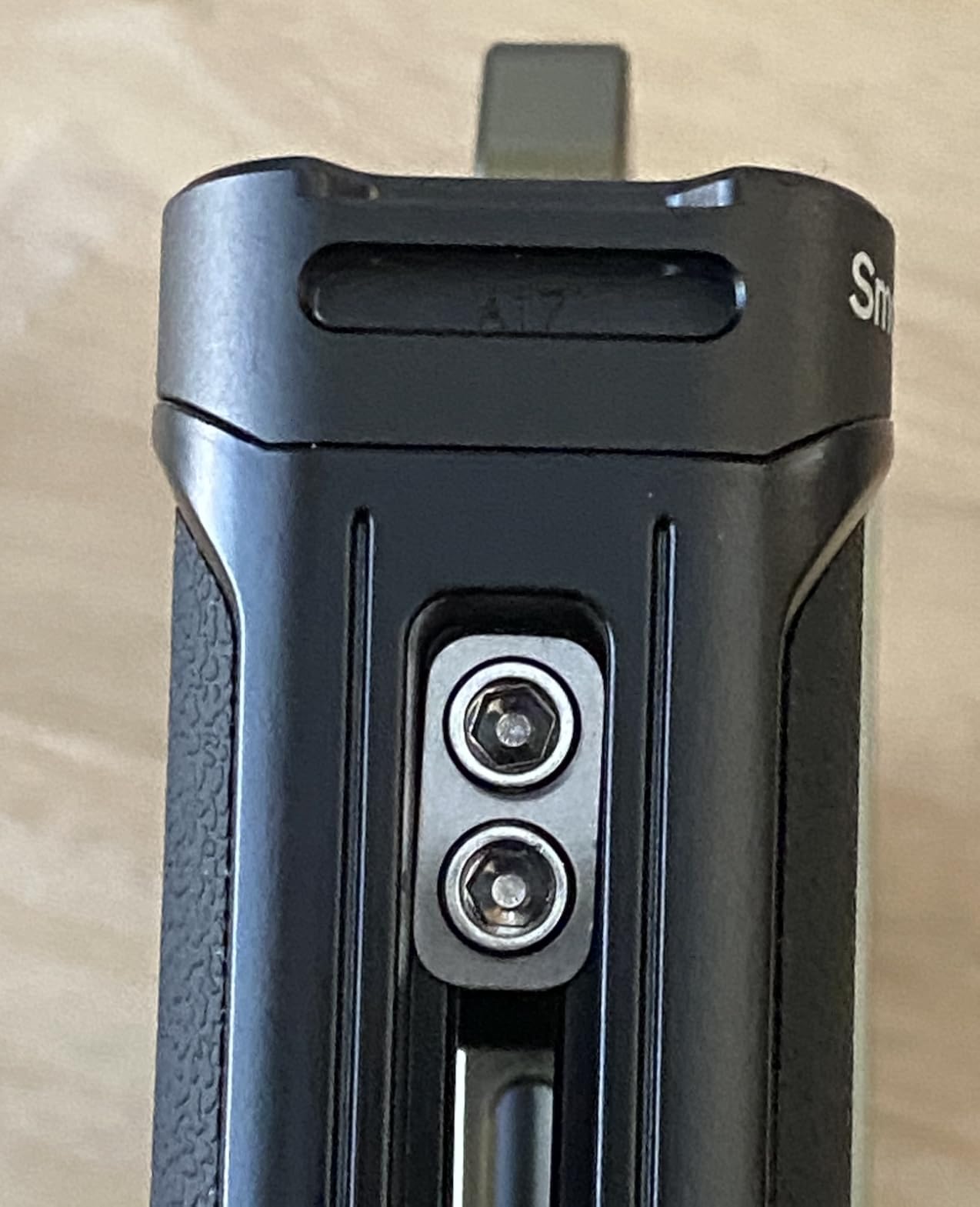
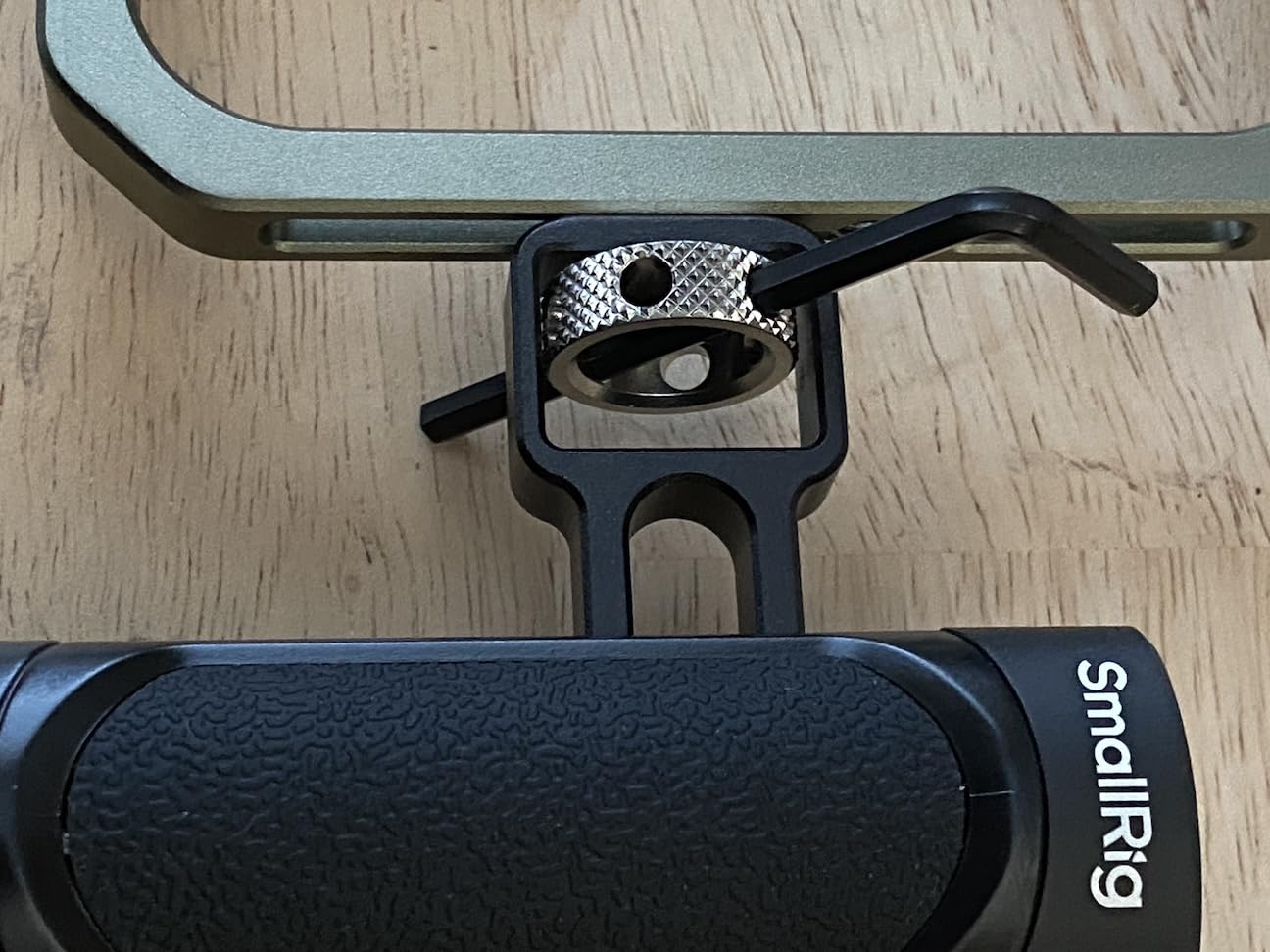
The cage fits phones between 57mm and 90mm wide, so it works with cases on the latest iPhone 17 Pro Max and the Samsung Galaxy S24 Ultra. SmallRig included a built-in Allen wrench tucked into the handle, which saved me from digging through my bag when I needed to tighten the cold shoe on location. The 600g total weight does add up after a few hours of handheld use, so I would not pick this for all-day travel shoots.
Threaded 1/4 inch holes on the bottom and sides let me mount this rig to a Manfrotto tripod, a slider, and even a shoulder strap mount for documentary-style work. Out of the eight rigs I tested, this one gave me the most confidence that my phone would not slip mid-shot.
For Whom the SmallRig Universal Phone Cage Is Good
This rig is the right choice for creators who want a single cage that handles both vertical and horizontal filming without swapping gear. If you are running interviews, run-and-gun b-roll, and studio setups, the cold shoe flexibility means you can reconfigure accessories for each shot without buying extra plates.
It also works well for creators who already own SmallRig accessories, since the mounting pattern is compatible with their larger ecosystem of handles, side grips, and monitor mounts. Newer smartphone users with the latest iPhone 17 or Galaxy S25 will get a confident fit thanks to the wide 57mm to 90mm adjustment range.
For Whom the SmallRig Universal Phone Cage Is Less Ideal
The 600g weight with accessories attached makes this a poor pick for all-day travel vlogging or anyone who films with one hand for hours. Smaller-handed creators may find the dual handles feel wide in vertical orientation, especially if you need to reach the record button with your thumb.
Beginners who do not yet own external microphones or lights will not benefit from the cold shoe mounts. In that case, a simpler cage like the Ulanzi U Rig Pro gives you the same basic stability without paying for mounting points you will not use yet.
2. ULANZI U Rig Pro – Best Budget Phone Rig for Vertical Video
ULANZI U Rig Pro Smartphone Video Rig, Filmmaking Vlogging Case Phone Video
Triple cold shoe,Lightweight 169g,Universal 2 to 3.5 inch fit
Pros
- Triple cold shoe mounts
- Lightweight aluminum build
- Two 1/4 inch threads
- Spring clip fits most phones
- Tripod mountable
Cons
- 184g max accessory weight
- No built-in audio
The Ulanzi U Rig Pro is the rig I recommend to anyone just starting out with vertical video and not ready to spend over a hundred dollars. At under twenty dollars with almost six thousand reviews, it is the most popular budget phone cage on the market, and after testing it for a week I understand why.
The aluminum frame is light at 169g, which keeps the rig from tipping forward when I flip the phone into vertical orientation. Three cold shoe mounts give you room to attach a small LED light on one side, a shotgun microphone on the top, and still leave a third shoe open for a receiver or monitor. For TikTok creators, this is more than enough.
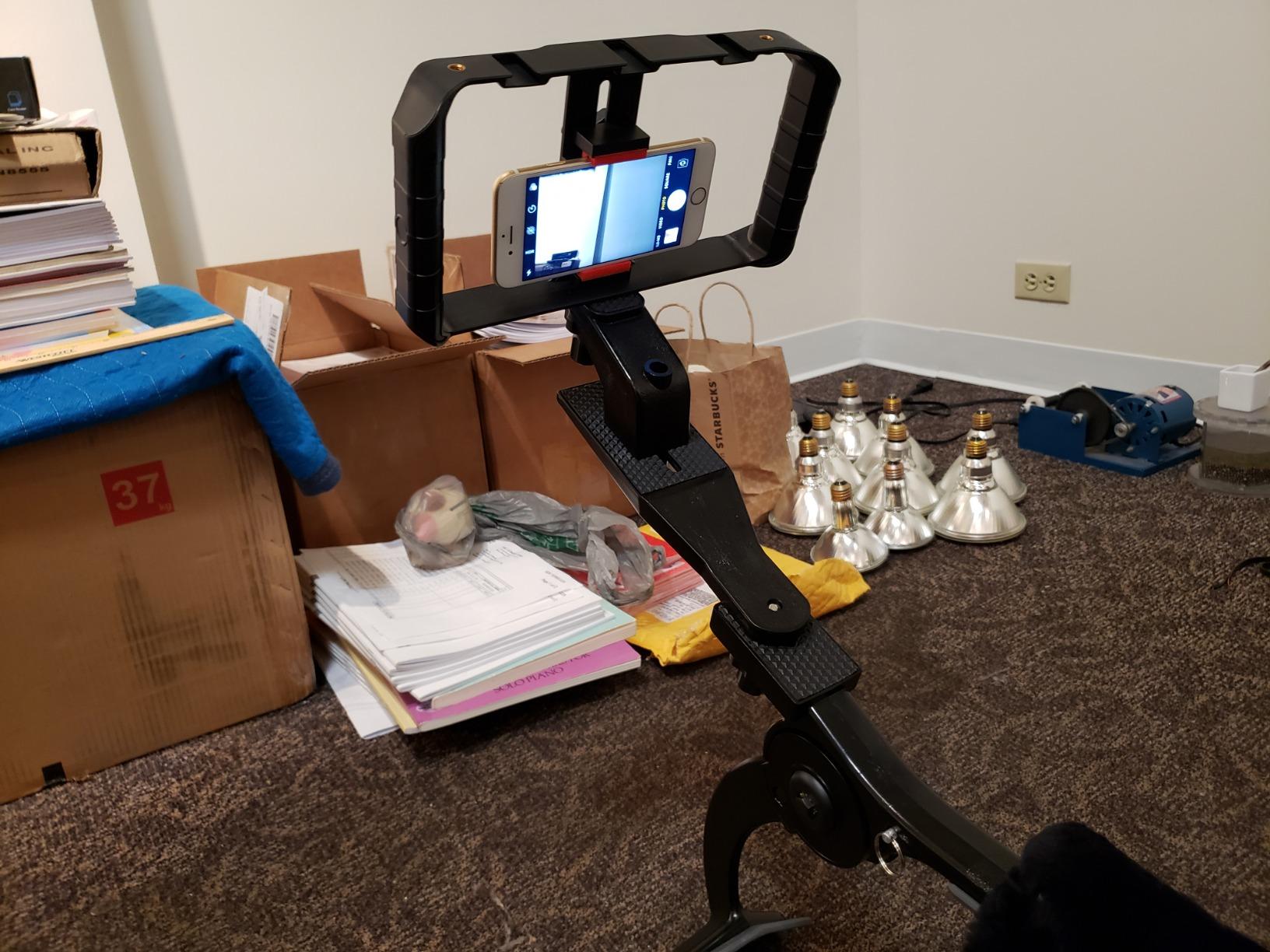
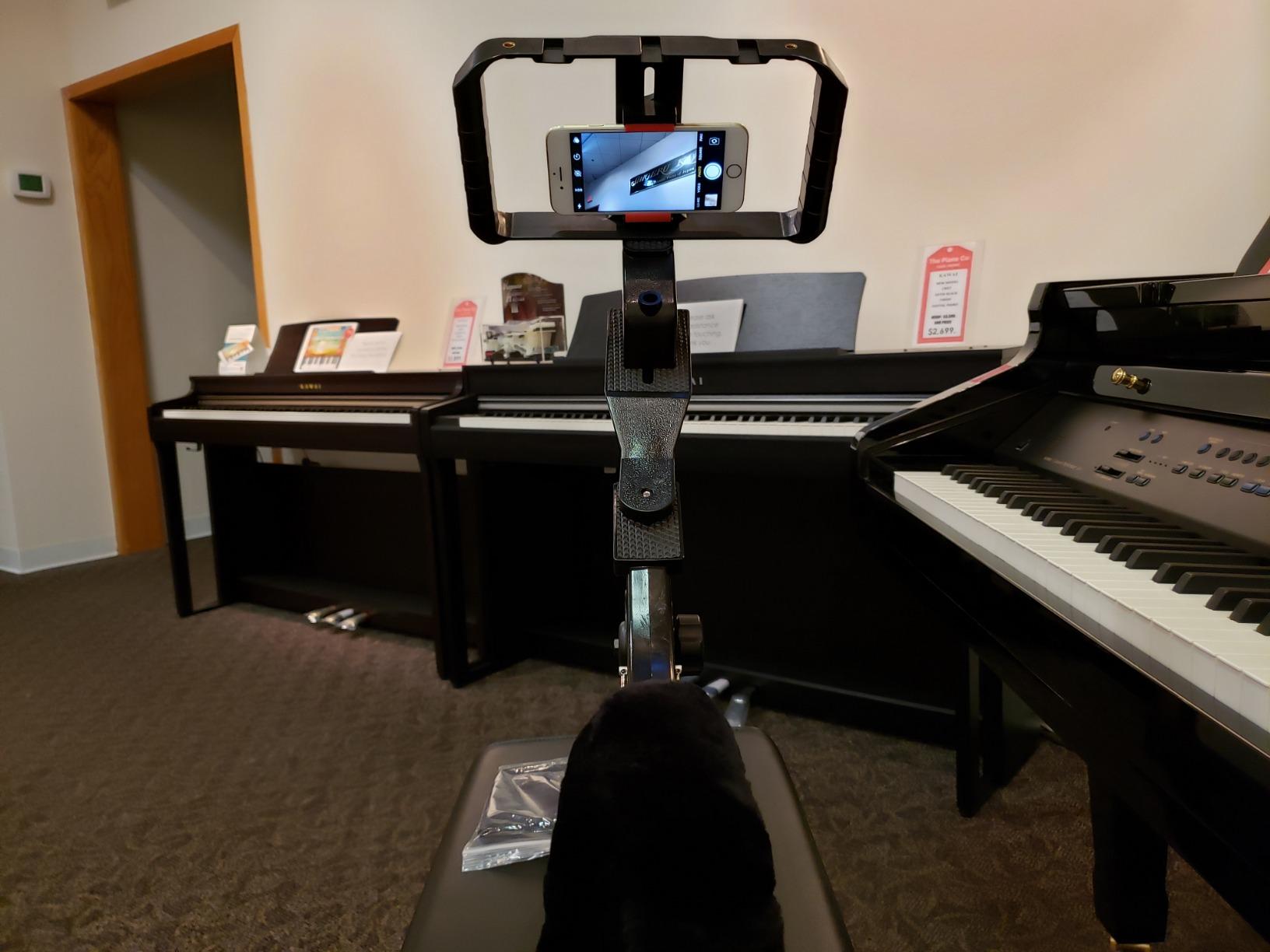
The spring-loaded phone clip holds devices between 2 and 3.5 inches wide, which covers every modern iPhone and Galaxy phone with or without a slim case. I tested it with a Pixel 8 Pro in a Spigen case and it locked in securely with no wobble. The bottom 1/4 inch thread let me mount the cage to a small tabletop tripod for stable hands-free vertical shots.
The 184g maximum weight recommendation is the biggest limitation. If you plan to attach a heavy monitor or large microphone, this rig will feel unbalanced in vertical mode. Stick to lightweight accessories like a Rode VideoMicro or a small on-camera LED and it performs well for the price.
For Whom the ULANZI U Rig Pro Is Good
This is the best budget phone rig for vertical video creators who need a simple, reliable cage without breaking the bank. Beginners, students, and hobbyists who film TikToks and Instagram Reels will get all the stability they need for handheld vertical shots.
It is also a strong pick for creators who already own lightweight accessories and want a no-fuss mount. The triple cold shoe layout is generous at this price point, and the universal clip means you can hand the rig to a friend with a different phone and it will still work.
For Whom the ULANZI U Rig Pro Is Less Ideal
If you plan to attach a heavy directional microphone, an external monitor, or a large LED panel, the 184g max weight will leave the rig feeling front-heavy in vertical mode. Heavy accessory users should move up to a sturdier cage like the SmallRig Universal Phone Cage.
Creators who shoot long interviews or podcasts with a boom microphone will also find the spring clip less stable than a screw-locking cage. The clip is fine for handheld work, but constant repositioning during seated shoots can cause minor drift.
3. SmallRig P20 Foldable Phone Cage – Best for Travel and Pocket Use
SmallRig P20 Foldable Universal Phone Cage, Smartphone Video Rig Filmmaking Vlogging Case Stabilizer for Videomaker Video-grapher for iPhone 17 16 15 14 13 for Samsung and Other Android Phones – 4047
Foldable to 7 inches,189g weight,Silicone comfort grip
Pros
- Folds flat to 7 inches
- Pocket portable design
- Foldable cold shoe mounts
- Silicone comfort handles
- Mechanical lock
Cons
- Handles do not swivel
- Bulky for smaller hands
I packed the SmallRig P20 Foldable in my coat pocket on a five-day trip to Lisbon, and it was the rig I reached for whenever I wanted a quick vertical b-roll shot. When folded, the handles collapse down to about 7 inches, which is small enough to fit in a jacket pocket or a sling bag without taking up the space a full cage would.
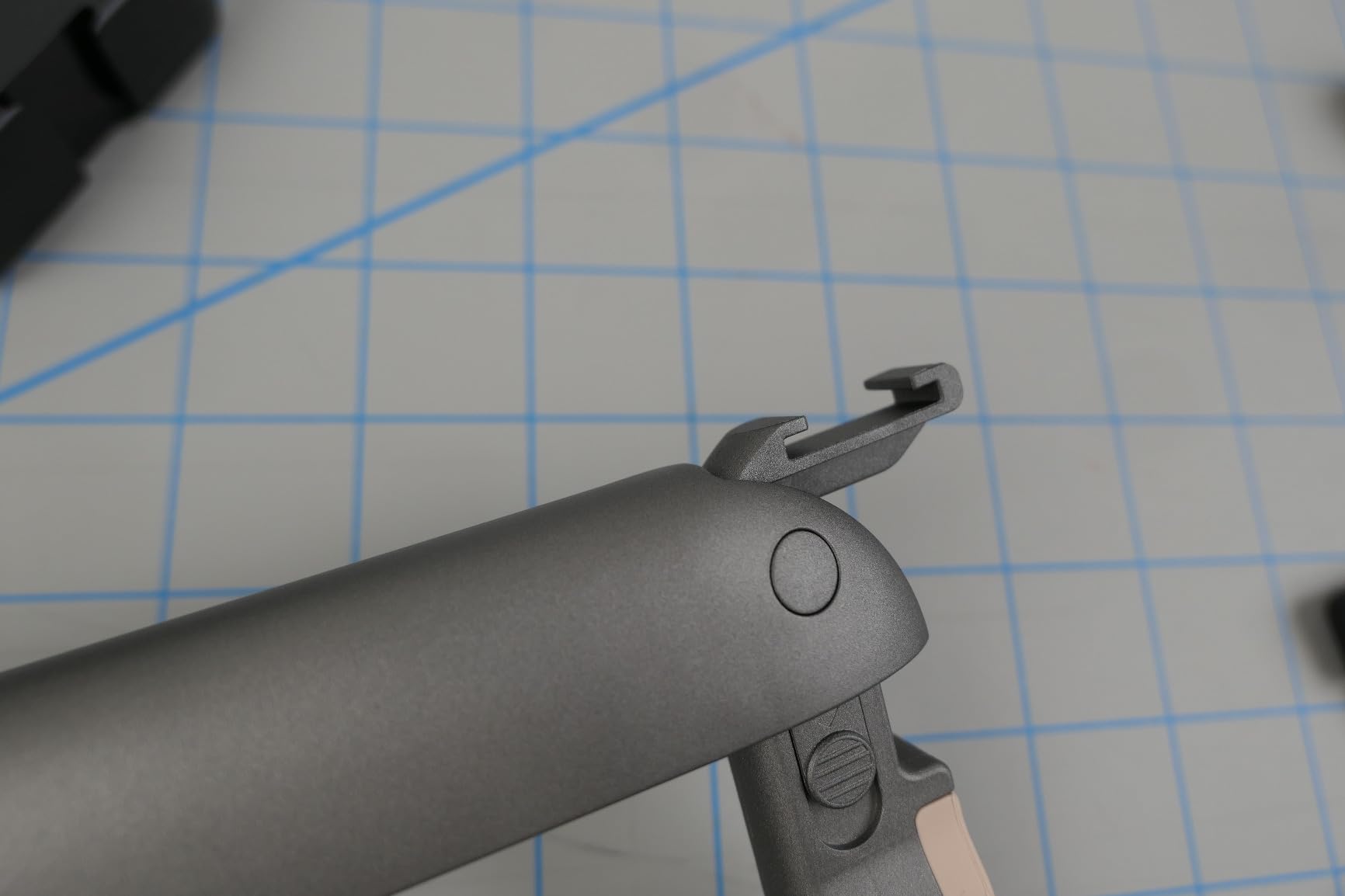
Despite the compact design, the P20 still ships with two foldable cold shoe mounts on either end of the handles. I ran a small wireless mic transmitter on one side and a clip-on LED on the other, and the rig stayed balanced in vertical orientation. The silicone handle covers felt soft even during long handheld sessions.
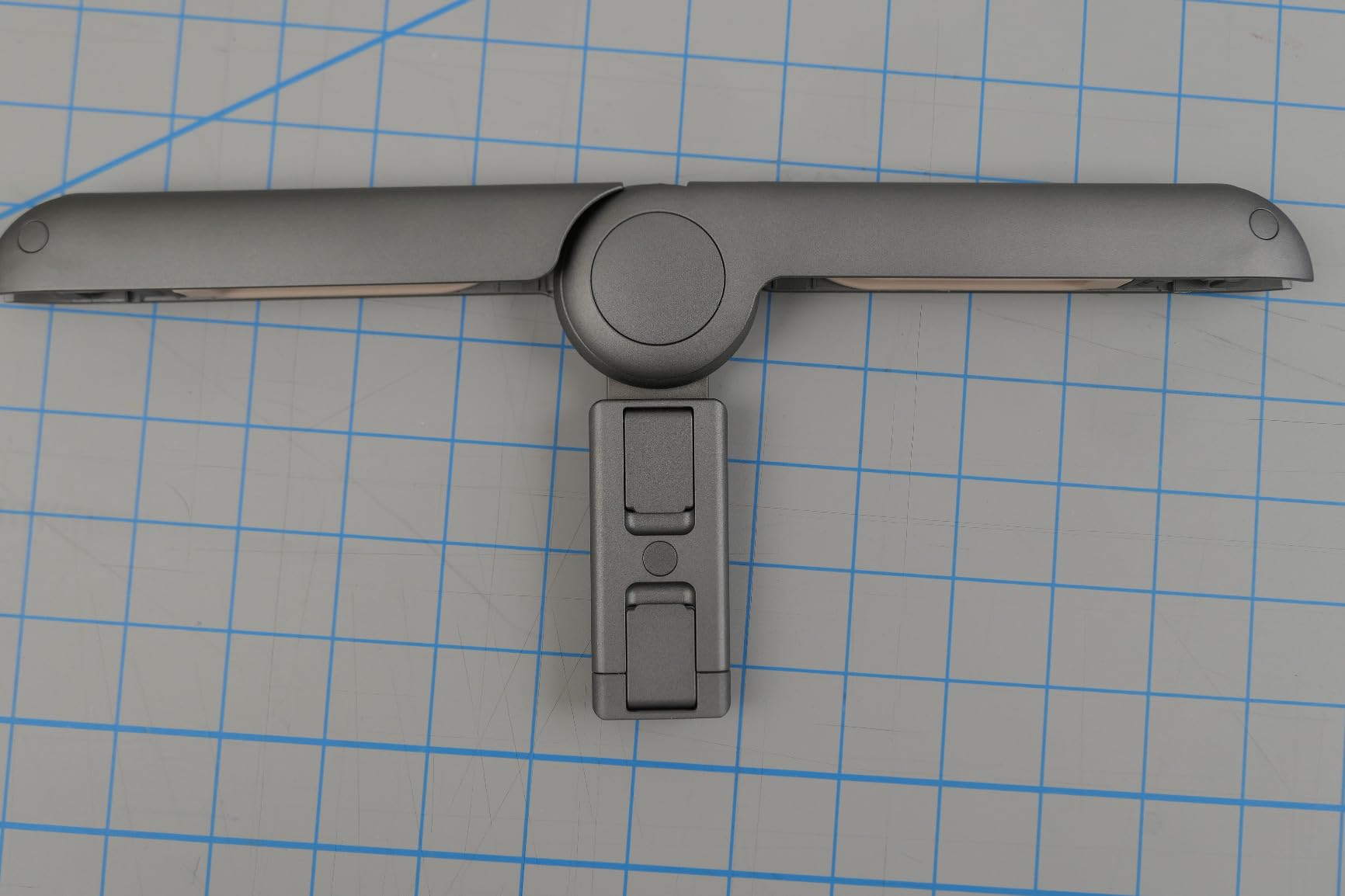
At 189g the P20 is barely noticeable in a bag, which matters when you are already carrying a phone, a small tripod, and a microphone. The mechanical lock that secures the handles felt solid during testing, and the rubber pads on the phone clamp kept my Pixel 7 Pro free of scratches even after repeated mounting.
The main limitation is that the handles do not swivel. To switch from low-angle to high-angle shots you rotate your whole body rather than just adjusting the grip. For travel creators shooting quick clips, this is a fair trade for the portability, but studio creators who need flexible angles may find it restrictive.
For Whom the SmallRig P20 Is Good
Travel vloggers, backpack journalists, and street photographers who need a cage that disappears in a pocket will love this rig. If you film on the move and want to avoid carrying a dedicated camera bag, the P20 collapses small enough to live in a jacket pocket alongside your phone.
Casual vertical video creators who only attach one or two small accessories will get a balanced setup without overpaying for mounting points they will not use. The mechanical lock also appeals to creators who want a tool-free setup that does not rattle loose mid-walk.
For Whom the SmallRig P20 Is Less Ideal
Creators who need to swivel the handles for high or low angles without moving their feet will be frustrated by the fixed handle design. Studio filmmakers working on scripted shoots usually want adjustable handles to change framing quickly.
Smaller-handed users may find the cage bulky when fully extended, especially when shooting vertical video close to the body. People with smaller grips often prefer a single-handle rig or a compact gimbal for tighter control.
4. NEEWER Upgraded Phone Rig Vlogging Kit – Best Vlogging-Specific Cage
NEEWER Upgraded Phone Rig Vlogging Kit, Video Stabilizer with Dual Handle, Wireless Mic Clip Slot for TikTok YouTube, Compatible with SmallRig iPhone 17 Pro Max 16 16e 15 Galaxy S25 Ultra, PA009
Adjustable 2.2 to 4 inch fit,Foam dual handles,Wireless mic slot
Pros
- Wide phone compatibility
- Foam-coated handles
- Two cold shoe mounts
- Wireless mic clip slot
- Vertical and horizontal modes
Cons
- Left handle can rattle
The NEEWER Vlogging Kit was the rig I handed to a first-time creator during a TikTok workshop, and within five minutes she was filming confident vertical walkthroughs of her coffee shop. The dual foam handles feel soft in the hand and the cage adjusts from 2.2 to 4 inches wide, so her iPhone 16 Pro Max with a thick OtterBox case locked in without any struggle.
The dedicated wireless microphone clip slot on top of the cage is the standout feature for vloggers. I dropped a Rode Wireless Go II transmitter into the slot and the cage held it steady without any wobble. For TikTok and YouTube Shorts creators who rely on wireless audio, this slot removes the need for a separate mounting bracket.
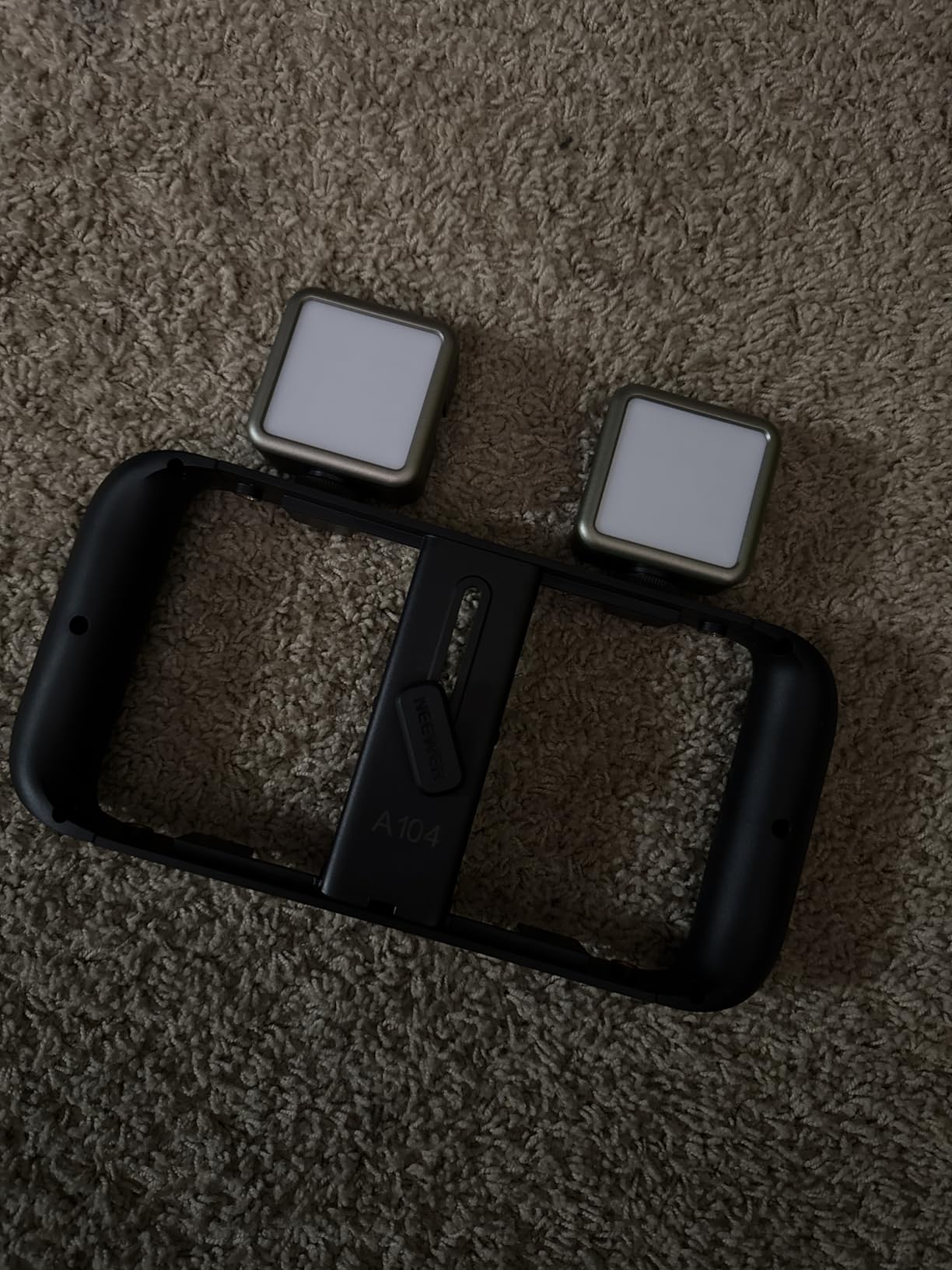
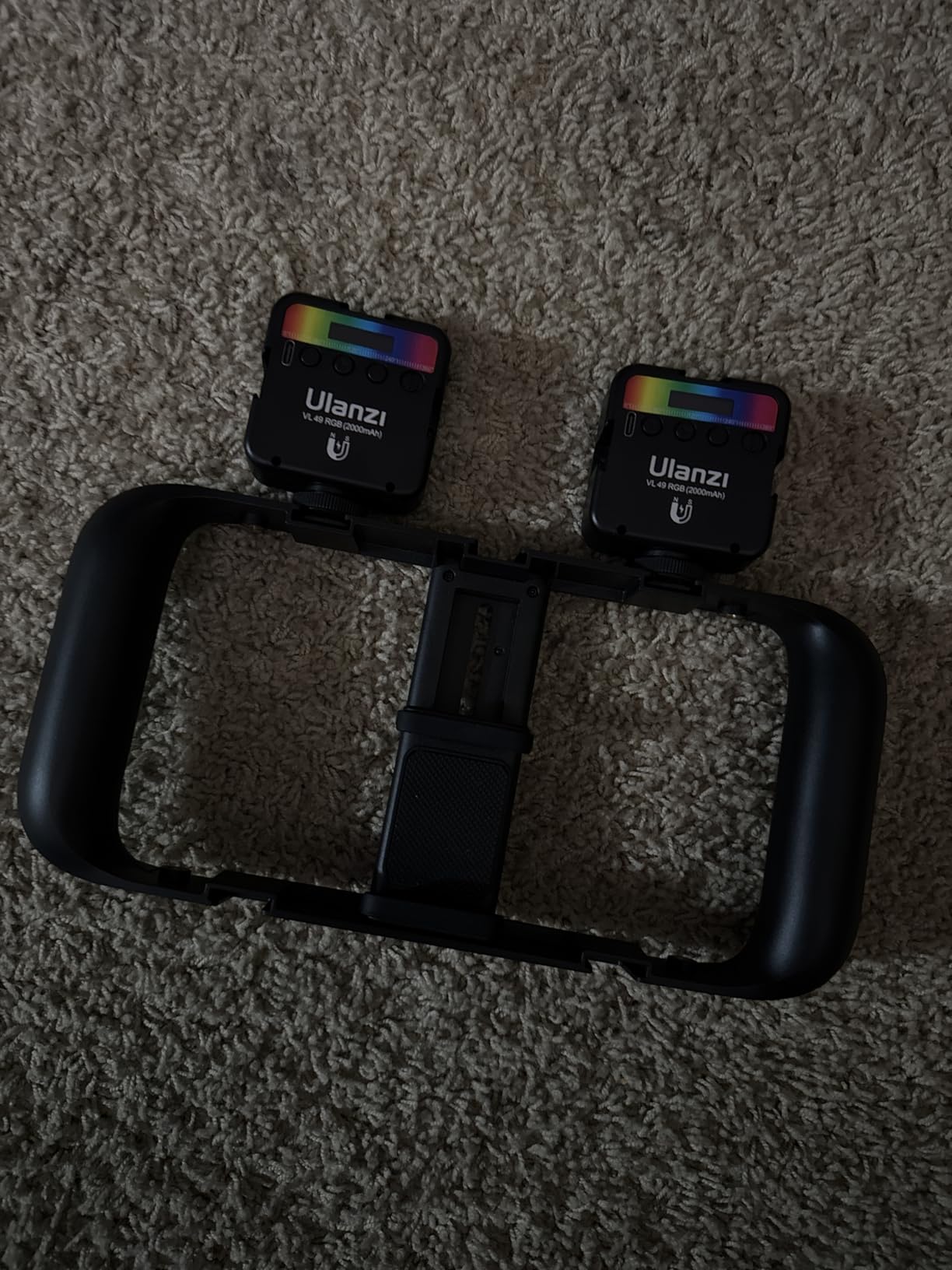
Two cold shoe mounts give you room for an LED panel and a backup microphone, and the cage flips easily between vertical and horizontal shooting modes without removing the phone. The aluminum alloy build feels solid in the hand and the foam coating kept my palms comfortable during a 45-minute handheld interview session.
The left handle can develop a slight rattle over time as the trapezoidal interface loosens, which is audible on quiet recordings if you mount a microphone directly on the cage. NEEWER’s customer service is responsive if you run into this, and a small piece of gaffer tape solves it on set.
For Whom the NEEWER Vlogging Kit Is Good
This is a strong pick for vloggers who rely on wireless microphones and need a quick slot to mount them. If your workflow involves a Rode Wireless Go II, DJI Mic, or Hollyland system, the dedicated clip slot removes friction from setup and keeps your audio gear in the same place every shoot.
The wide 2.2 to 4 inch clamp range also makes this cage future-proof. If you upgrade from an iPhone 14 to a Pro Max or switch from Samsung to Pixel, this rig will still fit. Creators who share gear with friends or family will appreciate the generous adjustment range.
For Whom the NEEWER Vlogging Kit Is Less Ideal
If you record mostly quiet audio with sensitive microphones, the slight rattle from the left handle can show up in your tracks. Mounting the microphone off the cage on a separate boom or using a tighter foam wrap usually fixes the issue, but it is worth knowing.
Studio creators who do not need the wireless mic clip slot may find better value in a simpler cage with sturdier handle locks. The NEEWER is feature-rich for vloggers, but the rattle issue suggests it is not built for long-term daily studio abuse.
5. SmallRig Phone Video Cage Dual Handheld Kit 5541 – Best Premium Build for iPhone 17 Pro Max
SmallRig Phone Video Cage Dual Handheld Kit for iPhone 17 Pro Max, Phone Rig with Wireless Quick Release Side Handle, 17mm T-Mount Lens Backplate for Video Recording/YouTube/Live Streaming/Vlog – 5541
iPhone 17 Pro Max specific,17mm T-mount lens plate,Wireless remote handle
Pros
- Solid metal frame
- Wireless remote handle
- 17mm lens mount
- MagSafe case included
- Quick-release HawkLock system
Cons
- Limited iPhone compatibility
- Remote can detach
The SmallRig 5541 is the most premium-feeling cage in this guide, designed specifically for the iPhone 17 Pro Max. I tested it with the latest Pro Max and the rigid metal frame made the phone feel like a mini cinema camera. The included MagSafe case with a strong magnet locks the phone into the cage instantly, no screws required.
The wireless remote handle is the feature that sold me. A Bluetooth remote built into one of the grips lets you start and stop recording without touching the phone, which is a game-changer for solo vertical video creators. The remote has a 10 meter range, so you can mount the cage on a tripod, walk into frame, and trigger recording remotely.
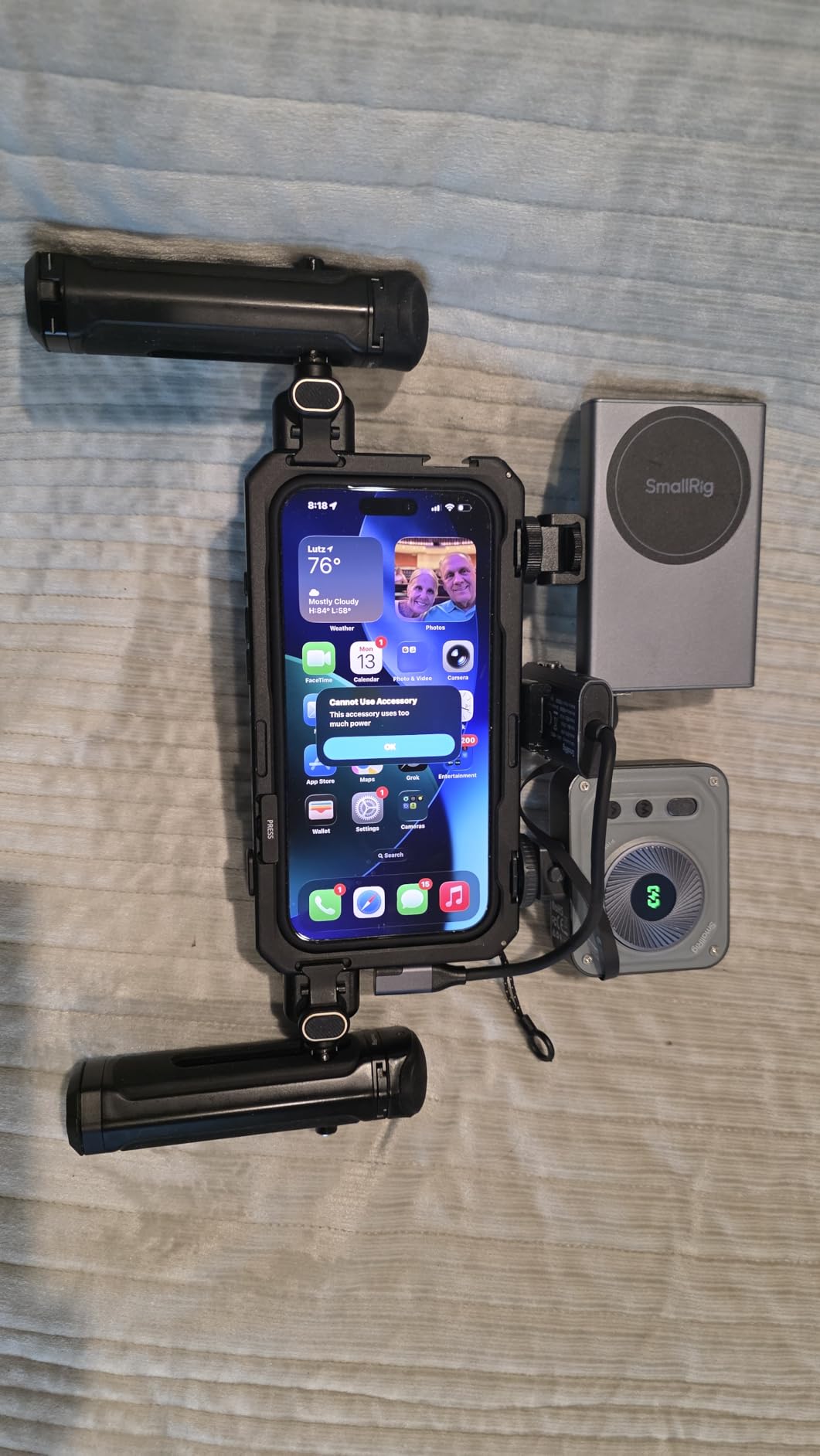
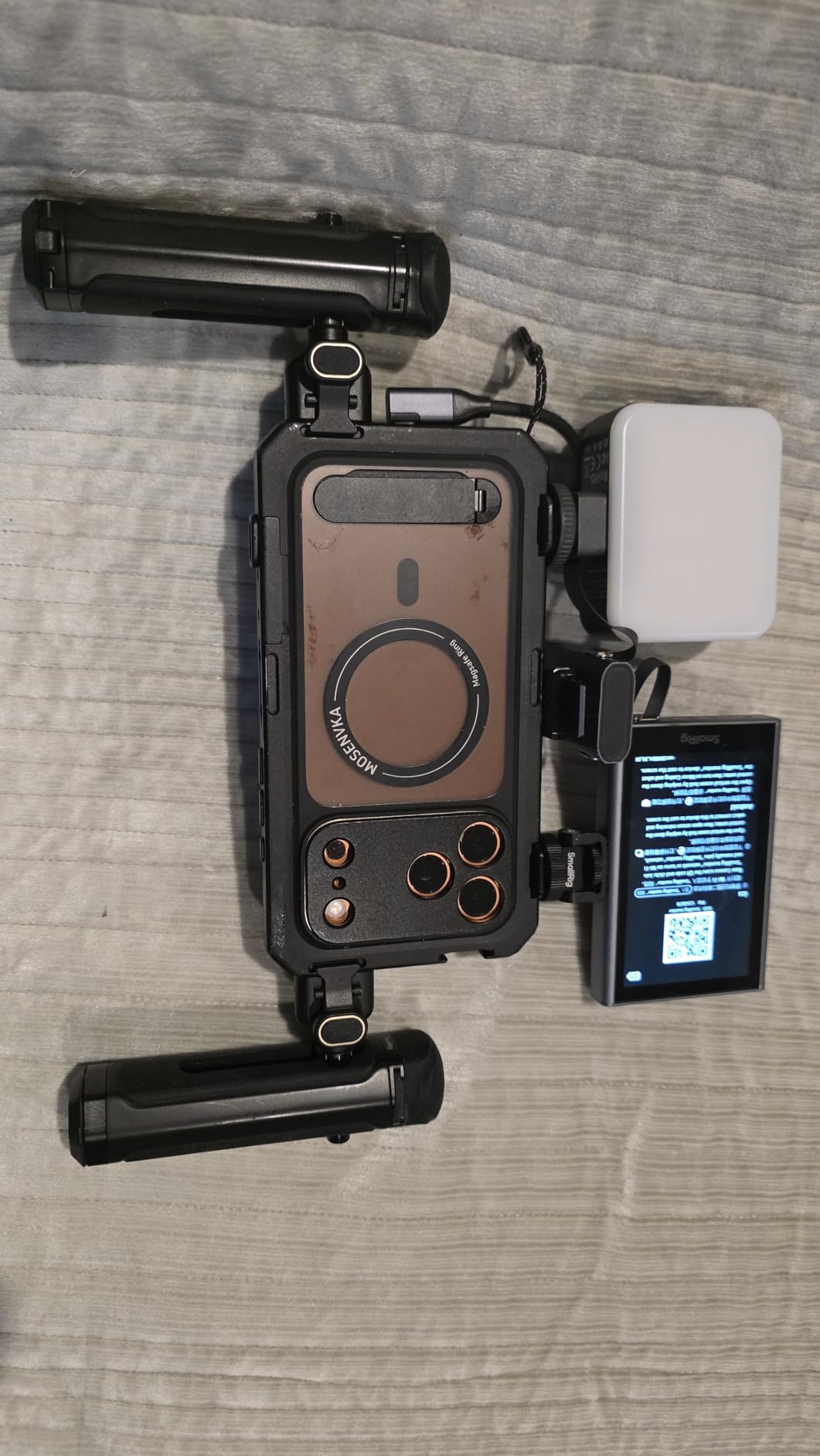
The 17mm T-Mount lens backplate is unique in this category. It lets you attach cinema-style lenses for shallow depth of field and anamorphic effects that smartphone native lenses cannot match. Pair this with a 67mm magnetic filter adapter and you have a tiny cinema rig in your hand.
The HawkLock H11 quick-release system means you can detach handles, mount accessories, and reconfigure the rig without tools. For creators who film in changing environments, this saves minutes per shoot. The main trade-off is that this kit is built for the iPhone 17 Pro Max specifically, so it will not fit older phones or most Android devices.
For Whom the SmallRig 5541 Is Good
iPhone 17 Pro Max owners who want the most premium, future-proof vertical video rig will get the most out of this kit. The MagSafe integration, wireless remote, and 17mm lens mount make this the closest thing to a cinema camera you can get in a phone cage.
Professional creators who shoot hybrid content for clients and want to use cinema lenses on a smartphone platform will appreciate the T-Mount compatibility. If you are already invested in 17mm lenses from a larger camera system, this cage lets you bring that glass to your phone.
For Whom the SmallRig 5541 Is Less Ideal
Anyone not using the iPhone 17 Pro Max should skip this cage. The custom MagSafe case and the Pro Max-specific dimensions mean it will not fit older iPhones, smaller iPhones, or any Android phone. Cross-platform creators should look at the SmallRig Universal Phone Cage instead.
The remote can occasionally detach from the handle if bumped hard, which is a minor but real concern for run-and-gun shooters. Most users report it stays put, but a tether or a small piece of tape gives peace of mind during fast-paced shoots.
6. SmallRig Universal Phone Video Rig Kit 3384 – Best Complete Vlogging Kit
SmallRig Universal Phone Video Rig Kit for iPhone for Huawei -3384D
Full creator kit with mic and LED,1.2 kg total weight,Universal iPhone and Android fit
Pros
- Includes microphone and LED
- Tripod included in kit
- Carrying case included
- Sturdy build quality
- Multiple mounting points
Cons
- Vertical tripod position can wobble
- Microphone dongle is basic
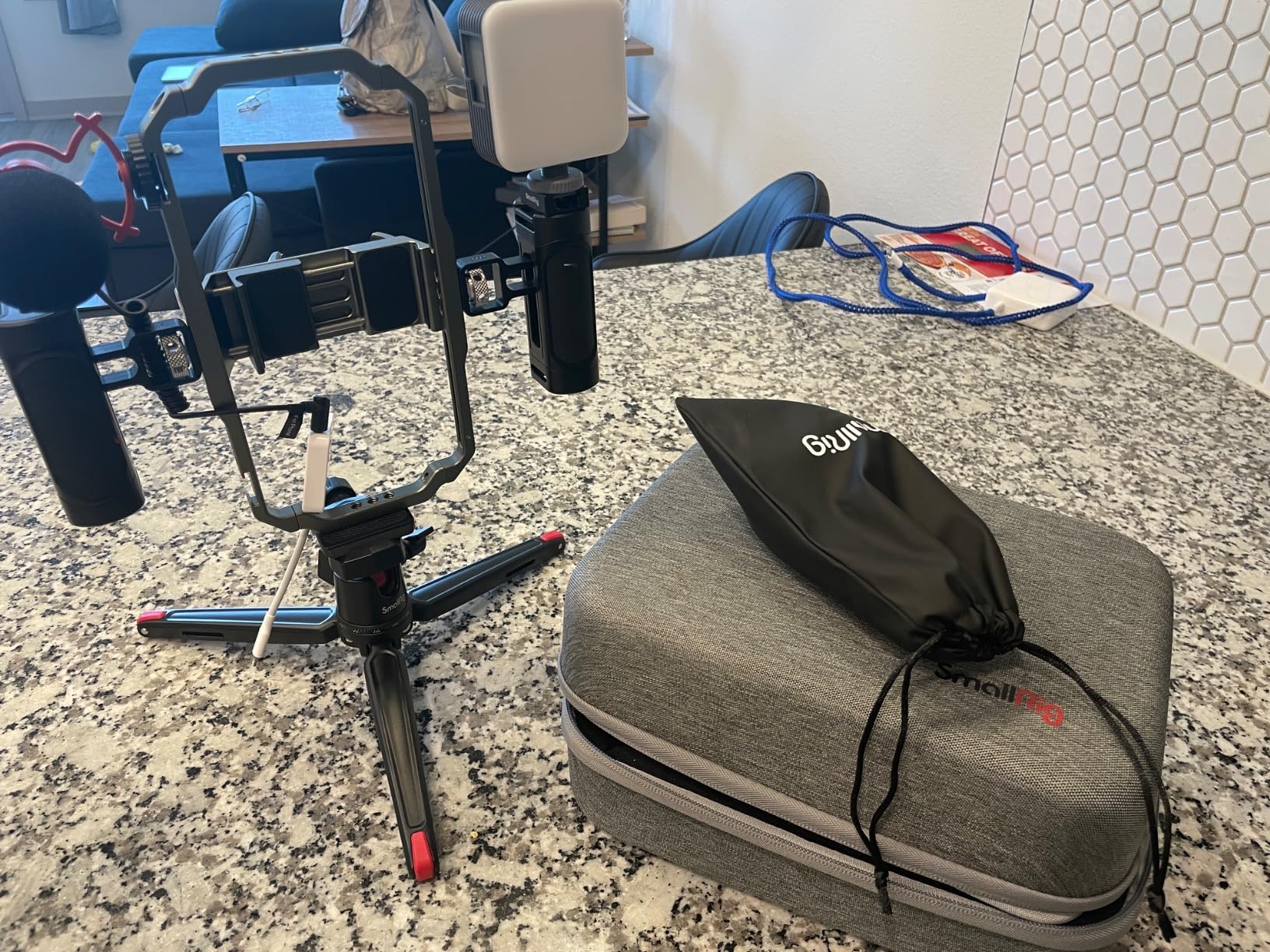
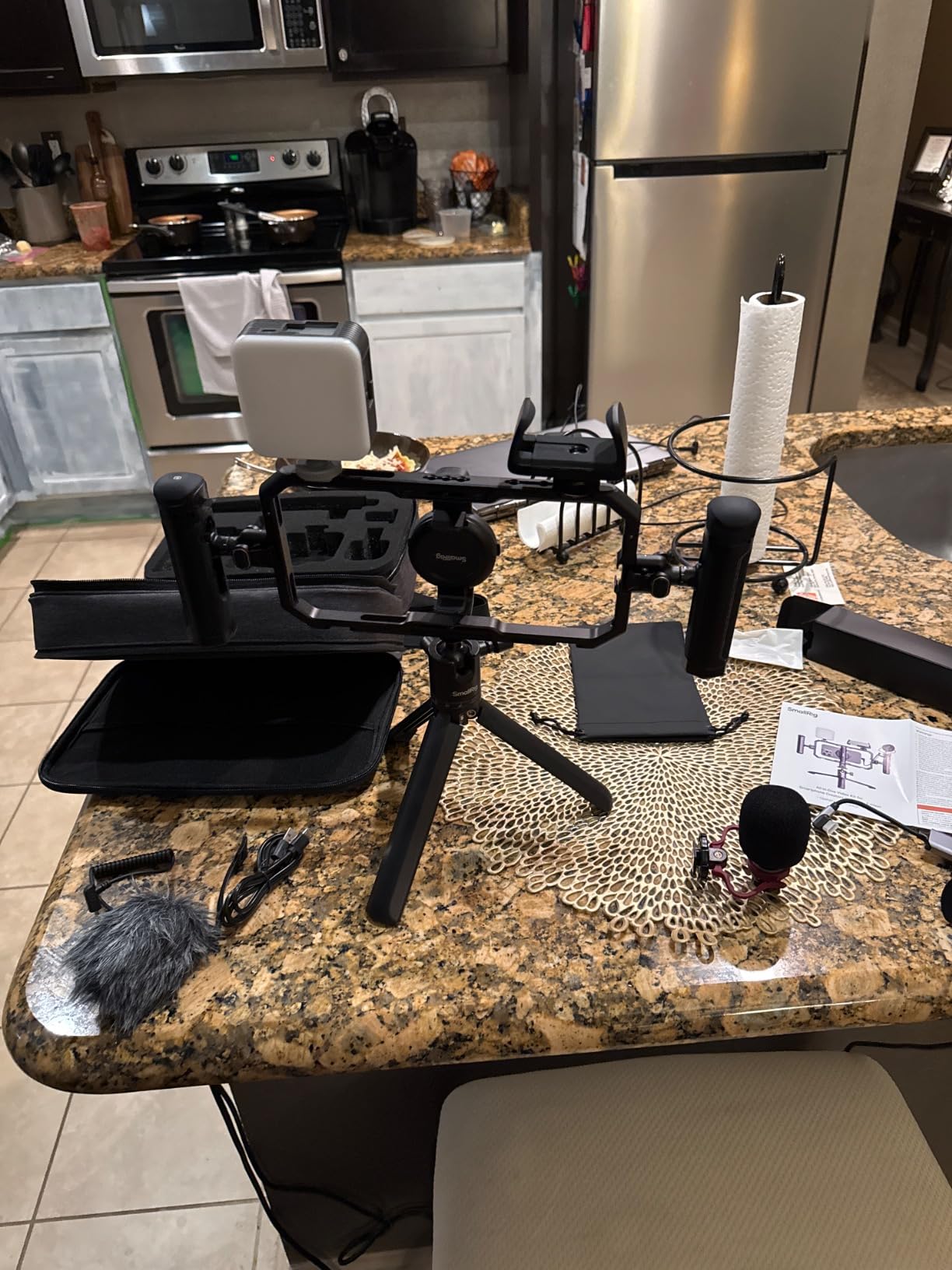
The SmallRig 3384 is the kit I recommend when someone asks for everything they need in one box. Out of the package you get the phone cage, dual side handles, a tabletop tripod, a directional microphone, an adjustable LED light, and a carrying case. I unboxed this rig at a hotel room and was filming a product review within ten minutes.
The microphone is a cardioid shotgun design with a wind guard included, which is rare at this price point. I recorded outdoor interviews in moderate wind and the audio came through clean enough for YouTube without needing a separate audio recorder. The LED light adjusts from 0 to 100% brightness and 2700K to 6500K color temperature, which covers warm indoor tones to cool daylight.
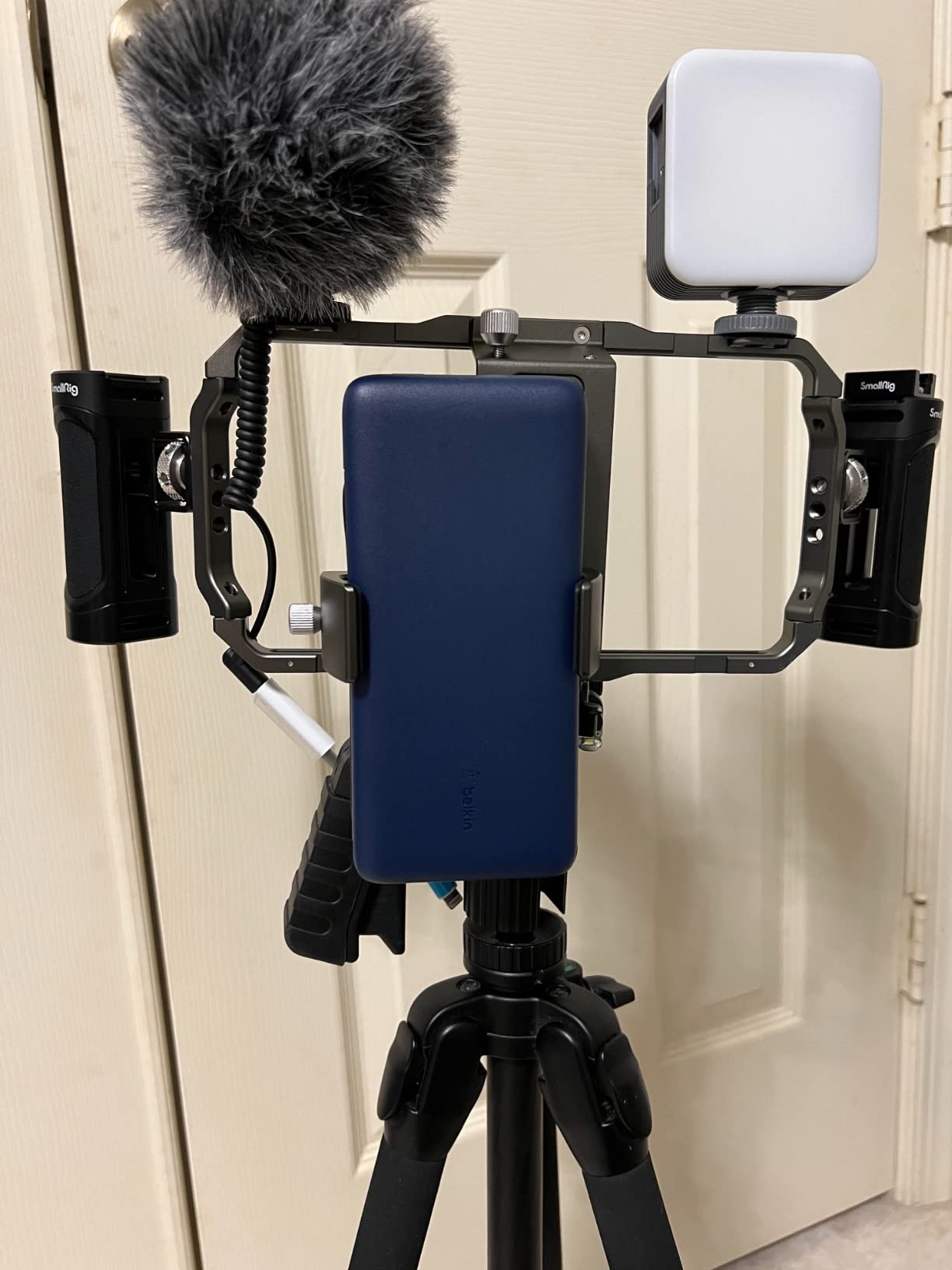
At 1.2 kg total weight, this is the heaviest rig in the guide, but the included tripod handles the load well for static shots. The cage fits phones from 62mm to 86mm wide, so iPhone Pro Max and Galaxy S Ultra phones all fit comfortably. The carrying case is sturdy enough to toss in a backpack for travel shoots.
Vertical mounting on the tripod can feel slightly wobbly compared to horizontal mode because of the cage weight distribution. For static vertical shots this is fine, but for handheld vertical walking shots the 1.2 kg can fatigue your wrist after about 30 minutes. The included microphone uses a USB-C dongle that feels basic, though it works reliably.
For Whom the SmallRig 3384 Is Good
Creators who want a turnkey vertical video kit without buying accessories separately will get excellent value here. The microphone, LED, tripod, and case combination would cost more if purchased individually, so the kit pricing makes sense for beginners and intermediate creators.
Travel vloggers who shoot a mix of talking head, product, and b-roll content will benefit from the all-in-one approach. If you film in hotels, cafes, and outdoor locations, having everything in a single case saves packing time and reduces the chance of forgetting a critical accessory.
For Whom the SmallRig 3384 Is Less Ideal
Creators who already own a quality microphone and LED light will not need the bundled accessories and can save money with a bare cage. In that case, the SmallRig Universal Phone Cage gives you the same core stability at a much lower price.
Run-and-gun shooters who film long handheld vertical segments will find the 1.2 kg weight tiring. If most of your content is walking tours, travel b-roll, or street interviews, a lighter setup like the Movo iFilmer-PRO will serve you better.
7. SmallRig All-in-One Quick Release Phone Video Rig Kit Pro 4704 – Best Pro Quick Release Setup
SmallRig All-in-One Universal Phone Video Rig Kit – 4704
Quick release handles,LED + shotgun mic,Power bank holder
Pros
- Quick release magnetic handles
- LED and microphone included
- 360 degree rotating handles
- Power bank holder
- 9 to 11 kg damping adjustment
Cons
- Premium price point
- Heavier at 1.13 kg
The SmallRig 4704 Pro is the rig I pulled out when a client needed a fast, polished setup for a live-streamed product launch. The quick release handles attach magnetically and detach in seconds, which let me reconfigure the rig from handheld to tripod mode without breaking flow. For creators who film in multiple setups during a single shoot, this kind of speed is worth the premium.
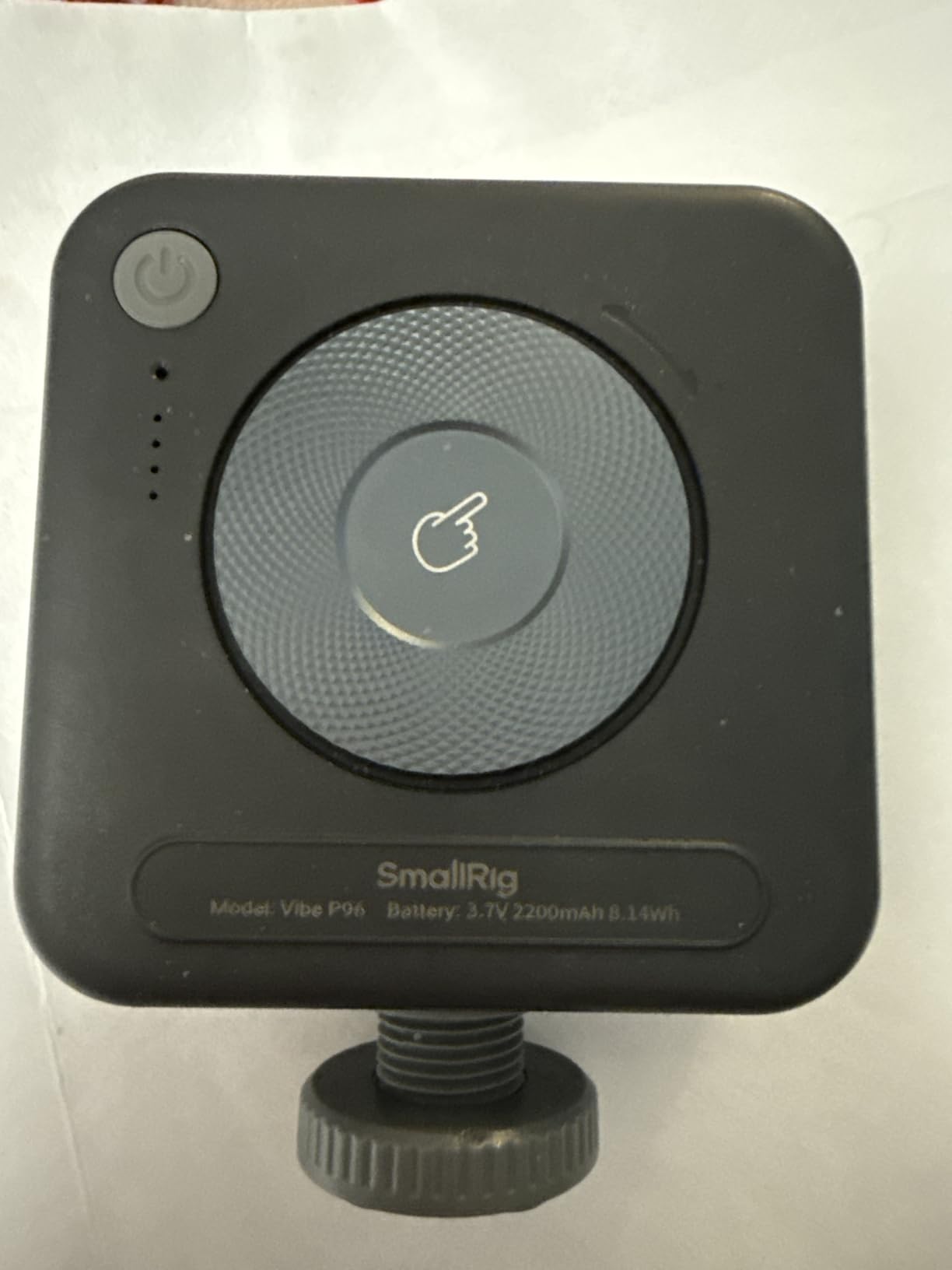
The kit includes a P96 LED light with 0 to 100% brightness and adjustable color temperature from 2700K to 6500K. The shotgun microphone has a cardioid pickup pattern that captured clear audio in a noisy convention hall when I tested it. The 9 to 11 kg damping adjustment keeps the rig stable even with heavier accessories attached.
The 360 degree rotating handles are a unique feature in this guide. You can twist the handles to find a comfortable angle for vertical handheld work without re-gripping the entire cage. The power bank holder is also a smart inclusion for live streamers who shoot for hours and need their phone charged mid-session.
This rig weighs 1.13 kg, which is on the heavier side, but the build quality justifies the weight. The premium price puts it out of reach for casual creators, but for professionals who shoot daily, the quick release system and bundled accessories pay for themselves in saved setup time.
For Whom the SmallRig 4704 Pro Is Good
Professional content creators, live streamers, and event videographers who reconfigure their rig multiple times per shoot will benefit most from the quick release system. If you swap between handheld, tripod, and gimbal modes during a session, the magnetic handles save significant time.
Creators who shoot long-form live content will appreciate the bundled power bank holder. Streaming a two-hour podcast or product demo drains phone batteries fast, and the dedicated holder keeps your charging cable out of the way while powering your phone.
For Whom the SmallRig 4704 Pro Is Less Ideal
Casual creators who film once a week will not justify the premium price. Beginners should start with the Ulanzi U Rig Pro or the SmallRig Universal Phone Cage and upgrade once they outgrow those options.
Travel shooters who prioritize light packing will find the 1.13 kg weight restrictive. If you are hiking or filming on the move, a lighter cage like the SmallRig P20 Foldable is a better fit.
8. Movo iFilmer-PRO Smartphone Video Rig Kit – Editor’s Choice Complete Kit
Movo iFilmer-PRO Smartphone Video Rig Kit
All-in-one kit with mic, LED, tripod,Six cold shoe mounts,Universal iPhone and Android
Pros
- Complete kit out of the box
- Six cold shoe mounts
- Dual-grip stabilizer
- VXR10 shotgun mic
- RGB LED light
- Carrying case included
Cons
- Cage grips phone tightly
- Setup heavy for extended use
The Movo iFilmer-PRO earned our editor’s choice award because it is the most complete vertical video rig I tested for under two hundred dollars. From the moment you open the box, you have a stabilizer cage, dual grips, a VXR10 shotgun microphone, an RGB LED light, a Bluetooth remote, a tabletop tripod, USB-C and Lightning cables, and a carrying case. Nothing else to buy.
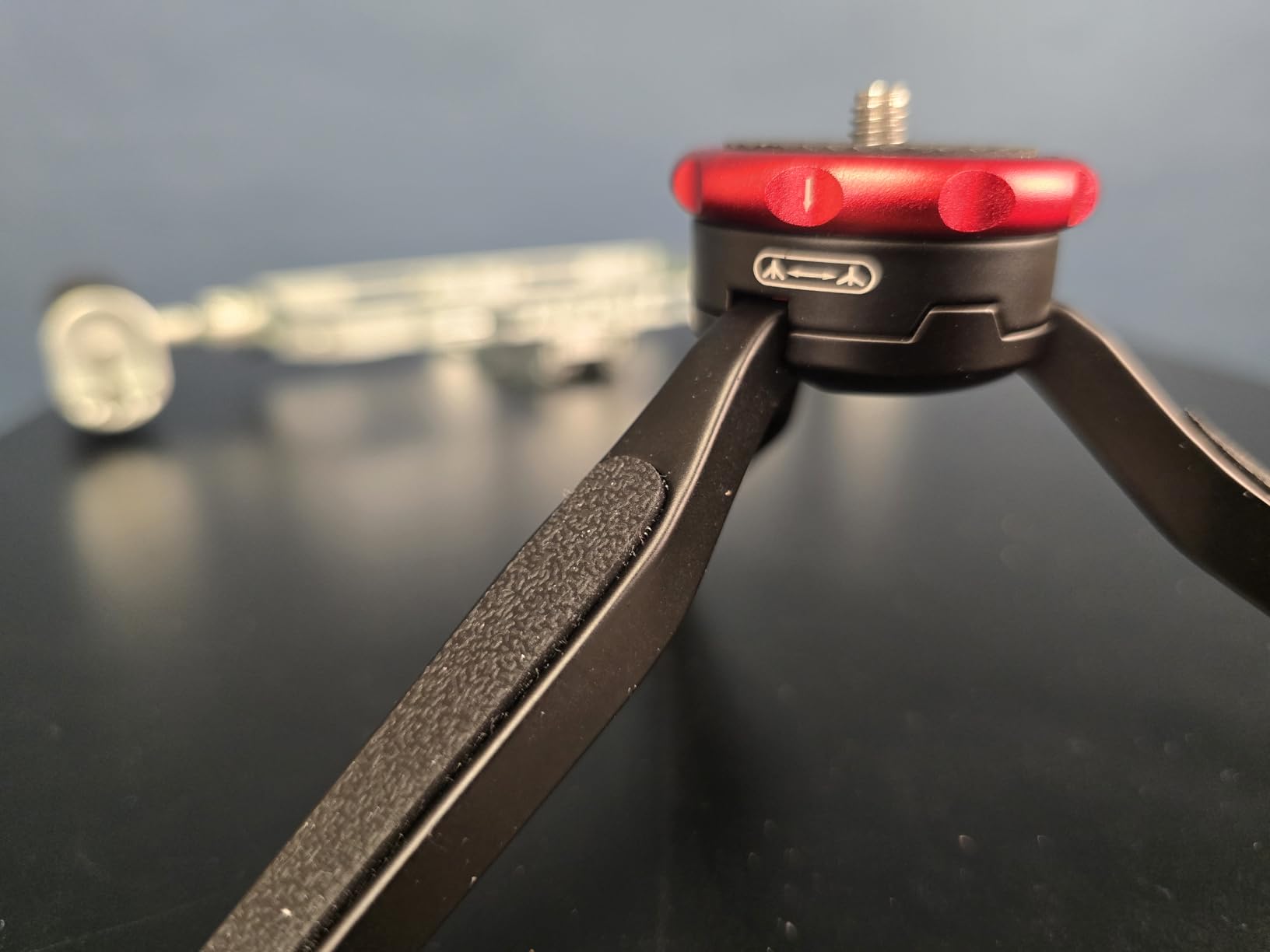
I set this rig up cold in under five minutes, which is faster than any other kit in this guide. The dual grips snap into the cage without tools and feel balanced in both vertical and horizontal orientations. The six cold shoe mounts give you more accessory placement options than any other rig tested, which is a real advantage for creators running a microphone, LED, monitor, and wireless receiver simultaneously.
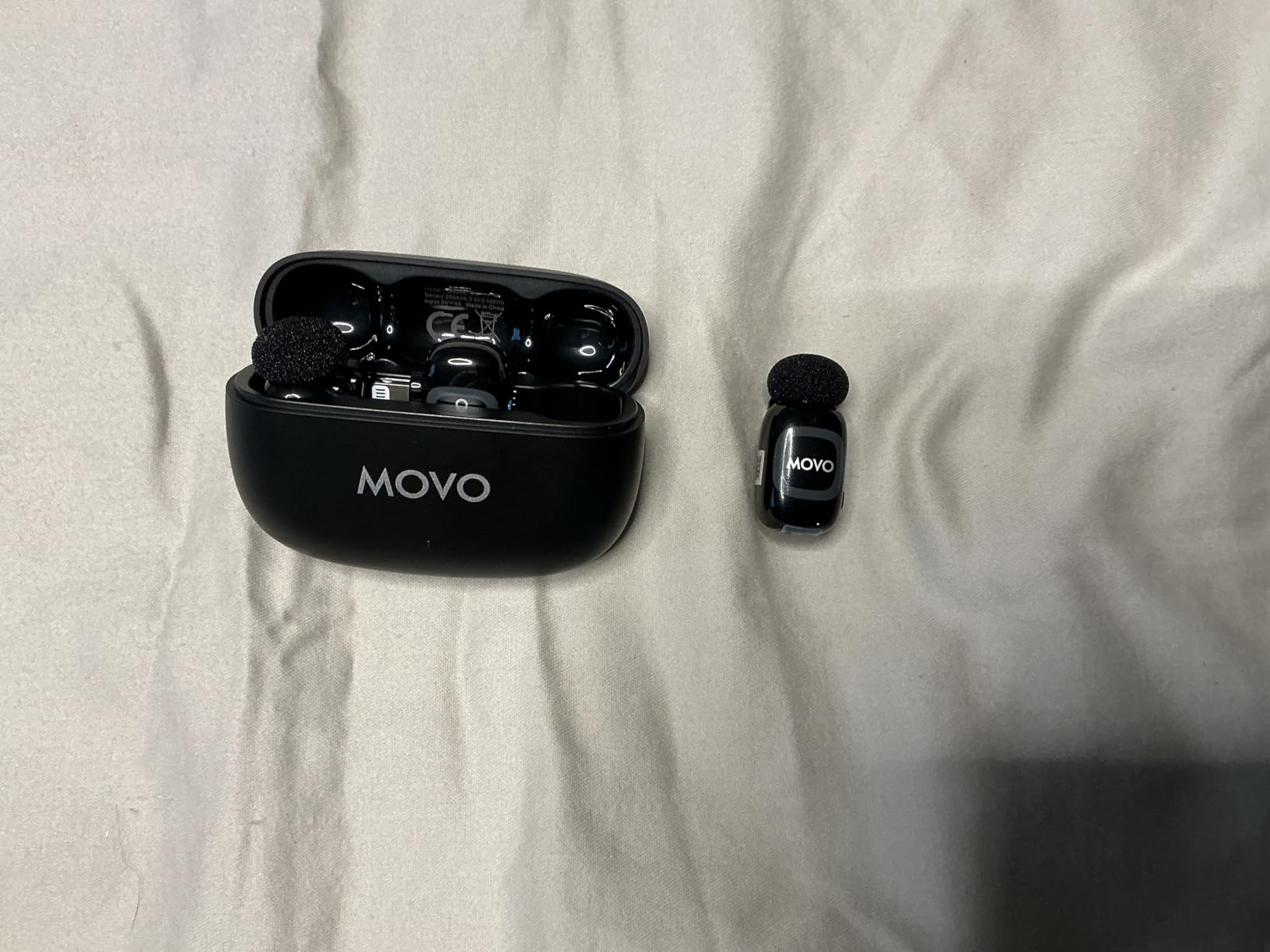
The VXR10 shotgun microphone captured clean directional audio in a busy coffee shop without picking up the espresso machine behind me. The RGB LED light is more flexible than standard bi-color lights because it adds creative color options for moody vertical content. The Bluetooth remote is reliable for solo creators who want to start and stop recording without touching the screen.
The cage grips the phone tightly, which is great for security but can press the side buttons on some phones. I tested it with a Pixel 9 Pro and an iPhone 16 Pro, and both had the volume buttons slightly engaged, so I needed to disable button-based recording. For longer handheld sessions the weight does add up, so plan for tripod use when possible.
For Whom the Movo iFilmer-PRO Is Good
Creators who want one rig that does everything will love the iFilmer-PRO. If you are starting out and need a microphone, light, tripod, and cage without buying each separately, this kit saves money and removes the guesswork of matching accessories.
Content creators who shoot vertical content for multiple platforms will benefit from the six cold shoe mounts. TikTok, YouTube Shorts, and Instagram Reels creators running full accessory setups will appreciate not running out of mounting points.
For Whom the Movo iFilmer-PRO Is Less Ideal
Users with phones that rely on side button shortcuts for camera control may find the tight cage grip interferes. Creators who rely on the volume button to start recording should check fit carefully or remove the case before mounting.
Run-and-gun shooters who film all day handheld will find the full kit weight tiring. For long walk-and-talk shoots, a lighter bare cage with one accessory is easier on the wrist.
How to Choose the Best Phone Rig for Vertical Video?
Choosing a phone rig for vertical video is different from choosing one for horizontal filming. Vertical orientation shifts the weight forward, makes the phone feel top-heavy, and exposes balance problems that you would never notice in landscape mode. The right rig distributes weight evenly when flipped 90 degrees and gives you ergonomic access to the record button with your thumb.
Phone Cage vs Gimbal: Which Is Better for Vertical Video?
A phone cage holds your phone in a rigid frame with handles and accessory mounts, while a gimbal uses motorized gimbals to actively stabilize your footage. Cages are better for vertical video creators who attach accessories like microphones and lights because the weight stays balanced and you have threaded mounting points everywhere. Gimbals are better for run-and-gun cinematic footage where smooth motion is the priority.
For TikTok, YouTube Shorts, and Instagram Reels, a cage is usually the right choice. Most vertical video clips are short, so aggressive stabilization is less important than quick accessory changes and reliable mounting. Save the gimbal for cinematic B-roll or long walk-and-talk documentary work where every step needs smoothing.
Key Features That Matter in a Vertical Phone Rig
Look for cages with cold shoe mounts positioned so accessories do not block your front or rear cameras when shooting vertical. Side-mounted cold shoes work better than top-mounted ones for vertical video because they keep mics and lights clear of the wide-angle lens.
Check the maximum weight recommendation. Most budget cages cap out at 184g of accessories, which is enough for a small LED and a compact microphone but not enough for a monitor or shotgun mic plus light combination. Premium cages handle 1 kg or more of accessories with stable balance.
Test the grip ergonomics in vertical orientation before buying if possible. Dual handles work well for two-handed stability, but they can feel awkward when reaching the screen with your thumb. Single-handle cages give you more screen access but less stability for walking shots.
Vertical Video Specific Tips From Real Creators
Reddit creators in r/videography and r/smartphonefilming consistently recommend building a small rig around a SmallRig cage plus magnetic handles and an SSD holder for serious work. The dual phone setup, one vertical and one horizontal, is a popular pattern for creators who need to publish simultaneously on different platforms.
Quick release systems save real time when you switch between handheld and tripod shots. Magnetic and lever-based quick releases are worth paying for if you reconfigure more than twice per shoot. Cold shoe reliability also matters more than people think, because a loose shoe mid-shot is the difference between usable footage and a wasted take.
Compatibility and Mounting Considerations
Check the cage width range against your phone with a case on. Most modern iPhone Pro Max and Galaxy S Ultra phones need at least 80mm of clearance. Aluminum cages fit the widest range of phones but add more weight than plastic alternatives.
For mounting, look for at least one 1/4 inch thread on the bottom and ideally more on the sides for tripod flexibility. Cold shoe mounts are standardized, but check the spacing so your existing accessories actually fit without crowding the cameras. Some cages place accessories too close to the lens, especially when shooting vertical with the wide-angle camera active.
Frequently Asked Questions About Phone Rigs for Vertical Video
Is it better to record vertical or horizontal on iPhone?
Vertical is better for TikTok, Instagram Reels, YouTube Shorts, and Snapchat because the apps fill the screen edge-to-edge and viewers watch without rotating their phones. Horizontal is better for YouTube long-form, cinematic content, and desktop viewing. Many creators shoot the same scene twice, once vertical and once horizontal, to publish on both formats.
What do vloggers use to hold their phone?
Most vloggers use a phone cage with dual handles for stability and accessory mounting. Popular options include the SmallRig Universal Phone Cage for stability, the Ulanzi U Rig Pro for budget setups, and the Movo iFilmer-PRO for complete kits. Some prefer phone gimbals for smooth motion, but cages dominate vertical video because they balance accessories better in portrait orientation.
What is the iPhone cage for filming?
An iPhone cage for filming is a rigid frame, usually aluminum, that holds your iPhone securely while adding handles for grip and mounting points for microphones, lights, and monitors. The cage replaces a traditional camera body, giving smartphone filmmakers the same accessory ecosystem as a mirrorless camera setup. Cages fit specific iPhone width ranges and include cold shoe mounts and 1/4-20 threaded holes for accessories.
How can I stabilize a video on my phone?
You can stabilize phone video by using a phone cage with dual handles, mounting your phone on a small tripod or gimbal, enabling the built-in image stabilization in your camera app, and bracing your elbows against your body during handheld shots. For vertical video, two-handed grips work best because the weight distribution is different from horizontal shooting.
Can a phone gimbal stabilize video?
Yes, a phone gimbal uses motorized brushless motors to actively counteract camera shake and produce smooth footage even while walking or running. Gimbals work well for cinematic motion, but they add weight, cost more than cages, and struggle with heavy accessories like microphones and lights. For most vertical video creators, a cage with dual handles provides enough stability for TikTok, Reels, and Shorts.
Final Verdict: Which Phone Rig Should You Buy in 2026?
For most creators, the SmallRig Universal Phone Cage is the best phone rig for vertical video because it balances price, stability, and accessory flexibility in a single package. It handles every modern iPhone and Galaxy phone with a case on, gives you three cold shoe mounts, and stays balanced in vertical orientation without breaking the bank.
If you want the most complete vertical video kit under one budget, the Movo iFilmer-PRO is hard to beat with its bundled microphone, LED, tripod, and remote. Beginners on a tight budget should start with the Ulanzi U Rig Pro, and travel creators who need a pocket-friendly option will love the SmallRig P20 Foldable. Whichever rig you choose, investing in proper cage support will level up your vertical video quality the moment you start shooting.