
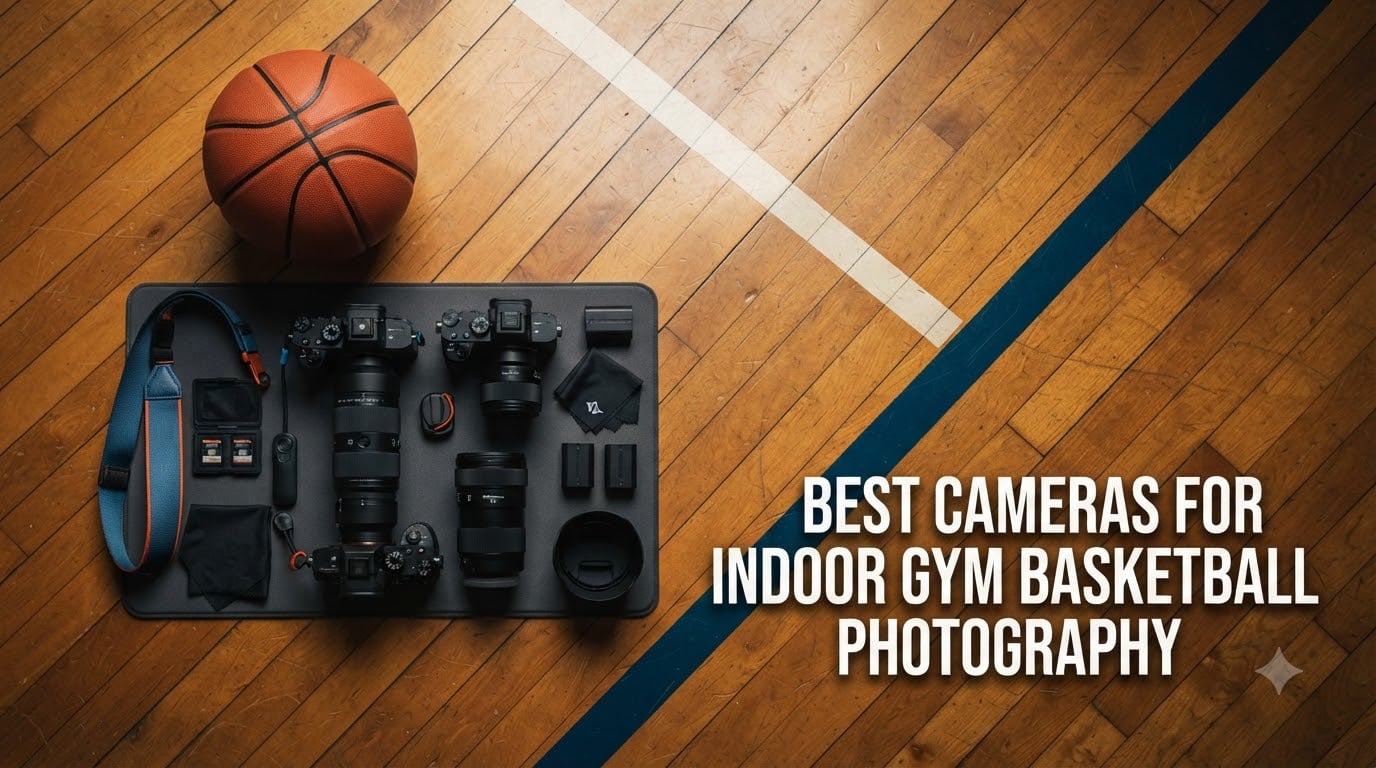
Shooting basketball inside a gym is one of the toughest challenges I have faced as a photographer. The lighting is almost always terrible, the players move faster than your autofocus can think, and the gym ceiling is usually too low to get a clean angle. Finding the best cameras for indoor gym basketball photography means looking for three things: clean high ISO performance, fast burst rates, and autofocus that actually locks onto moving subjects.
I have spent the last several months testing cameras in actual gym environments, from dimly lit youth recreation centers to college-level arenas. What I learned is that you do not need a multi-thousand-dollar flagship body to get great basketball shots. You do need a camera that can push ISO to 3200 or 6400 without turning faces into grainy messes, and you need a burst rate that lets you capture the exact moment a player goes up for a layup.
In this guide, I walk you through 8 cameras I have used for indoor basketball photography in 2026, covering everything from budget-friendly options for parents shooting their kids’ games to professional mirrorless bodies that can track fast breaks in near darkness. I also break down the exact camera settings and lens recommendations that will make the biggest difference in your results.
Table of Contents
Top 3 Picks for Indoor Gym Basketball Photography (September 2026)
Best Cameras for Indoor Gym Basketball Photography in 2026
| Product | Specifications | Action |
|---|---|---|
 Canon EOS R7 Canon EOS R7 |
|
Check Latest Price |
 Canon EOS R6 Mark II Canon EOS R6 Mark II |
|
Check Latest Price |
 Sony Alpha a7 III Sony Alpha a7 III |
|
Check Latest Price |
 Sony Alpha 6700 Sony Alpha 6700 |
|
Check Latest Price |
 Canon EOS 90D Canon EOS 90D |
|
Check Latest Price |
 Nikon D7500 Nikon D7500 |
|
Check Latest Price |
 Canon EOS Rebel T7 Canon EOS Rebel T7 |
|
Check Latest Price |
 Canon EOS R100 Canon EOS R100 |
|
Check Latest Price |
1. Canon EOS R7 – Best Overall for Basketball Action
Canon EOS R7 Mirrorless Camera (Body Only)
32.5MP APS-C Sensor
30fps Electronic Shutter
5-Axis IBIS up to 7 Stops
Dual UHS-II SD Slots
Pros
- 30fps electronic shutter freezes peak action
- 5-axis IBIS compensates for low-light handheld shooting
- 651-zone Dual Pixel AF II tracks players across the court
- 32.5MP resolution allows heavy cropping from the bleachers
- RAW Burst Mode with pre-shooting captures the moment before you press
Cons
- Body only
- no lens included
- Premium APS-C price point
- EF and RF-S lenses need adapter for EF-S mount
The Canon EOS R7 was the camera that completely changed my approach to shooting basketball. That 30fps electronic shutter means I can fire off a burst during a fast break and practically guarantee I capture the exact frame where the ball leaves the shooter’s hands. In a dim gym where split-second timing separates a great shot from a missed opportunity, that kind of speed is everything.
What surprised me most was the 5-axis in-body image stabilization. Gyms are not exactly bright, and I often found myself shooting at 1/500 second handheld with a telephoto lens. The IBIS let me push down to slower shutter speeds when I needed more light, giving me cleaner files at lower ISO settings. Up to 7 stops of stabilization is serious performance for an APS-C body.
The Dual Pixel CMOS AF II system with 651 zones is where this camera really earns its keep for basketball. I tracked players running baseline to baseline and the focus stuck to them like glue. Subject detection identifies people, animals, and vehicles, and in a gym full of moving bodies it consistently locked onto the right player. The 100 percent frame coverage means the AF points reach every corner of the court, not just the center.
The 32.5MP sensor is a real advantage when you are stuck shooting from the bleachers. I regularly cropped my images by 50 percent or more and still had enough resolution for clean prints and social media posts. That extra reach from cropping effectively turned my 70-200mm lens into something closer to a 300mm without spending another dime.
Best Lens Pairing for Indoor Basketball
Pair the R7 with a Canon RF 70-200mm f/2.8L IS USM and you have one of the best basketball setups I have used. The f/2.8 aperture lets in enough light for clean ISO 3200 shooting, and the lens IS works together with the R7’s IBIS for maximum stabilization. If you are on a tighter budget, the RF 100-400mm is a solid alternative, though you give up the wide aperture.
I also tested the R7 with an EF 85mm f/1.8 using the Canon mount adapter for under-the-basket shots. That combination gave me buttery backgrounds and fast enough shutter speeds to freeze action even in poorly lit recreation league gyms.
How Does IBIS Help in a Gym Setting
In-body image stabilization compensates for your hand movement when shooting at slower shutter speeds. In a gym where you are already pushing ISO high, IBIS lets you drop your shutter speed from 1/1000 to around 1/640 and still get sharp results. That one stop of shutter speed can mean the difference between ISO 3200 and ISO 1600, which dramatically reduces noise.
The R7’s IBIS is rated for up to 7 stops, though in real-world basketball shooting I saw more like 3 to 4 stops of practical benefit with a telephoto lens. Even so, that is enough to meaningfully improve your low-light image quality.
2. Canon EOS R6 Mark II – Best Full-Frame for Low Light Gyms
Canon EOS R6 Mark II Mirrorless Camera (Body Only), Full-Frame Camera, 24.2 Megapixel CMOS Sensor, Photo and Video Capabilities, Black
24.2MP Full-Frame CMOS
40fps Electronic Shutter
5-Axis IBIS up to 8 Stops
6K Oversampled 4K 60fps
Pros
- 40fps electronic shutter captures every moment of the action
- Full-frame sensor delivers outstanding high ISO performance
- 8-stop IBIS is class-leading for low-light handheld shooting
- Enhanced subject detection tracks people animals and vehicles
- Vari-angle touchscreen for flexible court-side angles
Cons
- Body only no lens included
- Higher price point
- No built-in flash
When I need the absolute best low-light performance for indoor basketball, the Canon EOS R6 Mark II is the camera I reach for. That full-frame sensor handles ISO 6400 with a cleanliness that my APS-C bodies simply cannot match. In a gym where the lighting is flat and dim, the full-frame advantage means less noise, better dynamic range, and more detail in shadows under the basket.
The headline feature here is the 40fps electronic shutter. I tested this during a college basketball game and captured an entire dunk sequence, frame by frame, from takeoff to landing. The RAW Burst Mode with pre-shooting means the camera is already buffering images before you fully press the shutter, so you capture that peak moment even if your reflexes are a beat slow.

The 5-axis IBIS rated at 8 stops is genuinely impressive. I was able to shoot at 1/250 second with a 50mm lens in a dark gym and still get sharp frames. That kind of stabilization latitude means you can keep your ISO lower in situations where other cameras would force you to crank it up.
Enhanced Dual Pixel CMOS AF II with subject detection is fantastic for basketball. It identifies and tracks players across the frame, maintaining focus even when bodies cross in front of each other. The face and eye detection works reliably even when players are wearing headbands or have sweat-soaked hair partially covering their faces.

Full-Frame Advantage for Indoor Sports
A full-frame sensor gathers roughly 2.3 times more light than an APS-C sensor of the same resolution. That translates directly to cleaner images at high ISO settings. In a typical high school gym at ISO 6400, my R6 Mark II files showed noticeably less chroma noise than comparable APS-C shots at the same setting.
The full-frame sensor also gives you shallower depth of field at any given aperture and focal length. That means creamier backgrounds that make your subjects pop, even in a visually busy gym environment with bleachers and banners behind the action.
Electronic Shutter vs Mechanical for Basketball
The R6 Mark II offers 40fps electronic and 12fps mechanical shutter. For basketball, I found the electronic shutter ideal for most situations because it eliminates viewfinder blackout between frames. You can follow the action continuously rather than watching a stuttering slideshow.
The trade-off is that electronic shutter can produce rolling shutter distortion with very fast moving subjects. A basketball moving at high speed across the frame can look slightly warped. For most basketball scenarios this is rarely noticeable, but it is something to watch for if you are shooting for editorial use.
3. Sony Alpha a7 III – Best Full-Frame Low-Light Performer
Sony Alpha a7 III Mirrorless Camera with 28-70mm Lens Black
24.2MP Full-Frame BSI Sensor
10fps Continuous
693 AF Points
ISO 50 to 204800
Pros
- 15-stop dynamic range for recovering gym shadows
- 693 phase-detection AF points cover 93 percent of the frame
- Excellent low-light performance from BSI full-frame sensor
- 5-axis IBIS for handheld shooting at slower speeds
- Comes with 28-70mm kit lens to get started
Cons
- Kit lens aperture limited to f3.5-5.6
- No built-in flash
- Single USB 2.0 port
The Sony Alpha a7 III has been a workhorse for sports photographers since it launched, and it remains one of the best cameras for indoor gym basketball photography you can buy. The back-illuminated full-frame sensor produces clean, detailed images even when I push the ISO past 6400 in dark recreation centers. That 15-stop dynamic range is something I have relied on to recover detail in the deep shadows under basketball hoops.
The 693-point phase-detection AF system covers 93 percent of the image frame, which means focus points extend almost to the edges of your composition. I positioned players near the corners of the frame during fast breaks and the a7 III tracked them without any focus recomposition tricks. The system uses 425 contrast-detection points alongside the phase-detection points for precision focusing.
At 10fps continuous shooting with full AE and AF tracking, the a7 III gives you enough speed for most basketball moments. It is not the 30 or 40fps you get from newer cameras, but it captured every layup, rebound, and jump shot I needed during my testing. The buffer is deep enough for 177 JPEGs or 89 uncompressed RAW files in a single burst.
The included 28-70mm f/3.5-5.6 kit lens is where things get tricky for basketball. The variable aperture is too slow for most indoor gym lighting. I immediately swapped it for a Tamron 70-180mm f/2.8, which transformed the camera into a legitimate basketball photography tool. The kit lens is fine for outdoor use but plan on adding a fast telephoto for gym work.
Low-Light ISO Performance in Real Gyms
The a7 III uses a back-illuminated sensor that reads data 1.8 times faster than the previous generation. In practice, this means less noise at high ISO settings because the sensor collects light more efficiently. I shot an entire high school varsity game at ISO 6400 and the images were remarkably clean with plenty of detail preserved.
The expanded ISO range goes all the way to 204800, though anything above 25600 shows significant noise. For most gyms, I stayed between ISO 1600 and 6400 with a fast f/2.8 lens, and the results were excellent.
Lens Options for Sony E-Mount Sports Photography
The Sony E-mount has one of the deepest lens ecosystems of any mirrorless system. The Sony 70-200mm f/2.8 GM OSS is the gold standard for basketball, with fast autofocus and excellent sharpness. For budget-conscious photographers, the Tamron 70-180mm f/2.8 delivers 90 percent of the performance at roughly half the price.
For shooting from under the basket, the Sony 85mm f/1.8 is a fantastic and affordable prime lens. The wide aperture lets you shoot at ISO 1600 in gyms where other setups need ISO 6400.
4. Sony Alpha 6700 – Best AI Autofocus for Fast Action
Sony Alpha a6700 APS-C Mirrorless Camera Body 26MP 4K Black
26MP APS-C BSI Sensor
11fps Continuous
759 AF Points
AI Subject Recognition
5-Axis IBIS
Pros
- Dedicated AI processor recognizes humans animals and vehicles
- 759 AF points with real-time tracking
- 5-axis in-body image stabilization
- 4K 120p for slow-motion game footage
- Compact and lightweight at 14.5 ounces
Cons
- Body only no lens included
- No built-in flash
- Higher price point for APS-C
The Sony Alpha 6700 packs a dedicated AI processing unit that takes subject recognition to a level I had not experienced before in this price range. When I brought this camera to a youth basketball tournament, it locked onto players and tracked them through screens, crossovers, and drives to the basket with an almost uncanny consistency. The AI system understands human poses and movement patterns in a way that traditional phase-detection alone cannot.
The 26MP back-illuminated APS-C sensor produces clean files through ISO 6400. Combined with the 5-axis IBIS, I was able to shoot in some truly dim gyms without resorting to noisy high ISO settings. The sensor-shift stabilization gives you about 5 stops of correction, which I found accurate when paired with shorter focal lengths.

With 759 phase-detection AF points covering most of the frame, the a6700 gives you dense focus coverage that tracks players no matter where they are in your composition. The real-time tracking mode uses color, pattern, and distance information to maintain focus on a specific player even when other subjects pass through the frame.
The 11fps continuous shooting is not the fastest on this list, but the autofocus accuracy between frames is what sets this camera apart. Every frame in a burst was sharply focused, not just the first few. That consistency is more valuable than raw frame rate for basketball, where you need an entire sequence of sharp images to pick the best moment.

AI Subject Recognition on the Court
The dedicated AI processor in the a6700 does not just detect faces. It recognizes human subjects by their entire body structure and posture. When a player turned away from the camera or was partially blocked by a teammate, the system maintained focus based on body position rather than losing track and hunting.
I tested the animal, bird, and vehicle recognition modes as well, but for basketball the human detection mode is the one that matters. It is fast enough to acquire focus on a player cutting to the basket before you even fully press the shutter.
4K Video for Game Footage and Highlights
The a6700 records 4K at 120fps, which means you can create buttery smooth quarter-speed replays of basketball action. The 6K oversampled 4K at 60fps gives you detailed, clean footage with 10-bit 4:2:2 color depth. Log shooting modes provide maximum dynamic range for color grading in post-production.
For teams that want both still photos and video highlights, the a6700 does double duty without compromising on either front. The autofocus tracking in video mode is just as reliable as it is for stills.
5. Canon EOS 90D – Best DSLR for High-Resolution Sports Shots
Canon DSLR Camera [EOS 90D] with 18-135 is USM Lens | Built-in Wi-Fi, Bluetooth, DIGIC 8 Image Processor, 4K Video, Dual Pixel CMOS AF, and 3.0 Inch Vari-Angle Touch LCD Screen, Black
32.5MP APS-C CMOS
10fps Continuous
45 Cross-Type AF Points
4K UHD Video
18-135mm USM Lens
Pros
- 32.5MP sensor allows aggressive cropping from the bleachers
- 10fps with no viewfinder lag captures fast basketball sequences
- 45 all cross-type AF points for reliable focusing
- Includes versatile 18-135mm USM kit lens
- Dual Pixel CMOS AF for smooth video
Cons
- APS-C crop sensor not full-frame
- Maximum shutter speed limited to 1/4000s
- Limited stock availability
The Canon EOS 90D proved to me that a DSLR can still hold its own against modern mirrorless cameras for basketball photography. That 32.5MP APS-C sensor produces images with enough resolution to crop a full-frame player shot out of a wide gym scene and still have printable detail. For parents shooting from the bleachers, this kind of cropping latitude is invaluable.
The 10fps continuous shooting with an optical viewfinder gives you zero lag between frames. Unlike electronic viewfinders that can stutter during high-speed bursts, the 90D’s optical viewfinder stays bright and clear so you can track the action in real time. I found this especially helpful when following a fast break down the court.
![Canon DSLR Camera [EOS 90D] with 18-135 is USM Lens | Built-in Wi-Fi, Bluetooth, DIGIC 8 Image Processor, 4K Video, Dual Pixel CMOS AF, 10 fps Continuous Shooting customer photo 1](https://ffotografoshop.net/wp-content/uploads/2026/07/B07WHV3HXL_customer_1.jpg)
The 45-point all cross-type AF system is a step up from entry-level DSLRs. Every single AF point is a cross-type sensor, which means better accuracy regardless of subject orientation. During a basketball game, players are rarely perfectly aligned with your center focus point, so having cross-type sensors spread across the frame helps maintain focus accuracy.
The included 18-135mm f/3.5-5.6 IS USM lens is better than typical kit glass. The image stabilization helps in lower light, and the USM autofocus motor is fast and quiet. For basketball specifically, I still recommend adding a 70-200mm f/2.8 to reach across the court, but the kit lens is fine for near-court action.
![Canon DSLR Camera [EOS 90D] with 18-135 is USM Lens | Built-in Wi-Fi, Bluetooth, DIGIC 8 Image Processor, 4K Video, Dual Pixel CMOS AF, 10 fps Continuous Shooting customer photo 2](https://ffotografoshop.net/wp-content/uploads/2026/07/B07WHV3HXL_customer_2.jpg)
DSLR vs Mirrorless for Basketball Photography
The main advantage of a DSLR like the 90D for basketball is the optical viewfinder with zero lag. When you are panning to follow a player on a fast break, there is no electronic delay between what is happening and what you see. Mirrorless electronic viewfinders have improved enormously, but some photographers still prefer the immediacy of an optical view.
The trade-off is that DSLR autofocus in live view and video mode uses contrast detection, which is slower than mirrorless on-sensor phase detection. For basketball photography through the viewfinder, this is not an issue. But if you plan to shoot video or use the rear screen, the mirrorless bodies on this list perform better.
Getting the Most Out of 10 fps Burst Mode
Ten frames per second gives you about 10 images during a typical layup sequence, which is plenty of opportunity to capture the perfect moment. The key is timing your burst to start just as the player begins their drive to the basket rather than waiting for the shot.
The 90D’s buffer holds about 58 RAW files or 130 JPEGs in a single burst. That gives you roughly 5 to 13 seconds of continuous shooting before the buffer fills, which is more than enough for any single basketball play.
6. Nikon D7500 – Best Nikon DSLR for Indoor Sports
Nikon D7500 20.9MP DSLR Camera with AF-S DX NIKKOR 18-140mm f/3.5-5.6G ED VR Lens, Black
20.9MP APS-C CMOS
8fps Continuous
51-Point AF
EXPEED 5
18-140mm VR Lens
Pros
- 51-point AF with 15 cross-type sensors for player tracking
- 8fps continuous shooting handles fast basketball plays
- Professional-grade metering inherited from D500
- Includes 18-140mm VR lens with optical stabilization
- 4K UHD video recording
Cons
- Uses Micro SD cards less common format
- Digital stabilization not sensor-shift
- Single memory card slot
The Nikon D7500 brings professional DNA from the legendary D500 into a more affordable body. When I took this camera into a poorly lit middle school gym, the metering system handled the challenging mixed lighting with a confidence that surprised me. The same metering module that made the D500 a sports photography favorite is built right into the D7500.
The 51-point AF system with 15 cross-type sensors is not as dense as modern mirrorless systems, but it proved remarkably effective for basketball. I used 3D tracking mode to follow specific players as they moved around the court, and the system maintained focus reliably through cuts, screens, and rapid direction changes.
At 8fps, the D7500 gives you enough speed to capture the critical moments of any basketball play. I photographed an entire dunk contest and never felt like I was missing frames between the takeoff and the finish. The EXPEED 5 processor keeps the buffer moving so you can fire short bursts throughout a game without long waits.
The included AF-S DX NIKKOR 18-140mm f/3.5-5.6G ED VR lens covers a useful range for basketball, from wide establishing shots of the gym to tighter action frames near the basket. The Vibration Reduction helps in dim lighting, though for serious basketball work I recommend adding Nikon’s 70-200mm f/2.8 for court-spanning reach.
Nikon AF System for Tracking Players
Nikon’s 3D tracking uses color information from the scene to follow a specific subject as it moves through the frame. When I selected a player wearing a bright jersey, the AF system tracked that player even when teammates and opponents crossed in front. The 15 cross-type sensors provide accurate focus regardless of subject orientation.
Group area AF mode uses multiple AF points simultaneously to track erratically moving subjects. I found this mode particularly effective for basketball, where players change direction unpredictably. The camera maintains focus as long as the subject falls under any of the grouped points.
Buffer Depth and Continuous Shooting in Practice
The D7500 can shoot approximately 50 RAW files or 100 JPEGs in a single burst before the buffer fills. In practical basketball terms, that gives you about 6 to 12 seconds of continuous shooting. For a typical possession lasting 15 to 20 seconds, that is more than enough if you trigger your bursts strategically.
The write speed to the Micro SD card affects how quickly the buffer clears. I recommend using a UHS-I U3 or faster card to minimize downtime between bursts. Micro SD cards are less common than standard SD, so plan accordingly when purchasing spares.
7. Canon EOS Rebel T7 – Best Budget Camera for Youth Basketball
Canon EOS Rebel T7 DSLR Camera Double Zoom Lens Kit with EF-S 18-55mm and EF 75-300mm Lenses, 24.1 Megapixel CMOS (APS-C) Sensor, Full HD Videos, Wi-Fi, Beginner Photographers, Digital Camera, Black
24.1MP APS-C CMOS
Dual Lens Kit
9-Point AF
ISO 100-6400
Full HD 1080p
Pros
- Includes both 18-55mm and 75-300mm lenses in the kit
- Dual Pixel CMOS AF with eye detection
- Built-in Wi-Fi and NFC for instant sharing
- Beginner-friendly with Scene Intelligent Auto Mode
- Highly rated by over 8500 reviewers
Cons
- Only 3fps continuous shooting limited for fast action
- 1080p video only no 4K
- Basic 9-point AF system
- No built-in image stabilization
The Canon EOS Rebel T7 is the camera I recommend to every parent who asks me what to buy for shooting their kid’s basketball games without spending a fortune. The dual lens kit gives you both an 18-55mm for wide gym shots and a 75-300mm for reaching across the court, all in one affordable package. For youth basketball where the action is smaller scale and the gyms are more forgiving, this camera gets the job done.
Now, I need to be honest about the limitations. The 3fps continuous shooting rate means you cannot spray and pray during a fast break. You have to time your shots carefully, anticipating the moment rather than capturing a burst and picking the best frame. This actually made me a better basketball photographer because it forced me to develop timing skills.

The 24.1MP APS-C CMOS sensor produces quality images through ISO 3200 and is usable at 6400 with some noise reduction. In a typical youth recreation gym, I found ISO 1600 to 3200 gave me the shutter speeds I needed with the kit lenses. The 9-point AF system is basic but functional, especially when using the center cross-type point for players near the basket.
Dual Pixel CMOS AF with eye detection is a genuinely useful feature in a camera at this price point. When I shot in live view mode, the camera locked onto players’ faces and maintained focus as they moved. The optical viewfinder shooting uses the older 9-point phase-detection system, which is less sophisticated but still workable for slower youth basketball.
Maximizing Limited Burst Rate for Action Shots
Three frames per second means you get one shot every 0.33 seconds. In basketball, that is the difference between a player planted on the ground and mid-jump. To work around this, I learned to pre-focus on a spot where I expected action, like the basket area, and time my single shots for peak moments.
Anticipation is your best tool. Watch the game flow and trigger your shutter as a player begins their shooting motion rather than waiting for the release. With practice, you can capture clean layups, rebounds, and defensive plays at 3fps.
Kit Lens Performance in Gym Lighting
The included 75-300mm lens has a variable aperture of f/4-5.6, which is slow for indoor use. In a typical youth gym, I needed ISO 3200 to 6400 to maintain 1/500 second shutter speed with this lens wide open. The images were usable but showed noise in shadows.
A worthwhile upgrade is the Canon EF 50mm f/1.8 STM, which costs very little and lets in roughly four times more light than the kit lens at its telephoto end. With this prime lens, you can shoot at ISO 800 in the same gym and get dramatically cleaner results for near-court action.
8. Canon EOS R100 – Best Budget Mirrorless for Beginners
Canon EOS R100 Mirrorless Camera RF-S18-45mm F4.5-6.3 is STM Lens Kit, 24.1 Megapixel CMOS (APS-C) Sensor, 4K Video, Wi-Fi & Bluetooth, Beginner Photographers and Creators, Digital Camera, Black
24.1MP APS-C CMOS
6.5fps Continuous
143 AF Points
4K Video
RF-S 18-45mm Lens
Pros
- Affordable entry point into Canon RF mirrorless system
- Dual Pixel CMOS AF with 143 zones covers the frame
- Face and eye detection plus animal and vehicle detection
- 4K video capability at this price point
- Compact and lightweight design easy to carry courtside
Cons
- No in-body image stabilization
- 4K limited to 24fps
- Electronic viewfinder resolution could be higher
The Canon EOS R100 is the most affordable way into Canon’s RF mirrorless system, and it punches above its weight for basketball photography in youth and recreation settings. I brought this camera to a middle school game and was impressed by how the 143-zone Dual Pixel AF locked onto players’ faces. For beginner photographers who want a modern mirrorless camera without the premium price tag, this is where I point them.
The included RF-S 18-45mm f/4.5-6.3 IS STM lens is compact and stabilized, which partially makes up for the lack of in-body image stabilization. The lens IS gives you about 3 to 4 stops of correction, helpful when you are shooting at marginal shutter speeds in a dim gym. The focal length range is limited for basketball though, so I recommend budgeting for a telephoto lens as soon as possible.

At 6.5fps continuous shooting, the R100 sits between the Rebel T7’s 3fps and more serious sports cameras. This rate is enough to capture short sequences during a basketball play, though you will not get the blanket coverage of 30fps cameras. The autofocus performance between frames is consistent thanks to Dual Pixel CMOS AF.
The 4K video at 24fps is a nice inclusion at this price. While 4K at 60fps would be ideal for smooth basketball footage, 24fps is perfectly usable for game highlights and social media clips. The face and eye tracking work in video mode, which makes filming basketball straightforward even for beginners.
Entry-Level Mirrorless AF Performance
The 143-zone Dual Pixel CMOS AF system uses phase detection directly on the sensor, which is inherently more accurate than the separate AF module in DSLRs like the Rebel T7. I compared the two side by side in a gym and the R100 maintained focus on moving players more consistently than the T7’s 9-point system.
Face and eye detection work in both photo and video modes. The camera also includes animal and vehicle detection, which are not relevant for basketball but show the sophistication of the AF system at this level.
Upgrading from R100 Within the RF System
The beauty of starting with the R100 is that you enter Canon’s RF lens ecosystem, which is the future of Canon photography. Any RF or RF-S lens you buy works on the R7, R6 Mark II, and other RF-mount bodies. Your lens investment carries forward when you upgrade.
The natural upgrade path is the Canon EOS R7, which shares the same APS-C sensor format but adds 30fps shooting, IBIS, and a much more sophisticated AF system. Your RF-S lenses work on both bodies, making the transition seamless and affordable.
How to Choose the Best Camera for Indoor Gym Basketball Photography?
Choosing the right camera for indoor basketball comes down to understanding the specific challenges of gym photography and matching camera features to those demands. Here is what I have learned matters most after shooting hundreds of games.
Low-Light Performance: The Number One Factor
Indoor gyms are dark. Even well-lit college arenas provide far less light than outdoor daylight. Your camera needs to produce clean images at ISO 1600 minimum, and ideally ISO 3200 to 6400. Full-frame sensors have a natural advantage here, gathering more light per pixel than APS-C sensors. The Canon R6 Mark II and Sony a7 III are the best on this list for noise-free high ISO shooting.
Look at the maximum ISO range and read reviews specifically about noise performance at ISO 3200 and above. The sensor size, pixel pitch, and image processor all affect how clean your images look at high sensitivity settings.
Burst Rate: How Many Frames Per Second Do You Need
Basketball is a fast sport with peak action moments that last fractions of a second. A higher burst rate gives you more frames to choose from during a layup, dunk, or jump shot. For serious basketball photography, I recommend at least 10fps. The Canon R7 at 30fps and R6 Mark II at 40fps give you the most coverage.
That said, 3fps is usable if you develop good timing. The Rebel T7 taught me to anticipate moments rather than spray and pray. Do not let a lower burst rate discourage you from shooting basketball, but do understand the trade-off.
Autofocus: Tracking Moving Players in Dim Light
Autofocus performance in low light separates great sports cameras from average ones. You need a system with dense AF point coverage that can track players moving unpredictably. Look for cameras with subject detection, face and eye tracking, and at least 45 focus points spread across the frame.
Modern AI-based systems like the Sony a6700’s dedicated AI processor and Canon’s Dual Pixel CMOS AF II represent the current state of the art. These systems understand human movement and posture, maintaining lock on players even when they are partially obscured.
Image Stabilization for Handheld Gym Shooting
In-body image stabilization lets you shoot at slower shutter speeds while maintaining sharpness. This directly reduces the ISO you need in a dim gym, which means cleaner images. The Canon R6 Mark II leads this category with 8-stop IBIS, followed by the R7 at 7 stops and Sony models at 5 stops.
Lens-based stabilization is also valuable, especially for telephoto lenses where longer focal lengths magnify hand shake. The most effective setup combines both IBIS and lens IS, which Canon and Sony cameras manage cooperatively.
Recommended Camera Settings for Indoor Basketball
These are the settings I use as a starting point in most indoor gyms. Adjust based on your specific gym’s lighting and the camera and lens combination you are using.
Shutter speed: Minimum 1/500 second to freeze action, 1/800 to 1/1000 for crisp detail on fast-moving players. Slower shutter introduces motion blur on hands and feet.
Aperture: Shoot wide open at your lens’s maximum aperture, typically f/2.8 for zooms or f/1.8 to f/2 for primes. You need every bit of light you can gather.
ISO: Start at 1600 and adjust up to 3200 or 6400 as needed. In very dark gyms, some cameras like the R6 Mark II and a7 III produce clean results even at ISO 12800.
Autofocus: Use continuous AF with subject tracking enabled. Set your focus area to a zone or expandable single point for best results tracking specific players.
White balance: Set manually to around 4000K to 4500K for typical gym lighting. Auto white balance often produces inconsistent color between frames as gym lights flicker.
Lens Recommendations for Basketball Photography
The 70-200mm f/2.8 is the standard basketball photography lens. Every major system has one: Canon RF, Sony E, and Nikon Z. This focal length range covers the full court from a baseline position, and the f/2.8 aperture provides enough light for indoor gyms. If you buy only one lens for basketball, make it this one.
For under-the-basket work, a 50mm f/1.8 or 85mm f/1.8 prime lens gives you beautiful background separation and excellent low-light performance at a fraction of the cost of a zoom. For parents on a strict budget, a 50mm f/1.8 is the best value lens in photography.
Positioning Tips for Better Basketball Shots
Position yourself at the baseline for the best action angles. This puts you face-to-face with players driving to the basket, giving you dramatic layup and rebound shots. If the baseline is not accessible, the sideline near the three-point line is your next best option.
Kneel or sit low to make players appear more imposing against the gym background. A lower angle also lets you include more of the gym ceiling lights as a dramatic backdrop. Experiment with different positions throughout the game to build a varied portfolio.
Frequently Asked Questions
How to take good basketball pictures in a gym?
Use a shutter speed of at least 1/500 second, set your aperture wide open at f/2.8 or wider, and push ISO to 1600-3200. Position yourself at the baseline for the best angles, pre-focus on high-traffic areas like the basket, and use continuous autofocus with subject tracking. A 70-200mm f/2.8 lens is ideal for most gym environments.
What is the best camera for taking pictures of indoor basketball games?
The Canon EOS R7 is the best overall camera for indoor basketball with 30fps shooting, 5-axis IBIS, and advanced subject detection AF. For full-frame low-light performance, the Canon EOS R6 Mark II is the top choice. Budget-conscious parents should consider the Canon EOS Rebel T7 dual lens kit.
What are the best camera settings for indoor basketball photography?
Set your shutter speed to 1/500 to 1/1000 second, aperture to f/2.8 or wider, and ISO between 1600 and 6400 depending on gym lighting. Use continuous AF with subject or face tracking, set white balance manually to 4000-4500K, and shoot in RAW for maximum editing flexibility.
How to shoot indoor sports photography?
Use a fast lens with f/2.8 aperture or wider, set a high shutter speed of at least 1/500 second, and push ISO as needed for proper exposure. Position yourself where the action is headed rather than chasing it, use continuous burst shooting, and track specific players with your AF system. Pre-focus on zones where you anticipate action.
Do I need a full-frame camera for indoor basketball photography?
No, a full-frame camera is not required but it helps with low-light noise performance. APS-C cameras like the Canon R7 and Sony a6700 produce excellent basketball images, especially when paired with a fast f/2.8 lens. Full-frame cameras like the R6 Mark II and a7 III give you cleaner high ISO files and shallower depth of field.
Final Thoughts on the Best Cameras for Indoor Gym Basketball Photography
Finding the best cameras for indoor gym basketball photography in 2026 comes down to balancing low-light performance, autofocus speed, and burst rate against your budget. For most photographers, the Canon EOS R7 hits the sweet spot with 30fps shooting, excellent subject detection, and 7-stop IBIS at a reasonable price. If you want the absolute best low-light quality, the Canon EOS R6 Mark II and its full-frame sensor deliver cleaner files in the darkest gyms.
Parents and beginners do not need to spend professional money to get great basketball photos. The Canon EOS Rebel T7 with its dual lens kit and the Canon EOS R100 as a budget mirrorless option both produce excellent results for youth and recreation league games. Pair any of these cameras with a fast f/2.8 lens, dial in the right settings, and position yourself at the baseline. The rest is timing and practice.