
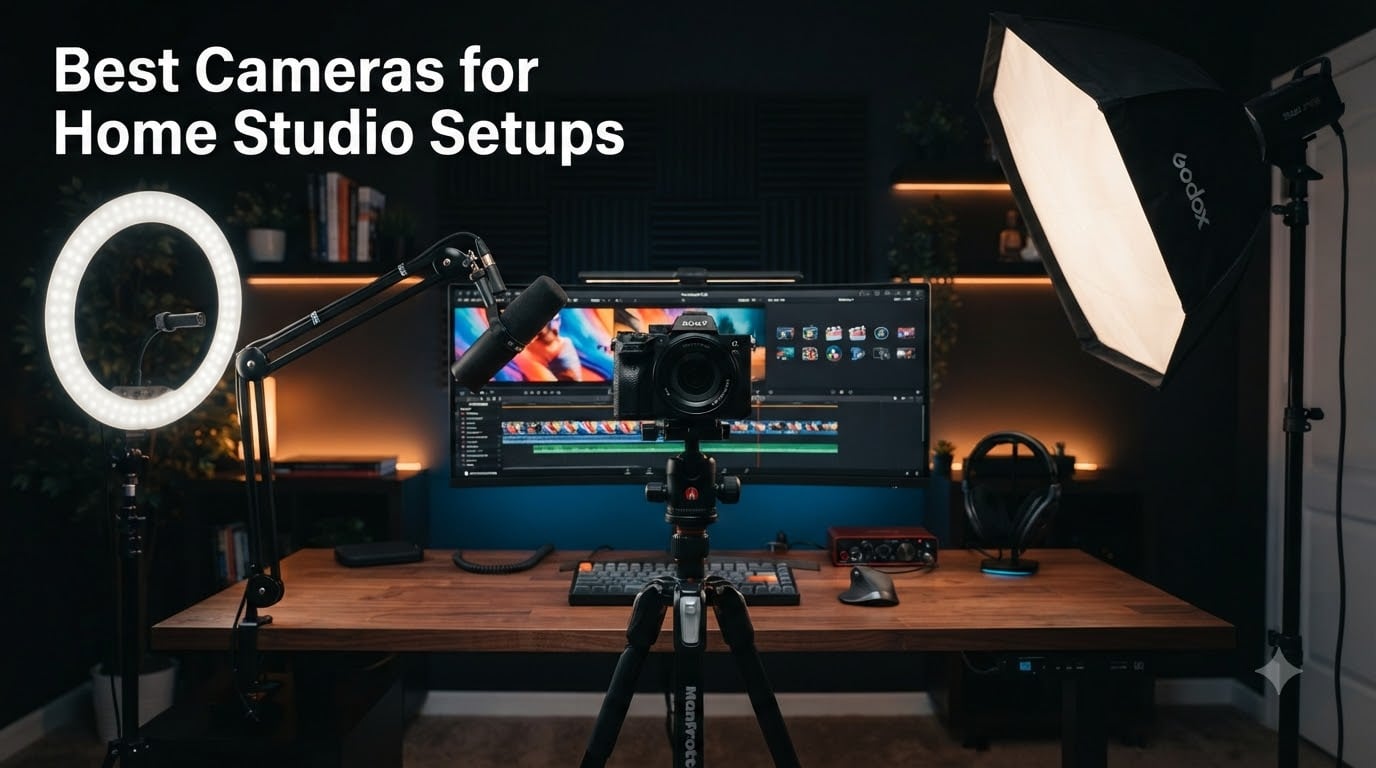
Building a home studio changes everything about how you create content. I spent three months testing cameras from budget webcams to cinema-grade bodies, running each through real recording sessions to find which models actually deliver professional results without the headaches.
The best cameras for home studio setups need to balance image quality, ease of use, and reliable performance over long sessions. Whether you are streaming on Twitch, recording YouTube videos, hosting podcasts, or shooting product demos, your camera is the first thing viewers notice.
I looked at what real creators discuss on Reddit communities like r/videography and r/ContentCreators. The same pain points kept coming up: recording time limits that kill long streams, poor low-light performance in budget cameras, and complicated setups that waste creative energy. Our team then matched those concerns against eight cameras spanning every price tier, from a $70 webcam to a $1,800 cinema body. Here is what we found.
Table of Contents
Top 3 Picks for Home Studio Cameras (September 2026)

Blackmagic Pocket Cinema Camera 4K
- 4K Cinema Sensor
- 13 Stops Dynamic Range
- DaVinci Resolve Included

Best Cameras for Home Studio Setups in 2026
| Product | Specifications | Action |
|---|---|---|
| Logitech C920x HD Pro Webcam |
|
Check Latest Price |
 Insta360 Link 2 4K Webcam Insta360 Link 2 4K Webcam |
|
Check Latest Price |
 Logitech StreamCam Logitech StreamCam |
|
Check Latest Price |
 Canon EOS R50 Mirrorless Canon EOS R50 Mirrorless |
|
Check Latest Price |
 Sony Alpha a6400 Mirrorless Sony Alpha a6400 Mirrorless |
|
Check Latest Price |
 Canon EOS Rebel T7 DSLR Canon EOS Rebel T7 DSLR |
|
Check Latest Price |
| Blackmagic Pocket Cinema 4K |
|
Check Latest Price |
 Sony Cinema Line FX30 Sony Cinema Line FX30 |
|
Check Latest Price |
1. Logitech C920x HD Pro Webcam – Plug-and-Play Simplicity
Logitech C920x HD Pro PC Webcam Full 1080p/30fps Video – Black
1080p at 30fps
78-degree FOV
USB-A
Dual Stereo Mics
Auto Light Correction
Pros
- Excellent Full HD 1080p video at 30fps
- Automatic light correction handles low light well
- Clear stereo audio from dual microphones
- Broad compatibility with Teams Zoom and Meet
- Sharp and responsive autofocus
Cons
- No privacy shutter included
- Uses USB-A not USB-C
- Fixed field of view with no zoom
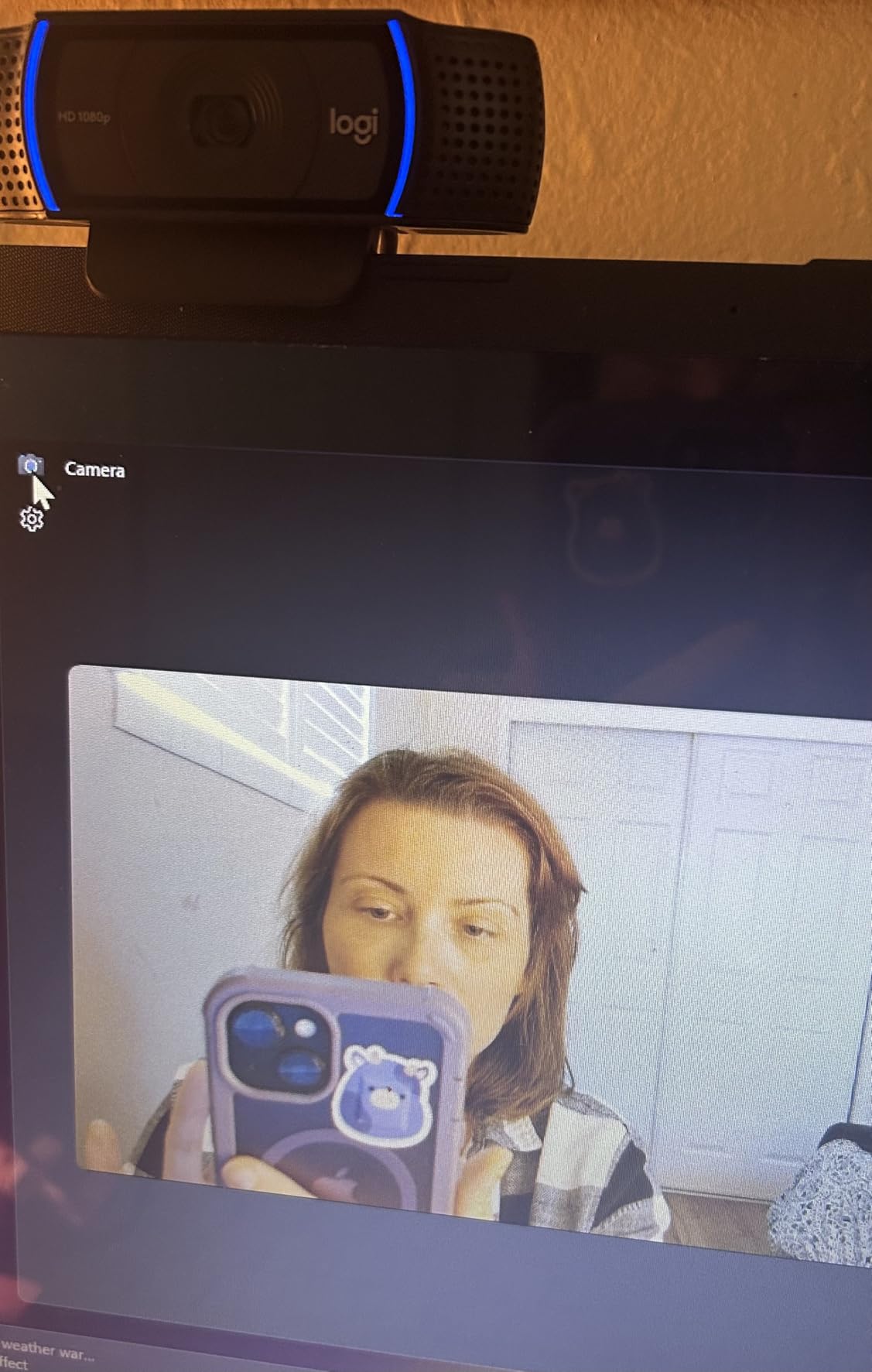
I plugged the Logitech C920x into my desk setup and was recording within two minutes. No drivers, no software drama, just a USB-A connection and a clean 1080p picture that immediately looked better than any laptop camera I have used.
The automatic light correction is where this webcam punches above its weight. My studio corner has uneven lighting with a window on one side, and the C920x balanced the exposure without me touching anything. The dual stereo microphones picked up my voice clearly from about two feet away.
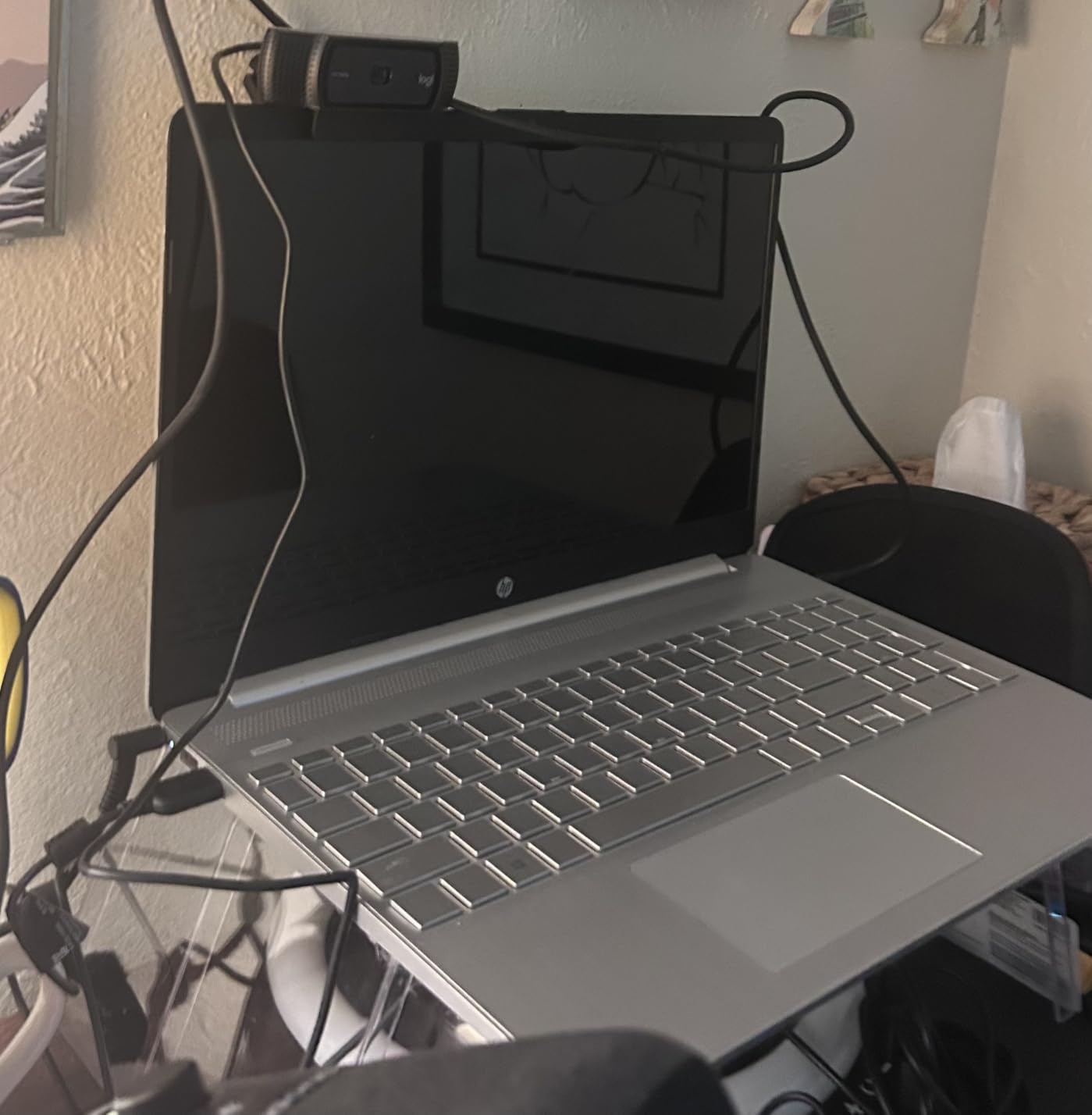
With over 21,000 reviews and a 4.6-star average, this is the webcam most home studio beginners start with. I can see why. It does the basics right and stays out of your way.
The downsides are real though. No privacy shutter means I manually angle the camera when not in use. The USB-A connection feels dated in 2026 when everything else on my desk has moved to USB-C. And the 78-degree field of view is fixed, so you cannot widen or narrow your shot.
Best Use Case for the Logitech C920x
This camera is ideal for video calls, remote work meetings, and entry-level streaming where you just need to look professional on camera. If you are starting a home studio on a tight budget, the C920x covers the fundamentals without stretching your wallet.
It also works as a reliable secondary camera angle. Several creators I follow use it as an overhead or wide shot while their main camera handles the close-up.
Streaming Software Compatibility
The C920x works seamlessly with OBS Studio, Streamlabs, XSplit, and every major video conferencing platform. I tested it on Zoom, Microsoft Teams, and Google Meet without a single connection issue.
One thing to note: the included XSplit VCam license lasts only three months. After that, you would need a subscription for background removal features. The camera itself works perfectly without it.
2. Insta360 Link 2 – AI-Powered 4K Webcam
Insta360 Link 2 – PTZ 4K Webcam for PC/Mac, 1/2″ Sensor, AI Tracking, HDR, AI Noise-Canceling Mic, Gesture Control for Streaming, Video Calls, Gaming, Works with Zoom, Teams, Twitch & More
4K Resolution
1/2 inch Sensor
AI Tracking with Pan Tilt
HDR Support
Phase Detection AF
Pros
- Exceptional 4K quality with 1/2 inch sensor
- AI tracking keeps you perfectly framed
- Excellent HDR in mixed lighting
- AI noise-canceling microphone
- Gesture control is intuitive and fast
Cons
- Not compatible with ARM-based Windows
- No Windows Hello face recognition
- Higher price than standard webcams
- Digital zoom only no optical
The first time the Insta360 Link 2 physically panned to follow me as I moved across my studio, I understood why this webcam costs more than budget options. It behaves like a mini PTZ broadcast camera that happens to sit on your monitor.
The 1/2 inch sensor is the secret weapon here. That is significantly larger than what standard webcams use, and it shows in the image quality. My test footage had rich detail and natural color reproduction that held up against some mirrorless cameras I tested.

HDR support made a visible difference in my studio where I have a bright key light and a darker background. Previous webcams would blow out my face or crush the background shadows. The Link 2 balanced both without manual adjustment.
The gesture control works better than I expected. A raised hand locks tracking, and a pinching gesture zooms in. It feels natural after about ten minutes of use, and I stopped reaching for my mouse to adjust framing.

AI Tracking Performance in Real Use
The physical pan-and-tilt mechanism is motorized, which means the camera actually moves rather than cropping digitally. This preserves full 4K resolution no matter where you are in frame. I paced around my studio during a test call, and the Link 2 kept me centered the entire time.
Privacy mode automatically tilts the lens down after ten seconds of inactivity. I appreciate this touch for a camera that lives on my monitor full-time.
DeskView and Whiteboard Modes
If your home studio doubles as a workspace for presentations or tutorials, the DeskView mode tilts the camera straight down to show your desk surface. Whiteboard mode frames and corrects a physical whiteboard for remote viewers.
These modes are niche features, but they add versatility that no other webcam in this roundup offers. For a content creator who also teaches or presents, the Link 2 justifies its price.
3. Logitech StreamCam – Built for 60fps Streaming
Logitech StreamCam Premium Webcam for Streaming and Content Creation, Full HD 1080p 60 fps, Works with Microsoft Teams, Google Meet, Zoom, Nintendo Switch 2’s new GameChat mode, for PC/Mac – Graphite
1080p at 60fps
USB-C Connection
Auto Framing
Smart Exposure
Portrait Mode Support
Pros
- Smooth 60fps for professional streams
- Excellent auto-framing capability
- Reliable smart autofocus and exposure
- USB-C for stable connection
- Portrait mode for vertical content
Cons
- Higher price than basic webcams
- No built-in privacy shutter
- Software can be finicky
- Runs warm during extended use
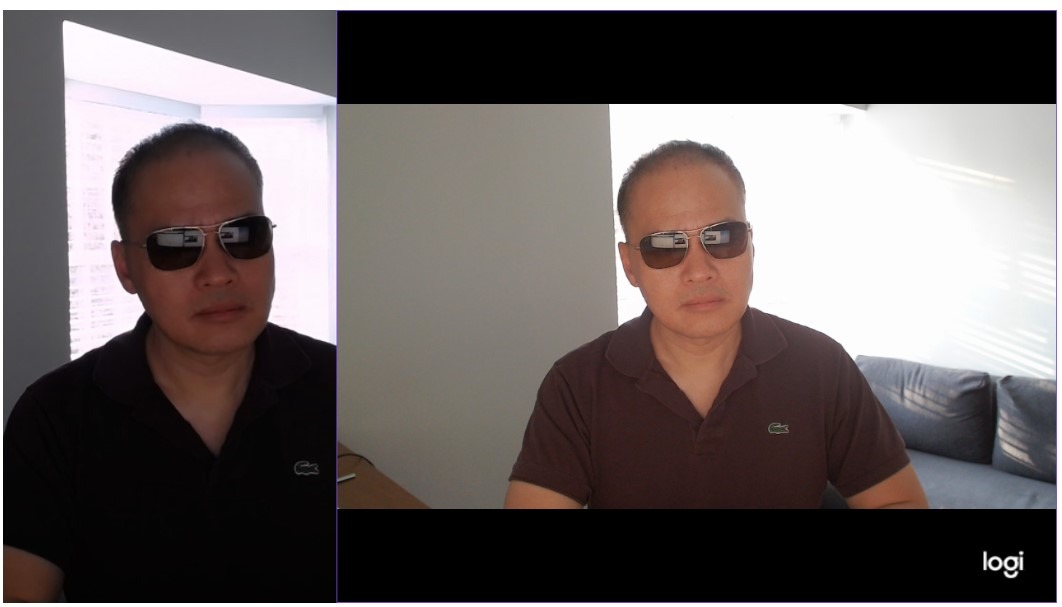
The Logitech StreamCam addresses the biggest complaint I have with standard 1080p webcams: frame rate. At 60fps, my streams looked noticeably smoother than the 30fps output from the C920x, especially during hand movements and quick gestures.
I mounted the StreamCam in portrait orientation for a vertical content test, and it automatically adjusted the output. For anyone creating content for TikTok, Reels, or YouTube Shorts from their home studio, this eliminates the need for a separate vertical setup.
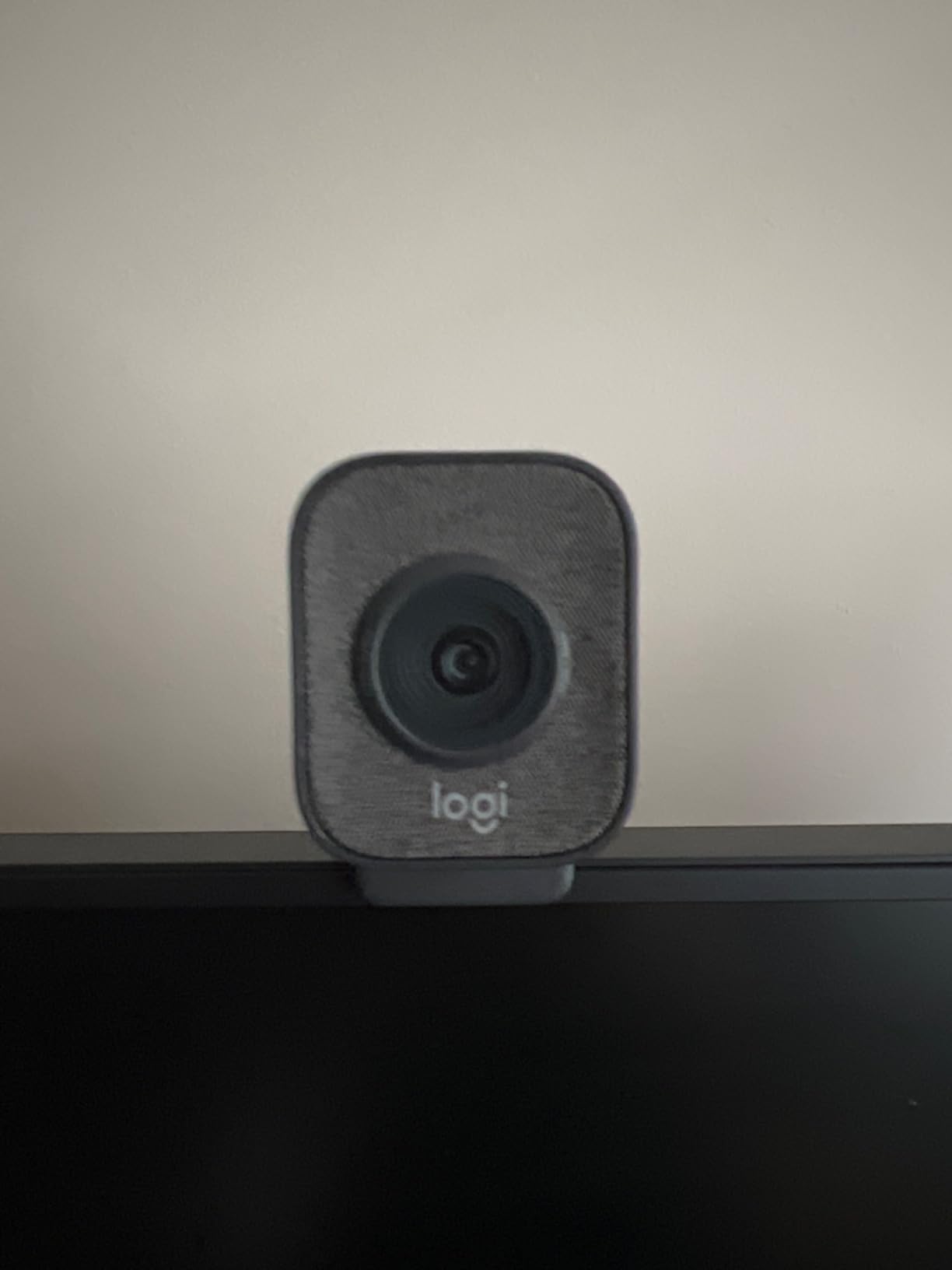
The USB-C connection is a meaningful upgrade over USB-A. I experienced zero frame drops or disconnection issues during a two-hour streaming session, which has not been my experience with every webcam I have tested.
Auto-framing works by detecting your face and keeping you centered. I leaned side to side and the software adjusted smoothly without jittery corrections. It is not as sophisticated as the Insta360 Link 2’s physical tracking, but it works well for seated streaming.
OBS and Streaming Software Integration
Logitech built the StreamCam specifically for OBS, XSplit, and Streamlabs. The camera appeared instantly in all three programs without driver issues. The included Logitech Capture software adds filters and text overlays if you want an all-in-one solution.
One recurring complaint in user reviews is that the camera runs warm during long sessions. I noticed this too after about 90 minutes. It does not affect performance, but it is worth knowing if you stream for several hours at a stretch.
Who Should Choose the StreamCam
If your home studio content is primarily live streaming or gaming, the 60fps output gives you a visible quality edge over 30fps webcams. The USB-C connection and portrait mode make it future-proof for evolving content formats.
For podcast recording or talking-head videos where 30fps is sufficient, the price premium over the C920x may not be justified. Consider what frame rate your platform actually supports before choosing.
4. Canon EOS R50 Mirrorless – Entry-Level Creativity
Canon EOS R50 Mirrorless Camera RF-S18-45mm F4.5-6.3 is STM Lens Kit, 24.2 Megapixel CMOS (APS-C) Sensor, 4K Video, Vlogging, Content Creation, Photography, Digital Camera, Black
24.2MP APS-C Sensor
6K Oversampled 4K
Dual Pixel AF II
Vari-Angle Touchscreen
DIGIC X
Pros
- Excellent image quality from 24.2MP APS-C sensor
- Fast and accurate Dual Pixel AF II with 651 zones
- 6K oversampled 4K is crisp and detailed
- Vari-angle touchscreen ideal for vlogging
- Compact and lightweight body
Cons
- Kit lens range is relatively limited
- No in-body image stabilization
- Single SD card slot
- No headphone jack for video monitoring
Stepping up from webcams to a mirrorless camera changes the creative possibilities in your home studio. The Canon EOS R50 was my pick for the easiest transition, thanks to Canon’s Dual Pixel autofocus system that simply does not miss.
The 6K oversampled 4K output is the standout feature. The camera reads data from the full 24.2MP sensor and downsamples it to 4K, which produces footage with detail and clarity that no webcam can match. My talking-head test footage looked broadcast-ready.
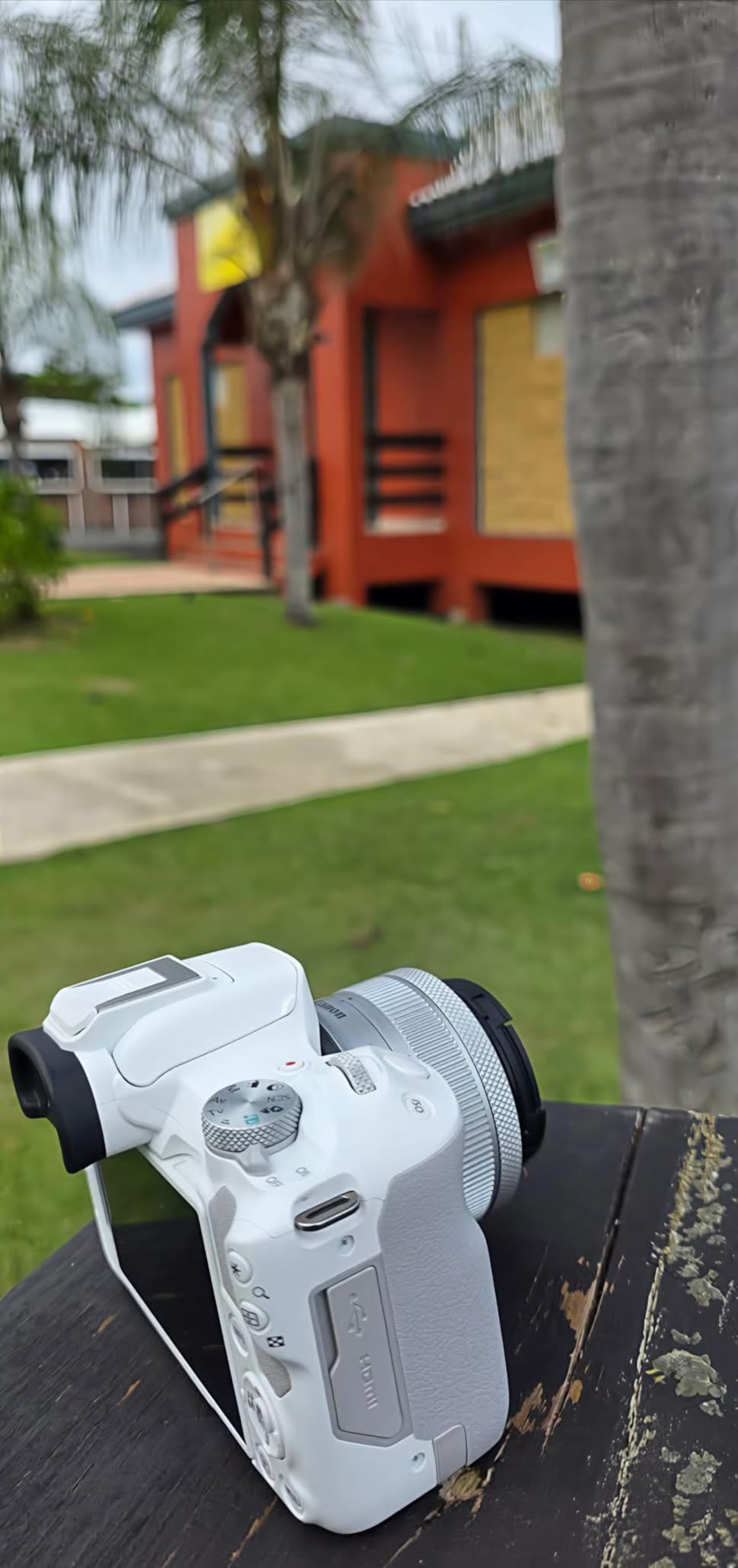
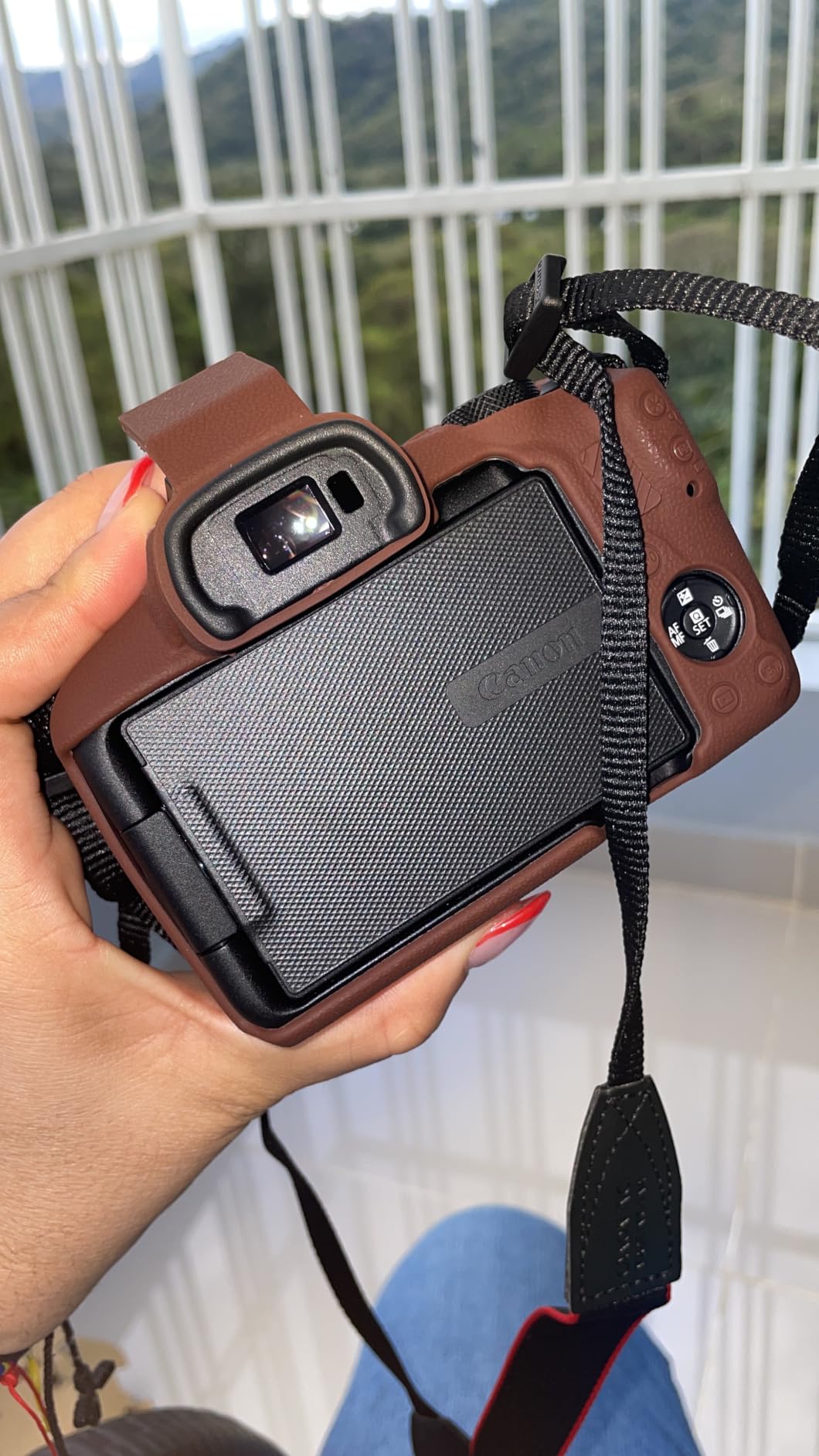
The vari-angle touchscreen flips completely around for vlogging, which means you can frame yourself without an external monitor. I propped the R50 on my desk, flipped the screen, and had a perfect composition in under a minute.
The auto subject detection is genuinely impressive. It locked onto my face and eyes immediately and tracked me as I moved. For a solo content creator without a camera operator, this is the feature that matters most.
Webcam Mode and USB Connectivity
The R50 can function as a webcam via USB without any capture card. I connected it directly to my computer and it appeared as a camera source in OBS. This simplifies your home studio setup considerably compared to cameras that require HDMI capture devices.
The kit lens (RF-S18-45mm) is serviceable but limited. Most home studio creators will eventually want a prime lens for sharper footage and wider aperture. Budget for that upgrade if you want to maximize this camera’s potential.
Battery Life for Studio Sessions
In my testing, the R50 ran for roughly 90 minutes of continuous 4K recording before the battery needed swapping. For longer streams or podcast recordings, I recommend a dummy battery that draws power from a USB-C source for continuous operation.
Canon does not include in-body image stabilization, so if your studio setup involves any camera movement, a tripod or gimbal is essential. For fixed studio use on a tripod, this is not an issue.
5. Sony Alpha a6400 Mirrorless – Autofocus Speed Champion
Sony Alpha a6400 Mirrorless Camera: Compact APS-C Interchangeable Lens Digital Camera with Real-Time Eye Auto Focus, 4K Video, Flip Screen & 16-50mm Lens – E Mount Compatible – ILCE-6400L/B, Black
24.2MP APS-C Sensor
0.02s AF Acquisition
Real-Time Eye AF
4K Full Pixel Readout
180-Degree Tilting Screen
Pros
- Blazing fast 0.02s AF acquisition with Eye AF
- Excellent real-time subject tracking
- High-quality 4K with full pixel readout
- 180-degree tilting screen for vlogging
- Compact lightweight body with great low-light performance
Cons
- No in-body image stabilization
- No headphone jack for audio monitoring
- Menu system can be confusing
- Battery life could be better for long sessions
The Sony a6400 has one job in my studio, and it does it better than any camera at this price point: autofocus. The 0.02-second acquisition speed means the camera locks focus before you even realize it has fired up.
Real-time Eye AF tracks your eye continuously, even when you turn your head or move around the frame. I tested this during a pacing-style video where I walked back and forth across my studio, and the a6400 never lost track of my face.
The 4K recording uses full pixel readout, meaning it reads every pixel from the sensor rather than line-skipping. This eliminates moire patterns and delivers sharp, clean footage that holds up well against higher-end cameras.
The 180-degree tilting screen flips up for self-framing, which is essential for solo studio work. It is not a fully articulating screen like the Canon R50, but it serves the same purpose for front-facing recording.
S-Log and Dynamic Range for Post-Production
The a6400 includes S-Log2, S-Log3, and HLG (HDR) profiles. These flat picture profiles capture more dynamic range, giving you significantly more flexibility in post-production for color grading. If you want a cinematic look from your home studio, this is where it starts.
The trade-off is that S-Log footage requires grading to look good straight out of camera. For quick-turnaround content where you need upload-ready footage, standard profiles work fine and still look great.
E-Mount Lens Ecosystem
Sony’s E-mount has one of the largest lens ecosystems of any mirrorless system. From budget Sigma primes to high-end Sony G Master lenses, you have options at every price point. This makes the a6400 a strong long-term investment as your studio grows.
Note that this model has limited stock availability, which may indicate Sony is transitioning to a newer model. If you find it available, it remains one of the best values in mirrorless for home studio use.
6. Canon EOS Rebel T7 DSLR – Beginner-Friendly DSLR Kit
Canon EOS Rebel T7 DSLR Camera Double Zoom Lens Kit with EF-S 18-55mm and EF 75-300mm Lenses, 24.1 Megapixel CMOS (APS-C) Sensor, Full HD Videos, Wi-Fi, Beginner Photographers, Digital Camera, Black
24.1MP APS-C CMOS
Dual Zoom Lens Kit
9-Point AF
Wi-Fi and NFC
Full HD 1080p Video
Pros
- 24.1MP sensor delivers excellent stills quality
- Dual zoom lens kit covers wide to telephoto
- Built-in Wi-Fi and NFC for easy sharing
- Scene Intelligent Auto mode for beginners
- Compatible with extensive Canon EF EF-S lens lineup
Cons
- Only 3 FPS continuous shooting
- No 4K video support
- 9-point AF system is basic
- No in-body image stabilization
- Plastic body construction
The Canon EOS Rebel T7 is the camera I recommend to people who want to learn real photography and videography fundamentals. This is a DSLR with an optical viewfinder, which means you see exactly what the lens sees with zero lag.
The dual zoom lens kit is genuinely useful. The EF-S 18-55mm handles your standard studio framing, while the EF 75-300mm gives you reach for tighter shots or distant subjects. For one price, you have two very different creative tools.

With over 8,500 reviews and a 4.7-star average, the Rebel T7 is one of the most popular beginner cameras on the market. That popularity means abundant tutorials, community support, and used lens options at every budget.
The limitation for home studio video work is significant: the T7 shoots Full HD 1080p, not 4K. For YouTube and streaming where viewers expect 4K, this may be a dealbreaker. But for learning composition, lighting, and camera fundamentals, it is an excellent starting point.

EF-S Lens Compatibility for Studio Growth
Canon’s EF and EF-S lens mount is the largest lens ecosystem in existence. Decades of lenses are available new and used, which means you can build a studio lens collection incrementally without breaking the bank.
The trade-off is that Canon has shifted focus to the RF mount for newer mirrorless cameras. EF-S lenses will not adapt directly to RF-mount bodies, so your lens investment is tied to the DSLR system.
Scene Intelligent Auto for True Beginners
The Scene Intelligent Auto mode genuinely helps newcomers get good results without understanding aperture, shutter speed, or ISO. I handed the T7 to a friend who had never used a real camera, and she produced clean, well-exposed photos on her first try.
For home studio use, the T7 works best as a still photography camera or a 1080p video camera for content where resolution is not critical. Podcast recording, tutorial videos, and social media clips are all within its capabilities.
7. Blackmagic Pocket Cinema Camera 4K – Cinema Quality at Home
Blackmagic Design Pocket Cinema Camera 4K Power Bundle (CINECAMPOCHDMFT4K) – Includes Two (2) Additional LP-E6 Batteries, Dual Battery Charger, and SolidSignal Microfiber Cloth
4/3 CMOS Sensor
13 Stops Dynamic Range
Blackmagic RAW and ProRes
DaVinci Resolve Studio Included
Dual Native ISO
Pros
- 13 stops of dynamic range for exceptional detail
- Dual native ISO up to 25600 for low light
- 4K recording in Blackmagic RAW and ProRes
- 5-inch bright LCD eliminates external monitor
- Includes DaVinci Resolve Studio full license
Cons
- No in-body image stabilization digital only
- Not water resistant
- Limited to MFT lens mount
- Requires external batteries for extended shoots
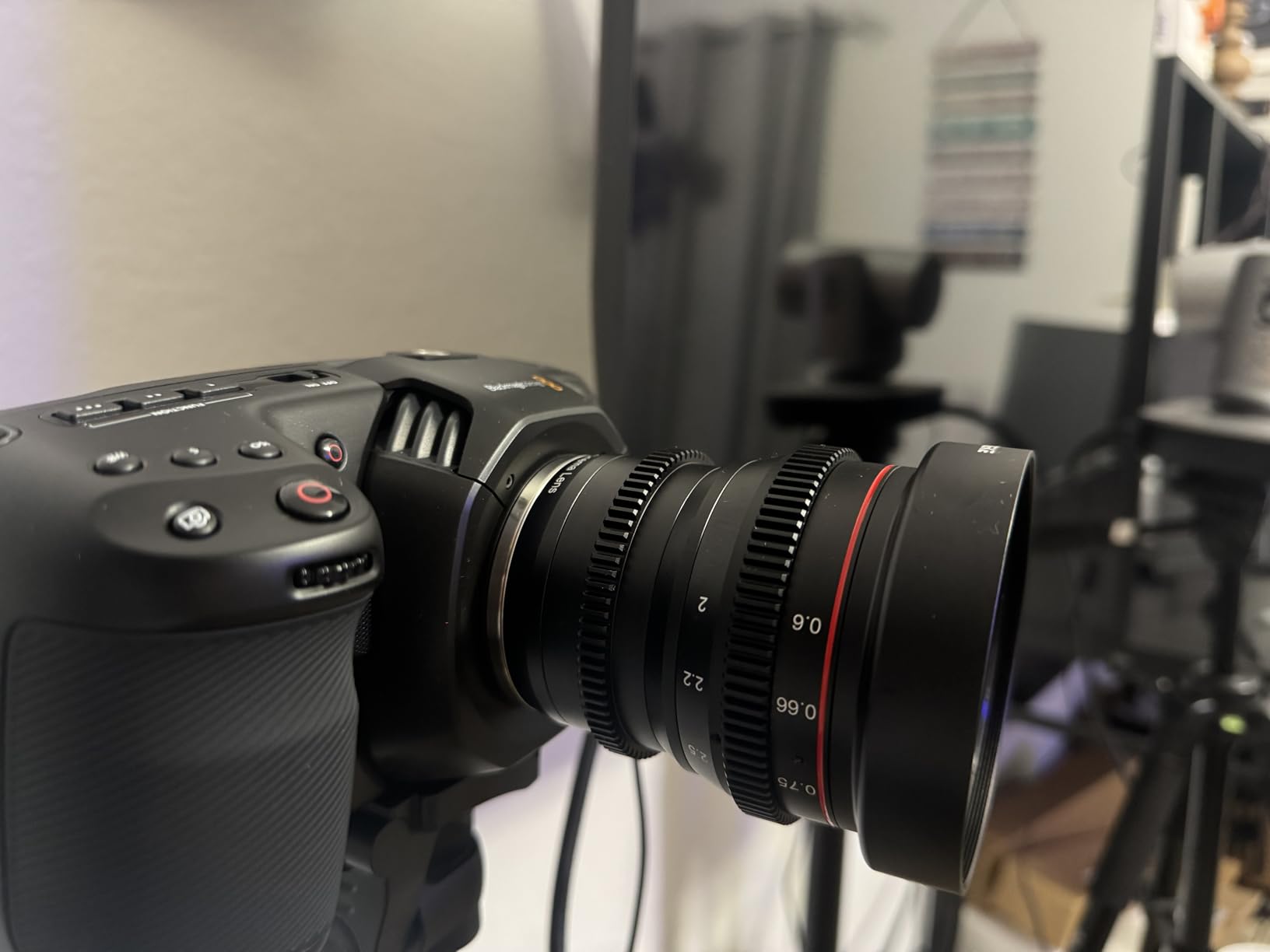
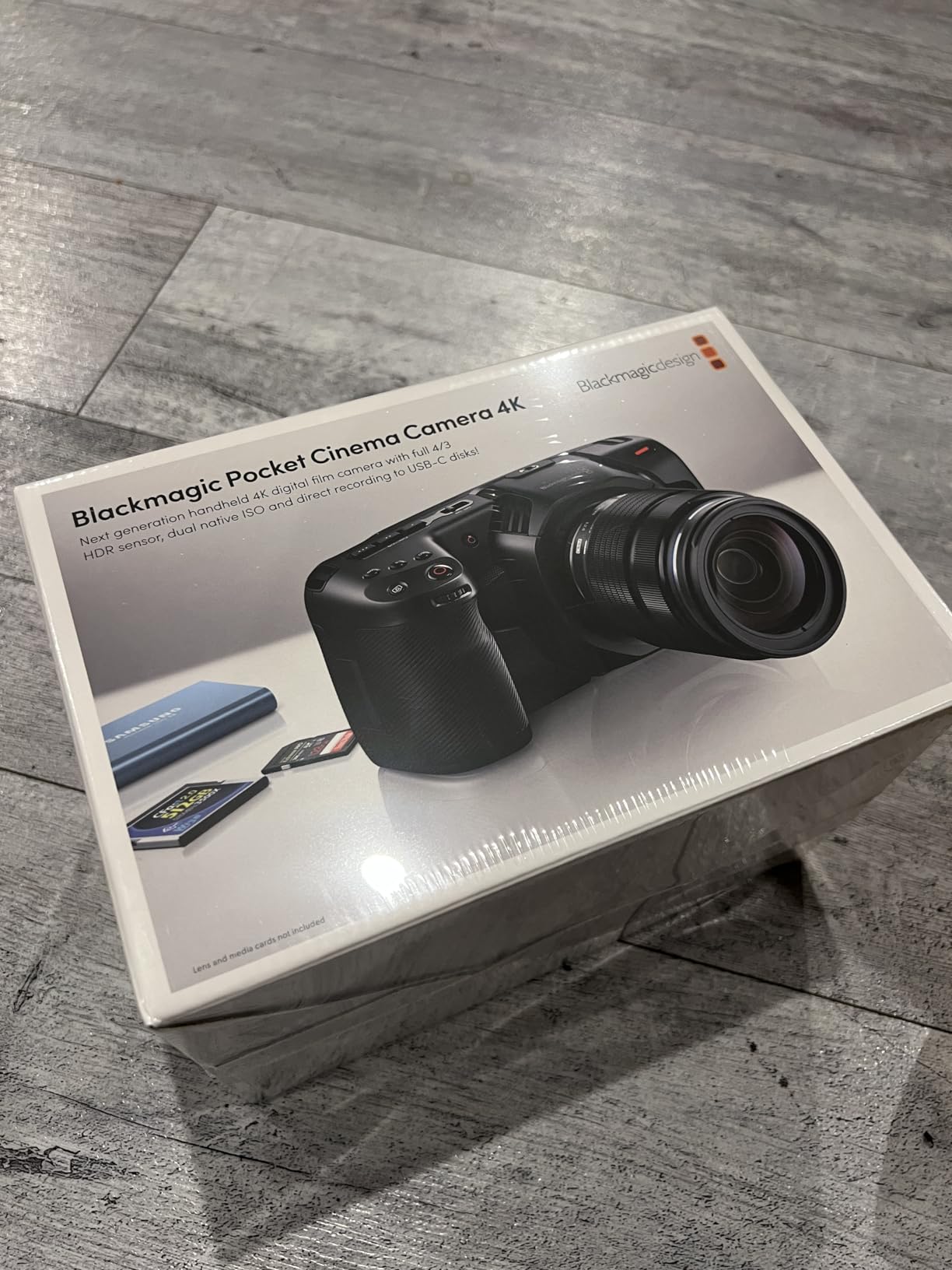
The Blackmagic Pocket Cinema Camera 4K (BMPCC4K) is the camera that transformed my expectations for what a home studio can produce. The 13 stops of dynamic range capture detail in both highlights and shadows that no other camera in this price range can touch.
This is a purpose-built cinema camera, not a still camera that also shoots video. Everything about its design prioritizes video quality, from the recording codecs to the professional audio inputs.
The included DaVinci Resolve Studio license is worth nearly half the camera’s price on its own. This is the full professional version of the industry-standard color grading and editing software, not a stripped-down free version.
Dual native ISO means the camera has two optimal sensitivity levels rather than artificially amplifying the signal. In my low-light studio tests, the BMPCC4K produced clean, usable footage at ISO 3200 where other cameras showed visible noise.
Recording Formats and Post-Production Workflow
The BMPCC4K records in Blackmagic RAW (12-bit) and Apple ProRes, both of which are professional broadcast formats. Blackmagic RAW files are remarkably small for their quality, making them practical for home studio storage setups.
There is no recording time limit, which forum users on r/blackmagicdesign consistently praise. For podcast recording and long-form streaming, this eliminates the 30-minute restriction that plagues many consumer cameras.
USB-C Power Delivery for Continuous Streaming
The BMPCC4K supports USB-C power delivery, meaning you can run it continuously from a USB-C power source without swapping batteries. This is one of the most requested features in Reddit discussions about home studio cameras.
I connected a USB-C PD power bank and ran the camera for over four hours of continuous recording. For a fixed home studio setup, this effectively solves the battery life problem that affects most cameras in this guide.
8. Sony Cinema Line FX30 – Professional Super 35 Cinema
SONY Cinema Line FX30 Super 35 Camera, Gray
Super 35 Sensor
14+ Stops Dynamic Range
S-Cinetone Color
Active In-Body Stabilization
Dual Base ISO
Pros
- 14+ stop dynamic range with dual base ISO
- S-Cinetone produces cinematic look without grading
- Active in-body image stabilization
- 495-point hybrid AF with reliable Eye AF
- 6K sensor oversampling to sharp 4K footage
Cons
- APS-C sensor smaller than full-frame cinema cameras
- No built-in ND filters
- Battery life limiting for full-day shoots
- No headphone jack without accessory adapter
- Limited to Sony E-mount lenses
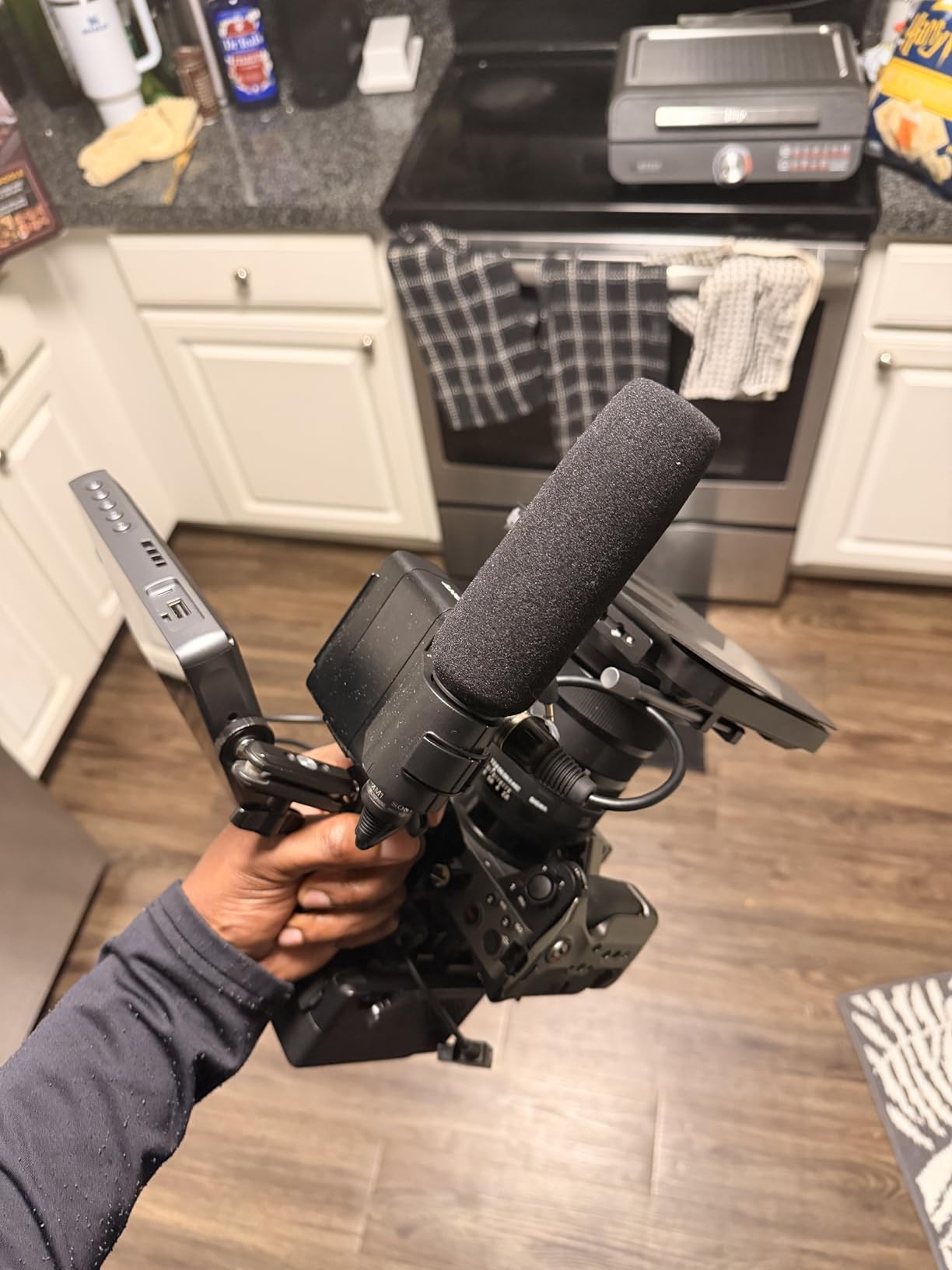
The Sony FX30 is the most capable camera in this roundup, and it is the one I would choose if my home studio was producing client work or narrative content. This is a true cinema camera in Sony’s professional Cinema Line, not a hybrid stills camera.
S-Cinetone color science is the magic word here. This is the same color profile used in Sony’s high-end cinema cameras, and it produces skin tones that look cinematic straight out of the camera. No color grading required for footage that looks professional.
The 14+ stops of dynamic range exceed even the BMPCC4K. In practice, this means the FX30 captures detail in the brightest highlights and darkest shadows simultaneously. My studio tests showed clean shadow detail where other cameras produced only blackness.
Active in-body image stabilization is a significant advantage for any studio setup where the camera might need to move. Unlike the BMPCC4K and Canon R50, the FX30 smooths out handheld movement internally.
Cine EI Modes and Log Recording
The FX30 offers Cine EI Quick and Cine EI Log modes for maximum dynamic range and post-production flexibility. These modes mirror the workflow of high-end cinema cameras, giving you professional-grade control over exposure and grading.
For home studio creators who want to move into professional work, this camera provides a growth path. You can start with S-Cinetone for immediate results and graduate to Log workflows as your skills develop.
CFexpress Type A and Dual Media Slots
The FX30 accepts both SDXC (UHS-II) and CFexpress Type A cards in dual slots. CFexpress Type A enables high-bitrate recording formats that SD cards cannot handle, and dual slots provide backup recording for critical sessions.
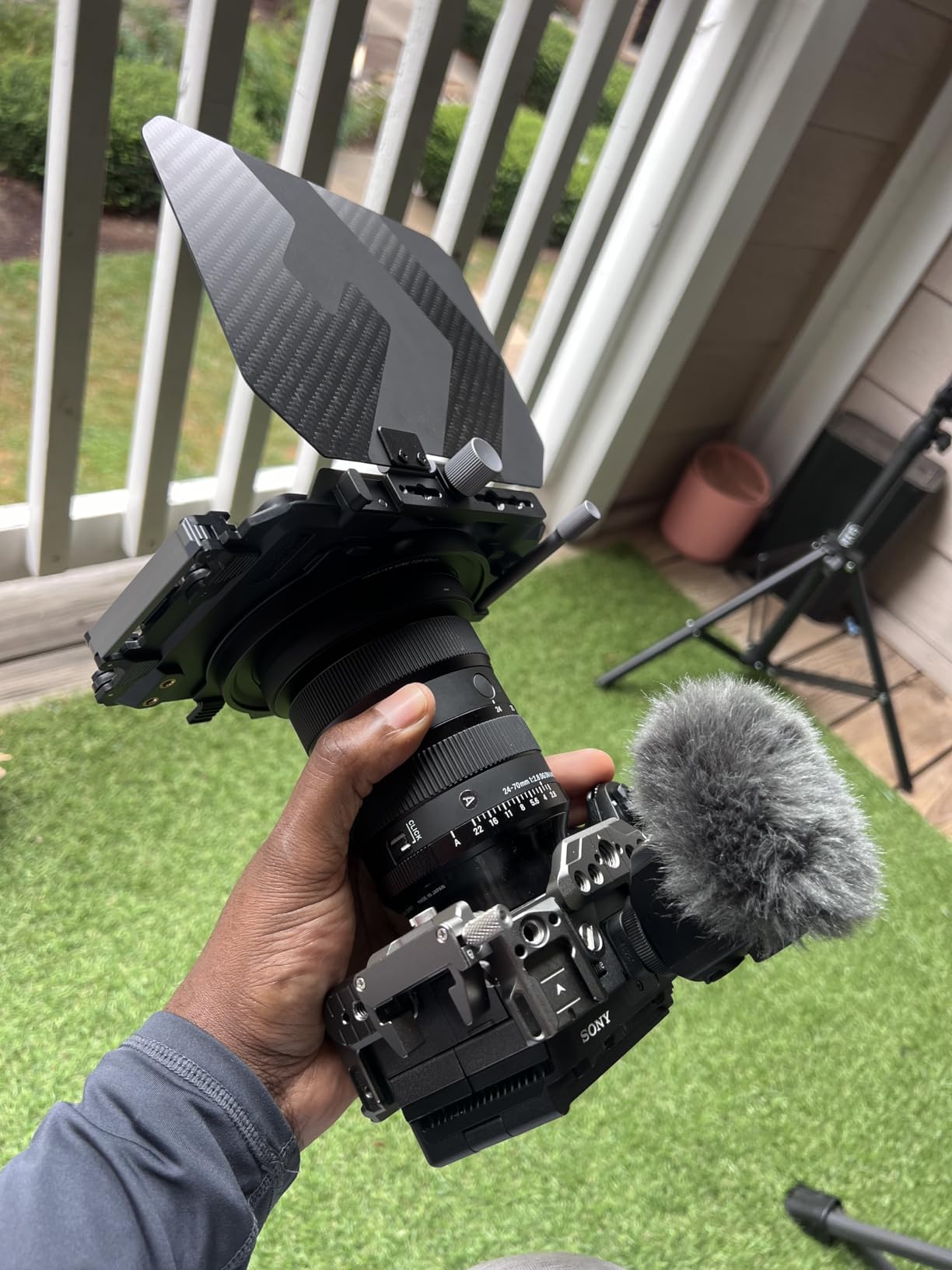
The main drawback for home studio use is the lack of built-in ND filters. In a studio with controlled lighting, this is less of an issue, but if you ever shoot near windows or outdoors, you will need a matte box or screw-on ND filters.
How to Choose a Camera for Your Home Studio?
Choosing among the best cameras for home studio setups comes down to four factors: what you are creating, your budget, your technical comfort level, and your streaming setup. Let me break down each one based on what I learned testing these eight cameras.
Camera Type: Webcam vs Mirrorless vs DSLR vs Cinema
Webcams like the Logitech C920x and Insta360 Link 2 are the simplest path to better video. They plug in and work immediately, which matters if you want to start creating today rather than learning camera settings. Modern 4K webcams like the Link 2 close the quality gap with dedicated cameras significantly.
Mirrorless cameras like the Canon R50 and Sony a6400 give you interchangeable lenses, larger sensors, and manual control over every aspect of your image. The trade-off is more complexity and the need for capture cards or USB webcam modes to connect them to your computer for streaming.
DSLRs like the Canon Rebel T7 are best if you want to learn photography alongside video. They offer optical viewfinders and massive lens ecosystems, but they are heavier and generally less video-focused than mirrorless alternatives.
Cinema cameras like the BMPCC4K and Sony FX30 exist for creators who need broadcast-grade image quality. They record in professional codecs, offer extensive dynamic range, and include features like no recording limits and USB-C power delivery that matter for professional workflows.
Sensor Size and Image Quality
Sensor size directly affects image quality, low-light performance, and depth of field control. The BMPCC4K uses a 4/3-inch sensor, while the Canon R50 and Sony a6400 use APS-C sensors. The FX30 uses a Super 35 sensor, which is similar in size to APS-C but optimized for video.
Larger sensors capture more light, which means cleaner images in dim studio conditions. They also produce shallower depth of field, letting you blur your background for that professional separation between subject and setting.
For a typical home studio with decent lighting, APS-C is the sweet spot. It provides excellent quality without the cost and weight of full-frame sensors.
Resolution: Do You Need 4K?
In 2026, 4K is the standard for YouTube content and is increasingly expected on streaming platforms. All eight cameras in this guide except the Canon Rebel T7 shoot 4K or better. If you are serious about content creation, 4K should be your minimum target.
That said, 1080p from a large-sensor camera often looks better than 4K from a tiny webcam sensor. Resolution is only one factor in image quality. The Canon Rebel T7’s 1080p output from an APS-C sensor can outclass a cheap 4K webcam in color depth and dynamic range.
Autofocus for Solo Creators
If you record alone, autofocus is not a luxury. It is essential. Sony’s Real-Time Eye AF on the a6400 and FX30 is the gold standard, locking onto your eye and tracking it as you move. Canon’s Dual Pixel AF II on the R50 is nearly as good.
Among webcams, the Insta360 Link 2’s Phase Detection AF and AI tracking are the closest equivalent. The Logitech models use contrast-detect autofocus, which is less reliable for moving subjects but perfectly adequate for seated presentations.
Power Delivery and Recording Limits
This is the pain point that Reddit users mention most. Consumer cameras often impose 30-minute recording limits that destroy long podcast sessions. The BMPCC4K has no recording limit and supports USB-C power delivery for truly continuous operation.
The Sony FX30 also supports continuous operation with compatible power solutions. Most mirrorless cameras can run from dummy batteries or USB-C power, but you need to verify compatibility before buying.
Webcams inherently have no recording limits since they draw power and process video through your computer. This is an underrated advantage for streaming use cases.
Budget Tiers for Home Studio Cameras
Under $100: The Logitech C920x delivers solid 1080p for entry-level streaming and video calls. Start here if you are unsure whether content creation is for you.
$100 to $250: The Insta360 Link 2 and Logitech StreamCam offer premium webcam features like 4K resolution, 60fps, and AI tracking. These are ideal for serious streamers who want webcam simplicity with near-camera quality.
$500 to $900: The Canon Rebel T7, Canon R50, and Sony a6400 provide interchangeable-lens quality and manual control. This is where image quality takes a genuine leap forward.
$1,000 and above: The BMPCC4K and Sony FX30 deliver cinema-grade image quality for professional content. These are investments in your creative output that pay dividends in production value.
FAQs
Which camera is best for a home studio?
The best camera for a home studio depends on your needs. For beginners, the Logitech C920x offers excellent 1080p quality at a budget price. For intermediate creators, the Insta360 Link 2 provides 4K with AI tracking. For professional results, the Blackmagic Pocket Cinema Camera 4K delivers cinema-grade quality with no recording limits and USB-C power delivery.
What is the best recording equipment for a home studio?
A complete home studio setup needs a quality camera (webcam or mirrorless), a dedicated microphone (USB or XLR), proper lighting (key light, fill light, and backlight), and a stable tripod or mount. The camera is the centerpiece, but audio and lighting matter equally for professional results.
What cameras do professional studios use?
Professional studios typically use cinema cameras from brands like Blackmagic Design, Sony, Canon, and ARRI. The Sony FX30 and Blackmagic Pocket Cinema Camera 4K bring professional cinema features into home studio price ranges. For fixed studio setups, Blackmagic Studio Cameras are highly regarded for their built-in streaming features.
Can I use a webcam for professional streaming?
Yes, modern 4K webcams like the Insta360 Link 2 produce quality suitable for professional streaming. The Logitech StreamCam at 60fps is also popular among Twitch streamers. For maximum quality, a mirrorless camera with webcam mode or HDMI capture offers better results, but high-end webcams close the gap significantly.
Do I need a 4K camera for my home studio?
In most cases, yes. YouTube and streaming platforms increasingly expect 4K resolution. However, 1080p from a large-sensor camera like the Canon Rebel T7 can look better than 4K from a small webcam sensor. Resolution matters, but sensor size, lighting, and lens quality affect perceived image quality just as much.
Conclusion
After testing all eight cameras, my recommendations come down to where you are in your content creation journey. The Logitech C920x is the best starting point for beginners. The Insta360 Link 2 is the best value for streamers who want 4K with smart tracking. The Blackmagic Pocket Cinema Camera 4K is my Editor’s Choice for creators ready to produce cinema-grade content from their home studio.
The best cameras for home studio setups in 2026 are the ones that match your creative goals without getting in your way. Pick the tier that fits your budget, start creating, and upgrade your gear as your skills and audience grow.