
You press record, capture what looks like smooth footage, and then play it back only to see your video wobbling like a plate of gelatin. That unsettling, rippling distortion has a name: the jello effect, and it stems from a fundamental property of how most modern cameras capture video called rolling shutter.
If you shoot with a smartphone, DSLR, mirrorless camera, or drone, you have almost certainly encountered this artifact. The good news is that once you understand what causes it, the jello effect rolling shutter problem becomes much easier to control and even eliminate in post-production.
In this guide, our team breaks down the technical mechanics behind rolling shutter, the specific factors that trigger the jello effect, and practical solutions you can apply on your next shoot.
Table of Contents
What Is the Jello Effect (Rolling Shutter)?
The jello effect is a specific type of video distortion that occurs when a camera sensor captures an image sequentially rather than all at once. As the camera or subject moves during this sequential capture, different parts of the frame are recorded at slightly different moments in time. The result is a wobbly, gelatinous appearance in your footage, especially noticeable during fast motion, panning, or when vibrations are present.
Rolling shutter is the underlying image capture method that produces this effect. Most CMOS sensor-based cameras, including virtually all smartphones, action cameras, and the majority of consumer DSLRs and mirrorless bodies, use rolling shutter by default. The name comes from how the sensor “rolls” through the frame, scanning it line by line from top to bottom.
The jello effect is technically classified as a “wobble” distortion, but rolling shutter can produce several other visual artifacts as well. Skew causes vertical objects to appear slanted during horizontal panning. Spatial aliasing creates jagged or stair-stepped patterns on fine details. Temporal aliasing can make fast-moving objects appear fragmented or partially duplicated.
For most videographers, the wobble or jello distortion is the most frustrating because it makes handheld and aerial footage look unprofessional and unstable, even when the shooting technique is sound.
Why Does Rolling Shutter Happen? The CMOS Sensor Explained
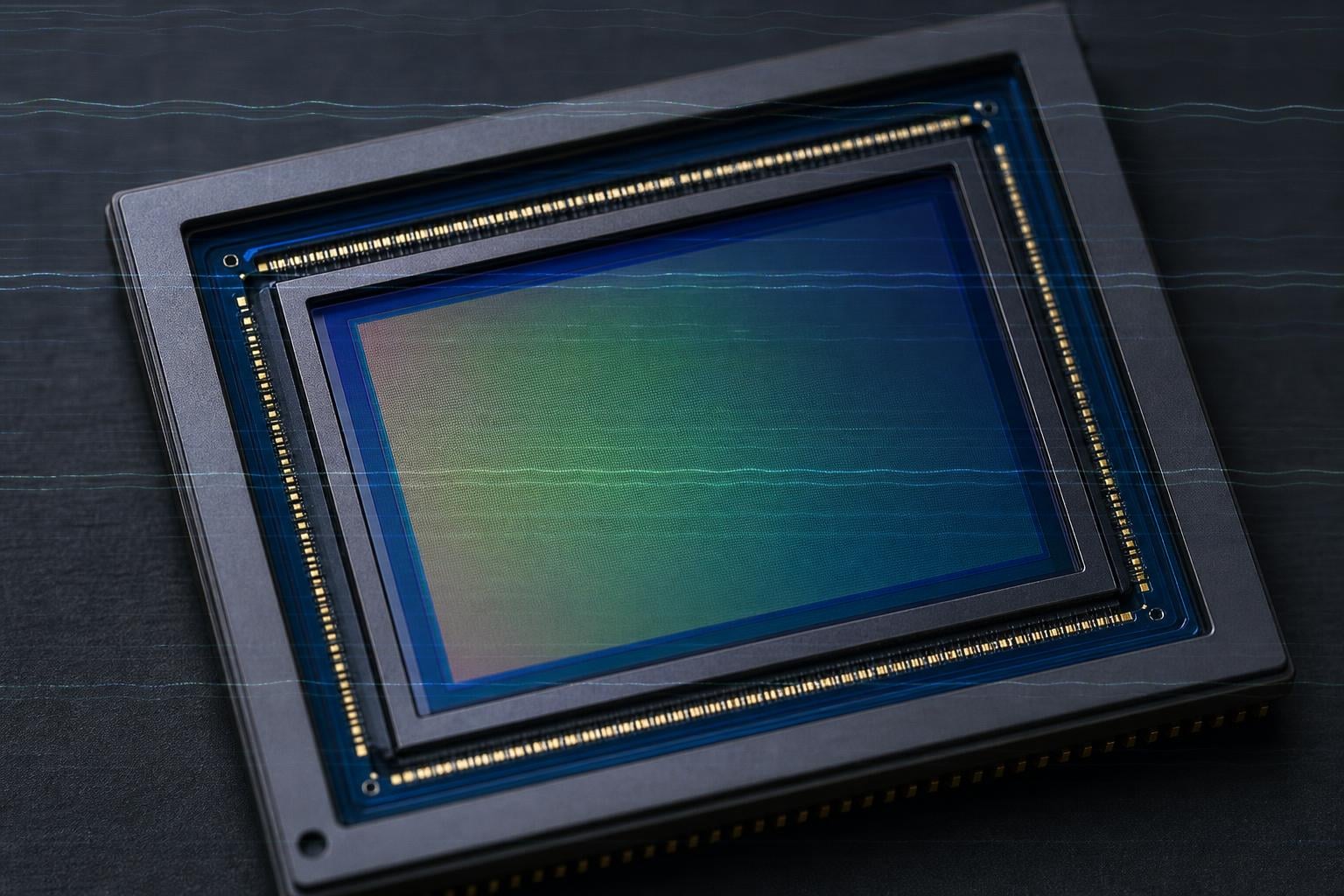
To understand why the jello effect rolling shutter phenomenon exists, you need to look at how CMOS sensors work. CMOS (complementary metal-oxide-semiconductor) is the dominant sensor technology in consumer and professional cameras today. These sensors are affordable, power-efficient, and capable of capturing high-quality images, but they have one fundamental limitation: they cannot read every pixel simultaneously.
Instead of capturing the entire frame in a single instant like a global shutter sensor would, a CMOS sensor with rolling shutter reads the image sequentially. It starts at the top row of pixels, then moves to the second row, then the third, and so on until the entire frame has been scanned. This scan happens very quickly, often in a fraction of a millisecond, but it is not instantaneous.
That tiny delay between the top and bottom of the frame is called the readout time or readout speed. If nothing in the scene is moving and the camera is perfectly still, the readout time is irrelevant because every row captures the same static image. But the moment motion enters the equation, that fraction-of-a-second difference between rows starts to matter.
Imagine a camera panning horizontally while the sensor scans from top to bottom. By the time the sensor reaches the bottom rows, the camera has moved slightly from where it was when it captured the top rows. Each row records the scene from a marginally different position. When those rows are assembled into a single frame, straight lines bend, buildings lean, and the entire image takes on that characteristic wobble.
This is why electronic shutter modes are more prone to the jello effect than mechanical shutters. A mechanical shutter physically exposes the entire sensor for a brief, uniform duration. An electronic shutter simply activates and deactivates the sensor rows sequentially, maximizing the readout delay and amplifying any rolling shutter artifacts.
Forum users on Reddit’s videography and drones communities frequently ask why electronic shutter seems worse. The answer comes down to that readout speed: mechanical shutters effectively freeze the exposure window, while electronic shutters leave the full sensor readout time exposed to any motion or vibration in the system.
What Causes the Jello Effect (Rolling Shutter) in Video?
The jello effect in video is caused by two primary factors working together: the sequential line-by-line capture method of CMOS sensors and physical vibrations or rapid motion during recording. Neither factor alone typically produces visible jello, but when a slow sensor readout meets even minor vibrations, the distortion becomes pronounced.
Let us break down the main causes by category.
Vibration From Equipment
Vibration is the single most common trigger for the jello effect, especially in drone videography. Motors spinning at high RPM, unbalanced propellers, and loose camera mounts all generate continuous micro-vibrations that transfer directly into the camera body. These vibrations occur at specific frequencies that interact with the sensor’s readout rate, creating a resonance pattern that shows up as a repeating wobble in your footage.
Drone pilots on Phantom Pilots and Mavic Pilots forums consistently report that the jello effect starts the instant their propellers begin spinning. This direct correlation between motor vibration and visual distortion confirms that mechanical resonance, not just sensor technology, is a primary driver of the problem.
Propeller Imbalance
For drone operators specifically, propeller imbalance is often the culprit behind severe jello. When propellers are even slightly uneven in weight distribution, they create vibration at the motor’s rotation frequency. A propeller that is off-balance by as little as a fraction of a gram can introduce enough vibration to ruin footage from an otherwise high-quality camera.
Rapid Camera Movement
Fast panning, quick tilts, and aggressive camera movements all expose rolling shutter artifacts. When you pan horizontally, vertical lines in your scene bend diagonally. When you tilt vertically, horizontal lines warp. The faster the motion relative to the sensor’s readout speed, the more dramatic the distortion becomes.
Fast-Moving Subjects
Even with a perfectly still camera, fast-moving subjects can reveal rolling shutter. A golf club swinging, an airplane propeller spinning, or a car racing past can produce bizarre visual effects like bent clubs, warped propeller blades, or partially duplicated vehicles. These artifacts occur because the subject moves significantly between the time the sensor reads the top and bottom of the frame.
Smartphone-Specific Causes
No competitor in the current search landscape adequately addresses smartphone rolling shutter, which is a significant gap. Smartphones are particularly vulnerable to the jello effect because their small CMOS sensors typically have slower readout speeds than professional cameras. The compact lens and sensor design, combined with aggressive image processing, means that even slight hand movements during video recording can trigger visible wobble. Recording while walking or running with a phone is one of the most common scenarios where smartphone users first notice rolling shutter artifacts.
Cheap or Slow Sensor Hardware
Budget cameras and older devices tend to suffer more severely from rolling shutter because their sensors have slower readout speeds. A sensor that takes 30 milliseconds to scan a full frame will produce far more jello than one that completes the same scan in 5 milliseconds. This is why forum consensus points to hardware quality as a root factor: spending more on a camera with faster readout technology directly reduces rolling shutter severity.
Rolling Shutter vs Global Shutter: What Is the Difference?
The fundamental difference between rolling shutter and global shutter comes down to how each captures an image. Rolling shutter scans the frame sequentially, row by row, creating the potential for time-based distortion. Global shutter exposes and reads every pixel in the entire frame simultaneously, meaning every part of the image is captured at the exact same instant.
With global shutter, the jello effect is physically impossible because there is no time gap between the top and bottom rows. Fast motion, vibration, and rapid panning produce no distortion because the entire scene is frozen in a single moment. This is why global shutter cameras are the standard in scientific imaging, industrial inspection, and high-end cinematography where motion artifacts are unacceptable.
The trade-off is cost and complexity. Global shutter sensors are significantly more expensive to manufacture than rolling shutter CMOS sensors. They require more sophisticated circuitry at each pixel site to store the charge while the entire frame is read out. This added complexity means larger sensor pixels, higher production costs, and historically, lower maximum resolutions compared to rolling shutter equivalents.
For most consumer applications, rolling shutter provides the best balance of image quality, frame rate capability, and affordability. Professional drone models like the DJI Phantom 4 RTK and Mavic 3 Enterprise have introduced mechanical shutter options that eliminate jello, but these come at premium prices. For the majority of videographers, learning to work with rolling shutter through proper technique and settings remains the most practical approach.
Types of Rolling Shutter Distortion You Will See
Rolling shutter produces several distinct types of visual artifacts beyond the classic jello wobble. Understanding each type helps you identify the problem quickly and choose the right correction method.
Wobble (Jello Effect): The most common and most frustrating artifact. Portions of the image appear to stretch, compress, and ripple as if viewed through water or gelatin. This is primarily caused by continuous vibration interacting with the sensor’s readout speed.
Skew: Vertical lines and objects appear to lean diagonally when the camera pans horizontally. Buildings, poles, and trees bend in the direction of motion. Skew is purely a function of how fast you move the camera relative to the sensor readout time.
Spatial Aliasing: Fine patterns and textures create moire patterns or stair-stepped edges that shift and shimmer as they move across the frame. This is less about motion timing and more about the sensor’s resolution and anti-aliasing filter interacting with repeating patterns.
Temporal Aliasing: Fast-moving objects can appear fragmented, partially duplicated, or warped in ways that defy physics. A spinning propeller might look like it is bending into an S-curve, or a moving car might show a horizontal slice that appears shifted from the rest of the vehicle.
Exposure Artifacts: When shooting under artificial lighting that flickers at a specific frequency (like fluorescent or LED lights), rolling shutter can produce horizontal bands of varying brightness across the frame, a phenomenon related to but distinct from the traditional jello effect.
How to Prevent and Fix the Jello Effect?
The jello effect rolling shutter problem can be addressed at three stages: before you shoot, while you shoot, and after you shoot. Our team has tested these methods across drones, smartphones, and mirrorless cameras, and here is what works.
Before You Shoot: Equipment Solutions
Addressing the root cause of vibration before recording is the most effective strategy. Here are the steps to take:
1. Balance your propellers. For drone operators, this is step one. Use a propeller balancer to check each blade for weight distribution. Even a tiny imbalance creates vibration at the motor’s RPM frequency. Sand the heavier blade edge slightly or apply clear tape to the lighter blade until balanced.
2. Use a gimbal or mechanical stabilizer. A quality 3-axis gimbal isolates the camera from motor and body vibrations. For handheld shooting, a gimbal or electronic stabilizer dramatically reduces the micro-movements that trigger wobble.
3. Install vibration dampeners. Foam mounts, rubber isolators, and specialized anti-vibration plates between the camera and its mounting surface absorb the frequencies that cause jello. These are inexpensive and effective for drone setups.
4. Tighten all mounting hardware. A loose camera mount is a vibration amplifier. Check every screw, clamp, and connector before each shoot.
While You Shoot: Settings and Technique
Your camera settings play a major role in how visible rolling shutter becomes. Follow these guidelines:
5. Follow the 180-degree shutter rule. Set your shutter speed to approximately double your frame rate. Shooting at 24fps means a shutter speed of 1/50 second. At 30fps, use 1/60. At 60fps, use 1/120. This creates natural motion blur that masks rolling shutter artifacts.
6. Use ND filters to control shutter speed. In bright conditions, your camera may force a fast shutter speed that eliminates motion blur and makes jello more visible. Neutral density filters act like sunglasses for your lens, allowing you to maintain that ideal double-the-frame-rate shutter speed even in full daylight.
7. Pan slowly and smoothly. The faster you pan, the worse skew and wobble become. Move deliberately, and use a fluid head tripod or gimbal for controlled motion.
8. Avoid walking or running while recording handheld. The impact of each step sends vibrations through your body and into the camera. If you must move, use a gimbal with active stabilization.
After You Shoot: Post-Production Fixes
Software correction can reduce or eliminate remaining jello artifacts, though it works best on minor to moderate distortion. Here are the most effective tools:
9. Apply rolling shutter reduction in your editing software. Adobe Premiere Pro includes a built-in Rolling Shutter Repair effect. DaVinci Resolve offers similar correction tools. Final Cut Pro has automatic stabilization that can help reduce wobble.
10. Be cautious with warp stabilizer on jello footage. Forum users on r/davinciresolve report that aggressive stabilization can actually make jello worse by amplifying micro-vibrations. Apply stabilization gently and check the results frame by frame.
11. Consider dedicated rolling shutter plugins. Tools like CoreMelt Rolling Shutter Repair and the Foundry’s RollingShutter plugin offer more sophisticated correction than built-in effects, particularly for severe distortion.
Which Devices Are Most Affected by Rolling Shutter?
Different camera types experience rolling shutter with varying severity, primarily based on their sensor readout speed and typical use cases.
Smartphones: Most vulnerable due to small sensors with slower readout speeds and the tendency to shoot handheld while moving. The iPhone and Android devices both use CMOS sensors with rolling shutter, and users frequently report wobble when recording video while walking or in vehicles.
Action Cameras: GoPro and similar action cameras are highly susceptible because they combine small CMOS sensors with high-vibration mounting scenarios like bike handlebars, helmets, and surfboards. The combination of vibration and slow readout makes jello a persistent challenge.
Drones: Drone footage is where most videographers first encounter severe jello. Motor vibration, propeller imbalance, and wind buffeting all contribute. Even high-end consumer drones like DJI models can produce jello if propellers are not balanced or vibration dampening is inadequate.
DSLRs and Mirrorless Cameras: Professional cameras generally have faster sensor readout speeds than phones and action cameras, reducing rolling shutter severity. However, electronic shutter modes on mirrorless cameras can still produce significant jello. Using the mechanical shutter option when available is the simplest fix.
FAQs
How to fix rolling shutter jello effect?
Fix the jello effect by addressing vibration sources first: balance propellers, use gimbals or stabilizers, and install vibration dampeners. Set your shutter speed to double your frame rate, use ND filters in bright light, and pan slowly. For existing footage, apply rolling shutter repair effects in Premiere Pro, DaVinci Resolve, or dedicated plugins.
What is the jello effect in video?
The jello effect is a video distortion where the image appears to wobble like gelatin. It occurs when a CMOS camera sensor captures frames line by line rather than all at once, and vibrations or rapid motion during that sequential capture cause different rows of pixels to record at slightly different moments.
What causes the rolling shutter effect?
The rolling shutter effect is caused by CMOS sensors that scan images sequentially from top to bottom rather than capturing every pixel simultaneously. When the camera or subject moves during this readout time, each row of pixels records a slightly different moment, producing skew, wobble, and other distortion artifacts.
How do you get rid of the Jello effect?
Reduce the jello effect by using mechanical shutters instead of electronic shutters, balancing propellers on drones, adding vibration dampeners, and setting your shutter speed to double your frame rate with ND filters. Post-production tools like Premiere Pro Rolling Shutter Repair and DaVinci Resolve can further minimize remaining artifacts.
How to reduce jello effect?
Reduce jello effect by shooting at the 180-degree shutter angle (shutter speed at double your frame rate), using ND filters to control exposure, panning slowly, stabilizing the camera with a gimbal or tripod, and eliminating vibration sources. For drone footage, balancing propellers and using vibration-isolating mounts are the most effective steps.
Conclusion
Understanding what causes the jello effect rolling shutter problem comes down to one core concept: CMOS sensors capture frames line by line rather than all at once, and any motion or vibration during that sequential readout produces visible distortion. The jello effect is the most noticeable form of this distortion, but skew, aliasing, and exposure banding are all related artifacts.
The most effective fixes address vibration at the source. Balance your propellers, use gimbals and dampeners, follow the 180-degree shutter rule, and reach for ND filters when conditions demand it. For footage already captured, rolling shutter repair tools in your editing software can clean up moderate artifacts. With the right combination of hardware, settings, and technique, you can produce smooth, professional footage free of the wobble that plagues so much amateur video.