
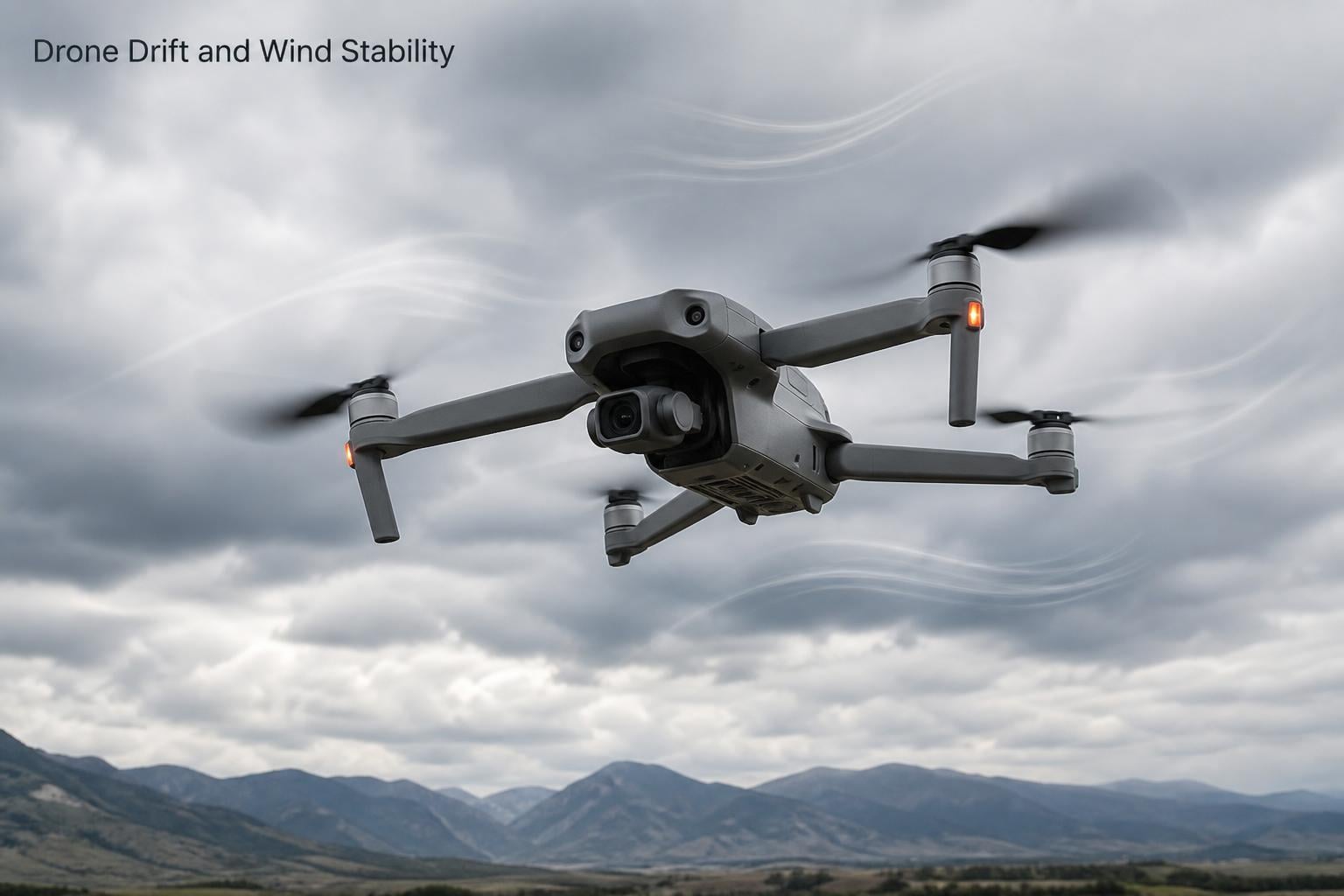
There is nothing more frustrating than launching your drone on what looks like a calm day, only to watch it slide sideways, wobble, or refuse to hold a steady hover. If you have been asking yourself why your drone drifts or flies unstably in the wind, you are far from alone. Thousands of pilots from Reddit’s r/diydrones to DJI support forums report the same confusing behavior every single month.
Drone drift happens for a mix of reasons ranging from environmental forces like wind shear and gusts to mechanical problems like unbalanced propellers, skewed motors, or a miscalibrated IMU. The good news is that almost every cause has a fix you can perform at home or in the field. In this guide, our team breaks down every common cause of drone drift and unstable flight, then walks you through a step-by-step troubleshooting process to get your aircraft flying straight again.
Table of Contents
Common Causes of Drone Drift and Unstable Flight
Before diving into specific fixes, it helps to understand the big picture. Drone drift and unstable flight typically fall into one of five categories:
Environmental factors including wind shear, gusts, microbursts, and temperature shifts
Propeller problems such as chips, cracks, imbalance, or incorrectly installed CW and CCW props
Motor issues including skewed motor mounts, debris buildup, and abnormal rotation speed
Sensor and calibration errors involving the IMU, compass, or accelerometer
GPS interference from tall buildings, magnetic fields, or weak satellite lock
Each of these problems produces slightly different symptoms. Identifying which one matches your situation is the first step toward solving it.
Wind and Environmental Conditions
Wind is the single most common reason a drone drifts or flies unstably. Even when the air feels still at ground level, conditions at 50 or 100 feet can be dramatically different. Understanding how wind interacts with your drone helps you separate normal behavior from a genuine mechanical problem.
Wind Shear
Wind shear occurs when wind speed or direction changes abruptly over a short distance. Your drone might fly perfectly stable in one moment and suddenly lurch sideways the next. This happens because the aircraft crosses an invisible boundary between two air masses moving at different speeds.
Low-altitude wind shear is especially common near buildings, hills, and coastlines. If your drone drifts only in certain areas of your flying site, wind shear is a likely culprit rather than a hardware fault.
Wind Gusts
Gusts are sudden, short bursts of wind that push your drone off position faster than the stabilization system can correct. Most consumer drones handle steady winds reasonably well, but sharp gusts overwhelm the flight controller’s ability to compensate.
You will notice gust-related drift as quick, jerky movements rather than a slow steady slide. Flying in gusty conditions also drains your battery faster because the motors work overtime to maintain position.
Microbursts
A microburst is a localized, powerful downdraft that can slam a drone toward the ground without warning. These are particularly dangerous during takeoff and landing when your drone is close to the surface. Microbursts are associated with thunderstorms and unstable weather, so checking forecasts before flying is essential.
Temperature and Altitude Effects
Cold temperatures reduce battery output, which means your motors have less power available to fight wind resistance. At high altitudes, thinner air provides less lift, forcing motors to spin faster and work harder. Both conditions make your drone more susceptible to drift even in moderate winds.
If you fly in winter or at elevation and notice increased drift, temperature and air density may be contributing factors alongside the wind itself.
Propeller Damage or Imbalance
After wind, damaged or unbalanced propellers are the next most common cause of drift and instability. Props spin at thousands of RPM, so even a tiny chip or bend creates uneven thrust that pulls the drone to one side.
Inspect each propeller carefully before every flight. Look for visible cracks, bent tips, missing chunks, or warping. Even hairline cracks that are hard to see can change airflow enough to cause asymmetric thrust and persistent tilting.
Propeller imbalance is another stealthy problem. If one prop is slightly heavier than the others, vibration travels through the airframe and confuses the IMU sensors. This sensor confusion leads to overcorrection, which produces the wobbly or jittery flight you feel. A simple propeller balancer tool costs a few dollars and can dramatically smooth out your footage.
Also verify that clockwise (CW) and counterclockwise (CCW) props are installed in the correct positions. Swapping them accidentally creates a drone that fights its own thrust and becomes nearly impossible to control.
Motor Issues and Rotation Speed Problems
Each motor on your drone must spin at the correct speed to produce balanced lift. When one motor underperforms, the drone tilts toward the weak side and drifts in that direction. DJI support documentation highlights motor skew and abnormal rotation speed as primary causes of unstable hovering.
Motor skew happens when a motor is not mounted perfectly perpendicular to the frame. This can result from a hard landing, a crash, or manufacturing tolerances. A skewed motor pushes air at an angle, creating lateral force that the flight controller struggles to cancel out.
Debris inside the motor is another frequent issue. Sand, dust, or grass wrapped around the motor shaft increases friction and reduces rotation speed. Spin each motor by hand with the battery disconnected. You should feel smooth, even resistance with no grinding or catching.
If you hear a motor sounding different from the others during flight, that is a warning sign. A buzzing or grinding noise often points to a failing bearing that will eventually cause that motor to seize.
GPS Signal Interference
Most consumer drones rely on GPS to maintain a stable hover. When GPS signal is weak or unreliable, the drone cannot pinpoint its position and starts to drift. This is especially common in urban environments surrounded by tall buildings that reflect and block satellite signals.
Check your satellite count before takeoff. Most drones need at least seven or eight satellites locked before safe flight is possible. If you see the satellite count jumping around or dropping suddenly, expect GPS-related drift.
Magnetic interference from metal structures, reinforced concrete, and even your phone can disrupt the compass that works alongside GPS. This combination of weak GPS and a confused compass produces some of the most unpredictable drift behavior pilots experience.
When GPS drops out entirely, many drones automatically switch to ATTI mode. In ATTI mode, the drone no longer holds position with satellites and instead relies only on its internal sensors. A drone in ATTI mode will drift with the wind and requires constant stick input to keep steady, which often confuses pilots who are used to GPS-locked hovering.
IMU and Compass Calibration Problems
The Inertial Measurement Unit (IMU) is the brain inside your drone that tracks movement using accelerometers and gyroscopes. When the IMU is poorly calibrated, the drone misreads its own orientation and makes constant corrections that produce drift and wobble.
Compass calibration works alongside the IMU to tell the drone which direction is north. A miscalibrated compass causes the drone to think it is rotating when it is not, leading to circling or spinning behavior during hover.
When to Recalibrate
Recalibrate the IMU and compass after any hard crash, firmware update, or travel to a location more than 60 miles from your last calibration site. Also recalibrate if your drone has been stored for a long period or if you notice sudden drift that appears without any obvious cause.
How to Calibrate the IMU
Place your drone on a perfectly level, stable surface. A kitchen counter or sturdy table works well.
Open your drone app (DJI Fly, Litchi, or your manufacturer equivalent) and navigate to the IMU calibration menu.
Follow the on-screen prompts, which will ask you to place the drone in several specific orientations.
Keep the drone completely still during each step. Even slight vibration can corrupt the calibration.
Wait for the app to confirm calibration success before attempting to fly.
How to Calibrate the Compass
Go outdoors and move away from metal objects, parked cars, and reinforced concrete structures.
Launch the compass calibration in your drone app.
Hold the drone level and rotate your body a full 360 degrees until the app acknowledges the first step.
Tilt the drone nose-down and rotate another full 360 degrees.
Wait for confirmation that calibration is complete and successful.
One Reddit user from r/diydrones shared that their drone drifted backwards constantly until they realized the accelerometer needed recalibration on a truly level surface. After a proper IMU calibration on a granite countertop, the drift disappeared completely.
Battery, Weight Distribution, and Firmware Issues
Less obvious factors can also contribute to unstable flight. A loose battery shifts the drone’s center of gravity mid-flight, confusing the flight controller. Aftermarket accessories like propeller guards or landing gear extensions add weight and drag that the drone was not designed to handle.
Always ensure the battery clicks firmly into place and that any added payload is centered and symmetrical. Even small asymmetries in weight distribution cause the motors to work unevenly, which produces drift over time.
Firmware updates are another factor pilots overlook. Manufacturers release firmware patches that fix known flight controller bugs, improve motor response curves, and refine GPS handling. If your drone suddenly develops drift after months of stable flying, check whether a firmware update is available or whether a recent update introduced a problem.
Controller stick calibration is worth checking too. Over time, your remote’s joysticks can develop small offsets where the center position no longer reads as zero. This causes the drone to receive a constant tiny input in one direction, producing slow persistent drift. Most apps include a stick calibration tool under the controller settings menu.
How to Diagnose and Fix Drone Drift: Step-by-Step
When your drone starts drifting, work through this checklist in order. Each step isolates a specific cause, so you avoid wasting time on fixes that do not apply.
Step 1: Check Wind Conditions
Before blaming your equipment, verify the wind speed. Most consumer drones have a wind resistance rating between 10 and 24 mph. If sustained winds exceed that rating, drift is expected behavior, not a defect. Use a weather app or handheld anemometer to measure actual wind speed at your flying site.
Also remember that wind at altitude is almost always stronger than wind on the ground. If your drone drifts only when climbing above 50 feet, the wind is likely the answer.
Step 2: Inspect Propellers
Remove all propellers and examine each one under good lighting. Look for chips, cracks, bends, and warping. Replace any prop with visible damage. Even if props look fine, consider replacing them if they have logged many flight hours, as cumulative wear creates invisible imbalance.
Step 3: Spin Motors by Hand
With the battery disconnected, rotate each motor slowly by hand. Compare the feel of each one. Any motor that grinds, catches, or feels noticeably stiffer than the others has a problem that needs cleaning or replacement.
Step 4: Recalibrate IMU and Compass
Perform a full IMU calibration on a level surface, followed by a compass calibration outdoors away from metal. This single step resolves a large percentage of unexplained drift cases, especially after crashes or long storage periods.
Step 5: Verify GPS Lock
Before takeoff, confirm your drone has locked onto enough satellites. Wait for the app to show GPS ready or home point set. If GPS is weak, move to a more open area away from buildings and try again.
Step 6: Check Battery and Payload
Confirm the battery is seated firmly and that no aftermarket accessories are throwing off weight distribution. Remove any add-ons and test fly without them to see if the drift improves.
Step 7: Update Firmware
Connect your drone to the manufacturer app and install any pending firmware updates for both the aircraft and the remote controller. After updating, recalibrate the IMU and compass as a precaution.
Step 8: Calibrate Controller Sticks
If drift persists after all previous steps, run the stick calibration tool in your app. This resets the center position of your joysticks and eliminates any tiny offset that could be feeding constant input to the drone.
Step 9: Test in ATTI or Indoor Mode
As a final diagnostic, try flying in ATTI mode or indoor mode (no GPS). If the drift disappears without GPS, the problem is GPS-related. If drift persists even without GPS, the issue is mechanical or sensor-related and may require professional repair.
Pre-Flight Checklist to Prevent Drift
Check wind speed against your drone’s rated wind resistance
Inspect all propellers for damage and correct CW/CCW placement
Confirm GPS satellite lock and home point recorded
Verify battery is fully charged and seated firmly
Ensure firmware is current on both drone and controller
Perform compass calibration if you have changed flying locations significantly
FAQs
How do I stop my drone from drifting?
To stop your drone from drifting, start by checking wind conditions against your drone’s wind resistance rating. Then inspect propellers for damage, recalibrate the IMU and compass, verify GPS satellite lock, update firmware, and calibrate your controller sticks. Working through these steps in order resolves the vast majority of drift cases.
How do I know if it’s too windy to fly my drone?
Check your drone’s wind resistance rating, which typically ranges from 10 to 24 mph for consumer models. If sustained wind speeds exceed that rating, it is too windy to fly safely. Remember that wind at flight altitude is usually stronger than at ground level, so always leave a margin of safety.
What is the 120m rule for drones?
The 120m rule (roughly 400 feet) is a regulatory height limit in many countries including the UK and EU that restricts drone flights to a maximum altitude of 120 meters above ground level. This rule exists to keep drones separated from manned aircraft and is a legal requirement, not a recommendation.
How to fix wobbly drone footage?
To fix wobbly drone footage, balance your propellers, replace any damaged props, ensure the IMU and gimbal are calibrated, and reduce flight speed in windy conditions. Wobble in footage usually traces back to propeller imbalance or vibration from worn motors transferring through the airframe to the camera gimbal.
Conclusion
Drone drift and unstable flight can be caused by wind shear, gusts, propeller damage, motor problems, GPS interference, sensor miscalibration, loose batteries, or outdated firmware. By following the step-by-step diagnostic checklist above, you can identify the root cause and apply the right fix in minutes. The next time you notice your drone drifting or flying unstably in the wind, work through each step methodically rather than guessing. Most drift issues are completely fixable with basic maintenance and calibration, getting you back to smooth, stable flying without an expensive repair bill.