
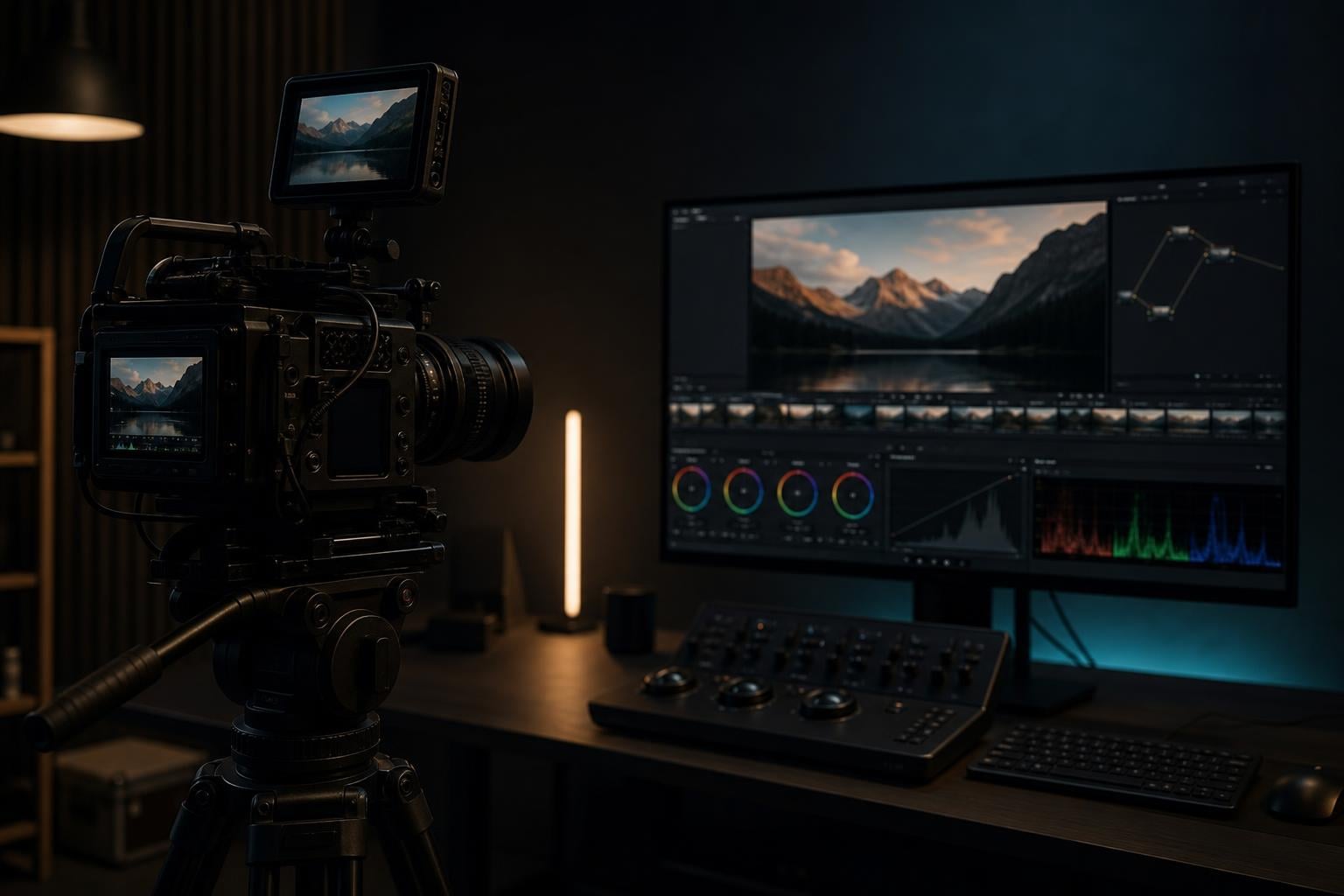
Here is the short answer: no, you should not shoot log if you have no plans to color grade your footage. Log profiles like S-Log, C-Log, V-Log, and Apple Log are designed specifically for post-production workflows. Without grading, log footage looks flat, washed out, and dull — and in many cases it actually looks worse than standard video straight out of the camera.
But like most things in video production, the real answer is more nuanced. There are a handful of situations where shooting log without grading makes sense, and the landscape is shifting fast with AI-powered auto-grading tools. If you have ever been told by a YouTube tutorial to “always shoot log” and felt confused about why your footage looks terrible, this guide is for you.
Our team has spent years shooting everything from wedding films to YouTube content, and we have made every log-related mistake possible. We are going to break down exactly what log does, when it helps, when it hurts, and give you a practical decision framework so you never have to guess again.
Table of Contents
What Is Log Video?
Log video (short for logarithmic) is a picture profile that uses a logarithmic gamma curve to capture a wider dynamic range than standard Rec.709 profiles. The footage looks flat, desaturated, and washed out straight out of the camera but contains more tonal information that can be recovered and shaped during color grading.
That definition matters because it gets to the heart of the issue. Log is not a “better looking” setting. It is an information-capturing setting. The entire purpose of log is to give a colorist more data to work with in post-production. Remove the post-production step and you remove the entire point of shooting log.
Think of it like shooting a RAW photo versus a JPEG. The RAW file contains more data, but it looks flat and lifeless until you process it. Log video works the same way — it is essentially a “RAW-ish” video format that trades in-camera polish for post-production flexibility.
How the Log Gamma Curve Works
A standard Rec.709 profile applies a curve that mimics how human vision perceives contrast. It bakes in pleasing contrast, saturation, and black levels so the footage looks good immediately. This is what your camera outputs in its default picture profile.
A log gamma curve flips this approach. Instead of allocating most of its data to the midtones where our eyes are most sensitive, log distributes tonal information more evenly across the entire range from deep shadows to bright highlights. This means shadows and highlights get more “room” to breathe, but midtones lose the contrast and punch that makes footage look good out of the box.
The result is that famous flat, gray, washed-out look. It is not broken. It is doing exactly what it was designed to do. But without the grading step to reshape that flat data into a pleasing image, it just looks wrong.
Common Log Formats by Brand
Different camera manufacturers have their own log formats, but they all work on the same principle:
S-Log2 and S-Log3 — Sony’s log profiles, found on Alpha series cameras like the A7S III, FX3, and A7 IV
C-Log and C-Log2 — Canon’s log profiles, available on EOS R series cameras and Cinema EOS line
V-Log — Panasonic’s log profile, found on the GH5, GH6, S5 II, and S1H
N-Log — Nikon’s log profile, on the Z6 II, Z7 II, Z8, and Z9
Apple Log — Introduced with the iPhone 15 Pro, bringing log recording to smartphones
F-Log2 — Fujifilm’s log profile on the X-H2S and X-T5
Each has slightly different dynamic range characteristics and exposure requirements, but the fundamental trade-off is the same across all of them. You get more data at the cost of an unwatchable image until it is graded.
Should You Shoot Log If You’re Not Going to Color Grade? The Core Arguments
Now let us get into the actual debate. There are legitimate arguments on both sides, and understanding them will help you make the right call for your specific situation.
The Case FOR Shooting Log Without Grading
Even if you never touch a color grading panel, there are a few scenarios where shooting log can still provide value. These are narrow exceptions, not the rule — but they are worth understanding.
1. Dynamic Range as a Safety Net
The single strongest argument for shooting log without grading is highlight protection. If you are filming in an uncontrollable environment — say, a bright outdoor wedding with harsh sun and deep shadows — log captures more total dynamic range than Rec.709. Even if you simply slap a quick LUT on the footage and call it done, you have more highlight detail to work with if something goes wrong.
One professional colorist on Reddit put it this way: “Log footage has a higher dynamic range than linear footage most of the time, which results in better looking images and more information to work with.” That extra information can save a shot where the sky would have clipped to pure white in Rec.709.
2. Future-Proofing Your Footage
Maybe you do not know how to color grade right now, but you plan to learn. Shooting log now means your footage is preserved with maximum data for when you develop those skills. A year from now, you can revisit old clips and grade them properly.
This is a legitimate strategy, but be honest with yourself. If you have 200 hours of ungraded log footage sitting on hard drives and you have not learned to grade in the past two years, the odds of you going back to process it are close to zero. Footage that never gets graded is not future-proofed. It is just archived in an unwatchable state.
3. In-Camera LUTs as a Compromise
Many modern cameras can apply a LUT (Look-Up Table) internally. This means you shoot in log to capture the dynamic range, but the camera applies a Rec.709 conversion LUT to the output, giving you footage that looks normal without manual grading. The Sony FX3, Canon EOS R5, and Panasonic S5 II all support some version of this workflow.
This is a middle-ground approach that works for some people. You get some of the dynamic range benefits of log without needing a full grading workflow. The trade-off is that in-camera LUTs are less refined than a manual grade, and you lose the creative control that makes log worth shooting in the first place.
4. AI Auto-Grading Is Changing the Math
This is the angle no major article covers, and it is the one that could change the answer to this entire question over the next few years. AI-powered color grading tools are getting significantly better. Software like DaVinci Resolve’s neural engine, ColourLab Ai, and Filmora’s AI grading features can now auto-convert log footage to Rec.709 with surprising accuracy.
As of 2026, these tools are not perfect. They get you 70 to 80 percent of the way there, which is fine for social media content but not for professional work. But the trajectory is clear. Within a few years, “just shoot log and let AI sort it out” may become a viable workflow for casual creators who never want to open a color panel.
For now, though, the technology is not reliable enough to recommend as your primary strategy. If you are counting on AI to make your log footage look good without any manual work, you will be disappointed more often than not.
The Case AGAINST Shooting Log Without Grading
Now for the other side — and honestly, this is the side that applies to most people reading this article. Here is why shooting log without grading is usually a bad idea.
1. Ungraded Log Footage Looks Terrible
This is the most obvious problem and also the most important one. Log footage is designed to look flat and desaturated. That is not a bug — it is the entire point. The log gamma curve compresses tonal data evenly, which strips away the contrast and saturation that make video look pleasing to the human eye.
If you upload ungraded log footage to YouTube, share it with a client, or post it on Instagram, it will look gray, dull, and lifeless. Viewers will think something is wrong with your camera. Clients will think you do not know what you are doing.
A Reddit user on r/videography described the growing problem: “This is ungraded LOG footage straight from the camera. When social media managers get raw video they don’t add a LUT or color grade it.” The result is a flood of flat, ugly footage flooding social platforms because creators shot log without understanding what happens next.
2. 8-Bit Cameras Make Log Actively Harmful
This is the issue that most YouTube tutorials gloss over. Shooting log on an 8-bit camera is not just suboptimal — it can actively damage your footage.
Here is why. An 8-bit video file can store 256 shades per color channel. That is barely enough data for a standard Rec.709 profile, where the in-camera processing handles the heavy lifting of mapping sensor data to a pleasing image. When you shoot log on an 8-bit camera, you are spreading those 256 shades across a much wider tonal range. Each shade now has to cover more ground, which creates visible banding — smooth gradients like skies and skin tones break into ugly stair-step patterns.
The GazingCat article from 2018 made this argument forcefully, and it remains true today: “In almost all instances, it is not appropriate to shoot flat or log unless you have a camera that will output 10-bit color, preferably with 4:2:2 chroma subsampling.”
Reddit’s r/davinciresolve community agrees. One user summed it up: “You can color grade just fine without log. As a matter of fact, if you have to shoot 8-bit you may be better off without log.”
3. Social Media Compression Destroys Log Footage
This is the angle that no major blog article covers but every forum thread discusses. When you upload video to Instagram, TikTok, YouTube Shorts, or Facebook, those platforms aggressively compress your footage to reduce file sizes.
Standard Rec.709 footage holds up reasonably well under this compression because it already has baked-in contrast and saturation. The compression algorithm has clear visual information to work with. But log footage, with its flat low-contrast look, gets absolutely hammered by compression. The already-thin midtone data gets squeezed even further, and the result is muddy, noisy, artifact-heavy video.
Multiple creators on Reddit report that their log footage looks noticeably worse than Rec.709 after social media compression. The dynamic range advantage of log is completely negated by platform compression algorithms that are designed for standard-profile video.
If your final destination is social media — and for most content creators, it is — shooting log without grading is actively counterproductive.
4. Larger File Sizes With Zero Benefit
Log footage does not inherently produce larger files, but in practice, cameras that offer log almost always pair it with higher bitrate codecs. Sony’s S-Log3 on the FX3 is typically recorded in 10-bit All-I at 600 Mbps. Standard Rec.709 on the same camera can be recorded at much lower bitrates.
If you are not grading the footage, you are storing massive files for no reason. That 32GB SD card fills up twice as fast. Your hard drives fill up with ungraded log footage that you will never process. Your editing timeline bogs down with high-bitrate footage that looks worse than standard profile.
5. The “Everything Looks the Same” Problem
There is a cultural problem with the log obsession that goes beyond technical considerations. As the EOSHD forum pointed out years ago: “More and more films end up looking the same… washed out, no contrast, desaturated, flat and boring. The log obsession is getting out of hand.”
This “log aesthetic fatigue” is real. When everyone shoots log, slaps on the same LUT, and uploads, the result is a homogenized look that screams amateur. The irony is that the creators shooting log to look “cinematic” often end up looking less professional than someone who shot a well-exposed Rec.709 image with good lighting.
6. Professional Colorists Say: Skip It
The strongest argument against shooting log without grading comes from the professionals who work with log footage every day. Working colorists on Reddit consistently advise against it.
From r/colorists: “I don’t recommend shooting important video in a log profile unless you at least learn the basics of how to transform log footage to Rec.709.”
From r/videography: “I’ve been told by some people it is always necessary and by others that I shouldn’t bother unless I want cinematic shots.” The second group — the ones saying do not bother — are giving the right advice for the majority of casual shooters.
The professional consensus is clear: log is a tool for planned, controlled post-production workflows. If you do not have that workflow, log provides no benefit and introduces real risks.
The 8-Bit vs 10-Bit Dealbreaker
This topic deserves its own deep dive because it is the single biggest factor in whether log will help or hurt your footage. And it is the area where most generic advice falls short.
Why Bit Depth Matters for Log
Bit depth determines how many distinct shades of each color your camera can record. 8-bit gives you 256 shades per channel. 10-bit gives you 1,024 shades per channel. That is not a modest increase — it is a fourfold improvement in color granularity.
Standard Rec.709 profiles work fine in 8-bit because the camera’s internal processing maps sensor data to a defined, pleasing look. The 256 shades are allocated efficiently across the tonal range that matters most for final delivery.
Log changes the math entirely. By spreading those same shades across a much wider tonal range, 8-bit log leaves gaps in the data. Those gaps manifest as banding — visible stair-stepping in gradients like skies, walls, and skin tones. Once banding is in your footage, no amount of grading can fully remove it.
The 10-Bit Minimum
For log to actually deliver on its promises, you need 10-bit recording. This gives the logarithmic curve enough shades to maintain smooth gradients even when the data is spread across a wide dynamic range.
Chroma subsampling matters too. 4:2:0 (the standard for most consumer video) samples color at half the resolution of luma. 4:2:2 doubles the color resolution, which dramatically improves how log footage holds up during grading. Professional log workflows assume 10-bit 4:2:2 as a minimum.
The good news is that 10-bit 4:2:2 recording is more accessible than ever. Cameras like the Panasonic GH6, Sony FX30, Fujifilm X-H2S, and Canon EOS R7 all offer 10-bit internal recording at prices under $2,000. If your camera cannot shoot 10-bit, stick with Rec.709.
What About Apple Log on iPhone?
Apple Log on the iPhone 15 Pro and later deserves special mention because it breaks some of these rules. The iPhone records Apple Log in 10-bit ProRes, which technically meets the bit depth requirement. But the small sensor and computational photography pipeline mean iPhone log behaves differently than log from a dedicated camera.
iPhone log is genuinely useful if you plan to grade it, especially with Final Cut Pro on iPad or Mac. But ungraded iPhone log footage looks just as flat and washed out as any other log format. If you are shooting casual social media content on your phone and not grading, leave Apple Log off.
Log vs Standard Profile: Side-by-Side Comparison
Here is a quick reference comparison to help you understand the trade-offs at a glance. This is the table we wish existed when we were learning this stuff.
Dynamic Range: Log captures 12 to 15 stops. Rec.709 captures 7 to 9 stops. Log wins by a wide margin.
Out-of-Camera Look: Log looks flat, gray, and desaturated. Rec.709 looks punchy and ready to share.
Requires Grading: Log absolutely requires grading. Rec.709 does not require any post-production.
Bit Depth Requirement: Log needs 10-bit minimum. Rec.709 works fine in 8-bit.
File Size: Log is typically larger due to higher bitrate codecs. Rec.709 can be recorded at lower bitrates.
Banding Risk: Log in 8-bit has severe banding risk. Rec.709 in 8-bit rarely bands.
Social Media Performance: Log gets destroyed by compression ungraded. Rec.709 holds up well after compression.
Best Use Case: Log is for narrative film, commercial work, and any project with a grading step. Rec.709 is for social media, vlogs, events, and quick-turnaround content.
Beginner Friendly: Log requires knowledge of exposure, LUTs, and grading fundamentals. Rec.709 is point-and-shoot.
Social Media and Log: Why They Do Not Mix
This section deserves special attention because it is the scenario where most people get burned. If your footage is going to Instagram, TikTok, YouTube Shorts, or any social platform, shooting log without grading is one of the worst decisions you can make.
How Social Compression Works
Every social platform recompresses your video upon upload. Instagram crushes your footage to under 5 Mbps. TikTok applies aggressive compression. Even YouTube, which has the best compression of the bunch, significantly reduces quality from your original file.
Compression algorithms work by discarding visual information that they calculate you will not notice. With standard Rec.709 footage, the baked-in contrast and saturation give the algorithm clear, defined edges and color information to preserve. The result after compression is noticeably degraded but still watchable.
Log footage presents a completely different challenge. The flat, low-contrast image has less defined visual information for the algorithm to work with. The compression engine sees a muddy, low-contrast image and discards even more data because it assumes those subtle tonal variations are not important. The result is video that looks significantly worse after upload than Rec.709 would have.
The Social Media Manager Problem
There is a practical problem that many creators overlook. If you hand off ungraded log footage to a social media manager, a client, or a brand partner, they will almost certainly upload it as-is. They do not know what log is. They do not have DaVinci Resolve. They do not know how to apply a LUT.
As one Reddit user described it: “When social media managers get raw video they don’t add a LUT or color grade it.” The footage goes straight to the platform looking flat and lifeless, representing both you and your client poorly.
If you are delivering footage to anyone other than yourself, always deliver Rec.709. If you must shoot log, at minimum apply a LUT and export a Rec.709 version before sharing.
The Bottom Line on Social Media
If your final output is social media, Rec.709 is almost always the better choice. The dynamic range advantage of log is completely negated by platform compression. The flat look of ungraded log gets amplified by compression artifacts. And the quick-turnaround nature of social media content means you rarely have time to grade anyway.
Shoot standard profile, get your exposure and white balance right in-camera, and focus on lighting and composition instead of post-production flexibility you will never use.
Decision Framework: Should YOU Shoot Log?
OK, enough theory. Here is a practical framework to help you decide right now whether to shoot log or standard profile for your next project.
Shoot Log If Any of These Apply:
1. You plan to color grade. This is the fundamental requirement. If you have a grading workflow — even a basic one — log gives you more to work with.
2. You are filming in extreme lighting conditions. High-contrast scenes with bright skies and deep shadows benefit from log’s wider dynamic range, even if you only do a basic LUT conversion.
3. Your camera shoots 10-bit internally. Panasonic GH6, Sony FX3, Canon EOS R5, Fujifilm X-H2S, or any camera with 10-bit recording meets the minimum technical requirement for log to work properly.
4. You are delivering to a colorist. If a professional colorist is handling your footage, shoot log and let them do their job.
5. You are making a narrative film or commercial. These projects have the time, budget, and workflow for proper grading.
Skip Log and Shoot Standard Profile If Any of These Apply:
1. You are posting directly to social media. Instagram, TikTok, and YouTube Shorts are hostile environments for log footage.
2. Your camera only shoots 8-bit. 8-bit log creates more problems than it solves. Stick with Rec.709.
3. You need a fast turnaround. Same-day edits, event recaps, news content — anything where grading time is not budgeted.
4. You do not know how to expose log properly. Log requires different exposure techniques (often overexposing by 1 to 2 stops). If you are not confident with zebras, waveforms, or false color, you will underexpose log and get noisy footage.
5. You are handing footage to someone else. Clients, social media managers, and editors who are not prepared for log will struggle with it.
Quick Decision Checklist
Ask yourself these five questions before choosing log:
Will I color grade this footage before delivery?
Does my camera shoot 10-bit video?
Do I know how to expose for log profiles?
Is the final output a platform that will not heavily compress my video?
Will I be the only person handling this footage?
If you answered no to two or more of these, shoot Rec.709. It really is that simple.
Real-World Scenarios
Wedding videography: Many wedding shooters use log because the lighting is unpredictable and they need the safety net. This makes sense — but only if you actually grade every deliverable. If you are doing same-day edits or delivering raw ceremony footage, shoot Rec.709.
Travel vlog: This is the scenario where shooting log is most often a mistake. You are shooting fast, you have no controlled lighting, your footage goes to YouTube where compression is heavy, and you probably want a quick turnaround. Shoot standard profile and nail your exposure.
Documentary: Documentary work often benefits from log because the lighting is unpredictable and you may need to match shots from different scenes and times of day. The grading step is usually built into the post-production workflow.
YouTube tech review or talking head: Shoot Rec.709. You control the lighting, the dynamic range is manageable, and your audience cares about content, not dynamic range.
Short film or music video: Shoot log. These projects are planned, lit, and graded. Log gives you the creative flexibility for a distinctive look.
Common Myths About Shooting Log
Before we wrap up, let us address some of the misinformation that drives people to shoot log when they should not.
Myth: “Log automatically makes footage look cinematic.” Nothing could be further from the truth. Cinematic footage comes from lighting, composition, camera movement, and lens choice. Log is a technical recording format, not a creative aesthetic. Ungraded log looks the opposite of cinematic.
Myth: “You should always shoot log for maximum quality.” Maximum quality requires a complete workflow. Log without grading produces lower quality results than a well-shot Rec.709 image. Quality is determined by the entire pipeline, not the recording format alone.
Myth: “Log is better for low light.” Log actually increases noise in shadows because it compresses shadow data. In low light, a standard profile with proper exposure will almost always look cleaner than log.
Myth: “If professionals shoot log, I should too.” Professionals shoot log because they have the complete workflow: controlled lighting, proper monitoring, 10-bit recording, and dedicated grading time. Removing any of these elements breaks the chain.
FAQs
Do I need to shoot in log to color grade?
No, you do not need log to color grade. You can color grade standard Rec.709 footage perfectly well. Log gives you more dynamic range and flexibility during grading, but it is not a requirement. Many professional colorists grade Rec.709 footage daily, especially for quick-turnaround projects.
Is shooting log worth it without color grading?
In most cases, no. Log footage is designed to be graded, and without grading it looks flat, washed out, and dull. The only scenarios where log without grading makes sense are when you plan to learn grading later or when you use an in-camera LUT to convert log to a viewable look automatically.
Can you color grade without log footage?
Yes, absolutely. You can color grade any video footage, including standard Rec.709 profiles. Grading Rec.709 gives you less flexibility than grading log (less highlight and shadow recovery), but for most social media and YouTube content, the difference is minimal and Rec.709 grading is faster and simpler.
Should beginners shoot in log?
Generally no, beginners should not shoot in log. Log requires knowledge of proper exposure techniques, monitoring tools like zebras and waveforms, and at minimum a LUT conversion workflow. Beginners are better served learning proper exposure, lighting, and composition with standard profiles before adding the complexity of log.
What happens if you don’t color grade log footage?
If you don’t color grade log footage, it will look flat, desaturated, low-contrast, and washed out. On 8-bit cameras, ungraded log footage may also show visible banding in gradients like skies and skin tones. The footage is not ruined — it can always be graded later — but it will look unprofessional if delivered or uploaded as-is.
Is log better for color grading?
Yes, log is better for color grading because it captures more dynamic range and tonal information than standard profiles. This gives the colorist more data to work with for highlight recovery, shadow detail, and creative look development. However, log only helps if you actually plan to grade the footage.
What is the best camera profile if I’m not color grading?
If you are not color grading, shoot in your camera’s standard Rec.709 profile or a slightly customized picture style with natural contrast and saturation. This gives you footage that looks good straight out of the camera and holds up well under social media compression.
The Bottom Line: Should You Shoot Log If You’re Not Going to Color Grade?
For the vast majority of creators, the answer is a clear no. Shooting log without color grade gives you footage that looks worse, holds up worse on social media, takes up more storage, and introduces risks like banding and noise — all in exchange for dynamic range flexibility you will never use.
Log is a powerful tool when used correctly, which means within a complete workflow that includes 10-bit recording, proper exposure technique, and dedicated grading time. Remove any of those elements and log stops being a tool and starts being a liability.
Our recommendation: master exposure, lighting, and composition with standard profiles first. Learn to get footage that looks great straight out of the camera. When you are ready to add color grading to your workflow, then make the jump to log. You will understand exactly why you are using it and how to get the most from it.
If you take one thing away from this article, let it be this: the best picture profile is the one that matches your complete workflow — not the one that sounds the most professional on YouTube.