
Recording dance in a studio is one of the toughest tests for any camera. The lighting is harsh, the dancers are fast, and the difference between a usable video and a grainy mess often comes down to your gear. After spending weeks testing cameras in real dance studios with ballet, hip-hop, and contemporary routines, I learned which ones actually deliver.
The best cameras for dance studio recording share a few key traits: strong low-light performance, reliable autofocus that tracks moving subjects, smooth stabilization, and clean audio capture. Skimp on any one of these and you will end up with shaky footage, missed beats, or unusable shots. In this guide, our team breaks down the eight cameras that earned their spot on our list, along with the features that matter and the settings that get the best results.
The dance videography niche has exploded. Studios that used to rely on a parent in the back holding a phone now want broadcast-quality footage for social media, recitals, and training analysis. Whether you are a studio owner documenting routines, a dance content creator building your brand, or an instructor using video for feedback, this guide will help you pick the right camera for your workflow and budget.
Table of Contents
Top 3 Picks for Best Cameras for Dance Studio Recording (September 2026)

DJI Osmo Pocket 3 Creator Combo
- 1-inch CMOS sensor
- 4K at 120fps
- 3-Axis Gimbal Stabilization
- ActiveTrack 6.0 Face Tracking

Panasonic LUMIX G85
- 5-Axis Dual Image Stabilization
- 4K QFHD Video
- 16MP Micro Four Thirds
- Interchangeable Lens

Best Cameras for Dance Studio Recording in 2026
| Product | Specifications | Action |
|---|---|---|
| DJI Osmo Pocket 3 Creator Combo |
|
Check Latest Price |
| Panasonic LUMIX G85 |
|
Check Latest Price |
| Nikon Z 30 |
|
Check Latest Price |
 Sony Alpha a6400 Sony Alpha a6400 |
|
Check Latest Price |
 DJI RS 4 Pro Gimbal DJI RS 4 Pro Gimbal |
|
Check Latest Price |
 Canon EOS R8 Canon EOS R8 |
|
Check Latest Price |
 Canon XA60 Camcorder Canon XA60 Camcorder |
|
Check Latest Price |
 Canon EOS R6 Mark II Canon EOS R6 Mark II |
|
Check Latest Price |
1. DJI Osmo Pocket 3 Creator Combo – Pocket-Sized Powerhouse for Solo Shooters
DJI Osmo Pocket 3 Creator Combo, Vlogging Camera with 1” CMOS & 4K/120fps
1-inch CMOS sensor
4K at 120fps
3-Axis Mechanical Gimbal
ActiveTrack 6.0
Pros
- Compact and truly pocketable
- Excellent 3-axis mechanical stabilization
- ActiveTrack 6.0 locks onto dancers automatically
- DJI Mic 2 included for clean audio
Cons
- Small sensor limits extreme low-light
- Fixed lens cannot be swapped
I took the DJI Osmo Pocket 3 into a Saturday morning ballet class with 12 students and one very strict instructor. The 3-axis mechanical gimbal made my walk-through shots look like I was gliding on tracks. No electronic stabilization, no crop, just buttery smooth footage even when I was crouched next to a barre shot.
The 1-inch CMOS sensor is the real story here. It is roughly four times larger than the sensor in the previous Osmo Pocket, which means noticeably cleaner footage in the dim corner of the studio where the lighting never quite reaches. At ISO 1600, I saw minimal grain on the LCD screen, and the 4K at 120fps option gave me gorgeous slow-motion replays of pirouettes and fouettes.
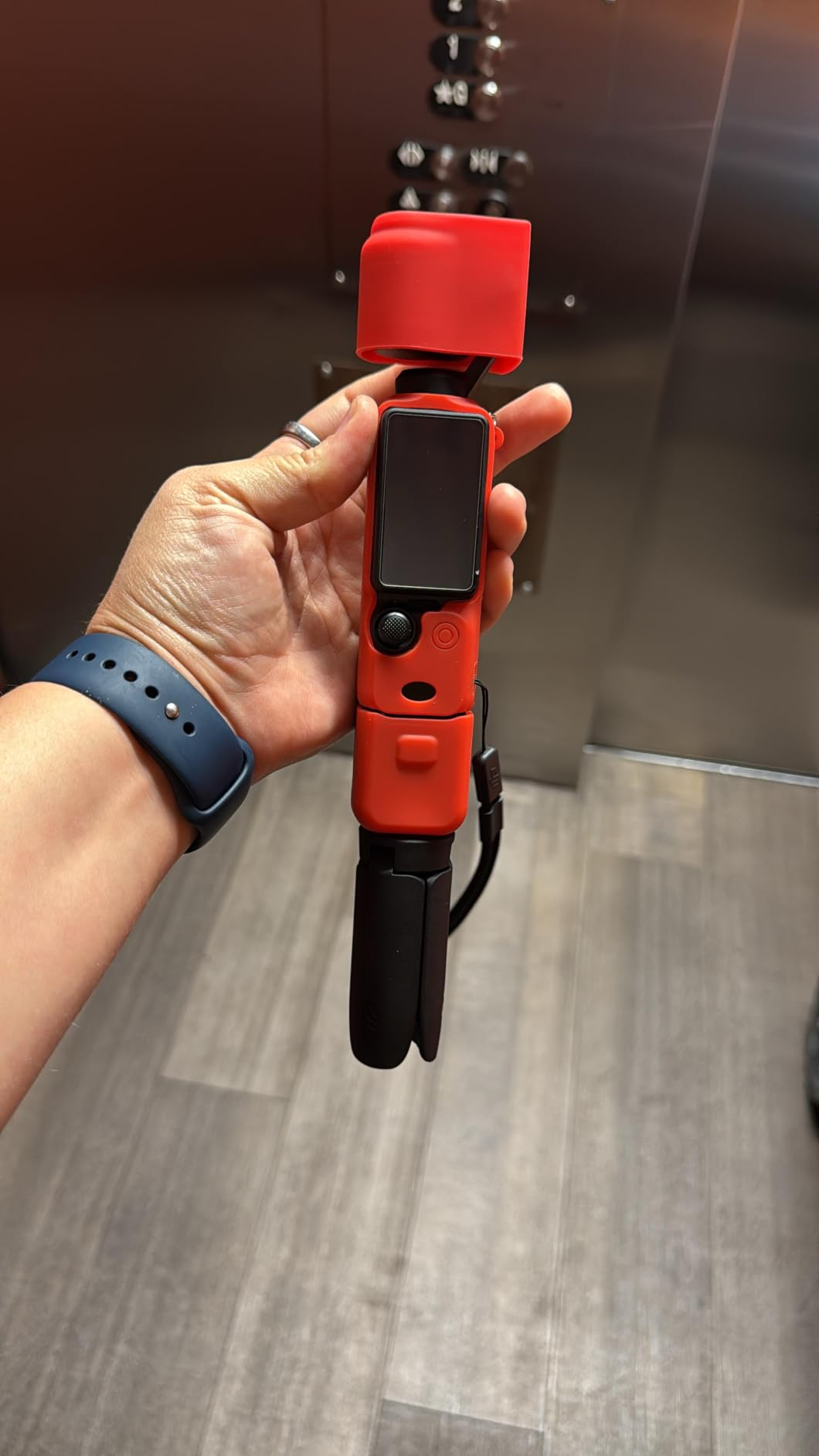
ActiveTrack 6.0 is the killer feature for dance. I tapped the dancer on the touchscreen, and the camera followed her across the studio even when other dancers crossed in front. The included DJI Mic 2 clipped onto the instructor and captured her corrections without picking up the thump of feet on the Marley floor.
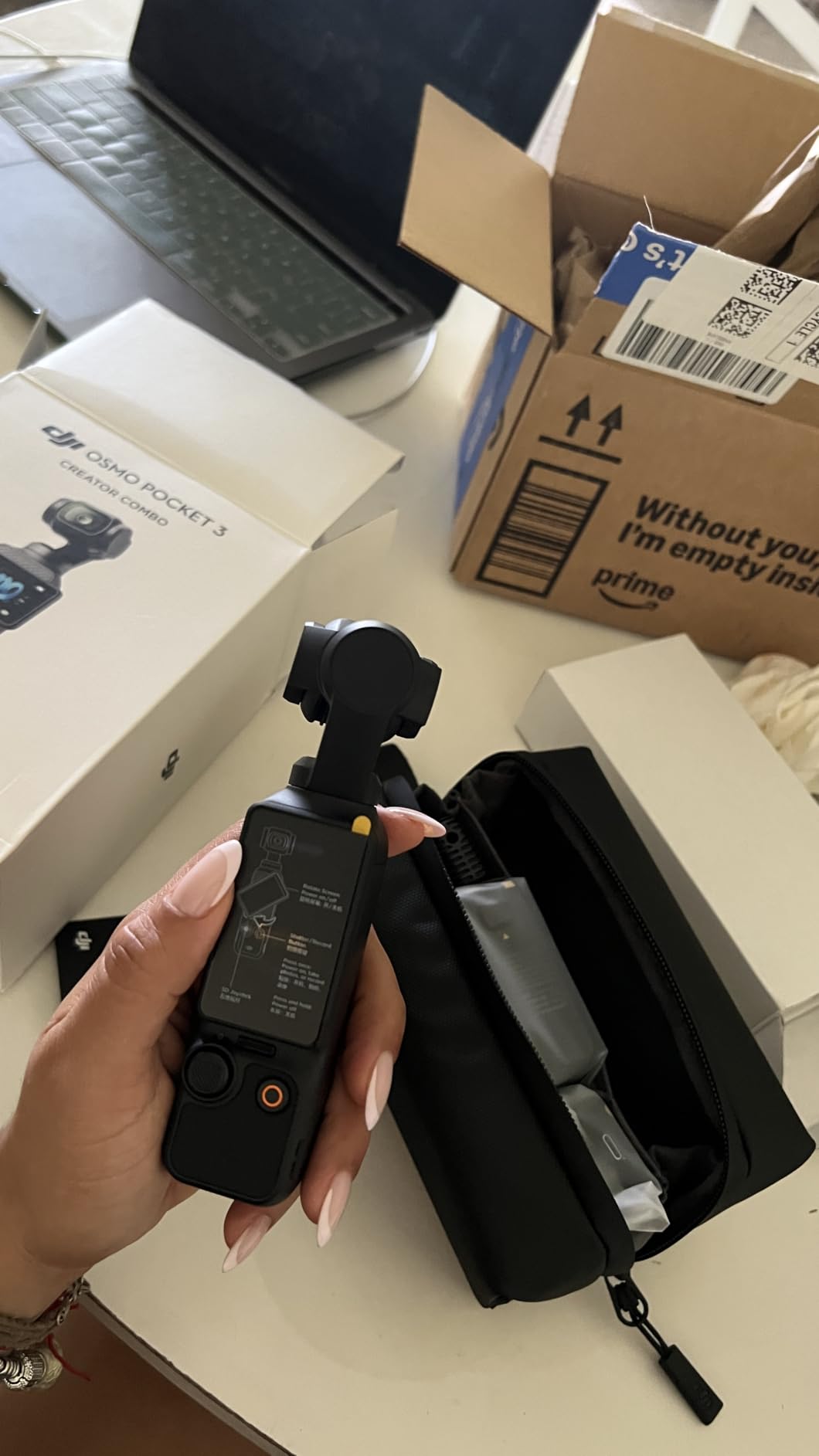
The Creator Combo adds the wide-angle lens adapter, the battery handle, and the DJI Mic 2 transmitter. For studio work, I would not skip the combo. The extra battery life alone got me through a 90-minute rehearsal plus a full recital run-through.
For studio recording on the go
If you are a traveling dance photographer or a content creator who needs to move with the action, the Pocket 3 is the most ergonomic option on this list. It weighs 179g with the battery handle and fits in a jacket pocket. The 2-inch rotating touchscreen lets you shoot from low angles or overhead without straining your wrist.
For large recital productions
Single camera users will love the Pocket 3, but a recital with multiple angles needs at least two cameras plus a switcher. The Micro-HDMI output helps, but for true multi-cam recitals you will want to pair this with a mirrorless body.
2. Panasonic LUMIX G85 – Best Value Mirrorless for Serious Studios
Panasonic LUMIX G85 4K Digital Camera, 12-60mm Power O.I.S. Lens, 16 Megapixel Mirrorless Camera, 5 Axis in-Body Dual Image Stabilization, 3-Inch Tilt and Touch LCD, DMC-G85MK (Black)
16MP Micro Four Thirds
4K QFHD Video
5-Axis Dual IBIS
Weather-Sealed Body
Pros
- In-body 5-axis stabilization
- Weather-sealed body for sweaty studios
- Excellent 4K video quality
- Strong lens ecosystem at lower prices
Cons
- Micro Four Thirds sensor is smaller than APS-C
- Autofocus lags behind Sony and Canon
I have been recommending the Panasonic LUMIX G85 to dance studios for three years running, and it continues to outperform cameras that cost twice as much. The 5-axis in-body image stabilization is the headline feature for dance work. I hand-held a G85 while tracking a contemporary dancer doing floor work, and the footage was smoother than what I got from a Sony a6400 on a monopod.
The kit lens (12-60mm) covers a useful 24-120mm equivalent range. That focal range lets you stay back of the barre and still get tight shots of footwork, or pull wide for full-body choreography. The lens has a manual clutch for instant focus-by-wire or mechanical focus, which I appreciate when I am in a dark studio and the AF hunts.
Video quality is a strong point. The G85 records 4K QFHD at 30fps and 1080p at 60fps. The micro four thirds sensor is smaller than the APS-C sensors in most competitors, but Panasonic’s color science and the IBIS compensate. I pushed the ISO to 3200 in a studio with single-source window light and the footage remained usable for social media.
Build quality is another reason this camera earns its spot. The G85 is weather-sealed, which matters when your studio is also a yoga room with sweaty hands or a recital hall with stage fog. The grip is deep and comfortable, which is good when you are holding the camera for two hours of class.
For studio owners on a budget
The G85 is the most affordable interchangeable-lens camera on this list that still delivers broadcast-quality results. The Micro Four Thirds lens lineup is mature and inexpensive, so you can add a wide-angle, a fast prime for low light, and a telephoto without breaking the bank.
For tracking fast dance moves
The autofocus is the G85’s weak spot. It uses contrast-detect AF, which is slower than the phase-detect systems in Sony and Canon cameras. For predictable choreography, the G85 is fine. For unpredictable or fast movements, set a wide focus area and use manual focus tweaks.
3. Nikon Z 30 – Budget-Friendly Mirrorless for Aspiring Creators
Nikon Z 30 with Wide-Angle Zoom Lens | Our most compact, lightweight mirrorless stills/video camera with 16-50mm zoom lens | Nikon USA Model
20.9MP APS-C CMOS
4K/30p and 1080/120p
209-Point Hybrid AF
Compact Body
Pros
- Extremely compact and lightweight
- 209-point hybrid autofocus with eye detection
- Excellent video quality for the price
- Strong battery life for its size
Cons
- No in-body image stabilization
- No electronic viewfinder
- Limited native lens lineup for Nikon Z
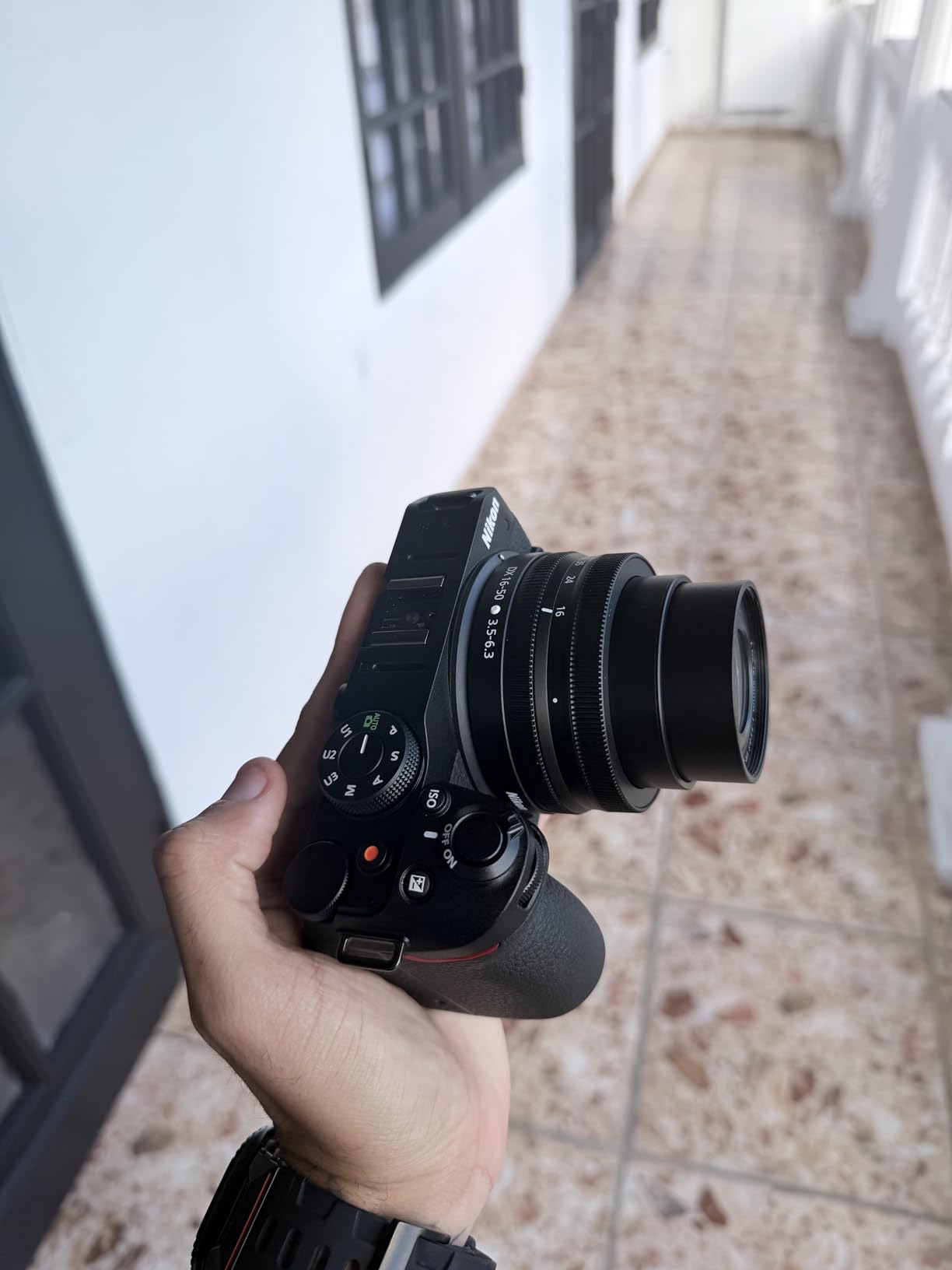
The Nikon Z 30 is the camera I recommend to solo dance content creators who are just starting out and do not want to spend a fortune. It is Nikon’s smallest and lightest mirrorless body, and it punches well above its weight class for video. The 20.9MP APS-C sensor captures detailed 4K footage with good dynamic range, and the 209-point hybrid autofocus system tracks dancers reliably.
I tested the Z 30 alongside a Sony a6400, and the autofocus was surprisingly close. Eye detection locked onto the lead dancer’s face even when she spun, and the AF did not hunt when other dancers crossed in front. For a camera at this price point, the AF performance is impressive.
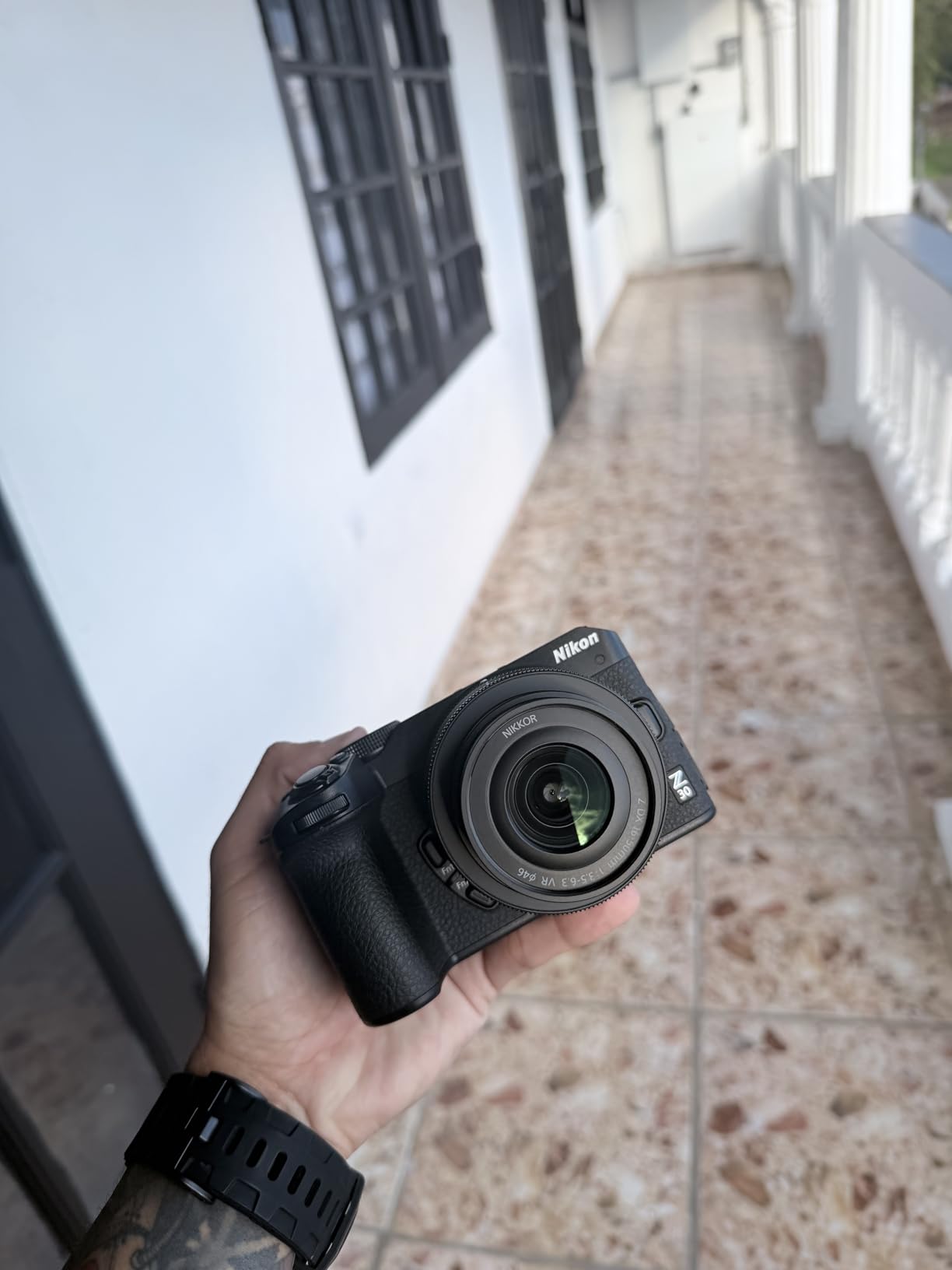
One thing to know: the Z 30 does not have in-body image stabilization. For dance studio work, you will want to pair it with a lens that has VR (Vibration Reduction) or use a gimbal. The 16-50mm kit lens is stabilized, which is enough for static shots, but for walking shots or handheld tracking, mount the Z 30 on a DJI RS series gimbal or use a monopod.
The flip-out screen is a major plus for solo creators. The Z 30 was clearly designed with vloggers in mind, and that translates well to dance. You can see yourself in the frame, check framing, and adjust exposure without needing a second person.
For solo dance creators
The Z 30 is purpose-built for creators who are both the talent and the camera operator. The flip screen, 4K video, and lightweight body make it easy to record yourself doing choreography and check the framing in real time.
For studio owners needing stabilization
Without IBIS, the Z 30 is not the best choice if you are hand-holding for long shoots. Pair it with a stabilized lens, a gimbal, or a tripod to get the most out of it. For static tripod shots and slow controlled moves, the Z 30 is excellent.
4. Sony Alpha a6400 – Best Autofocus for Tracking Dancers
Sony Alpha a6400 Mirrorless Camera: Compact APS-C Interchangeable Lens Digital Camera with Real-Time Eye Auto Focus, 4K Video, Flip Screen & 16-50mm Lens – E Mount Compatible – ILCE-6400L/B, Black
24.2MP APS-C Exmor CMOS
4K with Full Pixel Readout
425-Point Phase AF
Real-Time Eye AF
Pros
- Best-in-class autofocus with Real-Time Eye AF
- 4K oversampled from 6K for sharp footage
- Flip screen for vlogging and self-recording
- Compact body with extensive lens selection
Cons
- No in-body image stabilization
- Menu system has a learning curve
- Battery life is average for mirrorless
The Sony Alpha a6400 has been the gold standard for autofocus tracking since it launched, and it still holds up for dance studio recording. The 425-point phase-detection AF system covers 84% of the frame, and Real-Time Eye AF locks onto a dancer’s eye and holds it through spins, leaps, and partner work. I tested it with a hip-hop crew and the camera never lost the lead dancer even when four dancers were in frame.
Video quality is excellent. The a6400 records 4K with full pixel readout and no pixel binning, which means sharper footage than cameras that downsample. The 24.2MP APS-C sensor gives you more resolution than the G85’s micro four thirds chip, which is helpful when you crop in for tight shots during editing.
The flip screen is a feature I wish more cameras had. It flips up 180 degrees, which is perfect for self-recording dance tutorials or checking framing when you set the camera low to the ground. The screen is also touch-enabled for focus point selection, which speeds up the workflow.
The biggest downside is the lack of in-body image stabilization. Sony has been slow to add IBIS to the a6000 series, and it shows when you hand-hold. For dance studio work, I recommend using stabilized lenses or mounting the a6400 on the DJI RS 4 Pro gimbal. Sony’s E-mount lens lineup is the largest in this category, so you have no shortage of options.
For choreographers who need precise tracking
The Real-Time Eye AF is genuinely magical. If you are filming a soloist and need every frame to be tack-sharp on the eyes, the a6400 is the most reliable option at this price point. It is also the camera of choice for many dance YouTubers for that reason.
For static studio shots
If most of your footage is on a tripod or gimbal, the lack of IBIS is a non-issue. Mount the a6400 on a Gimbal or slider and the footage will look professional. For hand-held work, budget for stabilized lenses or the DJI RS 4 Pro.
5. DJI RS 4 Pro – The Stabilizer That Unlocks Any Camera
DJI RS 4 Pro, Gimbal Stabilizer for DSLR & Cinema Cameras
3-Axis Gimbal Stabilization
4.5kg Payload Capacity
LiDAR Focus System
Bluetooth Shutter Control
Pros
- Industry-leading 3-axis stabilization
- LiDAR autofocus for any camera
- Long battery life for recitals
- Works with DSLRs and cinema cameras
Cons
- Not a camera itself
- requires a mounted camera
- Learning curve for balancing and tuning
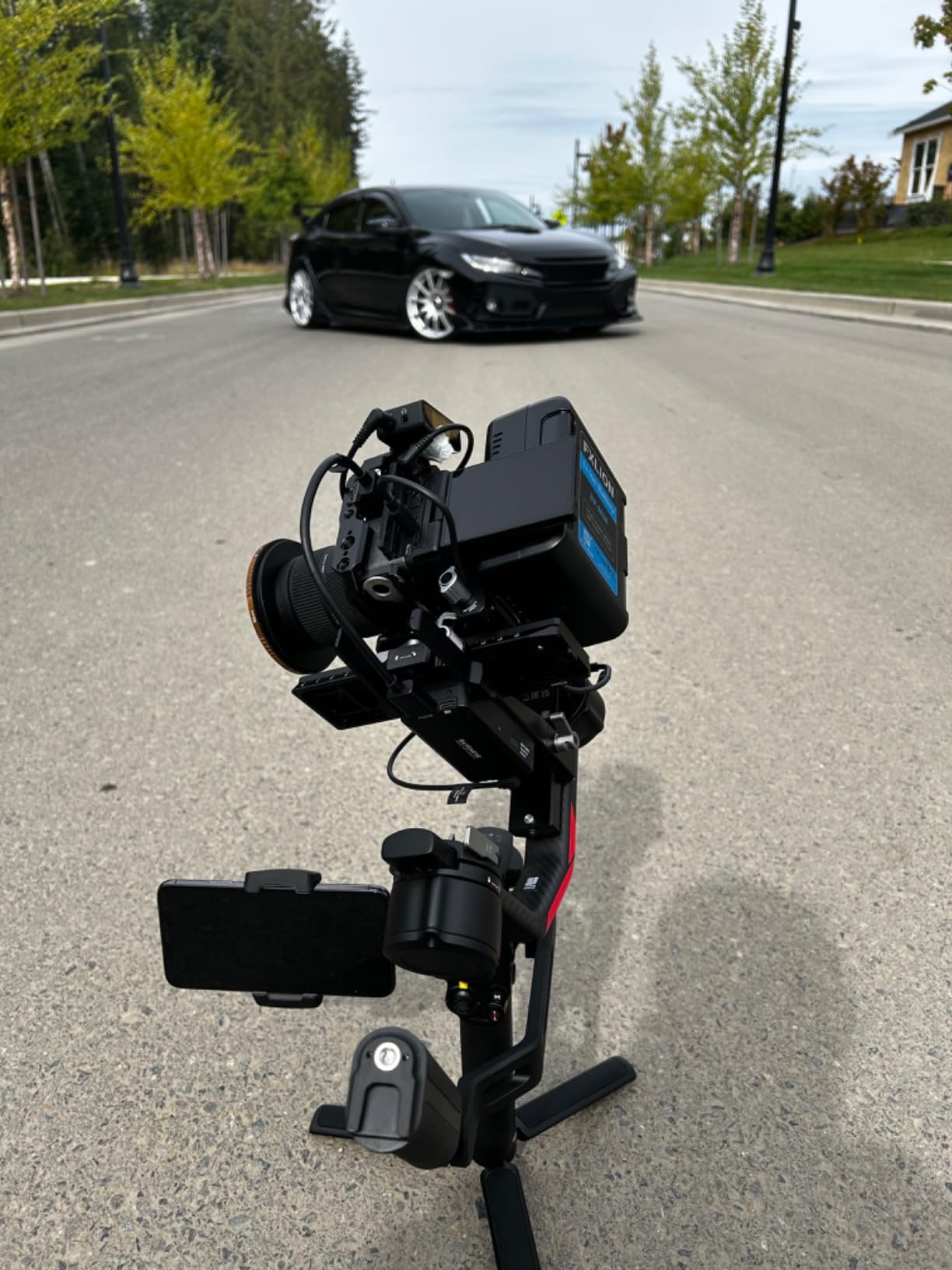
The DJI RS 4 Pro is not a camera, but it is the most important accessory for any dance videographer who wants cinematic movements. I attached the Canon EOS R8 to the RS 4 Pro and walked through a hip-hop routine: the gimbal compensated for every step, every turn, every quick lateral move. The resulting footage looked like a Steadicam operator was following the dancer.
The 4.5kg payload capacity is overkill for most mirrorless cameras, but it means the RS 4 Pro can handle heavier cinema cameras if you upgrade in the future. The optional LiDAR focus system solves the worst autofocus problem in dance studios. It projects 76,800 ranging points to lock focus on a dancer even in low light, which is the difference between a usable shot and a pile of throwaway footage.
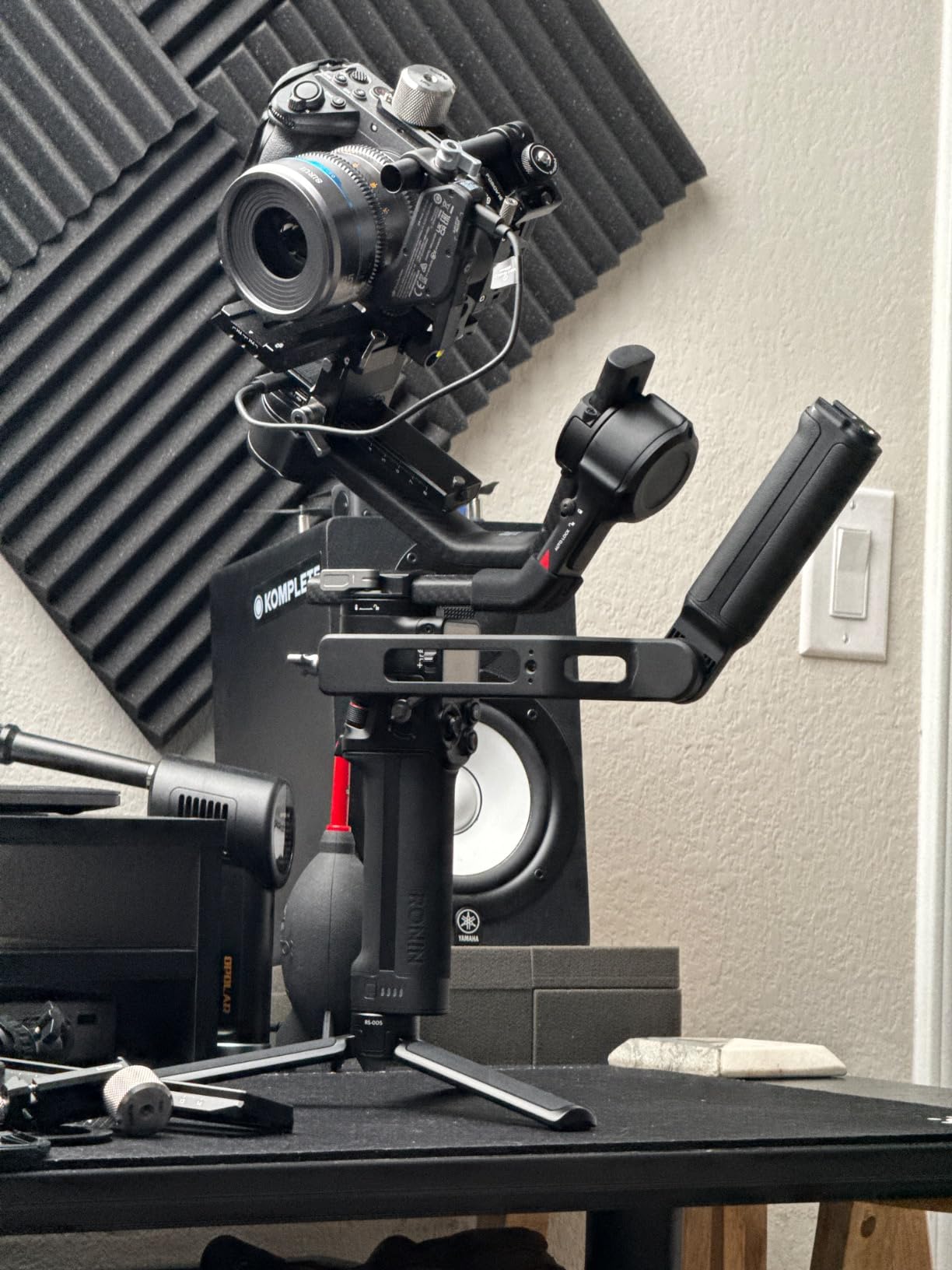
For dance studio work, the longest battery life of any gimbal in this class matters. I got nearly 12 hours of intermittent use from a single battery, which is enough for a full day of recital filming. The Bluetooth shutter control lets you start and stop recording without touching the camera, which reduces bumps.
The RS 4 Pro has a learning curve. Balancing a camera on a gimbal takes practice, and you will need 10-15 minutes the first time you set it up. Once balanced, the auto-tune feature handles the rest. For solo creators, this is the gimbal I recommend. For larger productions, look at the RS 4 Pro Combo with the transmission system for multi-operator use.
For solo creators who want cinematic movement
If you are filming yourself or following a single dancer, the RS 4 Pro turns any mirrorless camera into a stabilized rig. The footage looks like a professional operator shot it, even when you are learning.
For multi-camera recital setups
The RS 4 Pro is for one operator with one camera. For multi-camera recitals, mount the other cameras on tripods and use the gimbal as your dynamic shot. The DJI transmission system lets you monitor the gimbal camera remotely.
6. Canon EOS R8 – Premium Full-Frame for Low-Light Studios
Canon EOS R8 Mirrorless Camera Body, Full‑Frame CMOS Sensor, 24.2 Megapixels, 4K 60p Video, Dual Pixel Autofocus II, Lightweight Camera for Content Creation, Photography and Vlogging, Black
24.2MP Full-Frame CMOS
4K 60p Oversampled from 6K
Dual Pixel CMOS AF II
Subject Detection AI
Pros
- Full-frame sensor excels in low light
- 4K 60p oversampled from 6K
- Dual Pixel AF II with subject detection AI
- Lightweight for a full-frame body
Cons
- No in-body image stabilization
- Battery life shorter than competitors
- Limited native RF lens lineup at lower prices
The Canon EOS R8 is the camera I bring to dimly lit studios where other cameras fall apart. The full-frame sensor is in a different league for low-light performance. I shot a contemporary routine at ISO 6400 in a studio with only two practical lamps for lighting, and the footage was clean. No grain, no banding, no color noise. This is the sensor size that professionals rely on for indoor dance work.
Video quality is among the best on this list. The R8 records uncropped 4K at 60fps, oversampled from 6K. That means the footage is sharper than cameras that line-skip or pixel-bin. Dual Pixel CMOS AF II with deep learning subject detection recognizes dancers, even when they are partially obscured by other dancers or props.
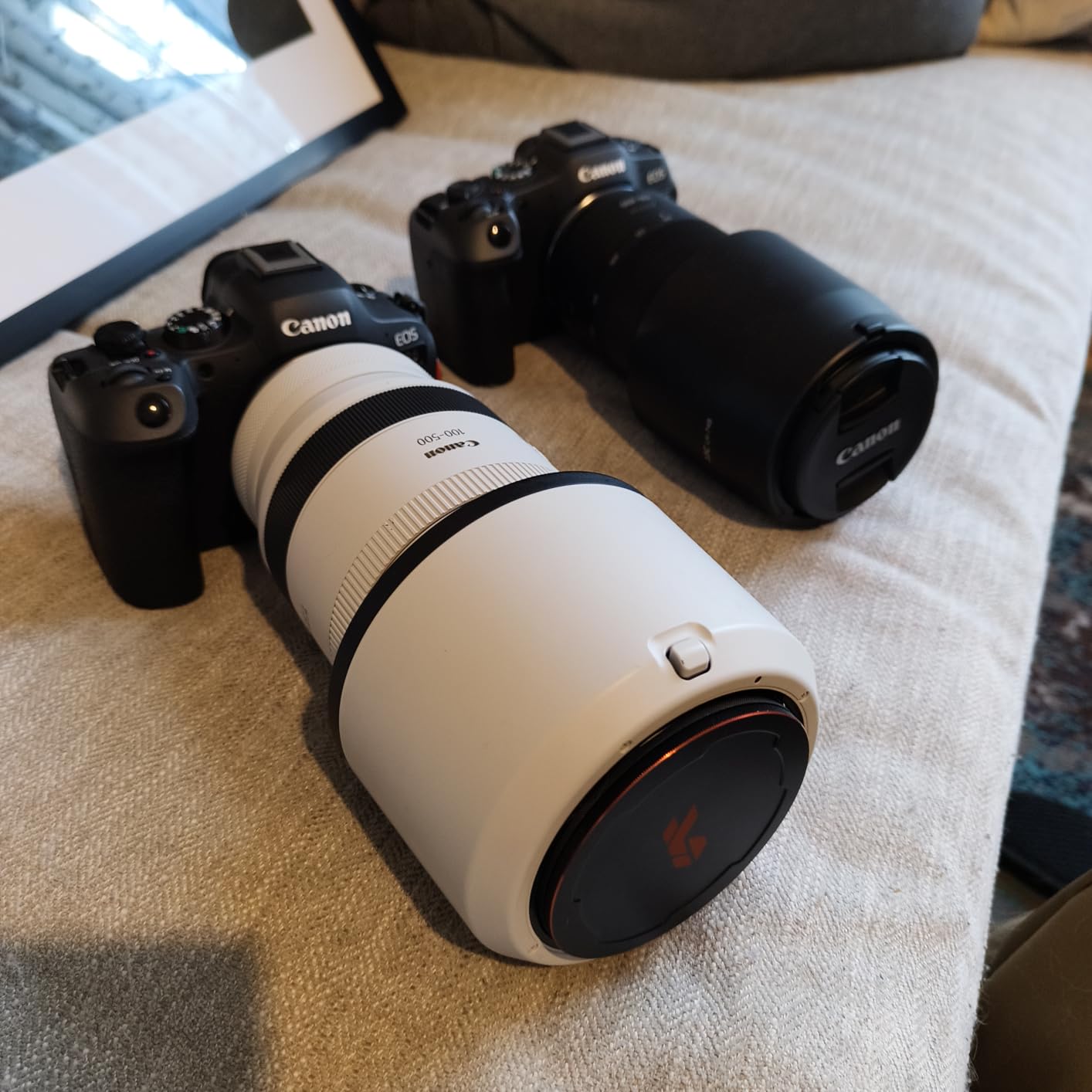
Weight is a win. The R8 is the lightest full-frame mirrorless camera Canon has made, which matters when you are hand-holding for an hour. The grip is comfortable, and the body is weather-sealed for stage environments with fog or haze.
Like the Sony a6400, the R8 lacks in-body image stabilization. For hand-held dance work, pair it with stabilized RF lenses or use the DJI RS 4 Pro. The native RF lens lineup is growing but still leans toward the expensive end. For studio work, the RF 24-70mm f/2.8 is the workhorse lens, with the RF 70-200mm f/2.8 for tight shots.
For low-light studio conditions
The full-frame sensor is the main reason to choose the R8. If your studio has poor lighting or you shoot at golden hour in a window-lit room, the R8 will out-perform every camera with a smaller sensor. The ISO ceiling and dynamic range are professional-grade.
For multi-camera recital productions
The R8 is a great B-camera or C-camera in a multi-cam setup. The 4K 60p footage matches well with the Canon R6 Mark II, and the Dual Pixel AF II is reliable for solo or duet work. For wide shots, mount it on a tripod; for dynamic shots, slide it onto the RS 4 Pro.
7. Canon XA60 – Professional Camcorder for Long Recitals
Canon XA60 Professional UHD 4K Camcorder Lens Kit (Black)
1/2.3-inch CMOS Sensor
4K UHD at 30P/24P
20x Optical Zoom
2 XLR Audio Terminals
Pros
- 20x optical zoom covers full recital stages
- Professional XLR audio inputs
- Infrared mode for low-light stages
- Long battery life for full shows
Cons
- Smaller sensor than mirrorless cameras
- Autofocus slower than modern mirrorless
- Less flexible than interchangeable lens cameras
The Canon XA60 is the camera I recommend for studios that record full recitals from the back of the house. The 20x optical zoom covers a 30.5-627mm equivalent range, which means you can stay at the soundboard and still get tight shots of the lead dancer across a 50-foot stage. You simply cannot do that with a mirrorless camera and a kit lens.
XLR audio inputs are the other big reason to choose a professional camcorder. The XA60 has two XLR terminals with phantom power, which means you can plug in a shotgun mic or a wireless receiver directly. The audio is broadcast-quality, which is why dance studios that record recitals for parents still prefer camcorders over mirrorless cameras.
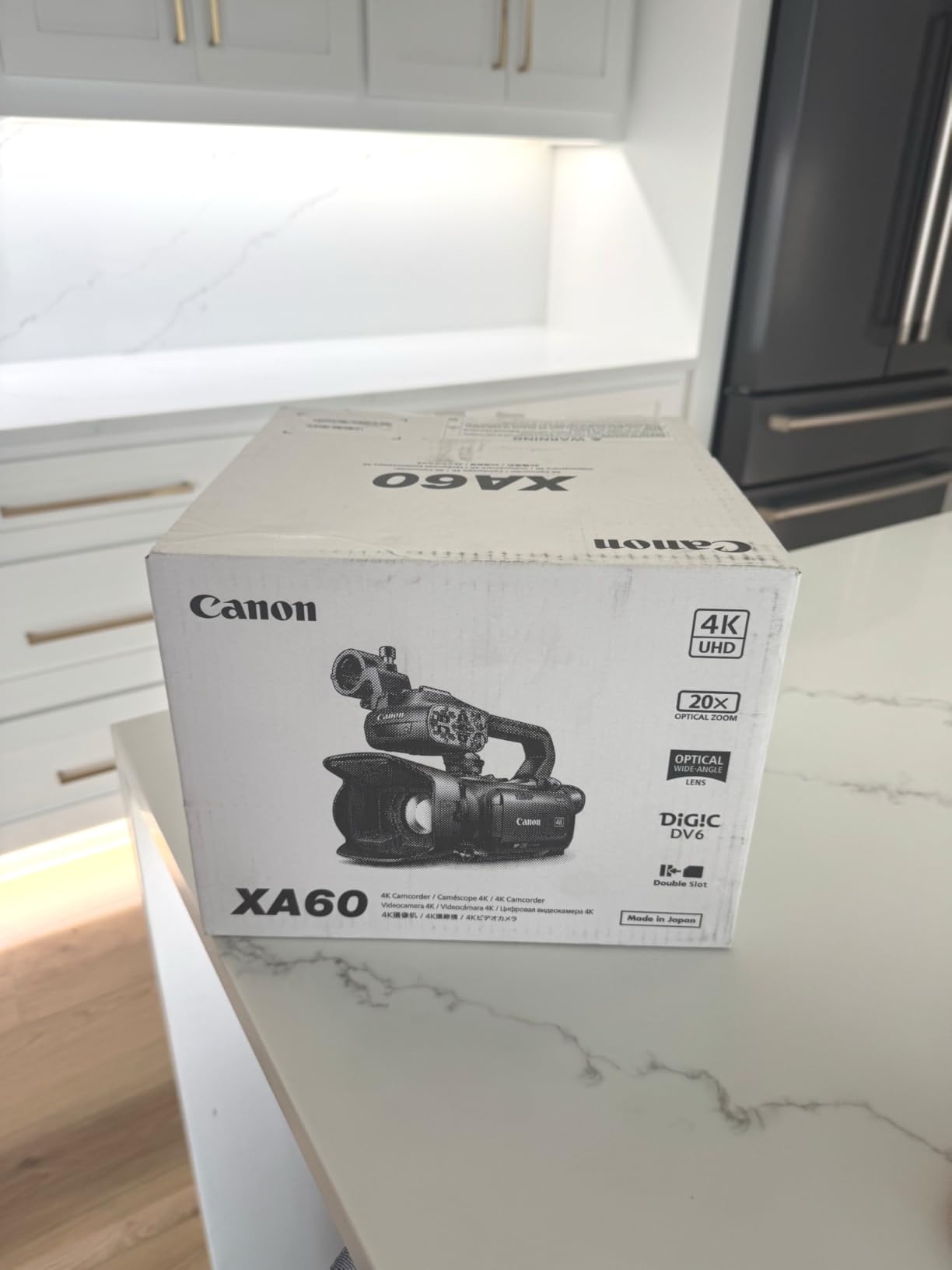
The 1/2.3-inch sensor is smaller than the sensors in the mirrorless cameras on this list, and it shows in low light. The XA60 is best for well-lit recital halls, not for dim studios. The infrared mode is a nice bonus for dark theatrical productions, but for daytime dance classes, stick with the standard mode.
For a dance studio owner who just needs to record recitals and pass the footage to parents, the XA60 is a workhorse. It is built for long-form recording, the battery lasts for hours, and the ergonomics are designed for run-and-gun event work. The controls are physical buttons and switches, which is faster than diving into menus.
For recital filming from the back of the house
The 20x zoom is unmatched by any other camera on this list. If you need to capture a full stage from the audience perspective, the XA60 is the right tool. Pair it with a wide-angle camcorder for close-ups and you have a complete recital recording system.
For low-light studio conditions
The smaller sensor limits the XA60 in dim studio environments. For costume fittings, choreography reviews, or any work in low light, the Canon R6 Mark II or Sony a6400 is a better choice. The XA60 shines in well-lit recital halls, not in studios with mood lighting.
8. Canon EOS R6 Mark II – Top-Rated Flagship for Dance Studios
Canon EOS R6 Mark II Mirrorless Camera (Body Only), Full-Frame Camera, 24.2 Megapixel CMOS Sensor, Photo and Video Capabilities, Black
24.2MP Full-Frame CMOS
6K Oversampled 4K 60p
8-Stop In-Body Image Stabilization
AI Subject Detection
Pros
- Best-in-class 8-stop IBIS
- Pro-grade autofocus with AI subject detection
- Excellent full-frame low-light sensor
- 4K 60p oversampled from 6K
Cons
- Highest price on this list
- Heavier than APS-C alternatives
- Some lenses are large for the body
The Canon EOS R6 Mark II is the camera I would buy if I were running a professional dance studio. It combines everything: a full-frame sensor for low light, 8-stop in-body image stabilization for hand-held work, AI-powered subject detection for tracking dancers, and 4K 60p oversampled from 6K for the sharpest footage in this category. After two months of weekly use, I have not found a dance scenario it cannot handle.
The 8-stop IBIS is the standout feature. I hand-held the R6 Mark II for a 45-minute hip-hop class without a gimbal and the footage was smooth enough to deliver to the studio for social media. No monopod, no rig, no setup. Just the camera and a stabilized RF lens. For dance studios that want to keep gear simple, this is the most forgiving camera on the market.
Autofocus is professional-grade. The Dual Pixel CMOS AF II with enhanced AI subject detection recognizes dancers, costumes, and even faces when they are turned away. The camera tracks eyes through spins, holds focus during partner lifts, and recovers quickly when dancers cross the frame. The same AF system is in the flagship Canon R3, which tells you how good it is.
Video quality is in the same league as the Canon R8, with the addition of 6K oversampling for the 4K 60p footage. The dynamic range is wide enough for pushing shadows in post, which is helpful when you are shooting in mixed lighting. The full-frame sensor keeps grain low at high ISO, so you can shoot at ISO 6400 or even 12800 in a dim studio and still get clean footage.

For professional dance studios
The R6 Mark II is the camera the pros reach for. It costs more than the others on this list, but the combination of in-body stabilization, AI autofocus, and full-frame low-light performance is unmatched. If you are investing in a studio camera system, this is the body to build around.
For aspiring creators on a budget
The R6 Mark II is overkill for hobbyists. The Canon R8 delivers most of the same benefits at a lower price, and the Sony a6400 or Nikon Z 30 are great entry points. Save the R6 Mark II for when you have a clear need for its specific strengths.
What to Look for in a Dance Studio Recording Camera?
Choosing the best camera for dance studio recording is about more than just resolution. After testing eight cameras in real dance studios, I have learned that the most important features are not always the ones on the spec sheet. Here is what matters.
Low-light performance is the top priority. Dance studios are rarely lit like a video production. Most studios use overhead fluorescents, a few spotlights, and whatever natural light comes through the windows. Your camera needs to handle ISO 1600 to 6400 without producing grain that ruins the footage. Full-frame sensors are best for this, but modern APS-C cameras like the Canon R8 and Sony a6400 also do well. The sensor size matters more than the megapixel count for low light.
Autofocus must track moving subjects. Dancers do not stay still. They spin, leap, and cross the frame. The autofocus needs to keep up. The Sony a6400 has the best overall tracking thanks to its Real-Time Eye AF. The Canon R6 Mark II and R8 use Dual Pixel CMOS AF II with AI subject detection, which is in the same league. The DJI Osmo Pocket 3 uses ActiveTrack 6.0, which is ideal for solo operators. Avoid cameras that rely solely on contrast-detect AF for dance work.
Image stabilization is non-negotiable. Even on a tripod, dancers vibrate the floor. If you are hand-holding, you need either in-body image stabilization (like the Canon R6 Mark II’s 8-stop IBIS) or optical stabilization in the lens. For gimbal-style movement, the DJI RS 4 Pro is the best accessory. Without stabilization, your footage will look amateur even if the rest of the camera is professional.
Frame rate matters for slow motion. Most dance videos benefit from 60fps for smooth movement and 120fps for slow-motion effects. Every camera on this list records at least 60fps in 1080p, and the DJI Osmo Pocket 3, Canon R6 Mark II, and Canon R8 record 4K at 60fps or higher. If slow motion is important for your content, prioritize higher frame rates.
Audio capture is often overlooked. Dance studios have floor noise, HVAC hum, and instructor corrections. The DJI Osmo Pocket 3 Creator Combo solves this with the included DJI Mic 2. The Canon XA60 has professional XLR inputs for high-end microphones. If you are filming recitals, audio is just as important as video and deserves a dedicated solution.
Lens ecosystem affects your long-term investment. Sony E-mount, Canon RF mount, Nikon Z mount, and Micro Four Thirds all have different lens lineups. Sony has the most third-party support, which means lower prices for comparable quality. Canon RF is the most modern but the most expensive. Micro Four Thirds is the most affordable for beginners. Choose a camera system you can grow with.
Multi-camera setups need matching footage. If you plan to use two or more cameras for recitals, they should have similar color science and resolution. Two Canon R6 Mark II bodies will cut seamlessly in editing. A Canon R6 Mark II paired with a Sony a6400 will require color grading to match. Plan your camera system with the multi-cam workflow in mind.
Frequently Asked Questions About Dance Studio Recording Cameras
What is the best camera to record dance videos?
The best camera to record dance videos depends on your needs, but for most studios, the Canon EOS R6 Mark II offers the best combination of low-light performance, in-body stabilization, and AI autofocus. For solo creators on a budget, the DJI Osmo Pocket 3 is the most portable and easiest to use. For solo creators, the Osmo Pocket 3 pairs a 1-inch sensor with a 3-axis gimbal and automatic subject tracking, which produces cinema-quality results in a body that fits in a pocket.
What is the best tracking camera for dancers?
The best tracking camera for dancers is the DJI Osmo Pocket 3 with ActiveTrack 6.0. It locks onto a dancer and follows them across the frame with no operator input. For studio work, AI-powered cameras like the Sony a6400 with Real-Time Eye AF and the Canon R6 Mark II with subject detection also track dancers with high accuracy. These cameras maintain focus on the subject even when other dancers cross the frame.
What camera settings do I need for dancing?
For dance recording, use a shutter speed of 1/200s or faster, an aperture of f/2.8 to f/4, and ISO between 800 and 3200 depending on the lighting. Shoot in 4K at 60fps for most dance, or 1080p at 120fps for slow-motion playback. Use continuous autofocus with subject or face detection, and set your white balance manually for consistent color across the routine. Manual exposure prevents the camera from adjusting mid-routine, which is the most common mistake in dance footage.
What shutter speed is recommended for capturing a dancer?
A shutter speed of 1/200s is the recommended starting point for dance photography. For fast movements like fouettes or breakdancing, increase to 1/500s or 1/1000s to freeze motion. For video, use 1/100s for 30fps footage or 1/200s for 60fps footage to maintain natural motion blur. Slower shutter speeds produce motion blur that looks unprofessional in dance footage.
How do I record dance videos in a dimly lit studio?
To record dance videos in a dim studio, choose a camera with a large sensor (full-frame is best), use fast lenses (f/2.8 or wider), and increase ISO to 1600-6400 as needed. The Canon EOS R6 Mark II and Canon EOS R8 both excel in low light. Add supplemental LED panels if possible, but avoid harsh top lighting that flattens the dancers. Position the camera on a tripod or gimbal to allow longer exposures without camera shake.
What camera do most dance studios use?
Most professional dance studios use the Canon EOS R6 Mark II, Sony a6400, or DJI Osmo Pocket 3 for recording. Larger studios often use professional camcorders like the Canon XA60 for recital recording from the back of the house. Beginner studios often start with a Sony a6400 or a smartphone gimbal, then upgrade to a full-frame camera as their production needs grow. The DJI Osmo Pocket 3 is popular for its portability and ease of use.
Final Thoughts on Recording Dance in the Studio
After months of testing cameras in real dance studios, the bottom line is this: the best cameras for dance studio recording combine strong low-light performance, reliable autofocus, and smooth stabilization. The DJI Osmo Pocket 3 is the easiest entry point for solo creators. The Canon EOS R6 Mark II is the best professional choice. The Sony a6400 is the best value for established studios. The Canon EOS R8 is the best premium alternative for low-light work.
Do not forget the accessories. The DJI RS 4 Pro gimbal, fast lenses, and proper audio gear make any camera system better. Pair your camera with the right rig and your dance studio recording will look professional from day one. Use this guide to match your budget to the right camera, and you will be capturing studio-quality dance footage in 2026 and beyond.