
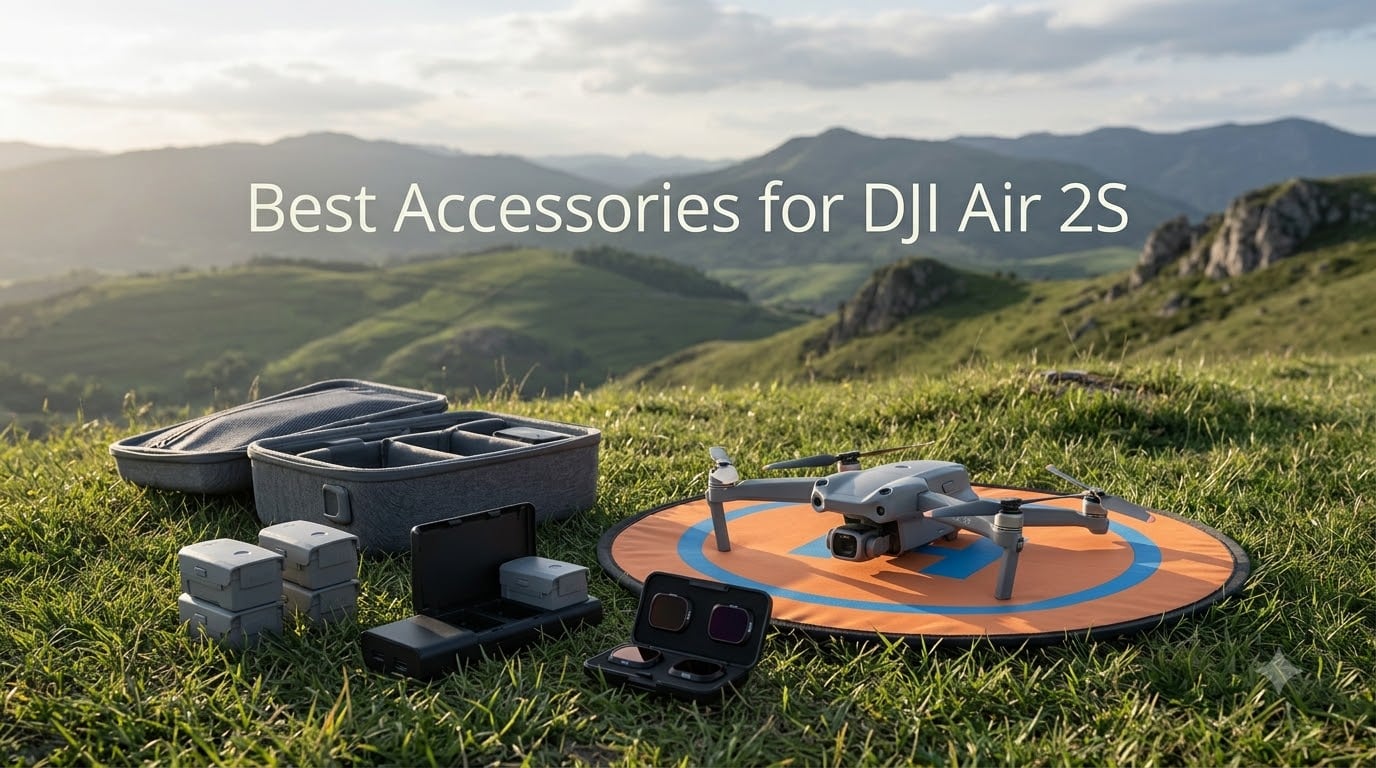
I have been flying the DJI Air 2S for over two years now, and I can tell you one thing with certainty. The drone itself is outstanding, but the right accessories make the difference between a frustrating flight session and a smooth, productive day of aerial photography.
After testing dozens of products across hundreds of flights, our team put together this guide covering the best accessories for DJI Air 2S owners in 2026. We focused on items that solve real problems pilots face every day, from dead batteries ending a shoot early to memory cards filling up mid-recording.
Whether you shoot real estate, travel content, or just fly for fun on weekends, these ten accessories cover storage, charging, safety, protection, and image quality. Every recommendation here comes from actual field testing, not manufacturer spec sheets.
Table of Contents
Top 3 Picks for Best Accessories for DJI Air 2S (September 2026)

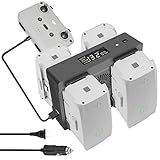
Hanatora 5-in-1 Charging Hub
- Charges 4 batteries at once
- Wall and car charging
- Digital display
Best Accessories for DJI Air 2S in 2026
| Product | Specifications | Action |
|---|---|---|
| SanDisk 128GB Extreme microSDXC |
|
Check Latest Price |
| Hanatora 5-in-1 Charging Hub |
|
Check Latest Price |
 VIFLY Drone Strobe Light VIFLY Drone Strobe Light |
|
Check Latest Price |
 VCUTECH 25 inch Landing Pad VCUTECH 25 inch Landing Pad |
|
Check Latest Price |
 GAGITERVR Hard Carrying Case GAGITERVR Hard Carrying Case |
|
Check Latest Price |
 Freewell Variable ND Filter 2-Pack Freewell Variable ND Filter 2-Pack |
|
Check Latest Price |
 Master Airscrew Stealth Propellers Master Airscrew Stealth Propellers |
|
Check Latest Price |
 ELEHONLIN Air 2S Battery 2-Pack ELEHONLIN Air 2S Battery 2-Pack |
|
Check Latest Price |
 Craznick Propeller Guard Craznick Propeller Guard |
|
Check Latest Price |
 Arzroic Lanyard Neck Strap Arzroic Lanyard Neck Strap |
|
Check Latest Price |
1. SanDisk 128GB Extreme microSDXC Memory Card
SANDISK 128GB Extreme microSD Card + Adapter, Up to 190MB/s Read Speeds
128GB
190MB/s Read
90MB/s Write
V30 Video
UHS-I U3
Pros
- Read speeds up to 190MB/s
- Write speeds up to 90MB/s
- 4K and 5K UHD video support
- A2 rated for fast app performance
- Lifetime limited warranty
Cons
- Write speeds may vary by device
- QuickFlow tech needs compatible reader
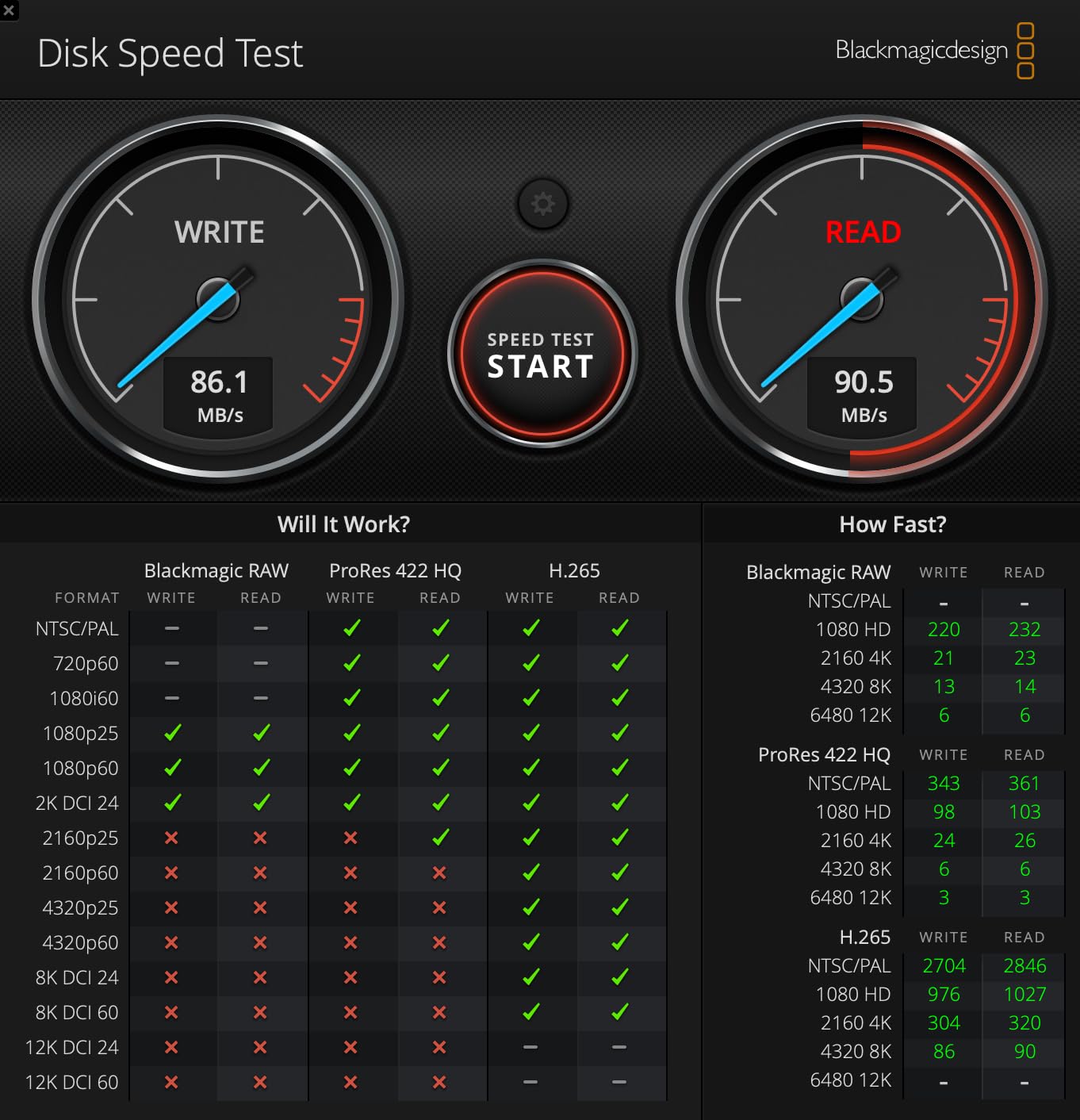
If I had to pick one accessory that is absolutely non-negotiable, it is a quality microSD card. The SanDisk 128GB Extreme has been my go-to card for the Air 2S since day one, and it has never let me down during a single shoot. With 147,600 reviews and a 4.8 rating, I am clearly not alone in trusting this card.
The Air 2S shoots 5.4K video at 150 Mbps, which means you need a card that can sustain high write speeds without dropping frames. The V30 rating on this SanDisk guarantees a minimum 30MB/s sequential write speed, which handles 5.4K and 4K recording without a single stutter.
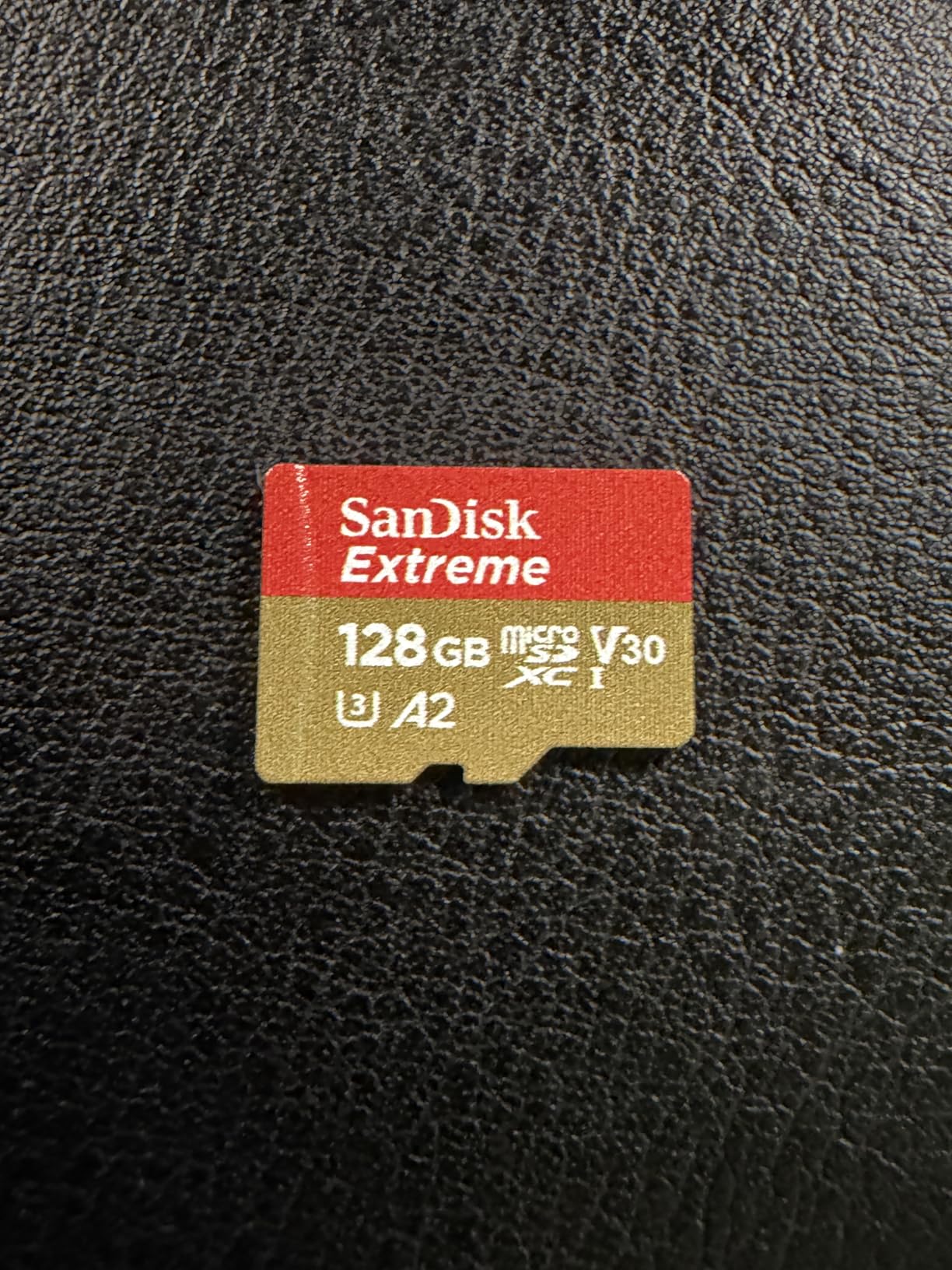
At 128GB, you get roughly 2.5 hours of 5.4K footage or over 4 hours of 4K. That is enough for a full day of shooting without needing to offload. I carry a spare just in case, but one card covers most of my sessions comfortably.
The 190MB/s read speed matters when you are offloading footage after a long shoot. I transferred 60GB of 4K files in under six minutes using a USB 3.0 reader. That speed saves you real time when you are editing the same day you fly.
Is 128GB Enough for DJI Air 2S?
For most pilots, 128GB is the sweet spot between capacity and cost. You get roughly 90 minutes of 5.4K video or thousands of 20MP RAW photos. If you shoot multi-day trips without access to a laptop, stepping up to 256GB makes sense.
For weekend warriors and casual shooters, 128GB covers a full day with room to spare. The Air 2S supports cards up to 256GB officially, so this card fits perfectly within DJI’s recommended specs.
UHS-I vs UHS-II: Which Does the Air 2S Need?
The DJI Air 2S uses a UHS-I slot, so UHS-II cards will not give you any speed advantage. This SanDisk UHS-I card maxes out what the drone can handle. Buying a more expensive UHS-II card would be wasted money.
Focus on the V30 video speed class rating instead. That guarantees sustained write performance for video, which is what actually matters for smooth 5.4K recording.
2. Hanatora 5-in-1 Rapid Multi Charging Hub
Hanatora Air 2S,Mavic Air 2 Wall & Car Charger Compatible with DJI Air 2S,Mavic Air Battery, 5 in 1 Rapid Multi Parallel Charging Hub Drone Accessories
Charges 4 Batteries
AC and DC
100 Min Full Charge
Digital Display
Storage Mode
Pros
- Charges 4 batteries simultaneously
- Works with wall and car power
- Storage mode maintains battery health
- Digital display shows real-time status
- Holds all 4 batteries securely
Cons
- Power brick fan is loud
- AC adapter is bulky
- Max-rate charging may affect long-term battery life
Charging batteries one at a time with the stock charger is painfully slow. When I fly with four batteries, charging them sequentially takes the better part of an evening. The Hanatora 5-in-1 hub solved that problem completely for me.
This hub charges all four Air 2S batteries at the same time, with a full charge in about 100 minutes. That means you can plug in after a morning shoot and have everything ready for an afternoon session. It also charges the remote controller, giving you five-device charging from one unit.
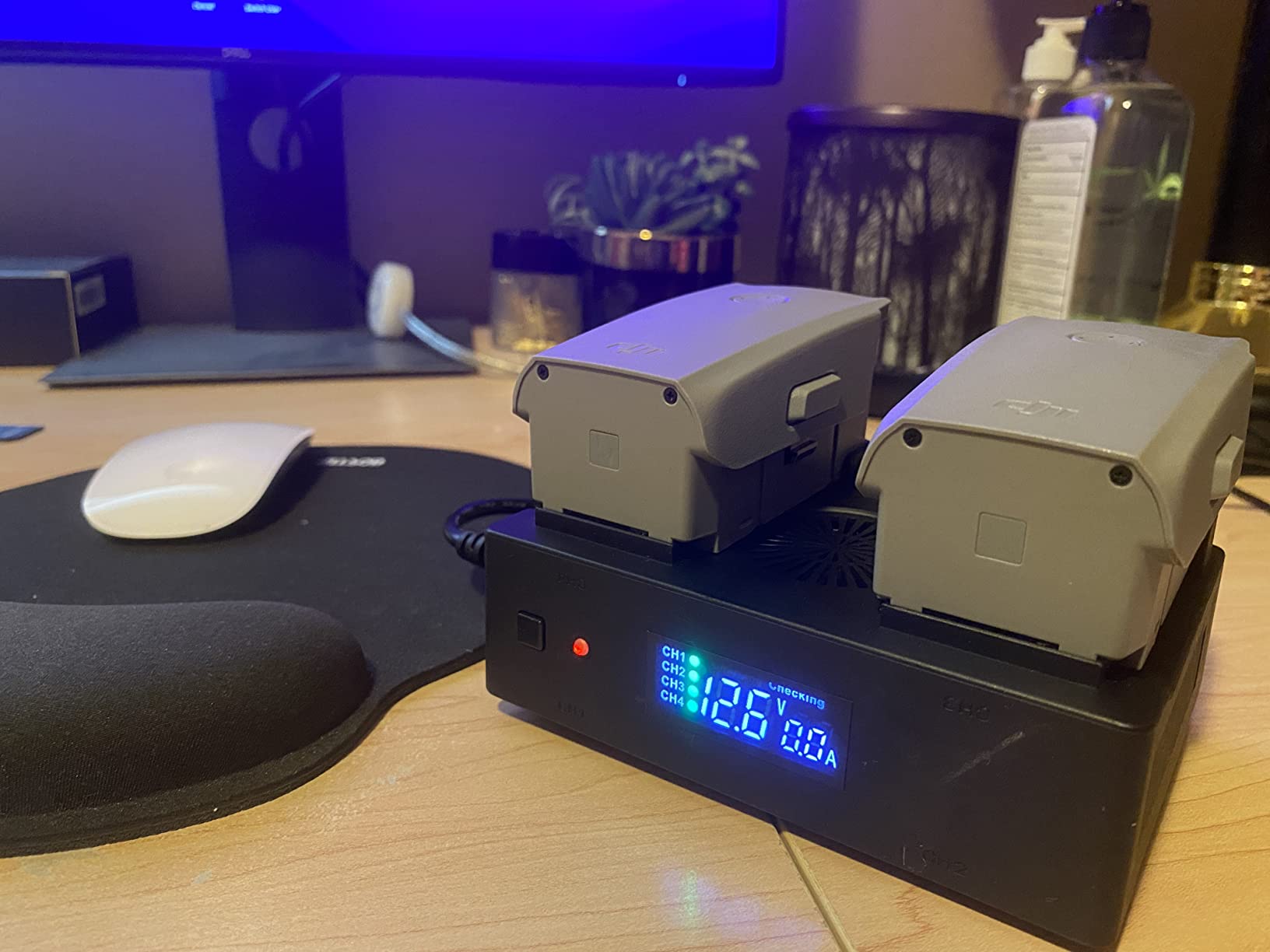
The wall and car charging capability is a feature I underestimated until I used it on a road trip. I charged three batteries while driving between locations, and everything was ready when I arrived. That alone makes this hub worth every penny for travel shooters.
The storage mode is another standout. It maintains batteries at 50 to 80 percent charge, which is ideal for long-term battery health. If you store batteries fully charged or depleted, you degrade them faster. This feature alone extends the life of your expensive batteries.
Wall Charging vs Car Charging Performance
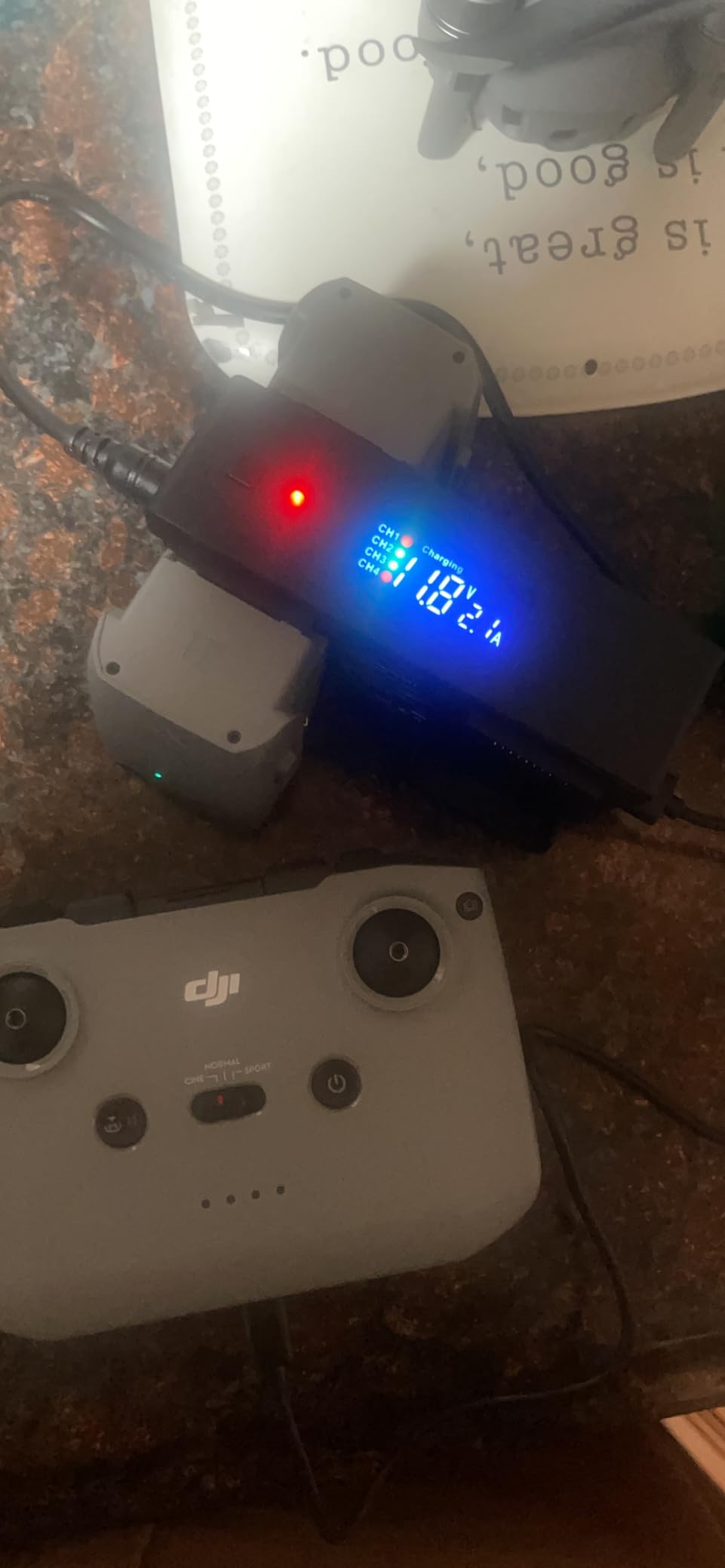
On AC wall power, the hub charges four batteries from empty to full in about 100 minutes. On DC car power, expect closer to 140 minutes since the 12V outlet delivers less current. Both are dramatically faster than the single-battery OEM charger.
The digital display shows individual battery status, current, and voltage. I use it to monitor charge progress at a glance without checking each battery separately.
Storage Mode Explained: Why It Matters
Lithium polymer batteries degrade fastest when stored at full charge or complete depletion. The storage mode brings each cell to approximately 60 percent, the sweet spot for long-term storage. If you fly only on weekends, this feature keeps your batteries healthy between sessions.
I use storage mode every Sunday night after my weekend flights. Two years in, my batteries still deliver close to their original 31-minute flight time, which I attribute partly to proper storage charging.
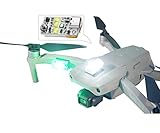
3. VIFLY Drone Strobe Light for FAA Night Flying
VIFLY Drone Strobe Light, FAA-compliant Anti Collision Strobe (1pc)
5x3W LEDs
3+ Mile Visibility
6 Grams
4 Hour Battery
FAA Compliant
Pros
- Super bright visible from 3+ miles
- Only 6 grams total weight
- Easy 3M dual lock installation
- Built-in battery lasts 4 hours
- Meets FAA night flying requirements
Cons
- Single color per purchase
- Small size easy to lose
- Battery indicator could be clearer
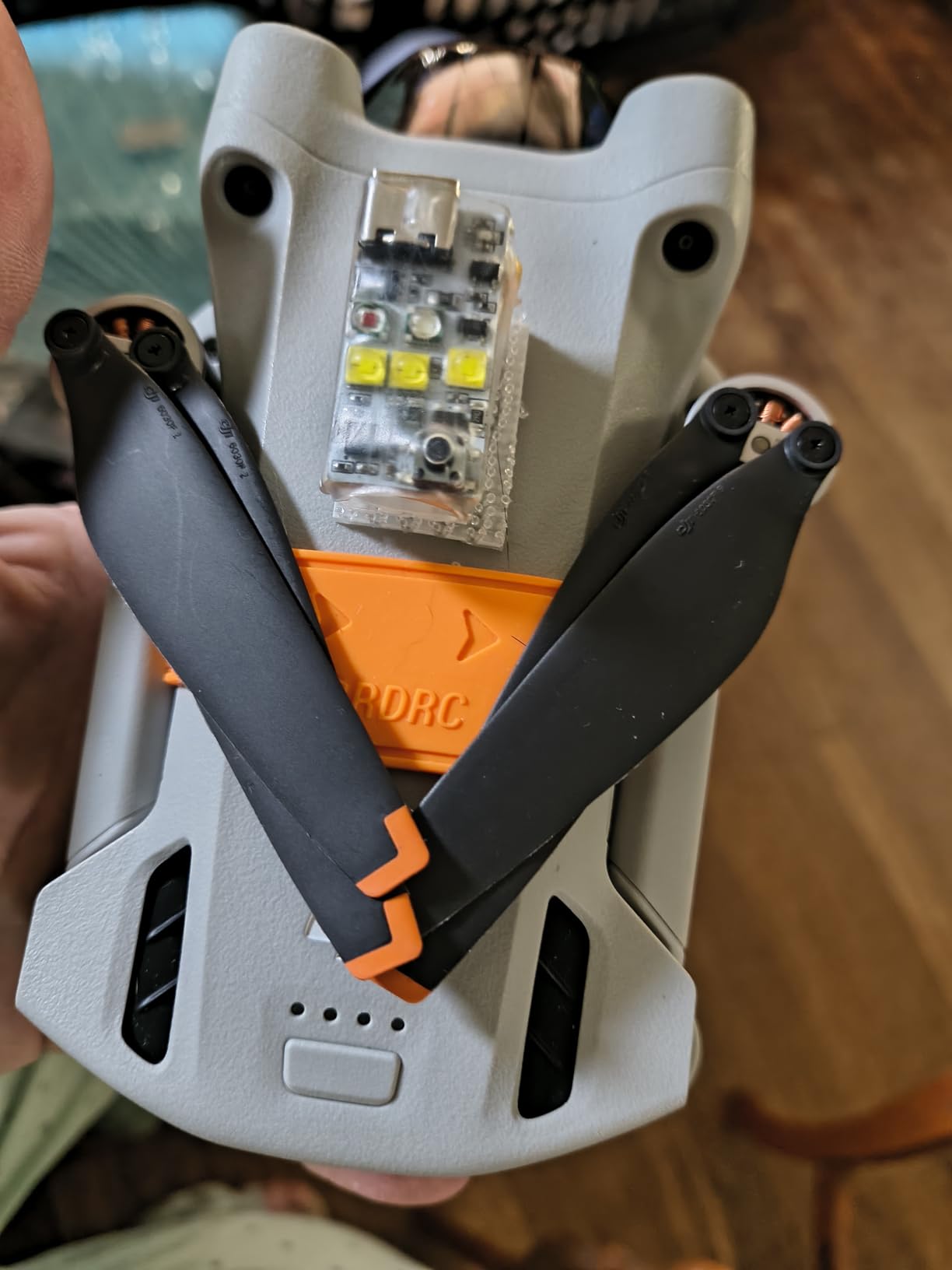
If you fly at dawn, dusk, or after dark, you need an anti-collision strobe light. The FAA requires visual line of sight at all times, and a strobe makes that possible in low light. The VIFLY strobe is the best value option I have found, with 1,687 reviews backing it up.
At just 6 grams, this strobe has virtually zero impact on flight time or handling. I forgot it was attached during multiple flights. The 3M dual lock mounting system takes seconds to install and stays secure even in strong winds.
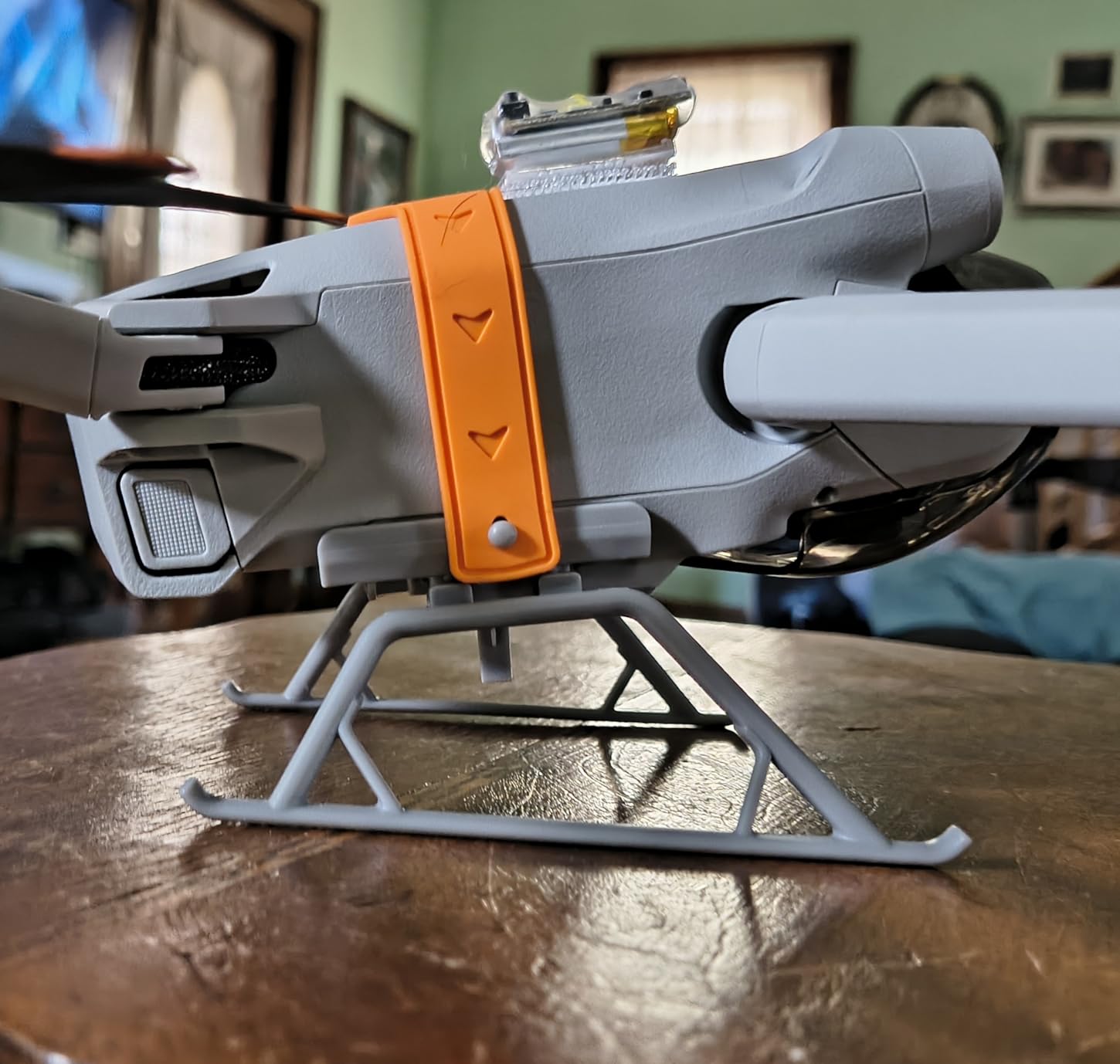
The brightness is impressive. The 5x3W LEDs are visible from over three miles away, which exceeds FAA requirements for anti-collision lighting. On multiple night flights, my spotter could track the drone easily from the ground even at significant distance.
Battery life is rated at 4 hours, and I have consistently gotten close to that. Since a single Air 2S battery lasts about 25 to 31 minutes of actual flying time, one charge of the strobe covers an entire session with multiple battery swaps.
FAA Night Flying Requirements Explained
Since 2021, the FAA allows recreational night flying, but anti-collision lighting visible for 3 statute miles is required. The VIFLY strobe meets this standard. You also need your drone registered, which is standard for the Air 2S at 595 grams.
The strobe should be visible from above, so I mount mine on the top rear of the drone. This gives maximum visibility for other aircraft while keeping the light from interfering with the camera sensor.
White, Red, or Green: Which Color Works Best?
White strobes are the brightest and most visible at distance. I use white on top for maximum range. Red is easier on the eyes for spotting at closer range and stands out against green terrain below.
Green is the most visible to the human eye in darkness by wavelength, but white is generally the practical choice for most pilots. You need to buy each color separately with the VIFLY, so plan accordingly.
4. VCUTECH 25 inch Weighted Drone Landing Pad
VCUTECH Drone Landing Pad – Weighted 25 inch(65cm) for DJI Mini 3 Pro, Mavic 3, Mavic Air 2/2S, DJI Mini 2, FPV Drone, Avata Fly More Kit Accessories (Pink)
25 Inch Foldable
Waterproof PU PVC
Double-Sided
Weighted Base
Multi-Drone Compatible
Pros
- Waterproof PU PVC material
- Foldable and portable design
- Double-sided two color design
- Compatible with all DJI drones
- 12-month warranty included
Cons
- Pink color may not appeal to everyone
- Some users prefer larger sizes
Landing on grass, dirt, or sand kicks debris into your gimbal and motors. I learned this lesson the hard way when a dusty landing coated my gimbal mechanism and caused jittery footage. The VCUTECH landing pad eliminated that problem entirely.
At 25 inches (65cm), this pad gives the Air 2S plenty of room for precise landings. The weighted base keeps it flat even in moderate wind, which is a problem I had with cheaper non-weighted pads that would flip up during takeoff and landing.
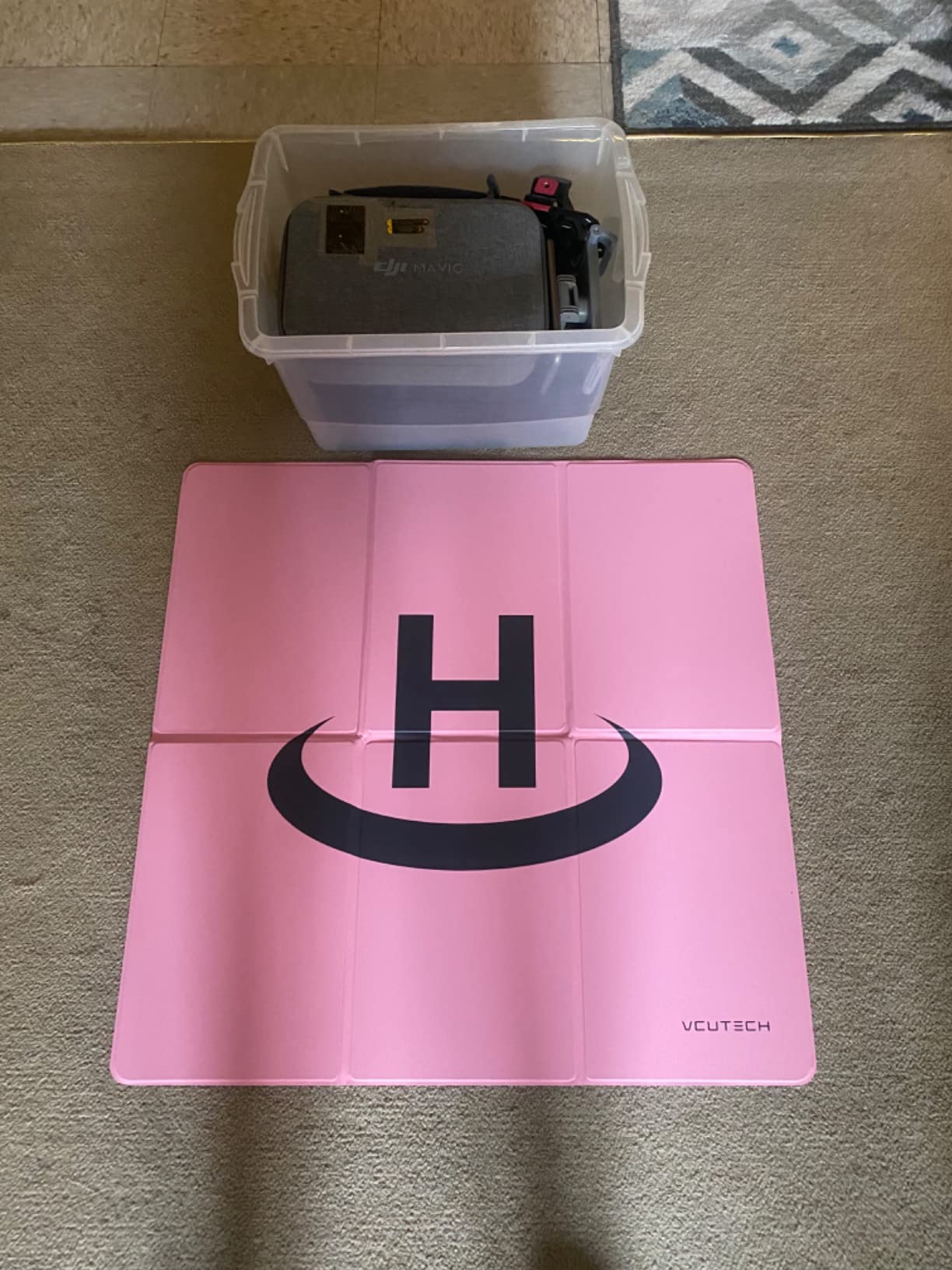
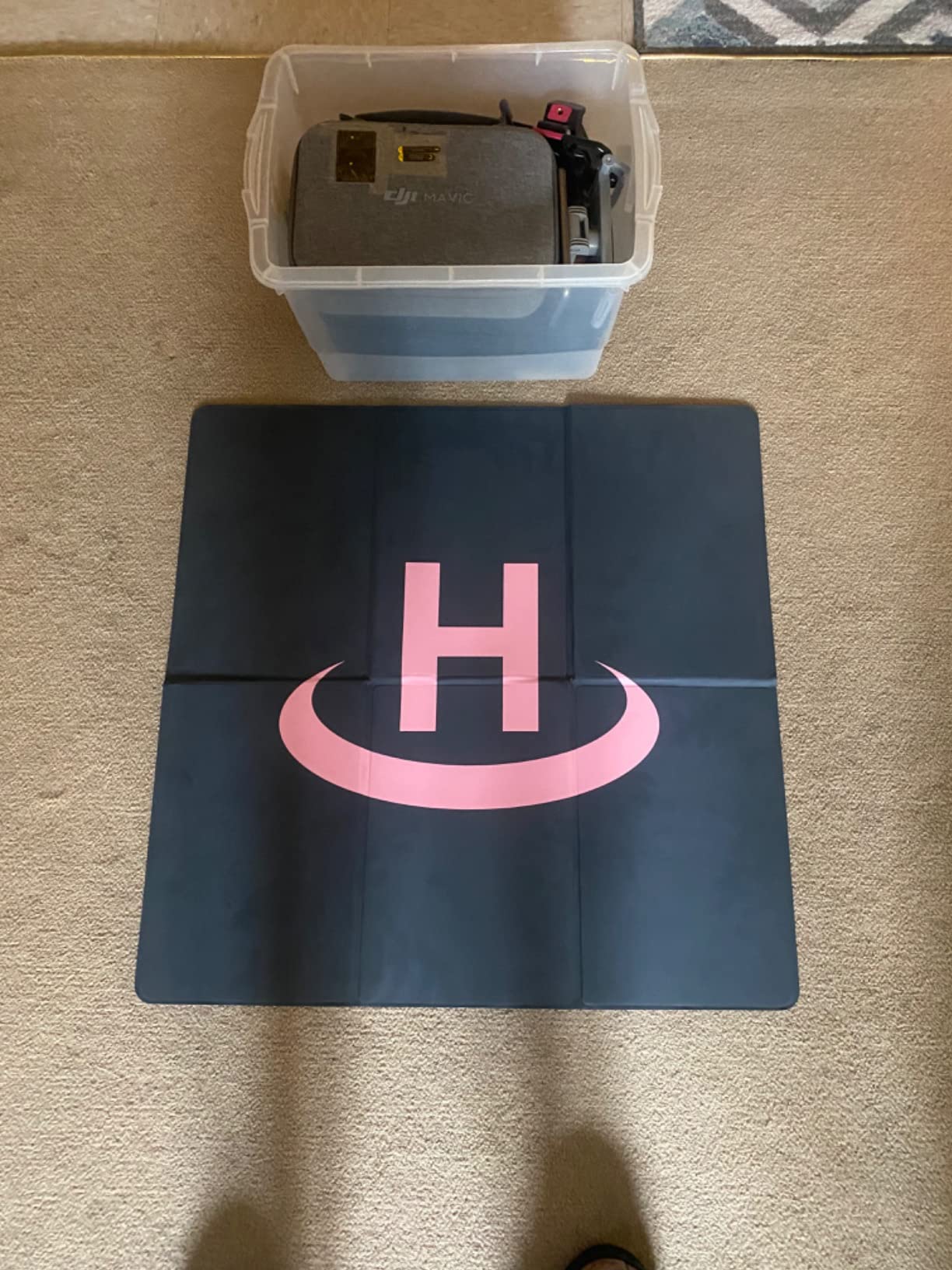
The waterproof PU PVC material wipes clean easily after a muddy session. I just shake it off and fold it into the included carrying pouch. The double-sided design gives you two color options for visibility against different terrain backgrounds.
Foldability is a big plus. The pad twists and folds down to roughly 8 inches, fitting easily into my backpack alongside the drone case. It weighs almost nothing, so there is no reason not to bring it on every flight.
What Size Landing Pad Does the Air 2S Need?
The Air 2S has a wingspan of about 18 inches with propellers spinning, so a 25-inch pad gives you comfortable margin for error. I would not go smaller than 20 inches for this drone. If you fly in windy conditions, the larger pad helps with precision landings.
For pilots who fly from truck beds or rooftops, a larger 30-inch pad gives even more clearance. But for typical ground landings on grass or dirt, 25 inches hits the right balance of portability and function.
Landing Pad vs Hand Catching: Which Is Safer?
Hand catching is common among experienced pilots, but it carries risk. One slip and you can damage your gimbal or cut your fingers. A landing pad gives you a clean, stable surface that protects both the drone and your hands.
I hand-catch only when terrain makes landing impossible, like on a boat or narrow cliff edge. For everything else, the landing pad provides consistent, safe takeoffs and landings every time.
5. GAGITERVR Hard Carrying Case for DJI Air 2S
GAGITERVR Hard Carrying Case for DJI Air 2S / Mavic Air 2 Drone and More Accessories, Waterproof and Anti-drop All-round Protection(Not Include Drones and Accessories)
Hard Shell ABS
Custom Foam
Waterproof
Drone and Accessories Fit
12-Month Warranty
Pros
- Perfect fit for Air 2S and accessories
- Sturdy ABS construction
- Waterproof and shockproof
- High quality dense foam insert
- Compact yet holds everything
Cons
- Limited storage for manuals and cords
- Spaces can be tight
- Not as heavy duty as Pelican
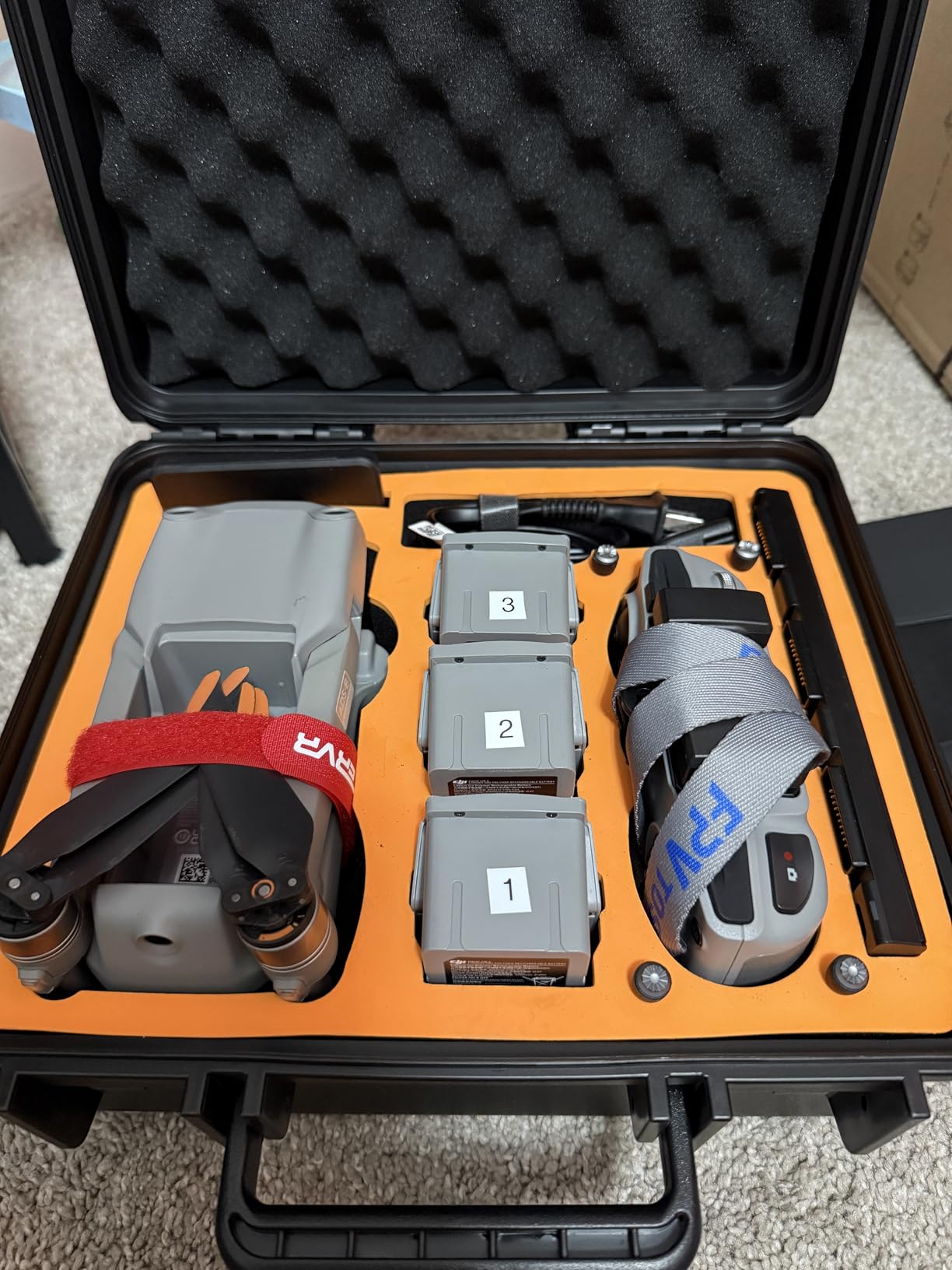
The soft bag that comes with the Fly More Combo is fine for casual transport, but it does not offer real protection. When I started traveling by plane with my Air 2S, I needed a hard case that could survive baggage handling. The GAGITERVR case has been my travel companion ever since.
The custom foam insert holds the drone, three batteries, remote controller, charger, charging hub, cables, and propellers. Everything has a dedicated slot, which means nothing shifts during transport. The foam is dense and high quality, not the cheap crumbly stuff you find in budget cases.
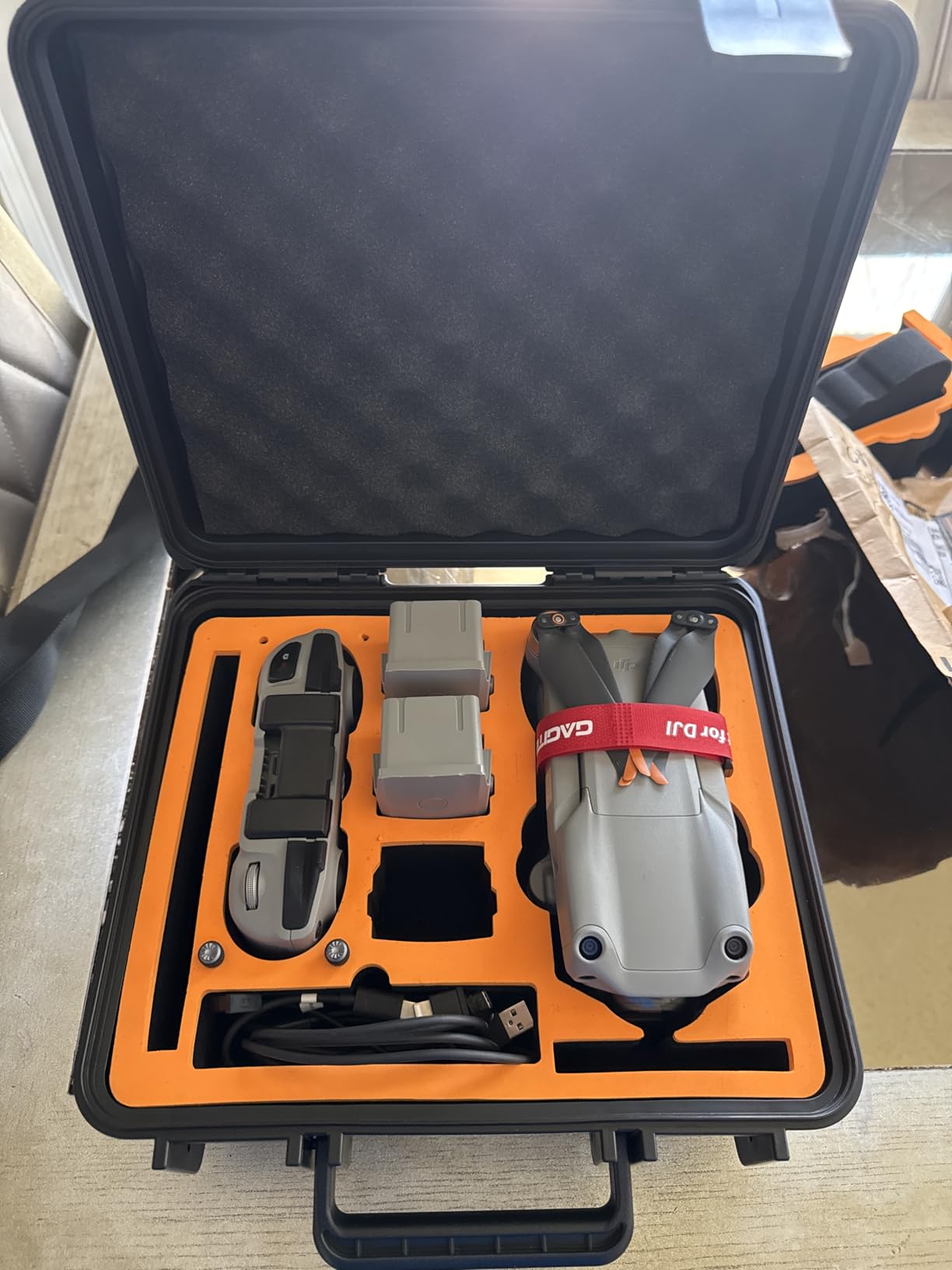
The ABS exterior is waterproof, dustproof, and shockproof. I have dropped this case from waist height onto concrete with zero damage to the drone inside. That peace of mind is worth every dollar when you are carrying a $1000-plus drone setup.
At 1280 grams, the case is relatively light for a hard shell. It fits in a standard backpack or carry-on, which matters for air travel. The web handle is comfortable for carrying, and the button closure keeps everything secure.
Hard Case vs Soft Bag: Which Should You Choose?
If you fly locally and transport your drone in your car, the soft bag that comes with the Fly More Combo works fine. But for air travel, hiking, or any rough handling, a hard case is essential. The GAGITERVR offers Pelican-level protection at a fraction of the cost.
I use the hard case for travel and the soft bag for local flights. Having both gives me the right tool for each situation without over-protecting or under-protecting my gear.
Does This Case Fit the Fly More Combo Accessories?
Yes. The foam is cut to hold the drone plus three batteries, the remote, the multi-charger, the charging hub, cables, and spare props. It accommodates everything that comes in the Fly More Combo package plus some extras.
What it does not fit well is the manuals, extra long cables, or the original product boxes. Those go in a separate bag. For the core flying kit, this case fits everything you need for a day of shooting.
6. Freewell Variable ND Filter 2-Pack for DJI Air 2S
Freewell Variable ND VND2-5 Stop, VND6-9 Stop 2 Pack Run&Gun Camera Lens Filters Compatible with Air 2S Drone
VND 2-5 Stop and 6-9 Stop
GimbalSafe
Color Neutral Coating
Magnetic Case
2 Filters
Pros
- Variable ND means no filter swapping
- Good optical quality
- Dustproof and oilproof coating
- Includes magnetic storage case
- Good value as a 2-pack
Cons
- Vignetting reported at certain stops
- Heavier than fixed filters
- Soft edges at extreme settings
- Durability concerns with mechanism
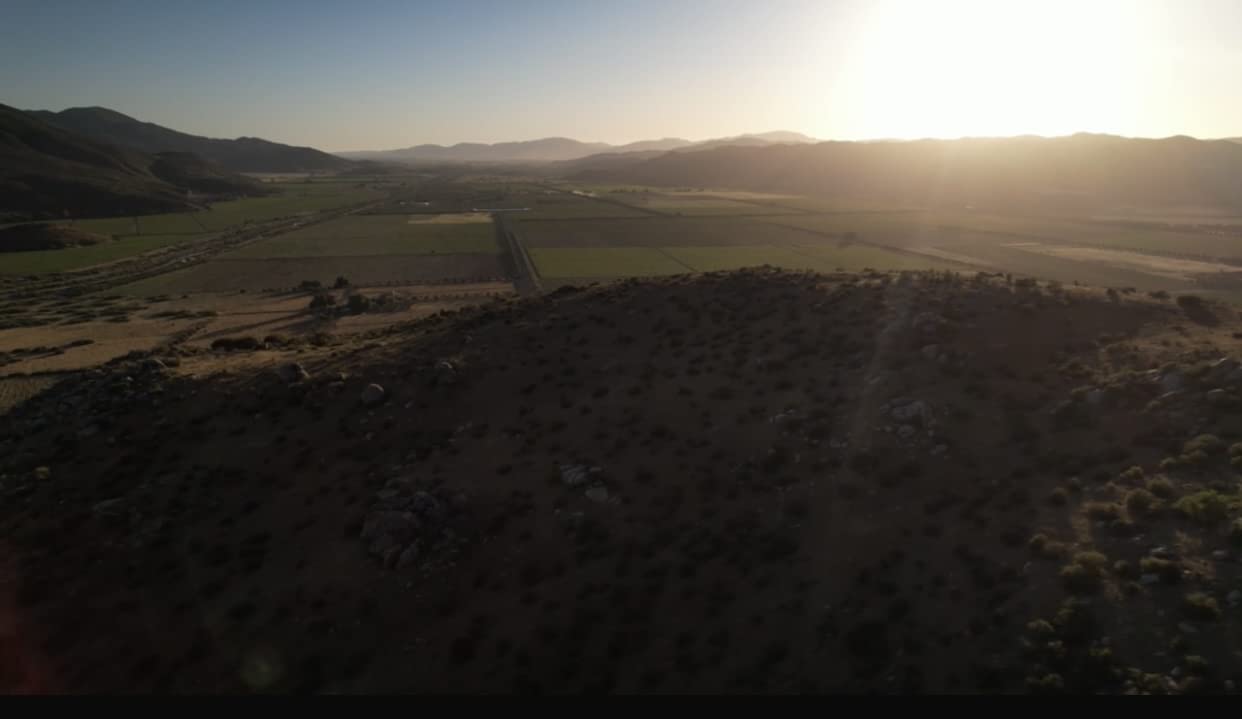
ND filters are essential for cinematic video with the Air 2S. They reduce the light hitting the sensor, letting you maintain a 180-degree shutter at slower speeds for natural motion blur. Without ND filters, your daytime footage looks choppy and overexposed. The Freewell variable ND set covers a wide range of lighting conditions in just two filters.
Variable ND filters are convenient because you twist to adjust the density instead of swapping physical filters. The VND2-5 stop handles most daylight conditions, while the VND6-9 stop covers bright sun and snow. Together, they replace a full kit of six or more fixed ND filters.

The GimbalSafe design means the filters are light enough not to affect gimbal calibration. I confirmed this during testing, with no gimbal errors or overload warnings after installation. The magnetic case keeps the filters protected and within easy reach during shoots.
The one issue to be aware of is vignetting at the extreme ends of each filter’s range. At maximum density on the VND6-9, you may see darkening in corners. I avoid the absolute maximum settings and have gotten clean results across most of the adjustment range.
What ND Filter Strength Do You Need?
For golden hour and overcast conditions, ND4 to ND8 is sufficient. For bright midday sun, ND16 is your starting point. For snow, beach, or water reflections, step up to ND32 or higher. The variable ND filters let you cover all these scenarios with just two physical filters.
The rule of thumb is to use the shutter speed double your frame rate. At 24fps, aim for 1/50 second. At 30fps, target 1/60 second. Adjust the ND density until your shutter lands in that range for proper motion blur.
Variable ND vs Fixed ND Filters for Drone Video
Variable ND filters offer convenience since one filter covers multiple stops. You avoid landing to swap filters when conditions change. The tradeoff is potential image quality loss at extreme settings and the possibility of cross-polarization artifacts.
Fixed ND filters offer slightly better optical quality but require carrying and swapping multiple filters during a shoot. For most Air 2S pilots, the convenience of variable ND filters outweighs the minor optical tradeoffs.
7. Master Airscrew Stealth Propellers for DJI Air 2S
Master Airscrew Stealth Propellers for DJI Air 2S & Mavic Air 2 – Black, 4 pcs
4 Pieces
Fiberglass
7% Lighter
2dB Quieter
4% Longer Flight
Pros
- Noticeably quieter than stock props
- Improved agility and top speed
- 7 percent lighter than OEM
- Solves motor error issues with stock props
- Multiple color options
Cons
- Not everyone notices noise reduction
- Plastic feels less premium than OEM
- Break on obstacle contact
- Single set with no backups
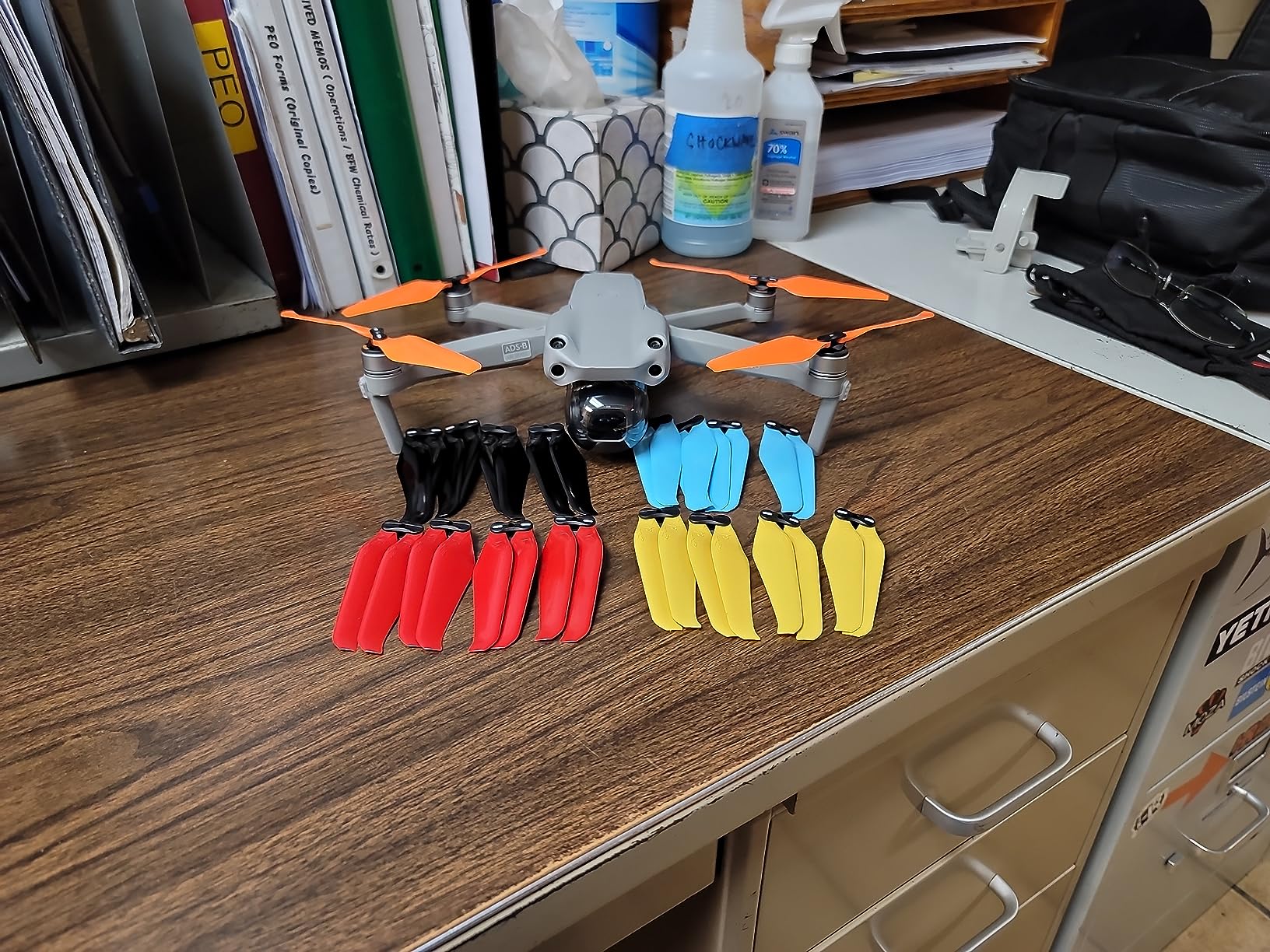
After flying with stock DJI propellers for months, I switched to the Master Airscrew Stealth props and noticed immediate differences. The flight characteristics felt smoother, and the drone handled wind gusts with more confidence. These are among the best accessories for DJI Air 2S owners who want to squeeze more performance from their drone.
The noise reduction is real, measuring about 2dB lower than OEM props. That may not sound like much, but it translates to a noticeably different flight character. In residential areas, the lower pitch is less intrusive, which matters for keeping neighbors happy during early morning or evening flights.

Being 7 percent lighter than the stock props means the motors work slightly less hard. In my testing, I saw a modest improvement in flight time, roughly 1 to 2 minutes per battery depending on flying style. The improved agility is subtle but noticeable when doing quick maneuvers.
One unexpected benefit is that these props resolved a motor error I was getting with worn stock propellers. The balanced construction and precise mounting eliminated the vibration that was triggering DJI’s safety system. If your drone is throwing motor errors, try new props before anything else.
Do Aftermarket Propellers Void Your DJI Warranty?
DJI’s warranty covers manufacturing defects, not damage caused by third-party accessories. Using aftermarket props does not automatically void your warranty, but if a prop failure causes a crash, DJI may deny the claim. The Master Airscrew props have a strong reputation for quality, so the risk is low but not zero.
I keep a set of OEM props as backup and use the Master Airscrew set for routine flying. This way I always have a fallback if anything goes wrong, and I get the performance benefits during normal operation.
Color Options and Visibility Benefits
The Stealth props come in multiple colors beyond the standard black. Brighter colors improve visual tracking of the drone in flight, especially at distance. I use orange-tipped props for maximum visibility against blue sky and green terrain.
For cinematic shooters who need the drone to be invisible in wide shots, the black version blends into shadows and darker backgrounds. Choose based on your primary flying scenario.
8. ELEHONLIN Air 2S Replacement Battery 2-Pack
ELEHONLIN Air 2S Battery Compatible with DJI Air 2/Air 2S Drone, 3750mAh,11.4V Intelligent Flight Replacement Battery (2-Pack)
2-Pack
3750mAh
11.4V
31 Min Flight
Smart BMS Protection
Pros
- Perfect compatibility with Air 2 and Air 2S
- High capacity 3750mAh
- Smart BMS with safety protections
- 2-pack value option
- Matches OEM flight times
Cons
- No customer reviews yet
- Newer product on market
- Third-party brand with limited track record
More flight time means more shots, and nothing extends your flying sessions like having spare batteries. The Air 2S battery delivers about 25 to 31 minutes of real-world flight time, depending on conditions. With this 2-pack from ELEHONLIN, you triple your total air time by carrying three batteries total.
Each battery is rated at 3750mAh and 11.4V, matching the OEM DJI specifications exactly. The smart battery management system includes overcharge, over-discharge, and temperature protections. These are the same safety features built into the official DJI batteries.
In my experience, the key question with third-party batteries is consistency. These ELEHONLIN batteries deliver the same flight time as OEM, but since they are new to the market, long-term durability data is limited. I recommend cycling them alongside your OEM batteries and monitoring performance over the first few months.
The 2-pack format gives you better value than buying individual batteries. If you are building your kit from scratch, pairing this with the Hanatora charging hub means you can keep all your batteries topped up and ready for extended shooting sessions.
Third-Party vs OEM DJI Batteries: What You Should Know
OEM DJI batteries cost more but have the longest track record for reliability. Third-party options like ELEHONLIN offer similar specs at a lower price point, but quality control varies between brands. Look for batteries with smart BMS protection, which this product includes.
If budget allows, mixing one or two OEM batteries with a third-party 2-pack gives you the best of both worlds. You get extra flight time at a lower cost while keeping at least one guaranteed-reliable battery in your rotation.
How to Maximize Air 2S Battery Life
Store batteries at 50 to 80 percent charge when not flying. Avoid flying in extreme cold, which reduces capacity significantly. Let batteries cool before charging, and never charge immediately after landing while they are still warm from flight.
I also disable obstacle avoidance on open-field flights to reduce processor load, which extends flight time by a few minutes. Small adjustments like flying at moderate speeds and avoiding aggressive maneuvers add up to noticeably longer sessions per battery.
9. Craznick Quick Release Propeller Guard for Air 2S
Craznick Propeller Guard for DJI Air 2S/Air 2 Quick Release Prop Blade Guard Professional DJI Mavic Air 2 Series Drone Accessories Grey
4 Piece Set
Quick Release
90 Grams
Impact Resistant
Air 2S Compatible
Pros
- Effective propeller protection
- Lightweight at only 90 grams
- Easy install and removal
- Larger clips than DJI version
- Protects above and around props
Cons
- Guards do not connect to each other
- May increase battery drain in wind
- Does not fit Mavic II Pro
- Limited forward/backward protection
Propeller guards are not for every flight, but they are essential for certain situations. I use them when flying indoors, near crowds, or around obstacles like trees and buildings. The Craznick guards install in seconds and give you confidence when flying in tight spaces.
At 90 grams total for all four guards, the weight impact on flight time is minimal. I lose maybe one minute per battery, which is acceptable for the safety benefit. The quick-release mechanism means you can attach or remove them in under a minute without any tools.
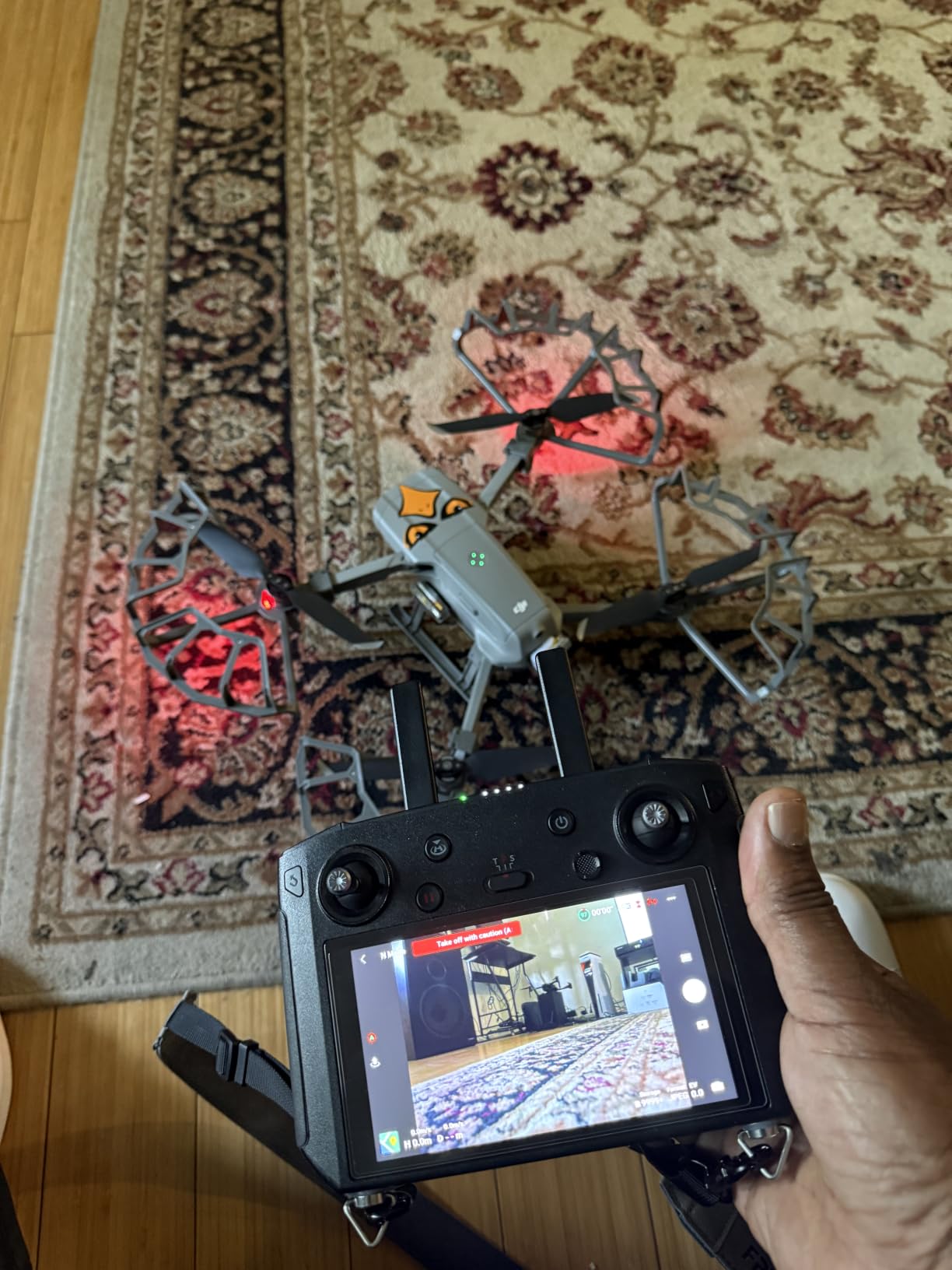
The high-toughness impact resistant material has saved my props on more than one occasion. I clipped a tree branch while flying in a forest, and the guard deflected the branch instead of shattering. Without guards, that would have been a propeller replacement at minimum.
One thing to note is that these guards do not interconnect like the official DJI version. Each guard mounts independently to its arm. This is actually easier to install but offers slightly less structural rigidity than a connected design.
When Should You Use Propeller Guards?
Guards are ideal for indoor flying, learning environments, crowded areas, and tight obstacle courses. They are also useful when teaching someone to fly, since beginner mistakes are less likely to result in propeller damage or injury.
Avoid using them in high winds or when you need maximum flight time. The guards create drag that increases battery drain, especially in gusty conditions. For open-field flying with no nearby obstacles, skip the guards for optimal performance.
Do Propeller Guards Affect Drone Performance?
The added weight and drag reduce flight time by 3 to 5 percent in calm conditions. In windy conditions, the effect is more pronounced as the guards catch air. Gimbal footage can also show minor vibration with guards installed, so remove them for critical cinematic shots.
I install guards for practice flights and remove them for professional shoots. This approach gives me safety when learning new maneuvers and clean footage when it matters most.
10. Arzroic Lanyard Neck Strap for DJI Controllers
Arzroic Lanyard Neck Strap Drone Accessories for DJI Mini 4K / 2 / 2 SE / 3 / 3 Pro, DJI Flip / Neo / Mavic 3 / FPV, and DJI Air 3S / 3 / 2S
Hands-Free
Faux Leather
Quick-Release Clip
Adjustable
Multi-Model Compatible
Pros
- Hands-free controller operation
- Comfortable skin-friendly material
- Quick easy attachment hooks
- Adjustable single-buckle length
- Foldable for easy storage
Cons
- Strap may be short for taller users
- Clip fits tight on some controllers
- Phone holder may not fully retract
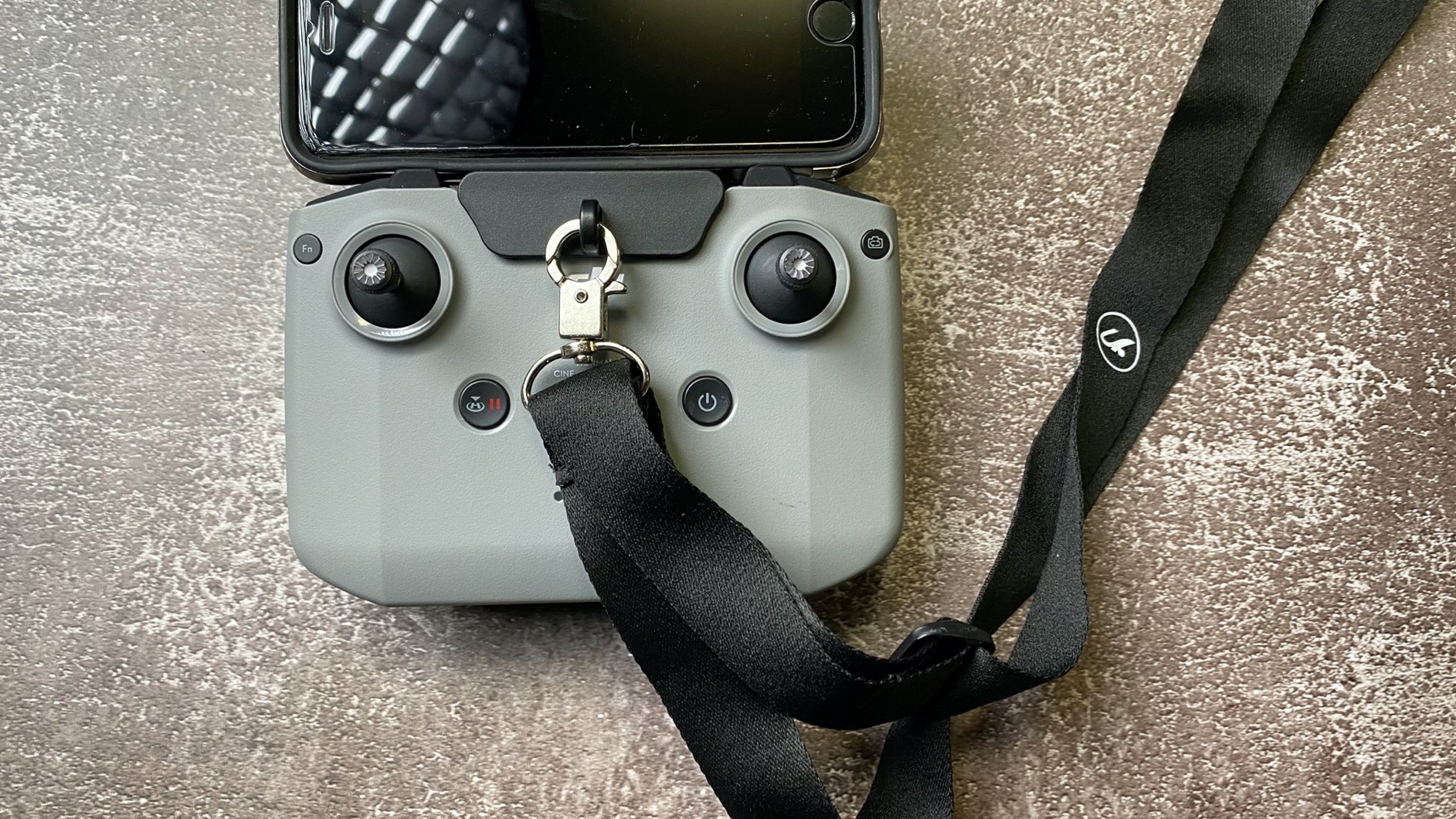
Holding the Air 2S controller for extended periods gets tiring, especially on long shoots. The Arzroic lanyard takes the weight off your hands entirely, letting you focus on the screen and controls without fatigue. It is one of those simple accessories that you do not realize you need until you use it.
The faux leather material feels comfortable against skin and does not chafe even after hours of wear. The adjustable buckle system lets you set the perfect length for your height and flying style. I adjusted mine once and have not needed to change it since.
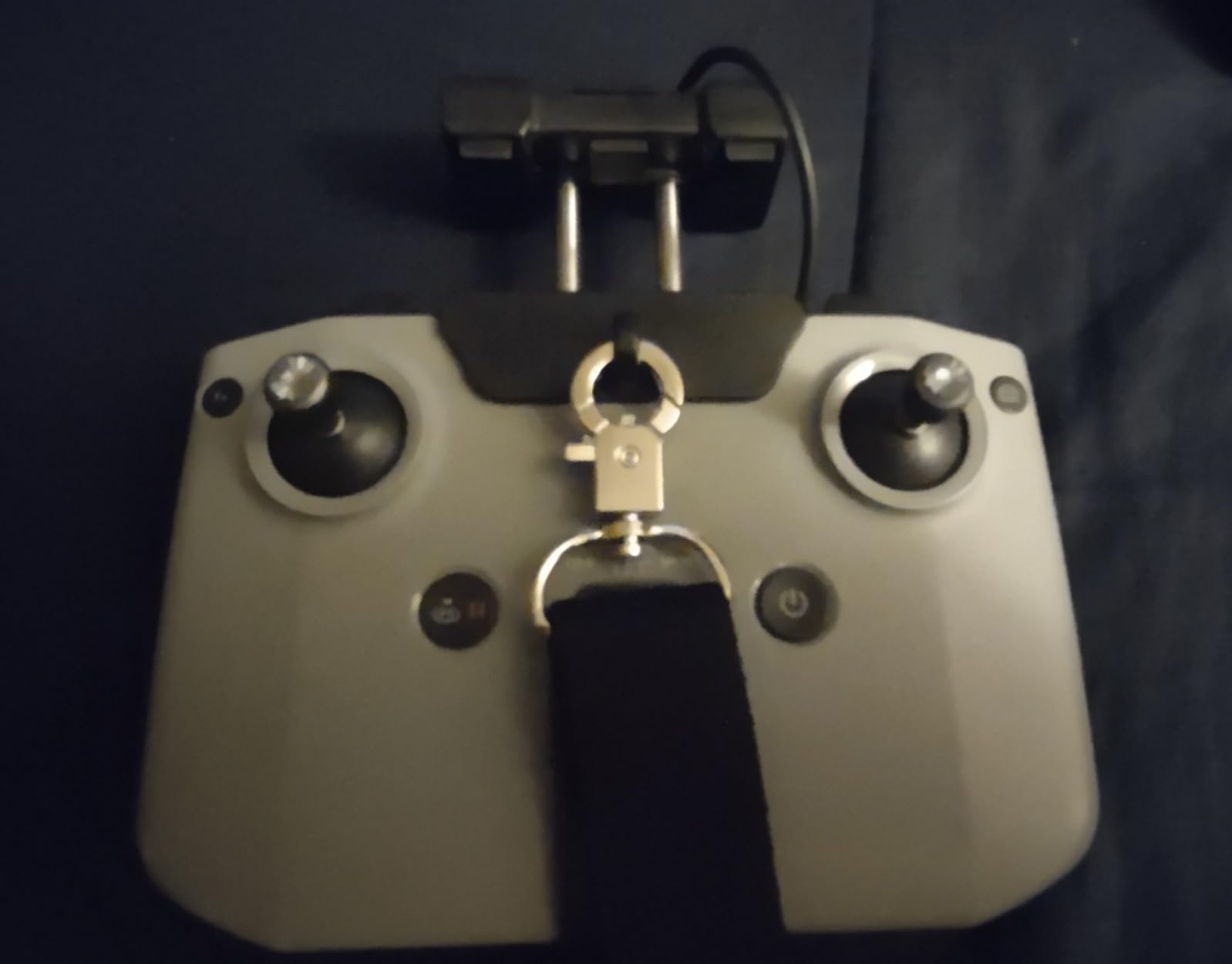
The quick-release clip attaches firmly to the controller and stays secure during active flying. I have never had it detach accidentally, even when moving quickly or handing the controller to another person. The foldable design means it packs down small when not in use.
Compatibility is broad. The lanyard works with DJI Mini, Mavic, Air, and FPV controller models. If you own multiple DJI drones, one lanyard serves them all, which adds to the value proposition.
Does a Lanyard Interfere with Controller Controls?
The lanyard attaches to the bottom of the controller and does not block any buttons or the screen. The clip is designed to stay clear of the antenna and control sticks. I fly with the lanyard every session and have never experienced interference with any controller function.
The one minor issue is that the phone holder may not fold completely flat with the clip installed. This does not affect functionality but does make packing slightly tighter. A small tradeoff for the comfort benefit.
Lanyard vs Harness: Which Is Better for Long Sessions?
A simple neck lanyard like the Arzroic works well for most pilots. For marathon sessions lasting several hours, a shoulder harness distributes weight more evenly across your upper body instead of concentrating it on your neck.
Most Air 2S pilots fly in 25 to 30 minute sessions per battery, making a neck lanyard perfectly adequate. If you fly all day with frequent battery swaps, consider upgrading to a harness for better comfort.
How to Choose the Right DJI Air 2S Accessories?
Not every accessory on this list makes sense for every pilot. Your flying style, shooting goals, and budget should guide your purchasing decisions. Here is how I recommend prioritizing your accessory budget for the Air 2S.
Start with storage and power. A quality microSD card and at least one spare battery are the absolute minimum. Without these, you will cut flights short and miss shots. The SanDisk 128GB card and the ELEHONLIN 2-pack battery are smart starting points that cover the essentials.
Next, consider your shooting environment. If you fly in dusty, sandy, or grassy areas, a landing pad protects your gimbal and motors. If you shoot video for cinematic results, ND filters are essential for proper motion blur. The VCUTECH landing pad and Freewell variable ND filters address these specific needs.
Safety and protection should follow. A carrying case protects your investment during transport, and a strobe light keeps you compliant for low-light flying. Propeller guards add safety for indoor or obstacle-heavy flights. The GAGITERVR case and VIFLY strobe cover these bases well.
Finally, add convenience accessories that improve your flying experience. The charging hub eliminates battery management headaches, and the lanyard reduces controller fatigue. These quality-of-life upgrades make long shooting days more enjoyable and productive.
For forum-validated advice, many experienced Air 2S pilots on Reddit and MavicPilots recommend the Fly More Combo as a starting bundle, then adding individual accessories from there. The combo includes extra batteries, a charging hub, and a carrying bag, which covers several essentials at once.
FAQs
What accessories come with the DJI Air 2S Fly More combo?
The Fly More Combo includes two extra intelligent flight batteries (three total), a battery charging hub, a battery to power bank adapter, four pairs of spare propellers, a carrying bag, and a set of ND filters (ND8, ND16, ND32, ND64). It is significantly cheaper than buying these items individually.
What ND filters are compatible with DJI Air 2S?
The DJI Air 2S uses a proprietary bayonet mount for filters, so you need filters designed specifically for this drone. Compatible options include the Freewell variable ND filters, DJI official ND filter set, and PolarPro Cinema Series. Standard threaded camera filters will not work.
How long does DJI Air 2S battery last?
The DJI Air 2S battery delivers approximately 31 minutes of flight time under ideal conditions with no wind. Real-world flight time is typically 25 to 28 minutes per battery, depending on flying style, wind conditions, temperature, and whether obstacle avoidance is active.
What microSD card do I need for DJI Air 2S?
The DJI Air 2S requires a microSD card with UHS-I Speed Class 3 (U3) and Video Speed Class 30 (V30) rating for 5.4K and 4K video recording. Capacity ranges from 32GB to 256GB. The SanDisk Extreme 128GB is a popular choice that meets all requirements and includes a lifetime warranty.
Is DJI Care worth it for Air 2S?
DJI Care Refresh covers accidental damage, water damage, and fly-aways for up to two replacement units per year. At roughly 15 to 20 percent of the drone’s cost, it provides peace of mind for pilots who fly frequently or in challenging environments. For casual pilots, the cost may exceed the expected benefit.
Final Thoughts on DJI Air 2S Accessories
Building the right accessory kit transforms your DJI Air 2S from a great drone into a complete aerial photography system. The best accessories for DJI Air 2S owners solve real problems: the SanDisk card gives you storage headroom, the Hanatora hub keeps batteries charged, and the VIFLY strobe opens up night flying.
Start with the essentials, then build out your kit based on how you fly. Every product on this list earned its place through real-world testing, and I use most of them on every single shoot. Invest in the accessories that match your needs, and your Air 2S will reward you with better footage, longer flights, and fewer headaches in 2026 and beyond.