
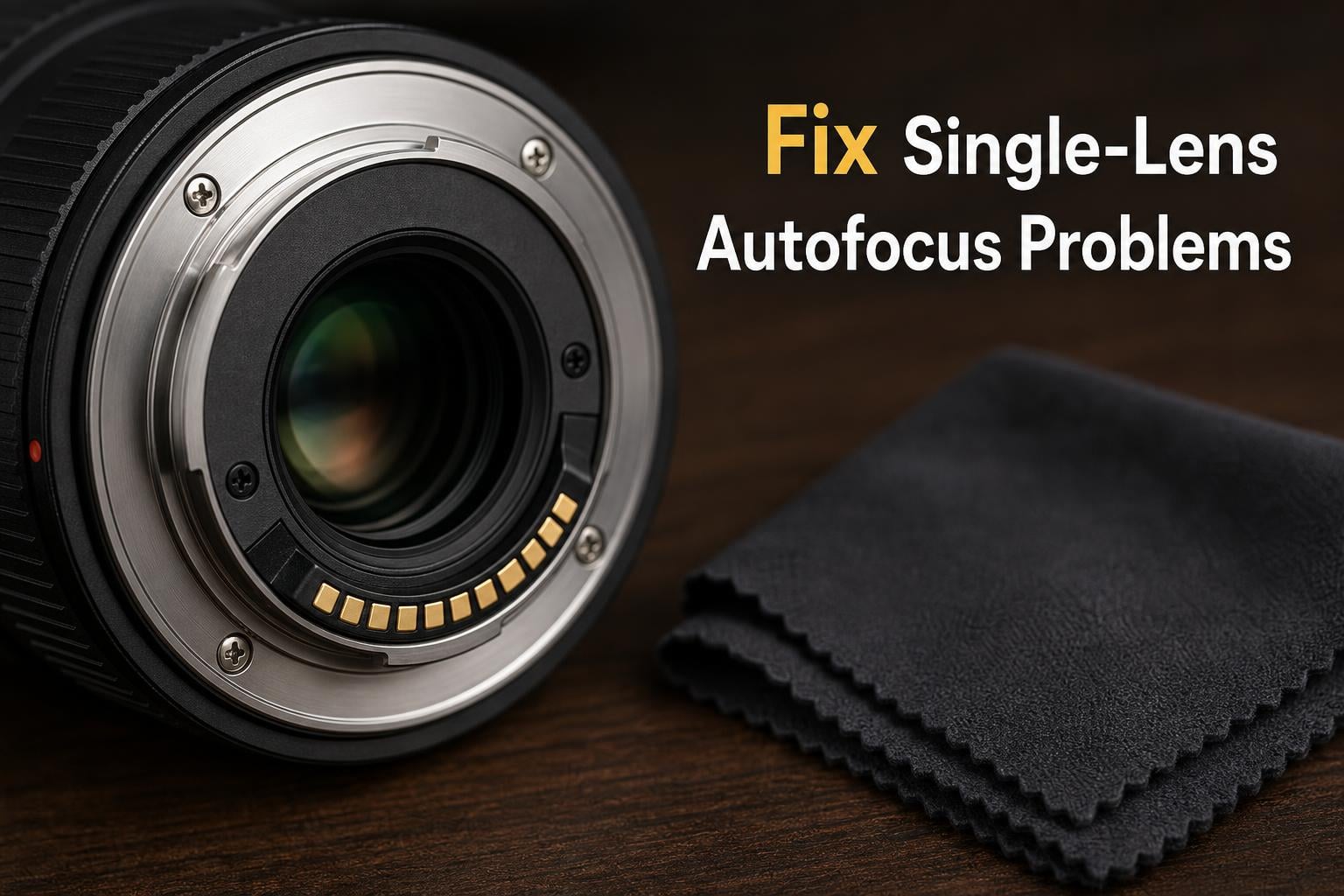
You switch lenses mid-shoot, line up your shot, press the shutter halfway, and nothing. The autofocus motor stays silent. The focus ring does not move. Yet when you put your other lens back on, everything works perfectly. If this sounds familiar, you are dealing with one of the most frustrating — and surprisingly common — camera problems photographers face.
Learning how to fix autofocus that only works on one of your lenses can save you an unnecessary repair bill, a ruined shoot, or a lens you were about to replace. In most cases the cause is something simple that you can diagnose and fix at home in under ten minutes. I have troubleshooted this exact issue across Canon, Nikon, Sony, and Fujifilm systems for years, and the solution is almost never as expensive as you might fear.
This guide walks you through a clear diagnostic process to isolate whether the problem is your lens or something else. Then we cover every common cause — from a flipped switch to a failed focus motor — with step-by-step fixes you can try right now.
Table of Contents
Quick Diagnosis: Is It the Lens or the Camera Body?
The fastest way to narrow down the problem is a simple swap test. If autofocus works on Lens A but not Lens B, and both lenses are mounted on the same camera body, the problem almost certainly lives in Lens B. But before you assume the worst, confirm it with a second test.
Mount Lens B on a different camera body if you have access to one. If autofocus works on the second body, the issue may be a compatibility or communication problem between that specific lens and your original camera. If autofocus still fails on the second body, the lens itself is the culprit.
Here is a quick diagnostic flow I use every time:
AF works on Lens A, fails on Lens B (same body): The problem is with Lens B.
AF fails on Lens B across multiple bodies: Lens B has a hardware or firmware fault.
AF works on Lens B with a different body: Compatibility or settings issue between Lens B and your original body.
AF fails on all lenses with one body: The camera body is the problem, not your lenses.
Once you have isolated the problem to a specific lens, move on to the step-by-step troubleshooting guide below. Most fixes take less than five minutes.
How to Fix Autofocus That Only Works on One of Your Lenses: Step-by-Step
This numbered checklist covers the most common fixes in order of likelihood. Start at step one and work your way down. Stop when autofocus starts working again.
Step 1: Check the AF/MF switch on the lens barrel. This is the single most common cause of autofocus failure on a single lens. The switch is usually on the side of the lens near the mount. Make sure it is set to AF (autofocus), not MF (manual focus). It is easy to bump this switch when changing lenses or when the lens rubs against your camera bag. If the switch is set to MF, flip it to AF and test.
Step 2: Clean the lens contacts. Turn off your camera. Remove the lens. Look at the gold or silver metal contacts on the back of the lens and on the camera mount. These pins carry communication signals between the lens and body, including autofocus commands. If they are dirty, oily, or oxidized, autofocus can fail on that specific lens while other lenses work fine. Gently wipe the contacts with a clean microfiber cloth or a lens-cleaning wipe. Do not use liquid cleaners on the contacts. Reattach the lens and test.
Step 3: Verify your focus mode settings. Some lenses behave differently depending on whether your camera is set to AF-S (single autofocus), AF-C (continuous autofocus), or manual. If your camera body is set to a focus mode that a particular lens does not support — for example, an older screw-drive lens on a body that lacks an internal focus motor — autofocus will not work. Check your camera menu and dial to confirm you are in a supported AF mode.
Step 4: Check the focus limiter switch. Telephoto and macro lenses often have a focus limiter switch labeled with distance ranges, such as “FULL” and “2.5m – infinity.” If the switch is set to a limited range and your subject is closer than that range, the lens will not autofocus even though it appears to be trying. Set the switch to FULL and test.
Step 5: Make sure you are beyond minimum focus distance. Every lens has a minimum focusing distance — the closest distance at which it can achieve focus. If your subject is closer than this distance, autofocus will hunt or do nothing. Check the spec printed on the lens barrel or in the manual. Step back and try focusing from at least that distance.
Step 6: Check for firmware updates. Camera and lens manufacturers regularly release firmware updates that fix autofocus bugs and improve lens-body communication. A lens that worked fine on an older firmware version may develop AF issues after a camera body update if the lens firmware is outdated. Check the manufacturer website for firmware updates for both your lens and camera body. Install any available updates and test again.
Step 7: Reset your camera to default settings. A custom setting — like back-button focus configured incorrectly, a focus point locked to a specific zone, or eye-detection AF disabled — can cause autofocus to appear broken on one lens. Go into your camera menu and perform a full factory reset. Then test autofocus with default settings.
Step 8: Remove any extenders or teleconverters. Teleconverters and extension tubes can break autofocus communication between the lens and body. Some lens and teleconverter combinations do not support autofocus at all. Remove any teleconverter, mount the lens directly on the body, and test.
Step 9: Check your battery level. A low or aging battery can cause autofocus to fail on lenses that draw more power, such as large telephoto lenses with fast focus motors, while smaller lenses continue to work fine. Charge your battery fully or try a fresh one.
Step 10: Test in good lighting. If your problem lens is a slow variable-aperture zoom, it may struggle to autofocus in dim light while a faster prime lens locks focus easily. Test the problem lens outdoors in bright, contrasty daylight. If autofocus works outdoors but not indoors, the lens is functioning — it just needs more light.
Common Causes of Single-Lens Autofocus Failure
Now that you have run through the quick checklist, let us look at each major cause in more detail. Understanding why a specific lens stops autofocusing helps you decide whether a home fix is possible or whether professional service is needed.
The AF/MF Switch Problem
This accounts for more autofocus failures than every other cause combined. The switch sits on the lens barrel where it is easy to bump accidentally. I have seen photographers spend hours troubleshooting only to discover the switch had flipped to MF during a lens change. Check this first, every time, before doing anything else.
Some newer lenses, like certain Canon RF and Nikon Z lenses, do not have a physical AF/MF switch. Instead, they are controlled from the camera body or a custom button. If your lens has no switch, check the camera menu for a focus mode override setting.
Dirty or Oxidized Lens Contacts
The gold contacts on the rear of your lens and the matching pins on your camera mount are how the two devices talk to each other. When these contacts get dirty — from fingerprints, dust, humidity, or oxidation — the communication signal weakens or drops out entirely. The result is a lens that will not autofocus, reports an error code, or behaves erratically.
Different lenses have different contact designs. A lens that is used frequently or stored without rear caps will accumulate grime faster than a lens that sits in a protected case. That is why one lens can develop contact issues while another stays perfectly fine.
To clean the contacts, use a clean dry microfiber cloth. Gently rub each contact pad. For stubborn oxidation, a small amount of isopropyl alcohol on a cloth or a dedicated contact-cleaning pen works well. Never use abrasive materials or sharp objects on the contacts — they are delicate and expensive to replace.
Focus Motor Failure
Inside your lens is a small motor — usually an ultrasonic motor, stepper motor, or linear motor — that physically moves the focusing elements. When this motor fails, autofocus stops working entirely. The lens may make a grinding, clicking, or buzzing sound when you try to autofocus, or it may be completely silent and unresponsive.
Motor failure symptoms include autofocus that only works in one direction, focus that jumps past the target, or a focus ring that feels stiff or gritty when turned manually. A Reddit user reported their Canon STM lens would only autofocus when the motor needed to turn counterclockwise — a classic sign of partial motor failure.
Unfortunately, a failed focus motor requires professional repair or replacement. The AF motor itself may cost around $55 for parts, but total repair with labor typically runs $100 to $250 depending on the lens. High-end lenses like Sony G Master models can cost $500 to $900 or more to repair.
Firmware Incompatibility
Manufacturers update their lens and camera firmware to fix bugs and improve performance. But when you update your camera body and not your lens — or vice versa — you can create a communication mismatch. The lens may have worked perfectly before the update, then suddenly lose autofocus.
This is particularly common with third-party lenses from Sigma, Tamron, and Tokina. These manufacturers occasionally release firmware updates specifically to fix compatibility issues with new camera bodies. Check the manufacturer website for the latest firmware for your lens model.
To update lens firmware, some brands require you to connect the camera to a computer via USB. Others, like Fujifilm and Olympus, allow in-camera firmware updates when the lens is mounted. Follow the instructions for your specific system carefully.
Lens-Body Compatibility Issues
Not all lenses work with all camera bodies, even within the same brand. Nikon AF-P lenses, for example, use stepping motors that are not compatible with older Nikon DSLR bodies. Canon EF-S and EF-M lenses have different compatibility profiles. Sony FE lenses may have reduced functionality on older E-mount bodies.
If you recently acquired a new lens or a new body, check the manufacturer compatibility chart. The lens may mount and communicate partially but not support autofocus. In some cases, a camera body firmware update can add compatibility for newer lenses.
Screw-Drive AF and Missing Body Motors
Older Nikon and Pentax lenses use a screw-drive autofocus system, where the focus motor lives inside the camera body and drives the lens through a mechanical coupling pin. Newer entry-level bodies from these brands have removed the internal focus motor. If you mount a screw-drive lens on one of these bodies, autofocus simply will not work — there is no motor to drive it.
This is a compatibility issue, not a fault. Check your camera manual to see if your body has a built-in focus motor. If not, you will need a lens with its own internal motor (designated AF-S, AF-I, or AF-P for Nikon).
Brand-Specific Autofocus Issues
Certain lens models develop reputation-level autofocus problems. If you own one of these, knowing the common failure pattern can save you diagnostic time.
Canon 18-55mm Kit Lens AF Problems
The Canon EF-S 18-55mm kit lens — particularly the STM version — is one of the most commonly reported lenses with autofocus failure. The stepper motor is reliable but vulnerable to impact damage and internal ribbon cable failures. Symptoms include autofocus that works in one direction only, grinding noises, or complete silence when the shutter is half-pressed.
If cleaning the contacts and checking the switch does not help, the ribbon cable connecting the motor to the contacts is likely damaged. This requires professional repair, typically costing $100 to $150.
Nikon AF-P Lens Compatibility
Nikon AF-P lenses use pulse (stepper) motors for quiet, smooth autofocus. However, these lenses are not compatible with older Nikon DSLRs. The lens will mount and take photos, but autofocus will not function. Check the Nikon compatibility list before assuming the lens is broken.
Sony G Master and E-Mount AF Issues
Sony G Master lenses are generally reliable, but several users on photography forums have reported sudden autofocus failure. In one widely shared case, a Sony G Master 16-35mm lens stopped autofocusing entirely and the repair quote came back at $900. In these cases, the focus actuator or main ribbon cable has typically failed and requires factory service.
When to Seek Professional Repair
If you have tried every step in the troubleshooting guide and autofocus still does not work, you are likely dealing with a hardware failure inside the lens. Before sending it in, try one more thing: mount the lens on a friend’s camera body of the same brand. If autofocus fails there too, the lens is definitely the problem.
Here are the symptoms that almost always indicate professional repair is needed:
The lens makes grinding, clicking, or buzzing sounds when attempting to autofocus.
Autofocus works in one direction only — the lens can focus closer but not farther, or vice versa.
The focus ring feels stiff, gritty, or loose when turned manually.
The lens displays an error code on the camera screen when mounted.
You dropped the lens or it experienced a physical impact, even if there is no visible damage.
Repair costs vary widely. For a typical kit lens, expect $100 to $200. For a mid-range zoom, $200 to $400. For a professional-grade lens like a Sony G Master or Canon L-series, repairs can run $400 to $900 or more. Get a quote before authorizing any work — sometimes the repair cost approaches the value of a replacement lens.
Manufacturer service centers are generally the most reliable option, especially for lenses still under warranty. Third-party repair shops can be significantly cheaper but may not use OEM parts. If your lens is under warranty, do not attempt to open the lens housing yourself — this will void the warranty immediately.
Prevention and Maintenance Tips
Preventing autofocus problems is far cheaper than fixing them. Here is what I recommend based on years of shooting and maintaining a large lens collection.
Always use rear lens caps when a lens is not mounted on a camera. The contacts on the rear of the lens are the most vulnerable part of the entire autofocus system. Dust, fingerprints, and moisture on these pins are the number one cause of intermittent AF failure.
Store lenses in a dry environment with silica gel packets to prevent contact oxidation and fungal growth. If you shoot in humid or wet conditions regularly, consider a weather-sealed lens and body combination. Wipe down your gear after each shoot.
Keep your firmware updated on both lenses and camera bodies. Check the manufacturer website every few months for updates. Many AF compatibility bugs are fixed silently through firmware patches that never get announced in marketing materials.
Avoid dropping or jarring your lenses. The internal focus motors use precise mechanical elements that can be knocked out of alignment by even a modest impact. Use a padded camera bag and never set a lens down on an unstable surface.
Finally, if your lens develops a minor AF issue — intermittent hunting, slow focus acquisition — address it early. A dirty contact that causes occasional AF lag today can progress to complete AF failure if left untreated. Clean your contacts every few months as routine maintenance.
FAQs
How to fix autofocus on a lens?
Start by checking the AF/MF switch on the lens barrel to ensure it is set to AF. Then clean the gold contacts on the rear of the lens with a microfiber cloth. Verify your camera is in a supported focus mode, check for firmware updates, and confirm you are beyond the minimum focus distance. If none of these work, the lens may have a hardware failure requiring professional repair.
Why is my camera only focusing on one thing?
If your camera focuses on one subject but ignores others, your focus area or focus point settings may be locked to a specific zone. Check your focus point selection and switch to auto-area or wide-area focus. Eye-detection AF can also cause this behavior if it is locked onto a specific subject.
Can autofocus be repaired?
Yes, most autofocus problems can be repaired. Dirty contacts and firmware issues are free home fixes. A failed focus motor typically costs $100 to $250 for parts and labor on a standard lens. High-end professional lenses like Sony G Master models can cost $400 to $900 or more to repair at a manufacturer service center.
Why is my autofocus not focusing?
Common causes include the AF/MF switch being set to manual, dirty lens contacts, an unsupported focus mode, being too close to the subject for minimum focus distance, low battery on power-hungry lenses, outdated firmware, or a hardware failure like a broken focus motor. Start with the simplest fixes first.
How to tell if a lens or sensor is dirty?
A dirty lens or sensor typically produces soft spots, smudges, or dark spots in your images that appear at small apertures like f/11 or f/16. Dirty lens contacts cause autofocus or communication errors rather than image quality issues. Inspect the rear element of the lens under bright light to check for smudges or dust on the glass.
Why does only one of my lenses autofocus?
When autofocus works on one lens but not another, the problem is almost always lens-specific. Check the AF/MF switch on the non-working lens, clean its contacts, verify firmware is updated, and confirm lens-body compatibility. If all else fails, test the lens on a second camera body to rule out a focus motor or internal hardware failure.
Conclusion
Figuring out how to fix autofocus that only works on one of your lenses is almost always a process of elimination. Start with the AF/MF switch, clean the contacts, check your settings, update your firmware, and rule out compatibility issues. In the vast majority of cases, the fix is free and takes under ten minutes. If you exhaust every step and the lens still will not autofocus, you are likely facing a focus motor or internal component failure that needs professional service. Get a repair quote before deciding whether to fix or replace the lens — and always keep those rear contacts clean.