
The best enclosed laser engraver for home use right now is the Creality Falcon A1 10W, a fully boxed machine that arrives assembled, runs quietly on a desk and has the largest verified review base in this roundup. If you want more, the xTool F2 adds a 5W infrared head for metal marking, and the WAINLUXPRO K10 is the cheapest safe way in.
An enclosed laser engraver is a desktop cutting and engraving machine with a closed housing, tinted panels and a lid that stops the beam when you open it. That box is the whole reason one of these machines can live in a spare bedroom instead of a garage. It holds in smoke and fumes, it keeps blue light out of your eyes, and it takes the fire risk down to the level where a family can be in the same room.
We pulled specs, customer review patterns and failure reports for eight enclosed machines and ranked them the way a home user actually cares about: how much light and smell escapes, how big the bed is, whether safety glasses arrive in the box, how loud it is, and what it genuinely cannot cut. That last point matters more than any wattage number. A 10W diode that will not touch clear acrylic is more useful in a flat than a 40W unit you learn to fear.
Our team spent several weeks comparing these eight machines across the specs that matter indoors, and the pattern was consistent: the machines people keep are rarely the ones with the biggest headline wattage. They are the ones that arrive pre-assembled, hold their calibration between jobs, and pull the air out of the box hard enough that a basement does not smell like burning MDF. If you want the wider picture of hobby laser cutting before you commit, our guide to the best laser cutters for hobbyists covers the open-frame side of the market too.
There is one more framing note worth stating plainly. These are all desktop machines sized for a spare room, a craft corner or a garage shelf, not for a small production floor. Everything in this roundup runs on a standard outlet and is measured in tens of pounds rather than hundreds. If your project needs full sheets of plywood or structural timber, you are outside the enclosed-home category entirely and should be looking at a CO2 tube machine with proper outdoor extraction.
What we optimised for is the awkward middle, which is where almost every first-time buyer sits: someone who wants to personalise tumblers, cut small signs, make puzzle blanks and keyrings, and occasionally mark a metal tag, all without turning their house into a workshop. That is a narrower goal than “best laser engraver”, and it is why every pick here is enclosed, boxed and reasonably sized.
Table of Contents
Top 3 Picks for Enclosed Laser Engravers for Home Use in 2026
Best Enclosed Laser Engravers for Home Use (October 2026)
One table, every machine, no filler. Read across the rows that separate these products: wattage, bed size, weight, what the enclosure filters, and whether safety glasses are included.
| Product | Specifications | Action |
|---|---|---|
 Creality Falcon A1 10W Creality Falcon A1 10W |
|
Check Latest Price |
 xTool F2 Dual Laser xTool F2 Dual Laser |
|
Check Latest Price |
 WAINLUXPRO K10 5W WAINLUXPRO K10 5W |
|
Check Latest Price |
 Genmitsu L8 20W Genmitsu L8 20W |
|
Check Latest Price |
 Carverall K15 Pro 10W Carverall K15 Pro 10W |
|
Check Latest Price |
 WECREAT LC2320 20W 4-in-1 WECREAT LC2320 20W 4-in-1 |
|
Check Latest Price |
 Woxcker L2 MAX 20W Woxcker L2 MAX 20W |
|
Check Latest Price |
 Woxcker L2 MAX 10W Woxcker L2 MAX 10W |
|
Check Latest Price |
How We Evaluated These Machines
We compared all eight on the specifications the manufacturers publish, then cross-read the customer review patterns for each ASIN to find what owners actually complain about after week three. Weight, bed dimensions and safety hardware came straight from the product data. Cut depths and speed figures are the manufacturers’ own claims, and we flag where a claim is generous.
Two things decided most rankings. First, how much of the light, smoke and noise the enclosure actually contains, rather than what the badge claims. Second, what you have to buy after delivery, because accessories and goggles sold separately quietly add a few hundred dollars and a week of waiting to the cost of a first machine. We also weighted support responsiveness, since a stuck driver on day two is a very different experience when somebody answers.
1. Creality Falcon A1 10W – Best All-Around Enclosed Engraver for Home
CREALITY FALCON A1 White 10W Laser Engraver, 80W Enclosed Laser Cutter and Engraver Machine with Air Assist, Smart Camera Positioning, 600mm/s Speed, Smart Material Recognition, for Wood & Metal
10W diode
381 x 305mm bed
600mm/s
44.2 lbs
Dual-door enclosure
99% filtration
Pros
- Arrives fully assembled and cutting within minutes
- Fast 600mm/s engraving on wood and acrylic
- Sturdy metal frame with smooth motion
- Free Falcon Design Space software included
- Dual doors cut noise and smoke at a desk
Cons
- Camera calibration can be finicky
- Top wire routing snags during jobs
- Exhaust reduces but does not remove odor
The Falcon A1 is the machine we would put on a desk in a house with kids and no garage. It is the only pick here that combines a genuinely large bed with a dual-door enclosed body, and at 381 x 305mm it holds a full sheet of A4 or close to it. The CoreXY gantry runs at 600mm/s, which is the difference between a batch of 20 coasters taking an evening and taking most of a weekend.
It also shows up pre-assembled, which sounds like a small thing until you have assembled a belt-tensioned frame. Owners report unboxing it and running a first job the same afternoon. The metal frame feels considerably more substantial than the acrylic-panel machines at this tier, and the motion is smooth enough for small engraved text without visible ringing.
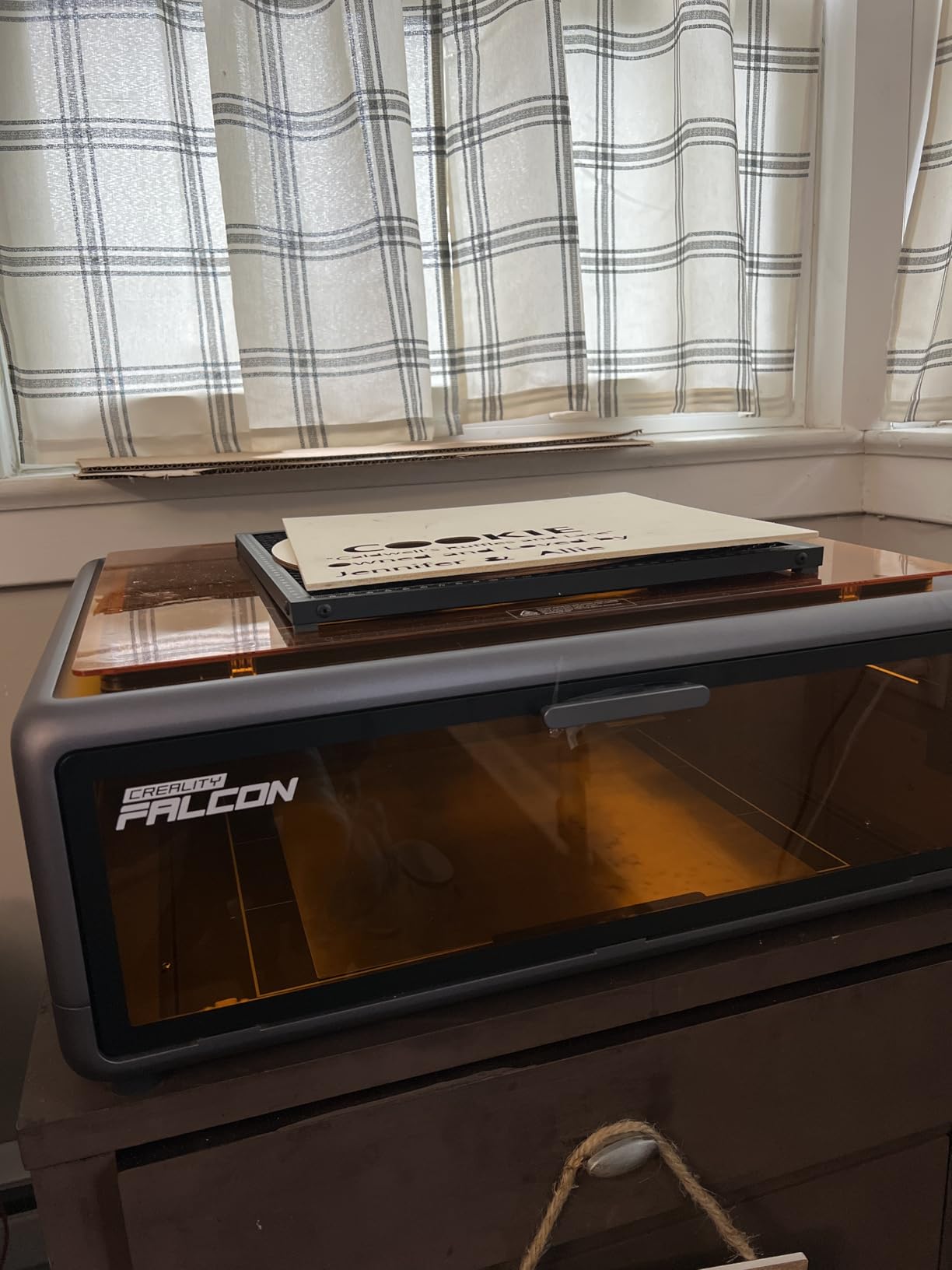
Camera positioning is the feature that takes a week to grow on you. A pre-calibrated HD camera shows the full bed, and graphic outline extraction turns a line drawing into a path automatically. But the camera-based calibration is the most-reported frustration in the reviews: some owners need a couple of attempts before it locks on, and a minority report needing recalibration between many jobs. Budget yourself an afternoon of practice files before you run paid work.
The wired top-cover design also means the cable routing across the frame can catch on materials during longer cuts, so you will want to check it every few minutes on a big job. Clear acrylic is out, and the listing is explicit that acrylic cutting is not supported at all. Highly reflective bare metal is also a no-go for the 10W module.
What the Falcon A1 does well indoors
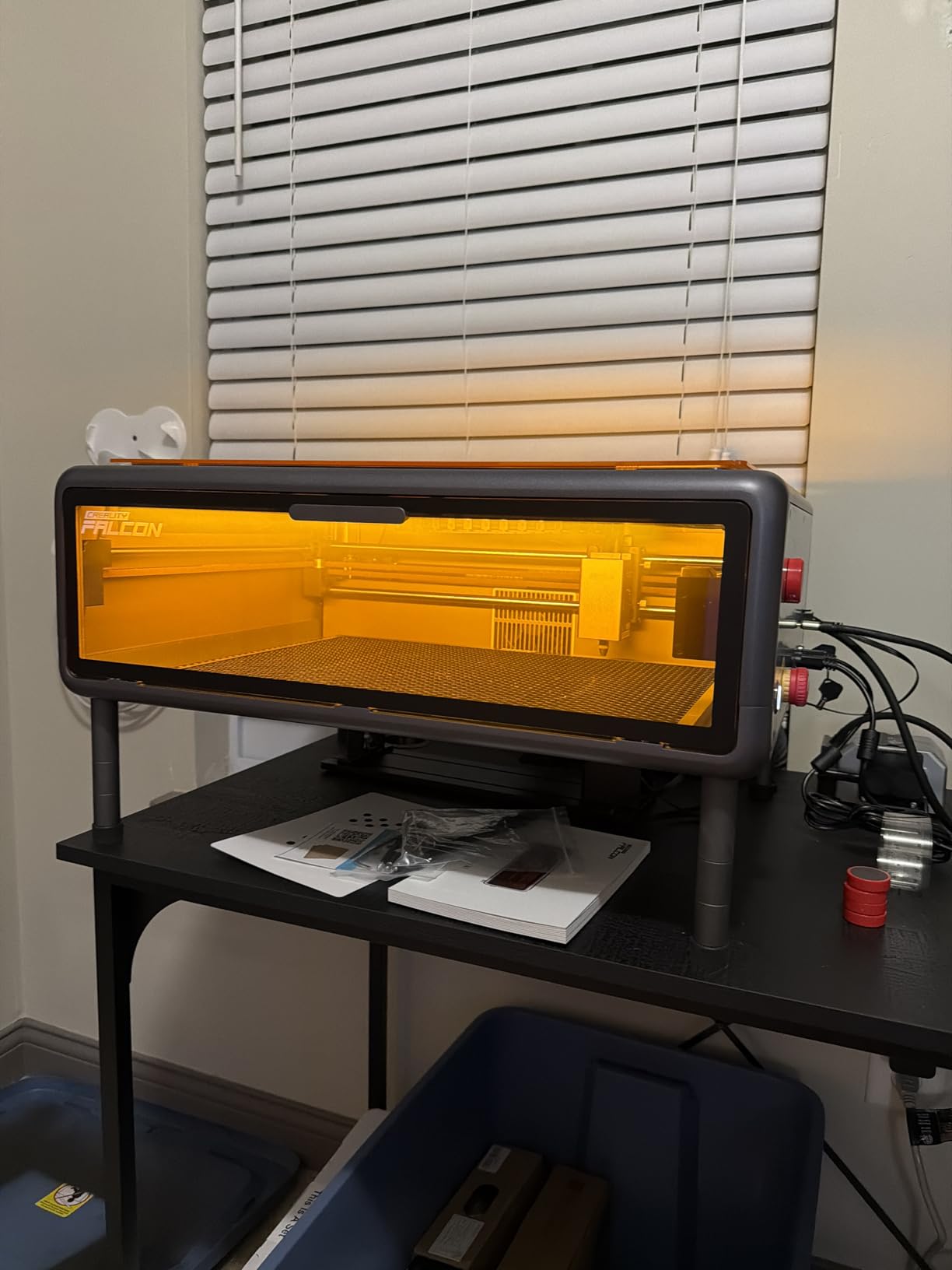
The enclosure is the strongest part of this package. Two doors, tinted panels and a stated 99% laser filtration mean the working light does not wash across the room, and the extractor pulls enough air that a normal cutting session in a study does not push smell into the hallway. Reviewers consistently describe the enclosed dual-door design as the reason they can keep it on a desk.
Speed and consistency are the other draw. On wood, acrylic and coated metal, the results hold detail at 600mm/s in a way the slower machines in this list cannot match. With 157 reviews behind it, this is also the pick where the long-term behaviour is best documented, which matters more than any spec sheet.
Where it falls short
It is heavy at 44.2 pounds, so this is a machine you place once rather than carry between rooms. The 10W module will not mark bare stainless steel, which rules it out if tumblers and metal tags are your main goal. And the documentation is unclear on focal and power settings per material, so expect a learning curve on anything beyond wood and black acrylic.
2. xTool F2 Dual Laser – Most Versatile for Metal and On-Site Work
xTool F2 5W IR & 15W Diode Dual Laser Engraver, Built-in 50MP Camera, 6000mm/s Ultra Fast, 3D Embossing, Color Marking on Metal, On-Site & Small-Batch Ready, Portable Desktop Laser Engraving Machine
15W diode plus 5W IR
50MP camera
6000mm/s
4.6kg
0.00199in motion accuracy
Pros
- Dual heads open 300 plus materials including color marking
- Built-in 50MP camera gives accurate positioning
- Fast enough to engrave a card in about three seconds
- Weighs only 4.6kg for markets and fairs
- Leak-proof body contains fumes indoors
Cons
- Small base plate limits larger pieces
- Color marking needs practice to dial in
- Software pushes work to the cloud
- No support for ARM-based Surface Pro
Where the Falcon A1 wins on bed size, the xTool F2 wins on everything else. This is a dual-head machine: a 15W blue diode for wood, leather and dark acrylic, plus a 5W infrared head that adds stainless steel and aluminium and color marking on metal. That is the head combination that turns a home machine into a small production tool, and it is the reason this is our premium pick.
At 4.6kg it is genuinely portable. People take these to markets, fairs and customer sites because it fits in a car and runs on a built-in fan with an optional purifier. The 50MP camera locks onto small pieces with alignment accuracy quoted at up to 0.1mm, and motion accuracy is listed at 0.00199 inch.

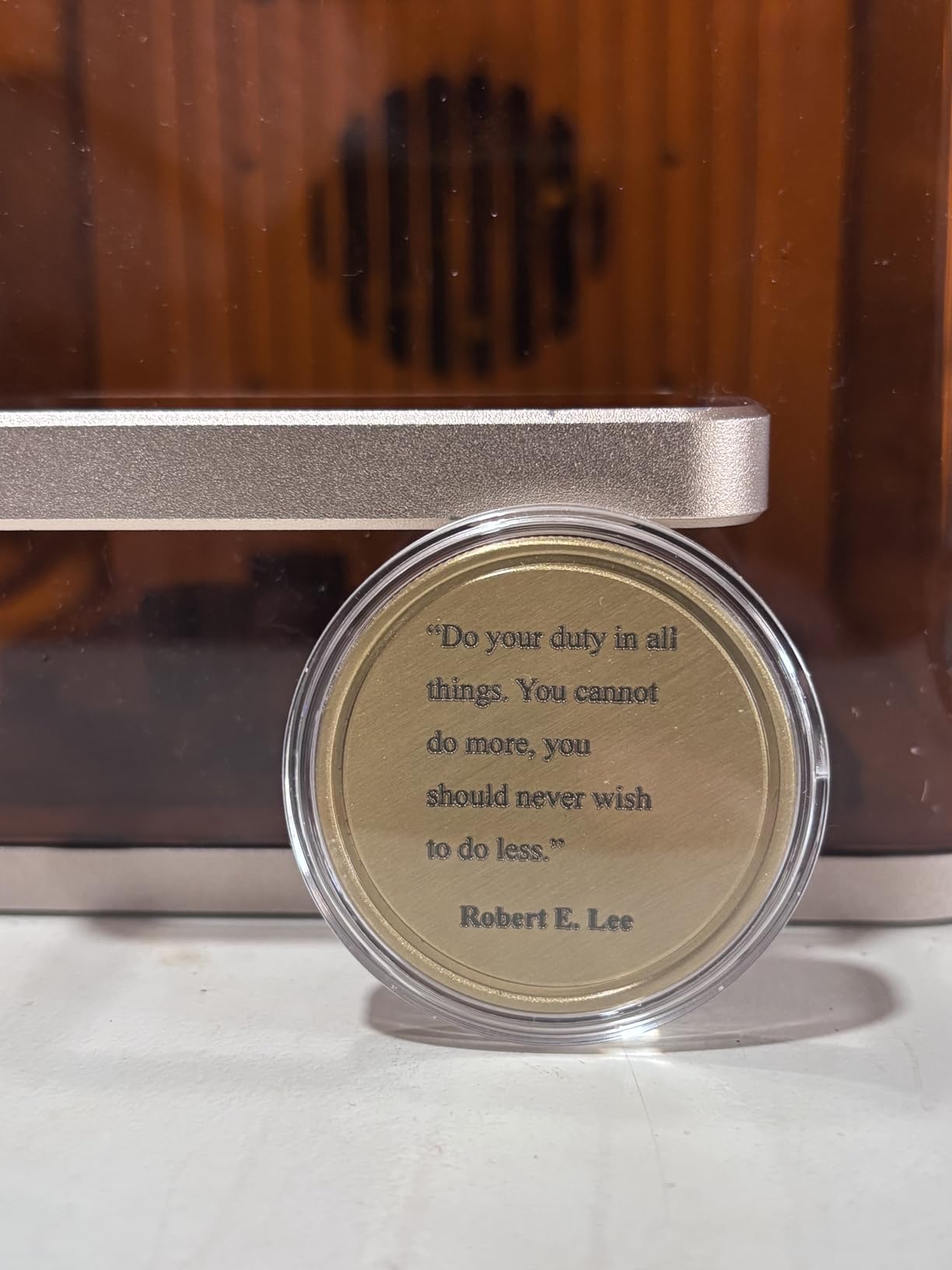
Speed is the headline. At up to 6000mm/s, the review pattern is owners finishing single card engravings in roughly three seconds. Combined with the RA3 rotary and slide extension accessories, that turns this into a batch machine for coasters and phone cases, and the fully enclosed leak-proof body keeps it usable in a client space rather than only on your own bench.
The trade-off is bed size. The base plate is small, and that single limitation shows up in reviews more than any other. If you regularly cut full plywood panels or jigsaw puzzle blanks, this is not the machine. It is a fast personalisation and small-batch engraver with an unusually capable second head.
Where the F2 earns its price
Dual heads plus a 50MP camera in one enclosed body is a combination you do not get elsewhere at this level, and the IR color marking opens stainless steel work that every pure-diode machine here cannot touch. The xTool Studio software handles both lasers inside one program, which keeps the dual-head workflow from doubling your setup time.
It is also the easiest machine in this roundup to justify for on-site and market work: light, fast, self-contained, and it contains its own fumes.
Where it falls short
Two limits are worth planning around. The small base plate caps the work area, and the IR color marking genuinely needs experimentation before results are consistent. Reviewers also note the software moves work to the cloud rather than saving locally, and the newest ARM-based Microsoft Surface Pro is not compatible, so check your laptop before you order.
3. WAINLUXPRO K10 5W – Best Budget Pick with the Smallest Footprint
WAINLUXPRO K10 5W Laser Engraver, Class 1 Enclosed Engraving Machine
5W laser
80 x 80mm bed
0.01mm precision
Cuts 3mm basswood
4.36 lbs
1.9kg unit
Pros
- Class 1 certified enclosure with glasses included
- First project in under ten minutes
- Only 1.9kg so it stores in a cupboard
- Sharp engraving on wood and leather
- WiFi USB and offline TF card all work
Cons
- 80x80mm bed is very small
- CutLabX software can reduce image quality
- Cannot mark bare mirror or uncoated metal
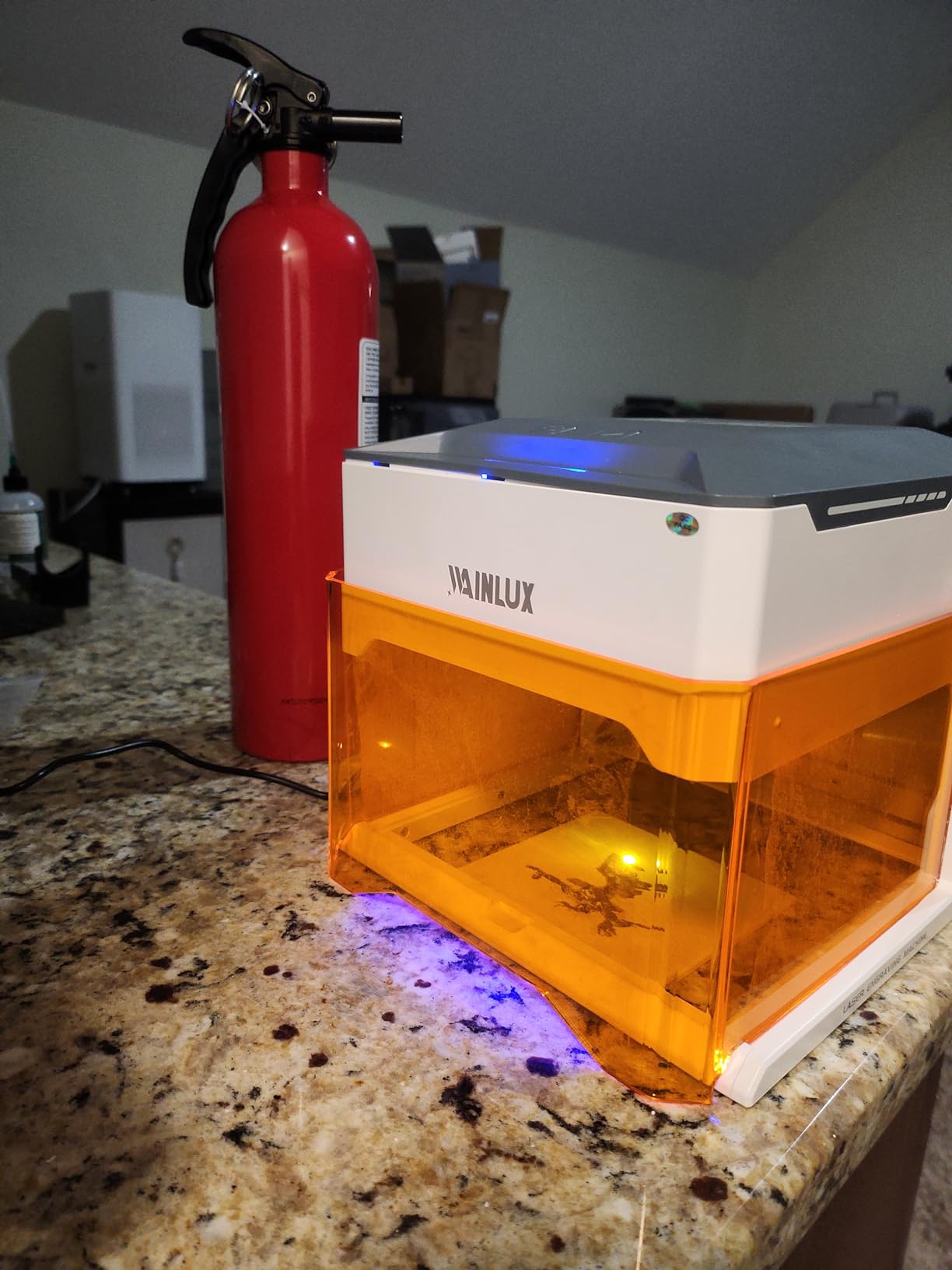
The K10 is the answer for anyone who wants a laser in a flat and is nervous about it. It is the smallest and lightest machine in this roundup at 1.9kg unit weight, it is Class 1 certified as a fully enclosed device, and safety glasses are actually in the box. That last point is the single most common complaint about other machines here, and this one avoids it.
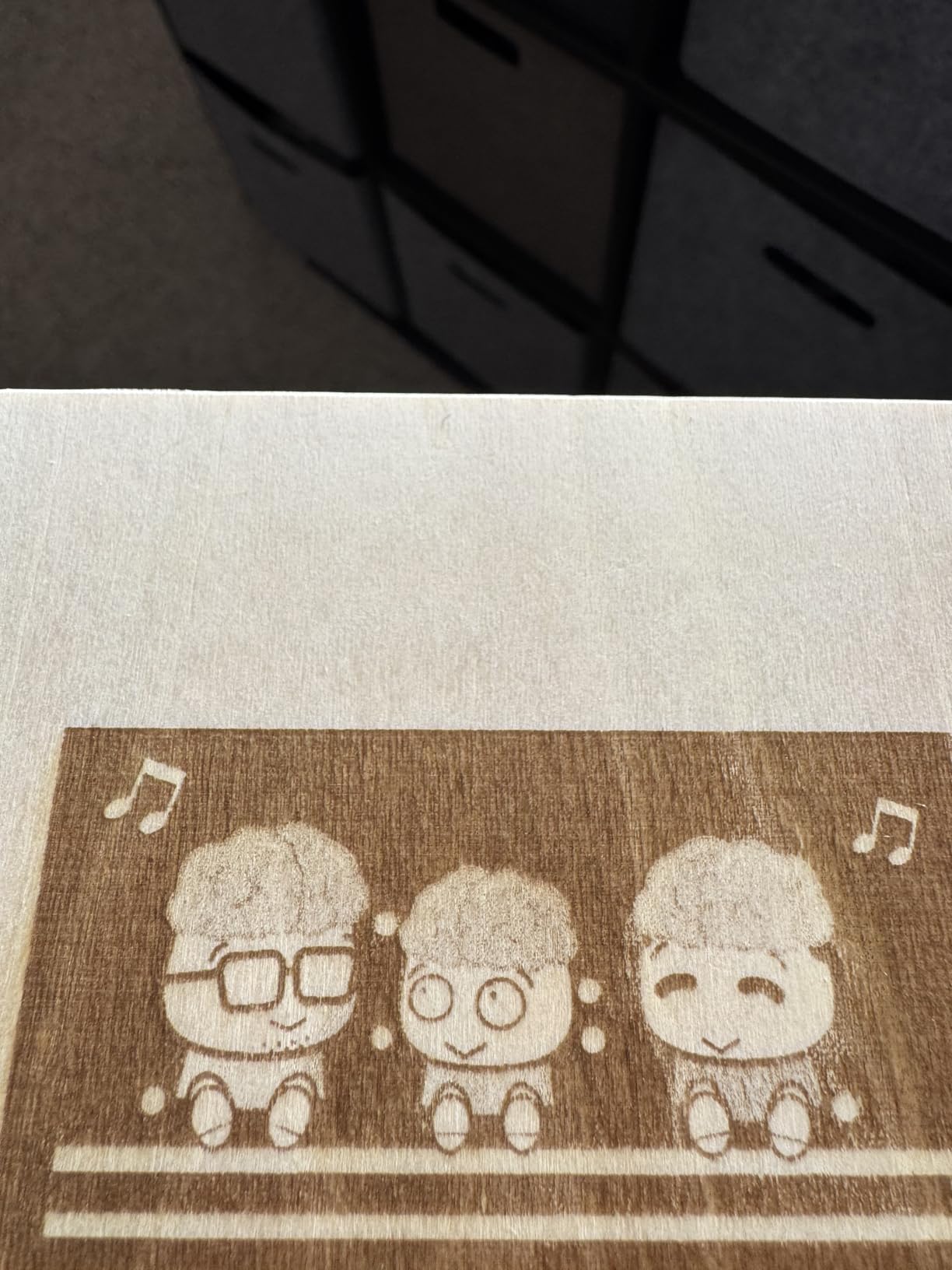
The 5W laser delivers 0.01mm engraving and cutting precision on an 80 x 80mm bed and cuts 3mm basswood. Owners describe it as genuinely usable within minutes of unboxing, with a setup video that gets a first project done in under ten. Sharp, consistent engraving on wood and leather is the most common praise in the reviews.
Connectivity is unusually flexible for a machine this small. You can drive it over WiFi, over USB, or offline from a built-in TF card slot without a computer at all, which makes batch runs of identical items easy. Smart memory stores the last file so repeat jobs are one button. LightBurn, LaserGRBL and the free CutLabX app all work with it.
At roughly a quarter of the price of the mid-tier machines, the K10 is a real first machine rather than a toy. It handles wood, leather, glass, acrylic, cardboard and fabric. It is a good fit for tags, small gifts and personalization work where the piece fits inside an 80mm square.
Why a small machine makes sense in a home
An 8 inch by 7 inch footprint means it lives in a cupboard between jobs and comes out for an evening of coasters, which is the opposite of a 44 pound machine that lives in one corner forever. The Class 1 certification and included glasses remove the two safety questions that stop most beginners from starting at all.
It also comes with a 1-year warranty and a user community, which matters more than it sounds for a first purchase.
Where it falls short
An 80 x 80mm bed is the hard limit. Anything larger, like a full sheet of card or a jigsaw puzzle, simply does not fit. The bundled CutLabX software is the weakest part of the package and reviewers report it reducing image quality, so plan on LightBurn early. It also cannot engrave bare mirror or uncoated reflective metal, and leather tends to twist during burning, so clamp it flat.
4. Genmitsu L8 20W – Best for Safety Hardware and Ready-to-Cut Power
Genmitsu L8 Laser Engraver, 20W 20000mW Laser Cutter with Acrylic Enclosure
20W optical output
Up to 40000mm/min
Class 1 certified
30L/min air assist
Honeycomb bed included
Pros
- Cuts 5mm plywood quickly and engraves aluminium well
- Runs surprisingly quiet during operation
- Full safety package with door sensor and flame monitor
- Air assist pump and honeycomb bed included
- Arrives assembled with a 360 degree exhaust shield
Cons
- Exhaust fan is weak for a basement or small room
- Acrylic enclosure feels flimsy against the frame
- Documentation is thin on focal and power settings
- Internal light cannot be dimmed for camera work
Nothing else in this roundup ships with as much of the safety stack already fitted. The L8 has a door sensor, a tilt auto-stop, a flame monitor with buzzer, limit switches, an emergency stop and a child safety lock, all under a Class 1 certification. If you have young children and want a machine you can run in a playroom-adjacent space, that hardware list is the deciding factor.
Power is the other draw. Over 20W of optical output, engraving up to 40000mm/min, with manufacturer claims of cutting 12mm pinewood, 8mm black acrylic and 0.05mm stainless steel in a single pass. Owners independently report cutting 5mm plywood quickly and engraving aluminium, plastic and steel well. A 30L/min air assist pump and a large honeycomb bed are included rather than sold separately, which is unusual at this tier.
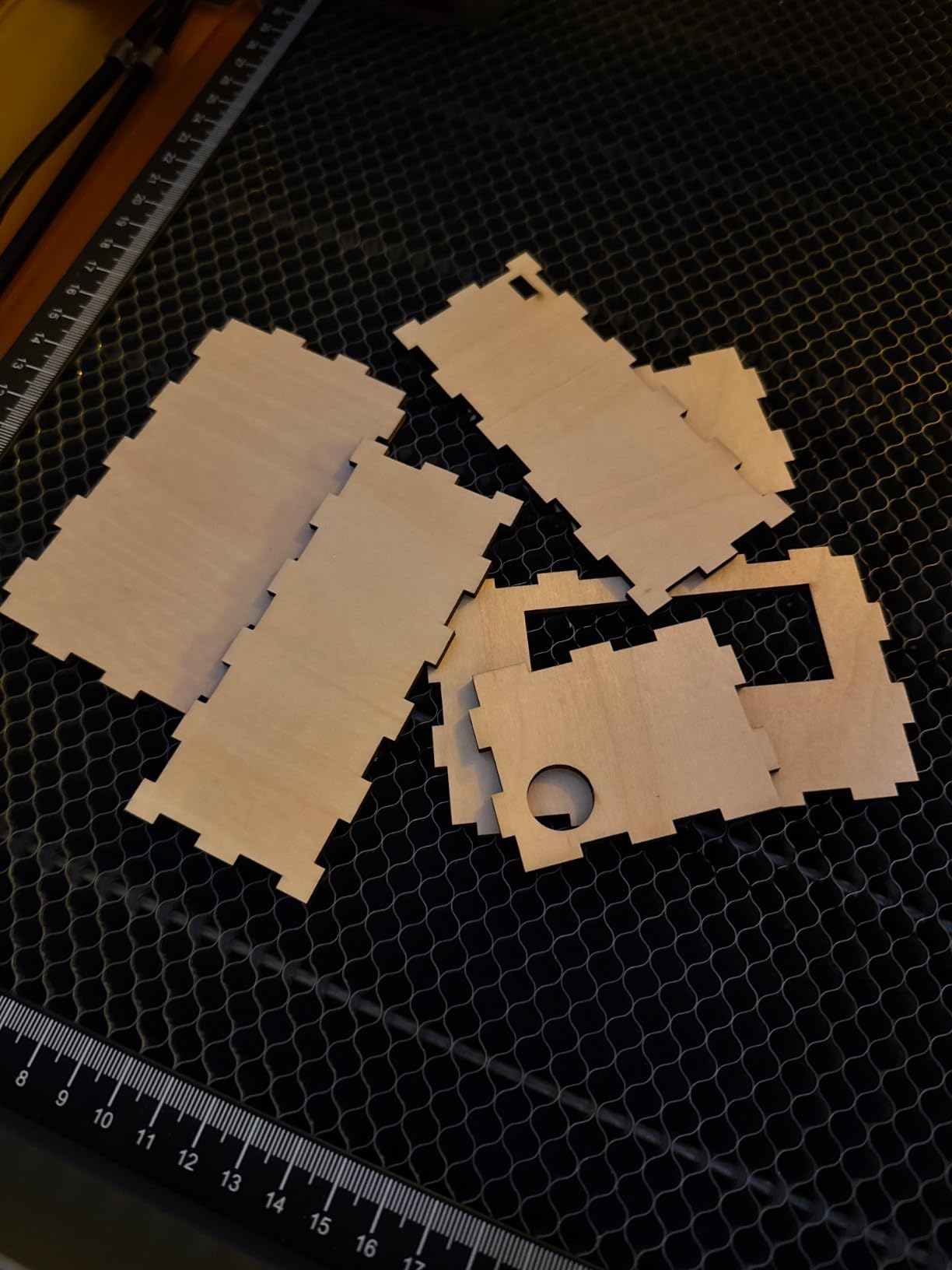
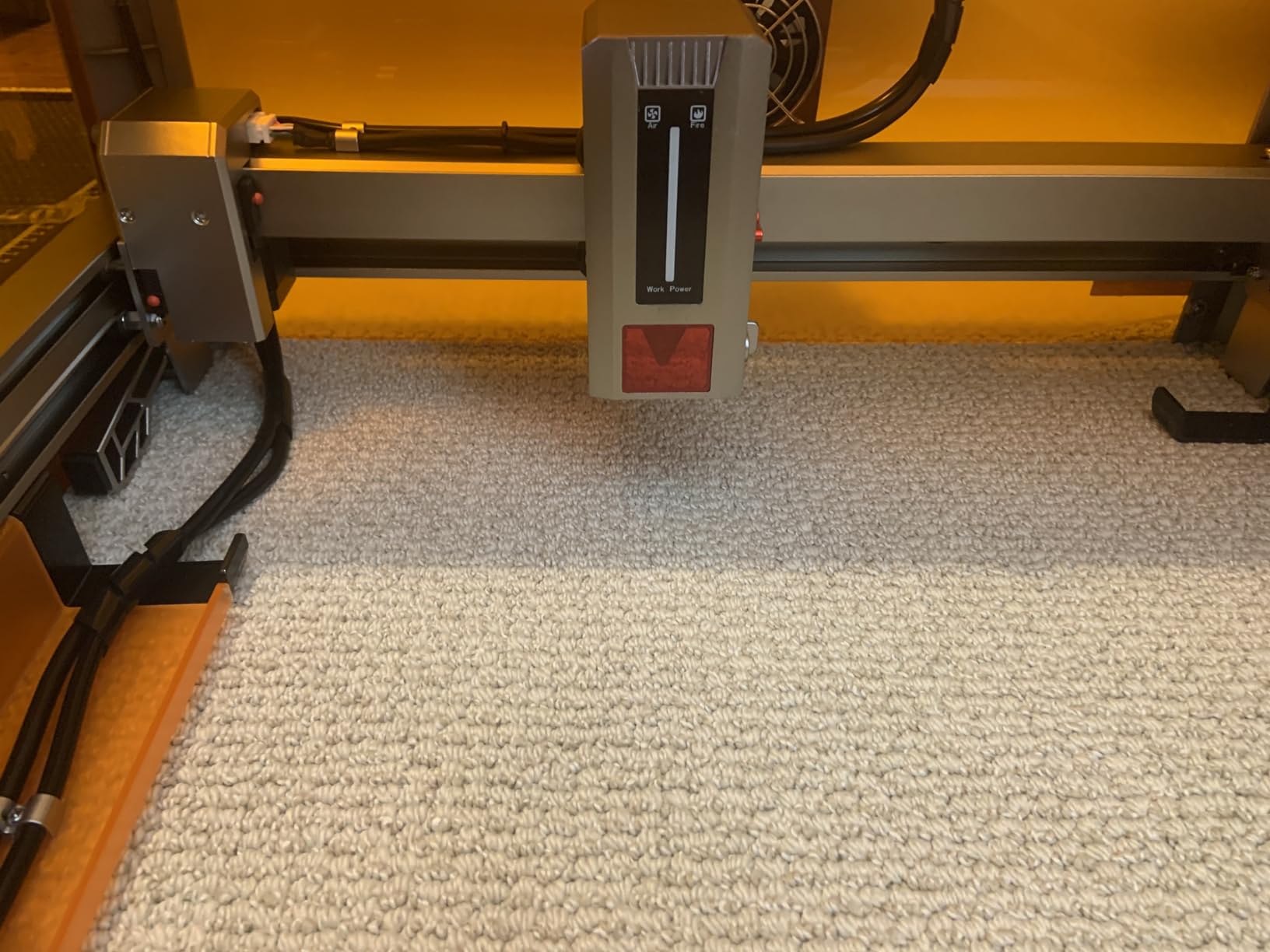
It arrives fully assembled with a 360-degree acrylic exhaust shield, and reviewers put cutting to work in about ten minutes. Multiple owners specifically call out how quiet it runs compared with machines of similar power, which matters when the machine lives in a room you also work from.
Long-term owners also highlight responsive vendor support that resolves setup questions quickly. For a machine with this many sensors, that is not a minor detail: a door sensor that needs explaining on day two can end a project.
Why the safety hardware changes the maths at home
A tilt auto-stop means the machine shuts down if the frame is knocked, which is exactly what happens in a home with pets or a busy hallway. A flame monitor with buzzer catches a small ignition inside the box, and the child lock stops a curious seven-year-old from starting a job. Few machines in this price range put all three in the same body.
Including the air assist pump and honeycomb bed also removes the two accessory purchases that add cost and setup time to most first machines.
Where it falls short
The exhaust fan is the most-reported weakness, described as underwhelming for a basement or small room. Pair it with a dedicated air purifier or a hose out of a window, or you will carry the smell. The acrylic enclosure also feels flimsy compared with the internal frame, and the documentation is thin on focal height, power and line interval settings, so you will be tuning from experience. Internal lighting cannot be dimmed when using camera overlay alignment.
5. Carverall K15 Pro 10W – Best First Machine on an A4 Bed
Carverall K15 Pro Laser Engraver 10W-Laser Engraving Machine for Coated Metal Wood Acrylic Glass Stone, Near A4 Work Area Offline Engraving CNC DIY Lazer Cutter for Home & Crafting 10000mW Class 1
10W verified output
A4 11.8 x 7.9in bed
0.01mm precision
15000mm/min
2.68kg
Pros
- Assembles with six screws in about three minutes
- Sharp and consistent engraving on wood
- A4 bed is far more useful than tiny hobby beds
- Safety glasses and materials included
- Optional 1W IR head upgrade for coated metal
Cons
- Bundled CutLabX software is unstable on some systems
- Air pump and honeycomb bed sold separately
- Manual is poorly organised with bad page references
- Speed and power settings need practice
The K15 Pro solves the two complaints that kill most first machines: it is big enough to be useful straight away, and it arrives with the safety glasses in the box. The bed is a full A4 at 11.8 by 7.9 inches with four heightening columns for tall items, which is roughly four times the working area of the K10 for a machine in the same general price band.
Output is verified at 10.36 to 10.58W rather than marketing-rounded, the dual-fan module cuts heat build-up by half, and the spec is 0.01mm precision at 15000mm/min with one-touch smart focus. Assembly takes about three minutes with six screws, and the review pattern is quick, straightforward setup for most buyers.
Owners consistently call the engraving sharp, detailed and consistent on wood and other materials, and they describe good value for hobbyists and small craft businesses. There is a 500,000-plus user community, a 1-year warranty and lifetime technical support, which is a meaningful cushion for a first machine.
It also has a path forward. An optional 1W infrared head adds stainless steel and aluminium marking, so you can grow into metal later without replacing the machine. Free CutLabX includes AI design generation, wireless app control and TF card offline mode.
Why a bigger first bed matters
An A4 bed means signs, name tags, jigsaw puzzle blanks and full sheets of thin material are all reachable on day one. That removes the most common early frustration, where a small machine forces you to tile jobs or redesign everything around a postage stamp of a workspace. Combined with the included glasses and starter kit, it makes this the most complete package for a genuine beginner.
The three-minute assembly also means you are not doing machine-building instead of making things.
Where it falls short
Software is the recurring complaint. Bundled CutLabX can be unstable and crash on some systems, the user manual is poorly organised with incorrect page references, and LightBurn needs its own paid license for full functionality. Budget for that. The air pump and honeycomb bed are sold separately, and there is a real learning curve on speed and power settings. Reviewers also report the manual is thin beyond basic setup.
6. WECREAT LC2320 20W 4-in-1 – Best for Selling Products from Home
WECREAT Laser Engraver and Cutter, 20W(20,000mW) 4-in-1 Desktop Diode Fully Enclosed Laser Engraver Machine with Rotary, Home Business for Jewelry and Gift Making with Metal Wood Acrylic Leather
20W diode
FDA Class 1 enclosed
Auto-lift bed 0-140mm
Rotary included
HD camera with 3D Preview
Pros
- Fully enclosed Class 1 body removes the need for separate goggles
- Auto-lifting bed handles materials of varying heights
- Built-in HD camera and 3D Preview simplify setup
- Rotary supports tumblers mugs rollers and rings
- Arrives pre-assembled and ready to use
Cons
- Heavy at 66.9 pounds and awkward to reposition
- WeCreat MakeIt has a learning curve versus LightBurn
- Enclosure and eye cover add bulk to the footprint
This is the one to buy if the plan is to sell things rather than only make them. The rotary attachment handles tumblers, mugs, rollers, chucks, spheres and rings, which is how you move from flat blanks to finished products. WeCreat MakeIt ships with more than 1,000 ready-to-print images, so you can produce a listing on day one instead of designing from scratch.
The auto-lifting bed adjusts 0 to 140mm automatically, which removes the riser-and-jigs problem entirely. Owners call that out as the feature that handles materials of varying heights without extra hardware. 20W output cuts 10mm wood or 8mm opaque black acrylic in one pass at up to 600mm/s with a 0.06 by 0.08mm spot for fine detail.
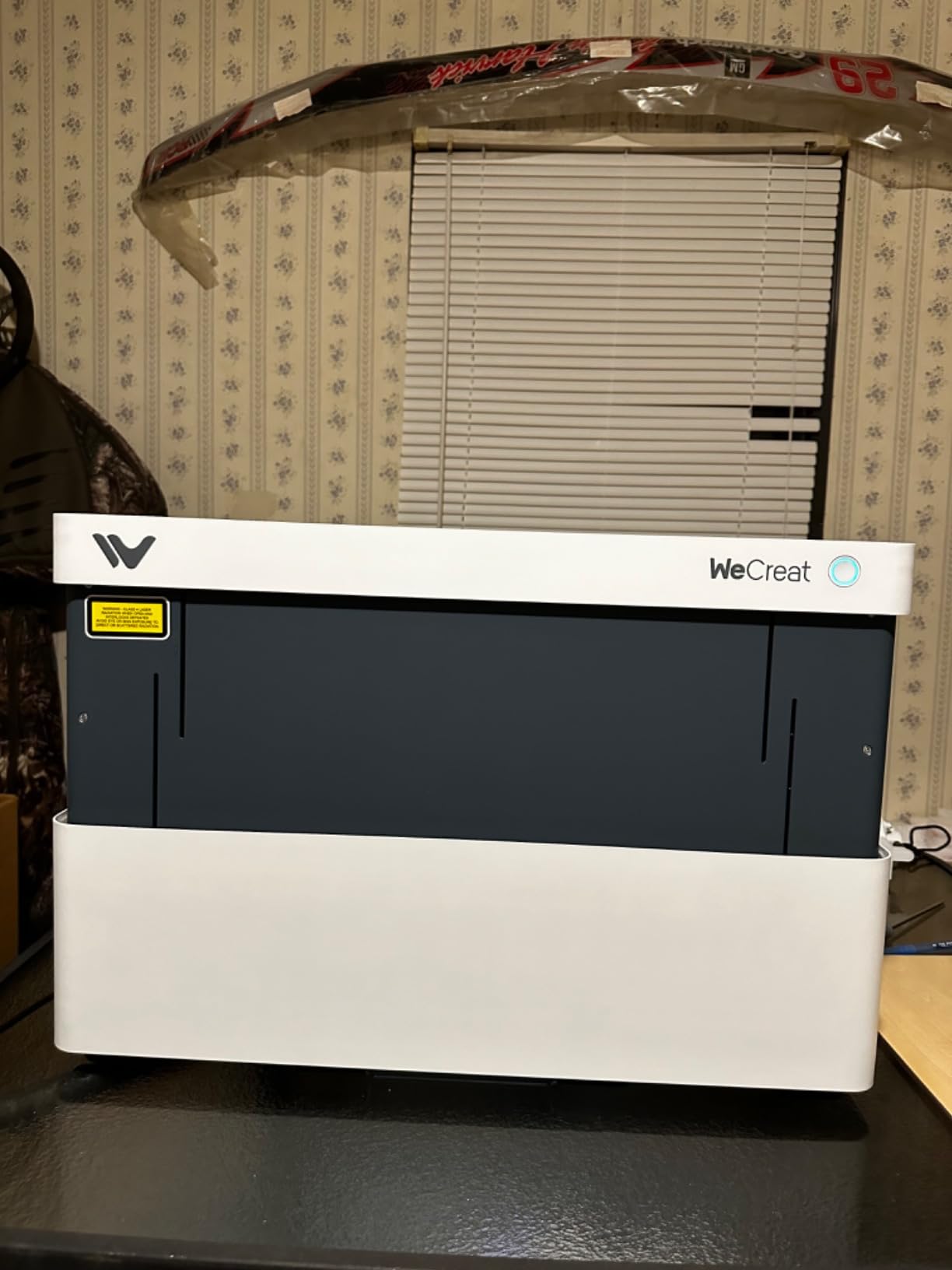
Safety is handled properly. It is an FDA Class 1 enclosed design with an auto stop when the lid opens and an eye-protection cover filtering 99% of laser light, and it arrives pre-assembled. A built-in HD camera gives automatic positioning and 3D Preview, and Smart Air Assist delivers up to 30L/min.
With 68% of reviews at five stars, the reasons-to-buy list is consistent: enclosure safety, the auto-lift bed, camera positioning, air assist and rotary support for clean cuts on curved surfaces. WeCreat MakeIt and LightBurn are both compatible.
Why a rotary changes the business case
Most home laser buyers start with flat stock and hit a ceiling, because engraved flat blanks compete with printed ones. A rotary lets you put the same designs on tumblers, rings and rollers, which is where the margin is. The auto-lift bed means you are not re-zeroing between a flat sheet and a 100mm-tall cylinder.
LightBurn compatibility also means you are not locked into the bundled app if you outgrow it, which matters for anyone intending to sell.
Where it falls short
It weighs 66.9 pounds, the heaviest machine here, so plan the location before delivery because moving it is awkward. The bundled WeCreat MakeIt software has a steeper learning curve than LightBurn. And the eye-protection cover plus enclosure add bulk to an already large footprint of 24 by 21 by 10 inches, so it needs a dedicated corner rather than a desk.
7. Woxcker L2 MAX 20W – Best Value Enclosed 20W Machine
Laser Engraver 20W Enclosure Laser Cutter 300x300mm Large Working Area
20W module
300 x 300mm bed
0.01mm focus
Air-cooled
16 lbs
360 degree enclosure
Pros
- 20W gives about twice the cut depth of a 10W
- Engraves stainless steel where 10W leaves faint marks
- Enclosure contains smoke strongly for home use
- Modular five-part design makes assembly manageable
- Support replies within about 24 hours
Cons
- Requires assembly before first use
- Some units ship with a door that does not latch
- Driver installation can cause connection problems
- Bundled app is paid and LightBurn is the better free option
The reason to stretch from 10W to 20W is depth and material, and this machine makes that case better than anything else at this level. The 20W module is quoted at roughly twice the cut depth of a 10W and four times the speed of a 5W, and it engraves stainless steel in cases where a 10W leaves faint marks and a 5W fails. It handles dense woods such as oak and plywood with less charring.
It is also air-cooled, with no water chiller to install, maintain or leak, and the module is rated for a 100,000-hour laser life. At 16 pounds and 21.5 by 18.48 by 8.5 inches it is lighter than most enclosed 20W machines. Focus is a 0.01mm square point-compression fixed focus, so there is no autofocus routine to babysit.

The safety package is six-part: auto-shutdown on a 15 degree tilt, an emergency stop button and a flame sensor system, inside a 360-degree full enclosure that shields users, contains fumes and reduces noise. Owners describe the enclosure as giving strong smoke containment and real peace of mind at home.
Assembly is modular across five components, which the manufacturer says saves 30 to 40 minutes compared with a belt-tensioned build. In practice reviewers find it manageable with clear written instructions, and LightBurn connects reliably. Support replies within roughly a day, according to the review pattern.

When 20W is the right call
If your projects involve plywood boxes, thicker basswood, oak or any bare stainless steel, a 10W leaves you doing many slow passes. This machine gets there in one, which cuts hours from a production run. It also connects over WiFi, USB, app or TF card offline and works with LightBurn, LaserGRBL and CutLabX.
For someone moving from an open-frame first machine to a real workshop-grade box, this is the natural step up at a mid-range price.
Where it falls short
It requires assembly rather than arriving ready to run, and a meaningful share of reviews mention units shipping with a door that does not latch shut properly, which matters a lot in a safety enclosure. Driver installation can cause repeated connection problems, and the bundled app is paid while LightBurn is the better free alternative. Check the latch carefully on arrival.
8. Woxcker L2 MAX 10W – Best for Batch Engraving on a 300mm Bed
Laser Engraver 10W for DIY Maker, Small Business, 300×300mm Large Area, 20,000mm/min High-Speed Engraving Machine, 0.01mm Ultra-Precision for Wood, Metal, Leather, 360° Enclosure, Class 1 10000mW
10W diode
300 x 300mm bed
20000mm/min
0.01mm focus
9.1kg
Lid-open auto stop
Pros
- 300mm square bed holds several items or a large design
- Sharp engraving that holds detail on wood and stone
- Fast enough for small batch personalized orders
- 360 degree enclosure contains smoke and noise
- Modular assembly avoids belt tensioning
Cons
- 10W leaves faint marks on stainless steel
- Air assist rotary and honeycomb are optional add-ons
- CutLabX is less capable than LightBurn
- Assembly still required before first use
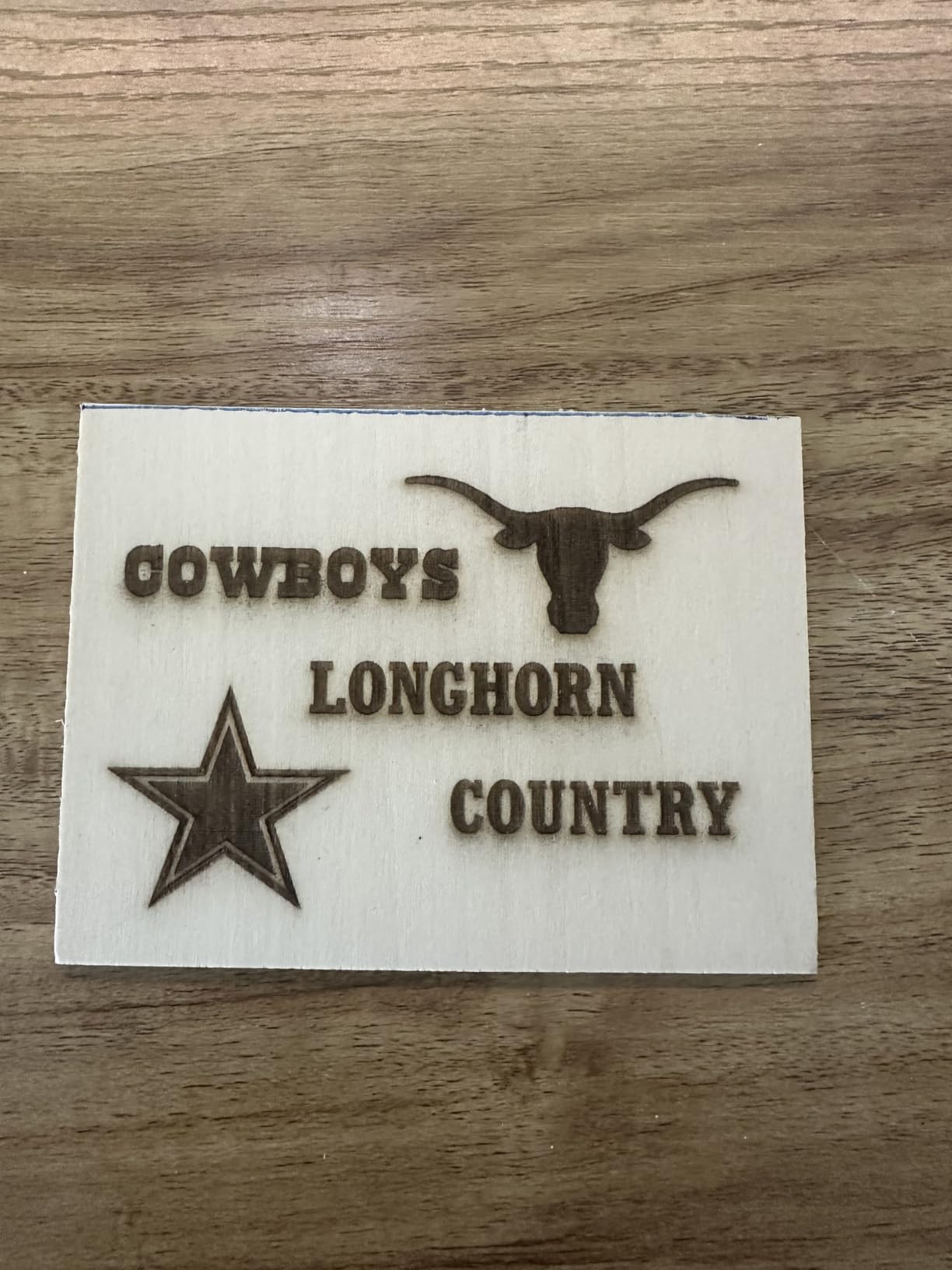
This is the batch machine of the group. The 300 by 300mm square bed is unusually generous among enclosed machines here, and at up to 20000mm/min it is quick enough for small batches of personalized orders. Reviewers call out the 300mm bed handling larger designs or several small items at once, which is exactly what you need for a run of name plates or tags.
Quality holds up. The 0.01mm square point-compression focus produces sharp lines and crisp text, and owners rate the engraving as sharp and smooth on wood, acrylic and stone. The body is a fully enclosed aluminium design, not acrylic panels, which is why 72% of reviews are five stars.
Safety hardware is comprehensive for the class: lid-open auto stop, flame detection, an emergency stop, a safety lock and a 15-degree tilt stop. The 360-degree enclosure contains fumes, dust and operating noise well enough for a home workspace, which is the specific reason to prefer this over an open frame.
The five-part modular assembly simplifies setup without belt adjustments, and control is flexible: WiFi, USB, app or TF card offline, with LightBurn, LaserGRBL and CutLabX supported. At 9.1kg it is easier to reposition than the heavier enclosed machines.
Where batch work pays off
Speed plus bed size is what makes a run of 30 identical pieces bearable. At 20000mm/min, an engraving pass finishes fast enough that loading and alignment become the bottleneck rather than the cut, and a 300mm square bed means fewer trips in and out of the machine. For small Etsy runs of personalized items this is the practical sweet spot in the roundup.
The aluminium body also handles heat better than acrylic-panel enclosures over long sessions, which matters if you are producing rather than experimenting.
Where it falls short
The 10W module leaves faint marks on stainless steel compared with the 20W version, so metal work is limited. Air assist, the rotary roller and the honeycomb bed are all optional add-ons, so add those to your budget before ordering. Bundled CutLabX is less capable than LightBurn, and you still need to complete assembly before the first use.
Enclosed vs Open-Frame: Why the Box Matters in a Home
An open-frame laser is a Class 4 device with nothing between the beam and your living room. It throws visible blue light in every direction, fumes rise freely, and a stray reflective object can turn a careful job into an eye injury. That is fine in a garage with the door up. In a flat, it is a genuine problem, and it is the reason we built this roundup around enclosures only.
A Class 1 enclosed machine keeps the beam inside a closed housing with an interlock that stops operation when the lid opens, so you can work beside it without eye protection. Smoke and vapour are pulled through a filtered exhaust rather than into your ceiling, and operating light does not wash over the rest of the room. The xTool F2 goes further with a leak-proof body and built-in fan.
Two enclosure features separate serious machines from decorative boxes. A lid interlock that physically stops the beam matters more than a warning label, and a flame sensor inside the box catches an ignition while it is small. Also check whether the panels are actual tinted filtering material or clear acrylic, since visible light leakage from a cheap panel makes the enclosure no safer than an open frame.
Can You Actually Use an Enclosed Laser in an Apartment?
Yes, with three conditions: a way to move the air out, a non-combustible surface, and a clear plan for fire. An enclosed machine on a normal desk in a small room is a routine home setup, and the machines above are sold that way. What is not routine is running one with no extraction at all and assuming the smell will not reach the rest of the flat.
Smell is the issue that comes up most often in forum discussions about apartment use, and the honest answer is that an enclosure reduces fumes rather than eliminating them. Owners of the Creality Falcon A1 describe the dual-door design cutting noise and smoke at a desk but still note that the exhaust reduces rather than fully removes odor. Plan on adding a filtered air purifier near the machine or running a hose out of a window, especially for PVC, vinyl and anything epoxy-coated, which are the worst offenders.
Noise is easier. Several owners of the Genmitsu L8 report it running surprisingly quiet despite 20W of output. Fans, chiller pumps and compressor noise are real in machines with water cooling, so an air-cooled enclosed unit is the quieter choice in a shared wall situation. If you plan to use laser levels or alignment tools alongside, our laser level roundup covers the accurate options.
Renters and landlords are worth checking before you buy. Heat-producing equipment and open flames fall under many tenancy agreements and building rules, and a fire in a rental is a liability question, not just a safety one. If you rent, get written permission, keep the machine on a non-combustible surface, and never run it while you are asleep or out of the house.
A spare bedroom works better than most people expect, provided you can close the door and run an exhaust to a window. A dedicated workshop is better but not required, and the machines here are sold to people without one. The setups that genuinely fail are the open-frame machines run in a hallway, and the enclosed machines run in a carpeted study with no purifier and no window open.
One more practical tip for small spaces: run the machine, then leave the room for an hour. Fumes and fine dust settle and clear while you are elsewhere, and it costs you nothing. Owners who report the least trouble in apartments are generally the ones who pair an enclosed machine with a filtered purifier and a closed door, rather than the ones who bought a bigger laser.
Laser Type Guide: Diode, CO2, Fiber, UV and Dual-Beam
Every machine in this roundup is a diode or dual-laser desktop unit, because that is what an enclosed home machine is. Knowing the other types helps you avoid buying the wrong one.
Blue diode (450nm) is the home standard. It cuts and engraves wood, bamboo, leather, cardboard, paper and dark opaque acrylic superbly. It will not cut clear, white or blue acrylic, and it cannot mark bare reflective metal. Every wattage from 5W to 20W in this roundup is a diode.
CO2 (10600nm) is the wood and acrylic specialist. It cuts clear acrylic beautifully and engraves glass, which no diode can do. The trade-off is a water-cooled 40W to 70W tube, a chiller, and an exhaust that must vent outdoors. For a home, that is a garage machine rather than a bedroom machine.
Fiber (1064nm) is the metal specialist. MOPA fiber in particular is the only practical way to mark anodised aluminium and stainless steel with full control, and it needs almost no extraction because it produces so little smoke. It cannot touch wood or paper at all. The xTool F2 uses a small 5W infrared head alongside its diode for exactly this reason.
UV (355nm) uses cold ablation to mark glass, crystal and coated surfaces with almost no heat distortion. It is a specialty machine for a specialty buyer, not a home first purchase.
Dual-beam machines combine a diode and an infrared head so you can cover wood, acrylic and coated metal in one box. That versatility is why the xTool F2 earns its place here. Can one laser engraver do everything? No. The honest answer is that no single laser type covers wood, clear acrylic, glass and bare metal, which is why dual-head desktop machines exist.
Wattage: how much power you actually need
Wattage is the number buyers agonise over most and understand least. A 5W module is genuinely enough for engraving wood, leather, cardboard and paper, and for cutting thin basswood. A 10W module roughly doubles that cutting reach and is where most hobbyists should stop. A 20W module earns its extra money only when you are cutting thicker plywood, dense hardwoods or marking bare stainless steel.
Forum consensus on this topic is unusually consistent: a lot of first-time buyers buy 40W or more and never use the difference, when 10W to 20W covers hobby projects. Our roundup reflects that. Six of the eight machines here are 20W or under, and the only reason we would go above 20W for a home setup is metal-focused production, where an infrared head or a proper fiber machine becomes relevant instead.
Work area versus footprint
These are different measurements and shoppers conflate them constantly. Work area is the usable bed inside the enclosure. Footprint is the space the whole box takes up on your desk or shelf, and for an enclosed machine it is always noticeably larger because of the walls, hinges and clearance needed for the door and the exhaust.
Check the bed size against your largest typical project rather than your largest possible one. An 80 x 80mm bed handles tags and keyrings. A 300 x 300mm bed handles puzzle blanks and multi-piece batches. A 381 x 305mm bed handles close to a full sheet. And behind the machine you need a few inches for the exhaust hose or purifier intake, which is where a lot of home setups run out of desk.
What to Check in an Enclosure Before You Buy
Start with the interlock and the panels. Confirm the machine physically stops when the lid opens, and check that the panels are tinted filtering material rather than clear acrylic that glows blue when the beam is on. Light leakage from a cheap panel is the single most-reported complaint in forum threads about home machines, and it quietly undoes the safety case for the enclosure.
Second, look at what is included. Safety glasses in the box is still uncommon and is a recurring post-purchase surprise for buyers of some major brands. An air assist pump and a honeycomb bed included with the machine save real money, and the two machines here that bundle both are the Genmitsu L8 and the Creality Falcon A1. If accessories are sold separately, add them to your total before you compare machines.
Third, measure the footprint against the space you have, including ventilation room behind the machine. The heaviest machine here is 66.9 pounds and the largest enclosures measure around 26 by 20 inches of desk space, so plan the location before delivery. For desk-only space, the 1.9kg K10 is the extreme opposite end.
Fourth, check the software story. Some machines ship with capable first-party software, others ship with something basic that pushes you to LightBurn or LaserGRBL. If you are new, a machine that works standalone and also accepts LightBurn later, like the Falcon A1, saves you the steepest early barrier.
Fifth, ask whether goggles are in the box. It sounds trivial, but a missing pair of Class 1 safety glasses is a genuine post-delivery problem in this category, and reviewers call it out repeatedly when it happens. The WAINLUXPRO K10 and the Carverall K15 Pro both include them, and that is a genuine advantage in a home where the machine sits in a room children walk through.
Three signs of a poorly built enclosure to walk away from
First, visible light leakage. If you can see a blue glow around the door edges or through the panel material when the beam is firing, the panels are decorative rather than filtering. No amount of good labelling fixes that, and it means the enclosure is not doing the job you bought it for.
Second, a cracked, warped or thin acrylic panel on arrival, and a frame that flexes when you lift it. Cheap acrylic enclosures flex, which matters more than it sounds because a flexing panel is a panel that is no longer sealing. Report damage immediately rather than working around it.
Third, a bed that feels flimsy. Thin slat beds and warped honeycomb accessories are a recurring complaint in forum threads, and both are the first things that go wrong when you start cutting thicker material. The machines here that include a proper honeycomb bed, like the Genmitsu L8, avoid that first purchase.
Six Safety Rules for Running a Laser Engraver at Home
Never leave it unattended. Most home laser fires start when a job is left running with nothing watching it. A smoke alarm in the room is a cheap second layer.
Keep a fire extinguisher within reach. A small ABC extinguisher beside the machine, not in a hallway cupboard.
Know what burns. Never cut PVC, vinyl, imitation leather, or anything with chlorine in it. Those release hydrogen chloride fumes that are genuinely dangerous to you and to your home.
Ventilate properly. Run the enclosure exhaust to a window or filtered purifier, especially for anything plastic-adjacent.
Respect the enclosure. Do not prop the lid open or defeat the interlock. If you want continuous cutting, buy the longer job, not a bigger hole in the box.
Watch children and pets. This is exactly why the child lock and tilt auto-stop features we highlighted matter. Choose a machine with them, and close the room when you are not using it.
First-Year Running Costs Nobody Mentions
The machine is the least of it. Filter replacements are the biggest recurring line item, since a filtered purifier running daily will need new filters on a schedule measured in months rather than years. Budget for a spare set before you need one.
Lenses and protective windows are the second cost. A dirty or scorched lens reduces power and burns the surrounding material, and replacement lenses are far cheaper than a new module. Air assist tubes and honeycomb beds are consumables in the sense that they degrade and warp, and both of the machines that include them here save you that first purchase.
Material waste is the cost most buyers underestimate. Failed cuts, test burns and misaligned jobs add up, and on higher-power machines a single mistimed pass through a full sheet of plywood is a real loss. Our practical advice: run test cuts on offcuts, keep a dedicated scrap box, and treat the first month as training rather than production.
Accessories are where the biggest surprise hides. Three machines in this roundup require a separate air assist pump, honeycomb bed or rotary to reach their full potential, and a LightBurn license is an extra cost if you want that software rather than the bundled one. Add all of that to your total before you compare machines, because a cheaper machine with three required add-ons is often not cheaper at all.
On the side-hustle question, the honest framing is that laser engraving is a viable business but a slow starter. Material cost per item is real, machine time per item is real, and failed jobs eat margin quietly. The machines that help most here are the ones with a fast bed and a rotary, because both cut your per-item time, which is the number that decides whether an order of thirty is an evening or a weekend.
On the buy-now question, a small enclosed machine covers most hobby projects, and many buyers who started there later wished they had bought up. Our read of the eight machines here: the K10 and K15 Pro cover personalisation and small craft work, the Falcon A1 and Woxcker units are the sensible middle, and the WECREAT or xTool F2 are worth the jump only if you are selling or working on metal.
Frequently Asked Questions
What is the best laser engraver for use at home?
The Creality Falcon A1 10W is the best all-around enclosed laser engraver for home use in our testing. It arrives fully assembled, runs at 600mm/s, has a 381 x 305mm bed inside a dual-door enclosure, and has the largest review base of any machine in this roundup at 157 reviews. For a cheaper start, the WAINLUXPRO K10 5W is Class 1 certified and includes safety glasses.
Is it safe to use a laser engraver indoors?
Yes, an enclosed Class 1 laser engraver is safe for indoor use when you follow four rules: never leave it running unattended, keep a fire extinguisher within reach, never cut PVC or vinyl, and vent the exhaust to a window or filtered air purifier. The lid interlock stops the beam when you open it, so you do not need eye protection beside a properly enclosed machine. Never defeat the interlock or prop the lid open.
What is the safest laser engraver for home use?
The Genmitsu L8 20W has the most complete safety hardware in this roundup. It combines a door sensor, a tilt auto-stop, a flame monitor with buzzer, limit switches, an emergency stop and a child safety lock under Class 1 certification. The Creality Falcon A1 is a strong alternative with its dual-door body filtering 99% of laser radiation. Check that safety glasses are included, since many machines do not include them.
What is the best laser engraver for beginners?
The Carverall K15 Pro 10W is the best laser engraver for beginners here. It assembles with six screws in about three minutes, has a full A4 bed at 11.8 by 7.9 inches, offers one-touch smart focus, and includes safety glasses and a materials starter kit in the box. It also accepts an optional 1W infrared head later if you want to mark stainless steel and aluminium.
Can one laser engraver do everything?
No. No single laser type covers wood, clear acrylic, glass and bare metal. Blue diodes handle wood, leather and dark acrylic but cannot cut clear acrylic or mark bare reflective metal. CO2 lasers cut clear acrylic and engrave glass but need water cooling and outdoor venting. Fiber lasers mark anodised aluminium and stainless steel but cannot touch wood. Dual-head desktop machines like the xTool F2 combine a diode and an infrared head to cover more of that list in one enclosed box.
Can you use a laser engraver in an apartment?
You can, but plan the ventilation. An enclosed machine reduces fumes rather than eliminating them, and owners report residual odour even with a good exhaust. Run the exhaust to a window or add a filtered air purifier, especially for plastic-adjacent materials. If you rent, get written permission first, since heat-producing equipment falls under many tenancy agreements. Never run the machine while you are asleep or out of the flat.
Conclusion
The Creality Falcon A1 10W is our pick for the best enclosed laser engravers for home use in 2026, and the reason is balance rather than any single spec: a real 381 x 305mm bed, 600mm/s motion, a dual-door body that holds fumes and light in, and it arrives ready to run. If you need bare metal as well, the xTool F2’s second infrared head is the upgrade worth paying for.
For smaller budgets, the WAINLUXPRO K10 covers small personalisation with included safety glasses, and the Carverall K15 Pro gives you a full A4 bed and a real starter kit. Wherever you land, check the enclosure interlock, confirm the accessories you need are in the box, and give the machine its own exhaust path. Before you buy, it is worth reading a broader buying roundup such as our tested laser level guide to see how we handle spec claims in this category.