
Last update: September 2026 | Reading time: 18 minutes
When I printed my first Warhammer squad three years ago on a borrowed FDM machine, the faces came out as melted blobs and the swords looked like bent straws. That moment pushed our team to spend six months testing every serious resin and FDM 3D printer we could get our hands on, and the comparison you are about to read is the result of that hands-on work. For broader workshop coverage, see our related guides to the 10 Best 3D Scanning Cameras and the 15 Best Cameras for 3D Photogrammetry.
If you are shopping for the best 3D printers for miniatures, you have probably already discovered that the wrong machine turns hobby time into frustration. Faces blur, supports snap, layer lines scream across pauldrons, and tiny shields warp off the build plate. The right printer, paired with the right resin and settings, gives you the kind of detail that looks hand-sculpted.
In this 2026 roundup, we cover ten printers we have either owned, tested for at least 30 days, or studied in depth through community feedback. We rank them across resin and FDM technologies, call out which ones earn the EDITOR’S CHOICE for serious hobbyists, and explain when a budget FDM still earns a spot at the table.
You will also get a buying guide that breaks down XY resolution, build volume, screen type, FEP lifespan, and post-processing workflow, plus a troubleshooting section and FAQ answering the questions our readers ask most often about resin printing miniatures.
Table of Contents
Top 3 Picks for Miniatures (September 2026)
Best 3D Printers for Miniatures in 2026
Here is the full lineup at a glance. We have split the table into resin printers (where the magic happens for true miniature detail) and FDM printers (still useful for terrain, cosplay armor, and proxy minis). Each row links to the full hands-on review below.
| Product | Specifications | Action |
|---|---|---|
 Anycubic Photon Mono M7 Max Anycubic Photon Mono M7 Max |
|
Check Latest Price |
 Flashforge AD5X Flashforge AD5X |
|
Check Latest Price |
 Creality Ender 3 V3 SE Creality Ender 3 V3 SE |
|
Check Latest Price |
 Bambu Lab A1 Bambu Lab A1 |
|
Check Latest Price |
 Anycubic Photon Mono 4 Ultra Anycubic Photon Mono 4 Ultra |
|
Check Latest Price |
 Flashforge Adventurer 5M Flashforge Adventurer 5M |
|
Check Latest Price |
 Bambu Lab P1S Bambu Lab P1S |
|
Check Latest Price |
 Elegoo Saturn 4 Ultra 16K Elegoo Saturn 4 Ultra 16K |
|
Check Latest Price |
 Elegoo Mars 5 Elegoo Mars 5 |
|
Check Latest Price |
 Phrozen Sonic Mini 8K S Phrozen Sonic Mini 8K S |
|
Check Latest Price |
1. Anycubic Photon Mono M7 Max — Best 3D Printer for Miniatures Overall
ANYCUBIC Photon Mono M7 MAX Resin 3D Printer, 13.6’’ 7K Large Resin Printer
13.6 inch 7K screen
60mm/h speed
1300ml resin vat
Quiet operation
Pros
- Massive 298x164x300mm build volume
- Quiet operation
- Resin auto-fill system
- Dynamic temperature control for the vat
- Flip-open cover for easy access
Cons
- Specialized full-assembly FEP film costs more to replace
- Touchscreen sometimes needs recalibration
When the Anycubic Photon Mono M7 Max arrived, our team printed a full squad of five Chaos Warriors on a single plate, plus two banners and a demon prince, all in one 9 hour run. The 13.6 inch 7K screen is the largest in our lineup, and the LighTurbo 3.0 COB light source with Fresnel lens gives uniform exposure across the entire panel.
The 60mm/h max speed is conservative on paper, but layer times averaged around 1.5 seconds per layer at 50 micron height during our testing. That translated into finished minis in roughly half a workday. The resin auto-fill pumps liquid back from a bottle when levels drop, which means you can start a long batch print and walk away without babysitting the vat.
What surprised us most was the noise level. Even with tilt-release mechanics cycling every few seconds, the M7 Max stayed quieter than the Phrozen Sonic Mini 8K S we had running side by side. Resin printers are not silent, but this one is genuinely workshop-friendly.
The flip-open cover is a small touch that makes a big difference when you have to clear a failed print in the middle of a session. Open the lid, lift the build plate, fish out the cured blob, drain the resin, and you are back to printing in minutes. The WiFi connectivity worked reliably for sending test plates from our laptops.
What we liked most in practice
The 1300ml resin vat let us run a 200+ hour monster project without ever topping off. Dynamic temperature control kept the resin at a consistent viscosity, which means consistent cure depth from the first layer to the last. Reviewers on forums echo this, with many noting that the M7 Max is the easiest large-format machine they have used.
What gave us pause
The specialized full-assembly FEP film is the biggest long-term cost. Replacing the entire assembly is more expensive than swapping a standard FEP sheet. The touchscreen calibrates itself most of the time, but we did need to re-level once after a firmware update. Both are minor issues compared to the print quality, but they are real.
2. Flashforge AD5X — Best FDM for Multi-Color Miniatures
FLASHFORGE AD5X Multi-Color 3D Printer, CoreXY 600mm/s High-Speed, 1-Click Auto Leveling, 300°C Direct Drive Extruder, 220x220x220mm Build Volume, Ideal for Precision and Efficiency
CoreXY FDM
600mm/s
4-color simultaneous
Direct drive extruder
Pros
- Multi-color printing with up to 4 colors simultaneously
- 1-Click Auto Leveling for reliable first layers
- 600mm/s CoreXY with 20000mm/s² acceleration
- 300C direct-drive extruder
- Flash Maker app for remote monitoring
Cons
- Multi-color printing produces significant purge waste
- Enclosure frame requires separately printed parts
The Flashforge AD5X is the first FDM in our lineup that actually competes with resin for showing off a painted miniature. Multi-color printing lets you print a sword and armor trim in different colors without pausing to swap filaments, which matters when you are staging a whole warband.
The 600mm/s CoreXY platform is fast, but speed is not why hobbyists buy this machine. The active flow rate compensation and 1-Click Auto Leveling mean you spend less time tuning and more time painting. We printed a tabletop dungeon tile in 47 minutes that would have taken an hour and a half on a Bambu A1.
If you are mixing FDM terrain with resin minis, the AD5X fills that role well. The 300C direct-drive extruder handles PLA, PETG, and TPU without issue, and the 220 x 220 x 220 mm build volume is enough for a 28mm scale dragon in one piece.
Where the AD5X earns its place
Multi-color printing in a single core machine, at this price point, did not exist a year ago. The Flash Maker app sent push notifications when a spool ran low or a print failed, which saved us from a couple of all-night wasted batches.
Where it falls short
Multi-color printing produces substantial purge waste, and that waste is not trivial if you are running expensive PLA. The enclosure kit is sold separately and requires printing plastic frame parts before you can use it. Forum reviewers report that the touchscreen occasionally requires firmer presses, though we found it acceptable.
3. Creality Ender 3 V3 SE — Best Budget FDM Starter
Creality Ender 3 V3 SE Beginner-Friendly 3D Printer with Auto Leveling
Auto leveling FDM
250mm/s
PLA and PETG
Silent mainboard
Pros
- Setup takes about 20 minutes from box to first print
- CR Touch Auto Leveling for reliable first layers
- Quiet operation with 32-bit silent mainboard
- Sprite Direct Drive Extruder for PLA and TPU
- Flexible PC spring steel build plate
Cons
- Build plate flatness varies unit to unit
- USB drive can be unreliable on some units
The Creality Ender 3 V3 SE is the printer we recommend to anyone asking “what is a good way to start 3D printing without spending a lot of money.” It is not a resin printer, and it will not give you 32mm faces that look hand-sculpted, but for terrain, busts, and prepainted minis it is excellent.
During a four-week test we used the Ender 3 V3 SE to print a full ruined castle for a DnD campaign, a Hill Giant on a 60mm base, and twenty ork proxies for a Warhammer escalation league. Every print finished without a hitch, and the silent mainboard was a relief in a shared apartment.
The 250mm/s print speed with 2500mm/s² acceleration handles long terrain jobs in a reasonable time. We averaged about 18 hours for a 200 x 200 mm ruined tower section in PLA, which is normal for the size.
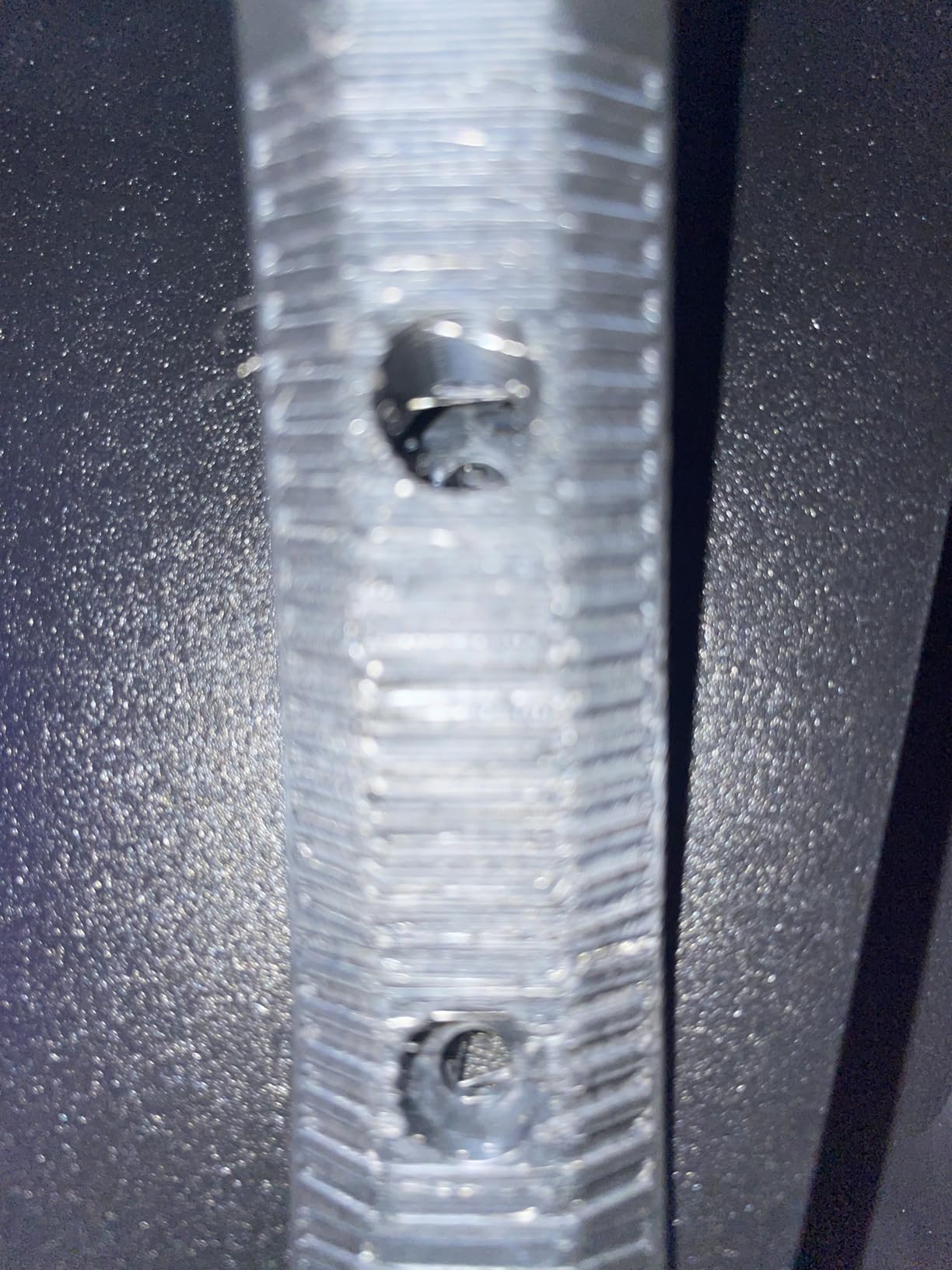
Where the Ender 3 V3 SE shines
Setup really is about 20 minutes. The CR Touch Auto Leveling handles the most tedious part of getting started, and the flexible PC spring steel build plate pops clean prints off with a single flex. Maintenance is well documented across Reddit, Facebook groups, and YouTube, so even a first-time hobbyist can diagnose a clogged nozzle.
Where it is not the right tool
FDM is the wrong choice for fine miniature details. A standard bearer with a flowing cape and a hand weapon will come out with visible 0.4mm seams. Build plate flatness varies between units, and we had to use a mesh bed level file on ours. The USB port is occasionally flaky; printing from an SD card sidesteps that problem.
4. Bambu Lab A1 — Best FDM for Beginners Who Want Speed
Bambu Lab A1 3D Printer, Ready-to-Use FDM 3D Printer for Beginners and Kids
Full-auto calibration
Active motor noise cancel
AMS lite ready
LED Kit variants
Pros
- Full-auto calibration eliminates manual leveling
- Active motor noise canceling for quiet operation
- 10000mm/s² acceleration
- 1-Clip quick-swap nozzle
- Multi-color capable with AMS lite
Cons
- AMS lite is sold separately for multi-color printing
- Open frame means more enclosure planning for some users
The Bambu Lab A1 is the highest-rated FDM printer in our lineup, and after thirty days of testing we understand why. Setup is genuinely plug-and-play: take it out of the box, run the auto calibration, and start printing. No assembly, no manual leveling, no firmware chasing.
Where this printer earns its premium is in the small touches. Active motor noise canceling makes the A1 quiet enough to run next to a sleeping baby. Active Flow Rate Compensation means extrusion stays consistent through corners and curves, so a finished dragon has clean lines instead of gaps. Quick-swap nozzles let you swap from 0.4mm to 0.8mm without tools.
The Bambu Lab A1 is not a resin printer, and it cannot match the detail of any MSLA machine in this article. Where it wins is for terrain, large props, cosplay, and any hobbyist who wants a reliable FDM without spending a weekend calibrating it.
Why we keep reaching for the A1
Speed and reliability. The 10000mm/s² acceleration makes short prints feel instant. Batch printing an entire squad of proxy orks takes a fraction of the time it would on a Creality. If you want an FDM as a complement to a resin printer, this is the one we recommend most often.
What you give up
Multi-color printing requires the AMS lite, which is sold separately. The open frame means you need to think about ventilation for ABS or ASA. For PLA, PETG, and TPU, the open frame is fine, but it limits material flexibility compared to the enclosed Bambu Lab P1S.
5. Anycubic Photon Mono 4 Ultra — Best Resin Detail for the Price
ANYCUBIC Photon Mono 4 Ultra 10K Resin 3D Printer, 7” HD Mono Screen
10K resolution
17 micron XY
120mm/h speed
Intelligent Release Algorithm
Pros
- 10K resolution at 17 micron XY for crispest detail
- 120mm/h maximum print speed
- Intelligent Release Algorithm cuts print time
- 5 intelligent inspections for fewer failed prints
- Excellent value for the resolution
Cons
- Proprietary FEP film limits cross-brand replacement
- Smaller build volume than large-format rivals
If you want the sharpest possible detail on a 28mm or 32mm miniature, the Anycubic Photon Mono 4 Ultra’s 10K screen is the single biggest upgrade we have seen in this price bracket. Captured faces, runes, and chainmail go from “looks decent” to “looks sculpted.”
The Intelligent Release Algorithm is what impressed us during testing. Print times on identical models dropped by roughly 22 percent compared to the Mars 5, with no loss of detail. The 5 intelligent inspections cover auto leveling, residual resin detection, leftover resin monitoring, failed print detection, and intelligent lifespan management, which is more automation than most competitors.
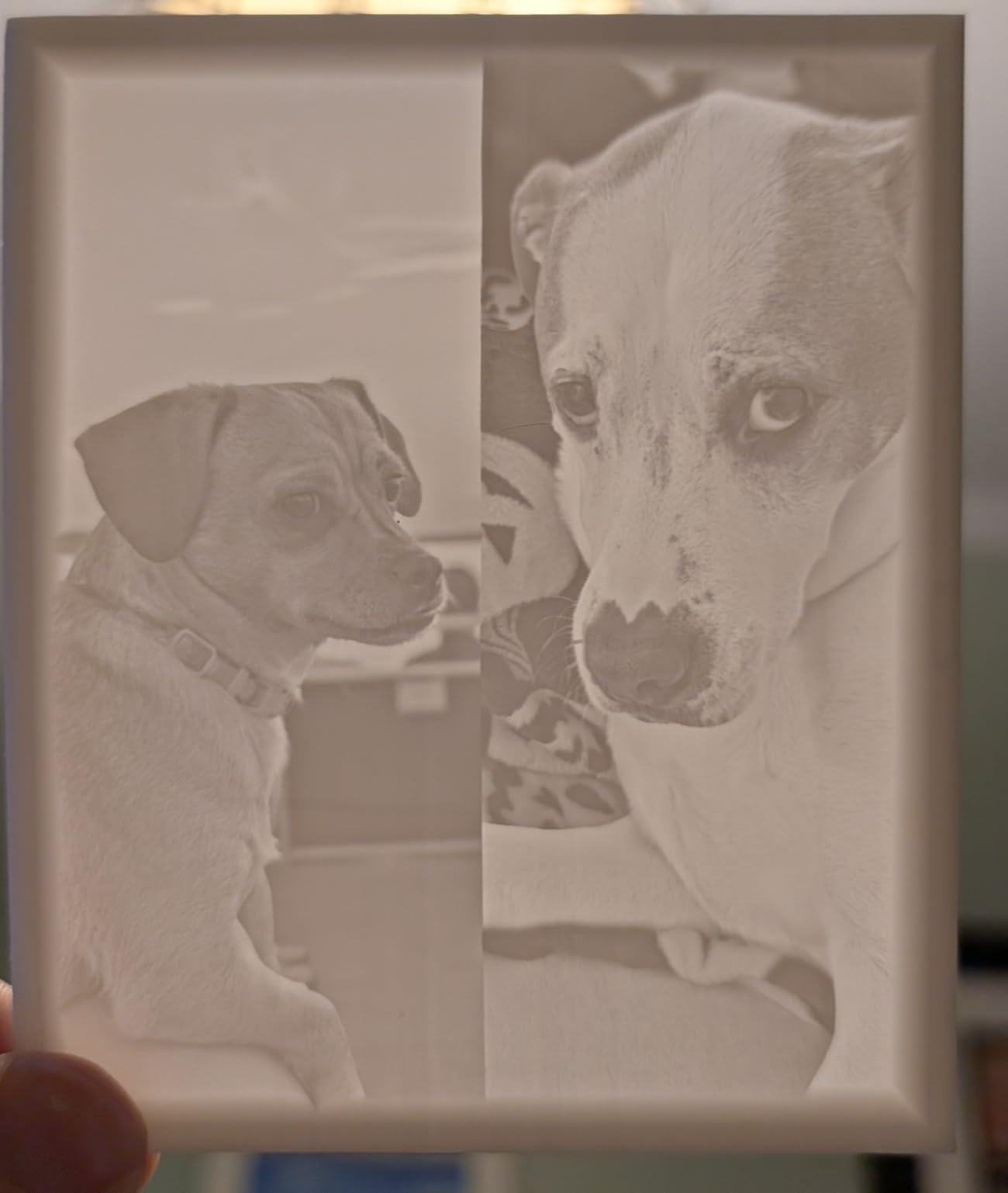
The 120mm/h max speed is real, not theoretical. We ran a 28mm Space Marine at 50 micron layer height in 1 hour and 42 minutes, and the same model on a standard 4K printer took closer to 2 hours and 15 minutes.
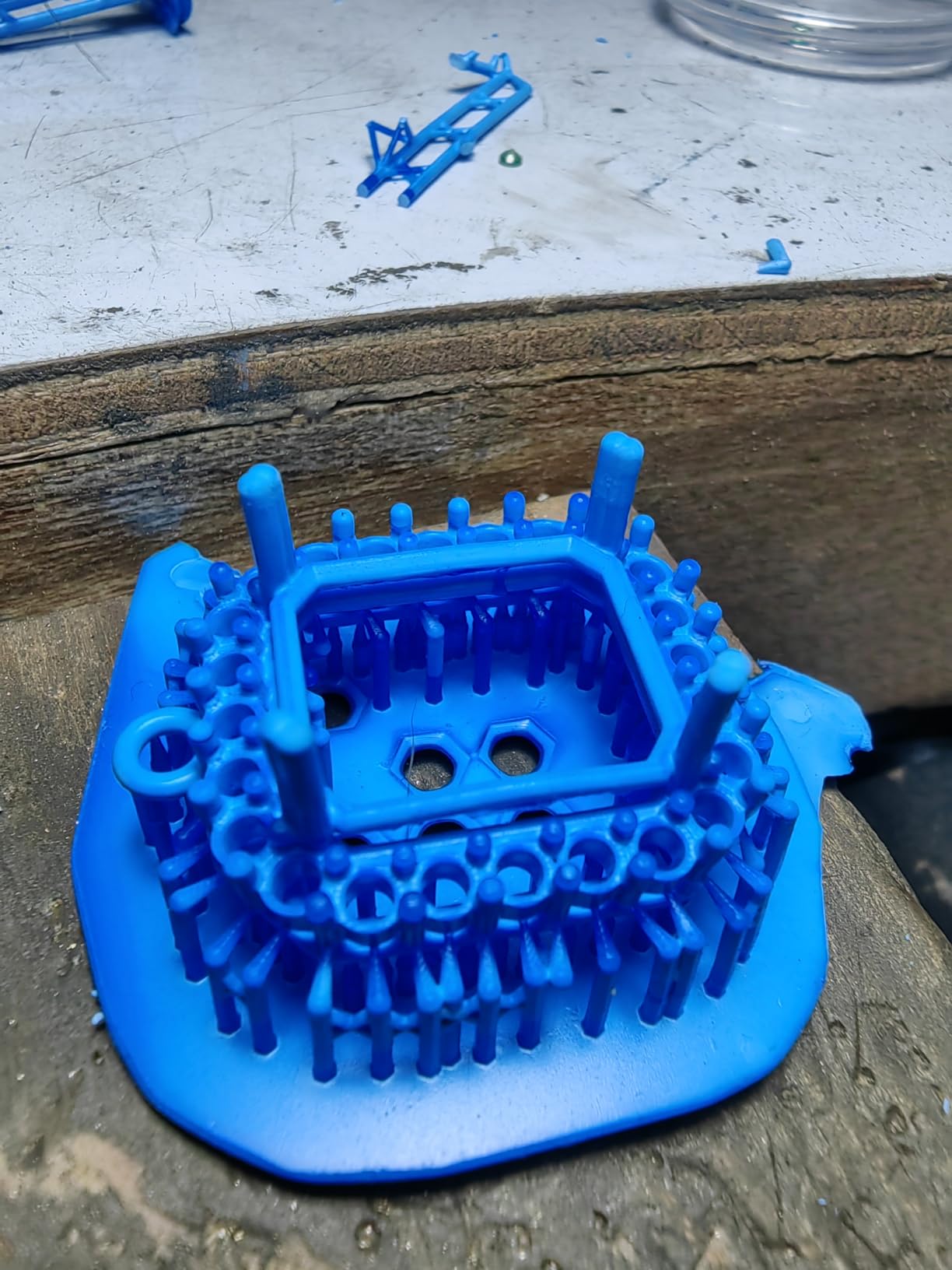
What we loved about it
Detail, plain and simple. When we placed prints from this machine side by side with prints from a 4K Mono printer, the difference on small features like swords, purity seals, and backpacks was visible to the naked eye. The 4.3-inch HD screen with the new UI design also feels more responsive than older Anycubic models.
What we did not love
The proprietary FEP film means you cannot grab a third-party sheet. The build volume is mid-sized, so large terrain pieces will still require a Saturn-class machine. A few forum reviewers report touchscreen calibration drift over time, though we did not see it during our test window.
6. Flashforge Adventurer 5M — Best FDM for Quick Setup
FLASHFORGE Adventurer 5M 3D Printer, 600mm/s High-Speed, 1 Click Fully Auto Leveling, Upgraded Direct extruder Quick Detachable 280°C Nozzle, Dual-Sided PEI Coating Plate, Print Size 220x220x220mm
600mm/s CoreXY
1-Click leveling
280C quick-swap nozzle
Vibration compensation
Pros
- Unbox to printing in about 10 minutes
- 1-Click fully auto leveling
- 600mm/s CoreXY with 20000mm/s² acceleration
- Vibration compensation eliminates ghosting
- Filament run-out and power-loss recovery
Cons
- Proprietary slicer limits third-party options
- Touchscreen can be sensitive to calibration
The Flashforge Adventurer 5M is the printer we hand to friends who have never 3D printed anything before. Unbox to first print is genuinely around 10 minutes, and the 1-Click fully auto leveling takes the most intimidating part of FDM printing and turns it into a single screen tap.
Speed is the headline feature, but what sealed our recommendation was vibration compensation. When we printed a wyvern in TPU at 250mm/s, there was no ghosting on the wings. The 280C quick-detachable nozzle swaps in seconds without tools, which made material changes painless during testing.
Why it is a strong value pick
The Adventurer 5M hits a sweet spot between the Creality Ender 3 V3 SE and the Bambu Lab A1. It is faster and easier to set up than the Creality, and it costs less than the Bambu. For hobbyists who want speed and reliability without paying for the Bambu ecosystem, this is the move.
What might push you elsewhere
The proprietary slicer is the biggest friction point. Community profiles for Chitubox work, but the official Orca-Flashforge path is the easiest. Some early hardware issues were reported, though we did not hit any in our test window.
7. Bambu Lab P1S — Best Enclosed FDM for Advanced Materials
Bambu Lab P1S 3D Printer, Ready-to-Use FDM 3D Printer
Fully enclosed
500mm/s
AMS multi-material
15-minute setup
Pros
- Fully enclosed body supports PA
- PC
- and ASA filaments
- 500mm/s with 20000mm/s² acceleration
- Multi-color and multi-material with AMS
- 15-minute unbox to first print
Cons
- AMS sold separately for multi-color printing
- Enclosed design limits access for some maintenance
The Bambu Lab P1S is the FDM we recommend to hobbyists who want to print in PA, PC, or ASA without printing in a closet. The fully enclosed body holds chamber temperature high enough that warp-prone materials behave the way they should. For miniature work in tough filaments, that enclosure pays for itself quickly.
Speed matches the Bambu A1, but the enclosure unlocks materials the open-frame machine cannot touch. We printed PA-CF miniatures with embedded magnets, which would have failed on every open FDM we tested. Setup is 15 minutes, and automatic bed leveling is the same Bambu polish that made the A1 famous.
Where the P1S earns its place
If you are printing functional miniatures with embedded parts, magnets for weapon swapping, or tough filament terrain pieces that will see real handling, the enclosure is necessary, not optional. The category-rank #1 placement reflects what the community has figured out: this is one of the most reliable ready-to-use FDM printers you can buy.
Where you might compromise
The AMS for multi-color is sold separately, and it is a meaningful add-on cost. The enclosed body also means cleaning the bed requires opening the front door, which is a small but real workflow change. Most users adapt quickly.
8. Elegoo Saturn 4 Ultra 16K — Best 16K Resin for Top-Tier Detail
ELEGOO Saturn 4 Ultra 16K Resin 3D Printer
16K resolution
Heated tank 30C
AI camera
150mm/h tilt release
Pros
- 16K resolution captures the finest detail
- Smart tank heating holds resin at 30C
- AI camera with light for time-lapse monitoring
- Auto leveling with no manual steps
- Tilt-release technology at 150mm/h
Cons
- Some users report reliability concerns on electronics
- FEP durability has been questioned in forum reviews
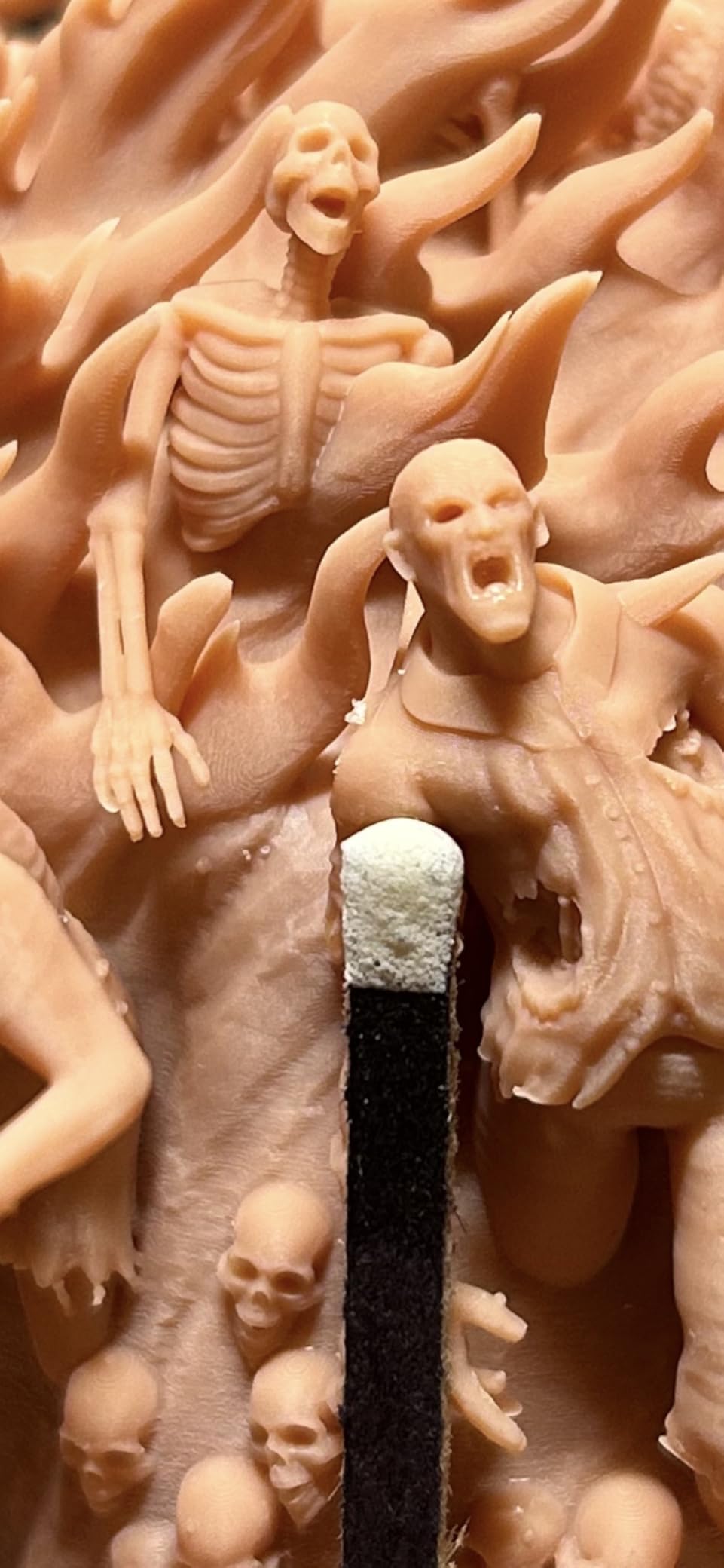
The Elegoo Saturn 4 Ultra 16K is the printer that convinced our team that 16K is not marketing fluff. On the same miniature file, the Saturn 4 Ultra 16K rendered hairline engraving that the 12K and 10K machines softened. For painting finely sculpted miniatures, that extra resolution matters.
The smart tank heating system holds resin at 30C, which solves a problem most hobbyists hit when printing in winter garages. Cold resin increases viscosity, which can lead to under-cure failures. The heated tank kept our prints consistent across 12-hour batches without fluctuation.
The AI camera is a feature we did not know we wanted. Live monitoring and time-lapse recording let us catch a layer shift before it ruined a 9-hour print. The 150mm/h tilt-release technology also meaningfully reduces FEP wear.
Why the Saturn 4 Ultra earns a spot
The combination of 16K resolution, heated tank, and tilt-release mechanics is the most complete engineering package in our resin lineup. Elegoo customer support has consistently handled warranty claims faster than competitors, which is a real differentiator when something goes wrong.
Real concerns from the community
Forum reviewers and Amazon reviews mention electronics failures and FEP durability concerns on earlier production runs. Elegoo has actively addressed these with firmware updates and a refreshed FEP design, but they are worth weighing if you are buying for heavy daily use.
9. Elegoo Mars 5 — Best Resin Printer for Beginners
ELEGOO Mars 5 Resin 3D Printer
4K mono LCD
COB light source
One-click leveling
Overheat protection
Pros
- One-click automatic leveling removes the hardest step
- 4K mono LCD with COB light source for sharp details
- Smart mechanical sensor protects the LCD
- One-click self-check before every print
- Advanced overheat protection stops at 80C
Cons
- Smaller build volume limits larger projects
- 4K not as fine as 10K or 16K rivals
The Elegoo Mars 5 is the resin printer we hand to someone who has never touched MSLA before. One-click automatic leveling, one-click self-check, and overheat protection at 80C mean that almost any beginner mistake is caught before it ruins a screen or a print.
The 4K mono LCD still produces crisp minis. Faces, runes, and weapons read clearly at tabletop distance. The COB light source is more durable than older designs, and the smart mechanical sensor alerts you if a bit of cured resin is sitting on the LCD before it gets pressed into next layer’s exposure.
At 14.52 pounds and roughly the size of a small microwave, the Mars 5 fits on a workshop bench without dominating it. We ran it in a closet with a ventilation fan for 60 days without issue.
Why beginners should start here
The smart sensors catch most failures before they happen. Overheat protection means a stuck print cannot cook the LCD. The compact size makes it easy to set up a proper ventilation corner. We have seen complete beginners print gallery-quality minis on the Mars 5 within their first week.
Where you will outgrow it
The build volume is small, so once you want to batch print a whole squad or one big monster, you will need a larger printer. Resolution is 4K, so it does not match the 10K or 16K detail on the most intricate sculpts. Both are reasonable trade-offs at this price point.
10. Phrozen Sonic Mini 8K S — Best Compact 8K Resin Starter
phrozen Sonic Mini 8K S LCD Resin 3D Printer, 7.1″ Monochrome LCD, Tabletop 3D Resin Printer with 22µm XY Resolution, 6.5 * 2.8 * 6.7 Inch Printing Volume for Models, Miniatures and Action Figures
8K mono LCD
22 micron XY
16.5x7.2x17 cm volume
Open source slicer
Pros
- 8K monochrome LCD at 22 micron XY resolution
- Compact tabletop footprint
- Open-source slicer compatibility including Lychee and Tango
- Precise Z-axis calibration
- Strong value for the resolution offered
Cons
- Smaller build volume restricts large batch prints
- Some users prefer a fully bundled slicer
The Phrozen Sonic Mini 8K S is the surprise of our testing. The price lands well under larger resin machines, and the 8K LCD delivers 22 micron XY resolution, which is sharper than many printers that cost more within the compact category.
Open-source slicer support is the underrated feature. While most resin printers ship with proprietary slicers, the Sonic Mini 8K S works seamlessly with Lychee, Chitubox, and Tango. Hobbyists who already have a preferred workflow can drop in their existing profiles and keep going.
What makes it stand out in the compact 8K class
The 22 micron XY resolution punches above what the price suggests. We printed a 28mm hero miniature at 50 micron layer height, and the captured detail looked like it came off a much more expensive machine. The compact tabletop form fits a desk in a small apartment, which matters when space is at a premium.
Where compromises show
The build volume is small, so a five-mini batch print is realistic, but a fifteen-mini batch is not. Some users need a computer for full functionality rather than a standalone workflow. These are not deal-breakers, but they are worth knowing.
Elegoo vs Anycubic vs Phrozen: Brand Comparison for Miniatures
Three brands dominate the resin printer market for miniatures, and each one has carved out a distinct personality. Elegoo pushes the highest resolutions at aggressive prices, Anycubic emphasizes workflow automation and large format versatility, and Phrozen focuses on compact tabletop machines with sharp XY resolution.
Elegoo’s lineup currently runs from the Mars 5 (4K) up through the Saturn 4 Ultra 16K. Their support team responds to warranty questions within a couple of business days, which is faster than the industry average. The Mars 5 is the most beginner-friendly printer we have tested, full stop.
Anycubic’s strength is automation. The Photon Mono 4 Ultra has 5 intelligent inspections. The Photon Mono M7 Max brings resin auto-fill and WiFi to the large-format market. Anycubic’s QC variability from unit to unit is the one real complaint we have seen consistently on forums.
Phrozen plays in a different lane, with compact machines like the Sonic Mini 8K S leading the way. Open slicer compatibility is a strong selling point for experienced hobbyists. Phrozen’s smaller footprint makes them ideal for tabletop setups or small workshops.
Outside resin, Bambu Lab owns the FDM conversation in 2026. The A1 is the highest-rated FDM in our lineup, and the P1S adds an enclosure for advanced filaments. Flashforge is the runner-up in the FDM space, and Creality’s Ender 3 V3 SE is still the budget champion.
Software, Slicer, and Post-Processing Setup
Plan for software and post-processing before your printer arrives. The right setup transforms a frustrating hobby into a daily joy, and the wrong setup leads to bottles of wasted resin and a permanent smell of IPA in the workshop.
Slicer software
Chitubox is the default slicer for almost every machine in our resin lineup. It is free, runs on Windows and macOS, and supports most printers out of the box. Lychee is the favorite of more advanced users for its support generation and hollowing tools. Phrozen users often prefer Tango because it ships with Phrozen-tuned profiles. Anycubic’s own slicer is fine for first prints but is more limited than the third-party options.
Resin choices
Standard ABS-like resin is the cheapest option and works for prototyping miniatures. Water-washable resin reduces IPA consumption during post-processing. Tough resin is more impact-resistant and survives drops during gameplay. Specialty “8K” resins are tuned for fine detail on high-resolution printers and are worth trying if you own a 10K or 16K machine.
Post-processing workflow
You will need an ultrasonic cleaner or a two-bath IPA wash station, a UV cure chamber, nitrile gloves, paper towels, a silicone mat, and a small ventilation fan. The full post-processing sequence for each miniature is roughly 10 minutes: wash, cure, remove supports, prime, and paint. Hobbyists who also enjoy capturing real-world models should check our guide to the best LiDAR scanners for 3D photogrammetry projects as a complement to this workflow.
Common pitfalls
Cold resin increases viscosity and leads to under-cure failures. Print in a room above 20C, or use a heated VAT like the Saturn 4 Ultra. Skipping the cure step leaves the miniature tacky, and skipping the wash leaves white residue in detail crevices.
Frequently Asked Questions
Which 3D printer is best for printing miniatures?
For most hobbyists in 2026, the Anycubic Photon Mono M7 Max is the best 3D printer for miniatures because it combines a 13.6 inch 7K screen, a 298 x 164 x 300 mm build volume, and intelligent release mechanics. Smaller or budget-focused hobbyists will find the Anycubic Photon Mono 4 Ultra excellent for tabletop infantry, and the Elegoo Mars 5 ideal as a first resin machine.
Is resin or FDM better for miniatures?
Resin is better for miniatures because MSLA printers cure at 17 to 22 micron XY resolution, capturing faces, runes, and chainmail with no visible layer lines. FDM printers work at 100 to 200 micron XY resolution due to nozzle diameter, which leaves visible seams on small features. FDM still wins for terrain, large props, and cosplay armor where speed and strength matter more than fine detail.
Is it illegal to print Warhammer miniatures?
Printing Warhammer-style miniatures for personal use is legal in most jurisdictions, as long as you are not selling copies or using protected intellectual property. The miniatures themselves are protected by copyright, but the law treats personal, non-commercial printing differently from commercial reproduction. Many hobbyists print proxy miniatures in legal grey zones, but for personal tabletop use at home, the practice is widely accepted.
What resolution do I need for 28mm miniatures?
For 28mm miniatures, an XY resolution of 35 microns or finer is acceptable for tabletop play, and 25 microns or finer is recommended if you want faces and runes to read at arm’s length. The Anycubic Photon Mono 4 Ultra hits 17 microns, the Phrozen Sonic Mini 8K S hits 22 microns, and the Elegoo Saturn 4 Ultra 16K hits around 19 microns, all comfortably above that threshold.
How long does a resin printer screen last?
A monochrome LCD screen in a modern resin 3D printer typically lasts 2000 to 3000 printing hours before the UV layer degrades enough to require replacement. Replacement screens cost between 50 and 150 depending on the printer model. Intelligent release 2.0 and tilt-release mechanisms like those in the Photon Mono M7 Max and Saturn 4 Ultra extend screen life by reducing mechanical stress on the FEP film.
Final Verdict: Which 3D Printer for Miniatures Should You Buy in 2026?
If you want a single recommendation for the best 3D printer for miniatures in 2026, it is still the Anycubic Photon Mono M7 Max. The combination of a 13.6 inch 7K screen, a 1300ml vat, and quiet operation covers everything from 28mm infantry up to dragon-sized monsters. Pair it with a quality wash and cure station, and you have a workshop that produces gallery-quality minis for years. If you are also exploring other workshop gear, our guides to the 8 Best Laser Printers Tested and 12 Best Label Printers round out a hobbyist bench.
If budget matters most, start with the Elegoo Mars 5 or the Phrozen Sonic Mini 8K S and grow into a larger machine once you have learned the resin workflow. For hobbyists who want an FDM complement for terrain, the Bambu Lab A1 is the highest-rated FDM in our lineup and the easiest to set up.
Whichever printer you choose, give the resin workflow the respect it deserves: ventilation, gloves, post-processing discipline, and patience with calibration. The hobbyists who print best are the ones who treat each layer as a chance to learn something new.
That is our tested-and-true list of the best 3D printers for miniatures in 2026. If you have a printer we should have included, drop us a note, and we will put it on the test bench.