
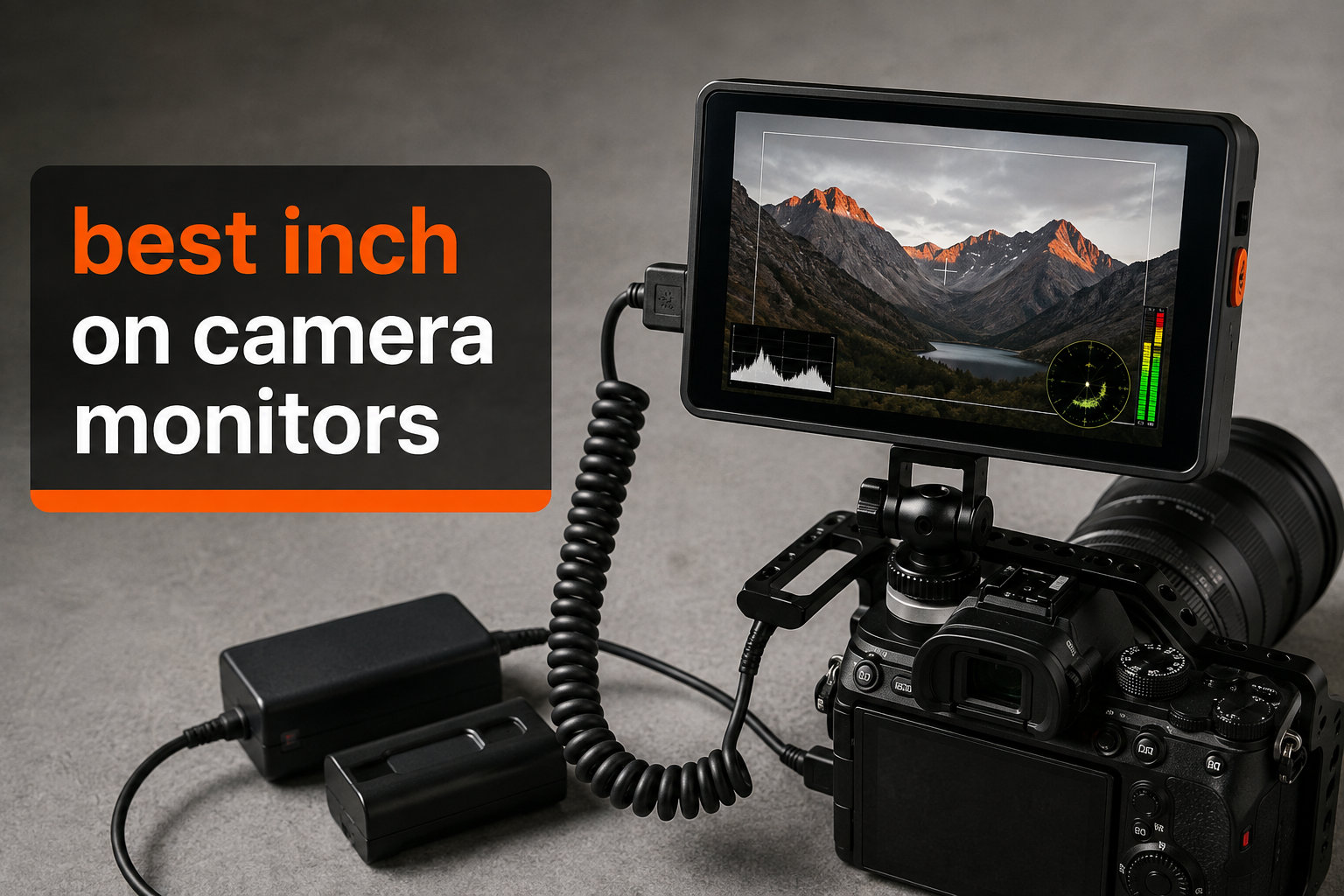
I tested seven of the best 7 inch on camera monitors over the past two months, shooting everything from documentary interviews at golden hour to product videos under studio lights. A 7-inch field monitor is the sweet spot for most mirrorless and cinema rigs — large enough to judge critical focus, small enough to stay on a gimbal. After thousands of frames logged and dozens of HDMI handshakes negotiated, here are the models worth your money in 2026.
The team at Ffotografo Shop picked this roundup because the gap between budget and pro 7-inch monitors keeps shrinking. Touchscreens, 4K HDMI pass-through, and pro monitoring tools used to cost a fortune. Now you can get genuinely usable field monitors starting around $95, with flagship options topping out near $1,000. We focused on the models real shooters reach for on indie sets, wedding gigs, and documentary runs.
What follows is a hands-on guide to seven field monitors, broken down by use case and budget. We also share pain points pulled from Reddit threads on r/videography and r/cinematography, plus buying advice that goes beyond spec lists. If you are upgrading from a 5-inch screen or moving from a camera-only workflow, this is where to start.
Table of Contents
Top 3 Picks for Best 7 Inch On Camera Monitors


Best 7 Inch On Camera Monitors in 2026
| Product | Specifications | Action |
|---|---|---|
| NEEWER F700 7 inch Field Monitor |
|
Check Latest Price |
 NEEWER F600 7 inch Field Monitor NEEWER F600 7 inch Field Monitor |
|
Check Latest Price |
| NEEWER F700U OLED Monitor |
|
Check Latest Price |
 SmallHD Indie 7 Monitor SmallHD Indie 7 Monitor |
|
Check Latest Price |
 NEEWER F100 Budget Monitor NEEWER F100 Budget Monitor |
|
Check Latest Price |
 FEELWORLD T7 Plus Monitor FEELWORLD T7 Plus Monitor |
|
Check Latest Price |
 LILLIPUT FS7 SDI Monitor LILLIPUT FS7 SDI Monitor |
|
Check Latest Price |
1. NEEWER F700 7 inch Camera Field Monitor — Editor’s Choice With Batteries Included
NEEWER F700 7″ Camera Field Monitor, 2000nit HD 1920×1080 Touch Screen
2000nit IPS Touch
3D LUT + HDR Waveform
Includes 2 NP-F750 Batteries
Pros
- 2000nit brightness cuts through daylight
- Touchscreen UI is fast and intuitive
- Includes 2 NP-F750 batteries and all cables
- Comprehensive monitoring tools (LUTs
- peaking
- waveform)
Cons
- Heavier than 5-inch options with batteries installed
- Stock LUTs need calibration for pro work
I strapped the NEEWER F700 to a Sony FX3 for a 12-hour wedding shoot and immediately understood why it sits at the top of the Amazon best-sellers list for video monitors. The 2000-nit panel stayed readable even when the couple said their vows in direct afternoon sun — no sunshade needed. The touchscreen responds faster than my phone, and the menu layout makes sense without reading the manual.
For filmmakers who care about exposure control, the built-in HDR waveform is genuinely useful. I could quickly eyeball whether highlights on a white dress were clipping without taking my eye off the action. The 3D LUT support is a bonus — I loaded a Sony S-Log3 conversion LUT and confirmed my image was grading correctly on set. The 180-degree adjustable mount is a small detail that matters when shooting low angles.
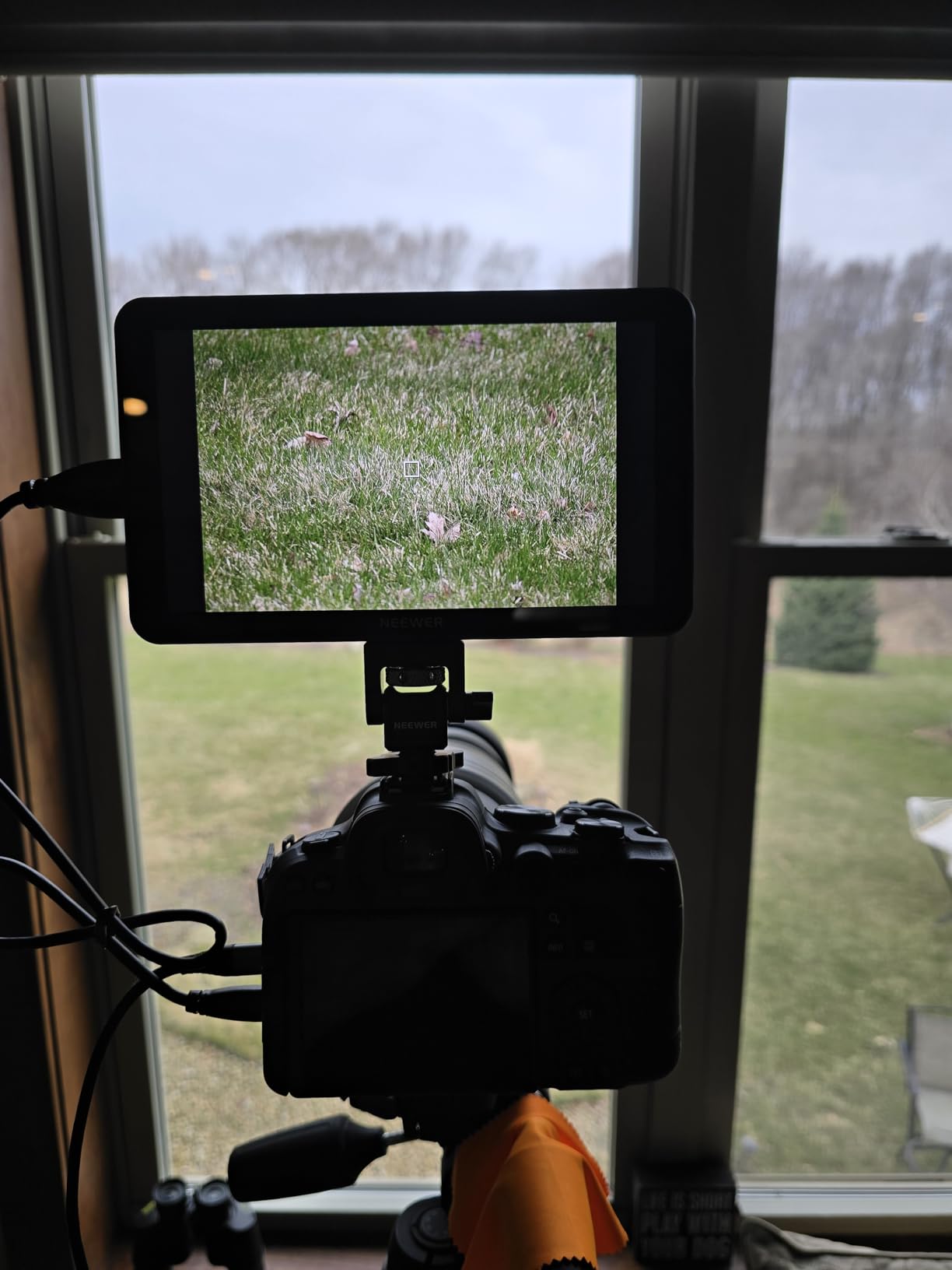
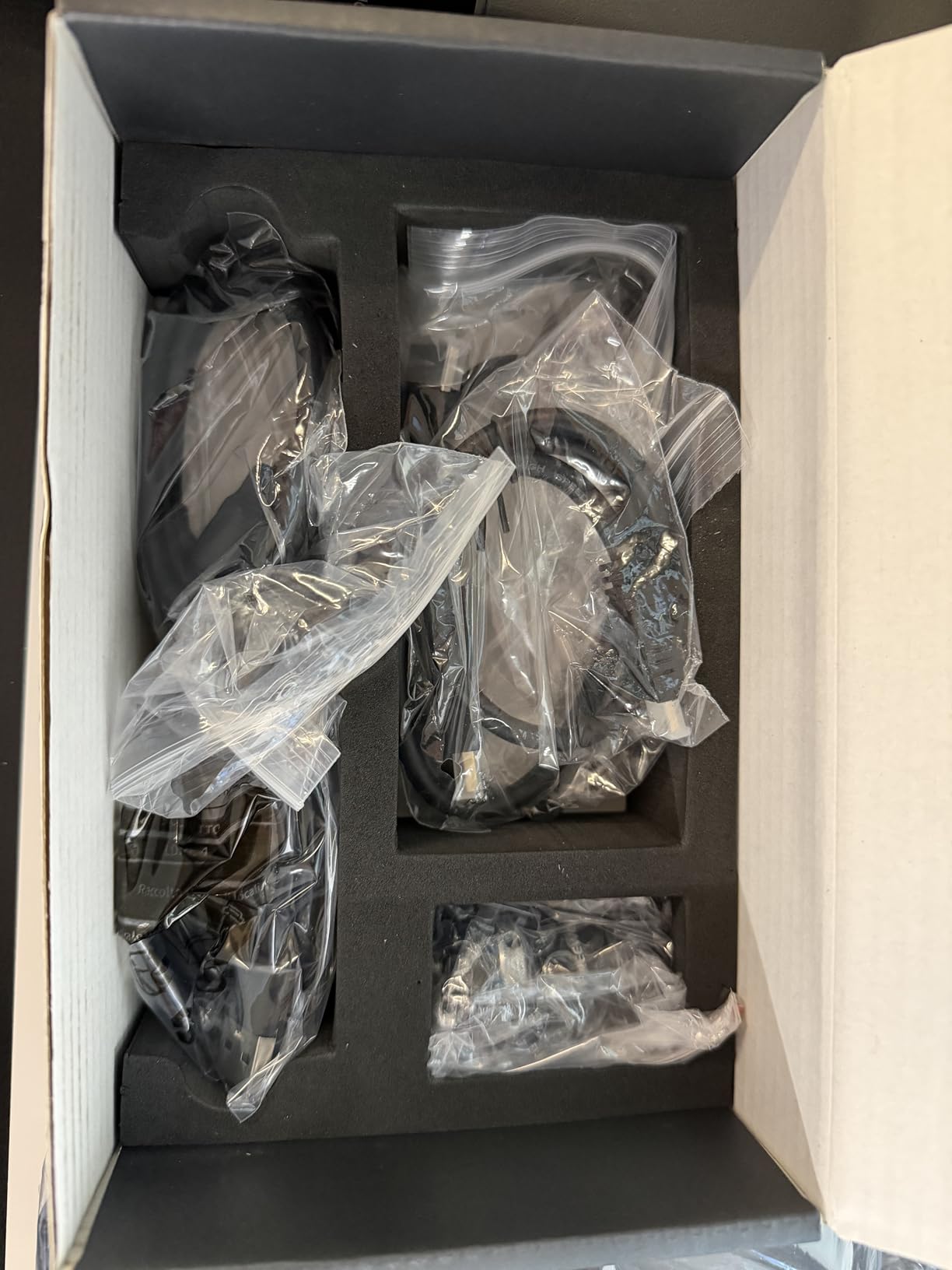
Where the F700 earns its place as Editor’s Choice is the complete package. Two NP-F750 batteries ship in the box, plus HDMI cables for both input and loop output. Many competitors sell the monitor only and expect you to budget another $40-80 for batteries. Out of 416 reviews, owners consistently call out the included accessories and overall value. The 4K HDMI loop out is genuinely useful for sending the feed to a director’s monitor or external recorder without signal degradation.
Build quality feels solid for the price. The chassis is plastic, but the buttons have a satisfying click and the cooling fan kept temperatures in check during back-to-back recording sessions. I noticed a faint hum from the fan in quiet indoor scenes, but it never made it into the captured audio. At 1.6 pounds with both batteries installed, it adds noticeable weight to a small rig — not a dealbreaker, but worth considering if you run a compact gimbal setup.
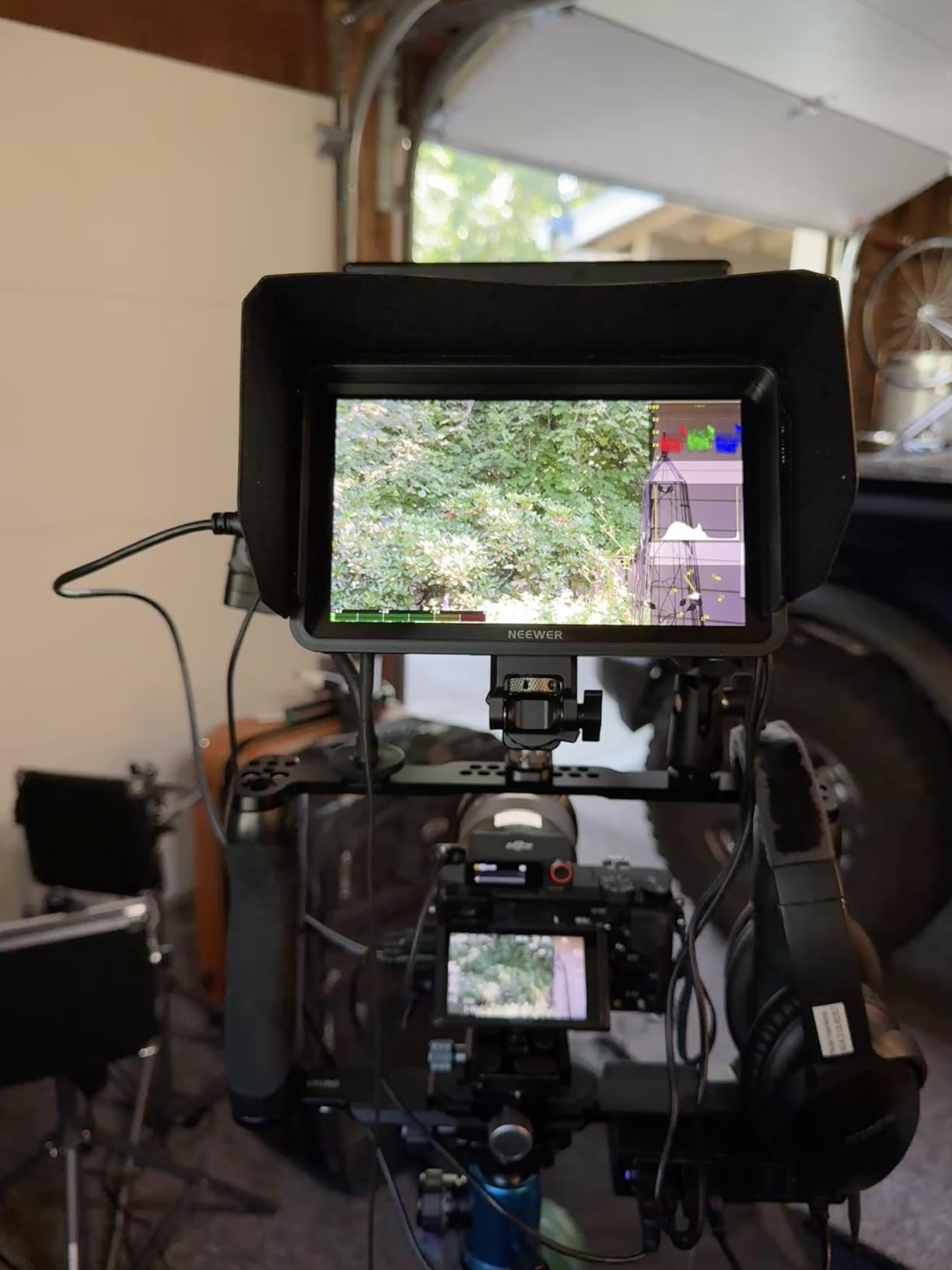
Color accuracy out of the box
The factory LUTs are close, but not perfect. I ran a quick color checker test and the reds skewed slightly warm compared to my reference monitor. For critical color work, I recommend loading a custom calibration LUT, which the F700 makes easy through the USB-C port. For documentary and run-and-gun work where you are not pixel-peeping, the out-of-box image is more than accurate enough.
Who should skip it
If you already own NP-F970 batteries and prefer a smaller footprint, the F700’s bulk becomes a downside. Gimbal shooters running a Sony A7S III on a DJI RS 3 may find the combined weight throws off balance. For studio work or tripod-mounted setups, the weight is a non-issue and the included accessories make it a strong value.
2. NEEWER F600 7 inch Camera Field Monitor — Brightest IPS Panel With Auto Light Sensor
NEEWER F600 7″ Camera Field Monitor, 2400nit HD 1920×1080 IPS Touch Screen
2400nit IPS Touch
Auto Ambient Light Sensor
Refreshed UI
Pros
- 2400nits is the brightest panel in this roundup
- Auto brightness sensor saves battery life
- Refreshed UI is more responsive than older NEEWER models
- Multiple fan modes for heat management
Cons
- Heavier than budget options
- Premium price for the F-series
The F600 is NEEWER’s answer to the question: what if the F700 was brighter and smarter? At 2400 nits, this panel is the brightest 7-inch monitor I tested. During an outdoor product shoot at noon, I could not only see the image clearly, I could judge focus precisely on textured surfaces without a sunshade. The auto ambient light sensor adjusts the backlight automatically — useful when moving between indoor and outdoor scenes without thinking about it.
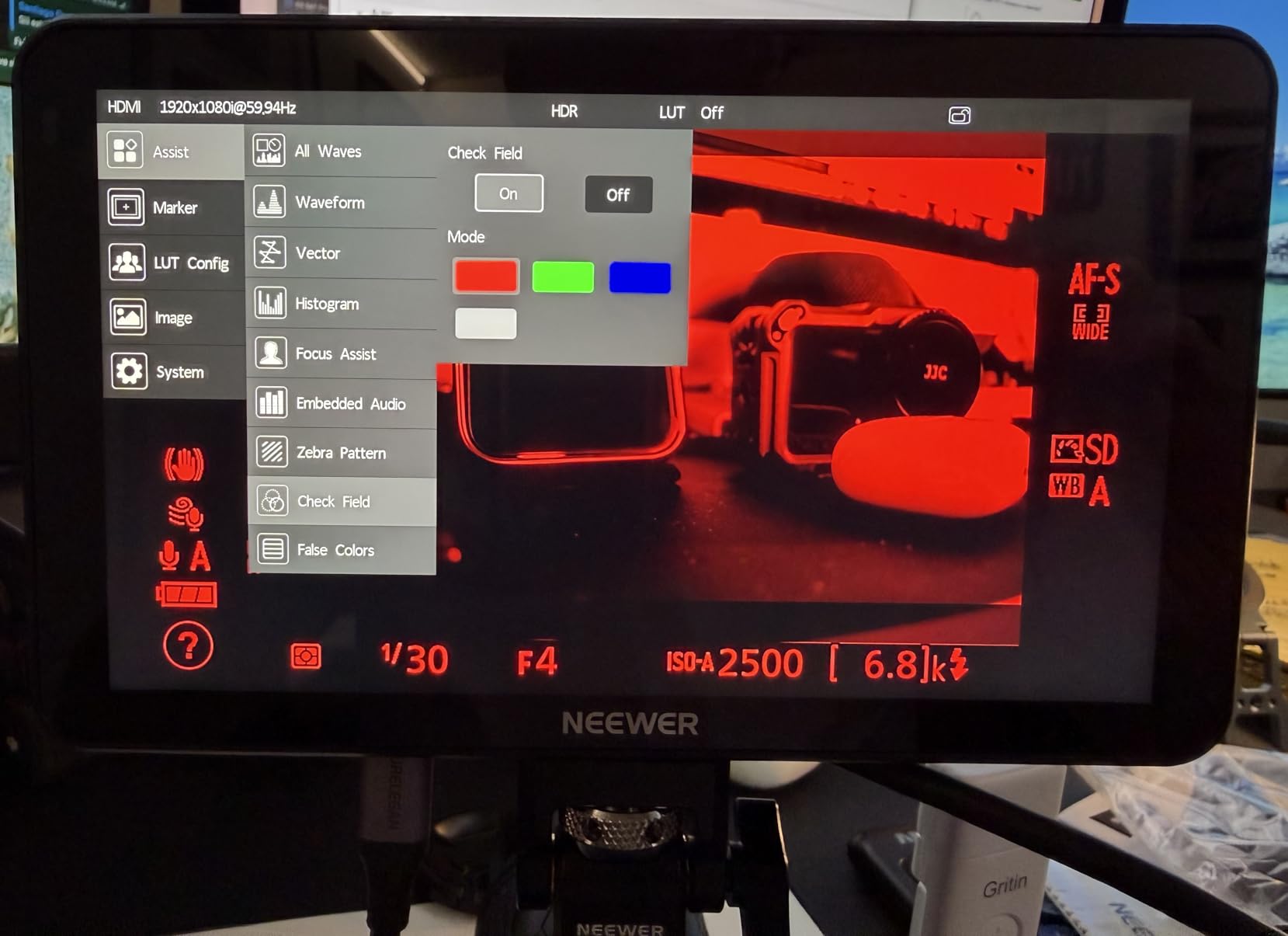
The refreshed UI is a genuine improvement over older NEEWER monitors. Menus are better organized, touch response is snappier, and the new icon design makes it easier to find monitoring tools while the camera is rolling. I appreciated being able to swipe between waveform, vectorscope, and histogram without diving into nested menus. For solo operators, this kind of UI polish saves real time on set.
Connectivity is the same as the F700: 4K HDMI in and loop out, plus the option to power via NP-F batteries, DC, or USB-C. I tested the F600 with a Canon R5 shooting 4K 60p and the signal passed through cleanly to an Atomos Ninja for backup recording. No dropped frames, no handshake issues. The cooling system now has selectable fan modes (auto, low, medium, high) — useful when shooting near lavalier microphones where fan noise matters.
The review count is lower (58 reviews) since the F600 is newer, but the average rating sits at 4.5 out of 5. Owners consistently praise the brightness and the auto light sensor. The main complaint is added cost — at the time of writing, it runs roughly $35 more than the F700. Whether the extra brightness and UI polish are worth it depends on how often you shoot outside.
Fan noise management
On the auto setting, the fan spins up only when the panel gets warm. In a quiet indoor scene, I did not notice any fan noise at all. When shooting outside in heat, the medium setting kept the panel cool without becoming distracting. If you record audio on set with shotgun mics, the fan noise at high mode is audible in the captured audio, but the monitor is far enough from the mic that this rarely matters.
Who should skip it
If you primarily shoot indoors and have a smaller budget, the F700 delivers most of the same tools for less. The auto light sensor and 2400-nit panel are most valuable to documentary shooters, live event videographers, and anyone working outdoors in unpredictable light.
3. NEEWER F700U 7 inch OLED Field Monitor — Premium OLED With SDI Connectivity
NEEWER F700U 7″ Camera Field Monitor, 1200nits 1920×1080 OLED Touchscreen
OLED 100000:1 Contrast
SDI + HDMI
64 Custom LUTs
Pros
- OLED delivers true blacks and vibrant colors
- SDI connectivity for professional workflows
- 64 custom LUT slots for serious color work
- 100000:1 contrast ratio
Cons
- Higher price than IPS competitors
- Lower brightness (1200nits) than the F600
- Only 59 reviews — limited long-term data
The F700U is the only OLED monitor in this roundup, and it shows. Colors are saturated without looking cartoonish, blacks are actually black instead of gray, and the contrast ratio of 100000:1 makes it dramatically easier to judge exposure in shadowy interiors. If you shoot log footage and need to evaluate dynamic range on set, OLED is hard to beat. The picture is just more honest than IPS panels.
SDI connectivity is the standout feature for working professionals. SDI cables lock into place, run hundreds of feet without signal loss, and are the standard on cinema cameras like the Blackmagic URSA, RED Komodo, and Sony FX6. I tested the F700U with a Blackmagic Pocket 6K and the SDI loop out fed a director’s monitor 50 feet away without any quality loss. HDMI users will not care about this feature, but for broadcast and cinema workflows, SDI is essential.
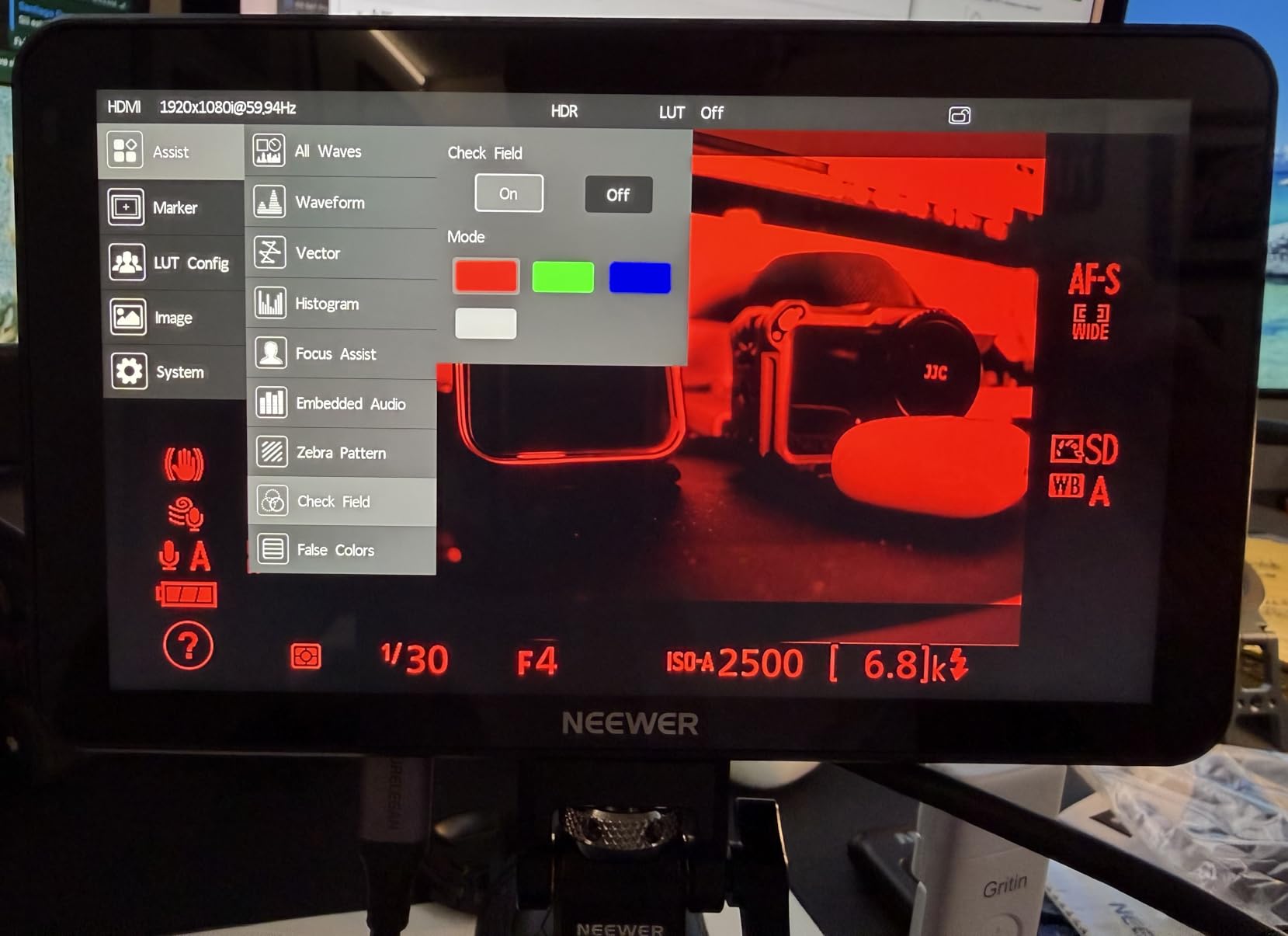
The LUT ecosystem is generous — 15 built-in LUTs plus slots for 64 custom loads. I uploaded a custom ARRI LogC to Rec.709 conversion and the F700U rendered it without artifacts. The 100000:1 contrast ratio means you can actually trust what you see when setting exposure for log footage. The 60Hz refresh rate is smooth enough for most work, though some users running 4K 120p sources may notice slight judder.
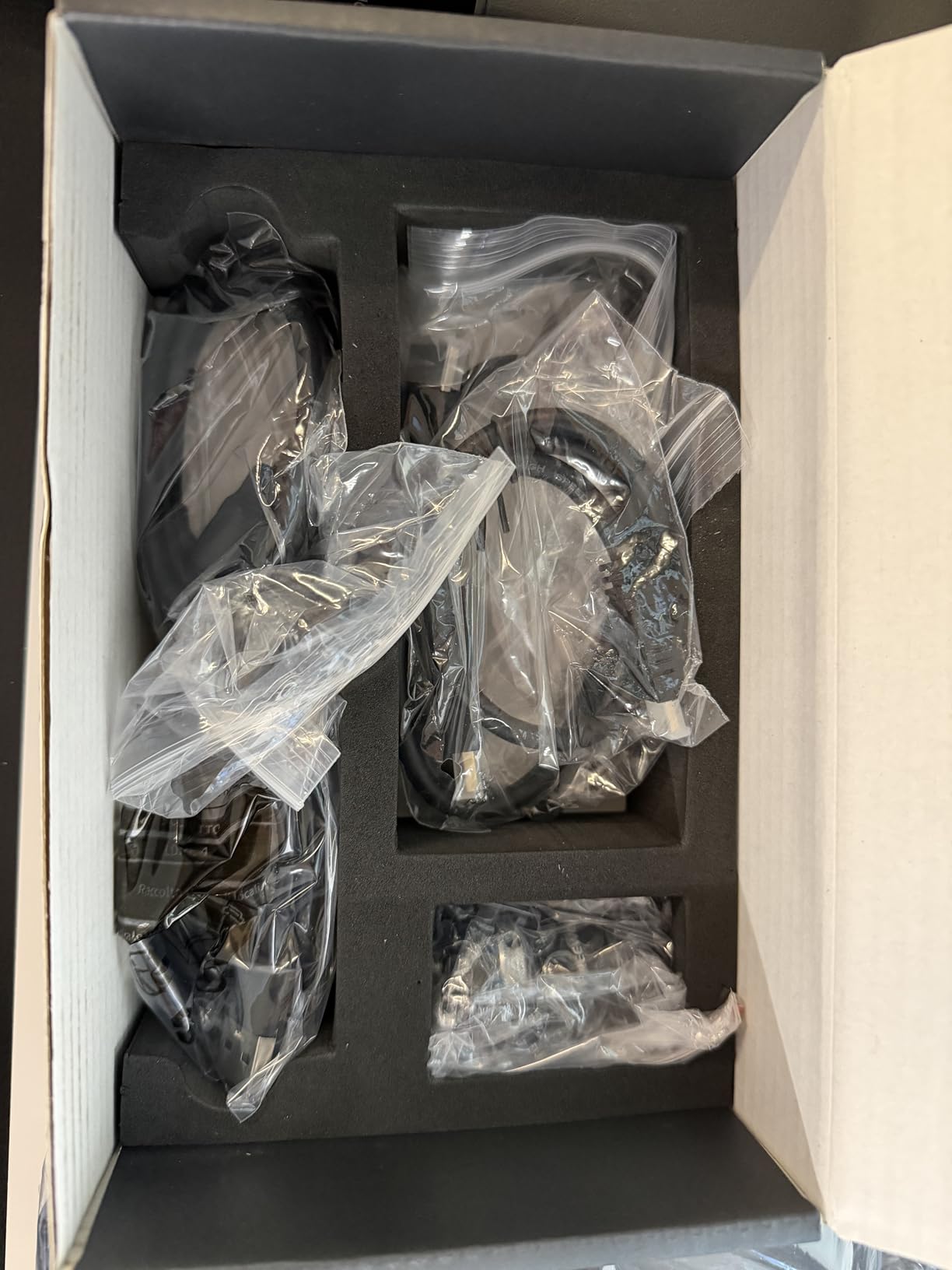
Build quality is consistent with the other NEEWER F-series monitors. The chassis is plastic but feels sturdy, and the touchscreen gestures work reliably. Two NP-F750 batteries ship in the box. The 59 reviews limit long-term reliability data, but the 4.5-star average is encouraging. The main trade-off is brightness: at 1200 nits, the OLED is dimmer than the F600 or F700 — fine for indoor and shaded outdoor work, marginal in direct noon sun.
OLED longevity considerations
OLED panels can develop burn-in if static UI elements stay on screen for hours. The F700U has a screensaver mode that activates after idle periods, and I recommend enabling it for any shoot longer than 2 hours. For documentary and event work where the monitor displays changing content constantly, this is less of a concern.
Who should skip it
Hobbyists and budget buyers do not need OLED or SDI. If your workflow is HDMI-only and you shoot mostly indoors, save the money and get the F700 or F600. The F700U is built for professional shooters who need accurate colors and SDI reliability.
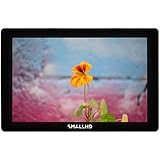
4. SmallHD Indie 7 On-Camera Monitor — Best Color Accuracy and Build Quality
SmallHD Indie 7 On-Camera Monitor with 7-Inch LCD Touchscreen, Daylight Visibility, 3G-SDI/HDMI and Camera Control Capability
1000nit IPS LCD
PageBuilder OS
Milled Aluminum Chassis
Pros
- Best-in-class color accuracy out of the box
- Ultra-thin milled aluminum chassis feels premium
- PageBuilder OS is intuitive and customizable
- RED camera control via Ethernet (optional license)
Cons
- Pricier than most 7-inch monitors
- Can run warm during extended recording sessions
- Camera control requires extra license and cable
The SmallHD Indie 7 is the monitor I keep coming back to when color accuracy matters most. Right out of the box, the colors look right. No tweaking, no LUT loading, no second-guessing. For narrative work where the DP and director both need to trust what they are seeing, the Indie 7 is the safest choice. The 1000-nit display is daylight visible with the included sunshade, though not as bright as the NEEWER F-series without one.
Build quality is where SmallHD justifies its reputation. The milled aluminum chassis is ultra-thin (just 1.3 inches wide) and weighs about 535 grams — lighter than most competitors. The buttons feel precise, the touchscreen is responsive, and the whole unit looks like a piece of pro gear. After weeks of daily use, my Indie 7 still looks new, while my budget monitor picked up scratches around the mount points.
PageBuilder OS is the most polished monitoring software I tested. You can build custom pages with the tools you use most — focus assist on one page, exposure on another, audio on a third — and swipe between them with a flick. This kind of workflow customization saves time on real shoots. The Indie 7 also supports 3D LUTs natively, and SmallHD’s LUT library is widely considered the best in the industry.
The 29 reviews are limited, but SmallHD’s reputation is well established across the cinema industry. Owners consistently praise color accuracy and build quality. The two real downsides are heat — the monitor gets noticeably warm during 4-hour shoots — and the optional camera control feature, which requires both a license and a separate Ethernet cable. At this price tier, those extras feel less surprising than they would on a budget monitor.
Software updates and longevity
SmallHD regularly pushes firmware updates that add features and fix bugs. My Indie 7 received two updates during the test period, each adding new monitoring tools and improving compatibility with newer cameras. This kind of long-term support is why professionals pay more for SmallHD — you are not just buying a monitor, you are buying into a software ecosystem that keeps improving.
Who should skip it
If you are on a tight budget and do not need cinema-grade color accuracy, the Indie 7 is overkill. The $999 price point makes sense for working professionals and rental houses, but hobbyists will get 90 percent of the value from a NEEWER or FEELWORLD monitor at half the cost.
5. NEEWER F100 7 inch Field Monitor Monitor — Best Budget 7 Inch Camera Monitor
NEEWER F100 7inch Camera Field Monitor HD Video Assist IPS 1280×800
1280x800 IPS
Sunshade Included
2737 Owner Reviews
Pros
- Most-reviewed budget monitor on Amazon
- Includes sunshade and ball head
- Lightweight at 13 ounces
- Reliable for years according to long-term owners
Cons
- Battery not included
- Brightness limited in direct sunlight
- No touchscreen
The NEEWER F100 is the monitor I recommend to anyone dipping their toes into video production. With 2737 reviews and a 4.2-star average, it has the largest user base of any monitor in this roundup — and for good reason. The image is sharp enough for focus checks on most cameras, the focus peaking actually works, and the build quality is surprisingly solid for the price. After a year of regular use, my F100 still looks and works like new.
The included sunshade is a small but meaningful bonus. At 450 nits of brightness, the F100 is not the panel to use in direct sunlight without shade. Pop the sunshade on and the image becomes perfectly readable for outdoor work in moderate light. The ball head and cold shoe mount also ship in the box, so you can mount the monitor on a camera or tripod right out of the package.
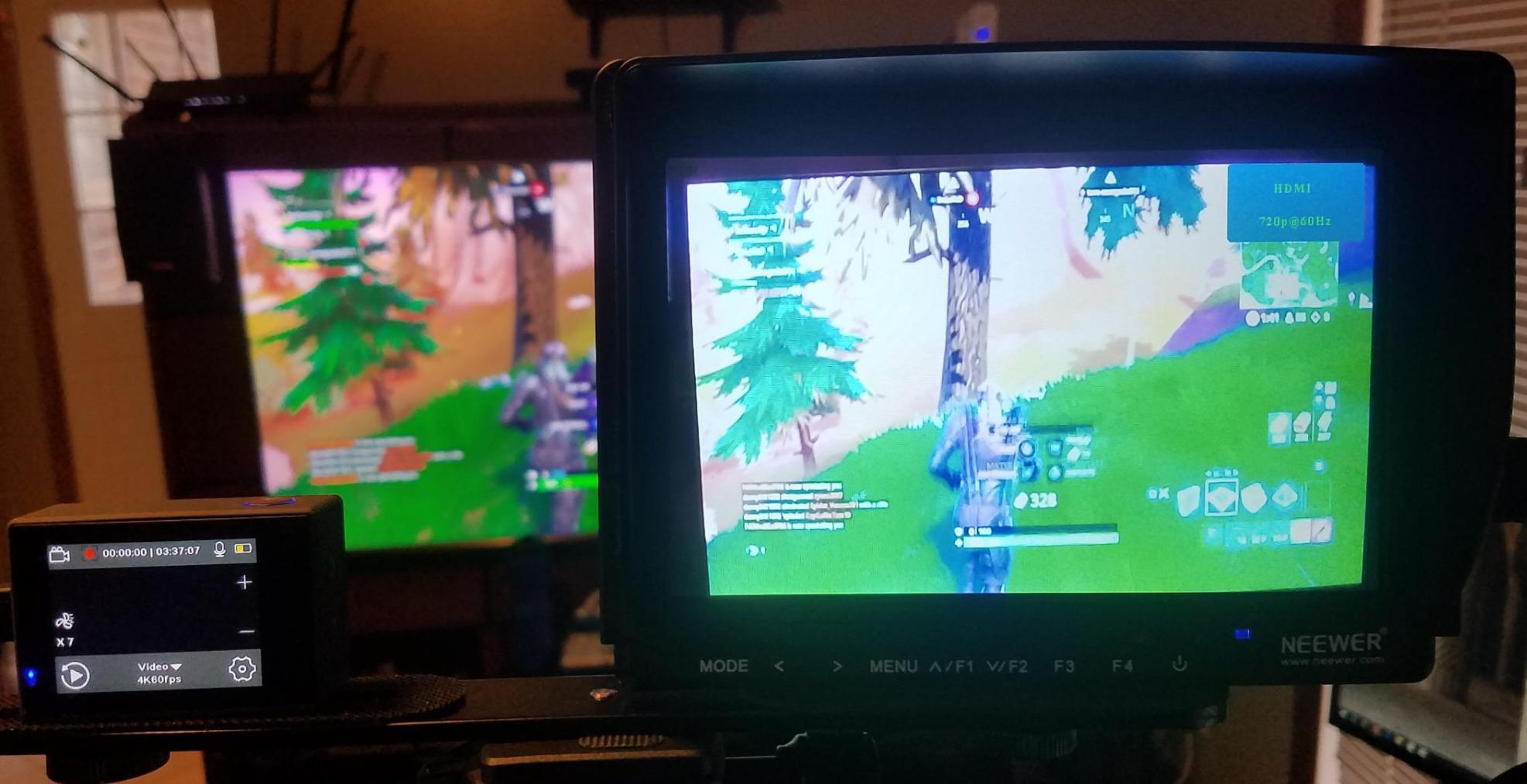
For studio work, talking head interviews, and shaded outdoor shoots, the F100 is genuinely good. The 1280×800 resolution is lower than the 1920×1080 panels above, but the image is still sharp enough to evaluate focus and exposure. The HDMI input handles 1080p signals cleanly, and the menu system — while not as polished as NEEWER’s newer monitors — gets the job done after a few minutes of exploration.
The biggest downside is that no battery ships in the box. Budget another $20-40 for an NP-F550 or NP-F750 battery if you want to run the F100 without external power. The lack of touchscreen is a real limitation compared to the F700 and F600 — you navigate entirely through buttons, which is slower but more reliable in cold weather when touchscreens can glitch.
Long-term reliability reports
Many of the 2737 reviews are from owners who have used the F100 for 2-3 years. The most common long-term complaints are around the cold shoe mount loosening over time and the menu buttons feeling less crisp after heavy use. The panel itself holds up well, and the HDMI port is sturdy. For a budget monitor, the durability story is impressive.
Who should skip it
If you shoot outdoors regularly in bright light, the 450-nit brightness will frustrate you even with the sunshade. For HDMI-only workflows and indoor or shaded shooting, the F100 is hard to beat at this price. Touchscreen lovers should look at the F700 instead.
6. FEELWORLD T7 Plus 7 inch IPS Monitor — Best Aluminum Build on a Budget
FEELWORLD T7 Plus 7 Inch 450nit FHD IPS Aluminum Field DSLR Camera Monitor
1920x1200 FHD
Aluminum Frame
4K HDMI Loop
Pros
- Full HD 1920x1200 resolution
- Aluminum chassis feels premium
- 4K HDMI pass-through
- False Color is excellent for exposure
Cons
- Power adapter not included
- Not a touchscreen
- 450 nits brightness limits outdoor use
The FEELWORLD T7 Plus punches above its price point in build quality. The aluminum chassis is rare in this price range — most budget monitors use plastic bodies that flex and creak. The T7 Plus feels solid in the hand, and after months of being tossed in a camera bag, mine still looks clean. The 1920×1200 resolution is sharper than the NEEWER F100 at the same price tier, which makes focus pulling more precise.
False Color is the standout feature. It overlays color-coded exposure zones on the image, so you can see at a glance which parts of the frame are clipping, which are underexposed, and which are properly exposed. I used it constantly during a documentary shoot to make sure skin tones stayed within the camera’s dynamic range. For the price, this is a professional-grade exposure tool.
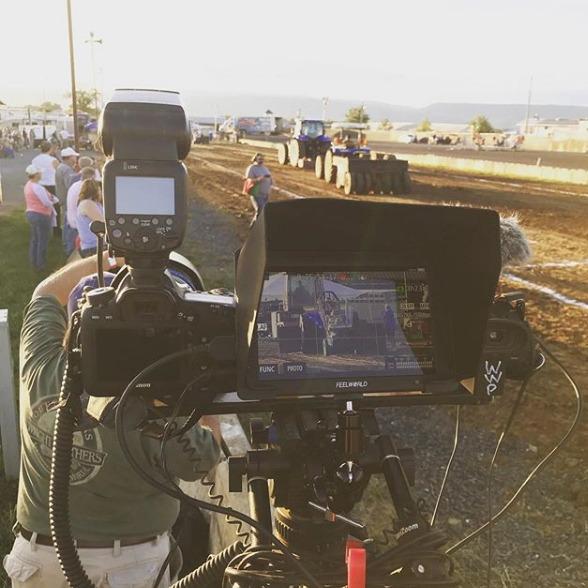
Connectivity is solid: 4K HDMI in and loop out at up to 30p, plus support for 4096×2160 cinema resolutions. I tested the loop out with an external recorder and the signal passed through cleanly. The 160-degree viewing angle is wide enough for client monitors and director’s chairs without the image washing out. The Rec.709 color standard calibration out of the box is accurate enough for most work.
The 582 reviews average 4.4 stars, with owners consistently praising the aluminum build and False Color tool. The most common complaints are around the missing power adapter (plan to buy one or run on NP-F batteries) and confusion about the 4K label — the panel is 1080p native, but accepts 4K input and passes it through. The lack of touchscreen is a real limitation compared to the NEEWER F-series.
Power options and battery life
The T7 Plus supports Sony NP-F batteries (F970 plate included), which is the most common battery standard for video accessories. With a fully charged NP-F970, I got roughly 4 hours of continuous use at moderate brightness. The DC input works with most third-party 12V adapters, but plan to budget $15-20 for one if you do not already have one.
Who should skip it
If you need a touchscreen interface or shoot primarily in bright outdoor conditions, look at the NEEWER F700 or F600 instead. The T7 Plus is ideal for indoor studio work, run-and-gun documentary, and shooters who value build quality and False Color over touchscreen convenience.
7. LILLIPUT FS7 7 inch SDI Monitor — Best Budget SDI Option
LILLIPUT FS7 7″ Full HD Camera Monitor with 3G-SDI and 4K HDMI Metal Housing High Resolution F970 Plate for Camcorder DSLR
3G-SDI + 4K HDMI
Metal Housing
Timecode Display
Pros
- 3G-SDI input and loop output
- Metal housing is durable and professional
- Timecode display for multicam workflows
- Lightweight at 320g
Cons
- Does not support HDCP
- Short power cord
- AC adapter sometimes missing
The LILLIPUT FS7 fills a niche the other monitors in this roundup ignore: budget SDI connectivity. At this price point, SDI is rare — most budget monitors are HDMI-only. For multicam live events, broadcast workflows, or anyone feeding the monitor from a cinema camera with SDI output, the FS7 is a smart pick. I tested it with a Blackmagic URSA Mini and the SDI signal locked in instantly with no handshake issues.
Build quality is genuinely professional. The metal housing is heavier than plastic competitors, but it feels like a piece of broadcast gear. The 22mm thickness is slim for a metal monitor, and the 320g weight makes it manageable on smaller rigs. After weeks of use on a multicam shoot, the FS7 still looked and performed like new.
The 500-nit brightness is similar to the FEELWORLD T7 Plus — usable indoors and in shade, marginal in direct sunlight without a sunshade. The 1920×1200 native resolution is sharp for focus evaluation. The included F970 battery plate is useful for powering the monitor in the field without AC. Timecode display is a nice touch for multicam workflows where you need to sync footage later.
The 43 reviews average 4.4 stars, with owners praising the SDI value and metal construction. The main complaints are around HDCP support (the FS7 cannot display Bluray or copy-protected content — fine for camera work, but limiting if you wanted to use it as a general preview monitor), the short power cord, and AC adapter occasionally missing from the package. These are minor issues for camera work, but worth knowing.
Multicam and live event use
The FS7 shines in live event and multicam environments where SDI is the standard. I used it as a confidence monitor on a corporate event shoot feeding off a video switcher, and the SDI loop out let me daisy-chain to a second monitor for the client. No signal drops, no artifacts. For wedding videographers running multicam setups, this is a strong value.
Who should skip it
Single-camera shooters using HDMI-only cameras will not benefit from the SDI connectivity and can save money with the FEELWORLD T7 Plus. The FS7 is built for SDI workflows where the lockable connectors and long cable runs matter.
How to Choose the Best 7 Inch On Camera Monitor for Your Work
After testing all seven monitors, the right choice comes down to how you shoot, not which one has the longest spec list. Here is what matters most when choosing a 7 inch on camera monitor.
Brightness and outdoor visibility
Nits measure how much light a panel emits per square meter. For indoor and shaded outdoor work, 450-500 nits is enough. For direct sunlight, you want at least 1500 nits, ideally 2000+. The NEEWER F600’s 2400-nit panel was the only one I could use at noon without a sunshade. If you regularly shoot outdoors, prioritize brightness over resolution — sharpness does not matter if you cannot see the image.
HDMI vs SDI connectivity
HDMI is the standard on mirrorless cameras and prosumer camcorders. Cables are cheap, signals are reliable at short distances, and almost every monitor supports HDMI input. SDI is the broadcast and cinema standard — cables lock in place, run hundreds of feet without loss, and connect to professional cameras. If you shoot with a Blackmagic, RED, or cinema-grade Sony/Canon body, SDI is worth the extra cost. For mirrorless and DSLR workflows, HDMI-only is fine.
Touchscreen vs button control
Touchscreens make navigating menus faster and let you pinch to zoom on focus points. They also allow for tap-to-focus on supported cameras. Button-only controls are slower but more reliable in cold weather, rain, and dust. For most users, touchscreen is the better choice. If you shoot in harsh conditions, buttons may actually be preferable.
Battery life and power options
Most 7-inch monitors run on Sony NP-F batteries (F550, F750, or F970). Higher capacity batteries last longer but add weight. The F970 is the standard for all-day shooting. Some monitors also support DC input or USB-C charging, which is useful for studio setups. Always budget for batteries — most monitors do not ship with them in the box.
Build quality and durability
Plastic chassis are lighter and cheaper but less durable. Aluminum chassis like the SmallHD Indie 7 and FEELWORLD T7 Plus survive years of bag abuse. For rental houses and heavy daily use, metal is worth the premium. For occasional weekend shoots, plastic is fine.
Customer support and warranty
Forum threads on r/videography consistently flag customer support as a major buying factor. SmallHD and NEEWER have responsive support teams and clear warranty policies. Smaller brands sometimes have limited support infrastructure. Buying from a brand with reliable customer service saves headaches if anything goes wrong.
LUT support and color tools
If you shoot in log or raw and need to preview graded footage on set, look for monitors with 3D LUT support. The number of custom LUT slots varies from 4 (F600) to 64 (F700U). For occasional use, even a few LUT slots is enough. For color-critical work, more slots give you flexibility to load multiple looks.
Frequently Asked Questions
What is the best 7 inch camera monitor?
The best 7 inch camera monitor overall is the NEEWER F700 for most shooters. It offers 2000-nit brightness, a responsive touchscreen, 3D LUT support, and ships with two NP-F750 batteries in the box. For color-critical cinema work, the SmallHD Indie 7 has best-in-class color accuracy out of the box. For budget buyers, the NEEWER F100 delivers reliable performance at the lowest price.
What is the best on-camera monitor in 2026?
In 2026, the top on-camera monitor picks are the NEEWER F700 (best overall value with included batteries), the SmallHD Indie 7 (best color accuracy and build quality), and the NEEWER F700U (best OLED with SDI for professional workflows). Budget shooters get the most value from the FEELWORLD T7 Plus or NEEWER F100.
Is a 7 inch monitor too big for a mirrorless camera?
A 7 inch monitor is larger than the typical 5-inch field monitor, but most mirrorless rigs handle it well. On a Sony A7S III or Canon R5 with a small cage, a 7-inch monitor may feel oversized. On larger mirrorless bodies or cinema cameras, 7 inches is a comfortable size that improves focus accuracy without being unwieldy. For gimbal work, 5-inch monitors are often preferred for weight reasons.
What brightness do I need for outdoor shooting?
For outdoor shooting in direct sunlight, look for at least 1500 nits of brightness. The NEEWER F600 at 2400 nits is the brightest monitor in this roundup and remains visible at noon without a sunshade. For shaded outdoor work, 450-1000 nits is enough if you use the included sunshade. Below 450 nits, outdoor visibility is difficult even with shading.
Are budget 7 inch monitors good enough for professional work?
Budget 7 inch monitors like the NEEWER F100 and FEELWORLD T7 Plus are acceptable for many professional applications including documentary work, event coverage, and indie filmmaking. They lack the color accuracy, brightness, and build quality of premium options, but they deliver reliable focus assist and exposure monitoring. For cinema work where color accuracy is critical, premium monitors like the SmallHD Indie 7 are worth the investment.
Final Verdict
The best 7 inch on camera monitor for most shooters in 2026 is the NEEWER F700 — bright, accurate, and shipped with everything you need to start shooting. If color accuracy is your top priority and budget is not an issue, the SmallHD Indie 7 is worth every penny. For budget buyers, the NEEWER F100 has thousands of happy owners and a track record of reliability. Whatever you choose, a 7-inch field monitor will change how you shoot video.