
When our team rebuilt our live production studio earlier this year, we spent three weeks testing cameras for everything from weekend church services to midweek corporate keynotes. We wanted gear that could survive long run times, talk to a switcher over SDI, and still look good in mixed lighting. That hunt is exactly what led us to put together this guide to the best broadcast cameras for live production.
Live production is a different beast from filmmaking. You need genlock sync, tally lights, CCU remote control, and rock-solid SDI output so a vision mixer can cut between cameras without a single dropped frame. Whether you run a volunteer church crew, a mobile sports rig, or a corporate studio, the right broadcast camera makes the difference between a clean program feed and a stream full of glitches.
In this 2026 roundup we cover eight cameras our team has used on real productions over the last 12 months, plus a buying guide that explains sensor sizes, connectivity, and total cost of ownership. If you are also shopping for streaming-only setups, our 15 best cameras for live streaming guide covers the simpler end of the market.
Table of Contents
Top 3 Picks for Best Broadcast Cameras for Live Production (September 2026)

Blackmagic Studio Camera 6K Pro
- 6K Super 35 sensor
- 12G-SDI and HDMI
- Talkback and tally built in
- Hardware live streaming

Blackmagic Micro Studio Camera 4K G2
- Compact MFT body
- 12G-SDI and HDMI
- ATEM remote control
- Blackmagic RAW recording

AVKANS NDI PTZ Camera
- 30x optical zoom
- NDI HX2 and HX3 single cable
- 3G-SDI HDMI and IP
- AI auto tracking
Best Broadcast Cameras for Live Production in 2026
| Product | Specifications | Action |
|---|---|---|
| Blackmagic Studio Camera 6K Pro |
|
Check Latest Price |
 Blackmagic Pocket 6K Blackmagic Pocket 6K |
|
Check Latest Price |
| Blackmagic Micro Studio 4K G2 |
|
Check Latest Price |
 Blackmagic Studio 4K Plus G2 Blackmagic Studio 4K Plus G2 |
|
Check Latest Price |
| AVKANS NDI PTZ |
|
Check Latest Price |
 Panasonic HC-X20 Panasonic HC-X20 |
|
Check Latest Price |
 Canon EOS R5 C Canon EOS R5 C |
|
Check Latest Price |
 Blackmagic Pocket 4K Blackmagic Pocket 4K |
|
Check Latest Price |
1. Blackmagic Studio Camera 6K Pro – Editor’s Choice for Live Production
Blackmagic Design Studio Camera 6K Pro (EF Mount) Live Production Camera (CINSTUDMFT/G26PDK)
6K Super 35 sensor
12G-SDI and HDMI
Talkback tally and color corrector
Hardware live streaming
Pros
- True broadcast studio design with tally
- talkback
- and color corrector
- Seamless integration with ATEM switchers and Blackmagic ecosystem
- 6K sensor with 13 stops of dynamic range and dual native ISO 400/3200
- Hardware live streaming over Ethernet without a computer
Cons
- Heavy at 3.7 kg
- Limited stock and long lead times
The Blackmagic Studio Camera 6K Pro is the camera our team grabs first when a client says the words “live production” and “studio” in the same sentence. The Super 35 6K sensor gives us 13 stops of dynamic range, and the dual native ISO of 400 and 3200 means we can light a talk show with softboxes one day and a dim concert hall the next without a sensor swap. The 7 inch HDR viewfinder is genuinely usable outdoors, and the built-in 2/4/6 stop ND filters save us from swapping glass every time the sun moves.
What sold us was the broadcast I/O. You get 12G-SDI in and out, HDMI 2.0, 10G Ethernet for hardware live streaming, two XLR audio inputs, and even 3.5mm talkback so the director can talk to the camera operator. Pair it with an ATEM switcher and you get tally, remote camera control, and built-in color correction straight from the switcher. We ran one for a 12 hour live event with no heat issues and no dropouts. If you are building a multi-cam studio and want a camera that just works with the rest of the Blackmagic ecosystem, this is the unit.
For whom it is good
Studios running ATEM switchers that need a true studio form factor with tally, talkback, and remote CCU control will love this camera. It is also a great fit for broadcast education programs, houses of worship running multi-cam IMAG, and corporate event producers who want a cinema look with broadcast connectivity.
For whom it is not a fit
If you are doing solo run-and-gun streaming with no switcher, the Pocket 6K or even a camcorder is more flexible. The 3.7 kg body also rules out drone work, and the price climbs quickly when you add a tripod plate, viewfinder hood, and a Studio Converter for fiber runs.
2. Blackmagic Pocket Cinema Camera 6K (EF Mount) – Best Cinema Quality for Live Streams
Blackmagic Design Pocket Cinema Camera 6K with EF Lens Mount
Super 35 6K sensor
EF lens mount
Built-in ND filters
ProRes and BRAW recording
Pros
- 6K Super 35 sensor with cinema-grade color science
- EF mount unlocks the huge Canon and third party lens ecosystem
- Built-in 2/4/6 stop ND filters
- Same Blackmagic menu and RAW workflow as higher end bodies
Cons
- No continuous autofocus
- Batteries drain in about 20 minutes
- Can overheat in enclosed rigs
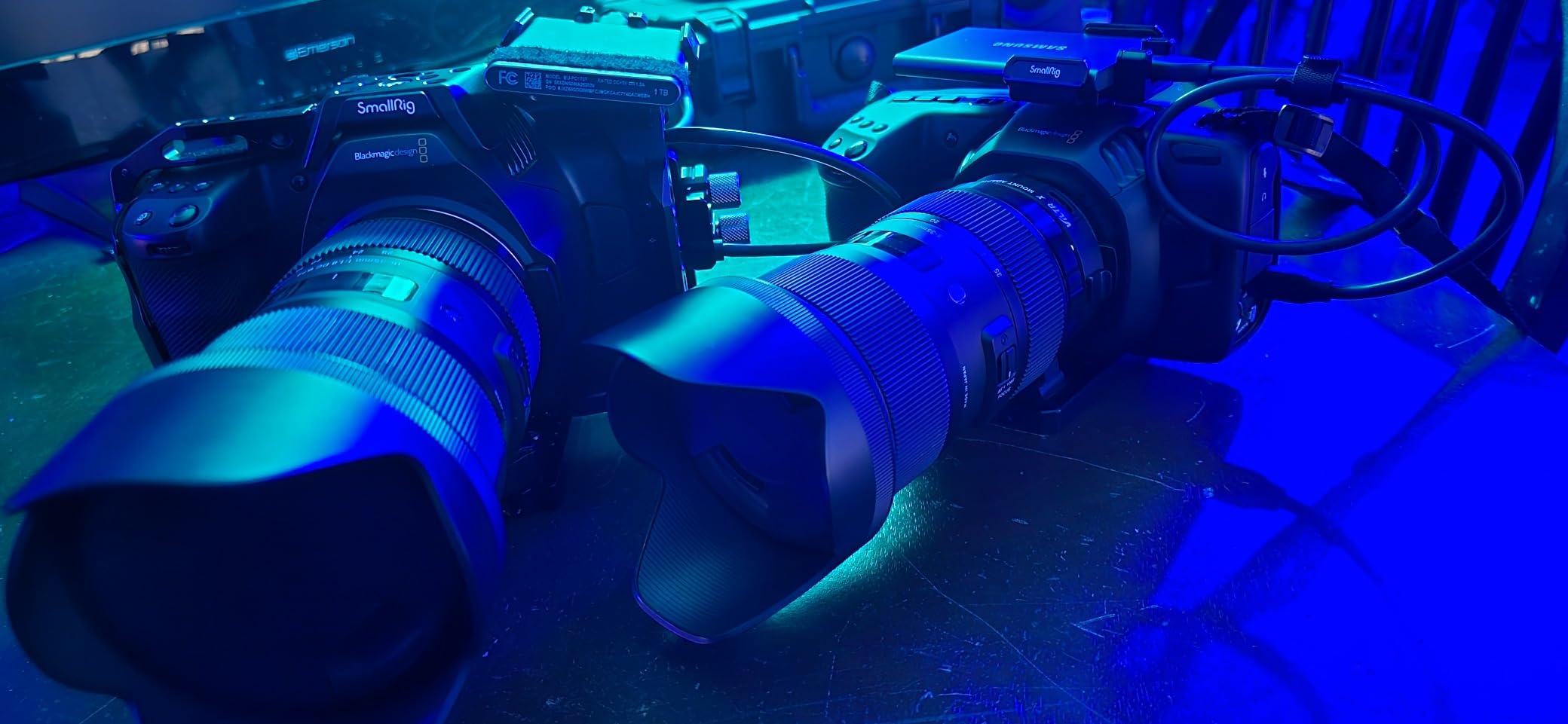
Our team has been using the Pocket 6K as a B-cam on live switched shows for two years now, and it is one of the most flexible bodies you can put in a multi-cam rig. The Super 35 sensor is a real broadcast workhorse when paired with a video lens like the Canon CN-E series, and the built-in ND filters mean we can keep the same depth of field when the lighting changes during a long event.
For live production you feed it through an HDMI to SDI converter, or straight into a capture card if your switcher supports it. The 6K sensor oversampled to 4K is sharp enough for big IMAG screens, and the Blackmagic RAW workflow means our post team can match the look of the ATEM-controlled studio cameras in DaVinci Resolve. The body is light, the menu is familiar to anyone who has touched a Blackmagic camera, and the price has dropped a lot since launch. If your production style is more cinematic than newsroom, this is a brilliant choice.
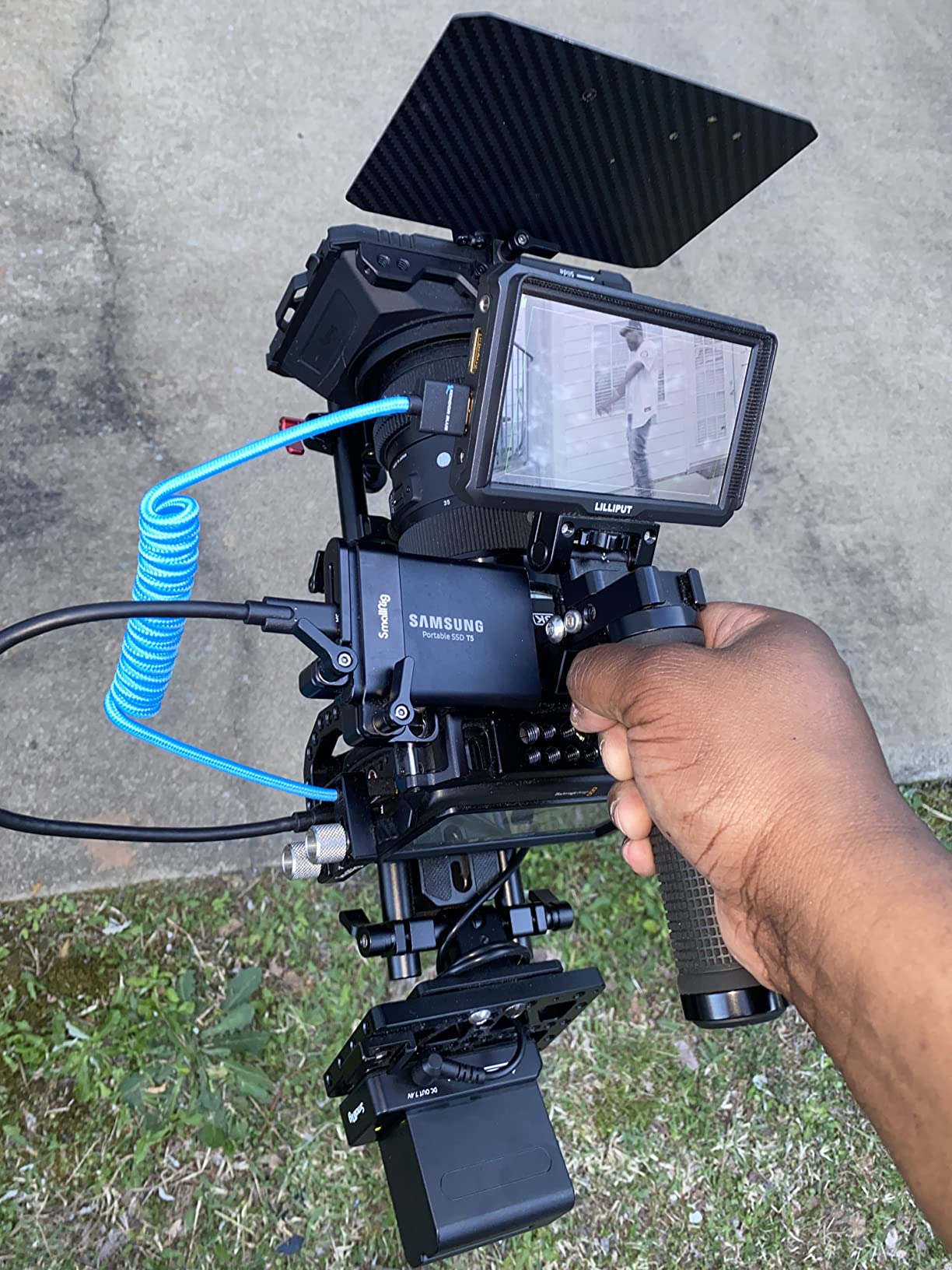
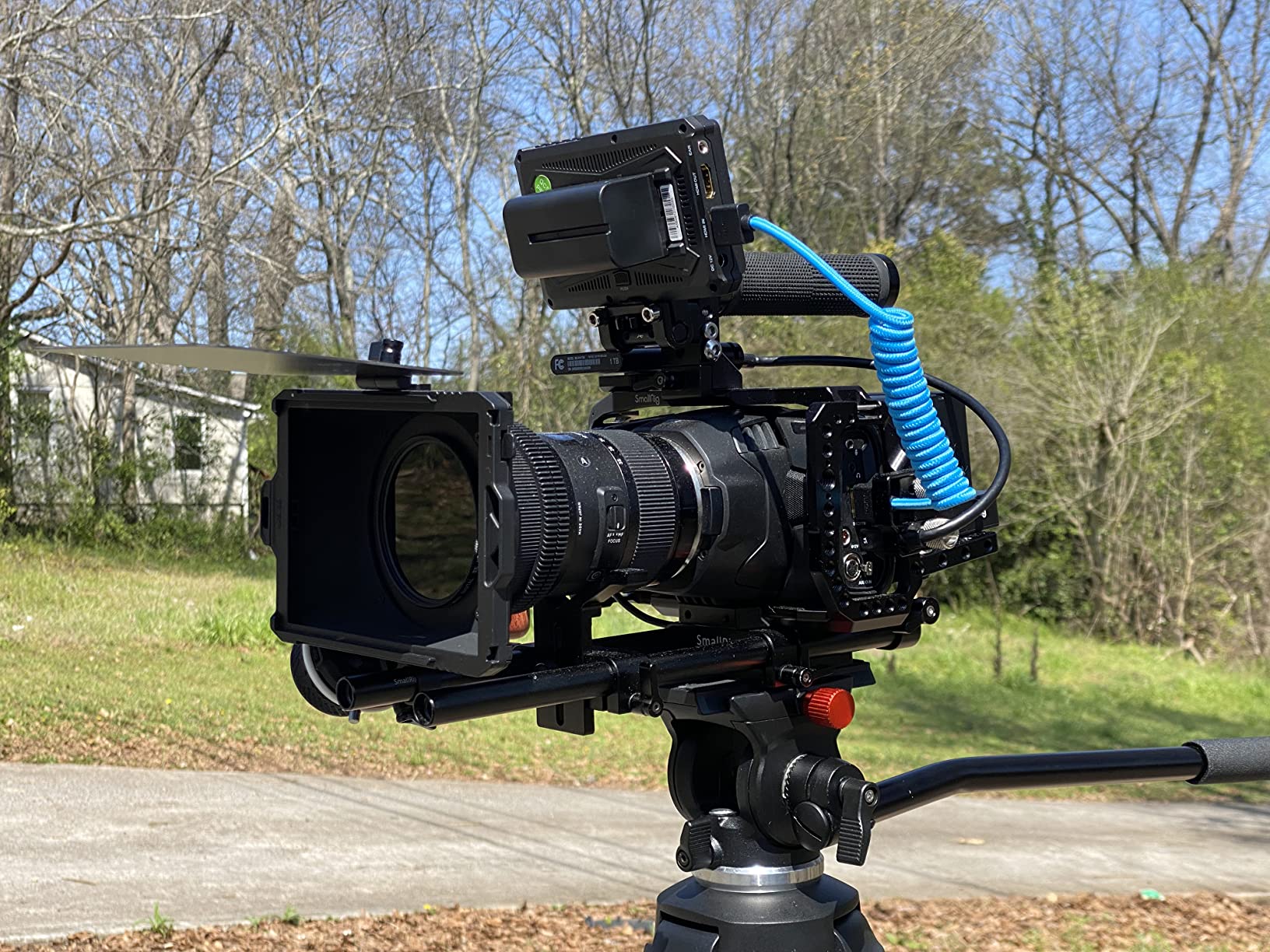
Two things to know before you buy. First, there is no continuous autofocus, so you need a competent focus puller or a wide enough lens to stay safe. Second, battery life is around 20 minutes per LP-E6, so you will want a V-mount plate or USB-C PD power for anything longer than a short segment. If you are planning a multi-cam setup, you might also enjoy our 5 best cameras for multi-camera live production guide for a fuller workflow.
For whom it is good
Hybrid cinema and live teams who want the same body for documentary shoots and switched events. It is also ideal for streamers who want a real cinema look on a budget and have a small crew to manage focus manually.
For whom it is not a fit
Volunteer crews needing autofocus, solo streamers who do not want to wrangle RAW files, and anyone needing a true studio form factor with tally will be better served by the Studio Camera 6K Pro or one of the PTZ options below.
3. Blackmagic Micro Studio Camera 4K G2 – Best Compact Camera for Tight Mounts
Blackmagic Design Micro Studio Camera 4K G2 Live Production Camera (CINSTUDMFT/UHD/MRG2)
Tiny 4K MFT body
12G-SDI in and out
ATEM remote control
Blackmagic RAW
Pros
- Incredibly small carbon composite body fits anywhere
- 4K image quality matches the Pocket 4K
- 12G-SDI and HDMI for real broadcast connectivity
- Remote control through ATEM switcher over SDI
Cons
- No built-in screen
- Battery lasts about 30 minutes
- Micro BNC connectors need adapters
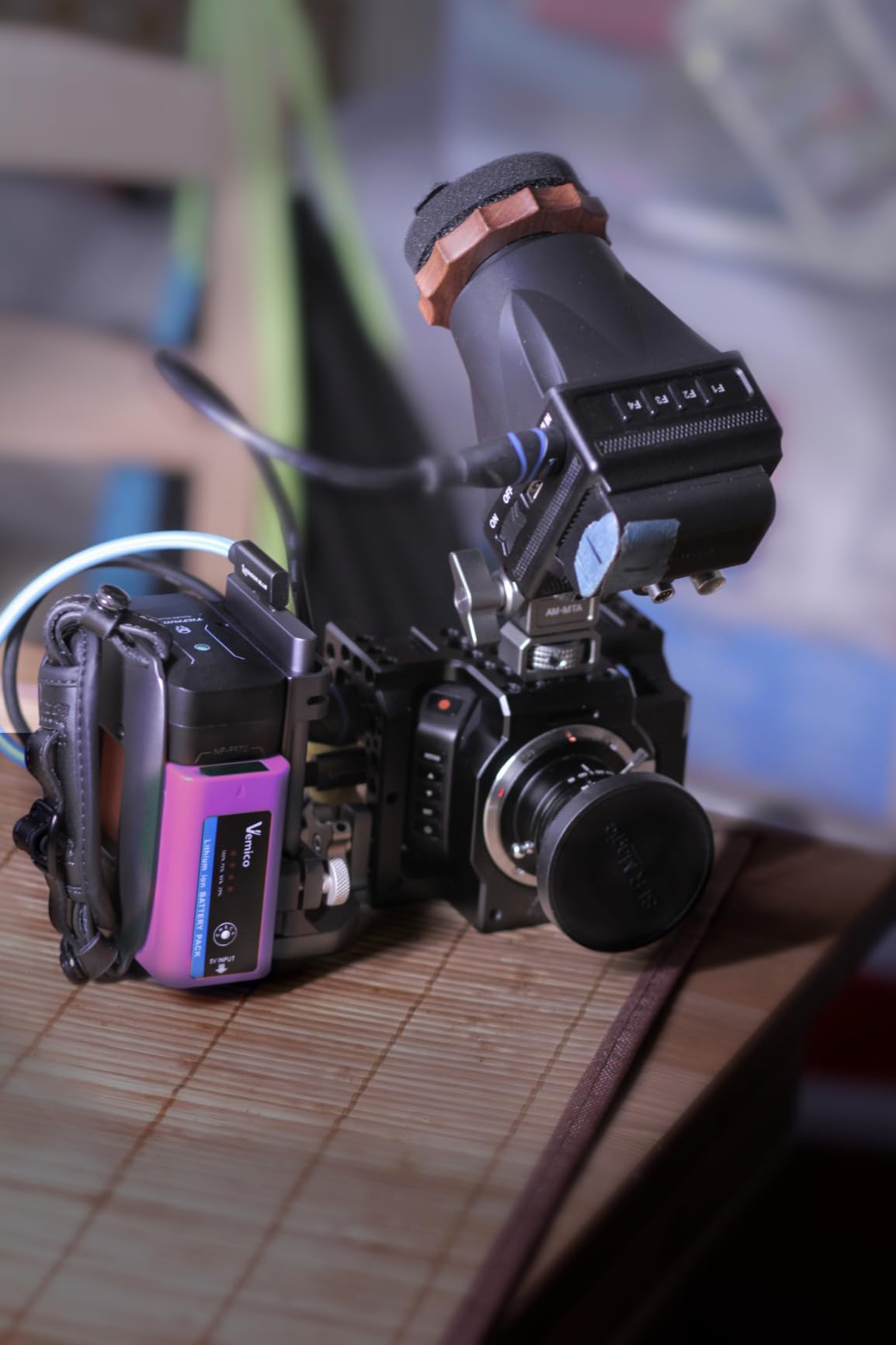
When a client asked us to hide a camera on a church ceiling beam, the Micro Studio Camera 4K G2 was the only body in the kit bag that would do the job. It weighs 16 ounces, mounts on practically anything, and still gives you a 4K sensor with 13 stops of dynamic range. We have used it as a crash cam on a concert stage, as a hidden angle on a corporate panel, and even strapped to a jib arm when a full studio camera was too heavy.
Despite the size, it is a real broadcast camera. You get 12G-SDI in and out, HDMI, a tally light, and remote control through the ATEM switcher. Tweak exposure, white balance, and color correction from the control room and the operator just frames the shot. The Blackmagic RAW recording to USB-C also gives you a quick ISO feed in case the program cut has a problem. For virtual sets and LED volumes, this little camera punches way above its weight, and it pairs naturally with the cameras we use in our 8 best cameras for virtual production sets list.
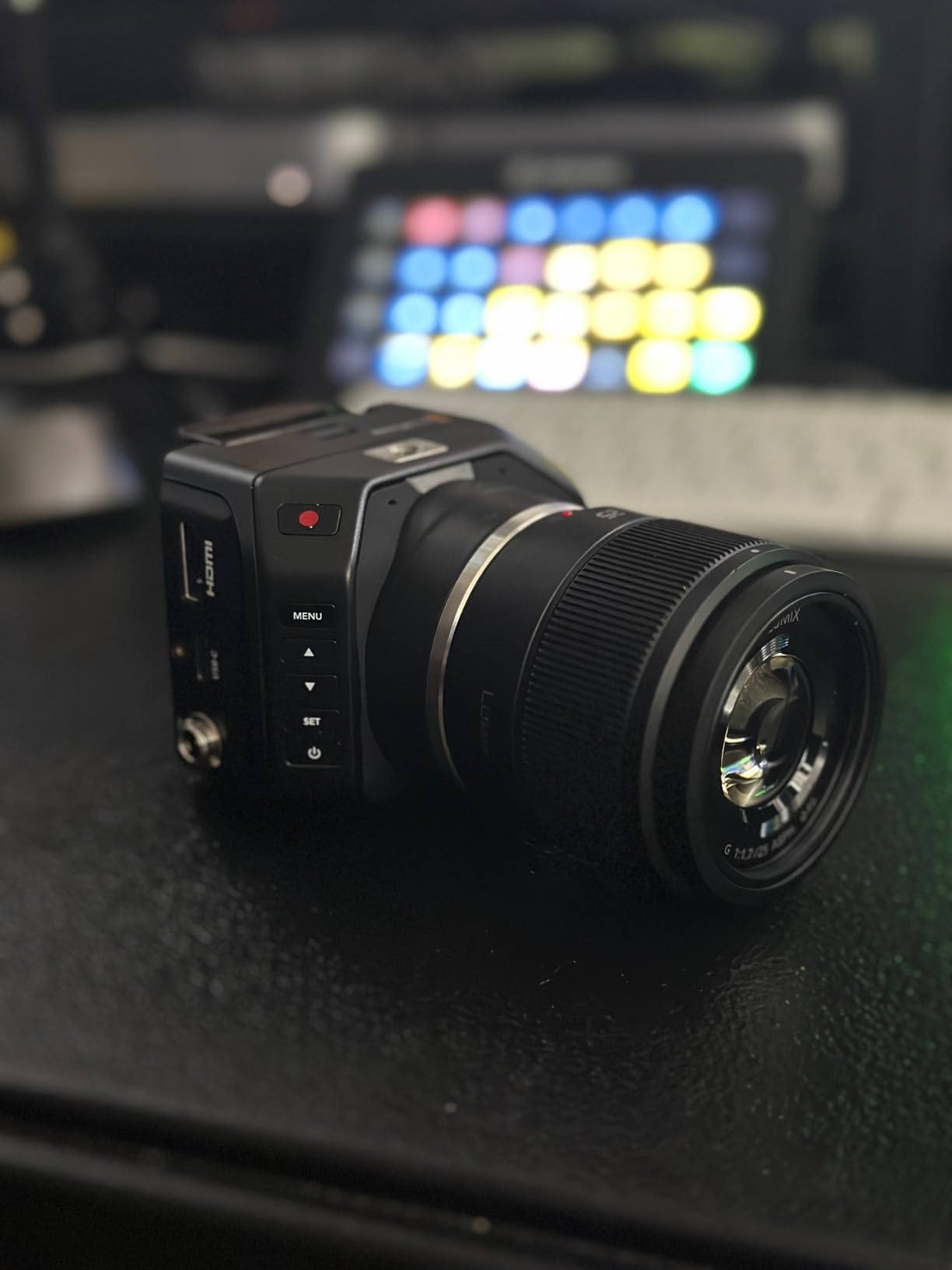
The downsides are real. There is no built-in screen, so you need an external monitor or a remote preview from the switcher. The micro BNC connectors require adapters or special cables, and the menu system is awkward to drive without a screen. Battery life is short, so plan on a power supply or a USB-C PD source for anything longer than a quick shot. We also found color matching with other Blackmagic cameras needs a careful DaVinci pass to nail down.
For whom it is good
Multi-cam crews that need hidden angles, ceiling mounts, drone work, or crash-cam positions. It is also a brilliant B-cam for any production that already runs ATEM switchers and wants to keep the same color pipeline.
For whom it is not a fit
Anyone who needs a self-contained camera with a viewfinder and on-camera operator. This is a remote-controlled body and it really wants an ATEM switcher in the loop to shine.
4. Blackmagic Studio Camera 4K Plus G2 – Best Value Studio Camera
Blackmagic Design Studio Camera 4K Plus G2 Live Production Camera (CINSTUDMFT/G24PDDG2)
4K MFT sensor
7 inch LCD with sunshade
12G-SDI and HDMI
Active MFT mount
Pros
- Lower price than the 6K Pro for a true studio body
- Same Blackmagic broadcast menu and color corrector
- 7 inch HDR LCD with sunshade and tripod mount included
- Lightweight 3.2 kg carbon composite body
Cons
- MFT lens mount limits telephoto reach
- Limited stock
- No 6K oversampling for large screens
The Studio Camera 4K Plus G2 is what we recommend to churches, schools, and small corporate studios that want a real broadcast camera without paying for the 6K sensor. You still get the 7 inch HDR LCD with sunshade, the 12G-SDI and HDMI connections, talkback, tally, and remote control through ATEM. The image quality is the same look our team has used on dozens of streamed services and it matches the higher end Blackmagic bodies nicely with a quick DaVinci color match.
For a one or two camera setup feeding a video projector or a YouTube live stream, the 4K Plus is a great fit. It is light enough for a volunteer to mount on a tripod, the menu is forgiving, and the active MFT mount accepts a huge range of affordable stills and cinema glass. We have used it with Olympus 12-40mm pro lenses for wide talking head shots and Sigma 18-35mm with adapter for tighter stage work, and both combinations looked excellent on a 4K IMAG screen.
For whom it is good
Houses of worship, schools, and small corporate studios that need a professional studio camera at a sub-$2000 price. Also a great choice for anyone building a Blackmagic pipeline who wants a second or third studio body without breaking the budget.
For whom it is not a fit
Large venues that need a long telephoto reach for sports or concerts will find the MFT mount limiting without an adapter. Productions that need 6K oversampling for giant LED walls or cinema deliverables should step up to the 6K Pro instead.
5. AVKANS NDI PTZ Camera – Best Budget PTZ for Live Production
AVKANS NDI PTZ Camera – 30X Auto Tracking Live Streaming Cam with SDI/HDMI/IP Outputs for Church Worship School Sport Hospital Wedding(NDI HX2 and NDI HX3)
30x optical zoom
NDI HX2 and HX3 over single Ethernet cable
3G-SDI HDMI and IP outputs
AI auto tracking
Pros
- 30x optical zoom reaches across auditoriums
- Single Ethernet cable carries power video and control via NDI HX3
- AI auto tracking with presenter and zone modes
- Half the price of Sony and PTZOptics equivalents
Cons
- Initial network setup has a learning curve
- Power-on sequence takes 10-15 seconds
- Autofocus slower than premium PTZ cameras
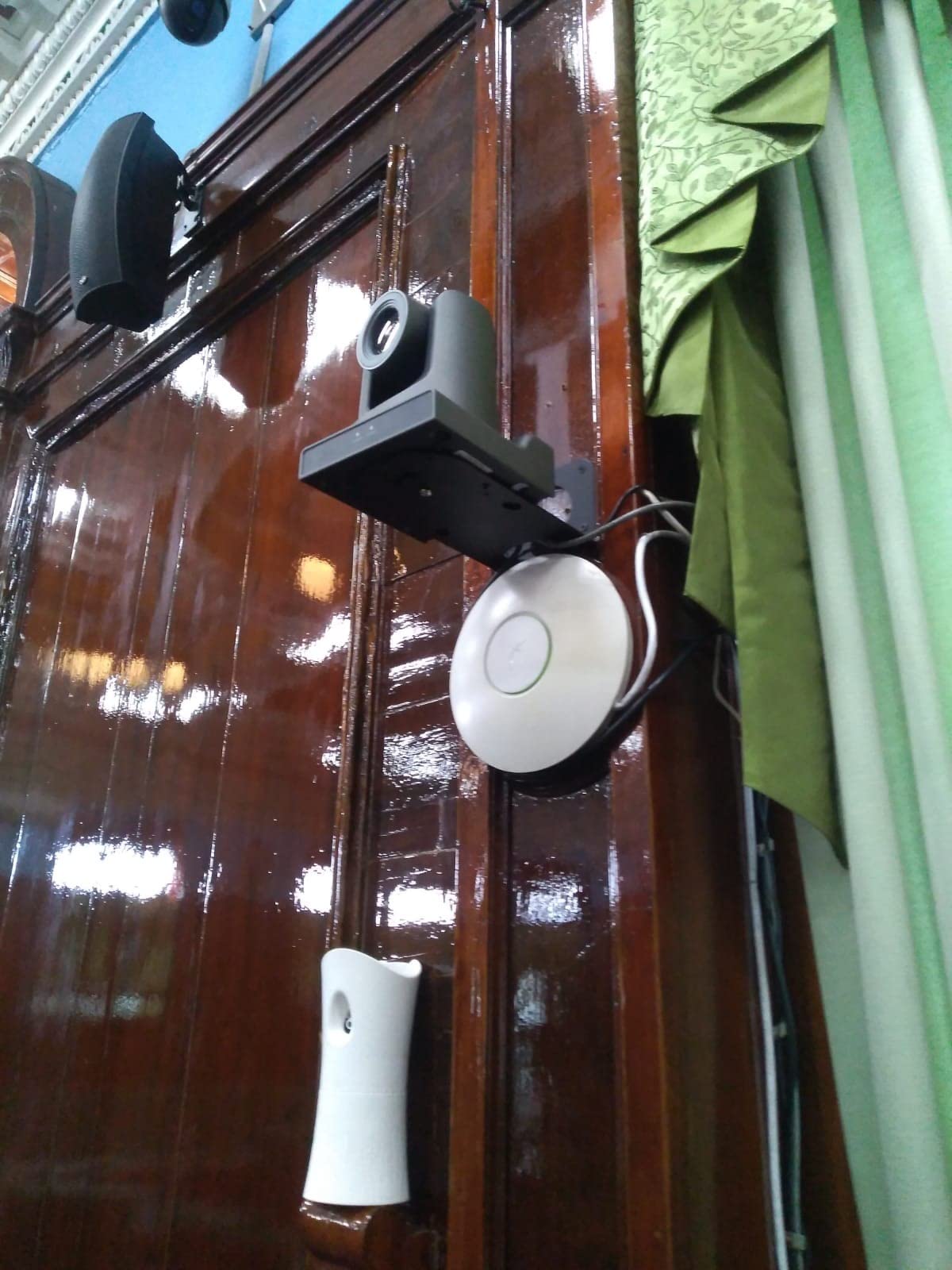
If your live production involves a fixed camera position that nobody wants to operate, a PTZ camera is a no-brainer, and the AVKANS NDI PTZ is the best value we have tested. We installed two of them in a 400-seat church and the team has not touched them in six months except to wipe the lens. The 30x optical zoom covers everything from a wide pulpit shot to a tight close-up on a music director across the room.
The killer feature is NDI HX3 over a single Ethernet cable. Power, video, control, tally, and audio all flow through one Cat6 run, which is a game-changer when you are pulling cable through conduit. You still get simultaneous 3G-SDI, HDMI, and IP outputs, so it will talk to almost any switcher or streaming software. The AI auto tracking actually works for predictable presenters, and the vMix and OBS compatibility meant our volunteers had the cameras running in under an hour. Compared to a Sony BRC or PTZOptics Move 4K, the price is a fraction for very similar image quality. If you want even more streaming-focused options, our 8 best cameras for live shopping streams guide has PTZ picks for retail and product demos.
Two real-world notes. First, the default static IP and the documentation assume you know how to set up a small VLAN, so budget an hour with the IT volunteer. Second, the autofocus hunts a little more than a Sony BRC in low light, so for very dim venues you may want to lock focus with the manual override. Battery and SDI limitations do not apply here because it runs on PoE and outputs over SDI full time.
For whom it is good
Churches, lecture halls, corporate training rooms, and any venue that needs two or more fixed camera positions with no operator. Also a strong choice for streamers who want a cinema-quality PTZ without a five-figure price tag.
For whom it is not a fit
Handheld event coverage, sports with tracking shots, and any production that needs a manned studio camera with creative focus pulls. For those jobs, look at a camcorder or one of the Blackmagic studio bodies above.
6. Panasonic HC-X20 – Best Professional Camcorder for ENG and Events
Panasonic Camcorder, Professional Quality 4K 60p, 1.0-inch Sensor, 24.5mm Wide-Angle Lens and Optical 20x Zoom, Great for News, Interviews, and Events – HC-X20
1.0 inch MOS sensor
4K 60p recording
20x optical zoom
5 axis hybrid OIS
Pros
- 1.0 inch sensor delivers real broadcast depth of field
- 4K 60p with 10 bit 4:2:2 recording
- 20x optical zoom covers most ENG and event jobs
- 5 axis hybrid OIS keeps handheld footage steady
Cons
- Currently out of stock at most retailers
- Proprietary battery charger connector
- No interchangeable lens mount
For news, ENG, and one-man-band event work, a real camcorder is still hard to beat, and the Panasonic HC-X20 is the one our team reaches for. The 1.0 inch sensor is large enough to give you that creamy background separation clients love, but the camera is still shoulder-friendly for long days. The 20x optical zoom with i.ZOOM up to 32x in HD means a single operator can cover a keynote from the back of a 1000 seat room without swapping lenses.
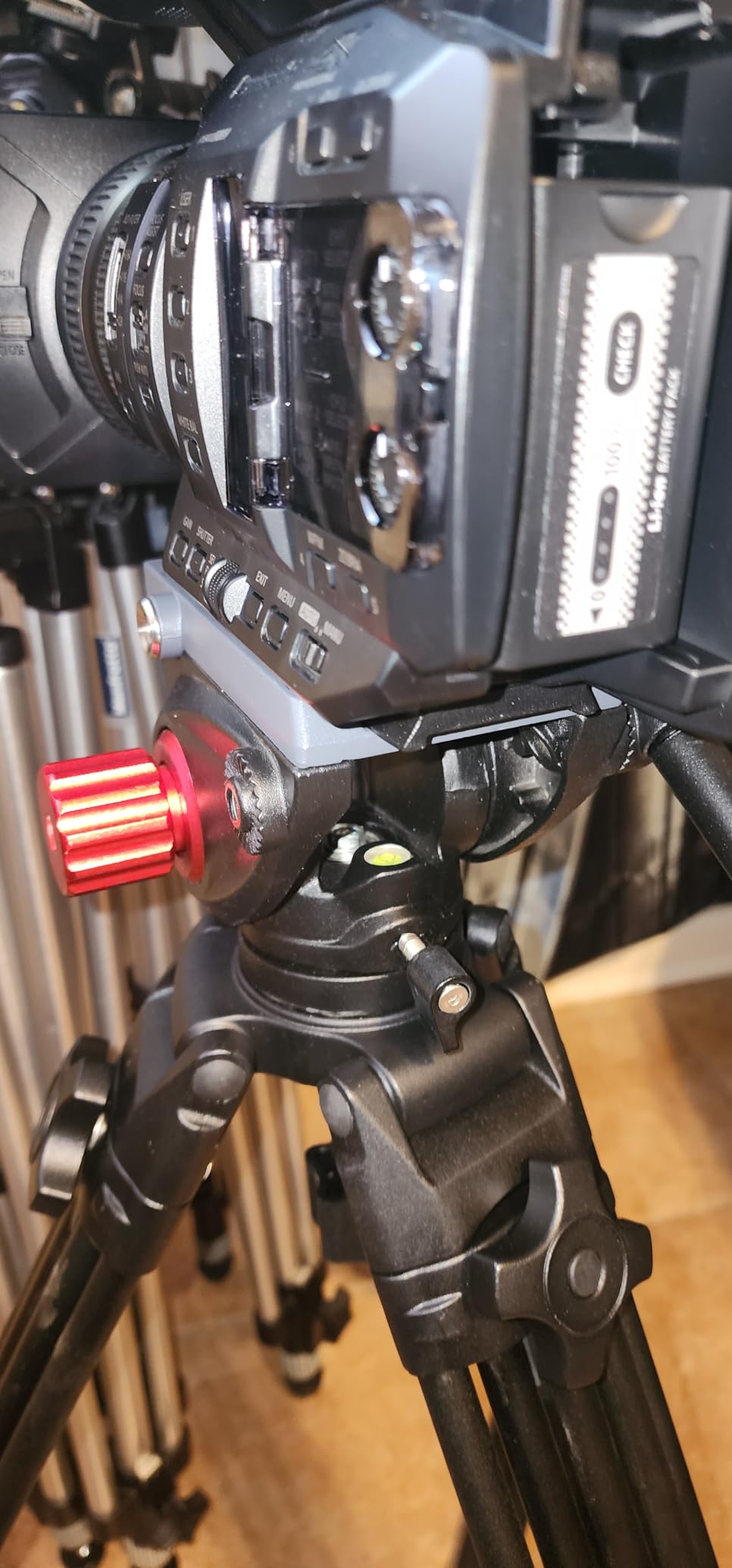
It records 4K 60p with 4:2:2 10 bit color to SDXC cards, which is more than good enough for most live-to-tape workflows. You also get XLR audio inputs, a wired remote terminal, and triple manual rings for focus, iris, and zoom. The 5 axis hybrid OIS keeps handheld shots steady, and face detection autofocus is reliable enough for run-and-gun interviews. For live work, the HDMI output feeds a switcher or capture card cleanly, and the Ethernet port supports IP streaming for direct-to-web setups. If you want cinema-style interchangeable lenses for your commercial shoots, our 10 best cinema cameras for commercial production list is the better read.
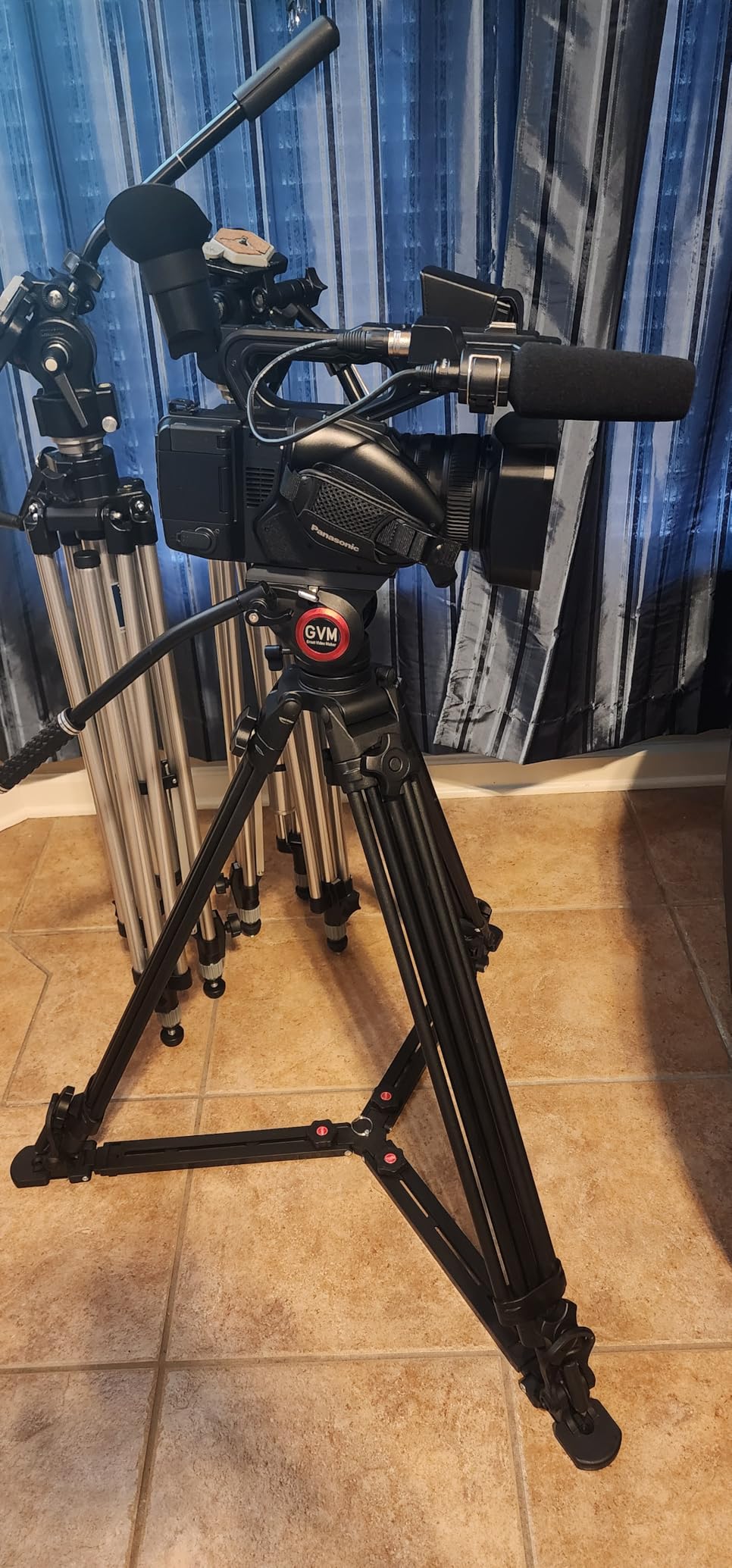
The HC-X20 is temporarily out of stock at many retailers right now, which is worth flagging. The proprietary battery charger connector is also a real pain if you lose or break the charger because a replacement runs about $200. Plan an extra battery and a third party charger if you go this route.
For whom it is good
News teams, corporate communicators, and event videographers who need a single camera that can shoot, stream, and record. Also a great B-cam for any multi-cam setup that wants a long telephoto reach.
For whom it is not a fit
Cinema-style productions needing shallow depth of field with prime lenses, and anyone locked into a Blackmagic or Sony ecosystem that wants perfect color matching across cameras. For those jobs, step up to a Pocket 6K or Canon R5 C.
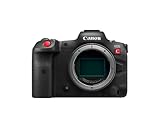
7. Canon EOS R5 C – Best Hybrid 8K Camera for High-End Productions
Canon EOS R5 C Mirrorless Camera (Body Only), 45 Megapixel CMOS Sensor, Hybrid Full-Frame Cinema Camera, 8K/60P Internal RAW Recording, RF Mount, Black
45MP full frame sensor
8K 60p RAW internal
Dual Pixel CMOS AF with eye tracking
Timecode in and out
Pros
- 8K 60p RAW internal recording is unmatched in this price range
- 45MP stills and cinema video in one body
- Canon Dual Pixel autofocus with eye and head tracking
- Timecode input and output for multi-cam sync
- Netflix approved
Cons
- No in-body image stabilization
- Limited battery life in video mode
- Mini HDMI port is fragile
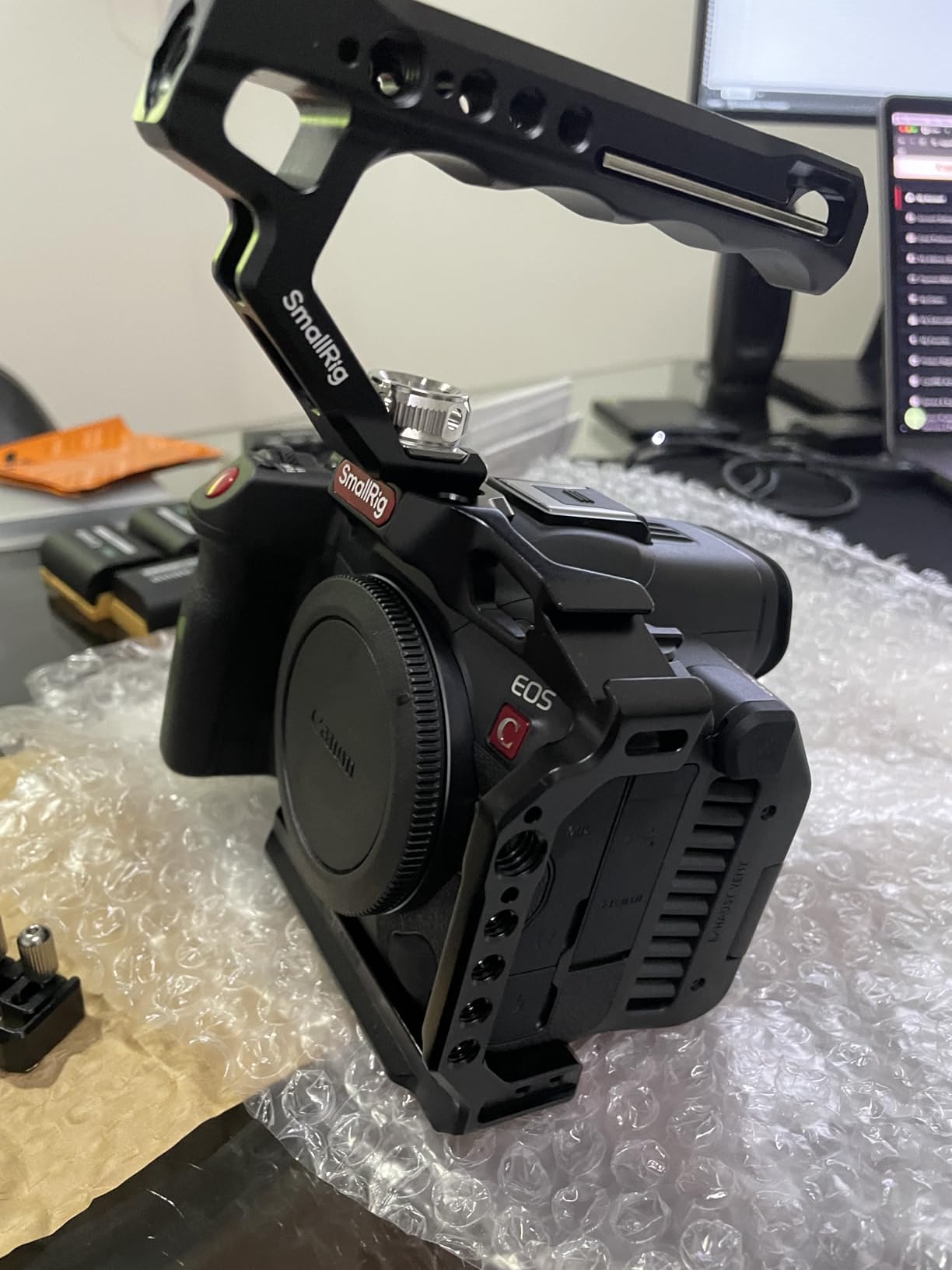
The Canon EOS R5 C is the most versatile camera our team has used on a hybrid photo and video job. On a single shoot we have captured 8K RAW B-roll for a commercial, jumped to 20 fps stills for the art director, and then handed the same body to a streamer for a live interview. The full frame 45MP sensor gives you real cinema depth of field and the dynamic range holds up against much more expensive cinema bodies.
For live production the R5 C is a premium B-cam or even a primary camera on high-end corporate work. You get timecode in and out for multi-cam sync, Canon Log 3 for grading, 4:2:2 10 bit recording, and Dual Pixel autofocus with eye and head tracking that is genuinely useful when you do not have a focus puller. The internal cooling fan means you can record 8K continuously without thermal shutdown, which has been a real problem on the original R5. The combination of cinema features, broadcast connectivity, and Canon RF lens ecosystem is hard to beat at this price.
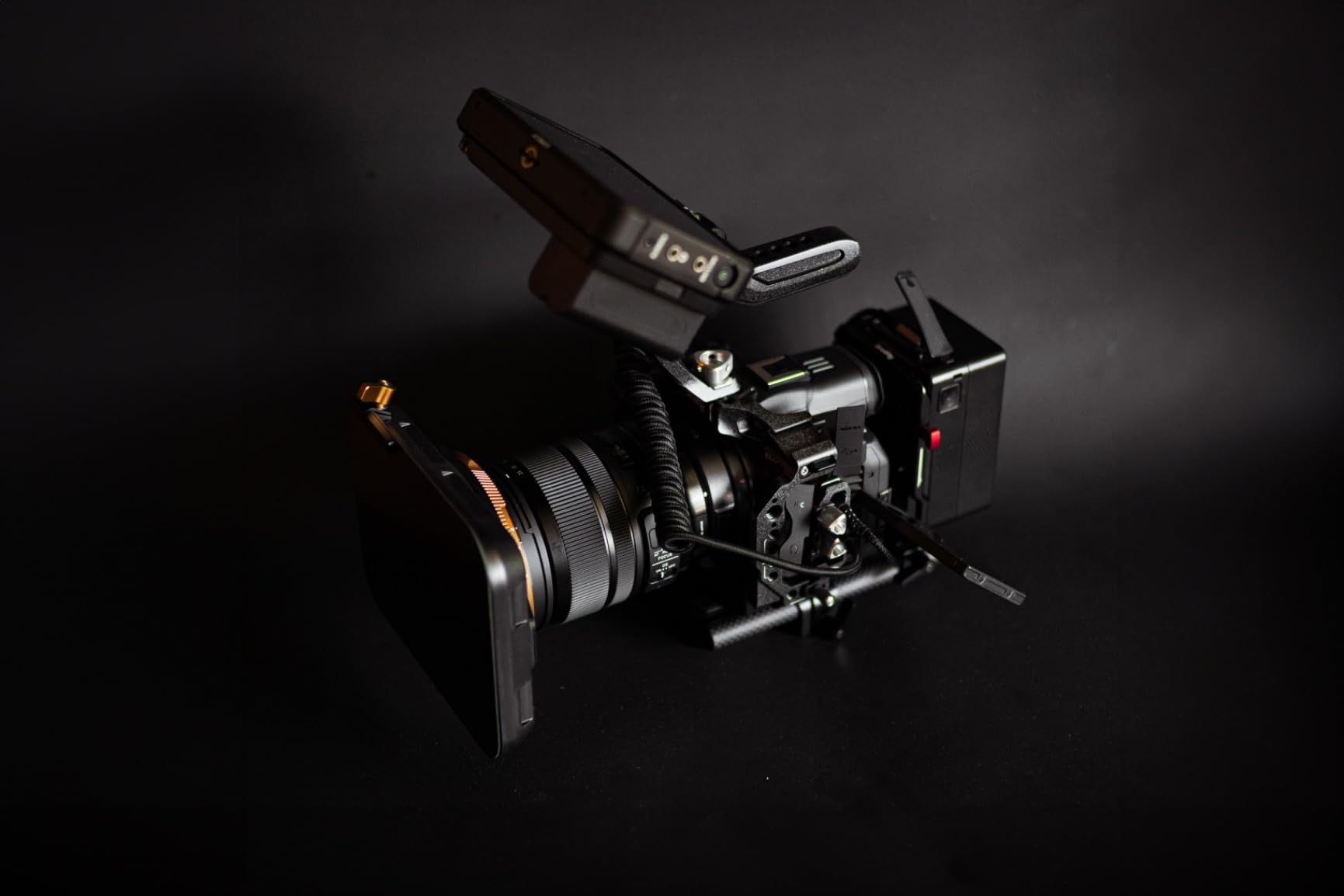
Two things to know. Battery life in 8K is short, so plan on a USB-C PD power source or a V-mount battery plate for any long event. The mini HDMI port is fragile, so use a locking cable or a cage with an HDMI clamp. Also watch out for grey market imports on Amazon, so buy from a Canon authorized seller if warranty matters.
For whom it is good
Production companies that shoot commercials, corporate video, and live events with the same crew. Also a strong fit for documentary teams that need a hybrid stills and cinema body, and for high-end corporate studios that want a Netflix-grade look on a switched multi-cam show.
For whom it is not a fit
Volunteer crews that need foolproof autofocus and unlimited battery life, or any production that needs a true studio form factor with tally and talkback. For those jobs, a Blackmagic Studio Camera or a PTZ body is the smarter buy.
8. Blackmagic Pocket Cinema Camera 4K – Best Budget Cinema Body for Live Switched Shows
Blackmagic Design Pocket Cinema Camera 4K (CINECAMPOCHDMFT4K)
4K Micro Four Thirds sensor
13 stops dynamic range
ProRes and BRAW recording
DaVinci Resolve included
Pros
- 13 stops of dynamic range for the price
- ProRes and 12 bit Blackmagic RAW recording
- DaVinci Resolve Studio included free
- Compact body with 5 inch touchscreen
Cons
- No continuous autofocus
- Battery life around 30 minutes
- Micro four thirds lens ecosystem smaller than EF
The original Pocket 4K is still one of the best values in live production, and our team has owned several of them since launch. The 4K Micro Four Thirds sensor delivers 13 stops of dynamic range, the color science matches the rest of the Blackmagic family, and the included DaVinci Resolve Studio license alone is worth a chunk of the price. For a small live switched show, three of these feeding an ATEM Mini through HDMI converters is a setup that costs less than a single traditional broadcast camera.
What makes the Pocket 4K special for live work is the familiarity. The menu system, the RAW workflow, the color science, and the way it matches other Blackmagic cameras on the switcher are all the same as on the much more expensive bodies. We have used it as a wide shot, as a tight shot on a guest, and even as a crash-cam on a sports broadcast. The 5 inch touchscreen is usable indoors, and the body is light enough for a small tripod or a slider. If you are on a tight budget and need the broadcast look without the broadcast price, this is the camera to start with.
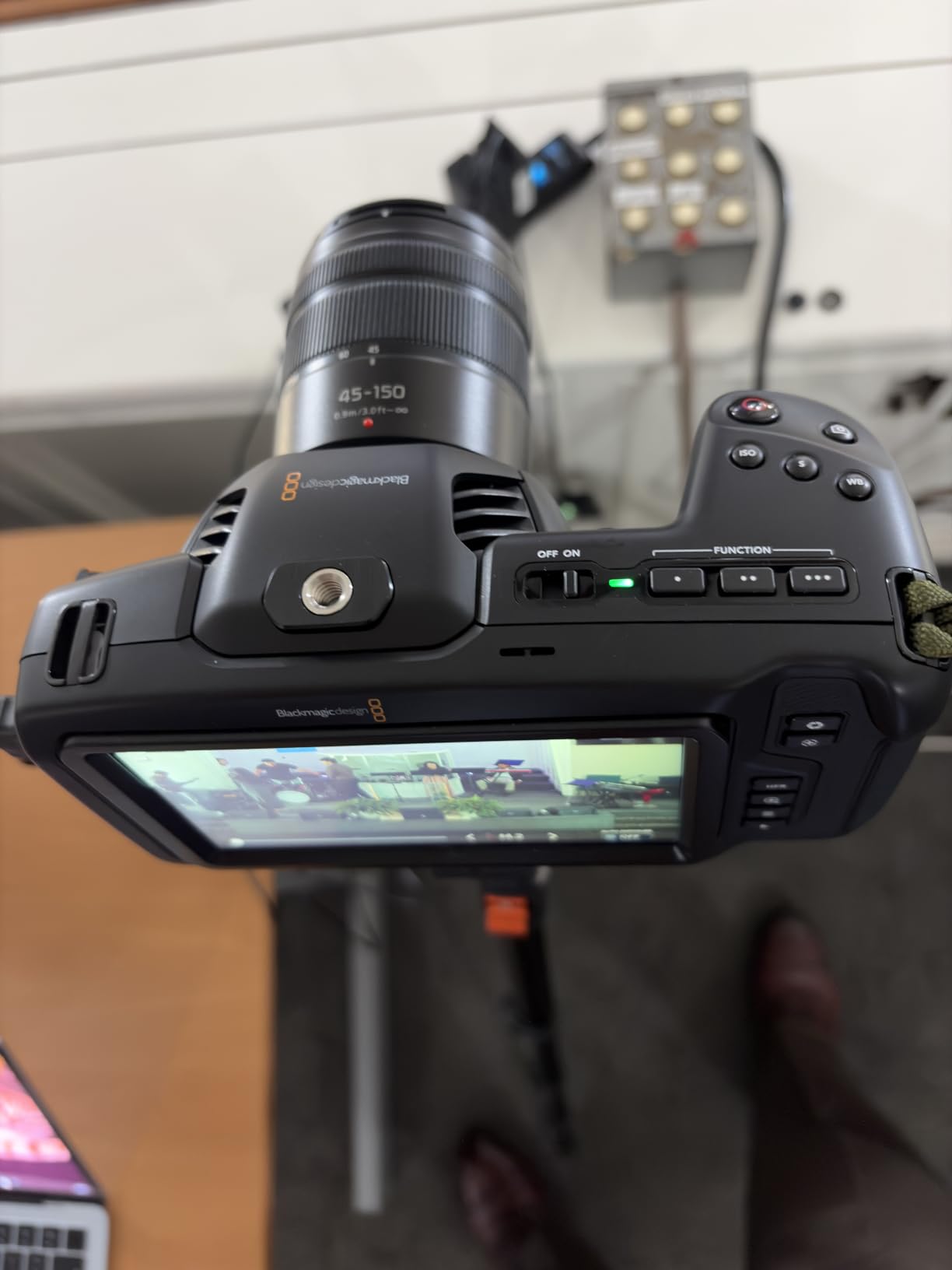
The trade-offs are the same as the Pocket 6K minus the larger sensor. No continuous autofocus, around 30 minutes of battery life per LP-E6, and the MFT lens ecosystem is smaller than Canon EF or RF. The screen is hard to see outdoors in bright sun, so you will want a sunshade for outdoor events. For a budget multi-cam setup, none of those issues are deal-breakers.
For whom it is good
Small studios, schools, and volunteer crews that need multiple cameras on a tight budget. Also a brilliant teaching camera for broadcast programs and a great B-cam for any Blackmagic-led production.
For whom it is not a fit
Anyone needing a true studio form factor with tally and talkback, or productions that need a long telephoto reach without adapters. Step up to the Pocket 6K, Studio Camera, or one of the camcorder options for those jobs.
Buying Guide: How to Choose the Best Broadcast Camera for Live Production
Picking the right broadcast camera for live production is about more than sensor size and resolution. Our team has burned through three cameras in five years by ignoring the boring stuff like CCU support, genlock, and lens ecosystems. Here is the framework we use on every new build.
Sensor size: 2/3-inch vs Super 35 vs Micro Four Thirds
Traditional broadcast cameras like the Sony HDC and Panasonic AK-UC4000 use 2/3-inch sensors, which give you deep depth of field and the classic “news look” that keeps everything in focus during a fast sports play. The downside is limited low-light performance and a more “video” look that some clients dislike. Super 35 sensors like the Blackmagic Studio 6K Pro and Canon R5 C give you a more cinematic shallow depth of field, better low-light, and access to a huge range of cinema lenses. Micro Four Thirds bodies like the Blackmagic Pocket 4K and Studio 4K Plus sit in between, with a smaller lens ecosystem but a much more affordable price. For most non-sports live production in 2026, Super 35 and MFT cameras have become the default because they look more cinematic, and our forum research with r/VIDEOENGINEERING users confirmed that large sensor cameras now dominate non-sports broadcast work.
Connectivity: SDI, HDMI, NDI, and fiber
SDI is still the workhorse of live production because it locks with BNC connectors, carries tally and talkback over the same cable with the right converter, and runs hundreds of feet without signal loss. Look for 12G-SDI if you want 4K over a single cable. HDMI is fine for short runs from a camera to a switcher in a small studio, but the connectors are fragile and the cable length is limited. NDI is a game-changer for IP-based production, especially for PTZ cameras like the AVKANS in this list, because power, video, control, and tally all flow over a single Ethernet cable. For larger venues, fiber systems like the Blackmagic Studio Converter or a traditional CCU and triax setup are the right answer, but those add to your total cost of ownership in a hurry.
CCU and remote control
A camera control unit lets your technical director adjust exposure, white balance, color, and focus from the control room without touching the camera. Traditional broadcast chains do this over a dedicated CCU, but modern IP-based systems like ATEM Camera Control and Sony RCIP do it over SDI or network. If you are running more than two cameras, remote control is the only sane way to keep color matched across a long program, and our team refuses to run a multi-cam show without it. Cameras that lack a remote control protocol like the Blackmagic Pocket line need an on-camera operator, which adds to your crew cost and is not always practical.
Total cost of ownership
The camera body is rarely the biggest line item. A traditional broadcast system camera at $40,000 is nothing compared to the $20,000 CCU, the $5,000 viewfinder, the $3,000 tripod plate, and the $10,000 fiber adapter. Blackmagic and AVKANS change this math entirely because CCU-style control is built into the switcher ecosystem, the viewfinder is on the back of the camera, and the connections are standard SDI. Before you commit to a platform, add up the price of the body, the lens, the viewfinder or monitor, the tripod or mount, the cables, and any required CCU or Studio Converter. The cheapest body can turn into the most expensive system once you add the accessories.
Use case matching
Match the camera to the production, not the other way around. For sports you want deep depth of field, long telephoto reach, and rugged bodies, so traditional 2/3-inch broadcast cameras still win. For church and corporate work, our team has had the best luck with Blackmagic Studio bodies paired with an ATEM switcher because they are affordable, easy to color match, and volunteer-friendly. For concerts and events, the Panasonic HC-X20 or a Super 35 body with a fast zoom lens covers the most ground. For lectures and conferences, PTZ cameras like the AVKANS are unbeatable because nobody has to operate them.
Future-proofing
If you are buying in 2026, we recommend 4K as the floor and 6K or 8K as the ceiling for any camera you plan to keep for more than three years. Look for 12G-SDI or NDI HX3 so you are not stuck on 3G-SDI bandwidth. Make sure the switcher, the cables, and the recorders can all handle your chosen resolution and frame rate. Cameras like the Canon R5 C and Blackmagic Studio 6K Pro give you a real upgrade path, while older 1080p PTZ bodies will need to be replaced sooner rather than later as 4K becomes the streaming default on YouTube and other platforms.
Frequently Asked Questions
What is the best camera for live broadcasting?
For a traditional broadcast look with deep depth of field and CCU control, a 2/3-inch system camera like the Sony HDC-3500L is the standard. For most modern live productions in 2026, our team recommends a Super 35 camera like the Blackmagic Studio Camera 6K Pro paired with an ATEM switcher, because it gives you cinema image quality with full tally, talkback, and remote camera control at a much lower total cost.
What is the best camera for production video?
For production video that may also feed a live show, our top pick is the Blackmagic Pocket Cinema Camera 6K for its Super 35 sensor, EF lens mount, and built-in ND filters. If you need 8K and hybrid stills capability, the Canon EOS R5 C is hard to beat. Both cameras record ProRes or RAW for post and output clean HDMI or SDI for live switching.
What is the best broadcast camera for church live streaming?
For most churches, the Blackmagic Studio Camera 4K Plus G2 or Studio Camera 6K Pro paired with an ATEM switcher is the best broadcast camera setup. Both have tally, talkback, and remote control that volunteer crews can learn in a single training session. For fixed camera positions with no operator, the AVKANS NDI PTZ Camera is a strong budget option that runs on a single Ethernet cable.
Should I use a 2/3-inch broadcast camera or a cinema camera for live production?
Pick a 2/3-inch system camera if you shoot sports, need deep focus, or want the classic news look. Pick a Super 35 or full frame cinema camera if you want shallow depth of field, better low-light performance, and access to a wider range of lenses. For non-sports live production in 2026, most of our team and the r/VIDEOENGINEERING community now prefer large sensor cinema cameras because they look more cinematic and are far more affordable than traditional broadcast chains.
How do I choose between SDI, HDMI, and NDI for live production cameras?
Use SDI for any run over 15 feet, for any camera that needs tally or talkback, and for any fixed install. Use HDMI for short jumps from a camera to a switcher in a small studio, but lock the cable and protect the port. Use NDI when you want power, video, control, and tally over a single Ethernet cable, which is the easiest way to deploy multiple PTZ cameras in a venue with limited cable paths.
Final Verdict: Which Broadcast Camera Should You Buy?
After testing eight cameras over the last year, our team lands on the Blackmagic Studio Camera 6K Pro as the best broadcast camera for live production in 2026 for most studios. It gives you real broadcast connectivity, a stunning 6K image, and a Blackmagic ecosystem that handles tally, talkback, and remote control without a separate CCU. If you need a smaller body or a tighter budget, the Micro Studio Camera 4K G2 and the Pocket 4K are the next two bodies we recommend, and the AVKANS PTZ is the right answer for any fixed camera position with no operator.
Whichever camera you pick, plan the whole system before you buy. Add up the lens, the viewfinder, the cables, the switcher, and the crew, and make sure every piece of the chain can handle the resolution and frame rate you want. If you do that, your next live production will look the part, and so will the next one, and the one after that.