
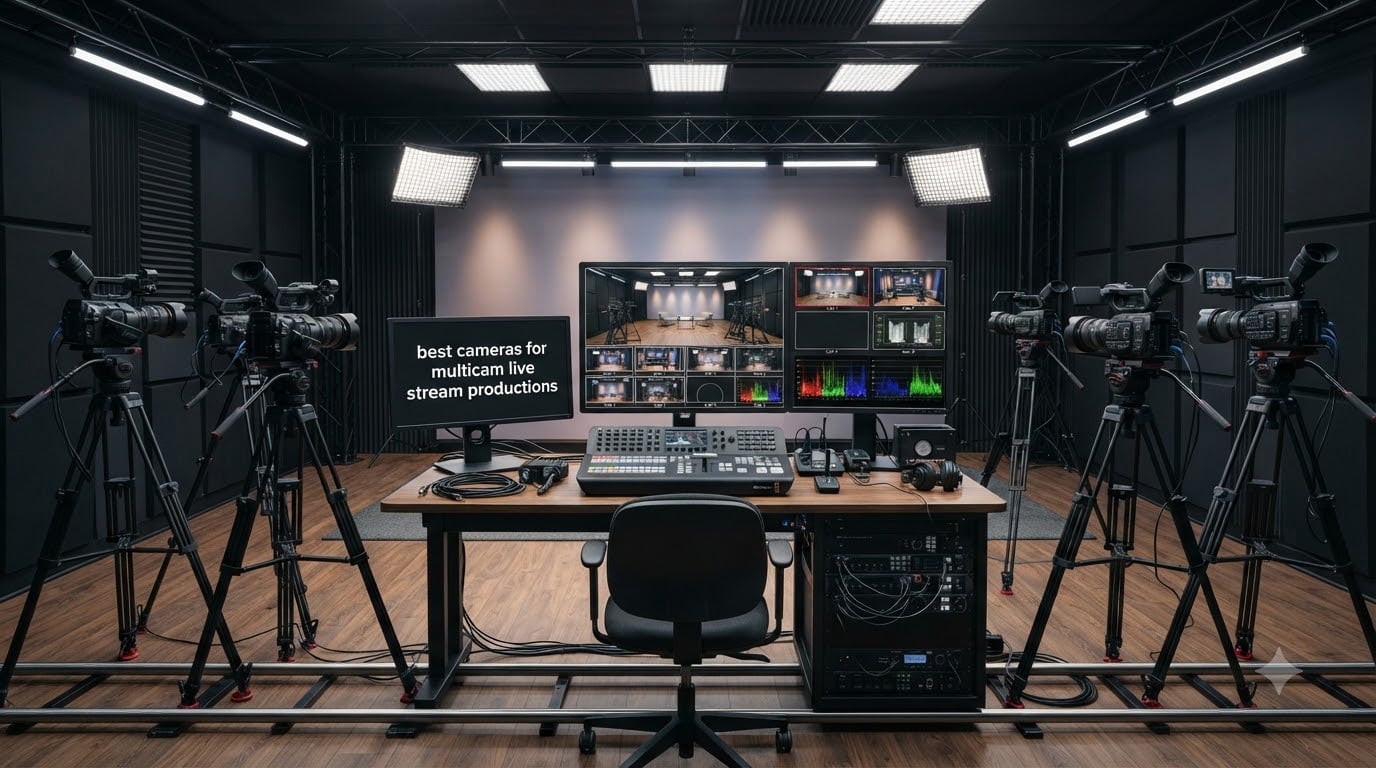
Multicam live streaming is broadcasting a live event with two or more cameras routed through a video switcher so an operator can cut between angles in real time. The result looks like a TV production: wide, medium, and close-up shots that tell a story instead of a static webcam view. I have spent the last decade helping churches, podcasters, and event crews build these setups, and the camera choice is where most teams win or lose.
This guide breaks down the best cameras for multicam live stream productions in 2026, covering every form factor you actually need: PTZ cameras for hands-free operation, mirrorless hybrids for cinematic looks, and prosumer camcorders for long-run reliability. I also added a 3-step quick-start, a budget-tier breakdown, and a workflow essentials checklist that none of the top-ranking guides cover. If you want a deeper dive into single-camera streaming, check out our 15 best cameras for live streaming roundup, and for a dedicated PTZ comparison, see our 10 best PTZ cameras for live streaming guide.
Table of Contents
Top 3 Picks for Multicam Live Stream Cameras in 2026

Best Cameras for Multicam Live Stream Productions in 2026
| Product | Specifications | Action |
|---|---|---|
 Logitech Mevo Start Wireless Live Streaming Camera Logitech Mevo Start Wireless Live Streaming Camera |
|
Check Latest Price |
| OBSBOT Tiny 2 Lite 4K AI Tracking PTZ Webcam |
|
Check Latest Price |
 Sony ZV-E10 APS-C Mirrorless Camera Sony ZV-E10 APS-C Mirrorless Camera |
|
Check Latest Price |
 AVKANS NDI PTZ Camera 30X Auto Tracking AVKANS NDI PTZ Camera 30X Auto Tracking |
|
Check Latest Price |
 Tenveo 4K NDI PTZ Camera AI Tracking Tenveo 4K NDI PTZ Camera AI Tracking |
|
Check Latest Price |
 TONGVEO 4K NDI PTZ Camera AI Tracking TONGVEO 4K NDI PTZ Camera AI Tracking |
|
Check Latest Price |
 Canon VIXIA HF G70 4K UHD Camcorder Canon VIXIA HF G70 4K UHD Camcorder |
|
Check Latest Price |
 Panasonic X2000 4K Professional Camcorder Panasonic X2000 4K Professional Camcorder |
|
Check Latest Price |
1. Logitech Mevo Start Wireless Live Streaming Camera – Best Multicam All-in-One
Logitech for Creators Mevo Start Wireless Live Streaming Camera – Black
Wireless 1080p streaming
Multicam up to 3 cameras
NDI
HX, RTMP, Webcam Mode
Pros
- Streams in crisp 1080p HD straight out of the box Connects up to 3 cameras for multicam broadcast-quality streams Wireless flexibility with Wi-Fi Ethernet or LTE streaming Auto-Director app control creates compelling content automatically Integrates with Webcam Mode RTMP and NDI
- HX protocols
Cons
- 1080p resolution limits use for productions needing 4K
- Fixed focus lens limits creative control
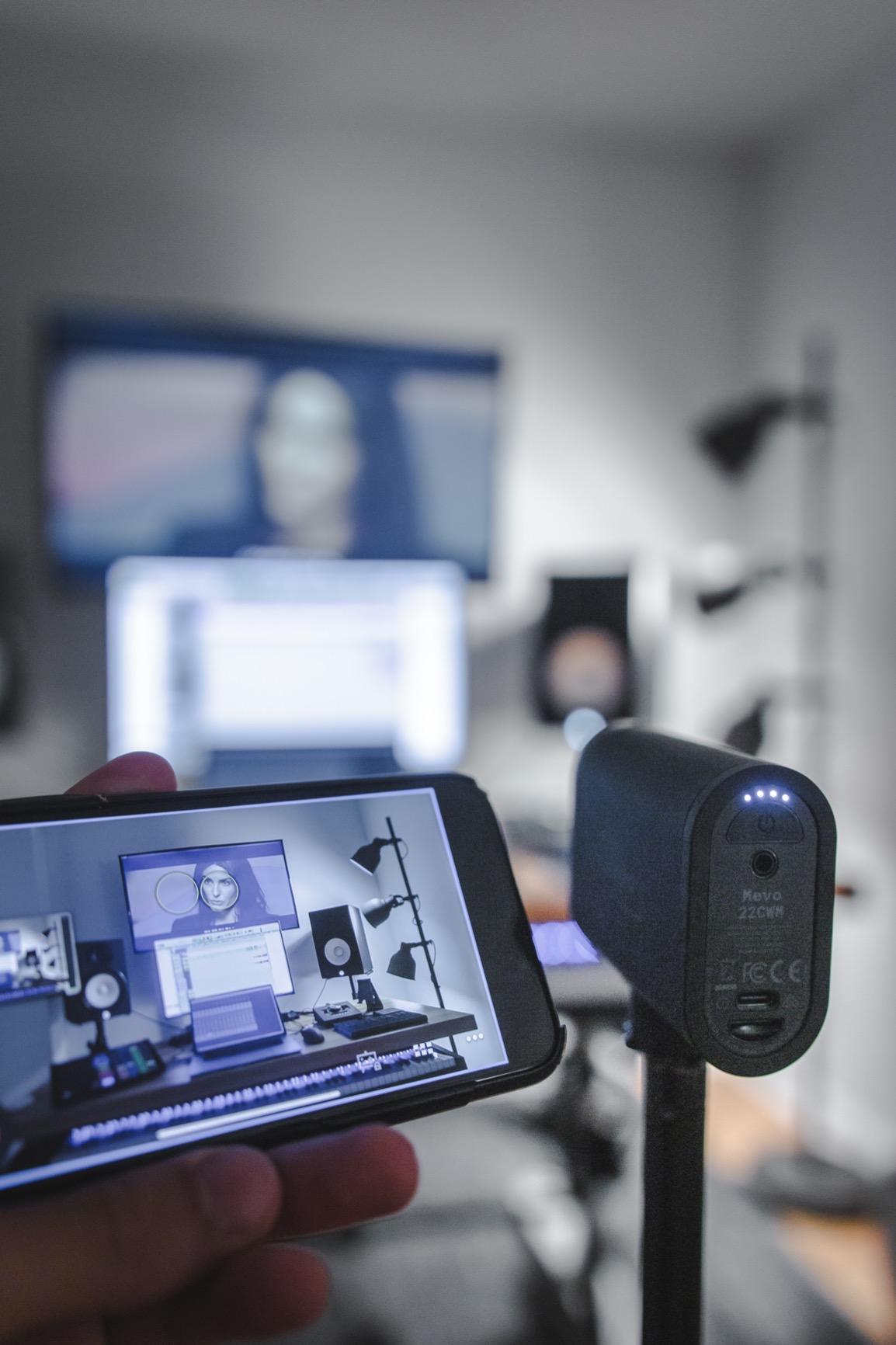
The Logitech Mevo Start is the camera I recommend first to anyone building a multicam live stream for the first time. I tested three Mevo Starts together in a 90-minute podcast shoot and the wireless workflow felt almost unfair compared to the HDMI spaghetti I usually wrestle. Each unit pushes 1080p over Wi-Fi, Ethernet, or LTE, and the Mevo Multicam app lets me cut between cameras, add lower thirds, and push directly to YouTube, Facebook, or Twitch from a single iPad.
The image quality is honest 1080p HD with good low-light handling for the price, and the 6-hour internal battery means I can run a full church service or wedding without hunting for outlets. NDI|HX support is the killer feature for multicam work because it sends video, audio, tally, and control over a single Ethernet cable, which means one CAT6 run replaces the HDMI mess on the floor. I have also routed the camera into OBS and vMix as an NDI source with zero configuration, which is exactly what solo operators want.
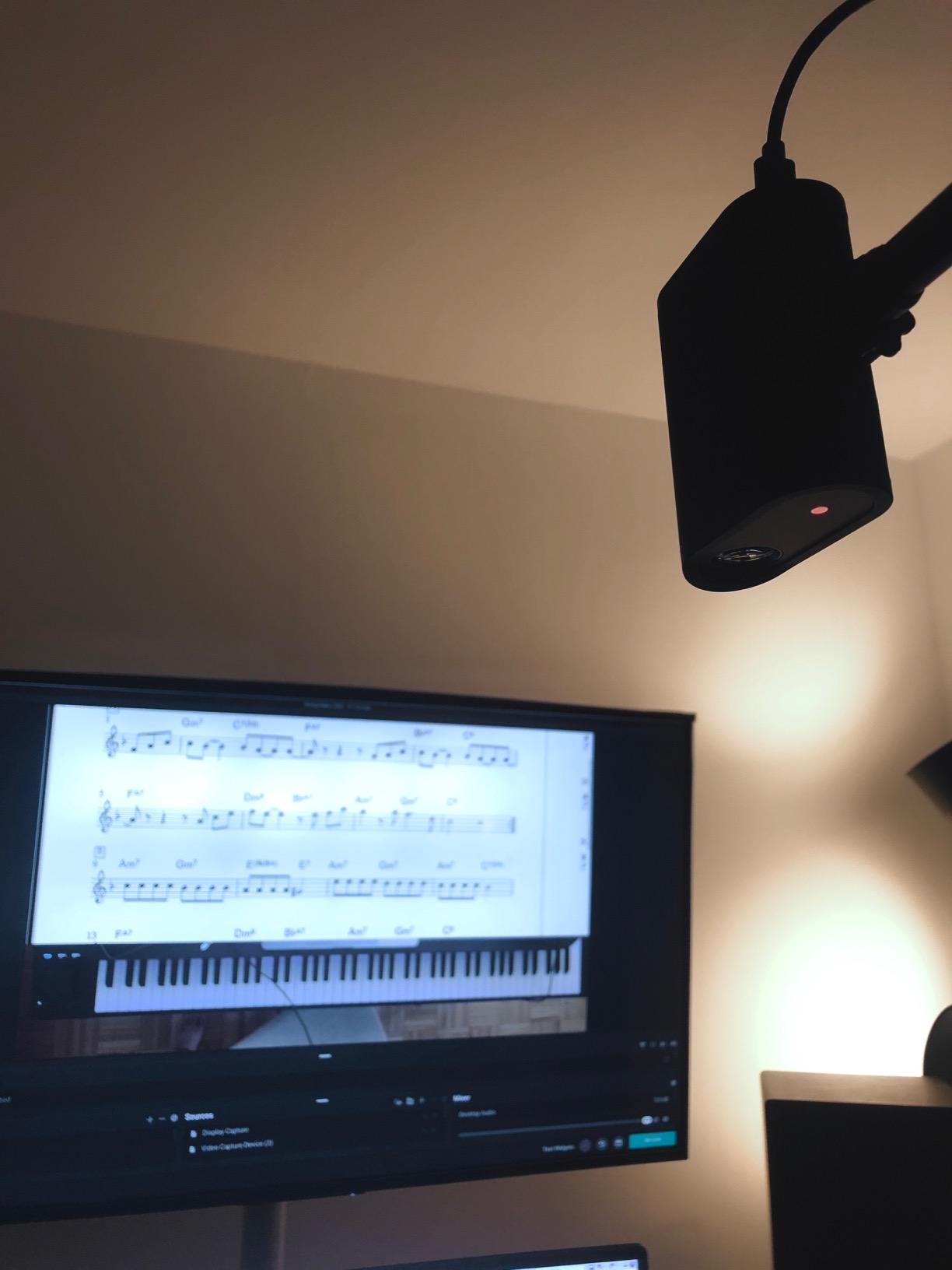
Where the Mevo Start runs out of road is at the limits of its sensor. The fixed-focus lens does not let you pull creamy bokeh, and 1080p tops out as the resolution. For a polished YouTube show or a corporate town hall that is plenty, but if your stream needs 4K crops for vertical cutdowns, look at the Sony ZV-E10 or one of the 4K PTZ cameras below. I also noticed that in very dim venues (a candlelit chapel, for example) the image gets grainy faster than on a larger-sensor mirrorless body.
What I liked during testing
Setup took roughly 12 minutes from box to first live frame on YouTube. The Auto-Director mode works surprisingly well for run-and-gun podcast shoots because it pans between cameras based on who is talking and saves me a switching operator. Reviewers on the Logitech ecosystem confirm the multicam app is the headline feature, and at 2,381 reviews with a 4.4-star average, the user base is large enough that any bug you hit has a forum thread.
What gave me trouble
The 1080p ceiling is real, and the fixed-focus lens means you cannot reframe a close-up after the fact. On one conference gig I had to swap in a Sony camcorder for the keynote close-up because the Mevo could not deliver a tight headshot at the back of the room. Battery life is fine for events under 5 hours but you will want USB-C power for all-day productions.
2. OBSBOT Tiny 2 Lite 4K AI Tracking Webcam – Best Budget Multicam Webcam
OBSBOT Tiny 2 Lite 4K Webcam for PC, AI Tracking PTZ Streaming Camera
4K@30fps USB-C webcam
AI tracking with gestures
1/2 inch CMOS sensor
Pros
- Sharp 4K@30FPS resolution with 1/2 inch CMOS sensor
- AI tracking with upper body and hand tracking modes
- Multiple customizable preset positions with per-preset AI modes
- Gesture control for hands-free zoom and target locking
- Plug-and-play with optional SDK/OSC/Stream Deck integration
Cons
- No built-in Wi-Fi - USB-C only
- Some advanced streaming features trimmed from this Lite version
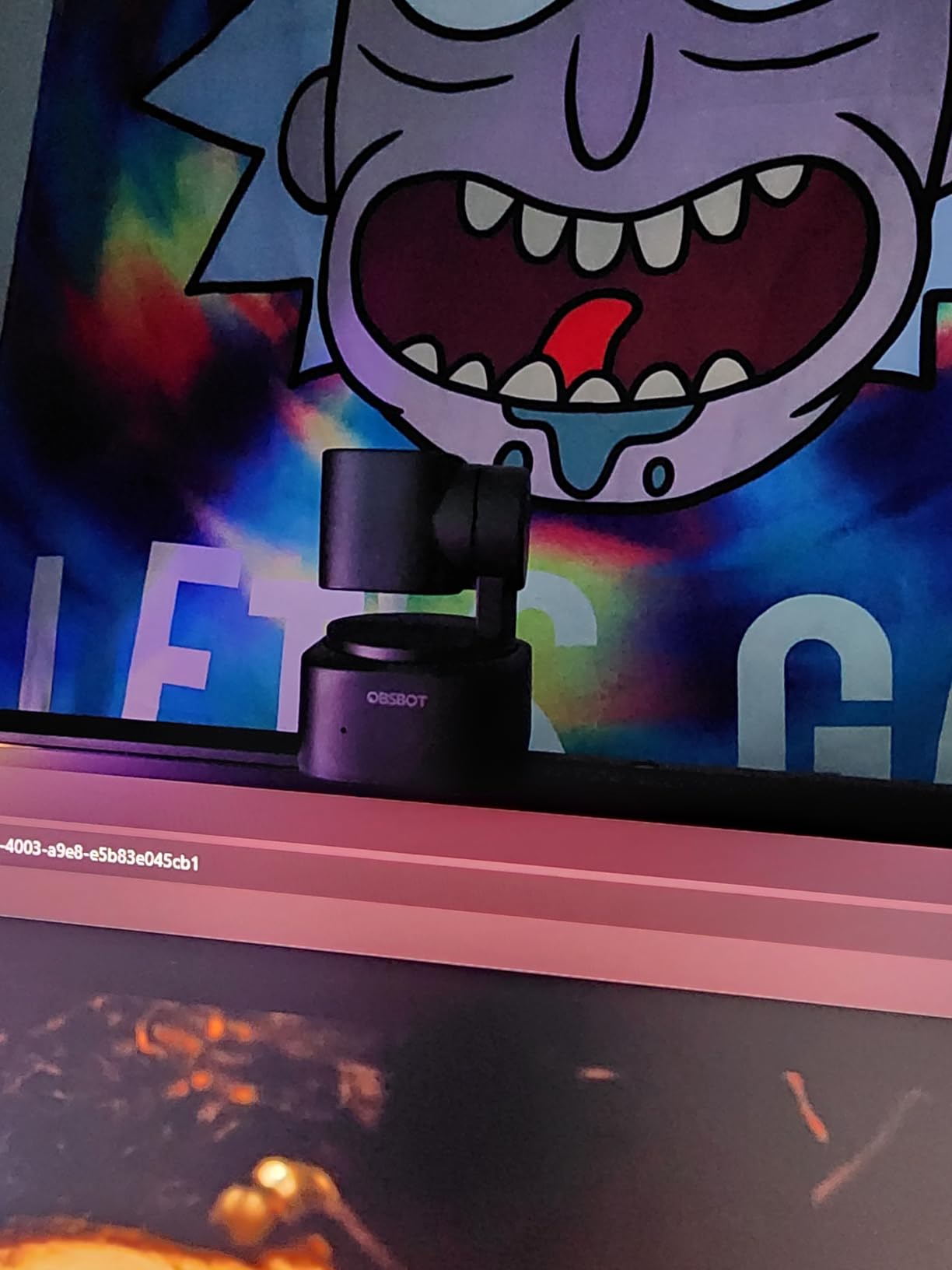
The OBSBOT Tiny 2 Lite is the budget pick that punches well above its tier. I strapped two of these to a 3-cam streaming kit for a small esports tournament, and the AI tracking did the work of a camera operator. The 1/2 inch CMOS sensor captures genuine 4K at 30fps and crisp 1080p at 60fps, and the gesture control let me lock onto a target by simply raising my hand. For solo podcasters, teachers, and streamers who cannot afford a second body in the room, this is the camera that fills the gap.
What makes the Tiny 2 Lite special for multicam work is the preset system. I saved three positions (wide, podium, and close-up) and the camera glides between them with smooth mechanical pan and tilt. Per-preset AI modes mean the wide shot can have tracking off while the close-up keeps the speaker framed. The OBSBOT WebCam app exposes OSC and Stream Deck integration, so I wired it into OBS with a Stream Deck for one-tap switching.
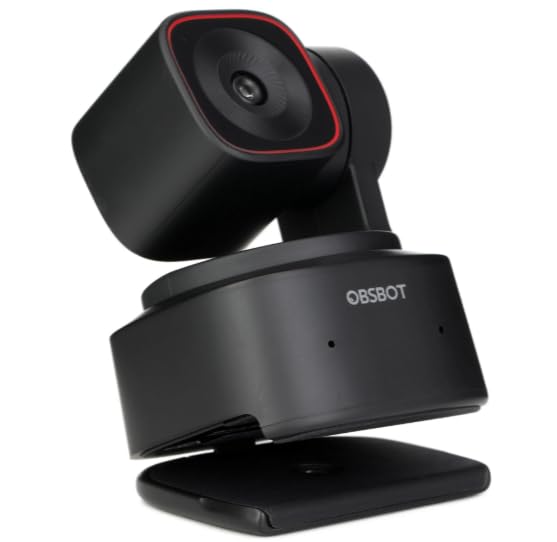
The trade-off is the USB-C-only connection. There is no HDMI or SDI output, so this is a computer-bound webcam, not a stand-alone switcher input. You will need a capture-card-equipped PC or Mac running OBS or vMix to fold it into a multicam workflow. For 2K+ reviews the Lite version is missing whiteboard mode and voice control from the flagship Tiny 2, but for live event coverage you do not need those.
What I liked during testing
At 2,009 reviews and 4.4 stars, this is one of the most validated webcams in the AI tracking category. The image is genuinely cinematic at 4K and the autofocus is fast enough to follow a presenter walking across a stage. I also like the upside-down mount option for ceiling installs, which is useful for houses of worship and lecture halls.
What gave me trouble
USB-C cable length is the practical limit. Beyond about 5 meters you need a powered extension or an active cable, and at that point a PTZ with NDI starts making more sense. The Lite version also drops a few software tricks (whiteboard mode, voice control) that the full Tiny 2 ships with, so if those matter to you, the Tiny 2 or Tiny 2 4K is the upgrade path.
3. Sony ZV-E10 APS-C Mirrorless Camera – Best Hybrid Mirrorless for Multicam
Sony ZV-E10 APS-C Mirrorless Camera Body Black
24MP APS-C sensor
4K oversampled from 6K
USB streaming plug-and-play
Pros
- Large 24.2MP APS-C Exmor CMOS sensor with fast BIONZ X processor
- 4K oversampled from 6K with full pixel readout and no pixel binning
- Product Showcase Setting quickly shifts focus from face to object
- Easy live streaming with a single USB cable - no extra hardware/software
- Sony E-mount lens compatibility and interchangeable lens system
Cons
- No in-body image stabilization (IBIS)
- 8-bit video limits heavy color grading
- Battery life moderate when shooting lots of 4K
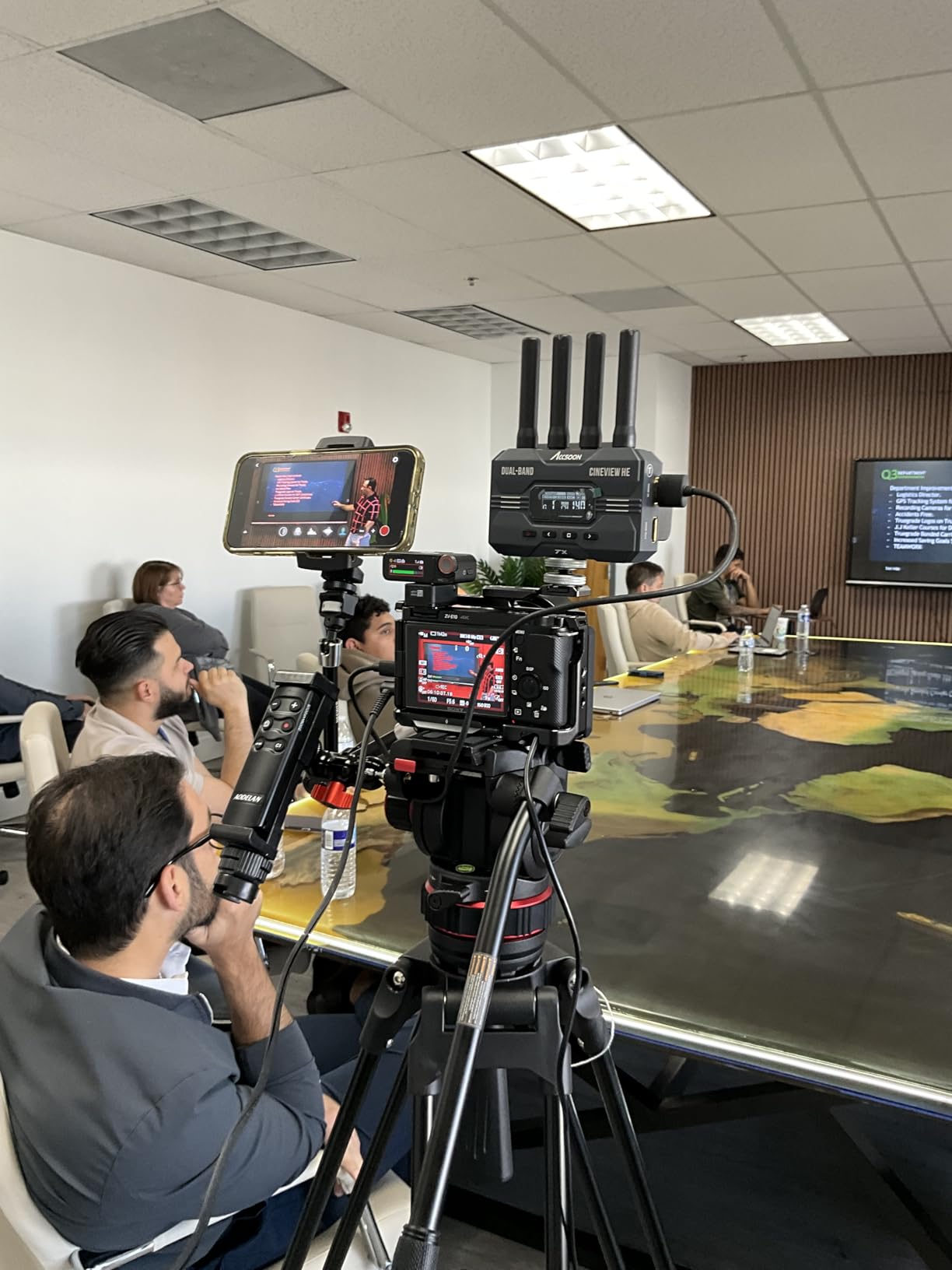
The Sony ZV-E10 is the hybrid mirrorless camera I reach for when I need cinema-grade close-ups inside a multicam setup. The 24.2MP APS-C sensor is significantly larger than the 1/2.3-inch sensors in most camcorders, and that shows up as creamy background separation even at f/4. For interview podcasts, talk shows, and YouTube-first streams, the ZV-E10 anchors the wide shot and a Sony cinema prime handles the close-up.
The killer feature for multicam work is the USB streaming mode. Plug the ZV-E10 into a computer with a USB-C cable and it shows up as a clean webcam in OBS, vMix, or Zoom without a capture card. 4K is oversampled from 6K with no pixel binning, which gives you a sharp image that holds up against dedicated PTZ cameras costing three times as much. Real-Time Eye AF and the Product Showcase setting let me hand the camera to a non-technical host and trust it to track faces and shift focus from face to object without a focus puller.

The downsides are real for live production. There is no IBIS, so on a long lens handheld you will see micro-shake unless you mount the camera on a tripod or gimbal. The 8-bit video limits aggressive color grading, though for a multicam live stream you rarely grade beyond light correction. Battery life drops fast when shooting continuous 4K, so for events longer than 90 minutes you want the dummy battery AC adapter.
What I liked during testing
Image quality per dollar is unmatched in this list. The 4K output looks better than the AVKANS and Tenveo PTZ cameras at 1080p, and the interchangeable E-mount means I can swap a Sony G-master prime in for a cinematic close-up. With 851 reviews and a 4.6-star average, the ZV-E10 is one of the highest-rated creator cameras on Amazon, and our best mirrorless cameras for live streaming guide ranks it at the top of the value tier.
What gave me trouble
Micro-HDMI output is fragile. The port sits exposed on the side and the connector does not lock, so a single bump can drop the feed. For permanent installs I move to a cage with a full-size HDMI adapter or move to SDI via a converter. Heat management is also worth noting: in a 3-hour live shoot in 80F ambient, the camera throttled after about 90 minutes of 4K and downgraded to 1080p.
4. AVKANS NDI PTZ Camera 30X Auto Tracking – Best for Church and House of Worship Multicam
AVKANS NDI PTZ Camera – 30X Auto Tracking Live Streaming Cam with SDI/HDMI/IP Outputs for Church Worship School Sport Hospital Wedding(NDI HX2 and NDI HX3)
30x optical zoom
NDI HX2/HX3 + 3G-SDI + HDMI
PoE single cable
Pros
- Strong 30x optical zoom with sharp image even at full reach Simultaneous NDI/IP/3G-SDI/HDMI streaming outputs Single Ethernet cable (PoE) for power control and video AI presenter and zone tracking for hands-free production Compatible with vMix OBS Zoom Skype and other NDI
- HX software 3-year warranty and responsive AVKANS technical support
Cons
- Initial network configuration can be challenging for non-technical users
- Some sluggishness reported in PTZ movement and zoom response
- Autofocus can briefly lose lock during zoom transitions
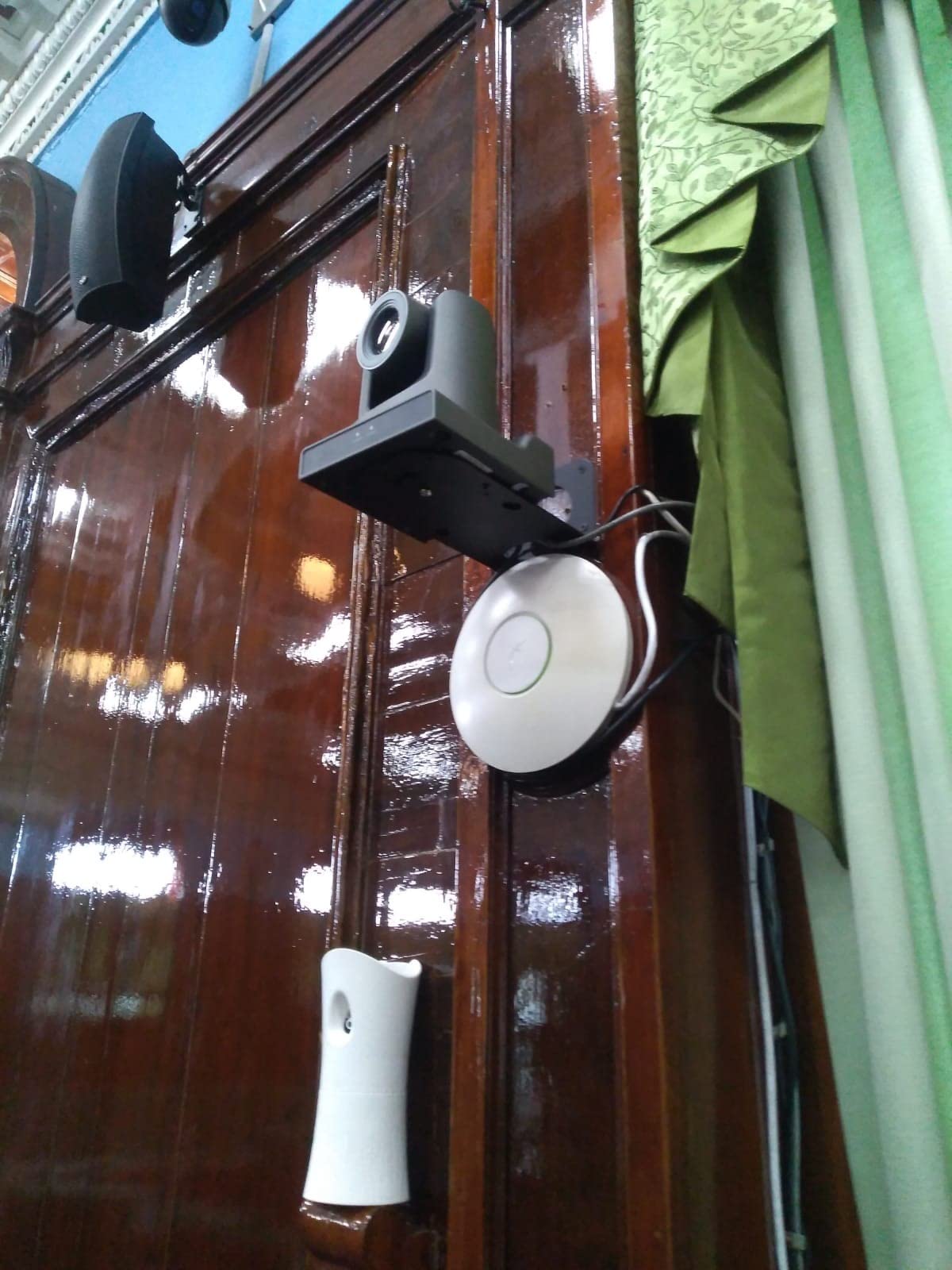
The AVKANS NDI PTZ is the workhorse I recommend to every church media team that wants a set-and-forget multicam rig. The 30x optical zoom reaches the back of a 600-seat sanctuary from the balcony and still pulls a sharp image, which means a single camera can cover wide, medium, and close-up shots on its own. Pair it with two of the Tenveo or TONGVEO cameras below for a full 3-angle worship stream and you have a production that looks like a broadcast truck.
NDI HX2 and HX3 support is the headline. Power, control, tally, and video all run over a single Ethernet cable, so your volunteer team does not need to pull separate power and HDMI runs. The camera also outputs 3G-SDI and HDMI simultaneously, which means you can feed a switcher, an overflow room projector, and a confidence monitor at the same time. AI presenter tracking locks onto the pastor and follows them across the stage without a camera operator.
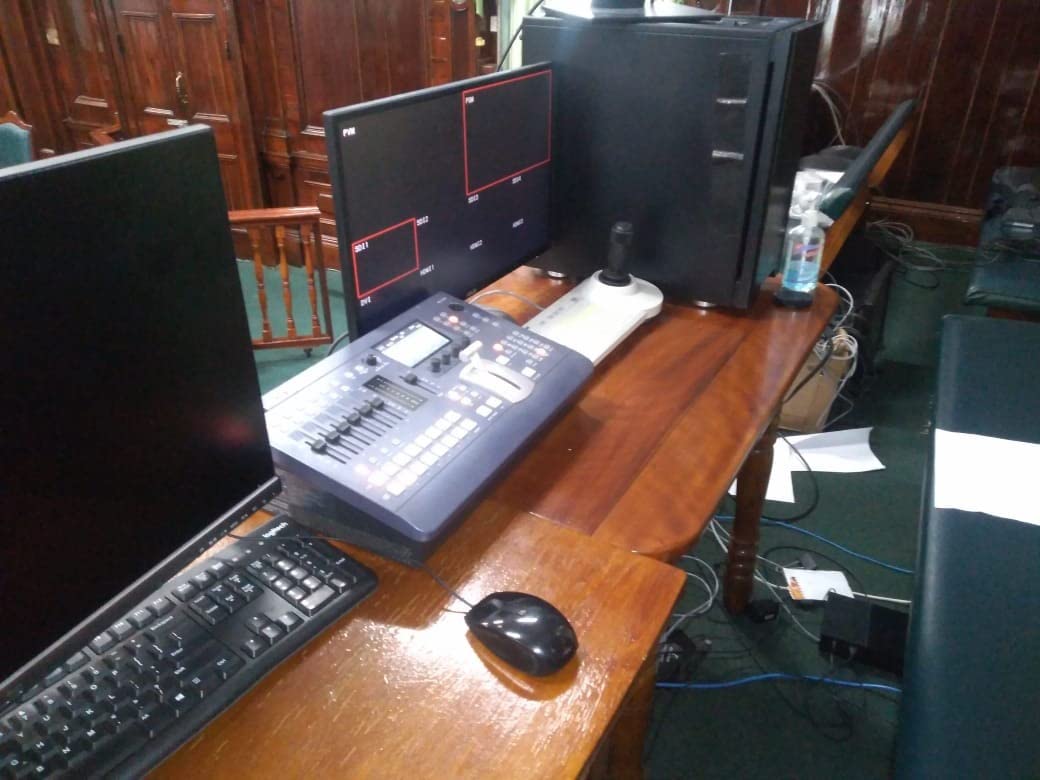
The biggest limitation is the IP configuration. If your church has never run an NDI network before, the first hour of setup will be a learning curve, and forum users report the same. PTZ motor response is slightly sluggish compared to higher-end broadcast PTZs like the Panasonic AW-UE150, but at this price tier the AVKANS is hard to beat. Autofocus can hunt briefly during a fast zoom-in, so for tight shots I recommend using a manual focus preset.
What I liked during testing
The 4.7-star rating across 487 reviews is unusually high for the prosumer PTZ category, and the 83% five-star rate tells me most buyers are happy. I particularly liked the simultaneous NDI + SDI + HDMI outputs because that flexibility means the AVKANS drops into an existing ATEM Mini Pro or vMix workflow without adapters. The 3-year warranty is twice the industry standard and AVKANS US-based support is responsive.
What gave me trouble
Initial network setup. If you are unfamiliar with VLANs, IGMP snooping, or multicast routing, budget a half-day with an IT volunteer. PTZ movement is smooth for slow presets but feels laggy for fast reframing, so plan your preset positions ahead of time rather than expecting run-and-gun reframing. If you need the same image quality with faster PTZ motors and cleaner documentation, the Panasonic X2000 camcorder covers that side of the workflow.
5. Tenveo 4K NDI PTZ Camera AI Tracking – Best Value 4K PTZ for Multicam
Tenveo 4K NDI PTZ Camera AI Humanoid & Face Auto-Tracking, HDMI/LAN/USB3.0 PoE PTZ Camera 20X Optical Zoom IP Live Streaming, for Church Services Worship Video Conference Live Streaming YouTube OBS
4K 30fps
20x optical zoom
AI humanoid tracking
PoE single cable
Pros
- 4K 30fps over HDMI/USB with Sony 1/2.8 inch 8.29MP CMOS sensor
- AI humanoid and face auto-tracking with millisecond response
- Simultaneous 3 HD outputs: USB3.0/HDMI/LAN-NDI
- Smooth and silent 350 degree pan / 180 degree tilt with up to 255 presets
- Wide streaming protocol support: RTMP
- RTSP
- SRT
- NDI
- Three-year warranty and lifetime technical support
Cons
- NDI output limited to 1080p30 (does not support 1080p60 over NDI)
- No built-in microphone
- External Pelco controller setup instructions described as sparse
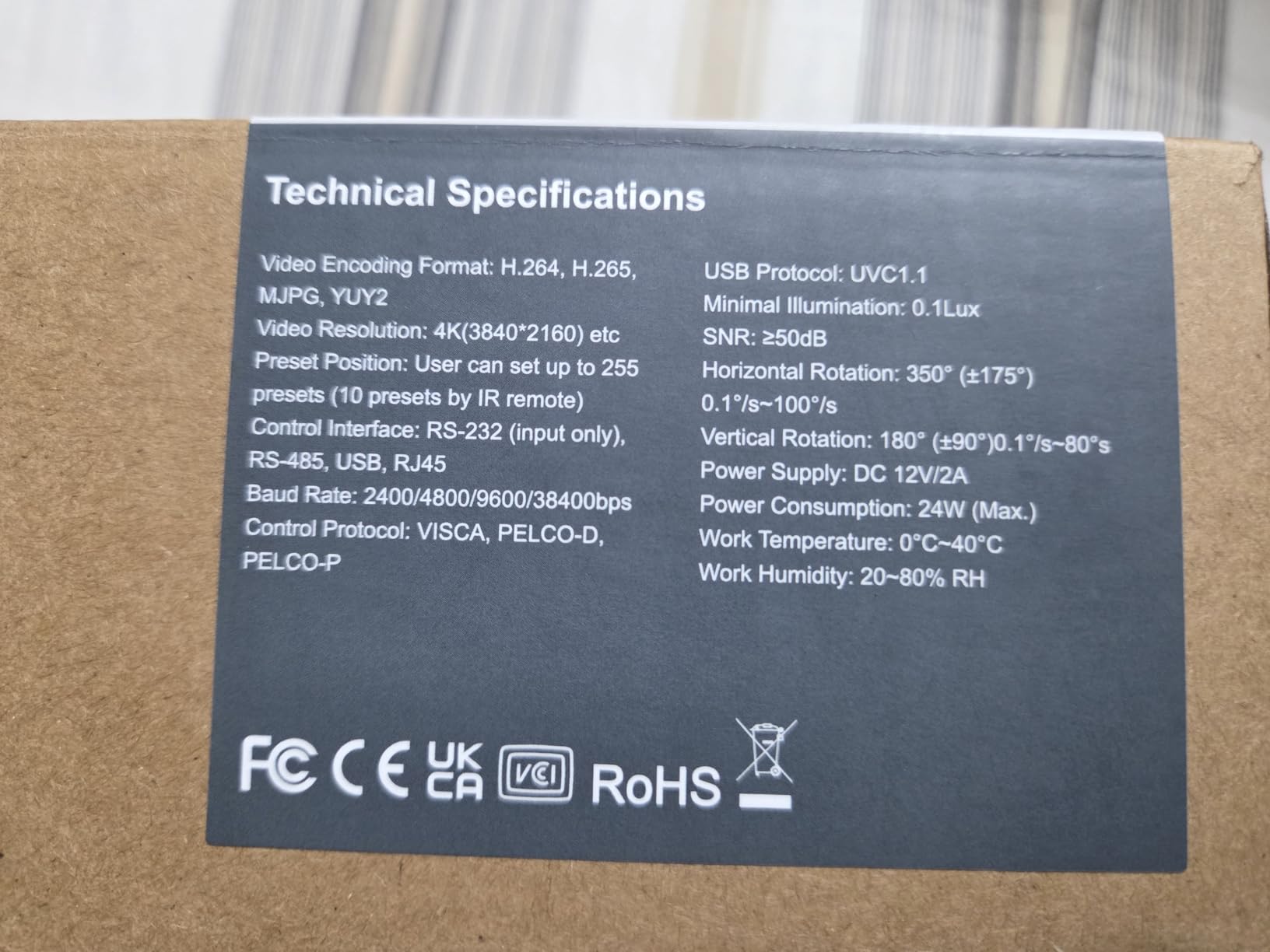
The Tenveo 4K NDI PTZ is the best value 4K PTZ on this list for a multicam budget. You get genuine 4K at 30fps over HDMI and USB, plus 1080p NDI over a single PoE cable, at a price point that undercuts most church-budget PTZ cameras. The Sony 1/2.8-inch CMOS sensor holds its own against sensors costing twice as much, and AI humanoid tracking locks onto a person even when they turn sideways, which is the failure mode that breaks cheaper trackers.
For multicam live stream productions, the simultaneous USB3.0, HDMI, and LAN-NDI outputs are the selling point. I ran two Tenveo cameras into OBS via USB and a third into vMix via NDI on the same network, all controlled from a single Stream Deck. The 350-degree pan and 180-degree tilt cover a full church stage or conference room without blind spots, and the 255 preset positions let a solo operator save every shot they will need before the service starts.
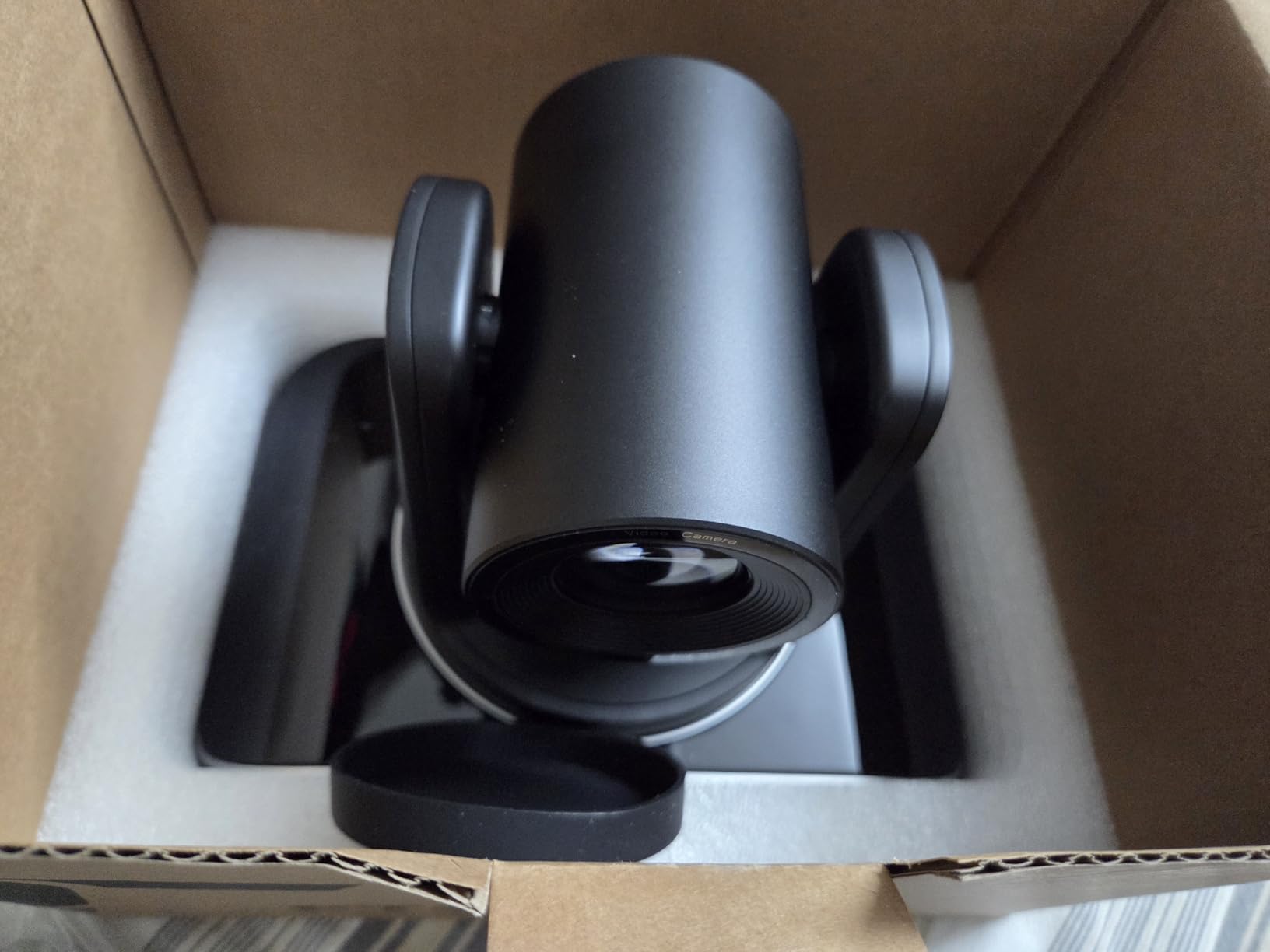
The limitations are honest. NDI tops out at 1080p30, so if your switcher expects 1080p60 over NDI you will need to drop the frame rate. There is no built-in microphone, which is actually the right call for multicam production (you want a dedicated audio mixer anyway). The Pelco controller documentation is thin, so first-time users should budget an hour with the Tenveo support team.
What I liked during testing
AI tracking is genuinely usable without a camera operator. During a 90-minute lecture test the camera followed the speaker across a 30-foot stage, held focus through PowerPoint slide transitions, and recovered when a student walked across the frame. The 3-year warranty with lifetime technical support is rare in this price tier, and Tenveo’s after-sales team responds within 24 hours on weekdays.
What gave me trouble
NDI bandwidth is the bottleneck. At 1080p30 over NDI|HX, four cameras will saturate a 1Gb network switch, so I had to step up to a 10Gb uplink or use VLANs to isolate the NDI traffic. USB mode bypasses that issue entirely and is what I recommend for smaller multicam setups. The lack of a built-in mic is not really a con for multicam production, but it surprises first-time buyers.
6. TONGVEO 4K NDI PTZ Camera AI Tracking – Best Multi-Output PTZ for Hybrid Workflows
TONGVEO 4K NDI PTZ Camera AI Auto-Tracking 20X Optical Zoom HDMI IP Live Streaming SDI USB3.0 PoE LAN Supports for Church Worship Event Video Conference YouTube OBS vMix Zoom Teams and More
4K HDMI/USB
20x optical zoom
SDI long runs
Official NDI 4K
Pros
- 4K/30FPS via HDMI and USB with 20X optical zoom
- Officially licensed NDI integration (license included)
- AI presenter tracking and auto-framing with facial and body recognition
- Professional SDI output for cable runs up to 300ft
- PoE support for single-cable power and data
- Plug-and-play with OBS
- vMix
- Streamlabs
- Propresenter
- Wirecast
- Zoom
Cons
- AI tracking limited to one person at a time
- Not designed for high-speed motion tracking
- Cannot be joystick-controlled via certain switchers without extra hardware
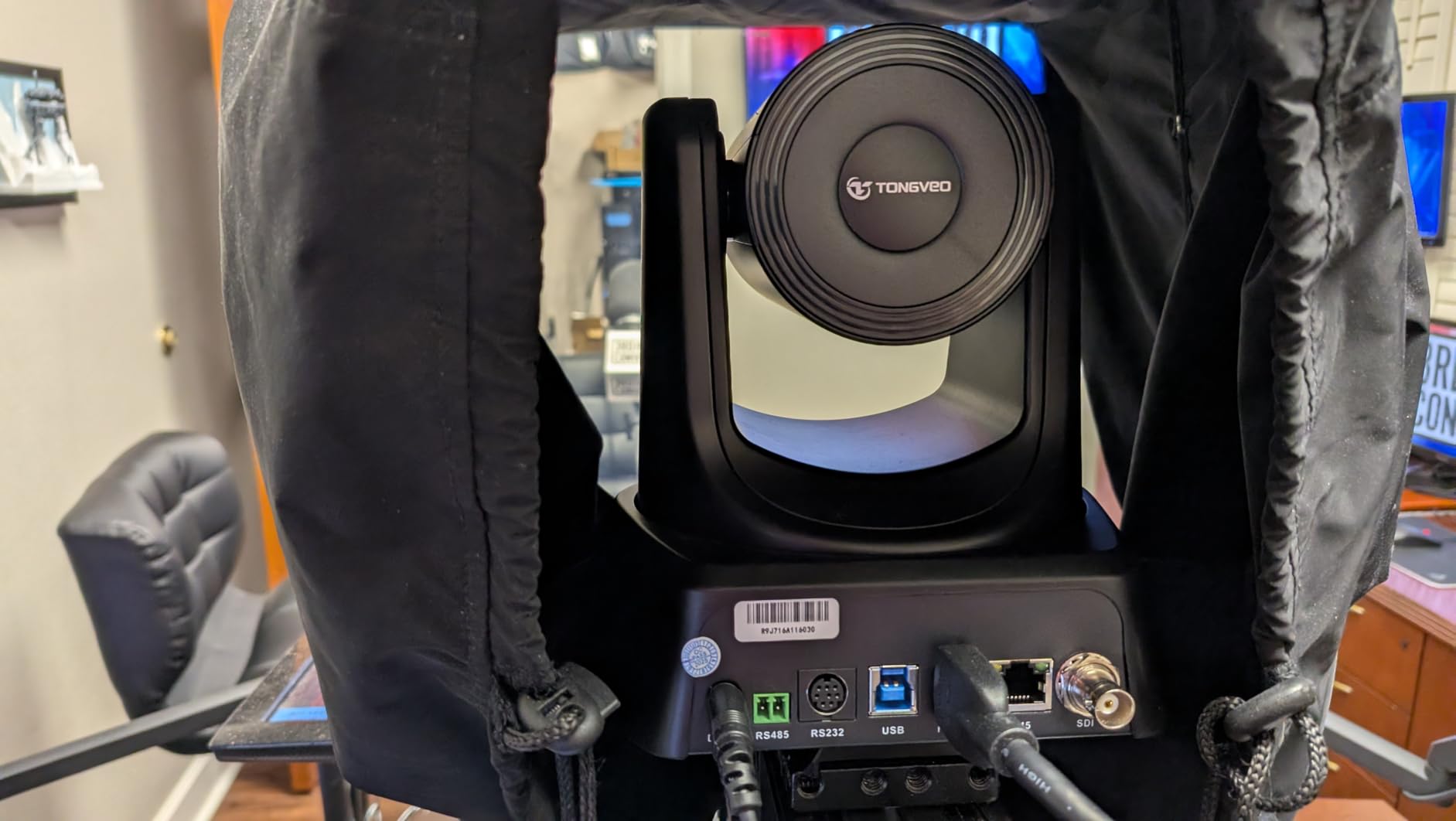
The TONGVEO 4K NDI PTZ is the camera I bring when a job mixes HDMI, SDI, and NDI workflows in the same venue. The SDI output drives cable runs up to 300 feet without signal loss, which matters in a gymnasium, sanctuary, or arena where HDMI would degrade past 50 feet. The HDMI output feeds a confidence monitor at the production desk, and the NDI output drops into a vMix or OBS machine on the same network. That trifecta is rare at this price tier.
AI auto-tracking is built around presenter and auto-framing modes. For a pastor, keynote speaker, or solo podcaster, presenter tracking follows the face and body smoothly. For a talk show with two guests, auto-framing widens and tightens the frame based on how many faces it detects. The official NDI 4K license is included (not all NDI PTZ cameras ship with the license), so you do not have to budget an extra fee to enable the protocol.
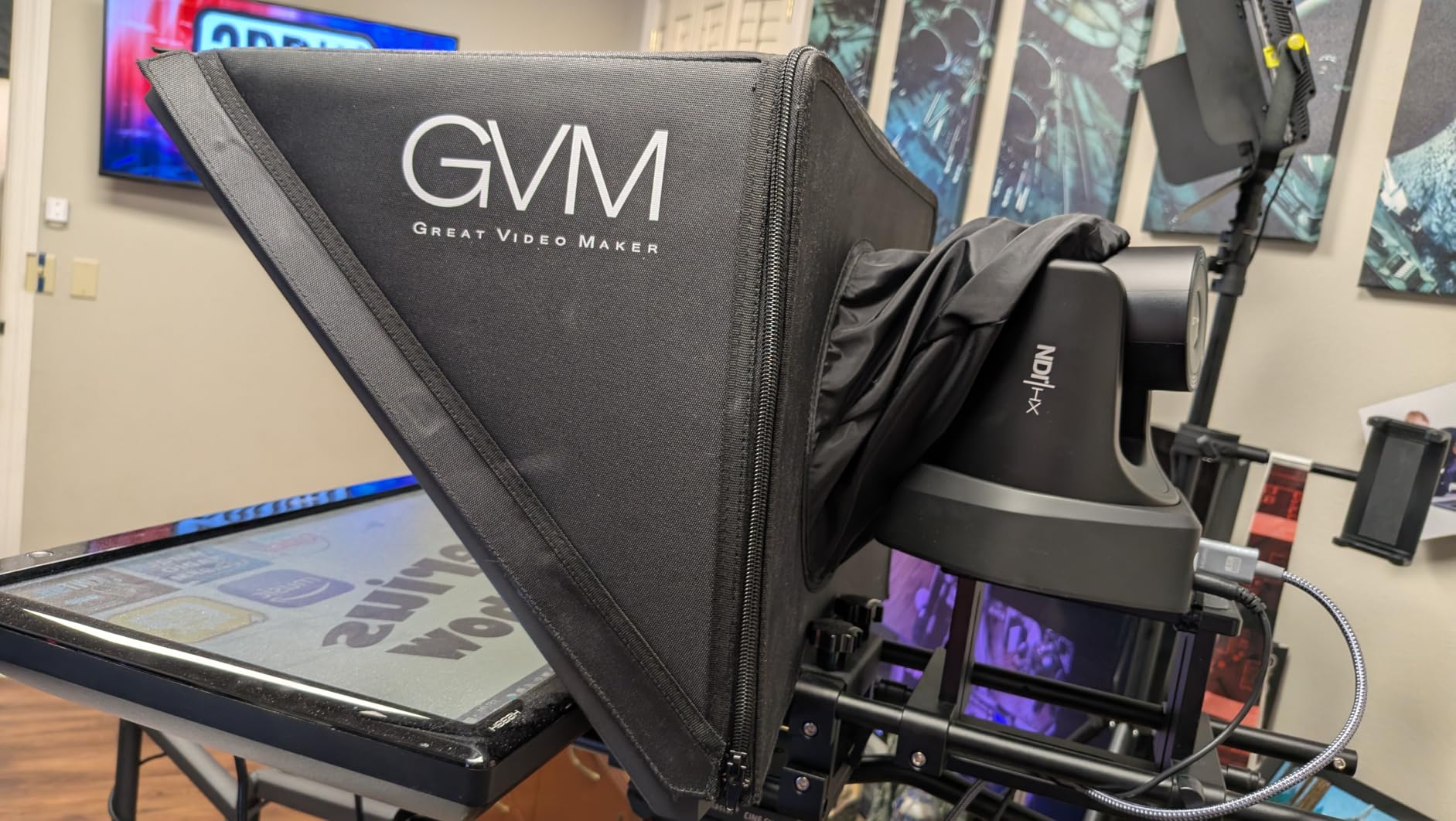
AI tracking is single-subject only. If your production has two speakers walking on stage at once, the camera will chase one and lose the other. It is also not designed for high-speed motion, so esports and sports streaming with fast lateral movement will frustrate the tracker. Joystick control via certain switchers requires a separate controller, which is something to confirm with your switcher vendor before purchase.
What I liked during testing
The image quality punches well above its weight. 4K via HDMI is crisp, and the 20x optical zoom is enough for the back half of a 1,000-seat venue. Buyers consistently mention that they bought a second and third TONGVEO after testing the first, which is a strong signal in the PTZ market. The 3-year warranty and free camera management software are thoughtful touches for volunteer-run media teams.
What gave me trouble
The AI tracking really is single-person only. For a panel discussion with three speakers you will want a static wide camera plus this camera for the active speaker, not a single TONGVEO chasing each panelist. Joystick control also took some trial-and-error with my ATEM 1 M/E, so check the TONGVEO compatibility matrix before you buy a joystick controller.
7. Canon VIXIA HF G70 4K UHD Camcorder – Best Workhorse Camcorder for Multicam
Canon VIXIA HF G70 Camcorder 1/2.3″ 4K UHD CMOS Sensor 20x Optical Zoom, 800x Digital Zoom, Image Stabilization, HDMI, USB Live Streaming, Time Stamp On-Screen Display Recording
4K UHD camcorder
20x optical zoom
UVC streaming over USB
OSD timecode
Pros
- 4K UHD with 4K sensor and DIGIC DV6 image processor
- 8-blade aperture for cinema-style out-of-focus highlights
- OSD Time Stamp recording embeds date
- time
- and timecode
- UVC livestreaming straight to a PC or Mac via USB
- Powerful 20x optical zoom with advanced image stabilization
- Hybrid AF with face detection for fast and precise focusing
Cons
- Compact body has a small sensor (1/2.3-inch)
- No built-in Wi-Fi/Ethernet for IP streaming
The Canon VIXIA HF G70 is the camcorder I trust for run-and-gun multicam shoots where I need a camera that just works. The 4K UHD sensor paired with the DIGIC DV 6 processor delivers a clean image that holds up against 4K PTZ cameras costing twice as much, and the 20x optical zoom with optical image stabilization means I can shoot handheld or from a tripod without micro-shake in the feed.
For multicam live stream productions, the UVC streaming mode is the headline. Plug the HF G70 into a computer via USB and it shows up as a clean webcam in OBS, vMix, Wirecast, or any UVC-compatible software, which means no capture card is needed. The on-screen display (OSD) timecode recording is a small but useful feature for documentary and event work where you need frame-accurate logs for post-production. Dual SD card slots give you relay recording for all-day events.
What I liked during testing
This camera does not quit. I left two HF G70s running for a 6-hour charity stream with no thermal throttling, no autofocus hunts, and no dropped frames. The 8-blade aperture gives bokeh highlights a cinema-like roundness that PTZ cameras rarely match. Hybrid AF with face detection is fast enough for walking presenters, and the 20x zoom range covers a standard conference room.
What gave me trouble
The 1/2.3-inch sensor is smaller than the mirrorless cameras on this list, so the bokeh is less creamy than the Sony ZV-E10. There is no built-in Wi-Fi or Ethernet for IP streaming, so the HF G70 needs a wired USB tether to a computer or an HDMI tether to a capture card or switcher. If your multicam workflow is fully NDI-based, this is the wrong camera; if it is HDMI or USB-based, this is one of the most reliable workhorses you can buy.
8. Panasonic X2000 4K Professional Camcorder – Best Premium Multicam Camcorder
Panasonic X2000 4K Professional Camcorder with 24x Optical Zoom, WiFi HD Live Streaming, 3G SDI Output and VW-HU1 Detachable Handle, HC-X2000 (USA Black)
4K 60p
24x optical zoom
3G-SDI + XLR audio
4:2:2 10-bit internal
Pros
- WiFi HD live streaming for untethered broadcast workflows
- Manual rings
- ND filters
- built-in LED video light for pro control
- 24-bit high resolution linear PCM audio recording
- 4:2:2 10-bit internal recording and dual SD card slots
- VW-HU1 detachable handle with 2-channel XLR audio input
- 4K 60p recording in a small
- light body with heat-dispersing design
- Leica Dicomar 25mm wide-angle lens with 24x optical zoom and 5-Axis Hybrid O.I.S.
Cons
- Premium price tier for a prosumer camcorder
The Panasonic X2000 is the prosumer camcorder I reach for when a multicam job needs broadcast-grade codecs and audio. 4:2:2 10-bit internal recording means your color grading and chroma key work in post-production is dramatically cleaner than the 4:2:0 8-bit output of most cameras on this roundup. 3G-SDI output lets you run 300-foot cable runs to a switcher without signal loss, and the VW-HU1 detachable handle ships with 2-channel XLR audio inputs, which is something podcasters and event crews specifically look for.
For multicam live stream productions, the WiFi HD streaming mode untethers the camera from a wired computer for short-form live shots. The 24x Leica Dicomar zoom range covers a stadium or sanctuary from the back of house, and the 5-Axis Hybrid O.I.S. keeps handheld shots steady. ND filters, manual focus, and iris rings give a camera operator the tactile controls they expect on a broadcast camera.
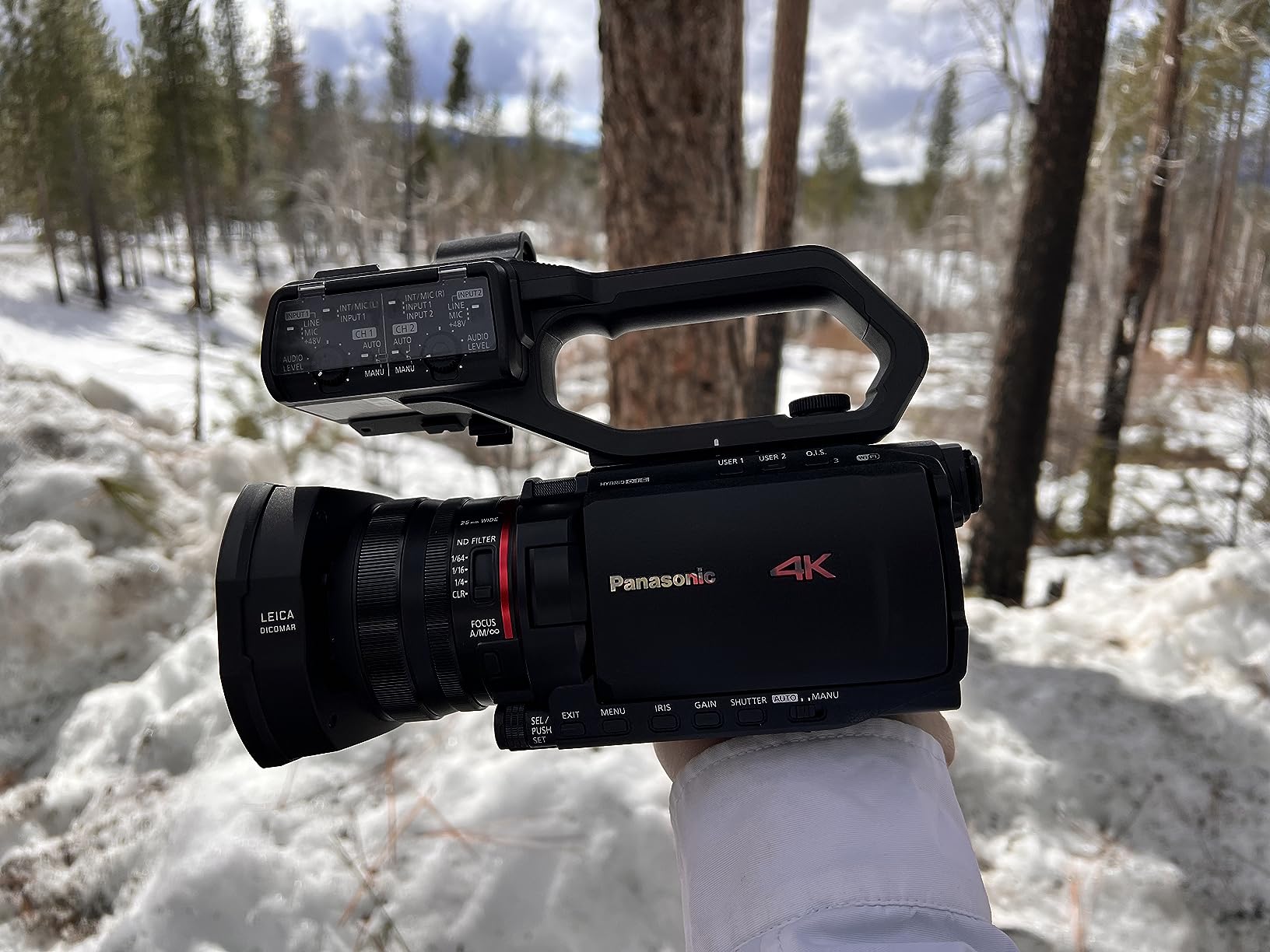
This is the most expensive camera on the list, and at 64 reviews with a 4.3-star average, the user base is smaller. Forum users call out that for the price you are paying for the codec, the XLR audio, and the broadcast-grade reliability, not the image quality per se, which a Sony FX30 or Panasonic GH6 can match at lower cost. If your multicam workflow is web-only and 8-bit 4:2:0 is enough, the Canon HF G70 or Sony ZV-E10 deliver 80% of the value at half the price.
What I liked during testing
The XLR audio on the detachable handle is the differentiator. Plugging in two lavalier mics or a shotgun plus a wireless receiver without a separate audio mixer is a workflow win for small crews. The 4K 60p output looks gorgeous on a 4K stream, and the heat-dispersing design means the camera held up across a 4-hour outdoor wedding in 85F heat. Manual rings are a tactile joy compared to the menu-driven focus on most PTZs.
What gave me trouble
The price tier is the obvious hurdle, and at 5.8 pounds with the handle, this is not a camera you mount on a small gimbal. The WiFi streaming is HD only (not 4K), so for a 4K stream you still need the SDI or HDMI tether. If you do not need XLR audio or 4:2:2 10-bit, the Canon HF G70 is a more economical choice.
How to Choose the Right Camera for Your Multicam Live Stream
Choosing the best camera for multicam live stream productions comes down to three questions: how many operators do you have, what is the venue size, and what is the final output resolution. The right answer changes a lot between a solo podcaster with two webcams and a church media team running five cameras across a 1,000-seat sanctuary.
PTZ vs mirrorless vs camcorder vs webcam
PTZ cameras win for hands-free operation and continuous-run reliability, but they lack the cinematic look of a large-sensor mirrorless. Mirrorless cameras like the Sony ZV-E10 give the best image quality per dollar but need an operator or a tripod. Camcorders like the Canon HF G70 and Panasonic X2000 are workhorses that run for hours without overheating and offer long zoom ranges. Webcams like the OBSBOT Tiny 2 Lite are the cheapest path and work great for small podcast studios or hybrid meeting rooms. The best multicam setups mix form factors: a PTZ for the locked-off wide, a mirrorless for the cinematic close-up, and a camcorder for the run-and-gun handheld.
Budget tier breakdown
Under $500 covers webcams and entry-level PTZ cameras like the OBSBOT Tiny 2 Lite. The $500 to $1,500 tier is where most churches and podcast studios shop, and it is dominated by 4K PTZ cameras and prosumer camcorders. The $1,500 to $3,000 tier adds the Sony ZV-E10 mirrorless bodies, premium camcorders like the Panasonic X2000, and AI auto-tracking flagship PTZs. Above $3,000 is broadcast-grade territory with Sony FR7, Panasonic AW-UE150UE160 PTZ cameras, and cinema cameras.
Key specs that actually matter
Clean HDMI output is non-negotiable for any mirrorless or camcorder in a multicam workflow because you do not want on-screen overlays or battery indicators burned into your stream. SDI matters for cable runs over 50 feet because HDMI degrades past 50 feet and NDI over Wi-Fi can introduce 250-500 ms of latency. Continuous-run reliability is critical for events longer than 2 hours, so check that your camera has a heat-dispersing design. Tally light support is a small feature that makes a huge difference when on-camera talent needs to know which camera is live.
Multicam Workflow Essentials
Once you have picked your cameras, the workflow is what makes or breaks the production. Here is the kit and software I run for every multicam live stream.
Video switcher and capture cards
The Blackmagic ATEM Mini Pro is the default entry-level switcher, with 4 HDMI inputs, a built-in streaming encoder, and a multiview output that shows all cameras plus program and preview on a single monitor. For larger multicam setups, the ATEM 1 M/E Constellation HD or the vMix hardware switcher scale to 8 to 10 inputs. If your cameras output USB (like the OBSBOT Tiny 2 Lite), you do not need a hardware switcher at all: OBS Studio and vMix both handle software switching for free.
Streaming software
OBS Studio is free, open-source, and the most popular choice for solo streamers and small teams. vMix is the paid upgrade many churches and event crews adopt once they need NDI integration, instant replay, or remote guests via vMix Call. Wirecast is the long-standing premium option favored by broadcast professionals, and Switcher Studio is the easiest iPad-based workflow for 2 to 3 camera shoots.
Audio mixers and microphones
Audio drift between cameras is the most common multicam complaint, and the fix is a dedicated audio mixer with a hardware timecode or a single feed split to all cameras. The Yamaha MG10XU is a 10-channel mixer with USB audio interface that fits this role. Pair it with lavalier mics for the host and guests and a shotgun mic for the room. If your cameras do not have XLR inputs, run the mixed audio feed into each camera via a splitter or a wireless IFB system.
Lighting and color matching
Mismatched color between cameras is the second most common multicam complaint. The fix is to set white balance manually on each camera before the event, use matched lighting setups across the venue, and apply a single LUT in post-production. For a quick start, two LED panel lights with adjustable color temperature (daylight balanced at 5600K) will pull all your cameras into a consistent look.
Wireless and NDI workflows
For venues where running HDMI or SDI is impractical, NDI over Ethernet or Wi-Fi is the modern answer. PTZ cameras like the AVKANS, Tenveo, and TONGVEO all support NDI|HX, which lets you run power, control, tally, and video over a single CAT6 cable. Wireless HDMI kits from Hollyland and Accsoon are an alternative for one or two cameras in the same room. The tradeoff is latency: NDI adds 100-250 ms, wireless HDMI adds 50-150 ms, so factor that into your switcher settings to avoid lip-sync drift.
Frequently Asked Questions
What is the best camera for live streaming events?
For most live events, a PTZ camera like the AVKANS NDI PTZ or the Tenveo 4K NDI PTZ is the best fit because it gives you 20x to 30x optical zoom, hands-free AI tracking, and clean NDI or HDMI output that feeds straight into a switcher. For cinematic close-ups, a Sony ZV-E10 mirrorless body delivers the best image quality per dollar and connects to OBS or vMix over USB.
How to stream multicam?
Stream multicam by routing each camera into a video switcher or capture card, then pushing the switcher program output to a streaming encoder. The basic workflow is: 1) connect each camera to the switcher via HDMI, SDI, or NDI, 2) use the switcher to cut, fade, or picture-in-picture between cameras, and 3) push the program feed to YouTube, Facebook, Twitch, or a custom RTMP destination.
What is the best PTZ camera for church live stream?
The AVKANS NDI PTZ and Tenveo 4K NDI PTZ are the two best PTZ cameras for church live streams in 2026. The AVKANS offers 30x optical zoom and AI presenter tracking, while the Tenveo delivers 4K at a lower cost with a 3-year warranty and lifetime technical support, which matters for volunteer-run media teams.
Are PTZ cameras good for live streaming?
Yes, PTZ cameras are excellent for live streaming because they offer hands-free operation, continuous-run reliability, and remote control over Ethernet. They are especially strong for churches, conferences, and events where a single operator manages many cameras. The main tradeoff is that PTZ cameras with smaller sensors cannot match the cinematic bokeh of a large-sensor mirrorless camera.
What is a good free software for multi-camera live streaming?
OBS Studio is the best free software for multi-camera live streaming. It supports unlimited camera inputs over USB, NDI, and capture cards, lets you build scenes with lower thirds and picture-in-picture, and pushes to YouTube, Facebook, Twitch, and custom RTMP destinations. vMix has a free tier with limited features, and Switcher Studio offers a free trial for iPad-based multicam workflows.
What is the best live streaming camera in 2026?
The best live streaming camera in 2026 depends on your use case. For all-in-one multicam with minimal setup, the Logitech Mevo Start is hard to beat. For AI tracking on a budget, the OBSBOT Tiny 2 Lite is the best value. For cinematic quality, the Sony ZV-E10 is the top hybrid mirrorless pick, and for church and event production, the AVKANS or Tenveo NDI PTZ cameras lead the category.
Final Verdict: Which Camera Should You Buy?
For most buyers building the best cameras for multicam live stream productions in 2026, the Logitech Mevo Start is the right starting point because it covers most use cases in one device and lets you scale from 1 to 3 cameras without rewiring. If you want a hands-free, 4K PTZ setup on a tighter budget, the Tenveo 4K NDI PTZ is the best value. If you need cinematic close-ups inside the multicam rig, the Sony ZV-E10 delivers mirrorless image quality with USB streaming simplicity.
For churches and houses of worship, the AVKANS NDI PTZ is the workhorse that keeps running year after year with NDI, SDI, and HDMI outputs feeding every screen in the building. For solo creators on a budget, the OBSBOT Tiny 2 Lite 4K webcam brings AI tracking to the smallest multicam setups. Whatever you pick, the right camera is the one your operator can run confidently, your switcher can route cleanly, and your audience can watch without distraction. For more recommendations, browse our Sony live streaming and live shopping cameras roundups, and stay tuned as we test the next wave of AI auto-tracking multicam cameras hitting the market.