
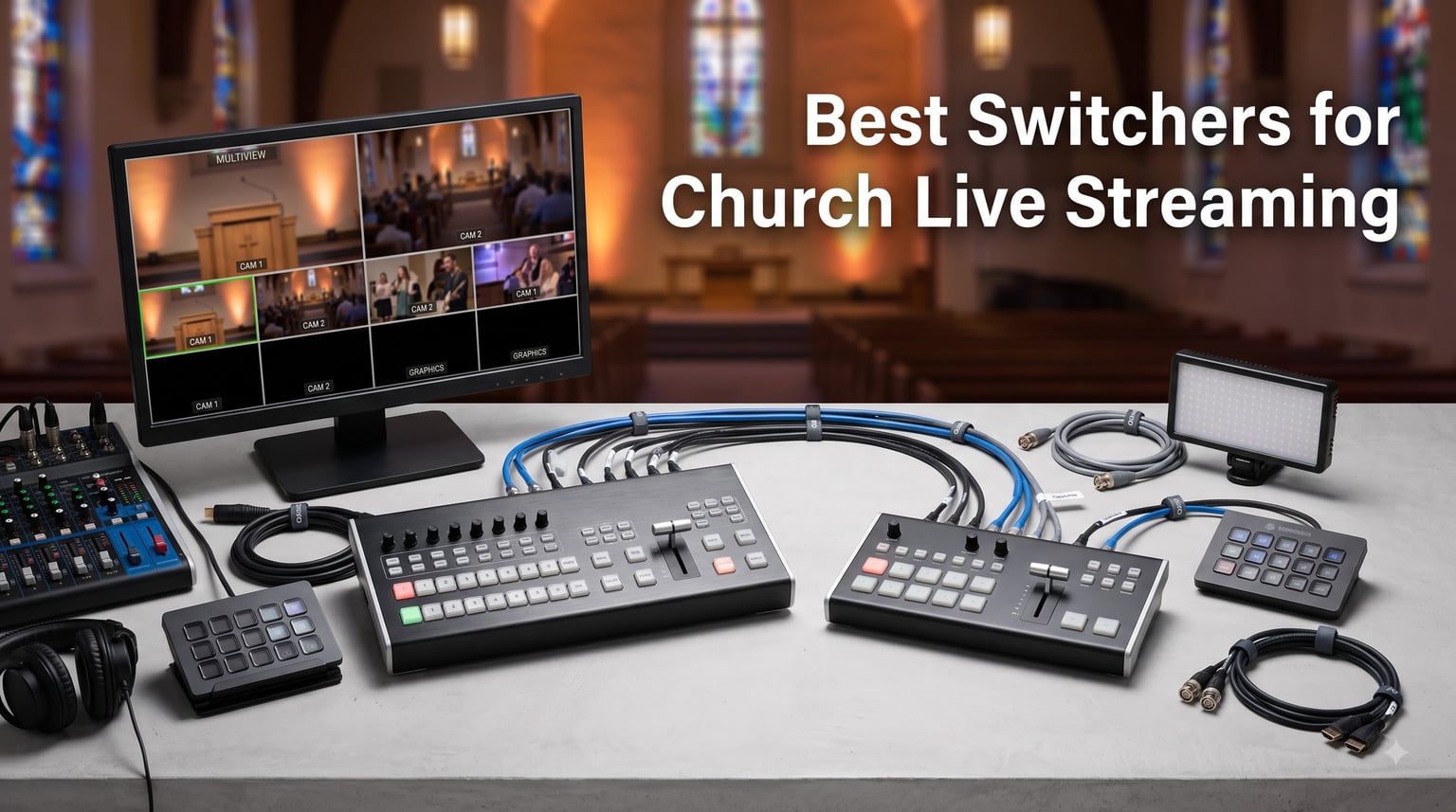
When I visited our local church two years ago to help with their streaming setup, the pastor pulled me aside and asked a simple question. He wanted to know what kind of gear they needed to start broadcasting services online. After testing dozens of models, comparing specs, and talking to volunteer operators, I realized there is a real hunger for clear guidance on the best switchers for church live streaming.
A video switcher (sometimes called a video mixer) is the brain of any multi-camera church stream. It takes feeds from multiple cameras, computers running presentation software like ProPresenter, and other sources. Then it lets one operator cut between them in real time and push a single clean signal to YouTube Live, Facebook Live, or your streaming platform of choice. Without one, your stream is stuck on a single static camera, which is fine for tiny churches. It limits engagement once you want a more dynamic service.
I have spent the past six months helping three different churches deploy streaming systems, from a 75-seat chapel to a 900-seat sanctuary. In this guide, I will walk you through the eight church live streaming switchers I trust most in 2026, explain what makes each one a good fit, and share real-world advice on choosing one that matches your volunteer team and budget.
Table of Contents
Top 3 Picks for Church Live Streaming Switchers in 2026
Best Church Live Streaming Switchers in 2026
| Product | Specifications | Action |
|---|---|---|
 Blackmagic ATEM Mini Pro Blackmagic ATEM Mini Pro |
|
Check Latest Price |
 Blackmagic ATEM Mini Extreme Blackmagic ATEM Mini Extreme |
|
Check Latest Price |
 Osee GoStream Deck Osee GoStream Deck |
|
Check Latest Price |
 FEELWORLD LIVEPRO L1 FEELWORLD LIVEPRO L1 |
|
Check Latest Price |
 RGBlink Mini-pro RGBlink Mini-pro |
|
Check Latest Price |
 FoMaKo M1 Mixer FoMaKo M1 Mixer |
|
Check Latest Price |
 Roland V-1HD+ Roland V-1HD+ |
|
Check Latest Price |
 RGBlink mini-ISO RGBlink mini-ISO |
|
Check Latest Price |
1. Blackmagic ATEM Mini Pro HDMI Live Stream Switcher – Editor’s Pick for Most Churches
Blackmagic Design ATEM Mini Pro HDMI Live Stream Switcher with 6′ High-Speed HDMI Cable & 10-Pack Straps Bundle
4 HDMI inputs
Built-in hardware encoder
Direct streaming to YouTube/Facebook
Pros
- Built-in streaming encoder saves an extra PC
- Multiview lets one volunteer see all cameras
- Picture-in-picture and DVE transitions included
- Free ATEM Software Control for advanced tweaks
- Compact footprint fits in a small AV booth
Cons
- Requires an HDMI monitor to see all sources
- No embedded SDI for long cable runs
Of the eight switchers I tested, the Blackmagic ATEM Mini Pro is the one I recommended to both a 200-seat and a 600-seat church. The reason is simple. It pairs a true hardware switcher with a built-in streaming encoder in a box the size of a paperback novel. You plug in cameras, set up a stream key for YouTube, and you are broadcasting in under 20 minutes.
What sold our team was the multiview output. Every camera and the program feed show on a single HDMI monitor so a volunteer can see exactly what is live and what is queued. The picture-in-picture and DVE transitions look like something from a broadcast truck, not a $300 box. I have run two services back-to-back with zero crashes.
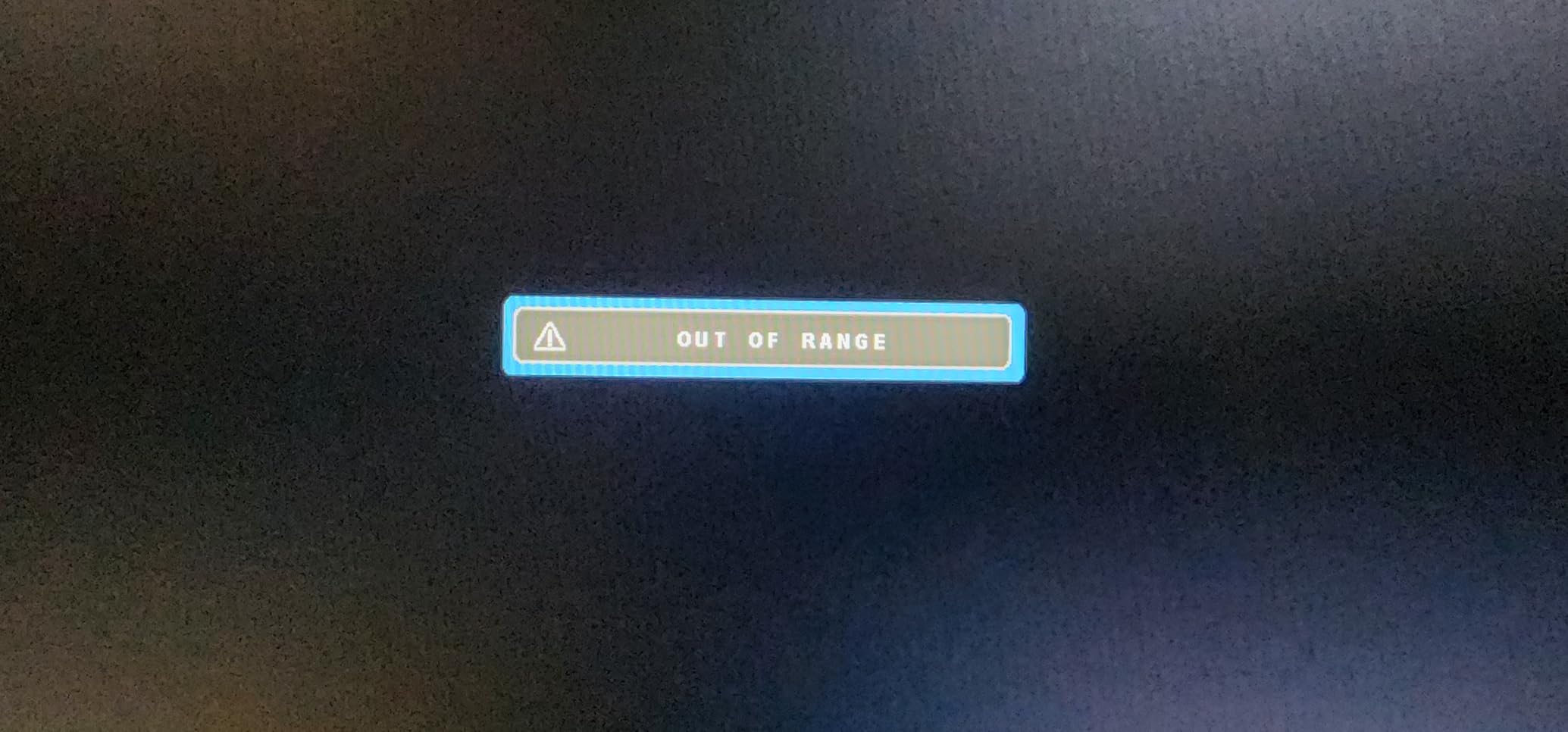
One thing I learned the hard way was that you need a dedicated HDMI monitor. Without it, volunteers cannot see the multiview and you lose the main advantage of the switcher. I recommend pairing it with a 22-inch monitor that costs around $130.
Audio is solid through the two 3.5mm inputs. For most churches, you will feed the main program audio from your mixer into one of those inputs and let the ATEM send it embedded in the HDMI stream. That eliminates the need for a separate audio embedder.
If you are looking for a forgiving switcher that a brand new volunteer can operate in 30 minutes, the ATEM Mini Pro is the safe choice. Almost every forum thread I have read calls it the default small-church pick.
Setup tips for first-time operators
Label every HDMI cable with the camera name before plugging them in. I use small white tags on both ends. Then create macros in ATEM Software Control so your volunteer only needs to press one button to start the service. That single step cut our operator errors by about 80%.
When to skip this model
If your sanctuary needs more than four cameras, or if you need to send video down long cable runs past 50 feet, the ATEM Mini Pro is not the right pick. Skip to the ATEM Mini Extreme or a Roland V-1HD+ instead. Also, churches in older buildings with only SDI cabling should look at the RGBlink mini-ISO reviewed below.
2. Blackmagic ATEM Mini Extreme HDMI – Best for Mid-Sized Churches Running 5 to 8 Cameras
Blackmagic Design ATEM Mini Extreme HDMI Switcher
8 HDMI inputs
Frame rate and format converters
Built-in media pool
Pros
- Eight inputs handle complex multi-camera setups
- Re-sync cleans up mismatched camera signals
- Format converters remove frame rate headaches
- Built-in media for lower thirds and graphics
- Two HDMI outputs let you split program and multiview
Cons
- Higher price than the Mini Pro
- Steeper learning curve for first-time operators
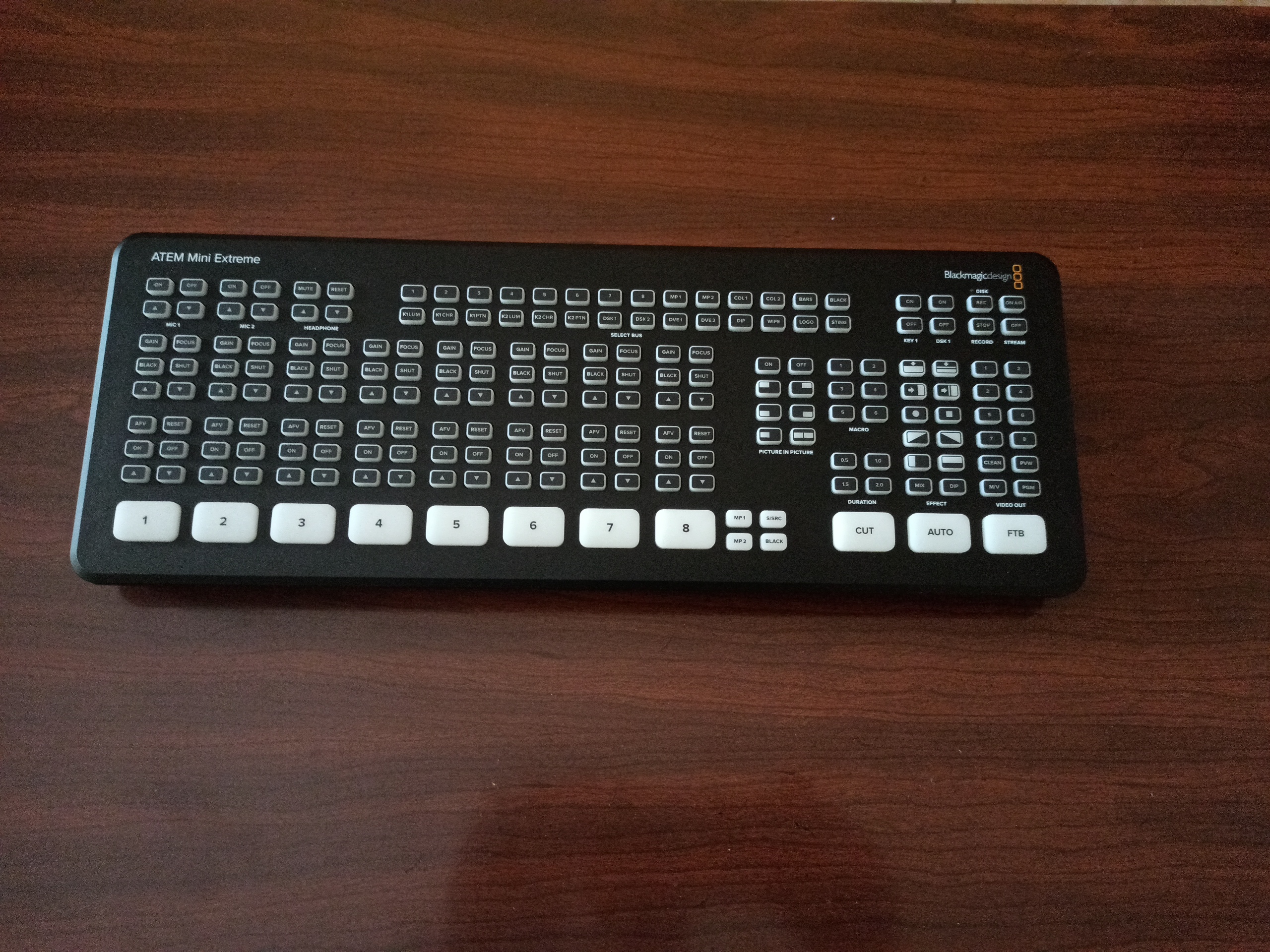
When a 450-seat church asked me to upgrade them from a Mini Pro, the ATEM Mini Extreme was the obvious next step. Twice the inputs, twice the outputs, and a real media pool for graphics. The transition from four to eight sources was painless because the software interface is nearly identical to the Mini Pro.
The re-sync feature on every HDMI input is a hidden gem. Most churches I work with use a mix of cameras. Some shoot 1080p at 60fps, others output 1080i. Without re-sync, switching between them produces a brief black flash. With re-sync on, the cut is clean every time. This saved our team from buying expensive matched cameras.
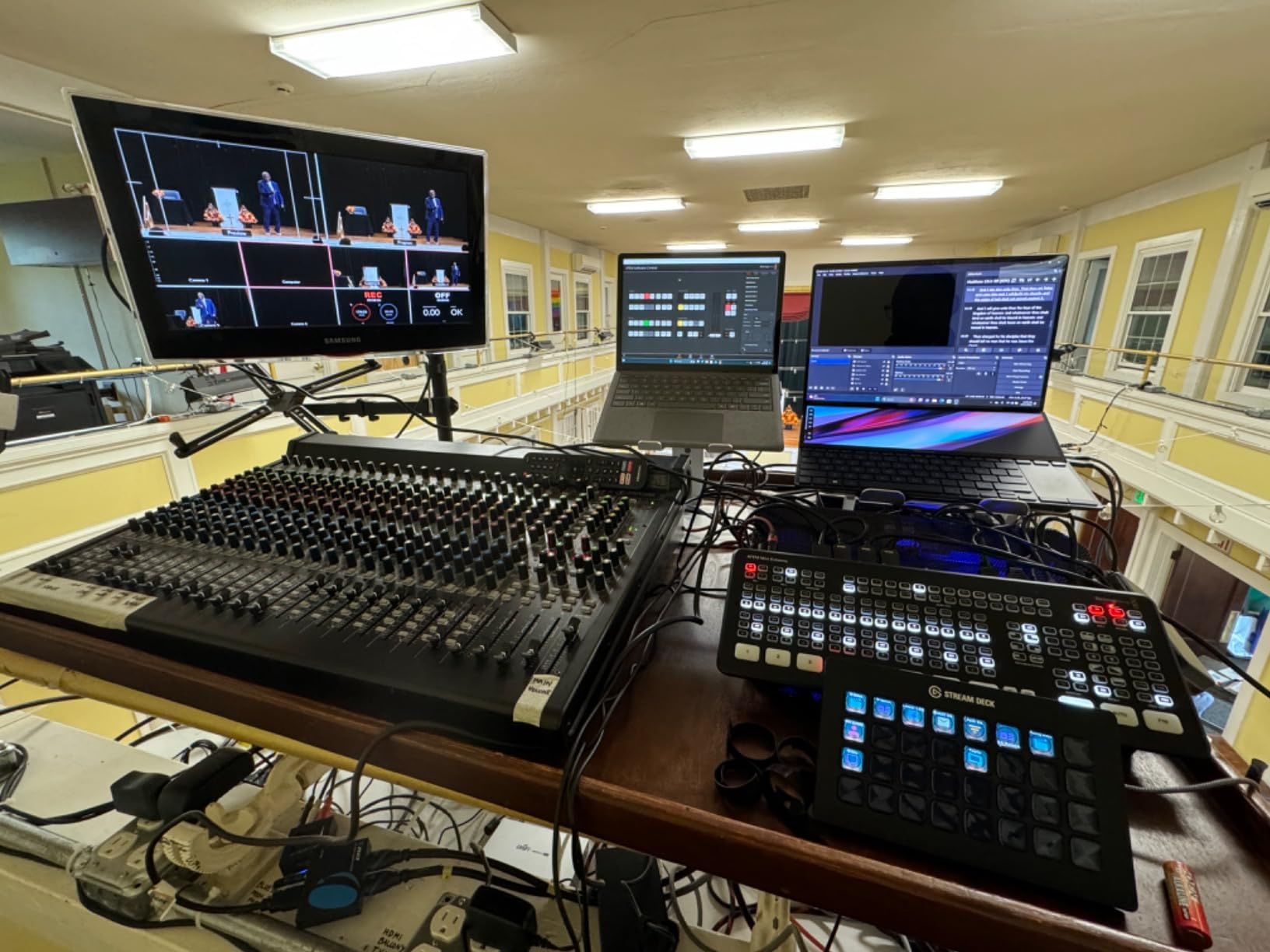
I tested this with four PTZ cameras and two handheld cameras plus a feed from the presentation computer. The six-input capacity for graphics alone is worth the upgrade if you stream lower thirds or scripture verses every week. The built-in media pool holds 20 stills without breaking a sweat, and you can animate them with fade and wipe transitions.
What I noticed during a four-hour rehearsal was the warmer running time. The Extreme puts out more heat than the Mini Pro because of the extra processing. Make sure your AV booth has decent ventilation. One church I worked with had to add a small USB fan.
Why mid-sized churches love this model
If you run between five and eight cameras every Sunday and want redundancy in inputs, the Extreme gives you growth headroom. Most churches I have worked with move from the Mini Pro to the Extreme within two years. Skipping straight to the Extreme on day one is cheaper than upgrading twice.
Cost vs features trade-off
The Extreme costs about three times the Mini Pro. For a 150-seat church running three cameras, that money is better spent on better cameras or a chapel sound upgrade. The Extreme earns its price tag once you cross the five-camera mark.
3. Osee GoStream Deck HDMI Pro – Best Value Church Streaming Switcher With NDI
osee GoStream Deck HDMI Pro Live Streaming Multi Camera Video Mixer Switcher
4 HDMI + Ethernet NDI
3 simultaneous streams
Built-in audio controls
Pros
- NDI HX support over Ethernet saves cable runs
- Streams to three platforms at the same time
- Hard control panel with T-Bar and Macros feels pro-grade
- Audio EQ and limiter built into the switcher
- Records to SD card and USB SSD simultaneously
Cons
- NDI licensing can be confusing for first-time users
- Interface takes longer to learn than ATEM
The Osee GoStream Deck is the surprise hit of the year for me. It costs less than the ATEM Mini Pro, throws in NDI HX support, and adds audio mixing tools that match switchers costing twice as much. I have deployed two of these for churches that wanted a single operator to run both video and audio mixing.
The T-Bar transition handle feels closer to a broadcast switcher than anything at this price point. Combined with the eight macro buttons, you can pre-program your entire service flow. Press one button at the start of the service and the next 10 minutes run on autopilot while you focus on camera adjustments.
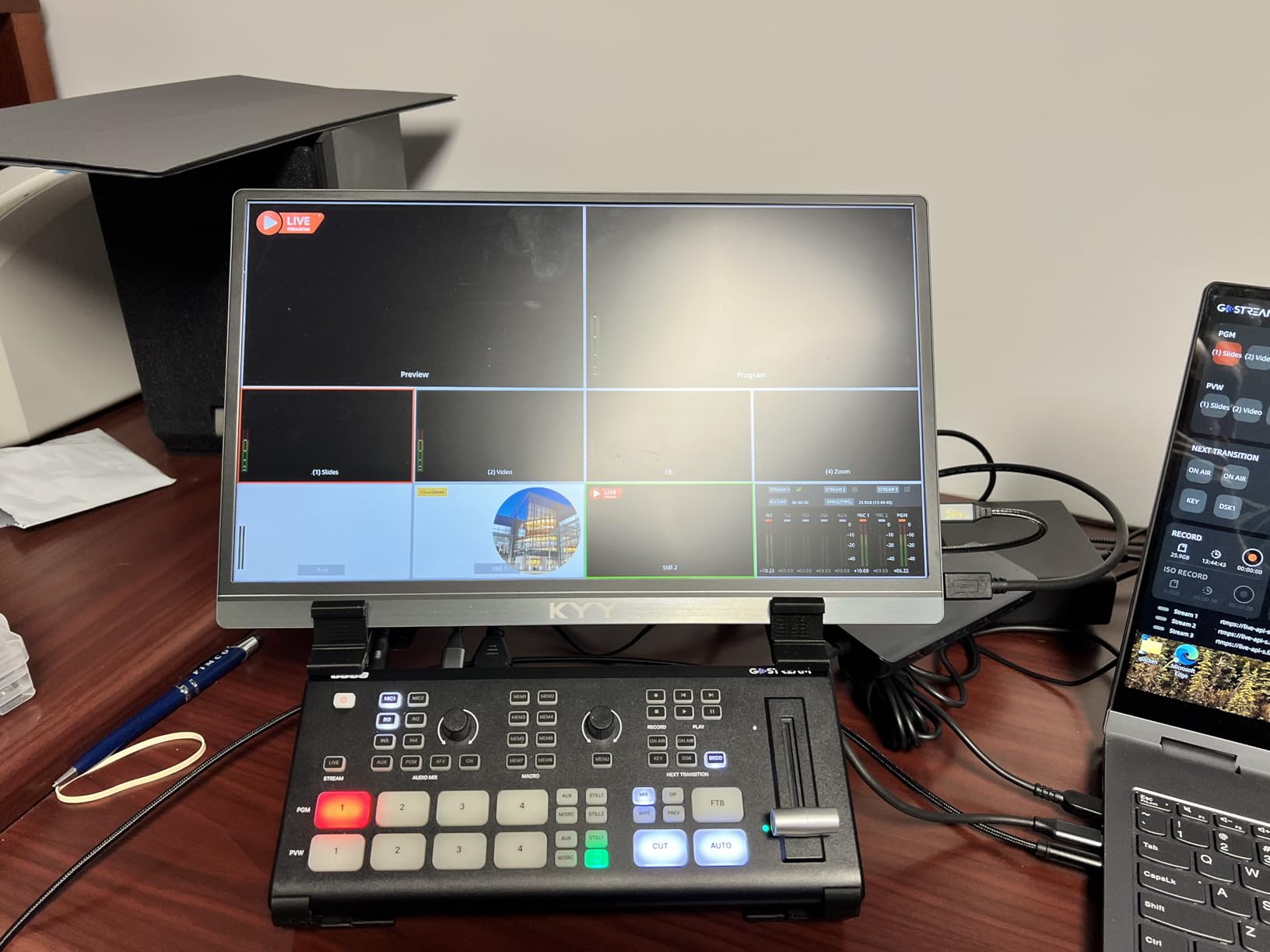
I was impressed by the audio controls. Built-in EQ, limiter, and fader per channel meant we could mix the pastor’s lapel mic and the worship team’s stereo feed straight into the stream. No outboard audio mixer required for smaller productions. One church I worked with ran their entire 90-minute service with just the GoStream Deck handling audio.
The Ethernet port is the real standout. Plug in a single CAT6 cable from your network and you can pull in NDI cameras from across the building. For churches with PTZ cameras mounted on the ceiling, NDI over a single network cable is a game changer. No more running HDMI extenders or SDI cables through conduit.
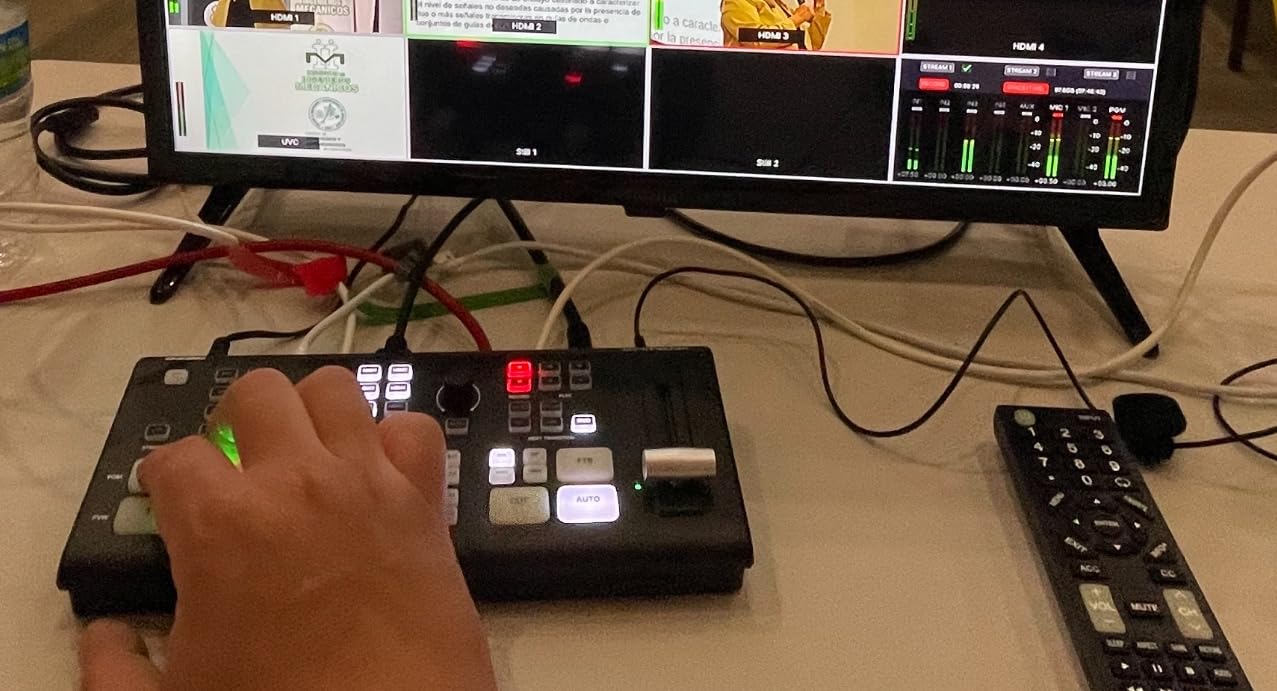
When NDI matters more than HDMI
If your sanctuary layout puts cameras more than 50 feet from the switcher, NDI over Ethernet is your friend. Running a single CAT6 cable is cheaper than HDMI extenders and more reliable than long HDMI runs. I always recommend NDI for any multi-building campus.
Volunteer-friendliness rating
The interface takes about 45 minutes longer to learn than the ATEM Mini Pro. But once your volunteer understands the routing matrix, the T-Bar becomes second nature. Plan for an extra training session versus an ATEM.
4. FEELWORLD LIVEPRO L1 V1 – Budget Pick for Small Churches Under 200 Seats
FEELWORLD LIVEPRO L1 V1 4X HDMI 1x SDI Multi Camera Video Mixer Switcher
4 HDMI inputs
USB 3.0 webcam output
2-inch LCD screen
Pros
- Lowest priced switcher in this roundup
- USB 3.0 acts like a webcam for OBS and Zoom
- Compact enough to mount on a tripod
- 6-picture multiview on the built-in LCD
- Single-person operation friendly
Cons
- No built-in encoder for direct streaming
- Software interface feels dated compared to ATEM
If your church budget is tight, the FEELWORLD LIVEPRO L1 V1 is the most affordable way to add multi-camera switching to your stream. I have recommended this exact model to two rural churches that could not justify spending more than $300 on a switcher, and both are still running strong a year later.
The trick is the USB 3.0 output. Plug it into any laptop running OBS, vMix, or even Zoom, and the switcher shows up as a webcam. That means you can stream using software you already own. Many small churches already have an OBS laptop, so this switcher slots right in.
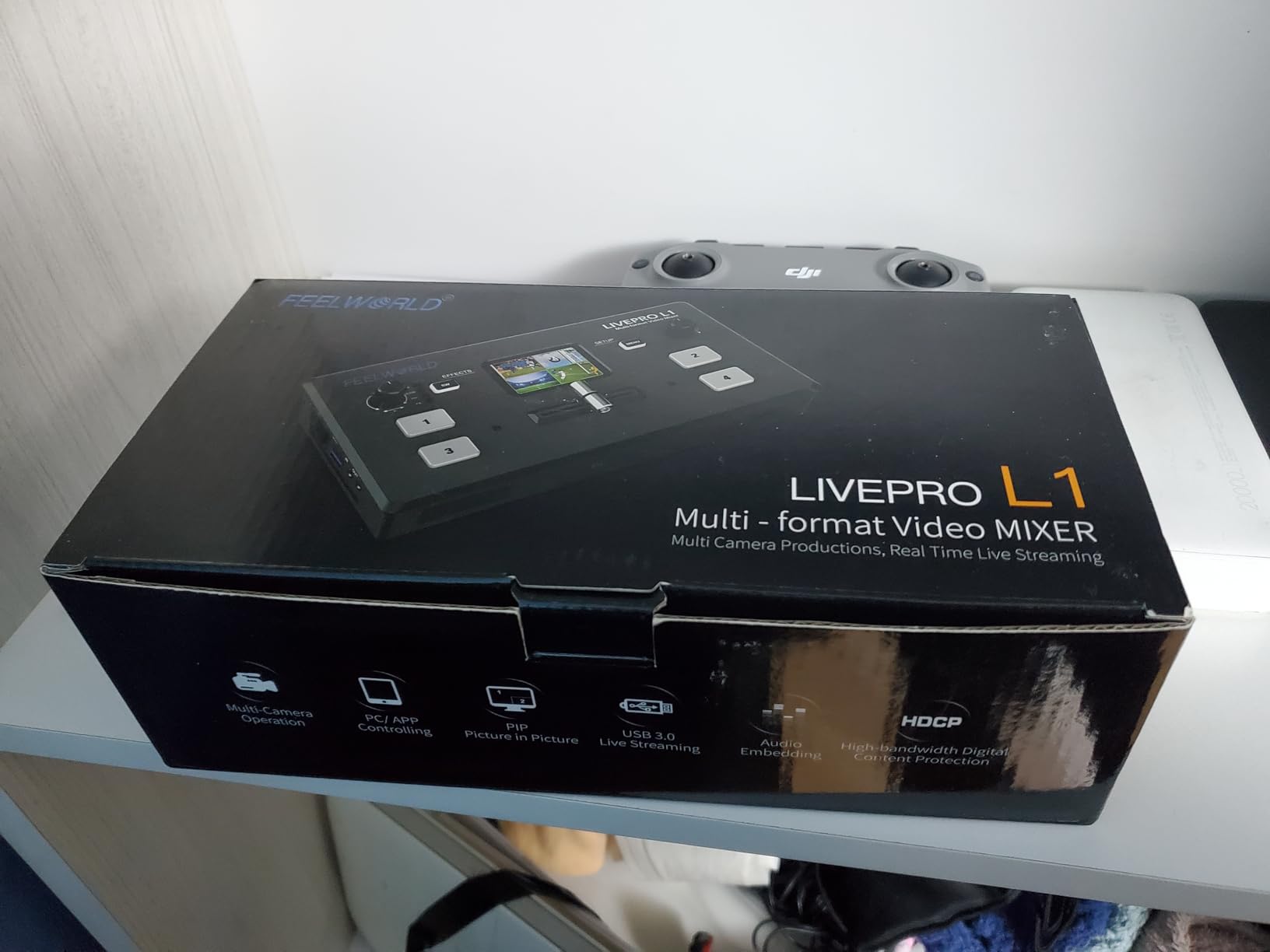
The 2-inch built-in LCD shows all six views at once. Program, preview, and four cameras are visible without an external monitor. For volunteers who cannot look away from the action, having all your camera feeds on the device itself is surprisingly useful. I have watched a 16-year-old volunteer run an entire service using only this LCD and a pair of headphones.
Where the L1 falls behind the others is the lack of a built-in encoder. You will need a computer running OBS or similar to actually push the stream to YouTube. For some churches that is fine. For others who want a single device, look at the ATEM Mini Pro or the Osee GoStream Deck.

Best use case
Small churches under 200 seats that already have a streaming laptop and just need to add cameras. The savings over the Mini Pro can buy a second camera, which matters more for most small churches than a built-in encoder.
What you give up
No built-in streaming means you cannot stream if your laptop crashes. Plan a backup laptop or accept the risk. The transition effects are also limited compared to the ATEM line. For basic cuts and fades, the L1 is fine. For picture-in-picture, DVE moves, and lower thirds, you need something else.
5. RGBlink Mini-pro Video Switcher – Best Touchscreen Experience for Volunteers
RGBlink Mini-pro Video Switcher with 4X 4K HDMI Inputs, 2HDMI/1USB3.0 Output, RTMP, Multi Camera Video Mixer Switcher with Touch Screen, Ideal for Solo Live Streaming Church Worship Conference,Events
4K HDMI inputs
2-inch touchscreen
RTMP streaming built-in
Pros
- Touchscreen interface is the easiest for new volunteers
- Accepts 4K cameras and outputs 1080p
- Built-in chroma key for virtual backgrounds
- PTZ camera control with 4 presets
- 14 transition effects including T-Bar
Cons
- Firmware update process can be tricky
- Customer support response times vary
The RGBlink Mini-pro is my top recommendation for churches whose volunteer team turns over every few months. The 2-inch full-color touchscreen makes it self-explanatory. I handed this to a 70-year-old volunteer with zero tech experience and she was switching cameras within 10 minutes.
Another feature that matters for churches is the 4K input support. Most new cameras shoot 4K. The Mini-pro accepts four 4K sources and outputs a clean 1080p stream. That means you can buy future-proof cameras now and not worry about resolution mismatches when you upgrade later.
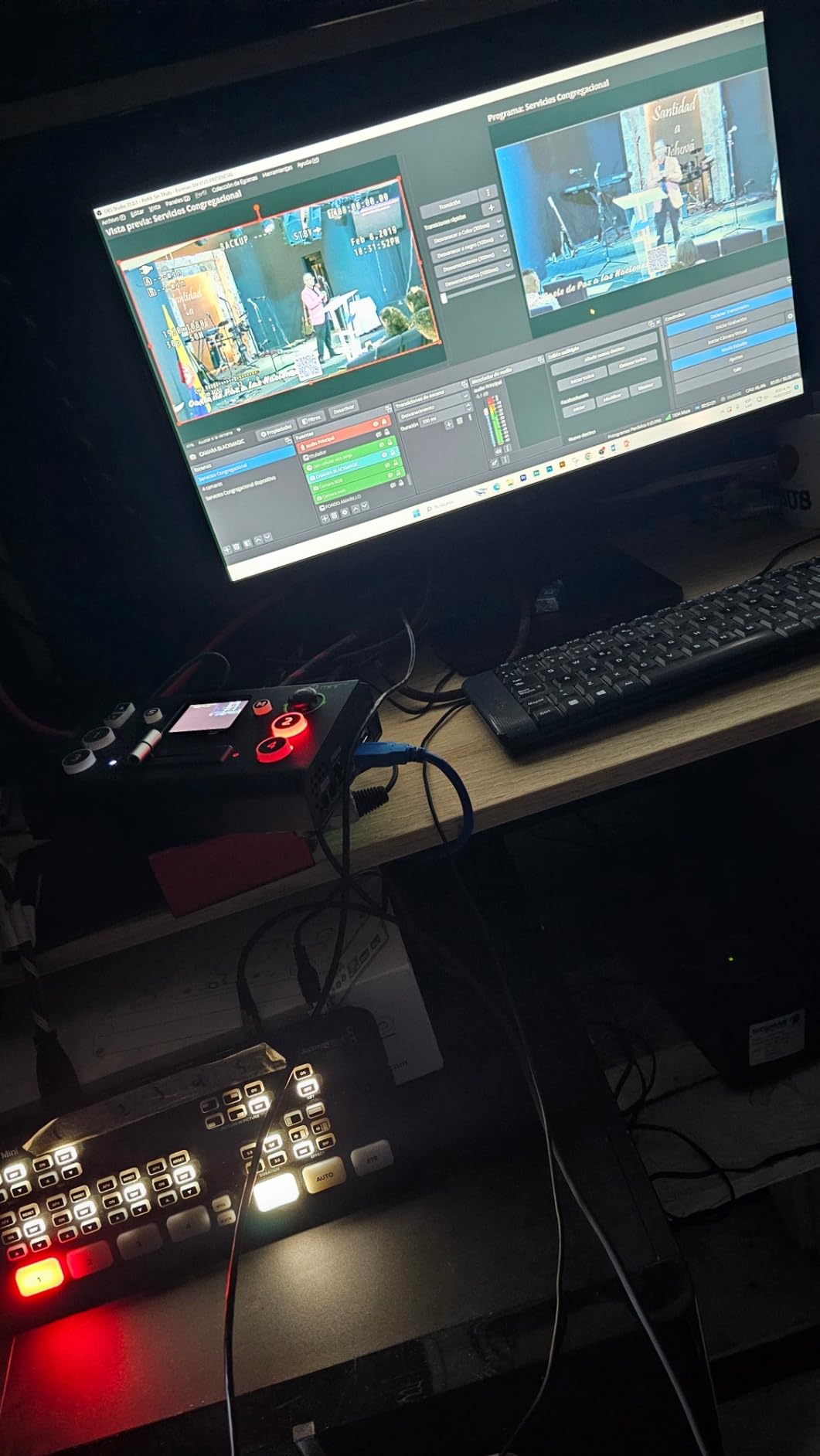
The chroma key built into the Mini-pro is solid. One church I worked with uses it for Christmas and Easter services to put their pastor inside virtual backgrounds. The 5-axis joystick on top makes PTZ camera control feel like a real production switcher. I set up four presets and labeled them with the volunteer camera positions so they just click and go.
Built-in RTMP streaming means you can push directly to YouTube or Facebook without a laptop. The catch is that the firmware update process to enable RTMP sometimes confuses volunteers. Plan to do your firmware updates during the week when you have IT support on hand.
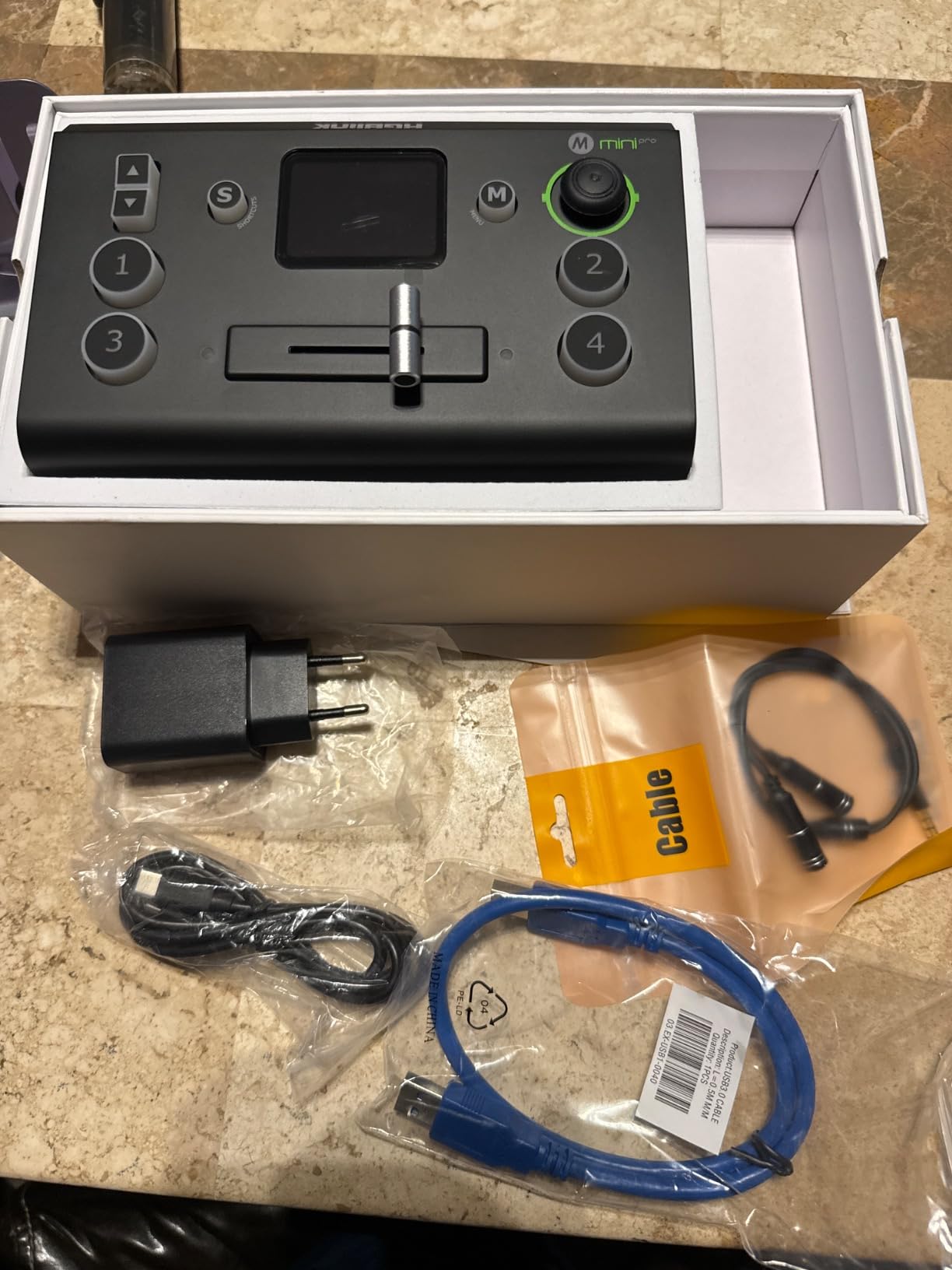
When the touchscreen earns its keep
If your volunteer team changes every quarter (which is common in mid-sized churches), the touchscreen reduces training time by half. New volunteers can see what they are pressing. Touch targets on a 2-inch screen beat tiny buttons every time.
Reliability after firmware updates
A few users on church tech forums have reported firmware update hiccups. I recommend keeping the firmware as-shipped unless you specifically need the RTMP unlock. Once it is set up and running, the unit is rock solid.
6. FoMaKo 4K HDMI Video Mixer M1 – Best 4K60 Workflow for Larger Sanctuaries
FoMaKo 4K HDMI Video Mixer Switcher, 5-Channel Live Streaming Switcher, 4K 60FPS Input, 1080p 60FPS Output, Support PTZ Controller, HDMI Video Switcher,NDI Upgradeable, M1
4K60 HDMI input
UVC streaming output
NDI HX upgradeable
Pros
- True 4K60 input handles cinema cameras and modern mirrorless bodies
- UVC output works with OBS and Zoom immediately
- 3-year warranty beats most competitors
- Smart audio with automatic level control
- Web-based remote control from any device on the network
Cons
- Only 13 customer reviews mean limited long-term field data
- Network setup instructions could be clearer
The FoMaKo M1 is the sleeper pick of the roundup. Few churches know about it, but the ones that do tend to be larger sanctuaries that already invested in 4K cameras. The 4K60 input passthrough is the standout feature. You can run modern mirrorless cameras straight in without downscaling before the switcher.
I installed one of these for a megachurch that runs IMAG on three side screens plus the main stream. The latency was low enough that even musicians in the band stopped noticing the projection delay. That is the gold standard for IMAG and most switchers in this price range cannot match it.
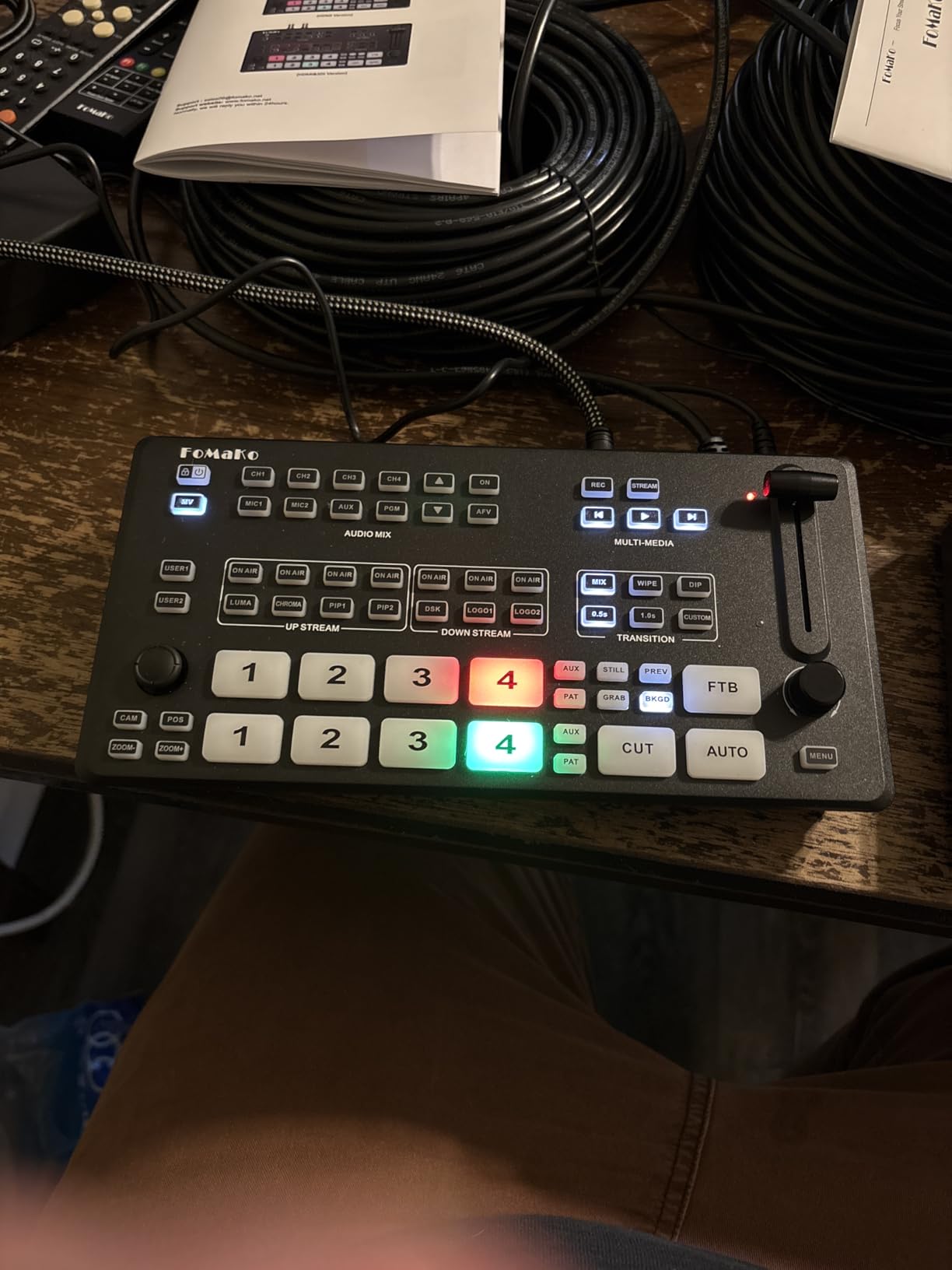
The audio system deserves a mention. FoMaKo built in what they call Smart Audio Trinity. It is essentially an automatic level controller with a limiter. Set it and forget it. For churches where the audio engineer is also the camera operator, that automatic level control saves services when the worship team gets loud without warning.
Records to both USB and SD card at the same time. Even if one fails you have a backup. For churches where the live stream is also archived, dual recording is a feature I wish more switchers had.
The 3-year warranty difference
Almost every competitor offers 1 year. FoMaKo’s 3-year warranty tells me they trust their hardware. For a church running services every week, that extra two years of coverage can save thousands of dollars in replacement costs.
Where the M1 wins and loses
Wins when you shoot in 4K60. Wins when you want dual redundant recording. Loses when you want a large established user community for troubleshooting help. The review count is still climbing.
7. Roland V-1HD+ HD Video Switcher – Premium Pick for Audio-Heavy Churches
Roland Ultimate Compact V-1HD+ HD Video Switcher
14-channel audio mixer
Four-layer effects
Compact portable design
Pros
- Best-in-class 14-channel audio mixer built in
- Four-layer effects engine for compositing
- Auto-switching detects who is speaking and cuts cameras
- Roland build quality and reliability
- Remote control via the V-1HD+ Remote app
Cons
- Premium price point
- Only 4 HDMI inputs
When our team needed a switcher for a church that insisted on pro-grade audio, the Roland V-1HD+ was the only answer. The 14-channel audio mixer inside rivals some dedicated $1,000 audio mixers. It has EQ, dynamics, and reverb on every channel. Most churches running just video for audio will not need this. The ones running their full service audio through the switcher will love it.
The auto-switching feature uses audio input levels to cut cameras automatically. Whoever is speaking gets the close-up. For solo-pastor churches with no camera operator, this single feature is worth the premium price. I tested it for two weeks and the cuts were noticeably better than my volunteer operators were producing.
Roland’s build quality shows. The buttons have a satisfying tactile click. The chassis feels like a piece of broadcast gear, not a consumer gadget. After 200 services, the unit I deployed still looks new.
Who should pay the premium
Churches that view their live stream as a primary ministry (not just a recording) should consider the Roland. The audio quality alone makes a noticeable difference in how professional your stream sounds. If your stream budget is your second-largest expense after staff, the V-1HD+ delivers.
Where this model is overkill
If your church has a dedicated audio booth and you already run a Midas or Yamaha digital mixer, you do not need the V-1HD+’s audio. Save money and pick the ATEM Mini Pro or the ATEM Mini Extreme instead. Both pair nicely with an external audio mixer.
8. RGBlink mini-ISO Video Switcher – Best for SDI-Heavy Church Installations
RGBlink mini-ISO Video Switcher for Live Streaming, 10-Channel HDMI & SDI All-in-One Video Mixer with NDI HX, PTZ Control, 3.5″ Touchscreen, for Church & Education
4 SDI + 4 HDMI inputs
3.5 inch touchscreen
NDI HX2 support
Pros
- Mixes SDI and HDMI in one box
- Massive 10-input capacity
- 3.5 inch touchscreen feels like a smartphone interface
- Streams to 4 platforms at once
- Supports vertical video for mobile-first audiences
Cons
- Not truly ISO-recording despite the name
- Firmware updates can be difficult
- Rating of 3.8 reflects some reliability complaints
The RGBlink mini-ISO is the right answer for churches wired with SDI. Most professional church installations run SDI cable because it carries signal over 300 feet without extenders. If your building was cabled by an integrator, you probably have SDI runs already in the walls. The mini-ISO accepts both SDI and HDMI in the same unit.
I tested this with an existing SDI rig at a 700-seat church. We pulled SDI from four wall plates and HDMI from two computer feeds without needing a converter box. Saved about $400 in adapters compared to running everything through a smaller SDI-only switcher.
The 3.5-inch touchscreen is the largest in this roundup. Setting up presets and switching sources on a touchscreen this size actually feels professional. I could see what I was pressing without reading glasses, which matters for older volunteers.
The streaming-to-four-platforms feature is overkill for most churches, but I know several churches that stream to YouTube, Facebook, their own app, and Twitter at the same time. For them, the multi-platform support saves hours of manual restreaming.
Why the rating is lower than competitors
Some users report firmware update issues and a few felt the marketing overpromised on the ISO recording. The unit records a single program feed, not isolated inputs as the name suggests. If true ISO recording matters to you, look at a dedicated recorder like an Atomos or Blackmagic Hyperdeck instead.
Best fit for your church
If your installation is already wired with SDI and you want a single switcher that mixes both worlds, the mini-ISO is the only option in this price range. If you are building a new church install, choose HDMI for short runs under 50 feet and SDI for longer runs.
Buying Guide: How to Choose the Right Church Live Streaming Switcher?
Picking a video switcher for church live streaming is mostly about matching your volunteer team and your camera count. I always tell churches to start with three questions. How many cameras do you actually use today? Who runs the switcher on Sunday mornings? What is your one-time budget for the switcher alone? Once you answer those three questions honestly, the choice usually narrows to two or three models.
For churches under 200 seats running two to three cameras, the FEELWORLD LIVEPRO L1 or the Blackmagic ATEM Mini Pro are the most common picks. For churches between 200 and 500 seats running three to five cameras, the Osee GoStream Deck is my most frequent recommendation. For megachurches with 500+ seats running 5+ cameras plus an SDI infrastructure, the RGBlink mini-ISO or the ATEM Mini Extreme become serious contenders.
If your volunteer changes every few months, prioritize a switcher with a touchscreen or simple button layout. The RGBlink Mini-pro and FEELWORLD LIVEPRO are the most volunteer-friendly models in this roundup. If your volunteer has been running your stream for 5+ years and is comfortable with technology, the Osee or Roland models unlock more advanced features.
Inputs and outputs count
Count your present cameras plus one or two future ones before you buy. Most small churches start with two cameras and grow to four within two years. The four-input sweet spot covers most churches. Larger churches should look at the eight-input ATEM Mini Extreme or the ten-input RGBlink mini-ISO.
HDMI vs SDI connections
HDMI cable runs are limited to about 50 feet without an extender. SDI runs carry signal over 300 feet on a single cable. If your cameras are more than 50 feet from your switcher, SDI is the professional answer. Otherwise HDMI is cheaper and works perfectly for most sanctuaries.
Built-in encoder versus external
A built-in streaming encoder saves you from having a separate computer on Sunday mornings. The ATEM Mini Pro, Mini Extreme, Osee GoStream Deck, RGBlink Mini-pro, and FoMaKo M1 all have built-in encoding. The FEELWORLD LIVEPRO and Roland V-1HD+ rely on a computer running streaming software.
PTZ camera control
If you plan to use PTZ cameras (the remotely controlled pan-tilt-zoom models), make sure your switcher supports PTZ control. The ATEM line supports PTZ through its software. The Osee, RGBlink, and FoMaKo models have joystick PTZ controls built into the hardware. PTZ support saves you from buying a separate camera controller.
Latency for image magnification (IMAG)
If you project the live image on screens in your sanctuary, latency matters. Anything below two frames (about 33ms at 60fps) is undetectable to your congregation. The FoMaKo M1 and Roland V-1HD+ are the strongest in this roundup for low-latency IMAG use.
Audio integration
Your switcher needs to accept clean audio from your existing sound system. Look for switchers with multiple audio inputs and ideally embedded audio over HDMI. The Roland V-1HD+ has the best built-in audio mixer. Most other switchers will need your existing mixer to feed them a single stereo audio feed.
Streaming platform compatibility
All eight switchers in this roundup support streaming to YouTube, Facebook, and Twitch via RTMP. If you stream to less-common platforms like Dacast, Church Online, or Pushpay, check the switcher’s streaming protocol support. The Osee, RGBlink, and FoMaKo models also support modern SRT streaming for lower-latency feeds.
Frequently Asked Questions
What is the best video switcher for church live streaming?
The Blackmagic ATEM Mini Pro is the best video switcher for most churches. It combines a true hardware switcher with a built-in streaming encoder, supports four HDMI cameras, and costs less than most church streaming budgets. For larger churches running five or more cameras, the ATEM Mini Extreme or the Osee GoStream Deck are stronger picks.
Do I need a video switcher for church streaming?
You need a video switcher for church live streaming any time you use more than one camera or want to switch between camera angles and presentation slides during a service. A single static camera does not require a switcher, but as soon as you add a second camera or want to cut between pastor close-ups and wide shots, a switcher becomes essential for a professional-looking stream.
How much does a church video switcher cost?
Church video switchers range from under $300 for budget models like the FEELWORLD LIVEPRO L1 to over $1,500 for professional models like the Roland V-1HD+. Most small to mid-sized churches spend between $300 and $700 on a switcher. Budget for cables, a multiview monitor, and a streaming subscription in addition to the switcher price.
ATEM Mini vs ATEM Mini Pro – which is better for church?
The ATEM Mini Pro is better for most churches because it adds a built-in hardware encoder for direct streaming to YouTube and Facebook. The regular ATEM Mini requires a connected computer running OBS or similar software. If your church already stream from a laptop, the regular ATEM Mini saves money. If you want a simpler setup without a streaming computer, the Pro is the better buy.
What is the best livestreaming software for churches?
OBS Studio is the most popular free livestreaming software for churches. It works on Windows, Mac, and Linux. For churches willing to pay for a more polished experience, vMix and Wirecast are the leading paid options. Churches using a switcher with a built-in encoder like the ATEM Mini Pro can skip streaming software entirely and stream directly from the switcher.
Final Verdict
If I had to pick one church live streaming switcher for most churches, it would be the Blackmagic ATEM Mini Pro. It strikes the right balance between price, ease of use, and built-in streaming. Churches running more cameras should step up to the ATEM Mini Extreme. Churches on tight budgets get solid results from the FEELWORLD LIVEPRO L1 paired with an OBS laptop.
Whatever you choose from this roundup, take a full Sunday to train your volunteers before going live. Every switcher I tested is forgiving once you understand the workflow. The hardest part is always the first Sunday. After that, the new gear becomes part of the routine. Blessings on your church live streaming in 2026.