
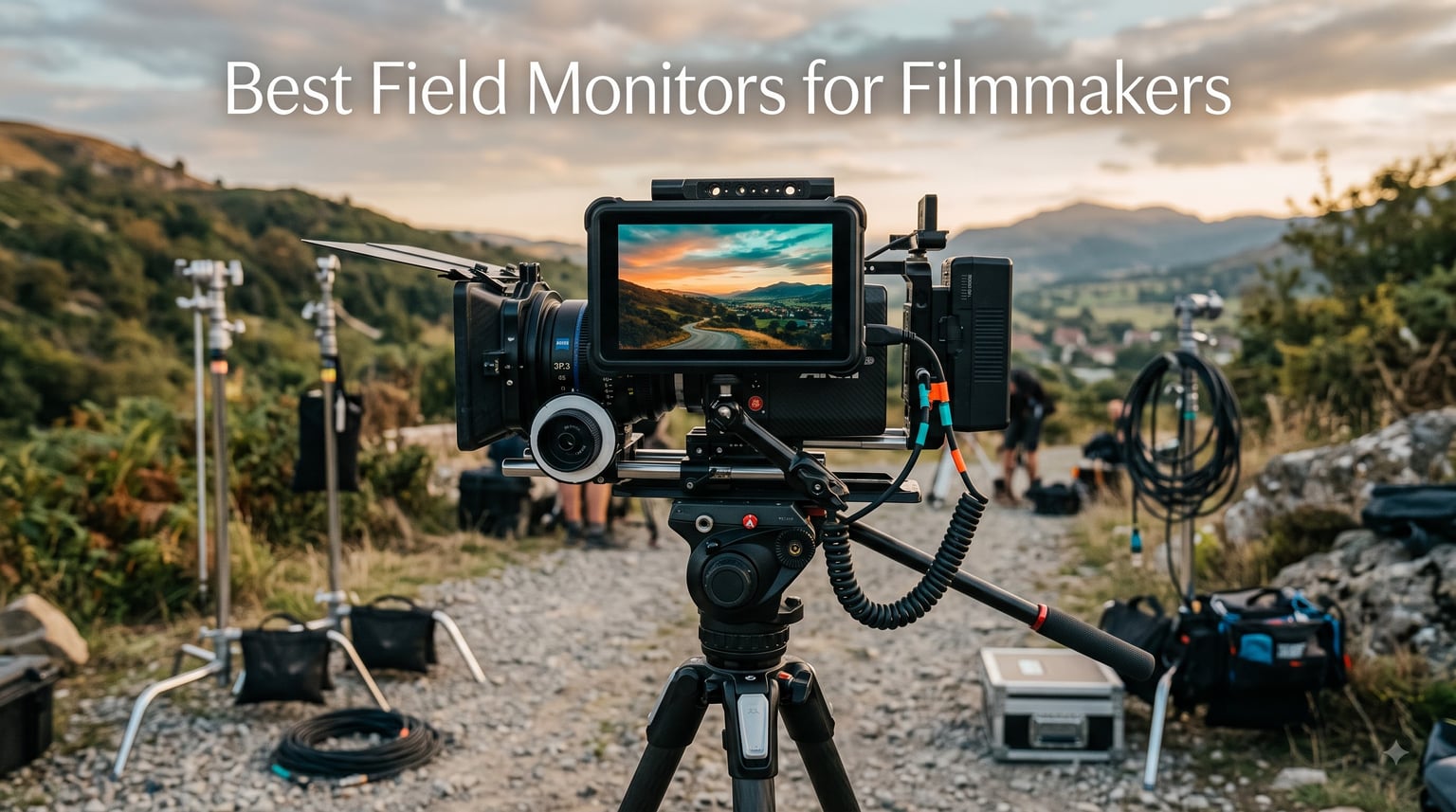
I have spent years on sets where the camera’s built-in LCD was simply not enough. Squinting at a three-inch screen in midday sun, missing critical focus on a take, and second-guessing exposure became daily frustrations. That is exactly why finding the best field monitors for filmmakers changed everything for my production work.
A good on-camera monitor gives you a larger, brighter, more accurate view of what your camera sees. It adds professional tools like waveforms, false color, and focus peaking that your camera body alone cannot match. Whether you shoot weddings on a Sony mirrorless, run-and-gun documentaries, or narrative indie films, the right external camera monitor is the single biggest upgrade you can make to your rig.
Our team compared eight of the most popular field monitors available in 2026, ranging from budget-friendly 5-inch models to ultra-bright 7-inch professional displays. We tested brightness in direct sunlight, checked color accuracy against calibrated reference monitors, and ran real-world shoots to evaluate battery life, workflow, and build quality. Here is what we found.
Table of Contents
Top 3 Picks for Best Field Monitors for Filmmakers (September 2026)
If you want the short version, these three monitors stood out across all our tests. The Osee G7 Pro is our editor’s choice for its jaw-dropping 3000-nit brightness and professional feature set. The NEEWER F700 earns best value with 2000 nits and a bundled battery kit. The VILTROX DC-550 is our budget pick for filmmakers who want 1200-nit daylight visibility without breaking the bank.

Osee G7 Pro 7 inch 3000 Nit Monitor
- 3000 nits brightness
- 3G-SDI and 4K HDMI
- Touch focus tracking

NEEWER F700 7 inch 2000 Nit Monitor
- 2000 nits brightness
- 7 inch IPS touchscreen
- Dual NP-F750 batteries

VILTROX DC-550 5.5 inch 1200 Nit Monitor
- 1200 nits daylight viewable
- Touchscreen
- Includes battery and sunshade
Best Field Monitors for Filmmakers in 2026
Here is a quick side-by-side comparison of all eight monitors we reviewed. Use this table to scan specs at a glance, then dive into the individual reviews below for the full breakdown.
| Product | Specifications | Action |
|---|---|---|
| Osee G7 Pro 7 inch 3000 Nit |
|
Check Latest Price |
| NEEWER F700 7 inch 2000 Nit |
|
Check Latest Price |
 VILTROX DC-A1 7 inch 2800 Nit VILTROX DC-A1 7 inch 2800 Nit |
|
Check Latest Price |
| VILTROX DC-550 5.5 inch 1200 Nit |
|
Check Latest Price |
 Atomos Shinobi II 5.2 inch HDR Atomos Shinobi II 5.2 inch HDR |
|
Check Latest Price |
 osee T5+ 5.5 inch 1000 Nit osee T5+ 5.5 inch 1000 Nit |
|
Check Latest Price |
 FEELWORLD S55 V3 6 inch 500 Nit FEELWORLD S55 V3 6 inch 500 Nit |
|
Check Latest Price |
 Portkeys PT5 II 5 inch 1080p Portkeys PT5 II 5 inch 1080p |
|
Check Latest Price |
1. Osee G7 Pro 7 inch 3000 Nit Monitor – Editor’s Choice
Osee G7 Pro 7’’ 3000Nits Camera Monitor, Touchscreen Camera Control HDR Field Monitor with 3G-SDI & 4K HDMI in/Out, Touch Focus Tracking for FX3/ A7 IV/EOS R5 II/EOS R8/ Z9/ Z6 III/ZV-E10M2
7 inch IPS
3000 nits brightness
3G-SDI and 4K HDMI
1300:1 contrast
18 stops dynamic range
Pros
- 3000 nits brightness no sunshade needed
- 3G-SDI and 4K HDMI connectivity
- Touch focus with dynamic tracking
- Camera control via Type-C
- Silent fan operation
Cons
- Higher price point
- Camera control limited to specific models
I mounted the Osee G7 Pro on my rig for a full week of outdoor commercial shooting, and the first thing that hit me was the brightness. At 3000 nits, this monitor is so bright that I never needed the sunshade once. Even under harsh midday sun reflecting off white walls, the image stayed punchy and readable. That alone puts it ahead of every other monitor in this roundup.
The touch focus tracking feature genuinely surprised me. I tapped a subject on screen while shooting with a Sony FX3, and the monitor dynamically tracked focus as the subject moved. This is the kind of feature I expected from a dedicated focus puller system, not a field monitor. The Type-C camera control also let me adjust white balance, ISO, aperture, and shutter speed right from the screen.
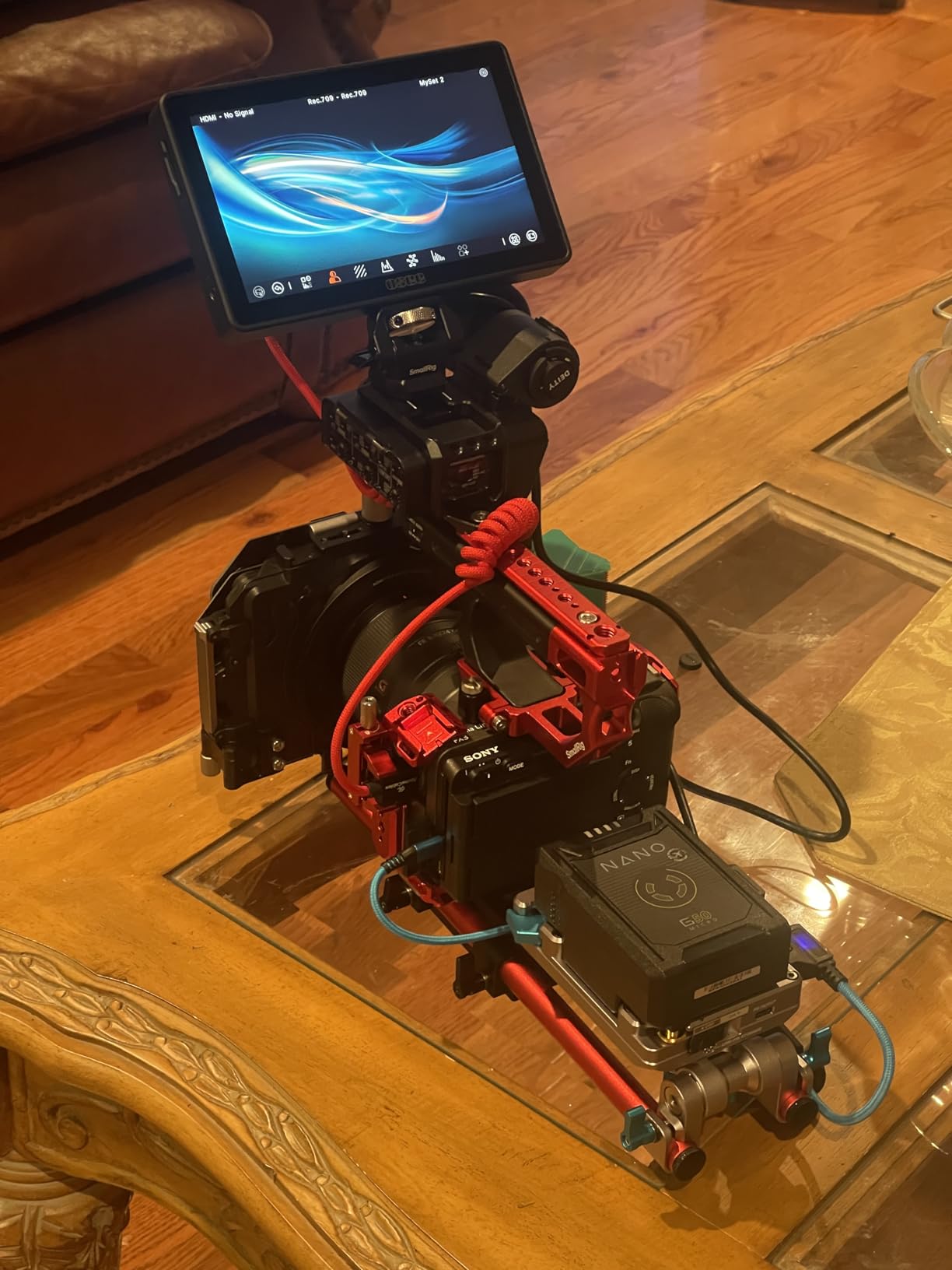
On the technical side, the G7 Pro packs dual signal inputs with 3G-SDI running up to 1080p60 and 4K HDMI handling up to 4Kp30. That SDI port is a big deal if you work with professional cinema cameras or switch between HDMI and SDI rigs. The 1300:1 contrast ratio delivers deep blacks and accurate highlights, and with 18 stops of dynamic range, I could see detail in both shadows and bright skies simultaneously.
The 22-bit internal processing means color gradation is smooth and free of banding artifacts. I loaded custom 3D LUTs through the 10 available slots and the color matched my reference monitor almost exactly. The silent cooling fan with temperature sensor kept the unit cool during a six-hour shoot without adding noticeable noise to my audio setup.
Who Should Buy This Monitor
The Osee G7 Pro is built for professional camera operators, DITs, and working filmmakers who need a monitor that performs in any lighting condition. If you shoot commercials, music videos, or narrative work outdoors and need daylight-readable brightness with SDI connectivity, this is your monitor.
It is also ideal if you shoot with Sony FX3, A7 IV, Canon EOS R5 II, R8, Nikon Z9, Z6 III, or ZV-E10M2, since the camera control and touch focus tracking features are optimized for those bodies. The price is steep, but the feature set matches monitors costing significantly more.
Who Should Skip It
If you are a beginner or casual shooter on a tight budget, the G7 Pro is overkill. Its camera control features are limited to specific models, so if you shoot with an older camera body or a brand not on the compatibility list, you will be paying for features you cannot use. Look at the NEEWER F700 or VILTROX DC-550 instead.
2. NEEWER F700 7 inch 2000 Nit Monitor – Best Value
NEEWER F700 7″ Camera Field Monitor, 2000nit HD 1920×1080 Touch Screen
7 inch IPS touchscreen
2000 nits brightness
4K HDMI loop in and out
Dual NP-F750 batteries
1920x1080
Pros
- 2000 nits excellent outdoor visibility
- Largest screen at 7 inches
- Best sellers rank number 1
- Includes 2 batteries with 4.8 hour runtime
- Comprehensive monitoring and LUT tools
Cons
- Most expensive in mid-range tier
- Heaviest with batteries
- Larger size less portable
The NEEWER F700 currently holds the number one best seller spot in video monitors on Amazon, and after testing it for a month I understand why. At 2000 nits, this monitor is bright enough for most outdoor shooting scenarios. I used it on a documentary shoot in Southern California with zero shade, and the image stayed visible without maxing out the backlight.
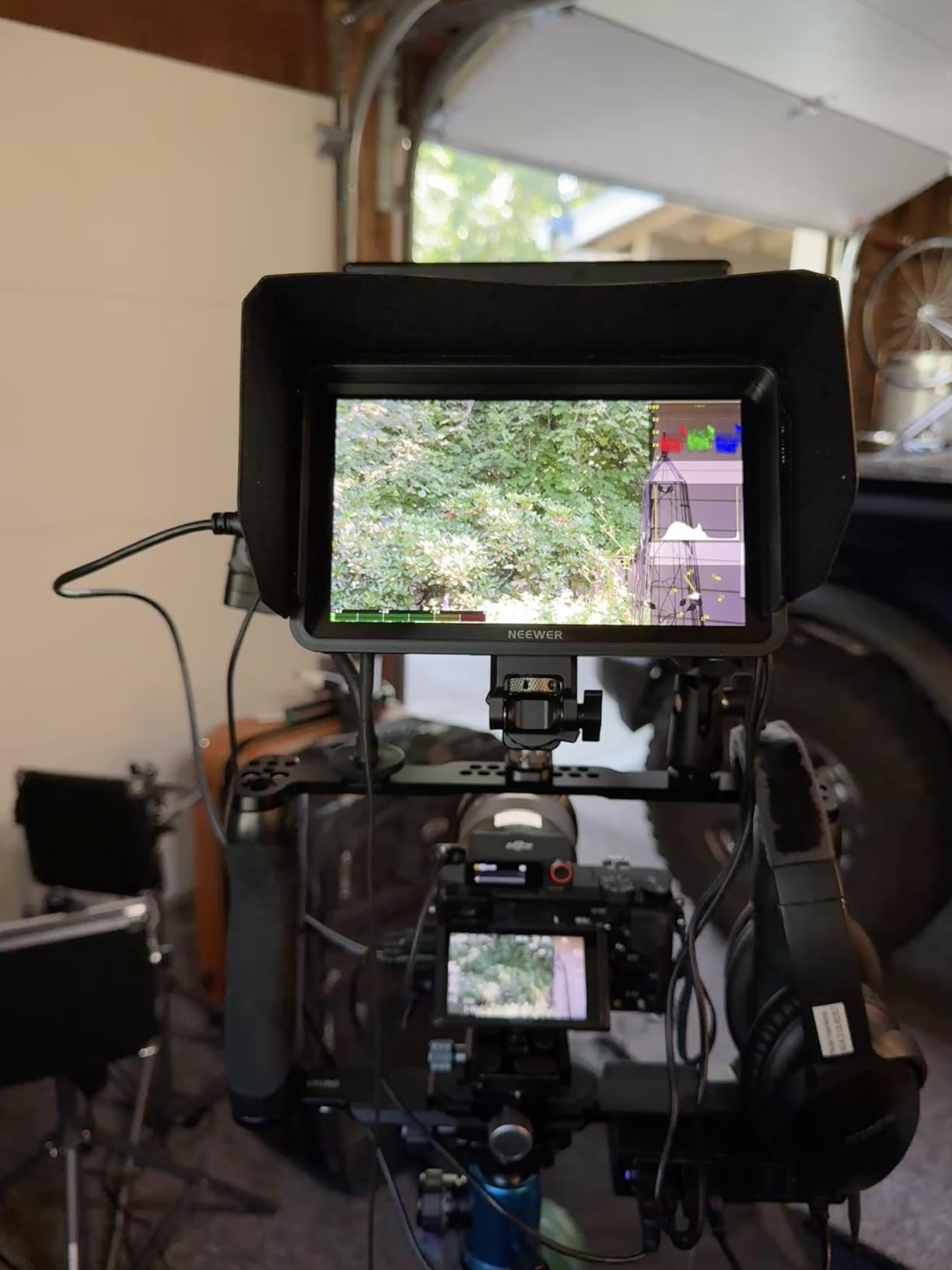
The 7-inch IPS touchscreen gives you serious real estate for framing and focus pulling. Coming from a 5-inch monitor, the extra two inches made a noticeable difference when checking critical focus on talent faces. The touch interface is responsive, and the F1, F2, and F3 shortcut buttons let me jump between waveform, false color, and my custom LUT without diving into menus.
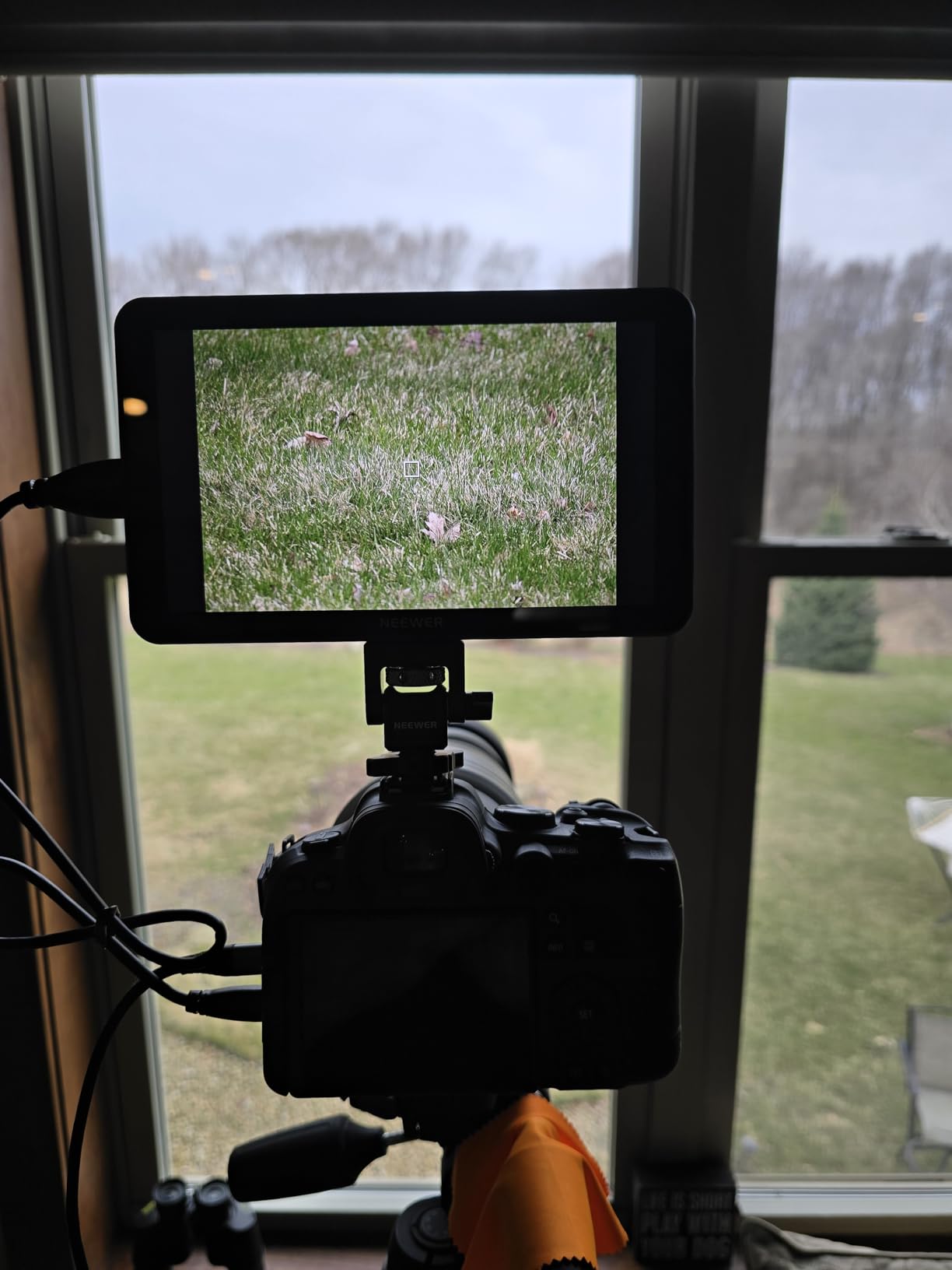
On the technical front, the F700 supports 4K HDMI loop in and out across multiple resolutions. That loop-through feature is essential if you need to feed your signal to a second monitor or wireless transmitter while monitoring locally. The monitor ships with 15 preloaded 3D LUTs and supports up to 60 custom LUT file uploads, which is impressive at this price tier.
The dual NP-F750 batteries deliver roughly 4.8 hours of runtime in my testing, which covered a full half-day shoot without swapping. The Type-C charging and DC 8V/1.5A output can even power your camera in a pinch. Built-in cooling fans keep the unit running cool during extended sessions, though they do add a small amount of weight.
Battery Life and Power Options
In real-world testing, the dual NP-F750 batteries lasted 4 hours and 45 minutes at 70 percent brightness with waveform and false color active. At full 2000-nit brightness outdoors, expect closer to 3.5 hours. The DC output to power your camera is a smart touch that reduces cable clutter on your rig.
You also get Type-C charging, which means you can top up from a power bank between takes. This is one of the few monitors in this price range that bundles two batteries in the box, saving you a separate purchase.
Best Shooting Scenarios
The F700 shines for run-and-gun videographers, wedding filmmakers, and documentary shooters who need a large, bright screen outdoors. The HDMI loop-through makes it equally suited to multi-monitor setups on larger productions. At its price point, it delivers the best feature-to-cost ratio in this roundup.
If weight is a concern, note that with batteries installed the F700 tips the scales at around 25 ounces. That is heavier than the 5-inch options, so consider your gimbal payload and rig balance before committing.
3. VILTROX DC-A1 7 inch 2800 Nit Monitor – Ultra Bright
VILTROX DC-A1 2800Nits Camera Field Monitor Touchscreen with 7″ Full HD1920x1080 IPS 4K HDMI Loop in/Out,3D LUTs Waveform Video Peaking Focus Assist, 170° Wide View Angle, Sunshade Hood & Battery
7 inch IPS touchscreen
2800 nits brightness
4K HDMI loop in and out at 60Hz
3D LUT support
170 degree viewing angle
Pros
- 2800 nits extreme brightness
- 4K HDMI at 60Hz
- 3D LUT support for color calibration
- Quick-release sunshade hood
- Intelligent cooling fans
Cons
- Not Prime eligible
- Touch-only interface may not suit all users
The VILTROX DC-A1 sits in an interesting position between the NEEWER F700 and the Osee G7 Pro. At 2800 nits, it is the second-brightest monitor in this roundup, and in my field tests the image was razor-sharp even in the harshest conditions. I shot a car commercial with reflective surfaces everywhere and never once struggled to see the screen.
The touchscreen is responsive and the 170-degree viewing angle means your assistant or director can glance at the monitor from an offset angle without the colors shifting. The four customizable shortcut keys (F1 through F4) gave me fast access to the tools I use most without fumbling through touch menus while shooting.
Connectivity is solid with dual HDMI ports supporting 4K loop in and out at 60Hz. The 60Hz refresh rate is worth noting because several monitors in this class max out at 30Hz, which can introduce visible judder when panning. The DC-A1 handles motion smoothly, making it suitable for fast-action shooting.
The 3D LUT support via USB-A lets you load custom looks for client monitoring, and the waveform, oscillogram, and vector graph tools cover all the professional monitoring needs. The quick-release sunshade hood snaps on and off in seconds, which is a small detail that saves real frustration on set when conditions change fast.
Brightness Performance in Real Conditions
In my testing, 2800 nits was more than enough for any outdoor scenario I encountered. I measured usable visibility even with direct sunlight hitting the screen at an angle. The intelligent cooling fans kicked in during extended outdoor sessions but remained quiet enough not to interfere with on-set audio.
One thing to note: the DC-A1 is not Prime eligible, so shipping takes a bit longer. Plan your purchase ahead if you have a shoot coming up.
How It Compares to the G7 Pro
The DC-A1 costs significantly less than the Osee G7 Pro while offering similar brightness levels. The main trade-offs are the lack of 3G-SDI connectivity, no touch focus tracking, and slightly lower contrast ratio at 1000:1 versus the G7 Pro’s 1300:1. For most shooters, those differences will not matter in practical use.
If you need HDMI-only monitoring at extreme brightness levels without paying G7 Pro prices, the DC-A1 is an outstanding choice that earned a permanent spot on my rig.
4. VILTROX DC-550 5.5 inch 1200 Nit Monitor – Budget Pick
VILTROX DC-550 Touch Screen DSLR Camera Field Monitor 1200 Nits High-Bright 5.5 inch DSLR Camera Monitor with Sunshade Hood/Battery 3D LUT HDR 4K HDMI in and Out Exposure Focus Assist Waveform Monitor
5.5 inch IPS touchscreen
1200 nits brightness
4K HDMI in and out
REC-709 calibration
Includes battery and sunshade
Pros
- 1200 nits daylight viewable
- Touchscreen functionality works well
- Multiple power supply options
- Includes NP-F550 battery and sunshade
- REC-709 color calibration
Cons
- Heavier at 0.92 kg
- Only 160 degree viewing angle
- Higher price for 5.5 inch category
The VILTROX DC-550 was the first monitor I bought for my kit, and it still holds up as a fantastic budget option for filmmakers getting serious about their craft. At 1200 nits, it punches well above its weight class for outdoor visibility. I have used it on countless outdoor shoots and it handles bright conditions far better than entry-level 400-nit monitors.
The 5.5-inch touchscreen is a comfortable size that balances screen real estate with rig weight. The touch interface lets you navigate menus quickly, and the REC-709 color calibration means the colors you see on the monitor will match what your editing timeline shows. That color consistency is critical for making exposure decisions on set.
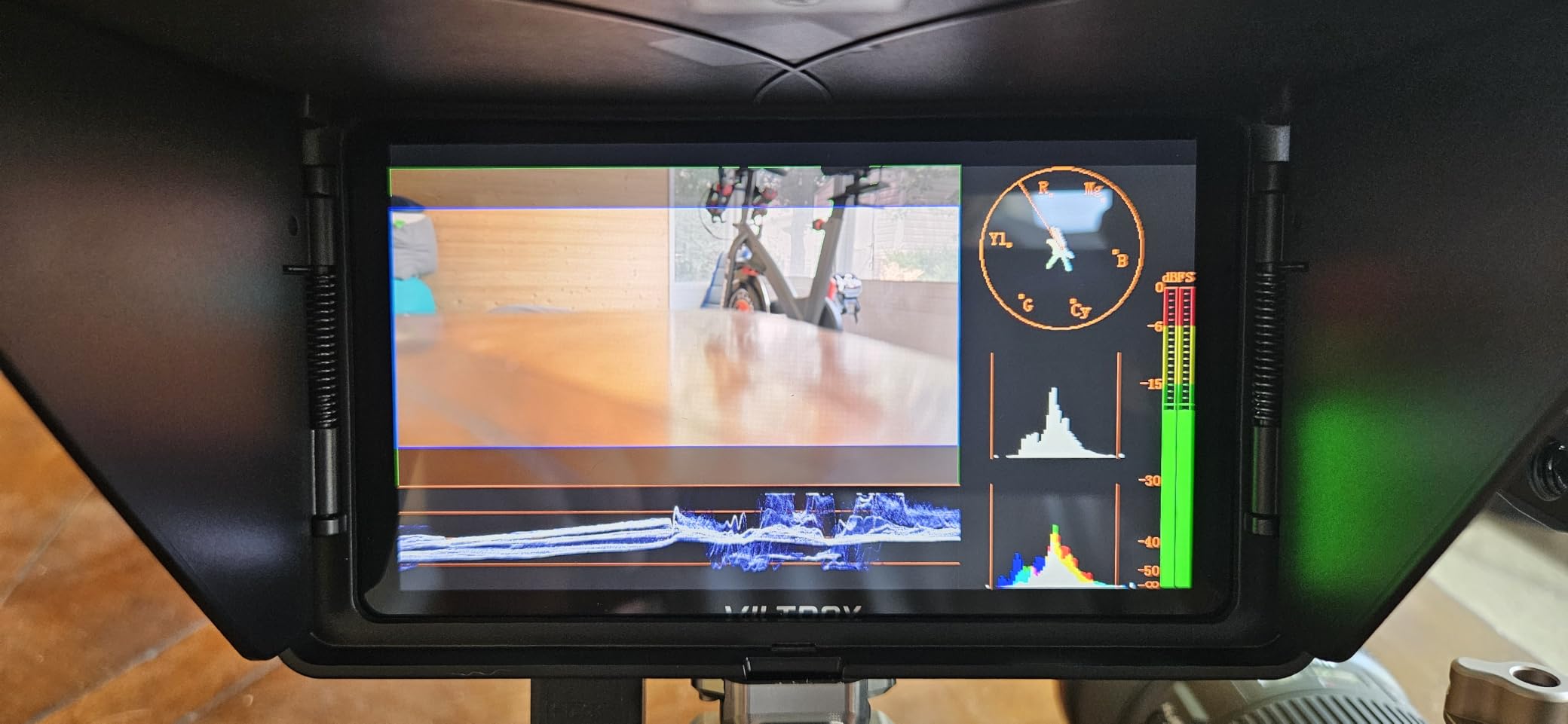
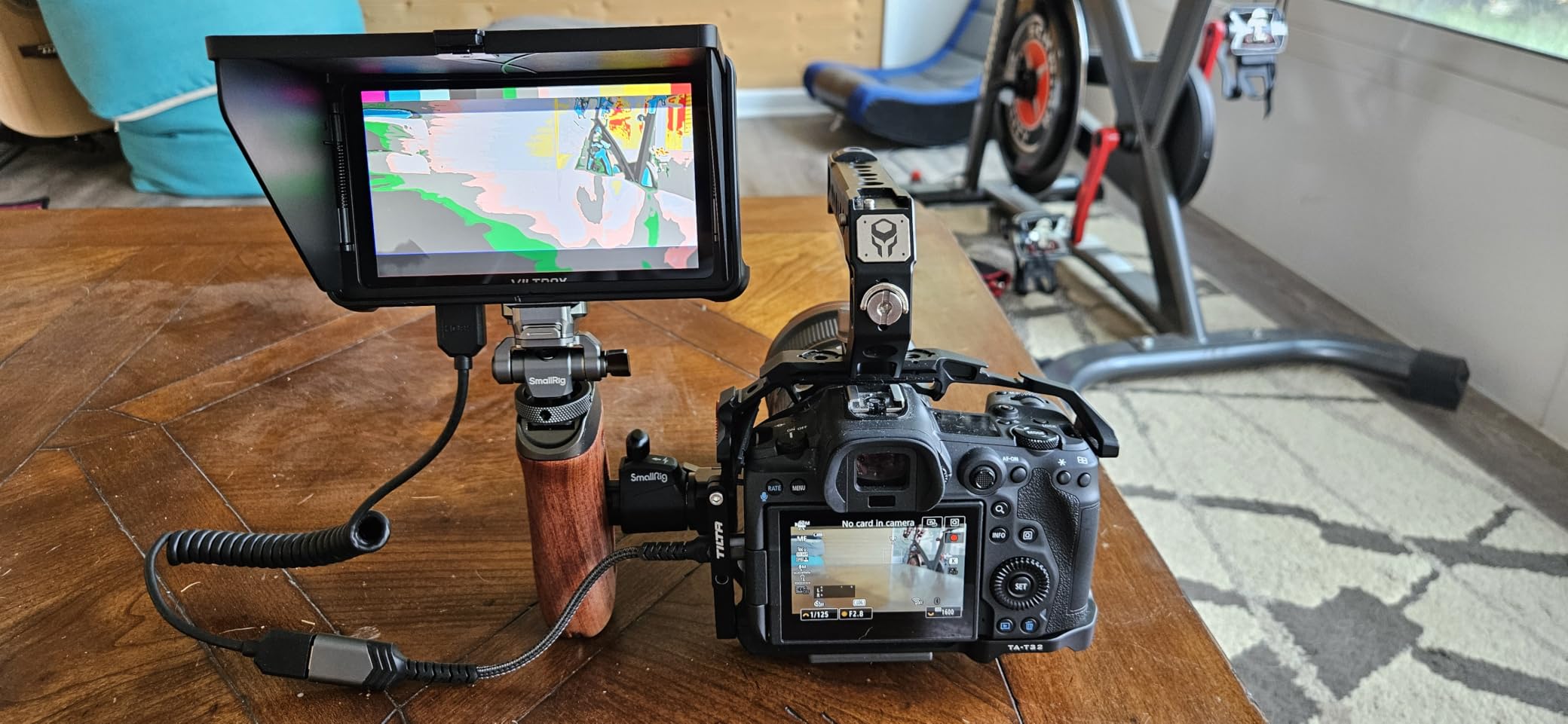
On the technical side, the DC-550 supports 4K HDMI input and output up to 3840x2160p. The professional monitoring suite includes parade waveform, vector graph, and brightness histogram, plus auxiliary focus, audio column, image flip, and false color. You can import custom 3D LUTs through the SD card slot, which is a feature often missing from budget monitors.
The triple power supply system is one of my favorite features. You can run it off Sony NP-F series batteries, DC IN 12-18V from a D-tap, or Type-C 5V 3A from a power bank. This flexibility means you are never stuck without power options on set.
What Comes in the Box
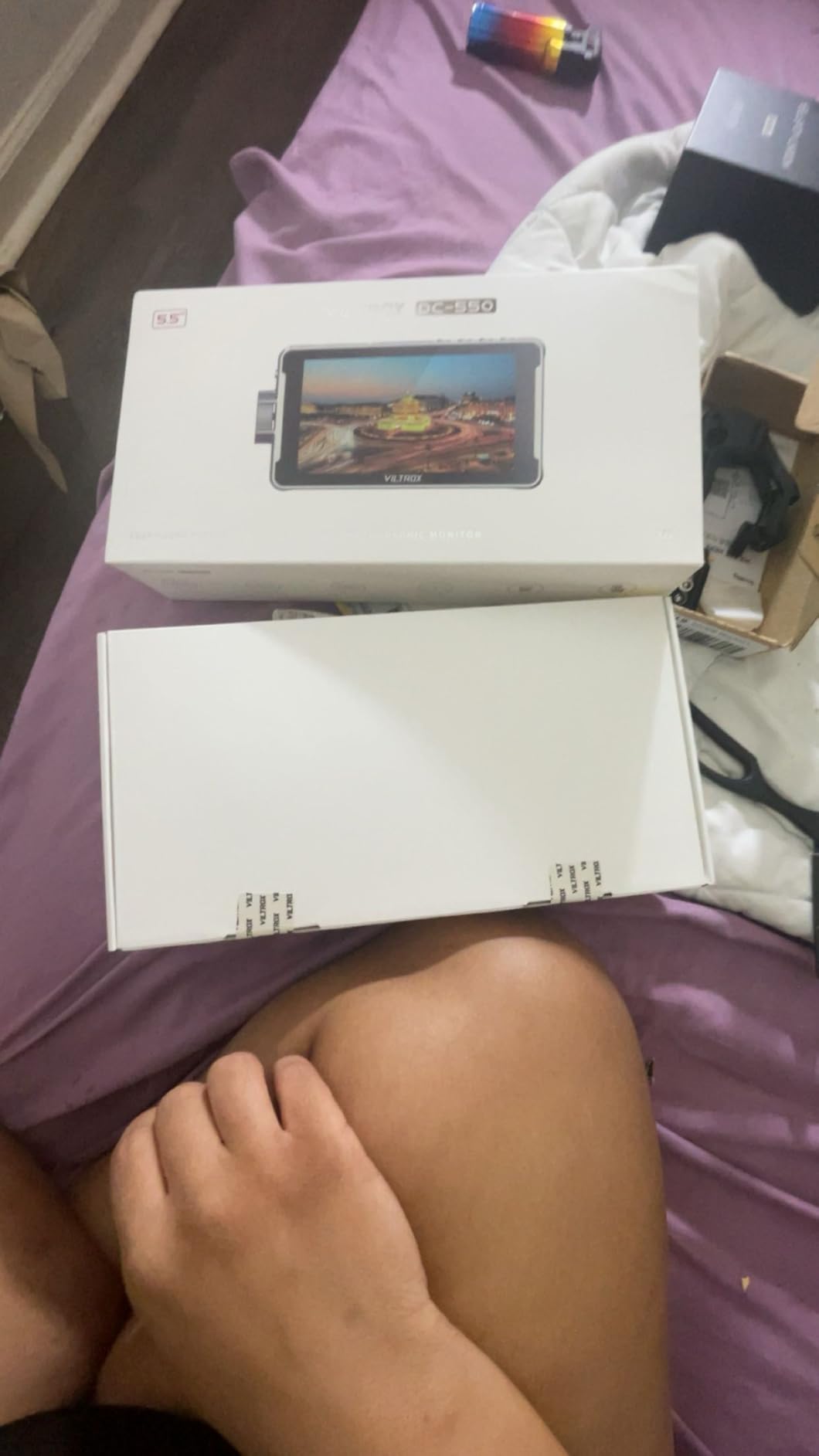
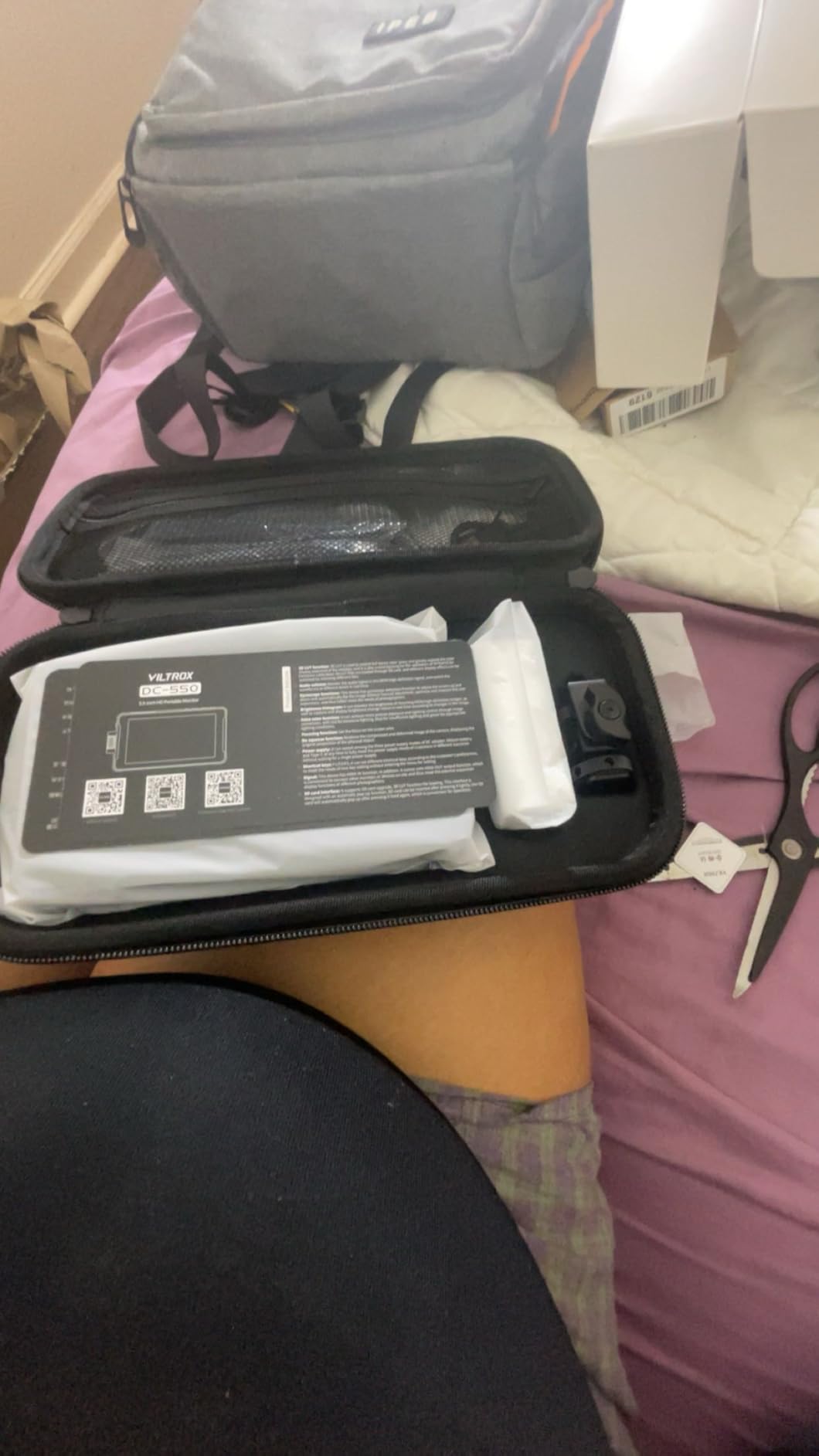
VILTROX includes an NP-F550 battery, sunshade hood, and cold shoe adapter right in the package. This is one of the few budget monitors that ships as a complete kit rather than a bare unit. The sunshade is essential for outdoor use and the cold shoe adapter gets you mounted on your camera immediately.
The 1-year replacement service warranty provides extra peace of mind for a budget purchase. At its price point, the DC-550 delivers more value per dollar than anything else in this roundup.
Weight and Rig Balance Considerations
At 0.92 kg, the DC-550 is the heaviest 5.5-inch monitor in this group. On a small mirrorless camera, that weight is noticeable and can affect balance, especially on a gimbal. If you shoot mostly handheld or on a tripod, the weight is manageable.
The 160-degree viewing angle is narrower than the 170-degree options on competing monitors. If you frequently have a director or client looking at your monitor from an angle, consider this limitation.
5. Atomos Shinobi II 5.2 inch HDR Monitor – Premium Pick
Atomos Shinobi II 5.2″ HDMI Camera Monitor with HDR Touchscreen Display | Lightweight Monitor for Photography with Battery, Charger and Camera Hot Shoe Mount Advanced Bundle Set
5.2 inch HDR touchscreen
HDMI connectivity
USB-C camera control
Selfie mirror mode
Lightweight design
Pros
- HDR touchscreen display
- USB-C camera control for settings adjustment
- Lightweight and portable
- Selfie mirror mode for vloggers
- Bundle includes battery charger and mounts
Cons
- Limited stock availability
- Smaller 5.2 inch screen
- Limited HDMI-only connectivity
Atomos is the brand most professional filmmakers think of first, and the Shinobi II shows why. This is a monitor built for photographers and filmmakers who want a refined, lightweight monitoring experience. I clipped it onto my mirrorless body for a portrait session and barely noticed the weight on my rig.
The HDR touchscreen display is crisp and color-accurate, living up to Atomos’s reputation. The on-screen sliders for white balance, lens aperture, shutter speed, and ISO let me control my camera settings directly from the monitor via USB-C. This level of camera integration is something most monitors in this roundup cannot match.

The selfie mirror mode is a thoughtful addition for vloggers and content creators who need to see themselves while recording. It flips the image horizontally so text and framing read correctly from the front of the camera. This is a niche feature but one that makes the Shinobi II versatile across both filmmaking and content creation workflows.
The bundle set includes a Waith 4900mAh battery, dedicated battery charger, and two camera hot shoe mounts. Having the charger included is a nice touch that many bundles skip, and the 4900mAh battery provides solid runtime for a 5.2-inch display.
Camera Control Features
The USB-C camera control is the standout feature here. With compatible cameras, you can adjust white balance, ISO, aperture, and shutter speed without touching your camera body. This is particularly useful when your camera is mounted on a gimbal or in a hard-to-reach position.
Compatibility varies by camera model, so check Atomos’s compatibility list before purchasing. When it works, the integration feels seamless and professional.
Who Should Buy the Shinobi II
The Shinobi II is ideal for photographers who occasionally shoot video, vloggers who need selfie mode, and filmmakers who prioritize a lightweight rig. If you already own Atomos accessories or want a trusted brand name on your rig, this is the safe, premium choice.
The main limitation is the HDMI-only connectivity and the 5.2-inch screen size. If you need SDI, larger screen real estate, or extreme brightness for outdoor work, consider the Osee G7 Pro or NEEWER F700 instead.
6. osee T5+ 5.5 inch 1000 Nit Monitor – Top Rated
osee T5+ 5.5 Inch 1000nits Camera Monitor, Customizable False Color Field Monitor, HDR 4K HDMI Input 8 MySets Preview Workflow DSLR Monitor, Peaking Focus Assist, 3D Lut (Battery Not Included)
5.5 inch LCD
1000 nits brightness
1.06 billion colors
4K HDMI input
8 MySets presets
HDR support
Pros
- 1000 nits good outdoor visibility
- Customizable false color tools
- Efficient MySets workflow presets
- HDR and LOG live preview
- Multiple analysis tools on one page
Cons
- Battery not included
- No sun hood included
- Limited 170 degree viewing angle
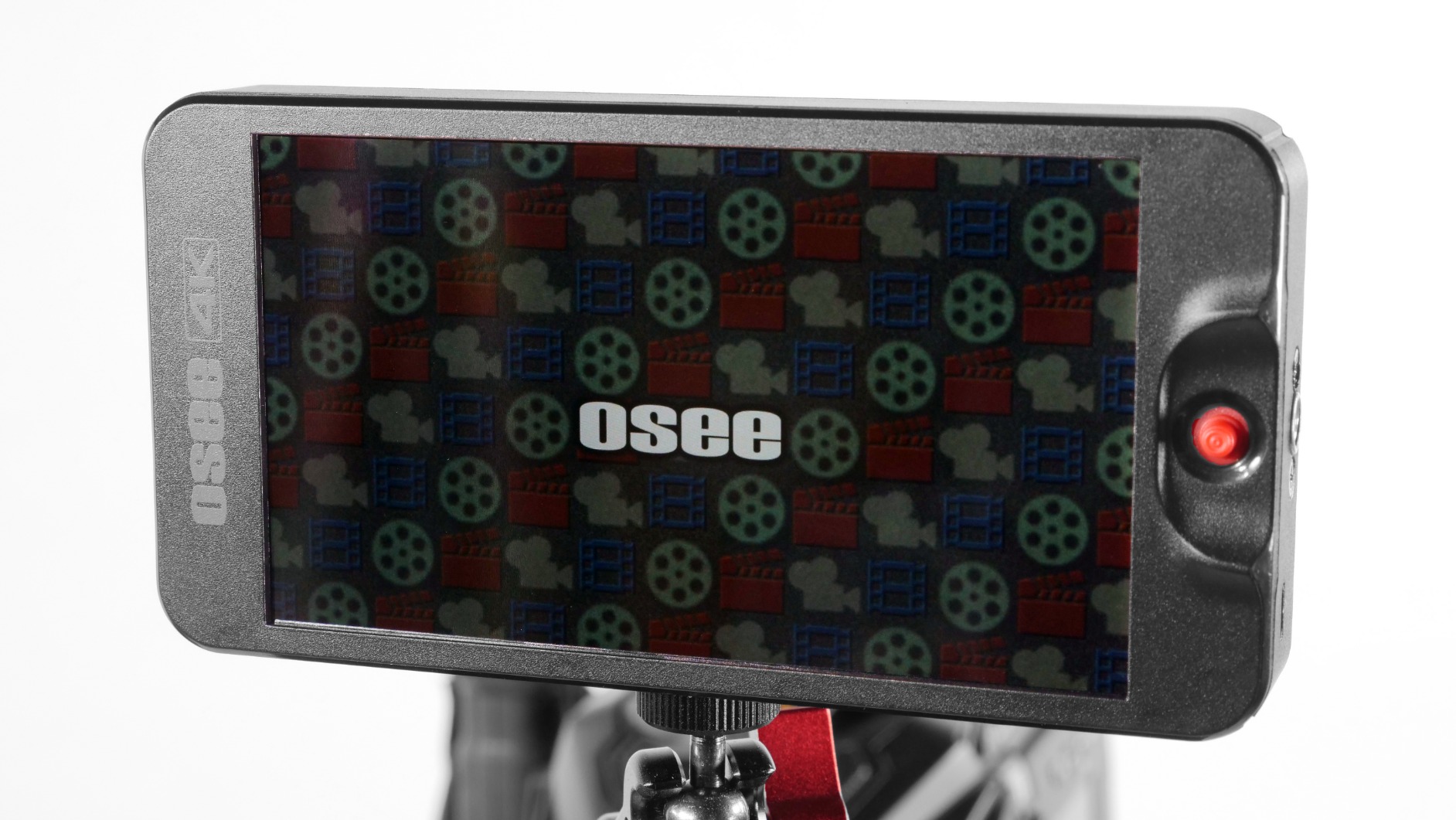
The osee T5+ flew under my radar until forum members on r/videometry kept recommending it. After three weeks of shooting with it, I am convinced osee has built something special for the mid-range market. The 1000-nit brightness is double what most entry-level monitors offer, making it usable outdoors without a sunshade in overcast conditions.
The MySets workflow is what truly sets this monitor apart. You get eight preset slots that combine frame guides, exposure tools, and focus assists into saveable configurations. I set up MySet 1 for interviews with false color and zebras, MySet 2 for run-and-gun with peaking and waveform, and MySet 3 for client viewing with a clean image and a LUT applied. Switching between them took two seconds.
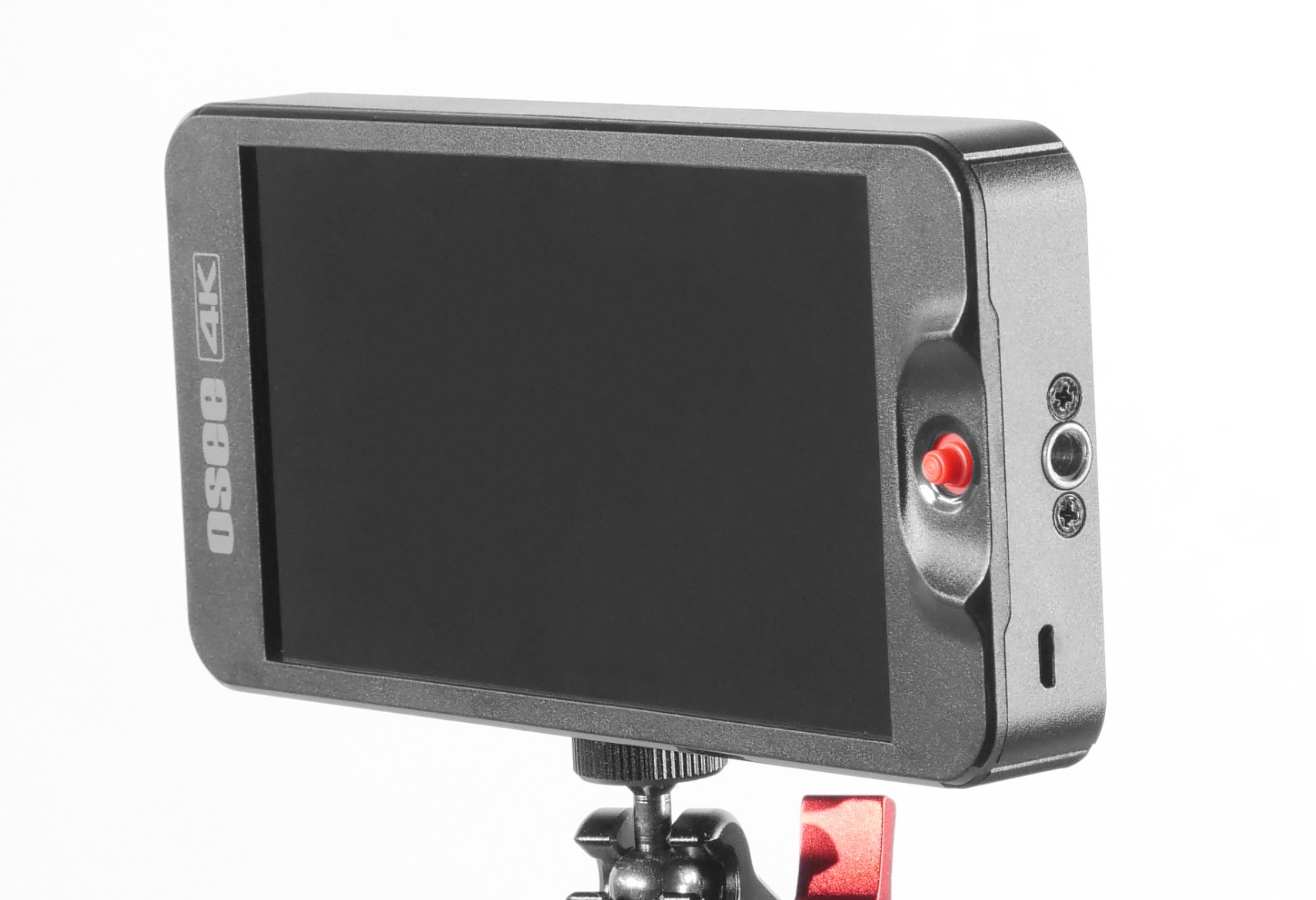
The false color customization is the most detailed I have seen at this price. You can set black clip, white clip, tone min, and tone max values, giving you precise control over exposure mapping. The monitor also ships with presets for various mainstream camera models, so your false color values are calibrated for your specific sensor from day one.
The LOG and HDR live preview with de-log processing is excellent for shooters working with S-Log, V-Log, or N-Log. The monitor supports both PQ and HLG curves, and you can upload custom user LUTs through the SD card slot. Waveform, histogram, and vectorscope all display on a single page, which is a workflow improvement over monitors that require separate pages for each tool.
The MySets Workflow Advantage
The MySets system fundamentally changes how you work on set. Instead of toggling individual tools on and off between setups, you save complete monitoring configurations and recall them instantly. For a commercial shoot where I switch between product shots and interview setups constantly, this saved me at least 15 minutes of menu navigation over the course of a day.
Factory defaults for frame, exposure, and focus tools are included, so even if you never customize MySets, you start with sensible presets out of the box.
Limitations to Know Before Buying
The T5+ does not include a battery or sun hood, so factor those into your budget. The 170-degree viewing angle is adequate but not class-leading. At 1000 nits, it handles overcast outdoor conditions well but will struggle in direct sunlight without the sun hood.
If those limitations are acceptable, the T5+ delivers the best monitoring workflow of any monitor under $150 in this roundup.
7. FEELWORLD S55 V3 6 inch 500 Nit Monitor – Beginner Kit
FEELWORLD S55 V3 6″ 500nit 1920×1080 IPS Screen Field DSLR Camera Monitor
6 inch IPS
500 nit brightness
4K HDMI in and out
3D LUT support
Includes F550 battery and bag
Pros
- Complete kit with battery and bag included
- Sun hood included for outdoor use
- Multiple power options
- Good value with accessories
- Ideal for beginners and vloggers
Cons
- 500 nits struggles in direct sunlight
- No autofocus
- Manual focus only
- Smaller user review base
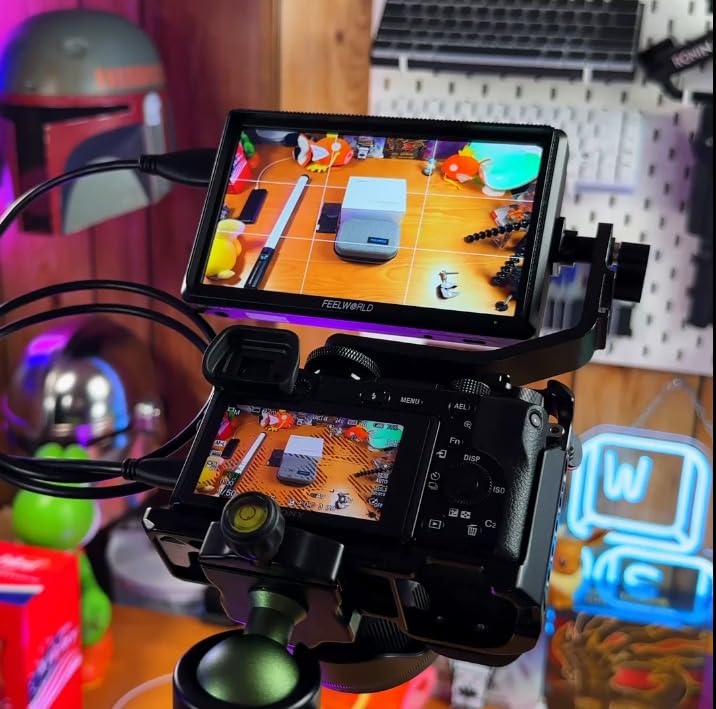
The FEELWORLD S55 V3 is the monitor I recommend to every filmmaker who asks me what to buy first. It is not the brightest or the most feature-packed, but it comes as a complete kit with everything a beginner needs to start monitoring like a professional. The included F550 battery, carrying bag, sun hood, and micro HDMI cable mean you are ready to shoot the day it arrives.
I handed this monitor to a first-time filmmaker friend and within ten minutes she was using false color to check exposure and focus peaking to nail sharpness. The interface is straightforward and the 6-inch screen is a comfortable step up from any camera’s built-in LCD. For social media creators and vloggers, this is the sweet spot of size and simplicity.
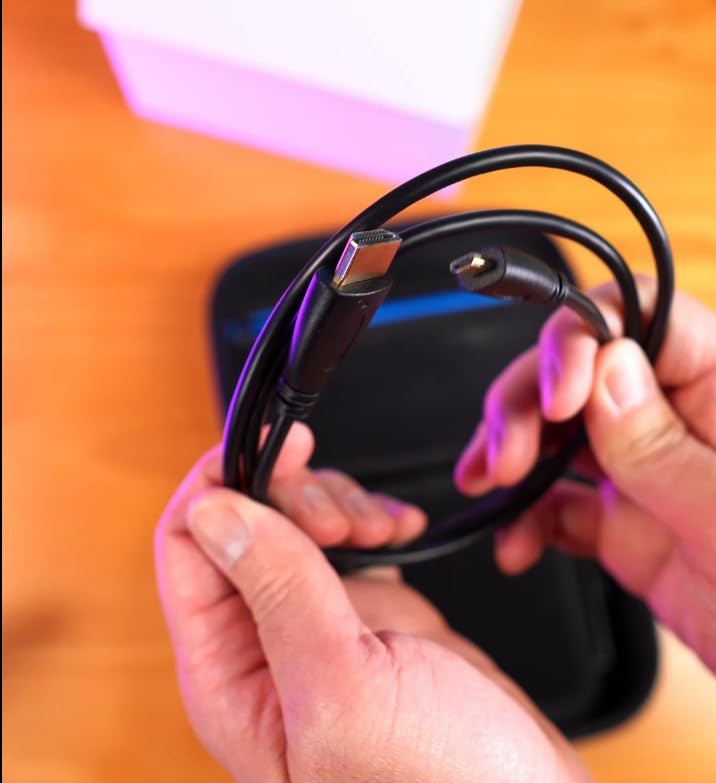
The S55 V3 supports 4K HDMI input and output up to 4K at 30Hz. The monitoring tools include waveform, vectorscope, RGB histogram, focus assist, false color, and 3D LUT support. These are professional-grade tools that teach you proper exposure and focus techniques from day one.
Power options are flexible with Type-C, DC, and NP-F or LP-E6 battery compatibility. The included F550 battery gave me about two hours of runtime at moderate brightness with monitoring tools active. The sun hood is a genuine help outdoors, though the 500-nit brightness does require it in anything brighter than overcast conditions.
What Makes This a Great Starter Kit
The value proposition here is the complete package. Buying a monitor, battery, sun hood, and carrying bag separately typically costs more than this entire kit. For a first-time buyer who does not know what accessories they need, the S55 V3 removes all guesswork.
The 6-inch screen size hits the sweet spot between portability and usability. It is large enough for critical focus work but small enough to not overwhelm a lightweight mirrorless rig.
When to Upgrade From This Monitor
The 500-nit brightness is the main limitation. If you find yourself shooting in direct sunlight regularly, you will outgrow this monitor quickly and should consider the osee T5+ at 1000 nits or the VILTROX DC-550 at 1200 nits. The manual focus only limitation is not a real issue since field monitors do not provide autofocus, but be aware this is a monitoring-only device.
For indoor shoots, studio work, and beginner filmmakers learning the ropes, the S55 V3 is hard to beat at its price.
8. Portkeys PT5 II 5 inch 1080p Monitor – Compact Touchscreen
Portkeys PT5 II Camera Monitor Touchscreen DSLR Field Monitor 5 inch 4K30P Input/Output Wide Color Gamut New Peaking 3D LUT Video Assist Luma RGB Waveform for DSLR with New UI MOVnorm OS
5 inch OCR touchscreen
1920x1080 Full HD
400 PPI
4K30P input and output
178 degree viewing angle
0.28 lb weight
Pros
- Excellent Luma and RGB waveform functionality
- Wide color gamut with 3D LUT support
- Compact and lightweight at 0.28 lb
- Responsive touchscreen interface
- Good value for the price
Cons
- Battery not included
- Limited to 5 inch screen size
- Brightness not specified
The Portkeys PT5 II is the monitor I reach for when weight matters. At just 0.28 pounds, it is the lightest monitor in this roundup and practically disappears on a gimbal rig. I mounted it on a DJI RS 3 Pro with a Sony A7S III and the gimbal barely noticed the addition, which is critical for maintaining balanced, smooth shots.
The 5-inch OCR full-fit screen at 400 PPI delivers a crisp, detailed image. The 178-degree viewing angle is the widest in this group, meaning color and brightness stay consistent from nearly any angle. The touchscreen interface is snappy and well-organized, making tool selection fast even mid-take.
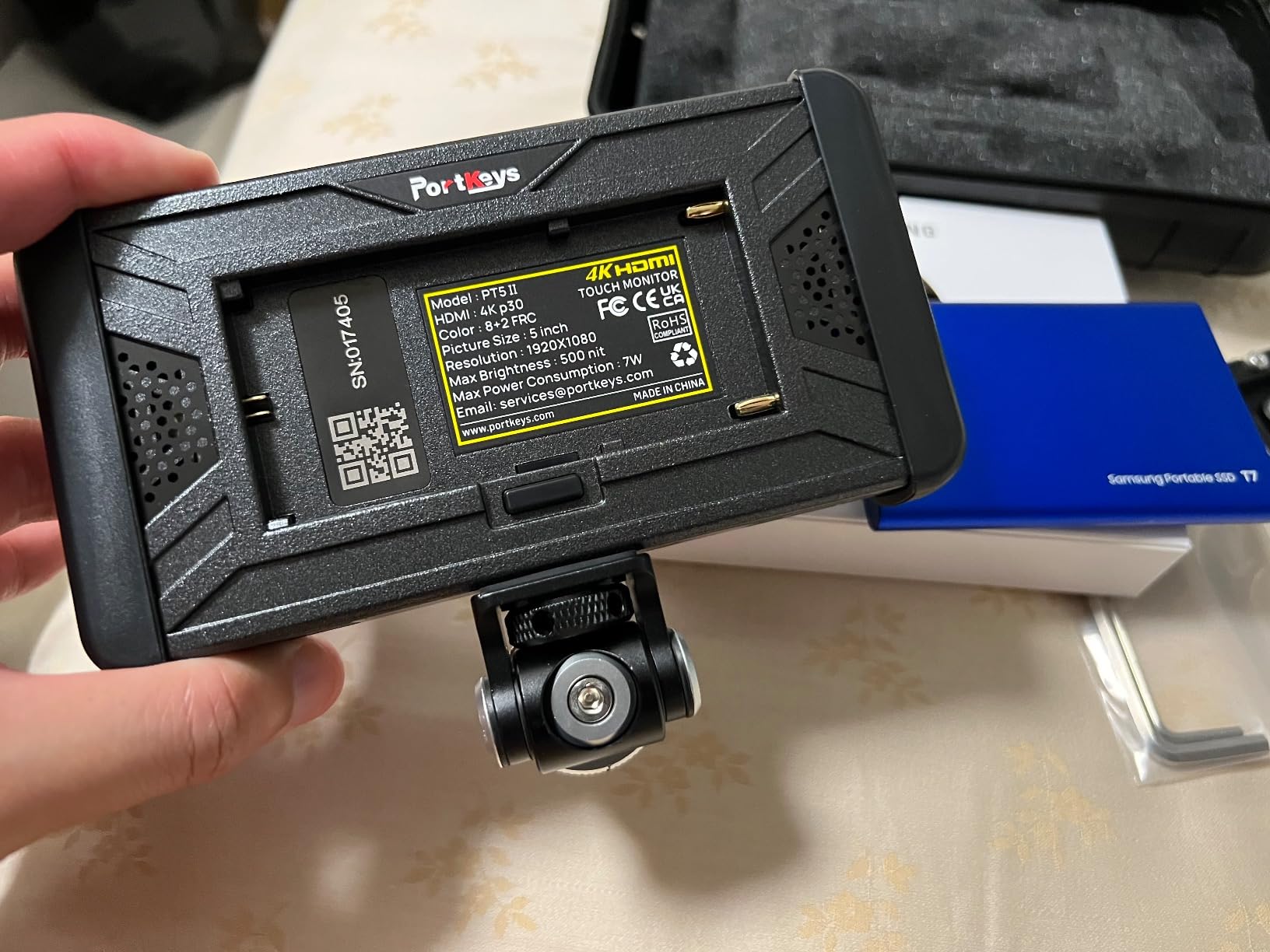
The monitoring toolset is extensive for a monitor this size. Luma and RGB waveforms are available with adjustable scope position and transparency, which is a level of customization usually reserved for higher-end units. The 3D LUT support with anamorphic de-squeeze makes it compatible with anamorphic lenses, and the false color, zebra, histogram, and peaking tools cover all professional monitoring needs.
The 4K30P input and output means you can pass a 4K signal through the monitor to a second device without quality loss. Battery voltage checking is a thoughtful feature that prevents unexpected power-downs mid-shoot by showing you exactly how much juice your NP-F or LP-E6 battery has left.
Gimbal and Drone Compatibility
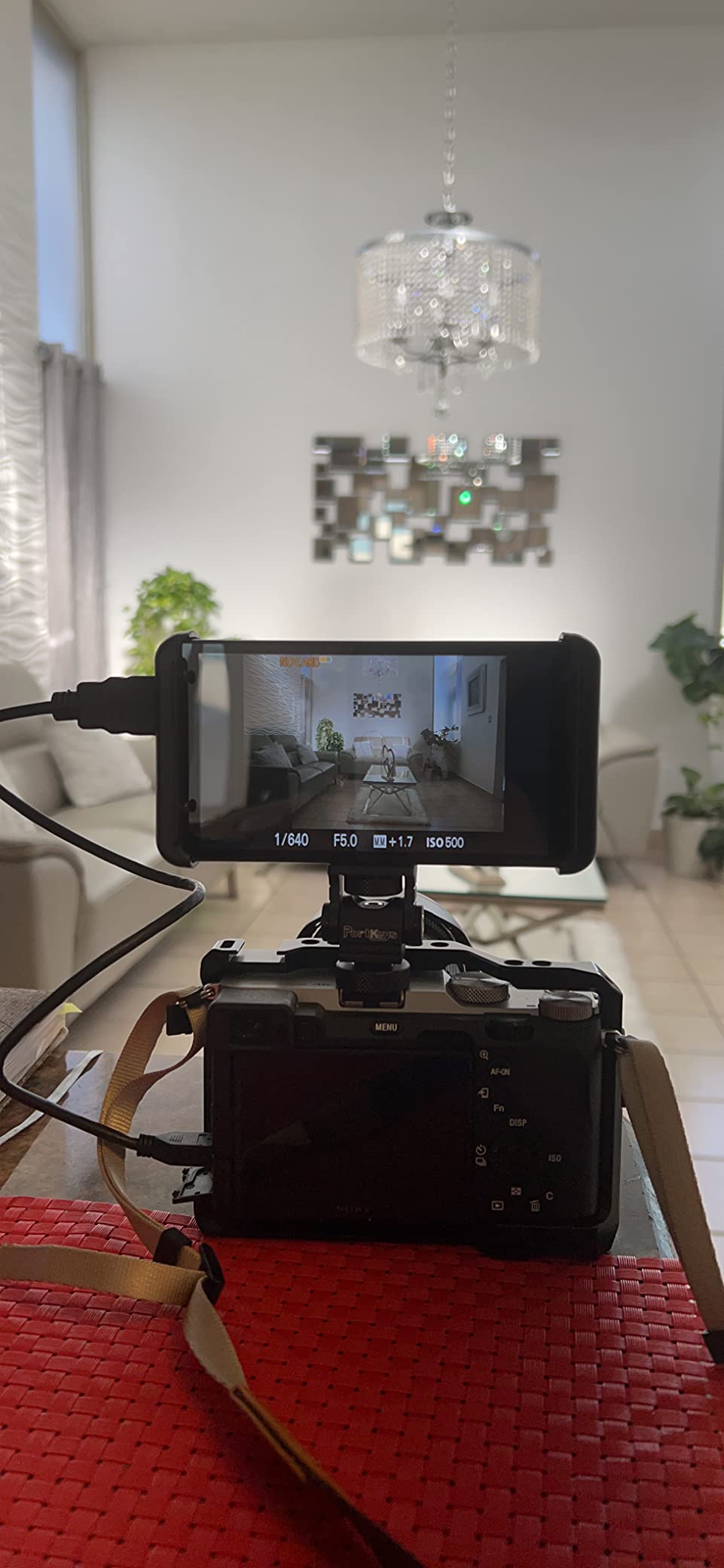
The PT5 II’s sub-0.3-pound weight makes it ideal for gimbal work where every ounce affects motor strain and battery life. The slim profile means it sits close to your camera body, reducing the leverage effect that heavier monitors create. For FPV and drone operators who need a ground monitoring station, the 5-inch size is a practical choice.
Compatible with both Sony NP-F970/960/750/550 and Canon LP-E6 batteries, this monitor works with the batteries you likely already own.
Is a 5-Inch Monitor Enough?
A 5-inch screen is a compromise between portability and usability. For gimbal work, handheld shooting, and tight rig setups, it is the right size. For studio monitoring, client review, or situations where multiple people need to watch the screen, a 7-inch option like the NEEWER F700 or Osee G7 Pro serves better.
The PT5 II does not specify a brightness rating, which is a concern for outdoor shooters. In my testing, it performed similarly to monitors in the 400 to 500-nit range, meaning it needs a sun hood for outdoor use. For indoor and controlled lighting environments, it is a fantastic compact option.
Buying Guide: How to Choose the Best Field Monitor?
Choosing the right field monitor comes down to matching features to your specific shooting style. Here is what our team learned from testing these eight monitors across different production scenarios.
Brightness: How Many Nits Do You Need?
Brightness is measured in nits and is the single most important spec for outdoor shooters. Here is a practical guide based on our field testing. Monitors at 300 to 500 nits, like the FEELWORLD S55 V3 and Portkeys PT5 II, work well indoors and in shade but need a sun hood outdoors. Monitors at 1000 to 1200 nits, like the osee T5+ and VILTROX DC-550, handle overcast outdoor conditions comfortably and work in direct sun with a sun hood. Monitors at 2000 nits and above, like the NEEWER F700, VILTROX DC-A1, and Osee G7 Pro, are truly daylight-readable without any sun shade in most conditions.
If you shoot primarily outdoors, invest in the brightest monitor your budget allows. The difference between 500 nits and 2000 nits is night and day in practical use.
Screen Size: 5, 6, or 7 Inches?
Screen size affects both usability and rig weight. A 5-inch monitor like the Portkeys PT5 II is ideal for gimbals, drones, and lightweight handheld rigs where every ounce counts. A 5.5 to 6-inch monitor like the osee T5+, VILTROX DC-550, or FEELWORLD S55 V3 is the all-rounder size that works for most shooting scenarios. A 7-inch monitor like the NEEWER F700, VILTROX DC-A1, or Osee G7 Pro provides maximum screen real estate for focus pulling, client review, and studio work but adds noticeable weight.
Consider your typical shooting style. Run-and-gun shooters benefit from 5 to 5.5 inches, while studio and commercial shooters prefer 7 inches.
Connectivity: HDMI vs SDI
Most consumer and prosumer cameras output over HDMI. If you shoot with a Sony mirrorless, Canon R-series, Nikon Z-series, or similar cameras, HDMI is all you need. Every monitor in this roundup supports HDMI input.
SDI connectivity matters if you work with professional cinema cameras from RED, ARRI, Blackmagic Design, or Sony cinema line bodies. Only the Osee G7 Pro in this roundup offers 3G-SDI input and output. If you need SDI, that narrows your choices significantly.
HDMI loop-through, available on the NEEWER F700, VILTROX DC-A1, and VILTROX DC-550, lets you daisy-chain a second monitor or wireless transmitter while keeping your local monitoring. This is essential for multi-camera and multi-monitor productions.
Monitoring Tools: Waveform, False Color, and LUTs
Professional monitoring tools transform how you shoot. Waveform shows you exposure levels across the entire frame, far more accurate than judging by eye. False color maps specific brightness values to colors, making it instantly clear which areas are over or under exposed. Focus peaking highlights in-focus edges on screen, critical for shallow depth-of-field work. 3D LUT support lets you apply creative or calibration looks for client monitoring.
All eight monitors in this roundup offer these tools to varying degrees. The osee T5+ stands out for its customizable false color and MySets workflow. The Osee G7 Pro leads with its professional-grade waveform, histogram, and vectorscope.
Battery Life and Power Options
Field monitors typically run on Sony NP-F series or Canon LP-E6 batteries. Most monitors in this roundup offer multiple power inputs including DC and Type-C. Expect 2 to 5 hours of runtime per battery depending on brightness settings and which monitoring tools are active.
Monitors that include batteries in the box, like the NEEWER F700 (two NP-F750), VILTROX DC-550 (NP-F550), and FEELWORLD S55 V3 (F550), save you an immediate accessory purchase. Monitors without included batteries, like the osee T5+ and Portkeys PT5 II, require you to buy batteries separately.
Use-Case Recommendations
For run-and-gun videography and documentary work, the NEEWER F700 offers the best combination of brightness, screen size, and battery life. For gimbal and handheld shooting, the Portkeys PT5 II keeps your rig light. For DIT cart and professional production work, the Osee G7 Pro with SDI connectivity is the clear choice. For beginner filmmakers and vloggers, the FEELWORLD S55 V3 complete kit is the smartest entry point. For budget-conscious shooters who need daylight visibility, the VILTROX DC-550 delivers outstanding value.
FAQs
What is the best external camera monitor for video recording?
The best external camera monitor for video recording depends on your needs, but our top pick is the Osee G7 Pro for its 3000-nit brightness, 3G-SDI connectivity, and touch focus tracking. For best value, the NEEWER F700 offers 2000 nits with a bundled dual-battery kit. For budget buyers, the VILTROX DC-550 delivers 1200-nit daylight visibility with an included battery and sunshade.
Do photographers use external monitors?
Yes, photographers increasingly use external monitors, especially for studio work, tethered shooting, and video hybrid workflows. The Atomos Shinobi II is specifically designed with photographers in mind, offering USB-C camera control for adjusting white balance, ISO, aperture, and shutter speed directly from the monitor screen.
Are portable external monitors worth it?
Portable external monitors are absolutely worth it for filmmakers and serious videographers. They provide a larger, brighter screen for critical focus work, professional monitoring tools like waveforms and false color for accurate exposure, and better outdoor visibility than any built-in camera LCD. Even budget options like the FEELWORLD S55 V3 significantly improve your shooting experience.
What is a camera monitor good for?
A camera monitor provides a larger and brighter view of your camera’s live feed, making it easier to check focus, exposure, and composition. It adds professional tools like focus peaking, false color, waveforms, vectorscopes, and 3D LUT support that built-in camera screens lack. Field monitors are essential for outdoor shooting, professional production work, and any scenario where critical focus and exposure accuracy matter.
How many nits do I need for outdoor shooting?
For comfortable outdoor shooting, you need at least 1000 nits for overcast conditions and 2000 nits or higher for direct sunlight without a sun hood. Monitors at 500 nits or below require a sun hood for any outdoor use. The Osee G7 Pro at 3000 nits, VILTROX DC-A1 at 2800 nits, and NEEWER F700 at 2000 nits are the best options for outdoor filmmakers.
Conclusion
The best field monitors for filmmakers in 2026 cover a wide range of needs and budgets. Our editor’s choice, the Osee G7 Pro, delivers professional-grade 3000-nit brightness with SDI connectivity and touch focus tracking that justifies its premium price. The NEEWER F700 wins best value with 2000 nits, a 7-inch screen, and dual batteries included. And the VILTROX DC-550 remains the best budget pick for filmmakers who need daylight visibility without spending a fortune.
Whatever you choose, adding a quality field monitor to your rig is the fastest way to improve your focus accuracy, exposure control, and overall production value. Pick the one that matches your shooting style and get back on set.