
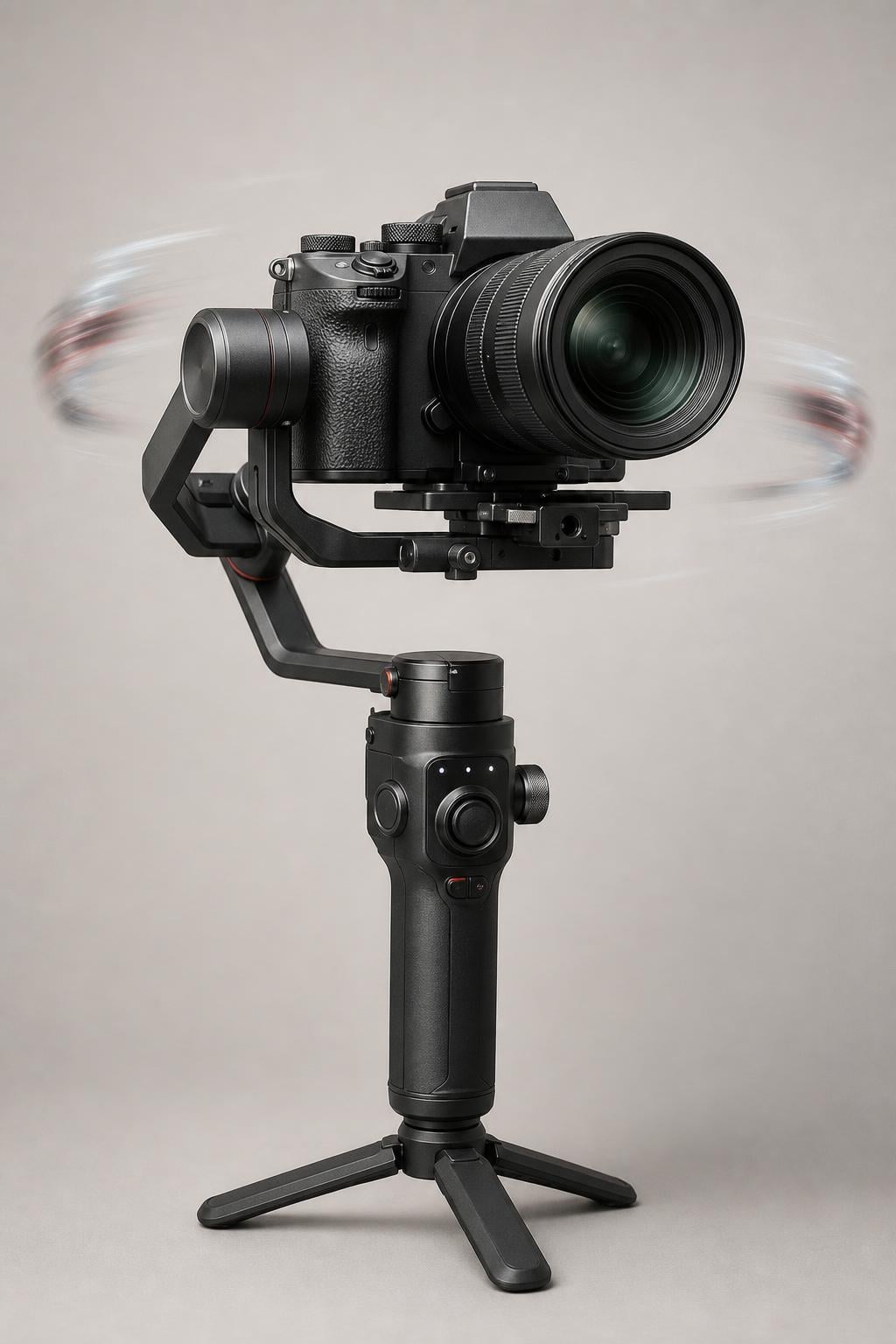
If you have ever mounted your camera on a gimbal and noticed strange micro-jitters or unnatural drifting in your footage, the culprit might be hiding inside your camera body. The question of whether you should turn off in-body stabilization when using a gimbal has sparked heated debates across Reddit, DPReview, and every major videography forum. After digging through manufacturer documentation, forum threads, and real-world tests from working videographers, I can tell you the answer is more nuanced than a simple yes or no.
Here is the short version: in most situations, you should turn off IBIS when using a motorized gimbal. Sony officially recommends disabling image stabilization before gimbal use, and the overwhelming consensus among experienced videographers on Reddit’s r/videography is that leaving IBIS on causes the two stabilization systems to fight each other. However, there are specific shooting scenarios where keeping IBIS on actually improves your results.
I have spent months researching this topic across forum discussions, manufacturer support documents, and conversations with working cinematographers. What I found is that the right answer depends on your camera brand, your shooting scenario, your lens stabilization, and even the weight of your rig. This guide breaks down every factor so you can make the right call for your specific setup.
Table of Contents
The Quick Answer: Should You Turn Off In-Body Stabilization When Using a Gimbal?
Yes, you should generally turn off in-body stabilization when using a gimbal. Sony’s official support documentation states that when mounted on a gimbal, the image stabilization function may operate incorrectly or be unable to compensate for camera shake adequately. They explicitly advise turning off image stabilization before use.
This recommendation is backed by the r/videography community, where the consensus is blunt: “No. Never. Ever. The IBIS will fight against the gimbal.” The two systems attempt to stabilize the same movement independently, creating a feedback loop that produces micro-jitter, over-correction, and footage that looks worse than either system alone.
However, there are exceptions. Wildlife photographers using loose gimbal heads (not motorized gimbals) often leave IS on to compensate for wind vibration. Some videographers keep IBIS on for walking shots with lighter rigs that still transmit micro-vibrations. And newer cameras with smarter IBIS systems are beginning to auto-detect gimbal mounting and adjust accordingly.
The bottom line: turn it off as your default, then test whether turning it back on helps in specific situations. The rest of this guide explains exactly when, why, and how.
What Is IBIS (In-Body Image Stabilization)?
In-body image stabilization, or IBIS, is a technology built directly into a camera body that physically shifts the image sensor to compensate for camera shake. Unlike lens-based optical stabilization (OIS), which moves elements inside the lens, IBIS moves the sensor itself. This means stabilization works with every lens you attach, including older manual-focus lenses with no stabilization of their own.
Modern IBIS systems provide up to 5-axis stabilization, compensating for five types of movement: horizontal shift, vertical shift, roll, pitch, and yaw. High-end mirrorless cameras from Sony, Canon, Panasonic, Nikon, and Fujifilm all feature sophisticated IBIS systems that can deliver the equivalent of several stops of stabilization for handheld shooting.
How IBIS Actually Works
Inside a camera with IBIS, the image sensor is mounted on a floating platform held in place by magnetic actuators. Gyroscopic sensors detect camera movement in real time, and the camera’s processor calculates the necessary sensor shift to counteract that movement. The magnetic actuators then physically move the sensor fractionally in the opposite direction.
This happens hundreds of times per second. The system is designed for handheld shooting, where the movements are small, frequent, and somewhat predictable. When you mount the camera on a gimbal, the movement profile changes entirely. The camera is now being moved smoothly and deliberately by brushless motors, and the IBIS system may interpret this movement as unwanted shake that needs correction.
IBIS Modes Explained: Standard, Active, and Sport
Most cameras with IBIS offer multiple stabilization modes, and these modes behave very differently when mounted on a gimbal. Understanding the difference is critical because one mode might cause problems while another works fine.
Standard mode provides general 5-axis stabilization designed for typical handheld shooting. This is the mode most likely to conflict with a gimbal because it actively compensates for all detected movement, including the smooth movements the gimbal produces.
Active mode (called “Active SteadyShot” on Sony, “Enhanced IS” on Canon) applies more aggressive stabilization, often combined with a slight crop of the image to give the sensor more room to move. This mode is the worst option for gimbal use because its aggressive corrections are almost guaranteed to fight the gimbal motors.
Sport mode or panning mode deliberately reduces stabilization on certain axes to allow intentional panning movements. Some videographers report success using a panning-specific mode with a gimbal, since it leaves certain axes unstabilized and may reduce conflict with the gimbal’s pan motor.
Dynamic mode (found on some newer Panasonic and Canon bodies) adjusts stabilization intensity based on detected movement patterns. These smarter systems can sometimes coexist with a gimbal, but results vary significantly between camera models.
What Is a Gimbal Stabilizer?
A gimbal is a motorized stabilization device that uses brushless motors and gyroscopic sensors to keep a camera level and stable across three axes: pan (left-right), tilt (up-down), and roll (side-to-side rotation). Popular gimbal brands include DJI (Ronin series), Zhiyun (Crane, Weebill), and Moza. Unlike IBIS, which stabilizes at the sensor level, a gimbal stabilizes the entire camera body physically in space.
Gimbals are designed to produce smooth, cinematic camera movements. They excel at walking shots, orbital moves, and dynamic tracking shots where the camera needs to move through space. The brushless motors make micro-adjustments continuously based on input from built-in gyroscopes and accelerometers, keeping the camera pointed exactly where you want it regardless of how your hands move.
How a Gimbal Differs from IBIS
The fundamental difference is scale. IBIS compensates for tiny, high-frequency movements by shifting the sensor a few millimeters. A gimbal compensates for large, low-frequency movements by physically rotating the entire camera. These two systems operate on completely different scales of movement.
In theory, this means they could work together: the gimbal handles large movements while IBIS handles micro-vibrations that pass through the gimbal’s motors. In practice, the IBIS system cannot tell the difference between intentional gimbal movement and unwanted vibration, so it often tries to correct movements that the gimbal is already handling perfectly. This creates the stabilization conflict that plagues so much gimbal footage.
The Stabilization Fight: Why IBIS and Gimbals Can Conflict
The core problem is what videographers call the “stabilization fight.” When both systems are active, each one independently detects movement and tries to correct it. The gimbal moves the camera smoothly to the right, and IBIS detects that rightward movement and shifts the sensor to the left to compensate. The result is that the two systems pull in opposite directions, producing footage that looks jerky, wobbly, or unnaturally frozen.
This problem is well-documented. StabilizerPro, a gimbal troubleshooting resource, explains it plainly: “The camera’s internal system attempting to stabilize while the gimbal does the same creates a stabilization fight, resulting in jerky, unnatural footage.” The conflict is most visible as micro-jitter, a rapid high-frequency vibration that makes your footage look like it was shot on a vibrating platform.
What Causes Micro-Jitter in Gimbal Footage
Micro-jitter is the most common symptom of the stabilization fight. It appears as a rapid, fine vibration in your footage, often most visible in fine details like text, leaves, or distant objects. The jitter happens because the IBIS system is constantly making tiny corrections that the gimbal then tries to compensate for, which triggers more IBIS corrections, creating a feedback loop.
Several factors make micro-jitter worse. Lighter camera rigs transmit more vibration because there is less mass to dampen it. Longer focal lengths amplify any sensor movement. And aggressive IBIS modes like Active or Enhanced stabilization almost guarantee micro-jitter when paired with a gimbal.
From my research, the Reddit r/FX3 community found that rigs under approximately 6 kilograms still show jitter with IBIS enabled. This means most mirrorless camera setups, which typically weigh between 1 and 3 kilograms with lens and accessories, are squarely in the danger zone.
The Feedback Loop Problem
The feedback loop is the mechanism behind the stabilization fight. Here is what happens step by step. The gimbal makes a smooth panning movement. The IBIS gyroscope detects this movement as camera shake. IBIS shifts the sensor to correct for it. The gimbal’s gyroscope detects the IBIS correction as unwanted camera movement. The gimbal adjusts its motors to compensate. IBIS detects the gimbal’s correction. The cycle repeats indefinitely.
This loop can happen so fast that it creates visible vibration in your footage. The two systems are essentially chasing each other, each one reacting to the other’s corrections. The heavier your rig, the more damping mass exists to absorb these micro-movements, which is why heavier cinema camera setups sometimes tolerate IBIS being left on.
What Happens When You Turn IBIS Off: Magnetic Parking
A common concern I found across forum discussions is whether turning off IBIS leaves the sensor floating loose inside the camera body. This is a valid worry, since an unsecured sensor could potentially be damaged by shocks or vibration.
The good news, confirmed by DPReview forum veterans, is that turning IBIS off does not leave the sensor floating. When you power on the camera with IBIS disabled, the sensor is magnetically parked in a fixed, locked position. The magnetic actuators hold the sensor firmly in place without any active stabilization movement. This means the sensor is secure and stable, with no risk of floating or drifting.
This is an important distinction. “IBIS off” does not mean the sensor is loose. It means the sensor is locked in its optimal position, which is exactly what you want when the gimbal is handling all the stabilization externally.
Manufacturer-Specific IBIS Guidance for Gimbal Use
Different camera brands handle IBIS differently, and their recommendations for gimbal use vary significantly. Here is what each major manufacturer says, based on official documentation and community-reported experiences.
Sony: SteadyShot and Gimbal Compatibility
Sony provides the clearest official guidance of any manufacturer. Their support article directly states: “When mounted on the gimbal, the image stabilization function may operate incorrectly or be unable to compensate for the camera shake adequately. Turn off the image stabilization function before use.” This applies to both SteadyShot (IBIS) and lens-based Optical SteadyShot.
Sony camera users on DPReview have confirmed this recommendation, with one A7RII owner reporting random sensor movement causing blurred images when IBIS was left on during gimbal use. The recommendation for Sony shooters is straightforward: turn off both SteadyShot and lens OSS when mounting on any motorized gimbal.
Canon: IBIS and IS Settings on Gimbal
Canon’s approach is more nuanced. Their official community discusses IBIS in the context of tripod use, recommending that IS be disabled on a tripod. However, some Canon lenses feature tripod-sensing technology that automatically adjusts IS behavior when it detects the camera is mounted on a stable platform.
For gimbal use specifically, the Reddit r/canon community consensus is to turn off both IBIS and lens IS. One user noted that digital stabilization on cameras like the EOS R8 with non-stabilized lenses should also be disabled. However, a wildlife photographer in the Canon community reported leaving IS on even on a gimbal head because wind causes vibrations that IS effectively compensates for. This highlights the importance of scenario-based decision-making.
Panasonic: Dual IS and Gimbal Use
Panasonic’s Dual IS system combines IBIS and lens OIS for maximum handheld stabilization. When using a gimbal, this dual-system approach compounds the stabilization fight problem because both systems actively try to correct movement.
DPReview forum users report mixed results with Panasonic cameras on gimbals. One Panasonic S5 user leaves IBIS on for dolly, slider, and jib shots where the camera moves smoothly along a controlled path. For orbital and panning shots, they turn IBIS off because the IBIS system tries to fight the intentional rotation.
Nikon: VR and IBIS on Gimbal
Nikon’s Vibration Reduction (VR) system includes both in-body stabilization and lens-based VR. Interestingly, a Nikon Z9 user on DPReview reported forgetting to turn off IBIS and noticing no micro-jitter problems at all. This may be because some newer Nikon bodies have smarter IBIS algorithms that are less prone to fighting external stabilization.
However, this does not mean Nikon users should leave IBIS on by default. The Z9 is a high-end body with sophisticated processing. If you are using a Nikon Z6, Z7, or Zf, the safer approach is to follow the standard advice and disable IBIS when mounting on a gimbal.
Fujifilm: IBIS Settings for Gimbal
Fujifilm’s IBIS system, found in cameras like the X-T4, X-T5, X-H2, and X-H2S, offers similar stabilization modes to other brands. Fujifilm does not publish specific gimbal guidance, but community reports align with the general recommendation to disable IBIS for gimbal use.
Fujifilm shooters should also be aware that the camera’s film simulation modes and IBIS can interact in unexpected ways. If you notice unusual color shifting or wobble in your footage, try disabling IBIS first to isolate the cause.
When You Should Leave IBIS On with a Gimbal?
While the default recommendation is to turn IBIS off, there are specific scenarios where keeping it on genuinely improves your footage. These exceptions are where the nuance of this topic really matters, and they are the reason why blanket advice fails.
Walking shots with lighter rigs: If you are using a lightweight mirrorless camera and lens on a gimbal, your footsteps still transmit micro-vibrations through the gimbal handles to the camera. IBIS can help absorb these high-frequency vibrations that the gimbal’s motors are not tuned to handle. The key is to use a gentle IBIS mode, not Active or Enhanced.
Wind vibration on telephoto lenses: When shooting with long lenses outdoors, wind can cause subtle vibrations that the gimbal does not detect or correct. Wildlife photographers using gimbal heads (the non-motorized type for big telephoto lenses) routinely leave IS on to compensate for this. Steve Perry, a widely respected wildlife photographer, recommends leaving stabilization on when using a loose gimbal head for exactly this reason.
Controlled dolly and slider movements: When your camera moves along a smooth, controlled path like a dolly track or slider, the movement is predictable and consistent. Some videographers report that IBIS can add an extra layer of smoothness without fighting the movement, since the motion is linear rather than rotational.
Start and stop transitions: One DPReview forum user pointed out that the moments where you start or stop a pan are where stabilization systems matter most. A gentle IBIS setting can help smooth the acceleration and deceleration phases of gimbal movements, reducing the jarring transitions that occur when the gimbal motors suddenly start or stop.
Scenario Guide: IBIS On vs Off by Shot Type
Based on real-world reports from forums and my analysis of manufacturer guidance, here is a practical guide for common shooting scenarios.
Static shots on gimbal: Turn IBIS off. The gimbal holds the camera steady, and IBIS will only introduce unnecessary corrections.
Walking or running shots: Test both. Start with IBIS off. If you see micro-vibrations from your footsteps, try enabling IBIS in Standard mode. Never use Active mode.
Orbital shots: Turn IBIS off. The rotational movement of an orbit will trigger IBIS to fight the gimbal, especially on the roll and yaw axes.
Panning shots: Turn IBIS off. If you must have some stabilization, try a panning-specific mode that only stabilizes axes perpendicular to the pan direction.
Handheld-to-gimbal transitions: Turn IBIS off during gimbal use. Re-enable it when you pull the camera off the gimbal for handheld B-roll.
Long lens on gimbal: This is the trickiest scenario. A 70-200mm or longer lens on a gimbal can transmit micro-vibrations that the gimbal cannot handle. IBIS can help, but only in a gentle mode. Test carefully and review footage on a monitor.
Camera Settings Walkthrough: How to Configure Your Camera for Gimbal Use?
Setting up your camera correctly for gimbal use involves more than just toggling IBIS. Here is a step-by-step process that covers the essential settings for clean gimbal footage.
Step 1: Disable IBIS. Navigate to your camera’s stabilization menu and turn off in-body image stabilization. On Sony cameras, this is SteadyShot in the Shooting menu. On Canon, look for IS Mode in the Shooting settings. On Panasonic, find the Image Stabilizer setting in the Motion Picture menu. On Nikon, disable VR in the Shooting Menu. On Fujifilm, turn off the IBIS setting in the Shooting Setting menu.
Step 2: Disable lens OIS. If your lens has a dedicated stabilization switch, set it to Off. Some lenses do not have a physical switch and require disabling through the camera menu. Remember that lens stabilization and body stabilization are separate systems that both need to be addressed.
Step 3: Disable electronic stabilization. Many cameras offer electronic or digital image stabilization that crops the frame and applies software correction. This should also be turned off for gimbal use, as it adds another layer of stabilization that can conflict with the gimbal.
Step 4: Balance the gimbal properly. A poorly balanced gimbal forces the motors to work harder, which generates heat and vibration that can be transmitted to the camera. Take the time to balance each axis carefully before powering on the gimbal.
Step 5: Configure gimbal motor strength. If your gimbal allows motor strength tuning, adjust the settings based on your camera weight and lens. Too much motor strength causes micro-vibrations, while too little allows the camera to drift. Most modern gimbals have an auto-tune function that handles this automatically.
Step 6: Test and review. Before shooting anything important, record a 30-second test clip while walking with the gimbal. Review the footage on the largest screen available, looking specifically for micro-jitter in fine details. If you see jitter, recheck your balance and motor settings before adjusting IBIS.
OIS + IBIS + Gimbal: The Triple-Stabilization Question
One question that no competitor in the search results addresses is what happens when you have OIS (lens stabilization), IBIS (body stabilization), and a gimbal all active at the same time. This triple-stabilization scenario is increasingly common as more videographers use stabilized lenses on IBIS-equipped mirrorless cameras mounted on motorized gimbals.
The short answer: it is a recipe for disaster. Three independent stabilization systems all trying to correct the same movement creates a three-way stabilization fight. The footage will almost certainly show micro-jitter, drifting, and unpredictable over-correction.
The correct approach is to disable both OIS and IBIS, letting the gimbal handle all stabilization. If you absolutely need some sensor-level stabilization for a specific shot, disable lens OIS and use IBIS in its gentlest mode only. Never run all three simultaneously.
Some camera systems, like Panasonic’s Dual IS, coordinate body and lens stabilization to work together. This coordination helps for handheld shooting but does not extend to gimbal use. The gimbal is a third party to this coordinated system, and the result is still a conflict.
Troubleshooting: Fixing Micro-Jitter and Weird Gimbal Footage
If you have turned off IBIS and your gimbal footage still looks problematic, the issue may lie elsewhere. Here are the most common causes of poor gimbal footage and how to fix them.
Problem: Micro-jitter persists even with IBIS off. Check your gimbal balance first. An unbalanced gimbal forces motors to constantly correct, generating vibration. Remove the camera and rebalance each axis from scratch. Then run the gimbal’s auto-tune or motor calibration procedure.
Problem: Footage drifts slowly in one direction. This usually indicates a gimbal calibration issue, not an IBIS problem. Recalibrate the gimbal’s gyroscopes on a perfectly level surface. Check that your gimbal firmware is up to date.
Problem: Jerky movements when starting or stopping a pan. Adjust the gimbal’s follow speed and deadband settings. A higher deadband reduces sensitivity to small movements, which can smooth out start and stop transitions. Some videographers also report that leaving IBIS on at a low setting helps smooth these transitions, as mentioned earlier.
Problem: Footage looks wobbly or has a jelly effect. This is rolling shutter, not a stabilization problem. It occurs when fast camera movement causes the sensor’s line-by-line readout to distort the image. The fix is to shoot at a higher frame rate or reduce your panning speed, not to adjust stabilization settings.
Problem: Random blurred frames. If you occasionally get a soft or blurred frame, check whether IBIS was accidentally left on. The sensor may have shifted during a gimbal movement, momentarily throwing focus off. Also verify that your autofocus system is not hunting, which can produce similar symptoms.
Problem: Battery drain seems excessive. Running IBIS alongside a gimbal does increase power consumption since both systems draw power continuously. If battery life is a concern, disabling IBIS when on a gimbal gives you longer shoot times. This is an often-overlooked benefit of the standard IBIS-off recommendation.
FAQs
Should I turn off image stabilization when using a gimbal?
Yes, in most cases you should turn off image stabilization when using a motorized gimbal. Sony officially recommends disabling all image stabilization before mounting on a gimbal, and the general consensus among experienced videographers is that IBIS and gimbal motors fight each other, causing micro-jitter and unnatural footage. Turn it off as your default and only test turning it back on for specific scenarios like walking shots with light rigs.
How do I get smooth shots with a gimbal?
To get smooth gimbal footage, disable IBIS and lens OIS, balance your gimbal properly on all three axes, run motor auto-tuning, use the correct follow speed and deadband settings, and practice the ninja walk with bent knees. Always record a 30-second test clip and review it on a large screen before shooting important footage.
Do I need IBIS if I have a gimbal?
For gimbal-mounted shooting, you do not need IBIS since the gimbal handles stabilization externally. However, IBIS remains valuable for handheld shots, low-light photography, and when using non-stabilized lenses. Most videographers benefit from having both systems available but should disable IBIS specifically when the camera is mounted on a gimbal.
Should stabilizer be on or off?
As a general rule, image stabilization should be turned off whenever your camera is mounted on an external stabilization device like a gimbal, tripod, or monopod. The exception is when wind vibration or micro-vibrations from walking are transmitted through the rig, in which case a gentle stabilization mode may help. Always test both settings and review the footage to determine what works best for your specific setup.
Conclusion
The question of whether you should turn off in-body stabilization when using a gimbal has a clear default answer: yes, turn it off. Sony’s official documentation says so, the vast majority of experienced videographers say so, and the technical explanation of the stabilization fight makes the reasoning clear. When two independent systems try to correct the same movement, they conflict, and your footage suffers.
But the nuance matters. Walking shots with light rigs, long lenses in wind, and controlled dolly movements can all benefit from a gentle IBIS setting left on. The key is to test both options for your specific camera, lens, gimbal, and shooting scenario. Record test clips, review them on a large screen, and make your decision based on evidence rather than blanket advice.
Start with IBIS off as your default. Disable lens OIS too. If you see micro-vibrations that the gimbal cannot handle, experiment with enabling IBIS in Standard mode only. Never use Active or Enhanced modes on a gimbal. And never run OIS, IBIS, and gimbal stabilization all at once.
Your next step should be simple: grab your camera and gimbal, run the 30-second test I described in the settings walkthrough section, and see the difference for yourself. Once you see the improvement that disabling IBIS brings to your gimbal footage, you will never go back to leaving it on by default.