
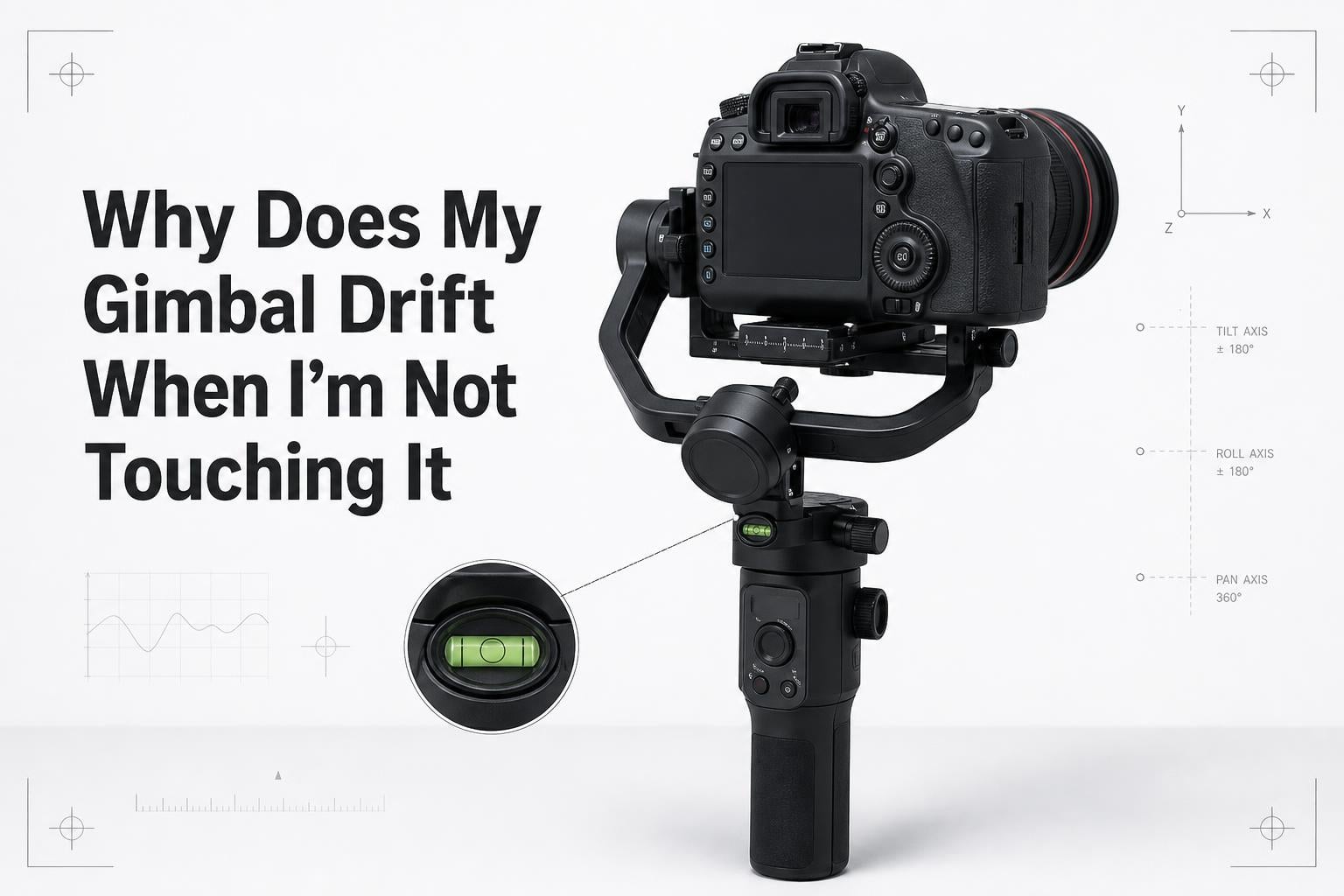
You set up the perfect shot. You balanced your camera, powered on your gimbal, and got everything level. Then you take your hands off the grip and watch helplessly as the camera slowly rotates on its own. Sound familiar?
Gimbal drift is one of the most frustrating issues videographers face. It ruins takes, breaks your framing, and makes you question whether your gear is broken. The good news is that in most cases, you can fix it yourself.
In this guide, I will explain exactly why gimbal drift happens, what causes it across different brands and scenarios, and how to fix it step by step. Whether you shoot with a DJI Ronin, a MoVI, or a budget Hohem stabilizer, the solutions below will help you get your gimbal locked and stable.
Table of Contents
What Is Gimbal Drift?
Gimbal drift is when your camera gimbal slowly rotates or moves on its own without any input from the operator. It can happen on any axis (pan, tilt, or roll), though pan drift is by far the most common type.
The key difference between drift and shaking is speed. Drift is a slow, gradual creep, while gimbal shaking or vibration is rapid and erratic. If your gimbal is vibrating aggressively, you likely have a motor torque or balance issue rather than drift.
There are three main types of gimbal drift you might encounter:
- Pan drift: The camera slowly rotates left or right around the vertical (yaw) axis. This is the most common type.
- Roll drift: The horizon slowly tilts clockwise or counterclockwise. Many users report roll drift appearing specifically when panning.
- Tilt drift: The camera slowly tilts up or down on its own.
Pan drift is the most frequent complaint because of how the IMU works. The tilt and roll axes can reference gravity to stay level. The pan axis has no such constant reference point, so small sensor errors accumulate over time and cause slow rotation.
Why Does My Gimbal Drift When I’m Not Touching It?
To understand why gimbal drift happens, you need to understand the component at the heart of every stabilizer: the IMU, or Inertial Measurement Unit.
The IMU is a small sensor module containing accelerometers and gyroscopes. It detects the orientation and movement of your camera hundreds of times per second. The gimbal motors then use this data to counter any unwanted movement and keep the camera stable.
Here is the critical detail most guides skip: the accelerometers in your IMU use Earth’s gravity as a reference point to know which way is “down.” This works perfectly for the tilt and roll axes because gravity pulls straight down on them. The pan (yaw) axis, however, is parallel to the ground. Gravity cannot help the IMU determine which direction the camera is facing horizontally.
Without a fixed horizontal reference, the pan axis relies entirely on the gyroscope to track rotation. Gyroscopes are not perfect. They accumulate tiny measurement errors over time, and those errors translate into slow, creeping rotation. This is classic gimbal drift.
On higher-end systems like the Ronin 2 or MoVI Pro, a compass or absolute encoder can provide a heading reference to reduce pan drift. But on most consumer and prosumer gimbals, there is no compass, so some degree of pan drift is physically built into the system.
Common Causes of Gimbal Drift
Beyond the inherent IMU limitation, several specific factors can trigger or worsen gimbal drift. Let’s break them down one by one.
Mechanical Imbalance and Poor Balancing
If your camera is not properly balanced on the gimbal before you power on, the motors have to work harder to hold position. Overworked motors generate heat and can cause micro-corrections that look like drift. A poorly balanced rig is the number one cause of drift that I see in the field.
Firmware Bugs and Software Glitches
Gimbal firmware controls how the IMU data is interpreted and how motors respond. A buggy firmware update can introduce drift that was not there before. Users across Reddit and DJI forums frequently report new drift issues appearing immediately after a firmware refresh. In some cases, the motor parameters get reset to defaults that do not match your setup.
Temperature Changes and Environmental Factors
IMU sensors are sensitive to temperature. If you calibrate your gimbal indoors at 72 degrees and then step outside into 40-degree weather, the sensor characteristics shift. This temperature-induced drift is one of the most underreported causes. Professional operators know to let the gimbal acclimate to the shooting environment for 10 to 15 minutes before use.
Vehicle Mounts and Moving Platforms
Mounting a gimbal on a car, boat, or other moving vehicle introduces a unique drift problem. The accelerometers in the IMU cannot distinguish between gravity and the acceleration forces of the vehicle. When the vehicle accelerates, brakes, or turns, the IMU interprets those forces as gravity changes and adjusts the gimbal accordingly. This causes noticeable drift during vehicle rig shots.
Improper Grip and Handling
DJI’s own support documentation identifies this as a top cause. If you do not hold the gimbal grip firmly, the stabilizer detects small movements and tries to correct for them. This self-correction can look like drift. Resting the gimbal on a tripod or stand when not actively shooting prevents this issue.
Worn or Damaged Motors
Over time, gimbal motors can wear out or get damaged from impacts. A motor that cannot deliver consistent torque will allow slight drift even when everything else is calibrated correctly. If you have tried all other fixes and drift persists, a motor issue may be the culprit.
How to Fix Gimbal Drift: Step-by-Step Solutions
Follow these steps in order. Most drift issues get resolved by steps 1 through 3.
Step 1: Rebalance your camera from scratch. Remove the camera from the gimbal, remount it, and balance all three axes (tilt, roll, pan) carefully. The camera should stay in any position you place it with the gimbal powered off. If it does not, it is not balanced.
Step 2: Run a full IMU calibration. Open your gimbal app (DJI Assistant, MoVI Controller app, etc.) and initiate IMU self-calibration. Place the gimbal on a completely flat, level surface. Do not touch or move it during calibration. If calibration gets stuck at 50 percent, restart the process on a more stable surface.
Step 3: Update or reflash firmware. Check for firmware updates in your gimbal app. If you are already on the latest version and drift appeared after an update, try reflashing the same firmware version. This can clear corrupted motor parameters.
Step 4: Adjust motor parameters. If your gimbal app allows manual motor tuning, check that the motor strength settings match your camera payload. Too much motor strength causes vibration, while too little causes drift. Auto-tune motors if the option is available.
Step 5: Reset follow speed and endpoint range. Aggressive follow speed settings can cause the gimbal to overshoot and creep. Reduce follow speed slightly and check if drift improves. Also verify that your endpoint range is not limiting the gimbal’s movement range in a way that causes it to push against its limits.
Step 6: Check for hardware damage. Inspect motors, cables, and the IMU module for physical damage. If you recently dropped or bumped the gimbal, internal components may have shifted. Contact the manufacturer for professional service if you suspect hardware failure.
When to Calibrate Your Gimbal
Calibration is not a one-time setup task. You should recalibrate your gimbal’s IMU in several common situations:
- After any firmware update, even minor ones
- When moving between significantly different temperatures (indoor to outdoor, for example)
- After shipping or air travel, where vibrations and pressure changes can affect sensors
- If you notice the horizon slowly tilting during normal operation
- After changing your camera, lens, or any accessories that alter the payload weight
As a general rule, I recommend recalibrating at the start of every shoot day. It takes two minutes and eliminates a whole category of potential problems.
Brand-Specific Drift Notes
Different gimbal brands handle drift differently. Here are the specifics for the most popular systems.
DJI Ronin S, RS 2, RS 3, and Ronin SC: These gimbals use Smoothtrack for pan and tilt smoothing. If Smoothtrack settings are too aggressive, the gimbal can appear to drift because it continues to ease into position after you stop moving. Reduce Smoothtrack speed or increase the dead zone if this happens. DJI also recommends using the included tripod stand when calibrating.
MoVI (Freefly Systems): MoVI gimbals use Majestic mode for single-operator control. Majestic mode intentionally allows some pan movement based on handle input. If you are seeing pan drift in Majestic mode, check that the Majestic pan deadband is set correctly. MoVI Pro and XL models have built-in encoders that significantly reduce drift compared to encoder-less systems.
Hohem, Zhiyun, and budget gimbals: These systems typically lack absolute encoders and compass sensors, making them more prone to pan drift. Pay extra attention to regular IMU calibration. If your budget gimbal drifts on the roll axis specifically when panning, this is the gimbal’s self-leveling system trying to find true level while the IMU processes rapid pan movement.
Preventing Gimbal Drift: Best Practices
The best fix for gimbal drift is preventing it in the first place. Build these habits into your routine:
- Balance before every shoot, even if nothing changed since last time
- Recalibrate the IMU whenever you change environments or temperatures
- Keep firmware up to date, but test after every update
- Store the gimbal in its case to protect the IMU and motors from impacts
- Use a tripod stand between takes instead of setting the gimbal down
- Let the gimbal acclimate to ambient temperature for 10 minutes before shooting
Quick Troubleshooting Checklist
When drift strikes on set, run through this checklist in order:
- Is the camera balanced with the gimbal powered off?
- Have you run IMU calibration on a flat surface recently?
- Is your firmware current?
- Are motor strength parameters set correctly for your payload?
- Are Smoothtrack or Majestic mode settings too aggressive?
- Has the temperature changed significantly since your last calibration?
- Are you holding the grip firmly, or is the gimbal mounted securely?
If you answer yes to all of these and drift persists, you may have a hardware issue that needs professional service.
Frequently Asked Questions
What is gimbal drifting?
Gimbal drifting is when your camera gimbal slowly rotates or moves on its own without any operator input. It is caused by IMU sensor errors, mechanical imbalance, firmware bugs, or external forces. Pan drift is the most common type because the pan axis has no gravity reference to keep it fixed.
How to fix gimbal drift?
To fix gimbal drift, first rebalance your camera on all three axes. Then run a full IMU calibration on a flat surface. Update your firmware, adjust motor parameters to match your payload, and reduce follow speed if it is set too high. If drift persists after all steps, check for hardware damage.
Why does my DJI gimbal keep moving on its own?
DJI gimbals like the Ronin S and RS series can move on their own due to Smoothtrack settings that continue easing the camera after you stop moving, improper grip handling, outdated firmware, or a failed IMU calibration. Rebalance the camera, recalibrate the IMU, and check Smoothtrack speed settings in the DJI app.
How to stop a gimbal from moving?
To stop unwanted gimbal movement, power off the gimbal and verify the camera stays perfectly balanced on all axes. Run IMU calibration, update firmware, and make sure you hold the grip firmly during operation. Place the gimbal on a tripod stand when not actively shooting to prevent self-correction drift.
How to fix gimbal calibration?
If gimbal calibration is stuck or failing, place the gimbal on a perfectly level and stable surface. Remove any attached accessories that add vibration. Restart the gimbal and the calibration app. If calibration gets stuck at 50 percent, try a different surface or contact support, as this may indicate an IMU hardware problem.
Conclusion
Understanding why gimbal drift happens comes down to one core concept: the IMU uses gravity as a reference for tilt and roll, but the pan axis has no such reference. Small sensor errors build up over time and cause that slow, maddening creep across your frame.
By rebalancing your camera, running regular IMU calibration, keeping firmware current, and adjusting motor and follow speed settings, you can eliminate most drift in minutes. For vehicle-mounted shots and extreme temperature changes, plan for recalibration and acclimation time before you roll.
If you have worked through every step in this guide and your gimbal still drifts when you are not touching it, reach out to the manufacturer. A worn motor or damaged IMU module requires professional attention. But in the vast majority of cases, the fix is in your hands.